


Choosing the right Customer Relationship Management (CRM) platform is one of the most critical decisions a B2B sales team can make. Your CRM isn’t just a database—it’s the central nervous system of your entire sales operation. It impacts everything from how quickly your team closes deals to how well you understand your customers and whether your business can scale efficiently.
The market offers no shortage of CRM solutions, but two platforms consistently dominate conversations among B2B sales leaders: Pipedrive and HubSpot. Both are powerful, well-established tools with loyal user bases, yet they approach sales management from distinctly different angles.
In this comprehensive guide, we’ll conduct an in-depth analysis of Pipedrive vs HubSpot to help you determine which platform truly fits your B2B sales operation in 2026. We’ll move beyond surface-level comparisons and examine how these tools handle everything from pipeline management to reporting, automation, pricing, and team collaboration.
What Pipedrive Actually Is
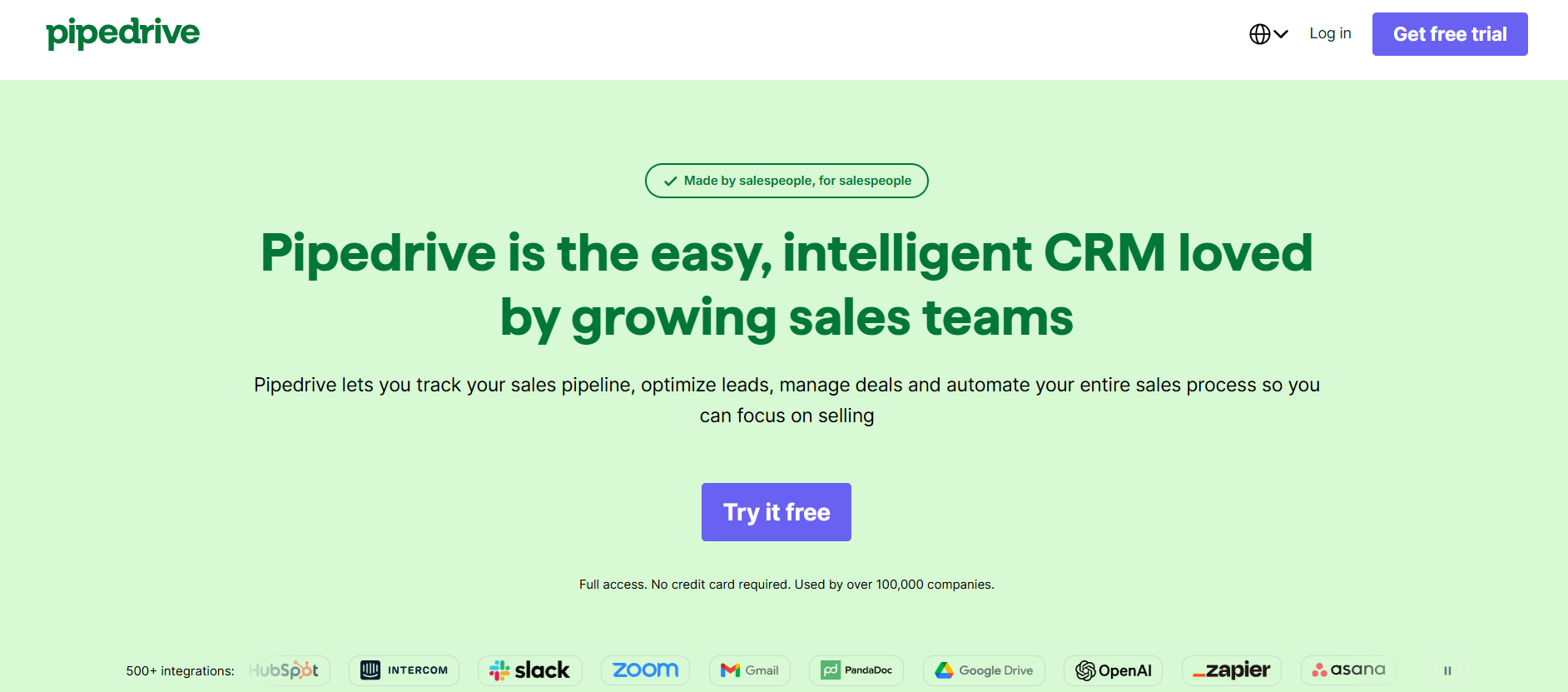
Before diving into comparisons, let’s establish exactly what Pipedrive brings to the table. Launched in 2010, Pipedrive was built from the ground up with a singular purpose: to help salespeople sell more effectively. The company’s founders were themselves frustrated sales professionals, so they designed every feature around the actual needs of sales teams rather than adding features for feature’s sake.
Pipedrive positions itself as a sales-first CRM platform. This means the entire architecture revolves around managing deals, tracking prospects through sales pipelines, and maintaining constant visibility into where every opportunity stands in your sales process. The interface uses a drag-and-drop Kanban-style board that feels intuitive to most users—visualizing deals as cards you move between columns representing different sales stages.
The platform includes core sales features like contact and company management, activity tracking, deal pipelines, document management, and basic automation. It also offers a mobile app that allows sales reps to stay connected while in the field. For teams that primarily need a fast, focused CRM built specifically for B2B sales operations, Pipedrive delivers a compelling value proposition.
Pipedrive also emphasizes data-driven selling. The platform includes built-in analytics that help teams understand pipeline health, forecast revenue, and identify which sales tactics are actually working. For a sales CRM focused on core functionality without excessive complexity, Pipedrive has earned a strong reputation.
What Makes HubSpot Different

HubSpot’s origin story differs dramatically from Pipedrive’s. Founded in 2006, HubSpot emerged during the peak of “inbound marketing” philosophy—the idea that companies should attract customers through valuable content rather than interruptive outbound tactics. This heritage shaped HubSpot’s DNA in fundamental ways.
Today, HubSpot positions itself as a comprehensive customer platform rather than a sales-specific tool. While Pipedrive asked “How do we make selling easier?”, HubSpot asked “How do we manage all customer relationships across marketing, sales, and service?”
This translates into a significantly different product. HubSpot’s Sales Hub integrates seamlessly with its Marketing Hub, allowing teams to see the complete customer journey from initial awareness through conversion and beyond. The platform emphasizes workflow automation that connects marketing activities to sales outcomes. If a prospect downloads a whitepaper (a marketing action), that automatically triggers workflow notifications and activity logging in the sales module.
HubSpot also operates with a tiered freemium model, offering a genuinely functional free CRM tier that includes basic contact management, deal tracking, and email integration. This free tier has become a acquisition funnel—users experience the platform’s capabilities and naturally upgrade as their needs expand.
The platform’s Philosophy centers on providing a unified workspace where marketing, sales, and service teams can collaborate more effectively, share data seamlessly, and optimize the entire customer experience rather than isolated sales processes.
Pipedrive vs HubSpot: A Visual Quick Comparison
| Feature Category | Pipedrive | HubSpot |
|---|---|---|
| Primary Focus | Sales pipeline management | Integrated customer platform |
| Best For | Sales-focused teams | Marketing + Sales alignment |
| Learning Curve | Steep (intuitive but powerful) | Moderate (more features to learn) |
| Ease of Setup | Quick (days to weeks) | Moderate (weeks to months) |
| Free Version | No | Yes (limited) |
| Pipeline Management | Excellent | Good |
| Marketing Automation | Add-on only | Native (better integration) |
| Mobile Experience | Strong | Good |
| Reporting | Good (improves with plans) | Excellent (comprehensive) |
| API & Integrations | 400+ integrations | 1000+ integrations |
| Base Pricing | $39-99/user/month | $50/month (team, includes multiple users) |
| Scalability | Per-user model | Unlimited users on some tiers |
Ease of Use: Choosing Between Simplicity and Power
When we talk about “ease of use,” we need to distinguish between initial learning curve and long-term capability depth. These aren’t the same thing.
Pipedrive’s Approach to Usability
Pipedrive wins decisively on initial friction. The first time a sales rep logs in, they see a Kanban board. If they’ve ever used Trello or another visual task management tool, they immediately understand how to move deals from “Negotiation” to “Proposal” to “Won.” There’s no steep learning curve because the core interaction is instantly familiar.
Setup is likewise straightforward. You create your pipeline stages (which represent your actual sales process), define your required fields, invite your team, and you’re operational. The entire process typically takes 2-4 days for a team of 10-15 people. This speed matters in real business scenarios—you’re not waiting weeks for your sales team to become productive in a new system.
However, beneath that simple surface lies considerable power. Once teams move past the basics, they discover advanced features like custom fields, conditional logic, activity automations, and sophisticated reporting. The platform scales with your sophistication level—beginners see simplicity, while power users access substantial capabilities.
HubSpot’s Complexity Trade-off
HubSpot requires more initial investment in learning. The interface is more feature-rich, offering more navigation options, more configuration possibilities, and more modules that interact with one another. A new user might feel overwhelmed by the breadth of tools available.
However, HubSpot’s additional complexity delivers value for teams managing complex B2B sales processes. The platform supports more sophisticated workflows, more granular reporting, and deeper integration with marketing teams’ activities and data.
Consider a scenario: You want to automatically alert your account executive when a specific contact at a target account opens an email three times in a week. Pipedrive can handle this, but the setup is more manual. HubSpot allows this as a native workflow with conditional logic that feels more natural to configure.
The Verdict on Usability
For teams prioritizing speed and simplicity: Pipedrive wins. Your sales reps will be productive faster with less training.
For teams managing complex B2B processes with marketing-sales alignment: HubSpot’s additional complexity is worthwhile once your team invests in learning it.
Pipeline Management and Sales-Focused Features: The Core Distinction
This is where Pipedrive vs HubSpot differences become most pronounced. Both platforms manage pipelines, but they approach the concept differently based on their core philosophy.
Pipedrive’s Pipeline Architecture
Pipedrive treats the pipeline as the central organizing principle of sales management. Every activity, every interaction, every piece of information about a prospect exists in relation to where that opportunity sits in your pipeline.
The platform excels at visualizing pipeline health. Want to know how much money is in “Proposal” stage? It’s immediately visible on the board. Want to see all deals closing in Q2? Filter the board. Want to understand which sales reps have over-weighted pipelines in early stages (indicating potential forecast problems)? The analytics show this clearly.
Pipedrive also includes strong deal probability settings and automated revenue forecasting. You assign probability percentages to each stage (30% for “Qualification,” 75% for “Proposal,” 95% for “Negotiation”), and the platform automatically calculates expected revenue. This helps sales managers understand realistic forecast numbers rather than simply adding all deals together.
The platform supports unlimited pipelines, allowing teams to maintain separate pipelines for different markets, products, or business units. You might have one pipeline for “Enterprise Deals” with stages focused on complex, multi-stage sales cycles, and another for “SMB Direct Sales” with shorter, simpler stages.
HubSpot’s Pipeline Framework
HubSpot similarly uses pipelines, but positions them within a broader customer relationship context. The platform tracks deals but also emphasizes how those deals relate to contacts, companies, and marketing interactions.
Where HubSpot excels is connecting sales pipeline activity to marketing-generated leads. You can see exactly which marketing campaigns produced prospects in each pipeline stage. You can create workflows that move prospects forward based on both sales actions and marketing behaviors.
HubSpot also includes deal stages, but with integrated workflow automation that’s quite powerful. For instance, you might create a workflow that says: “When a deal moves to Negotiation, automatically send the prospect a case study, schedule a follow-up meeting 5 days later, and alert the sales manager if no response by day 7.” These integrated workflows reduce manual work and ensure consistent processes.
The platform’s predictive lead scoring and deal scoring features (available in higher tiers) use machine learning to identify which opportunities are most likely to close, helping sales teams prioritize their time more effectively.
Practical Comparison: A Real Scenario
Imagine you’re running a B2B SaaS company with a 90-day sales cycle. Your sales team works through these stages: Qualification → Needs Analysis → Proposal → Negotiation → Won/Lost.
In Pipedrive, you’d:
- Create these 5 stages
- Set probability percentages for each (20%, 40%, 70%, 90%, 100%)
- Have reps drag deals between stages as conversations progress
- Review the board weekly to see exactly where deals stand
- Use the forecast view to predict monthly/quarterly revenue
- Create custom reports to analyze pipeline velocity (how long deals stay in each stage)
In HubSpot, you’d additionally:
- Link deals to the specific marketing campaign that generated them
- Create workflows that trigger specific actions when deals move to certain stages
- Receive predictive alerts about which deals are highest priority
- See reports that connect marketing contribution to sales outcomes
- Automate document delivery, meeting scheduling, and follow-up sequences
For a pure sales team without deep marketing integration needs, Pipedrive’s approach feels more streamlined. For organizations where marketing and sales must work closely together, HubSpot’s integration becomes valuable.
Marketing Automation Capabilities: A Major Differentiator
This is perhaps the clearest distinction between Pipedrive vs HubSpot in practical terms.
HubSpot’s Native Marketing Engine
HubSpot includes comprehensive marketing automation as a core part of its platform. You’re not adding on features—they’re built in.
The Marketing Hub allows teams to:
- Create landing pages with built-in templates (no separate tool needed)
- Design and manage email campaigns with sophisticated segmentation
- Implement lead scoring based on behavioral triggers
- Create complex workflows connecting marketing activities to sales pipeline actions
- Manage content management with SEO optimization
- Track attribution across marketing channels
This integration matters tremendously. When a prospect completes a form on your landing page, that automatically creates a contact in your CRM, triggers lead scoring, and notifies your sales team. The entire process is seamless because it’s designed as one integrated system.
For B2B companies running serious marketing campaigns (content marketing, email nurturing, webinars, paid advertising), HubSpot’s native approach is significantly more efficient than managing separate systems.
Pipedrive’s Marketing Limitations
Pipedrive’s core platform is purely a CRM. It doesn’t include landing pages, email campaigns, or lead scoring in its base offering. For basic email integration and task automation, Pipedrive works fine. But if you need sophisticated marketing automation, you have three options:
- Use Pipedrive’s own marketing add-on (available but underdeveloped compared to HubSpot)
- Integrate a separate email marketing platform like Mailchimp, ConvertKit, or ActiveCampaign and accept that data flows between separate systems
- Recognize that your marketing team needs a separate tool and live with the integration complexity
Many Pipedrive users choose option 2 or 3. They use Pipedrive purely for sales management and keep marketing activities in a separate tool. This works, but requires more manual integration work and creates more opportunity for data inconsistencies.
The Marketing Automation Winner
For companies that need marketing automation integrated with sales: HubSpot is substantially better.
For companies where marketing and sales are completely separate functions using different tooling: Pipedrive works fine as a pure sales tool.
This is one of the most important Pipedrive vs HubSpot considerations for 2026, as marketing-sales alignment has become critical for B2B revenue operations.
Automation and Sales Features: Workflows and Efficiency
Both platforms offer automation capabilities, but they approach them differently.
Pipedrive’s Automation Strategy
Pipedrive includes activity automation—setting up rules that automatically create tasks, send emails, or assign activities based on triggers. You can create automation like:
- When a deal enters “Proposal” stage, create a task to send proposal and set 3-day follow-up
- When a contact hasn’t been contacted in 30 days, assign a task to reach out
- When a deal moves to Won, create a follow-up task for onboarding
These automations are powerful for ensuring consistent process execution. However, they’re focused on creating work, not orchestrating complex multi-step sequences. Pipedrive is excellent at “when this happens, do that” (one-step logic) but less sophisticated at complex conditional workflows.
HubSpot’s Workflow Power
HubSpot’s workflow builder is far more sophisticated. You can create complex sequences with multiple conditional branches, delays, and actions. For instance:
- If prospect downloads whitepaper AND opens email 2+ times within 7 days AND company size is 50-500 employees, then route to sales rep AND send warm-up email AND schedule follow-up call in 3 days
These multi-conditional workflows orchestrate entire customer journeys rather than just creating individual tasks.
HubSpot also includes sequences—a specific workflow type designed for sales reps to execute. A sequence might include: “Send email → Wait 2 days → If no open, send follow-up → If still no engagement after 5 days, assign task to call.”
Comparison Table: Automation Features
| Feature | Pipedrive | HubSpot |
|---|---|---|
| Basic Automation | Yes | Yes |
| Conditional Logic | Basic | Advanced |
| Multi-step Workflows | Limited | Comprehensive |
| Sales Sequences | Add-on only | Native |
| Lead Routing | Basic | Advanced |
| Email Integration | Good | Excellent |
| Document Automation | Basic | Good |
| Approval Workflows | Limited | Yes (higher tiers) |
| Complexity Ceiling | Medium | High |
Pricing Models: A Critical Consideration for Budget Planning
This is where Pipedrive vs HubSpot starts to feel very different depending on your team size.
Pipedrive’s Per-User Pricing Model
Pipedrive charges per individual user per month, with several tiers:
- Essential: $39/user/month
- Advanced: $65/user/month
- Professional: $99/user/month
All pricing assumes annual billing; monthly pricing is slightly higher. A team of 10 salespeople on the Professional plan costs approximately $11,880 annually.
This model means costs scale directly with headcount. Adding a new salesperson increases costs predictably. Conversely, if your needs are minimal (1-2 people), Pipedrive becomes efficient—you’re only paying for what you use.
HubSpot’s Tiered Seat-Based Model
HubSpot uses a different structure. You purchase a “team” which includes multiple users:
- Starter: $50/month (up to 2 users)
- Professional: $800/month (up to 5 users in Sales Hub)
- Enterprise: $3,200/month (unlimited users)
Additionally, Marketing Hub features cost separately, and customer service tools add further costs. A company needing Sales Hub + Marketing Hub Professional features pays roughly $1,600/month ($19,200 annually).
HubSpot’s model incentivizes bundling features. The per-user cost actually decreases as you buy more seats on higher tiers. A team of 10 people on Enterprise costs $3,200/month ($38,400 annually) but includes unlimited users across sales, marketing, and service, making the per-person cost approximately $3,200/month divided by headcount.
Real-World Pricing Scenarios
Let’s examine actual costs for different size organizations:
Small Team (5 salespeople, no marketing automation):
- Pipedrive Professional: 5 × $99 × 12 = $5,940/year
- HubSpot Sales Hub Starter: $50 × 12 = $600/year
Winner: HubSpot (dramatically)
Growing Company (15 salespeople, basic marketing automation needed):
- Pipedrive Professional (15 people): 15 × $99 × 12 = $17,820/year
- HubSpot Sales Pro + Marketing Pro: $800 + $800 = $1,600/month × 12 = $19,200/year
Nearly equivalent, but HubSpot includes marketing automation.
Enterprise (40+ salespeople across regions):
- Pipedrive Professional: 40 × $99 × 12 = $47,520/year
- HubSpot Enterprise: $3,200/month × 12 = $38,400/year (unlimited users)
HubSpot becomes more cost-effective at scale.
The Pricing Reality
Pipedrive’s per-user model favors small, lean teams. HubSpot’s tiered approach favors growing companies that can share costs across more users and functionality. Neither is universally cheaper—it depends entirely on your situation.
However, when you factor in that HubSpot includes substantial marketing automation (which would otherwise require a separate tool), HubSpot’s total cost of ownership is often lower than it initially appears, especially as teams grow.
Reporting, Analytics, and Data-Driven Insights
Sales leaders need visibility into pipeline health, rep performance, and sales trends. Both platforms provide reporting, but with differences.
Pipedrive’s Analytics Approach
Pipedrive includes solid reporting, with capabilities improving at higher pricing tiers:
- Pipeline reports: Deal progression velocity, stage conversion rates, time-in-stage analysis
- Forecast reports: Revenue forecasts by rep, by pipeline, by month
- Activity reports: Contact attempts, follow-ups completed, task completion rates
- Performance reports: Revenue by salesperson, average deal size, close rates
The reporting interface is relatively straightforward. You can create custom reports using their report builder, though customization is limited compared to advanced BI tools.
Pipedrive also provides API access, allowing technical teams to extract data and build custom analytics in tools like Tableau or Looker if you need deeper insights than the built-in reports provide.
HubSpot’s Reporting Comprehensiveness
HubSpot’s reporting is substantially more comprehensive, especially in higher tiers:
- Deal insights: Revenue cycle analytics showing days-to-close, close rates by company size, industry, source
- Sales insights: Rep performance dashboards, opportunity scoring, deal stage predictability
- Contact intelligence: Engagement scoring, buyer readiness indicators
- Attribution reporting: Which marketing efforts contribute to sales outcomes
- Forecasting: AI-powered forecasts using historical data and machine learning
HubSpot includes dashboards you can customize, saved reports for recurring analysis, and more sophisticated filtering and segmentation options.
The platform’s strength is connecting sales metrics to marketing and business data. You can see not just “revenue per rep” but “revenue per rep by marketing source” or “revenue per rep for accounts generated from content marketing.”
The Reporting Verdict
For straightforward pipeline and rep performance reporting: Both tools work well.
For companies needing sophisticated analysis connecting sales to marketing outcomes: HubSpot’s reporting is more powerful.
For organizations that want maximum flexibility: Both platforms offer API access for custom analytics, though this requires technical resources.
Integration Ecosystems: Connecting Your Tech Stack
No CRM exists in isolation. You need to connect it to email, calendar, accounting software, communication tools, and dozens of other platforms.
Pipedrive’s Integration Network
Pipedrive connects to 400+ applications through native integrations and Zapier. Major integrations include:
- Email: Gmail, Outlook
- Calendar: Google Calendar, Outlook Calendar
- Communication: Slack, Microsoft Teams
- Accounting: QuickBooks, FreshBooks
- Web forms: Formstack, Typeform
- Phone: Twilio, Vonage
- Marketing: Mailchimp, Constant Contact
The integration ecosystem is strong for B2B sales tools. However, for sophisticated marketing automation platforms (HubSpot, Marketo, Eloqua), integration is less native—you’re often using Zapier or custom webhooks, which are more brittle and less reliable than native connections.
HubSpot’s Integration Breadth
HubSpot connects to 1000+ applications, offering both native integrations and via Zapier. However, the more important point is that HubSpot controls both sides of the sales and marketing integration, making that connection seamless and deeply integrated.
For popular B2B tools, HubSpot typically offers deeper integration than Pipedrive. For instance, HubSpot’s Salesforce integration allows bi-directional sync of data, while Pipedrive’s Salesforce integration is less comprehensive.
The Integration Reality
Both tools integrate with the essential business software. For standard tools (Slack, Google Workspace, Zoom), both work well. For specialized B2B marketing platforms or custom internal systems, HubSpot often offers more robust connections, though this advantage decreases as HubSpot’s native tools make external integrations less necessary.
Strengths and Limitations: Honest Assessment
Pipedrive’s Strengths
- Sales-focused design: Every element serves sales execution. Nothing distracts from core CRM functions.
- Visual pipeline management: The Kanban interface is intuitive and makes pipeline health instantly visible.
- Quick implementation: Sales teams can be productive within days, not weeks.
- Reasonable pricing for small teams: Per-user cost is predictable and affordable for lean teams.
- Mobile experience: Strong mobile app keeps reps connected in the field.
- Customization: Flexible custom fields and automation let you adapt the platform to your process.
Pipedrive’s Limitations
- Limited marketing features: If you need marketing automation, this requires add-ons or separate tools.
- Complex reporting requires workarounds: Advanced analytics might need custom reports or external BI tools.
- Less suitable for complex B2B sales: Multi-stakeholder deals with long cycles need HubSpot’s sophisticated workflows.
- Scaling costs: Per-user pricing becomes expensive as teams grow beyond 20-30 people.
- API maturity: While capable, API documentation and developer experience lag HubSpot’s.
- Limited historical data: Can’t easily see complete communication history or engage in sophisticated predictive analytics.
HubSpot’s Strengths
- Comprehensive platform: One tool handles sales, marketing, and service, eliminating integration complexity.
- Marketing-sales alignment: Native workflows connect marketing activities to sales outcomes seamlessly.
- Enterprise-ready features: Sophisticated automation, permissions, and workflows support complex organizations.
- Scalable pricing: Enterprise tier with unlimited users becomes cost-effective at scale.
- Advanced reporting: Attribution, forecasting, and predictive insights provide deep visibility.
- Community and resources: Extensive training, certifications, and ecosystem support.
- Free tier: Genuinely usable free CRM gets people through the door.
HubSpot’s Limitations
- Complexity overhead: More features mean more to learn and configure. Small teams often feel over-engineered.
- Learning curve: Implementation and team training take longer than Pipedrive.
- Not sales-first: Core design balances sales, marketing, and service rather than optimizing for pure sales.
- Price creep: Comprehensive features exist in higher tiers. The cheap tier is intentionally limited.
- Integration dependency: You’re somewhat locked into HubSpot’s ecosystem. Custom integrations require API work.
- Customization limits: While flexible, HubSpot restricts custom coding more than Pipedrive for stability reasons.
Who Should Choose Pipedrive vs HubSpot: Decision Framework
Let’s move beyond abstract comparisons to actual decision logic.
Choose Pipedrive if:
- Your team is primarily focused on sales execution with minimal marketing integration needs
- You have fewer than 20-30 salespeople (where per-user pricing remains reasonable)
- You need a CRM that’s quick to implement and requires minimal training
- Your sales process is straightforward (under 90 days, fewer stakeholders)
- You want a sales tool that stays out of the way with minimal feature bloat
- Your organization’s marketing team is separate and uses different tools
- You prefer simplicity and focused functionality over comprehensive all-in-one platforms
- You operate with a limited implementation budget and timeline
Choose HubSpot if:
- You need integrated sales and marketing operations with shared visibility
- Your organization is growing and you want to scale without changing tools
- You have complex B2B sales processes requiring sophisticated automation
- You need advanced reporting connecting sales to marketing outcomes
- Your team includes marketers, salespeople, and customer service reps who need to collaborate
- You want a single platform to manage all customer-facing activities
- You need enterprise-grade permission management and approval workflows
- You can justify investment in proper implementation and team training
- You want best-practice guidance and comprehensive training resources
For Small B2B Startups (2-10 people)
Pipedrive is likely better. The simplicity, speed, and lower cost outweigh the lack of marketing integration. Most early-stage B2B companies are sales-driven anyway. Marketing can run in Mailchimp or similar.
HubSpot’s free tier becomes relevant here, and if your startup includes a marketing co-founder, HubSpot’s free tier is genuinely capable for early-stage needs.
For Growth-Stage Companies (15-50 people)
This is where the decision becomes genuinely difficult. Both platforms work well. The decision depends on whether you have dedicated marketing and sales leadership collaborating closely. If yes, HubSpot’s integrated approach becomes valuable. If sales and marketing remain siloed, Pipedrive’s simplicity remains attractive—though you’ll still need a separate marketing tool.
For Enterprise Organizations (100+ people)
HubSpot is more likely the right choice. Pipedrive’s per-user pricing becomes prohibitively expensive. HubSpot’s Enterprise tier with unlimited users becomes cost-effective, and the sophisticated features (approval workflows, advanced permissions, complex automation) become necessary.
Conclusion
Choosing between Pipedrive vs HubSpot requires understanding that neither is universally superior. They solve different problems for different organizations.
Pipedrive excels at being a focused, sales-first CRM. If your organization’s primary need is helping sales reps manage pipelines and execute their sales processes more effectively, Pipedrive delivers that focus with simplicity and reasonable cost. Implementation happens quickly, your team gets productive fast, and you get a tool that serves core sales functions excellently.
HubSpot positions itself as a comprehensive customer platform. If your organization’s success depends on sales and marketing working together seamlessly, if you need advanced automation and sophisticated reporting, if you’re growing and want to scale without tool changes, HubSpot provides a more comprehensive solution despite additional complexity.
For 2026, the CRM landscape has matured. Both platforms are stable, well-supported, and proven effective for thousands of B2B companies. The right choice isn’t about which is “better” in abstract terms—it’s about which better matches your organization’s structure, needs, budget, and growth trajectory.
Take the time to understand your actual needs beyond surface-level features. Do you need marketing automation integrated with sales? Do you want one unified customer view across all functions, or separate best-of-breed tools for sales and marketing? How important is implementation speed versus long-term capability? How much do you plan to grow, and how will CRM costs scale with growth?
Answer these questions honestly, and the right platform for your B2B sales operation will become clear.
Frequently Asked Questions
Is Pipedrive cheaper than HubSpot?
For small teams (under 10 people), Pipedrive can be cheaper if you don’t need marketing automation. For medium to large teams, HubSpot’s pricing becomes more favorable, especially considering included marketing features.
Does HubSpot have a free version?
Yes. HubSpot’s free tier includes basic contact management, deal tracking, and email integration. It’s genuinely functional and doesn’t expire. Upgrade to paid tiers to access advanced features like marketing automation and custom properties.
Can Pipedrive do marketing automation?
Pipedrive’s core platform doesn’t include marketing automation. You can add basic email capabilities, but for serious marketing automation, you’ll need a separate tool integrated via Zapier or API.
Which CRM is better for small business?
For pure sales-focused small businesses, Pipedrive often wins due to simplicity and lower cost. If your small business needs marketing automation or plans to add a marketing team, HubSpot’s free tier becomes more attractive despite being simple by its standards.
How long does implementation take?
Pipedrive: Typically 2-4 weeks for full implementation with a 10-15 person team. HubSpot: Typically 4-8 weeks for proper implementation with data migration and training.
Which platform integrates better with Salesforce?
HubSpot offers deeper Salesforce integration. However, most organizations choosing between Pipedrive and HubSpot are moving away from Salesforce’s complexity, not toward it.
Can I switch from one platform to the other later?
Yes, though it requires data migration work. Both platforms support data export, and various migration services specialize in moving data between CRMs. Plan for 2-4 weeks of work depending on data complexity.
Which handles multi-currency support better?
Both support multi-currency. HubSpot’s implementation is slightly more sophisticated, but both work adequately for international B2B companies.
What about mobile apps?
Both offer strong mobile apps. Pipedrive’s is slightly more robust for pure sales reps in the field. HubSpot’s is good but emphasizes information access over mobile-first design.