


Most LinkedIn outreach advice is built for people selling simple things to single buyers. If you’re selling tech, you’re operating in a completely different world: sales cycles that stretch past 11 months, buying committees with 10 or more stakeholders, and technical evaluators who can kill a deal before the CFO ever hears your name. Generic “personalize your connection request” advice doesn’t survive contact with that reality. This guide covers LinkedIn outreach for B2B tech companies specifically — how to build a prospect list that actually reflects your ICP, how to use buying signals to time outreach before your competition does, how to run multi-threaded campaigns across full buying committees, and how to use LinkedIn as an active deal tool through negotiation and close, not just at the top of funnel.
Why LinkedIn Outreach Hits Different for B2B Tech Sales
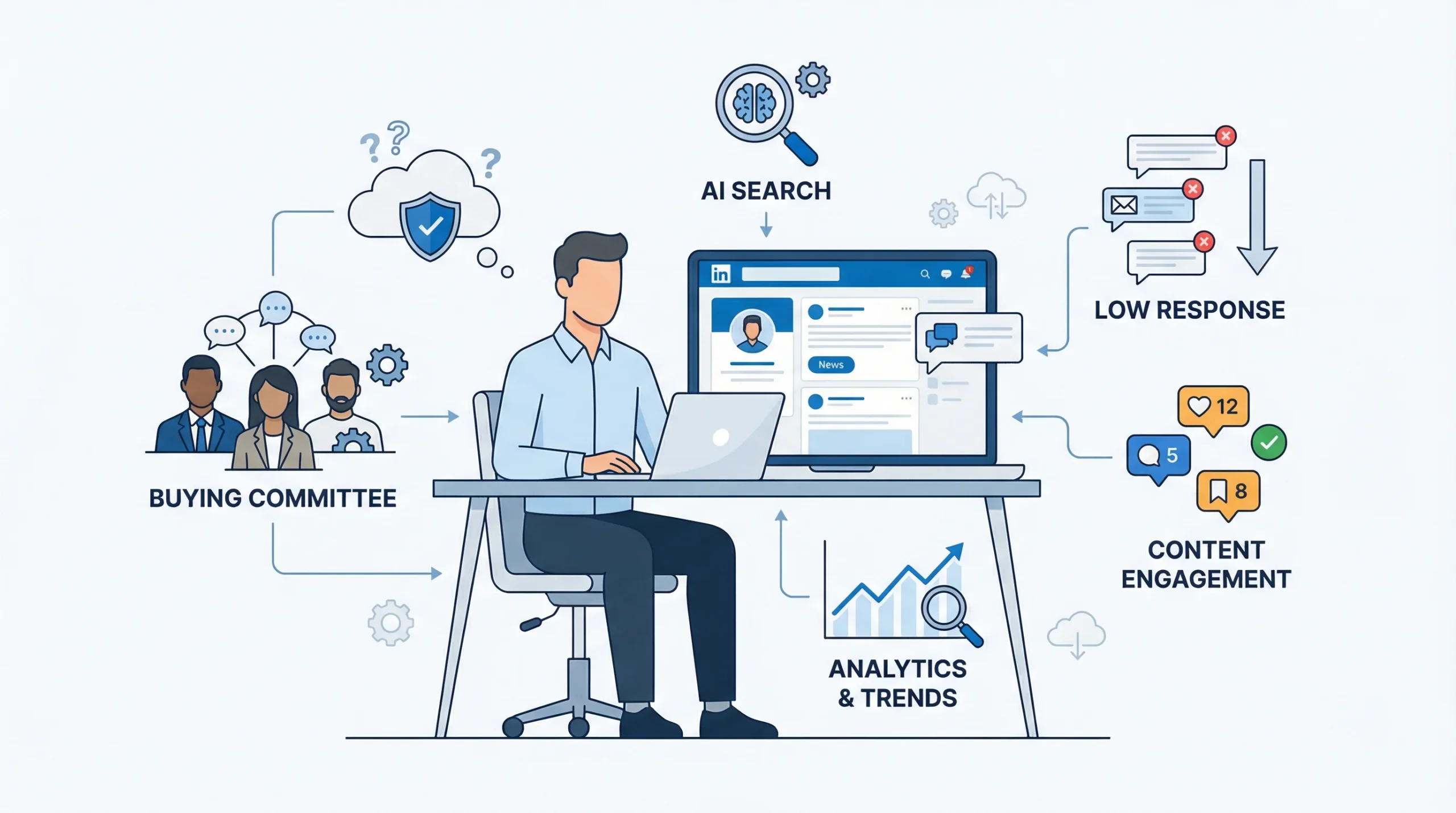
LinkedIn outreach for B2B tech companies is harder than most outreach guides admit. The platform works, but not the way vendors describe it in their case studies. The conditions you’re operating in are genuinely distinct from what a B2B services firm or a solo consultant faces, and understanding those conditions is what separates teams that fill their calendar from teams that send hundreds of messages and wonder why no one replies.
The B2B Tech Buyer’s Reality on LinkedIn
The first thing to understand is that your buyers are not waiting passively for a good pitch. According to LinkedIn’s own research, four out of five LinkedIn members drive business decisions at their companies, which means the platform is dense with the people you’re trying to reach. That’s the good news.
Here’s the harder part. B2B tech deals today involve buying committees that have grown to 10 or more stakeholders across technical, financial, and operational functions, each with different objections and evaluation criteria. You might land a great conversation with a VP of Engineering who loves what you do, only to find out three months later that procurement has been waiting for a security review and the CFO is questioning the ROI model. Single-threaded outreach — where you cultivate one champion and hope they carry the deal internally — fails with increasing frequency as tech purchasing gets more committee-driven.
The other reality is that your buyers have developed a strong immune response to cold outreach. Research published in 2026 found that 79% of B2B decision-makers actively ignore cold direct messages. That number should recalibrate how you think about volume-based strategies. Sending 500 connection requests and hoping 5 convert is not a pipeline strategy. It’s a slow way to damage your sender reputation while generating almost no qualified pipeline.
What actually works is reaching buyers in the context they trust, with messages that demonstrate you understand their specific situation before asking for their time. That requires a different approach to prospecting, personalization, and sequencing than most guides describe.
What Changed on LinkedIn in 2026 (and Why Old Playbooks Are Broken)
LinkedIn has changed more in the first two months of 2026 than it did in most of 2025, and several of those changes directly affect how outreach works.
- The Depth Score replaced profile completeness as the content distribution signal. LinkedIn now measures how long people actually engage with content, whether they save it, share it privately, or leave a substantive comment. Posts that generate quick likes or generic comments are actively deprioritised. For sales teams using content as part of their visibility strategy before outreach, this changes what’s worth posting.
- LinkedIn launched AI-powered conversational search across the platform in January 2026. Buyers are now finding vendors, evaluating options, and forming opinions through search before any human-to-human interaction. Your presence in search results, and your content’s depth, determines whether prospects find you before you find them.
- LinkedIn’s AI Sales Assistant launched inside Sales Navigator, focused on reducing the admin load on SDRs working through large prospect lists and multi-touch follow-ups.
- LinkedIn’s Company Intelligence API connects LinkedIn engagement data to CRM outcomes through certified partners. Early beta results in February 2026 showed a 287% increase in companies reached, 75% more marketing-qualified leads, 96% more sales-qualified leads, and a 43% drop in acquisition costs. For account-based outreach teams, this changes how you prioritize which accounts to pursue.
- Connection limits are now capped at roughly 100 requests per week per account, and an algorithmic penalty referred to as the “Volume Tax” is getting traditional volume-based prospectors shadowbanned. This makes scaling outreach through a single LinkedIn account mathematically impossible without multi-account infrastructure.
- Cold email sits at a 1-5% reply rate while LinkedIn InMail hits 10-25%, but only for outreach that clears the personalization bar. The platform advantage disappears entirely if your messages read like templates.
These changes don’t kill LinkedIn outreach. They kill lazy LinkedIn outreach. Teams that invest in signal-based targeting, multi-account infrastructure, and genuine personalization are seeing better results precisely because the noise from volume-players is getting filtered out.
Building Your ICP for LinkedIn Outreach: The Tech Company Edition
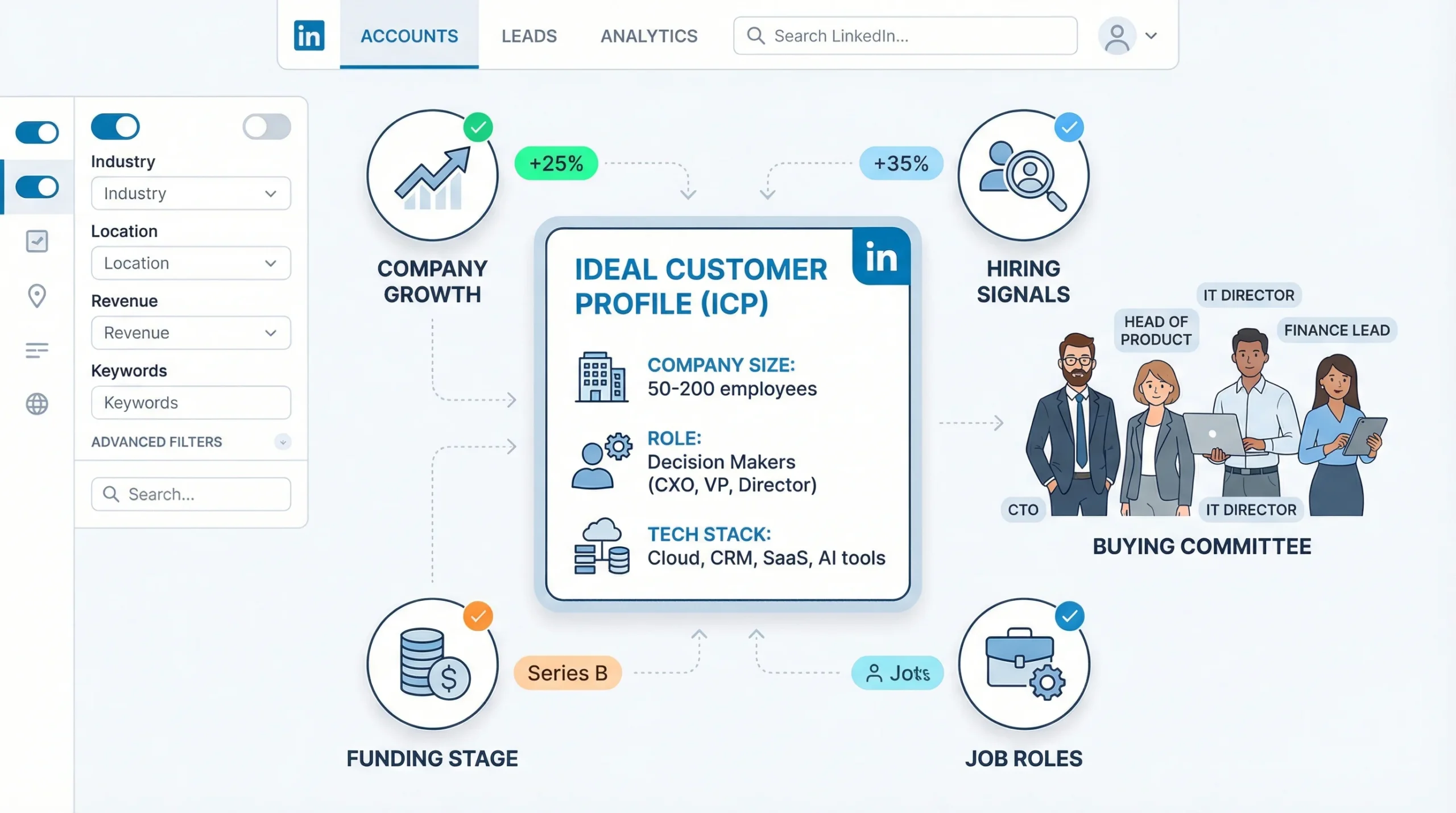
An ICP built for LinkedIn outreach in B2B tech is not the same as an ICP built for your marketing personas. It needs to be specific enough to drive filter logic inside Sales Navigator, actionable enough to inform message personalization, and granular enough to separate prospects who are genuinely in-market from prospects who merely look like your customer from the outside.
“We sell to CTOs at SaaS companies” is not an ICP. It’s a starting point. What you need is something like: “We sell to CTOs at Series B SaaS companies between 50 and 200 employees, scaling their data infrastructure, who have hired at least one data engineer in the last 90 days, and whose current stack includes a legacy data warehouse that predates their funding round.” That level of specificity is what LinkedIn Sales Navigator can actually filter against, and it’s what separates a 20% connection acceptance rate from a 40% one.
Firmographic and Technographic Targeting
The filters most teams use stop at industry, company size, and job title. That produces lists that are theoretically correct and practically useless, because they include hundreds of companies that match your ICP on paper but aren’t actually in-market.
Going deeper means layering in signals that indicate readiness:
- Company size and revenue stage determine budget authority and decision complexity. A bootstrapped company at $3M ARR operates completely differently from a Series B company at $15M ARR, even if they’re in the same industry with the same headcount. The Series B company has capital earmarked for tooling, a board expecting growth, and a CTO under pressure to ship faster. That context should shape both who you target and what you say.
- Tech stack signals tell you what problems a company has already solved and where the gaps are. A company running Salesforce, Outreach, and Gong has invested in sales infrastructure and is likely receptive to adjacent tooling. A company with no CRM on record is either very early-stage or resistant to software adoption, and those are very different situations.
- Hiring signals are one of the most reliable real-time intent indicators available without buying third-party intent data. A company posting three SDR roles is almost certainly evaluating sales tooling. A company hiring a Head of Data Science is likely in the market for data infrastructure. These signals are visible on LinkedIn for free, and they update in real time.
- Funding rounds as trigger events are worth treating as a distinct targeting layer. Companies that closed a Series A or Series B in the past 90 days have budget, mandate, and urgency. The CTO is trying to prove the investment thesis. The VP of Sales is trying to hit a new, higher number. The CFO is building financial models that assume the new tools are already in place. This is the highest-conversion window for outbound, and most teams don’t systematically target it.
Persona Mapping Across the Buying Committee
Because B2B tech deals are committee decisions, your ICP needs to account for every role that will touch the purchase, not just the person who picks up the phone or accepts your connection request.
Here’s how the committee typically breaks down in a mid-market tech sale:
- Technical evaluators (CTO, VP Engineering, Solutions Architects): These people will determine whether your product actually works in their environment. Their objections center on integration complexity, security posture, implementation lift, and what happens when something breaks. If your message to them leads with ROI, you’ve already lost them. Their question is: “Will this work, and will it create problems for my team?”
- Budget owners (CFO, COO, VP Finance): These people are not evaluating your product. They’re evaluating your company’s claim about what the product produces. They want payback period, total cost of ownership, and comparable results from companies they recognize. A message that leads with features doesn’t register. A message that leads with “companies at your stage typically see $X in productivity gain within 90 days, and here’s the calculation” has a chance.
- End users and internal champions (Head of Sales, Head of Marketing, Product Manager): These are the people who will actually use what you’re selling. They care about whether it fits into their existing workflow, whether it’s easy to adopt, and whether their team will actually use it. They often have the most influence on whether a deal moves at all, because a CTO who hears from their Head of Sales that the tool looks usable is much more likely to greenlight a technical evaluation than one who hasn’t.
Technical content should address integration concerns for IT leaders, while financial content must demonstrate ROI for CFOs. That’s not a novel insight, but most outreach programs treat the entire buying committee with the same message, which is why most outreach programs underperform.
Using Sales Navigator’s Advanced Filters for Tech Prospecting
Sales Navigator is the standard tool for B2B tech prospecting, and most teams use 10% of what it can actually do. The basic workflow of filtering by job title, industry, and geography produces a list. Using the platform’s deeper capabilities produces a prioritized list of people who are likely to respond.
- 50+ advanced filters let you go well beyond demographics. Company growth rate, headcount changes by department, years in current role, and seniority level can all be combined to identify prospects at the exact inflection point where they’re most likely to be evaluating new vendors.
- Boolean search operators inside Sales Navigator dramatically improve list quality when your ICP spans multiple job title variations. “VP Engineering” OR “Head of Engineering” OR “Engineering Director” NOT “Junior” captures your actual audience without manual cleanup.
- Job change alerts are one of the most underused features on the platform. When a target prospect changes companies or gets promoted, Sales Navigator flags it. New leaders have budget authority, willingness to buy, and the desire to put their stamp on the team’s tools. This is a high-signal trigger event that most teams miss entirely.
- Sales Navigator Smart Links let you package presentations, case studies, and ROI calculators into a single trackable link. You can see who viewed your content, how long they spent on each section, and whether they forwarded it to a colleague. This turns your follow-up from guesswork into signal-informed outreach.
A Forrester study found that Sales Navigator pays for itself in less than six months for teams using it at even moderate depth. The teams that get that return are the ones combining multiple filter types to identify the right people at the right moment, not the ones running basic searches and sending generic outreach to everyone on the list.
Signal-Based Prospecting: Reaching Prospects at the Right Moment
Timing is the variable that separates outreach with a 5% reply rate from outreach with a 20% reply rate, and most LinkedIn guides don’t address it at all. The question isn’t just who to reach — it’s when they’re actually in-market. Signal-based prospecting uses observable data to identify that window before your competitors do.
The fundamental insight is this: a connection request referencing a prospect’s recent funding round, hiring surge, or tech stack change converts at 3x the rate of a generic template. The content is the same — personalized, professional, relevant — but the timing signal tells you the prospect is already in motion, which means you’re joining a conversation that’s already happening rather than trying to start one from cold.
LinkedIn-Native Signals to Act On
LinkedIn generates signals that are invisible to most prospectors because they don’t have a system for capturing and acting on them in real time.
- Profile views from target accounts are the clearest intent signal on the platform. When someone at a company you’re targeting views your profile without reaching out, they’ve already done the first step of evaluating you. An outreach message sent within 24-48 hours of that view has far higher conversion than cold outreach to the same person.
- Content engagement on your posts or on posts from companies in your category tells you who is paying attention to your space. Someone who comments substantively on a competitor’s post about a problem your product solves is telling you exactly where they are in their buying journey.
- Job changes and promotions are the highest-converting trigger event on LinkedIn. Newly hired leaders at target accounts want to prove ROI quickly, and they come in with both budget authority and the mandate to change things. A VP of Engineering who just joined a company is actively evaluating their new team’s tooling within their first 90 days. This is the window.
- Company news in your Sales Navigator feed captures funding announcements, product launches, executive hires, and expansion news in real time. Each of these is a context point that can make an outreach message feel timely rather than random.
Off-Platform Signals That Feed LinkedIn Outreach
The most sophisticated B2B tech prospecting programs use LinkedIn as the outreach channel but feed it with signals from outside the platform.
- G2, Capterra, and Trustpilot activity reveals companies that are actively evaluating your category. A company that leaves a detailed review of a competitor product has an opinion about that category, which means they’re either already using a solution or actively shopping for one. Either way, they understand the problem space and are much more likely to engage than a cold prospect.
- Job postings are one of the richest off-platform signals available, and they’re free. A company posting for a Head of RevOps is almost certainly evaluating the software stack that a RevOps function needs. A company posting for a Data Engineer is likely evaluating data infrastructure. A company posting three SDR roles simultaneously is in a growth mode that usually comes with tooling investment.
- Content consumption patterns are harder to track but genuinely valuable. Buyers in B2B tech research vendors quietly before engaging. They read your blog, watch your demo video, check your G2 profile, and look at who else uses you — all before your outreach team has any idea they’re looking. Tools like Clearbit, 6sense, and Bombora surface this anonymous intent data and let you prioritize outreach to companies that are already in-market.
- LinkedIn company page analytics show you who’s visiting your company page and what content they’re engaging with. This is platform-native signal that’s often overlooked. A prospect who views your company page twice in a week is warmer than any cold-list target.
Prioritizing Your Prospect List by Signal Strength
Not all signals carry equal weight, and treating them as if they do produces a flat list that’s hard to work efficiently. Building a warmth-scoring model around signal combination changes how your SDR team prioritizes their day.
A hot prospect combines multiple signals: they match your ICP on firmographic and technographic criteria, they’ve been at their current company for less than 12 months, their company recently closed a funding round, they viewed your LinkedIn profile in the last 7 days, and they recently engaged with a competitor’s content about the problem you solve. That prospect gets a personalized, timely message today.
A warm prospect matches your ICP, has a relevant job change in the last 90 days, and works at a company that’s actively hiring in roles that correlate with your ICP. They get personalized outreach this week.
A cold prospect merely matches your ICP filters but shows no behavioral or contextual signals of in-market activity. They go into a lower-priority nurture sequence with longer spacing between touches. Tools like Dealsflow’s prospect CRM can score this automatically using a hot/warm/neutral/cold warmth model, which helps teams stop treating their entire prospect list as equally urgent.
Outreach Sequences That Move Tech Buyers Through the Funnel
Templates are the most requested thing in any LinkedIn outreach guide, and they’re also the thing that causes the most damage when used without understanding the logic behind them. This section covers sequence strategy first, then templates, because a great message sent at the wrong moment in the wrong sequence to the wrong persona will still fail.
The core principle: structure your sequences around where prospects sit in their buying journey, not where they sit in your CRM stage.
The Connection Request: Getting Accepted Without Getting Ignored
The connection request is not a soft opener. It’s the first filter your prospect applies to decide whether you’re worth knowing professionally. Most fail because they ask too much too fast, or they’re so generic that they signal zero research.
Personalized connection requests with a relevant note see a 93% higher acceptance rate than requests sent without a note. That data point alone should end the debate about whether to include a message. The question is what to put in it.
What works:
- Reference a specific, recent trigger event. “I saw your recent post about scaling engineering teams past 100 people — we’ve been helping SaaS companies navigate that exact transition” connects your outreach to something real they did or said.
- Reference a mutual connection with context. “I noticed we’re both connected to [Name] — they mentioned your team is working on [relevant challenge]” is warmer than cold because it introduces social proof before the relationship exists.
- Reference company news you’ve actually read. “Congrats on the Series B — we’ve worked with a few other companies right after their raise to [specific outcome]” tells them you did 60 seconds of research before reaching out.
What kills acceptance rates:
- Any variation of “I’d love to connect and explore synergies” sends the message that you copy-paste this to everyone.
- A pitch in the connection request itself. You haven’t earned the right to ask for anything yet, and people can tell when the connection request exists only to set up a sales pitch.
- Generic statements that could apply to anyone: “I help companies like yours achieve growth” means nothing and demonstrates zero understanding of their specific situation.
Template: Connection request to a CTO at a Series B SaaS company
Hi [Name], I saw [Company] closed their Series B last month — congrats. We’ve been helping engineering teams at similar-stage companies reduce onboarding time for new hires after a fundraise, when headcount usually doubles fast. Would be good to connect.
That’s 45 words. It references a real event, states a specific, relevant outcome, and doesn’t ask for anything.
The First Message After Connection: Earning the Conversation
The 24 to 48-hour window after a connection accepts is the highest-response window in any LinkedIn sequence. Most teams waste it by sending an immediate pitch. That’s the fastest way to get muted.
The first message after connection should do one thing: deliver value before asking for anything. What counts as value depends on the persona:
- For a CTO or VP Engineering, a short, specific insight about a technical challenge their company is facing — with a question that invites them to share their perspective — is more effective than any offer.
- For a Head of Sales or VP RevOps, a relevant benchmark or data point about how companies at their stage typically approach the problem you solve positions you as someone who understands their world.
- For a CFO, a brief reference to how a comparable company measured ROI on a tool like yours opens a conversation about financial outcomes rather than features.
Message length matters more than most guides acknowledge. Senior titles (C-suite, VP) respond better to shorter messages with a clear, specific point. Mid-level champions can absorb more context because they’re often doing the research work for the buying committee. A 200-word first message to a CFO will almost always go unread. A 60-word message with one specific insight and one specific question has a chance.
Template: First message to a VP Engineering after connection
Hey [Name], one thing I see consistently at Series B companies your size — the tooling that worked at 30 engineers starts breaking at 80. Specifically around [relevant technical area]. Curious how your team is thinking about that now. Is it on your radar for this year?
That message is specific, asks a real question, and requires a real answer. It’s not a pitch. If they respond, you have a conversation. If they don’t, your follow-up has context.
Follow-Up Sequences for Long B2B Sales Cycles
Enterprise B2B tech deals often require 8 to 12 touchpoints across LinkedIn and email over 45 days before a prospect books a meeting. That’s not pessimism — it’s the reality of buying committees with competing priorities, procurement processes, and decision cycles that don’t align with your quarter.
The mistake most teams make is sending the same type of message on repeat. A follow-up that says “just checking in” on day 7, day 14, and day 21 trains your prospect to ignore you. Each touchpoint in a sequence should either deliver new value, reference a new signal, or shift the angle of the ask.
A well-structured follow-up sequence for a B2B tech sale looks like this:
- Day 1: Connection accepted, send first message (value-first, no pitch, one question)
- Day 4: If no reply, share a relevant piece of content — a case study from a comparable company, a research finding about their specific challenge — with one sentence of context and no ask
- Day 9: If still no reply, try a different angle. Reference something that’s changed since your first message: a piece of company news, a relevant industry development, or a change in the problem you’re addressing. Keep it short.
- Day 18: If still no reply, make a direct, low-friction ask: “I know timing might not be right — would a 15-minute call next quarter make more sense?” Giving people an easy out paradoxically increases responses.
- Day 30: Final touch. A brief, human message that acknowledges you’ve reached out a few times and makes clear you’ll stop after this. “Not expecting a reply — just wanted to leave the door open if [specific problem] becomes a priority.”
For prospects who accept and reply but then go quiet after a positive initial exchange, the follow-up logic is different. They expressed interest, which means the problem is either timing or internal friction. A message referencing their specific situation — “Last time we spoke you mentioned [specific thing they said] — has anything changed on that front?” — is more effective than restarting from scratch.
The conditional branching principle: a prospect who accepted your connection but hasn’t replied gets different follow-up timing and content than a prospect who replied positively and then went cold. Treating them the same wastes your highest-signal opportunities.
Message timing guidelines by seniority and time zone:
- C-suite: Tuesday through Thursday, 8 to 10 AM in their local time zone. Monday mornings are high-volume. Friday afternoons are dead.
- VP and Director level: Tuesday through Thursday, 9 AM to 12 PM in their time zone.
- Manager and mid-level: Slightly wider window — Tuesday through Friday, 9 AM to 3 PM works.
- Avoid holiday weeks, major industry conference weeks (when your prospect is either traveling or has inbox zero), and the last two weeks of any quarter for companies under sales pressure.
InMail Strategy for Prospects Outside Your Network
InMail is LinkedIn’s paid messaging feature that lets you reach people you’re not connected to. At 10 to 25% reply rates versus cold email’s 1 to 5%, it performs better — but only with personalization that justifies the cost per message.
The decision to use InMail versus a connection request depends on two factors: how senior the prospect is, and how warm your targeting signals are. C-suite prospects at large enterprises often have their inbox set to accept InMail from anyone, which makes it easier to get a first message through. Mid-level prospects at smaller companies usually prefer connection requests, which feel less transactional.
Open Profile targets are a category worth identifying separately. LinkedIn members who set their profile to Open Profile can receive InMail from anyone with a Premium account, even without a paid InMail credit. Building a search in Sales Navigator filtered for Open Profile prospects reduces your cost per message significantly and is the starting point for any InMail campaign.
Template: InMail to a CFO at a mid-market tech company
Hi [Name], [Company] crossed [X revenue milestone or funding event] recently — the stage where the cost of inefficiency in [relevant operational area] usually starts showing up in the numbers. We’ve helped three companies at your stage reduce [specific cost or time metric] by [specific percentage] in the first 90 days. Would it make sense to run through how we did that? Happy to keep it to 20 minutes.
That message is specific about the trigger event, states a concrete outcome with a number, and makes a low-commitment ask.
Multi-Threaded Outreach for B2B Tech Deals
Single-threaded outreach is the most common deal-killer in B2B tech sales, and it’s almost never discussed in LinkedIn outreach guides. You cultivate a champion, they go on leave, change roles, lose internal support, or simply can’t get the deal through procurement alone — and the opportunity dies. Multi-threaded outreach engages the full buying committee from the start, which reduces dependency on any single relationship and dramatically increases deal predictability.
The data is clear. Teams using ABM-aligned multi-threading report up to 67% higher close rates and sales cycles that move up to 2x faster when outreach is intent-based and role-specific.
Mapping the Buying Committee with Sales Navigator
Before you can run multi-threaded outreach, you need a complete map of who you’re threading through. Most B2B purchases involve 6 to 10 decision-makers. Sales Navigator’s account view lets you see all LinkedIn members at a target company organized by department and seniority, which is the starting point for building your committee map.
The workflow:
- Start with your primary ICP contact — the person most likely to be your champion or economic buyer.
- Use the account view in Sales Navigator to identify the other relevant stakeholders: who runs the technical evaluation, who controls budget, who will use the tool daily.
- Check for TeamLink connections. These are second-degree connections where a current customer, colleague, or contact knows someone on the buying committee. A TeamLink introduction is the highest-conversion path into a new stakeholder because it carries the credibility of the mutual connection.
- Build a stakeholder map that lists each person’s role in the buying decision, their likely primary concern, and the message angle that fits their priorities.
This takes about 30 minutes per target account, which sounds like a lot until you compare it to the cost of a single-threaded deal stalling 90 days in because your champion couldn’t close the CFO.
Persona-Specific Messaging at Scale
The multi-threading principle that most teams get wrong: sending identical messages to everyone on the buying committee. Your champion mentioned you to the CFO. The CFO checks their LinkedIn and finds the same connection request with the same message their colleague just got. That’s not multi-threading. That’s spam with extra steps.
Multi-threaded outreach at its best means hitting the account from different angles. The CFO gets a message about cost savings. The CTO’s message focuses on technical integration. The Head of Sales gets a message about workflow impact. Each message is written for that person’s specific role and primary concern, even though the underlying product is the same.
The coordination piece matters too. If you’re messaging three people at the same company simultaneously, their messages should be different enough that comparing notes doesn’t hurt you. They shouldn’t all reference the same case study, arrive on the same day, or use language that makes it obvious you’re running a template campaign against their entire company.
Content assets mapped to the stakeholder matrix support multi-threaded outreach at scale:
- ROI calculators for finance stakeholders: A spreadsheet or interactive tool that lets a CFO plug in their own numbers and see the payback period with their assumptions, not yours.
- Security and compliance briefs for IT and security stakeholders: A one-page document covering your security posture, certifications, data handling, and integration architecture.
- Workflow demos and quick-start guides for end users: A short video or walkthrough that shows someone their actual workflow with your tool, not a generic feature overview.
- Executive summaries for C-suite: A two-page document covering business problem, proposed solution, comparable customer outcomes, and implementation timeline. No feature lists.
ABM + LinkedIn: Running Account-Based Campaigns at Scale
Account-based marketing (ABM) on LinkedIn combines direct outreach with paid advertising to stay visible to a buying committee across the full length of a sales cycle. The direct messages open conversations. The ads keep your company visible during the weeks between those conversations, when the buying committee is researching, debating internally, and comparing options.
Coordinating LinkedIn Ads with direct outreach to the same accounts creates a compounding effect on recognition. A prospect who receives a direct message from your SDR, sees a LinkedIn ad from your company in their feed two days later, and then reads a thought leadership post from your CEO about the specific problem they’re solving is forming a picture of your company that no single outreach touchpoint could create alone.
LinkedIn Event Ads have become particularly relevant for B2B tech companies using webinars, product demos, and industry events as pipeline channels. LinkedIn reports that Event Ads now drive 31x more viewership than organic event posts alone. For a tech company running a monthly demo webinar or quarterly industry roundtable, that’s a meaningful difference in the size of the audience you can reach with the same underlying content.
Automating LinkedIn Outreach Without Getting Banned (or Sounding Like a Bot)
Automation is where B2B tech sales teams either dramatically increase their output or destroy their LinkedIn accounts and their reputation simultaneously. The distinction between those outcomes is not which tool you use — it’s what you automate and what you don’t.
What Can Be Automated vs. What Has to Stay Human
There’s a clear line between the parts of LinkedIn outreach that automation handles well and the parts where automation produces results that are obviously mechanical and immediately damage reply rates.
Safe to automate:
- Connection request sending within platform limits (100 per week per account), with personalized messages pre-written by a human and customized per prospect using dynamic variables
- First message delivery timing, so messages go out during optimal hours in the prospect’s time zone without someone manually queuing them
- Follow-up sequence cadencing, so the 7-day and 14-day follow-ups happen consistently without requiring an SDR to manually remember every prospect’s position in the sequence
- CRM logging, so every interaction, acceptance, and reply is recorded without manual data entry
- Profile enrichment, so prospect data like company size, funding stage, and tech stack is appended to the record before anyone writes a message
Must stay human:
- Replies to interested prospects. When someone responds positively to your outreach, a human needs to take the conversation. An automated reply to a genuine interest signal is one of the fastest ways to kill a qualified opportunity. The prospect responded because they thought they were talking to a person. Finding out they’re in an automated sequence is not the discovery that builds trust.
- Objection handling. A prospect who replies with “we already use something similar” or “not the right time” requires a nuanced response that depends on understanding the specific objection and the company’s situation. An automated response to an objection is almost always generic, and generic responses to objections don’t convert.
- Meeting scheduling conversations. Once a prospect agrees to a call, the back-and-forth of finding a time should involve a human or a direct calendar link — not an automated message that feels like it came from a bot.
The practical risk of over-automating replies is not just that individual deals get lost. It’s that your LinkedIn account’s engagement patterns start looking non-human to LinkedIn’s systems, which increases your risk of restrictions.
LinkedIn Automation Tools Built for B2B Tech Teams
The tool you choose should match your specific outreach motion, team structure, and account volume. Here’s how the main options break down for B2B tech use cases:
- Arlo AI (Dealsflow) handles the post-reply conversation autonomously, not just the pre-reply sequencing. When a prospect responds to your initial outreach, Arlo takes the conversation through objection handling, question answering, and meeting booking without requiring an SDR to be in the inbox. For teams that want to scale volume without scaling headcount proportionally, this is the gap that the other tools don’t address — they stop when someone replies.
- HeyReach is the right choice for SDR teams and agencies running outreach across multiple LinkedIn accounts simultaneously. LinkedIn caps individual accounts at roughly 100 connection requests per week. HeyReach solves that ceiling by rotating outreach across multiple sender accounts, which is the only sustainable way to scale volume without triggering the Volume Tax on any single account. For a B2B tech company with a 3-person SDR team, running each rep’s outreach through HeyReach with coordinated campaign management is more efficient than three separate account setups.
- Expandi is the strongest option for ABM teams running personalized outreach against named target accounts with direct CRM integration. Its image and GIF personalization capability — where a prospect sees their company logo or their own name rendered in a custom image — produces meaningfully higher engagement for high-value accounts. The webhook integration layer pushes every LinkedIn event to Salesforce, HubSpot, or any CRM that accepts webhooks, which matters for teams that need pipeline attribution from first LinkedIn touch to closed deal.
- Skylead fits B2B tech sales cycles that span weeks or months. Its conditional if/then sequence logic adapts the campaign in real time based on prospect behavior. A decision-maker who accepts your connection but doesn’t reply to the first message gets a different follow-up path than one who viewed your profile without connecting. For enterprise deals with multi-stakeholder buying committees and 45-plus day qualification cycles, this behavioral branching is what separates Skylead from tools with linear sequences.
- Dripify is the entry point for founders or early-stage sales teams validating whether LinkedIn outreach works for their ICP before committing to a full stack. Its setup is simple, its sequences are linear, and its analytics are basic — but it gets campaigns live in under an hour. Once LinkedIn proves ROI and volume requirements exceed what a single account can handle, upgrading to HeyReach or Expandi makes sense.
Account Safety, Daily Limits, and Staying in LinkedIn’s Good Books
LinkedIn’s enforcement is real, and losing an account that your SDRs have spent months building up as a credible professional presence is an expensive problem that’s entirely avoidable with basic account hygiene.
- 100 connection requests per week per account is the current safe ceiling. Going above this, even occasionally, increases your risk of a temporary restriction. For teams that need more weekly volume, the answer is more accounts, not higher per-account limits.
- Warmup protocols for new accounts matter before you add an account to any automation tool. A fresh LinkedIn account that immediately starts sending 100 connection requests per week looks exactly like a bot account, because humans don’t behave that way. A 3 to 4-week manual warmup period — where you send 5 to 10 requests per day manually, engage with content, and fill out the profile completely — tells LinkedIn’s systems that this is a real person before you add automation.
- Signs your account is being throttled include sudden drops in connection acceptance rates (below 15%), messages being sent but not appearing as delivered, and profile view counts dropping despite continued activity. If you see these signals, reduce volume immediately and run the account manually for two weeks before resuming automation.
- The Volume Tax is the informal term for LinkedIn’s algorithmic penalty for accounts that send high volumes of requests with low acceptance rates. If your acceptance rate drops below 20%, LinkedIn interprets that as signal that you’re sending irrelevant outreach to people who don’t want to hear from you. The platform begins throttling your reach. The fix is not to send more — it’s to improve targeting and personalization until acceptance rates recover above 30%.
From Booked Meeting to Closed Deal: Using LinkedIn Through the Late Sales Cycle
Every LinkedIn outreach guide ends at the booked meeting. That’s where most of the playbooks stop. For B2B tech companies with 90-plus day sales cycles, that’s roughly where the real work begins. The buying committee is still forming their opinion, procurement is running their process, and your champion is trying to build internal consensus for a decision that involves people you may never talk to directly. LinkedIn is an active deal tool through this entire phase.
Keeping the Deal Warm Across a Long Sales Cycle
A deal that goes quiet between calls isn’t necessarily dead — but a seller who goes quiet between calls is giving the deal a reason to die. LinkedIn is the lowest-friction channel for staying visible to a buying committee without being intrusive.
The approach is deliberate low-pressure contact:
- Engage with your champion’s LinkedIn content between meetings. A thoughtful comment on a post they made about a relevant industry topic keeps you visible in their network without requiring any formal follow-up. It signals that you’re paying attention to their world, not just waiting for your next scheduled call.
- Share relevant content directly through LinkedIn messages at natural intervals. A case study from a company that faced the same technical challenge your prospect raised in your last meeting, sent with one specific sentence of context and no ask, positions you as someone providing value rather than following up for the sake of following up.
- Use Sales Navigator alerts to monitor any material changes at the account during the sales cycle: new executive hires, funding events, company news, or role changes among your known contacts. A deal that seemed stalled can be reactivated quickly if you catch the signal that something has changed internally and reach out with a relevant message before the prospect has thought to contact you.
The longer the sales cycle, the more important LinkedIn becomes as a continuity tool. Email gets buried. LinkedIn messages, especially from connections with established relationships, tend to get seen.
Handling Objections via LinkedIn Messaging
Not every objection surfaces on a call. Some prospects will raise concerns indirectly in LinkedIn messages, which is actually an opportunity — they’re engaging enough to push back rather than just going cold. Others will go quiet after an objection was raised on a call and need a response that addresses the specific concern without forcing them back onto a call they’re not ready for.
LinkedIn is often the right channel for this:
- Security and compliance objections are common in B2B tech deals, especially when your prospect needs to get their security team’s sign-off. Sharing a security brief, your SOC 2 report summary, or a case study from a customer in the same regulated industry directly through LinkedIn DMs shortens the evaluation cycle. The key is anticipating that this objection is coming and having the asset ready before the sales cycle hits that wall.
- Pricing and ROI objections respond well to LinkedIn Smart Links carrying ROI calculators or comparative cost models. You can track whether your prospect opened the document, how long they spent on it, and whether they forwarded it to someone else (often the CFO or another budget stakeholder). This turns a stalled deal into an observable signal about where the buying committee is in their evaluation.
- Technical fit objections often come from technical evaluators who haven’t been included in the earlier stages of the sales process. If your champion is an end user or a business buyer, there may be a CTO or solutions architect who needs to evaluate the technical fit independently. A warm LinkedIn introduction from your champion to that technical evaluator — with your profile already optimized as a technical credibility signal — is more effective than an unsolicited cold message to someone who doesn’t know you exist.
Social Proof and Peer Validation in the Buying Decision
B2B tech buyers in mature markets don’t just evaluate your product on its merits. They look at who else has bought it, whether those companies are comparable to theirs, and what those customers are willing to say publicly. LinkedIn is where most of that peer validation happens.
LinkedIn recommendations from existing customers in your target industry segment are one of the most credible trust signals available on the platform. A CTO considering your product who checks your LinkedIn profile and sees detailed recommendations from CTOs at companies they recognize is reading social proof from their peer group. This matters more in B2B tech than in almost any other category because the technical evaluation is high-stakes and the reference pool is small.
Mutual connections who can provide informal validation without going through a formal reference process are equally valuable. When a prospect is in the final evaluation stage and your Sales Navigator account shows three second-degree connections between your existing customers and the prospect’s buying committee, those introductions are worth pursuing. A peer-to-peer conversation between your customer and your prospect’s technical evaluator about their honest experience with your product is more convincing than anything your sales team can say.
LinkedIn content — specifically case study posts and customer success stories published on your company page or by your customers directly — serves as always-on social proof for buying committees that are doing background research between your scheduled calls. A post from a customer at a recognizable company describing a specific, measurable outcome creates credibility that your sales deck cannot replicate.
Measuring LinkedIn Outreach Performance: Metrics That Matter for B2B Tech
Measuring LinkedIn outreach by connection acceptance rates and message open rates is like measuring a sales campaign by how many emails got delivered. It tells you something, but not whether you’re generating real pipeline. For B2B tech teams, the only metrics that matter are the ones that connect LinkedIn activity to revenue.
Full-Funnel KPIs for LinkedIn Outreach
Tracking LinkedIn outreach performance requires a clear funnel from first touch to closed deal, with measurable conversion rates at each stage. Here’s what that looks like:
- Connection acceptance rate: For personalized outreach to a well-defined ICP, the benchmark is 30 to 40%. Below 20% consistently means your targeting is off, your message is wrong, or your profile doesn’t create enough credibility to justify accepting the connection. Above 45% suggests you may be targeting people outside your ICP who are more likely to connect but less likely to buy.
- Reply rate on first message: 10 to 15% for first messages is the benchmark for a well-personalized outreach sequence. Below 5% means the message content isn’t connecting. Above 20% usually means you’re reaching very warm prospects — either inbound-led or with strong trigger signals — and your targeting is working.
- Reply rate on follow-ups: 5 to 8% on second and third messages is realistic. If follow-ups are generating no replies at all, the sequence is either too short (not enough touches), too fast (too little time between messages), or too repetitive (the same angle sent on a different day).
- Meeting booking rate: The percentage of LinkedIn conversations that convert to a discovery call. For outreach to your core ICP with strong personalization, 1 to 3% of total connection requests converting to meetings is standard for cold outreach. Signal-triggered and inbound-led campaigns run 4 to 14%, which is why investing in signal-based prospecting pays off so clearly in pipeline economics.
- Pipeline attribution: The ability to trace a closed-won deal back to the specific LinkedIn sequence, message, and SDR that initiated the conversation. Without this, you cannot calculate LinkedIn’s ROI, you cannot identify which sequences are working, and you cannot justify or defend the investment to a CFO.
- Cost per booked meeting, cost per SQL, and cost per closed deal from LinkedIn as a channel. These are the numbers that let you compare LinkedIn outreach against cold email, paid advertising, and other pipeline-generation channels on an apples-to-apples basis.
Outreach Performance Benchmarks by Campaign Type
Not all LinkedIn outreach campaigns perform equally, and combining different campaign types without tracking them separately produces averages that mask what’s actually working.
| Campaign Type | Connection Rate | Reply Rate | Meeting Rate |
|---|---|---|---|
| Cold ICP outreach (no signals) | 28-35% | 5-10% | 1-3% |
| Signal-triggered (job change, funding round) | 35-45% | 12-18% | 4-7% |
| Inbound-led (engaged with your content first) | 45-60% | 18-28% | 8-14% |
| Multi-threaded ABM account | N/A (varies by account) | 15-25% | 10-20% |
These benchmarks reflect personalized outreach to well-defined ICPs using platform-compliant volume limits. Volume-based campaigns with generic templates will perform significantly below these numbers, and that gap tends to widen over time as your account’s reputation with LinkedIn’s algorithm degrades from low acceptance rates.
Tools for Tracking LinkedIn Pipeline Attribution
Tracking LinkedIn outreach from first connection to closed deal requires connecting your outreach tool to your CRM, and connecting your CRM to your revenue reporting. Most teams do the first part. Far fewer do the second.
- CRM integration maps LinkedIn touchpoints to specific opportunity records. Every connection request, message, reply, and meeting booked through LinkedIn should be logged against the prospect record in Salesforce or HubSpot, with a clear source attribution tag. Without this, your revenue data will show the deal closed but won’t show that it started with a LinkedIn message 90 days ago.
- LinkedIn’s Company Intelligence API connects LinkedIn engagement data to CRM outcomes through certified partners. Early beta results in February 2026 showed a 75% increase in MQLs and 96% increase in SQLs for teams using it for account-based outreach prioritization. For teams running ABM campaigns against named accounts, this data layer changes how you decide which accounts to prioritize.
- Analytics dashboards built inside HeyReach, Expandi, or Dealsflow show which sequences, which sender accounts, and which message variants are generating the most replies and meetings. This data drives iteration. If your message variant referencing job changes outperforms your variant referencing company news by 40% in reply rate, you shift the ratio. Without the data, you’re iterating on instinct.
Conclusion
LinkedIn outreach for B2B tech companies is not a messaging problem. It’s an entire go-to-market motion that requires clear ICP definition, signal-based targeting, multi-threaded deal pursuit, and the discipline to stay active on the platform through close, not just through the booked meeting. Most teams treat LinkedIn as a top-of-funnel activity and then wonder why their close rates don’t reflect the number of conversations they’re starting.
The teams getting consistent results from LinkedIn are the ones who map their buying committee before the first message goes out, use trigger events and behavioral signals to prioritize who to contact and when, build persona-specific sequences for each stakeholder rather than one generic campaign, and track LinkedIn activity all the way to closed revenue so they can improve what’s working and stop what isn’t.
Start with your signal sources. Pull up your last 10 deals and identify what triggered the first conversation in each one. That’s where your best prospects are right now: job changes at target accounts, recent funding rounds, companies hiring in the roles that correlate with your ICP, content engagement from buyers in your category. Build your outreach around those signals before you touch your broader cold list, and your acceptance rates and reply rates will tell you within two weeks whether you’ve got the targeting right.
FAQs
What is the best LinkedIn outreach strategy for B2B tech companies?
The most effective LinkedIn outreach strategy for B2B tech companies combines signal-based prospecting, persona-specific messaging, and multi-threaded engagement across the full buying committee. Rather than sending generic connection requests to a broad list, high-performing teams target prospects based on real-time trigger events — job changes, funding rounds, hiring signals — and tailor messages to each stakeholder’s specific role and priorities. According to research published in 2026, inbound-led outreach (where a prospect has already engaged with your content) converts at 14.6%, compared to 1.7% for traditional cold outreach, which is why building visibility before reaching out matters as much as the outreach itself.
How many LinkedIn connection requests can I send per week without getting banned?
LinkedIn currently caps connection requests at approximately 100 per week per account. Going above this limit consistently increases the risk of a temporary restriction or account flag. For teams that need to reach more prospects per week than a single account allows, the solution is multi-account infrastructure using tools like HeyReach, which distributes outreach across multiple sender accounts while keeping each account within safe limits. New accounts should be warmed up manually for 3 to 4 weeks before automation is added, starting at 5 to 10 requests per day and increasing gradually.
What is multi-threaded LinkedIn outreach and why does it matter for B2B tech deals?
Multi-threaded outreach means engaging multiple stakeholders within the same target account simultaneously rather than relying on a single champion to carry the deal internally. In B2B tech, most purchases involve 6 to 10 decision-makers across technical, financial, and operational functions. Teams using ABM-aligned multi-threading report up to 67% higher close rates and sales cycles moving up to 2x faster than single-threaded programs. The key is writing persona-specific messages for each role — the CTO gets a message about integration and implementation, the CFO gets a message about ROI and payback period — rather than sending the same template to everyone at the account.
How do I personalize LinkedIn outreach at scale without sounding like a bot?
Personalization at scale requires building a system that generates relevant context automatically rather than writing each message from scratch. The most effective approach uses dynamic variables tied to real data: company name, prospect’s recent job change or promotion, their company’s latest funding round, or a specific piece of content they published or engaged with. Tools like Clay can enrich prospect lists with this data before messages are written, which lets you create personalized message templates that pull in the relevant signal for each prospect automatically. The test is simple: would this message make sense if sent only to this specific person, or could you send it to 100 people unchanged? If it’s the latter, it’s not personalized.
What is inbound-led outbound on LinkedIn and how does it work?
Inbound-led outbound is a prospecting approach where you generate a signal of interest from the prospect before sending the first direct message. Instead of reaching out cold, you publish content that attracts your ICP, engage with their content first, or target prospects who have already visited your company page or engaged with your posts. The direct outreach then references that signal: “I noticed you engaged with our post on [topic]” or “Your comment on [relevant topic] caught my attention.” According to 2026 research from Linkboost, inbound-led outreach converts at 14.6% compared to traditional outbound at 1.7%, making it the highest-performing prospecting motion on the platform.
How does LinkedIn outreach compare to cold email for B2B tech sales?
LinkedIn InMail achieves 10 to 25% reply rates compared to cold email’s 1 to 5%. The advantage comes from context: when a prospect receives a LinkedIn message, they can see your profile, your mutual connections, your content history, and your company before deciding whether to respond. That social validation layer doesn’t exist in email. The tradeoff is volume — LinkedIn’s connection limits (approximately 100 per week per account) are far lower than what an email sequence can send. The most effective B2B tech outreach programs run both channels in parallel: LinkedIn for high-value, highly personalized outreach to target accounts, and email for broader coverage of the ICP.
What LinkedIn automation tools are safe to use for B2B outreach in 2026?
The safest automation tools are cloud-based (rather than browser extension-based) and built with LinkedIn’s rate limits as a design constraint rather than an obstacle to work around. HeyReach, Expandi, Skylead, and Dripify all operate within safe limits and offer varying levels of functionality for different use cases. Browser extension-based tools that inject activity directly into LinkedIn’s interface carry higher restriction risk because their activity patterns are more detectable. Regardless of tool choice, keeping per-account volume below 100 connection requests per week, warming up new accounts manually before adding them to automation, and monitoring acceptance rates to catch early signs of throttling are the practices that keep accounts safe.
How do I measure LinkedIn outreach ROI and tie it to closed deals?
LinkedIn outreach ROI requires full-funnel attribution from first touch to closed revenue. The starting point is CRM integration: every LinkedIn connection, message, and reply should be logged against the prospect record with a clear source tag. From there, you can calculate cost per booked meeting, cost per SQL, and cost per closed deal from LinkedIn as a channel. LinkedIn’s Company Intelligence API (launched in 2026) connects platform engagement data to CRM outcomes through certified partners, providing a more direct link between LinkedIn activity and pipeline metrics. Teams that track this data consistently can identify which sequences, which message variants, and which targeting approaches produce the highest revenue per dollar spent.
What is the Volume Tax on LinkedIn and how do I avoid it?
The Volume Tax is the informal term for LinkedIn’s algorithmic penalty applied to accounts that send high volumes of connection requests with low acceptance rates. When your acceptance rate consistently drops below 20%, LinkedIn interprets it as a signal that you’re reaching people who don’t want to hear from you, and begins throttling your ability to reach new prospects. The fix is improving targeting and message personalization until acceptance rates recover above 30%, then gradually resuming normal volume. Prevention is more effective than recovery: keep your ICP filters tight so you’re reaching people with a genuine reason to connect, personalize every connection request message, and treat a declining acceptance rate as an early warning signal rather than a number to push through.
How should I message a CTO vs. a CFO on LinkedIn?
A CTO’s primary concern is whether your product works in their specific technical environment: what does integration look like, what’s the implementation timeline, what breaks when something goes wrong, and will it create problems for their engineering team. Your message to a CTO should lead with technical specificity — referencing their current stack, a specific integration challenge, or a technical outcome from a comparable customer. A CFO’s primary concern is the financial case: what does it cost, what does it produce, and when does it pay for itself. Your message to a CFO should lead with a number — a specific percentage improvement, a comparable customer’s ROI, or a cost reduction with a timeframe. Using the same message for both roles signals that you don’t understand what either person actually does.
Is LinkedIn Sales Navigator worth it for B2B tech prospecting?
Yes, for B2B tech companies running structured outreach programs. Sales Navigator’s 50+ advanced filters, job change alerts, account news feeds, and TeamLink connection features produce meaningfully better lead lists than standard LinkedIn search. A Forrester study found that Sales Navigator pays for itself in less than six months for teams using it with even moderate depth. The ROI case is strongest for teams targeting named accounts with multi-threaded buying committee outreach, where the ability to map all stakeholders at a target account and receive real-time alerts about changes at that account directly affects pipeline quality. For founders or early-stage teams doing low-volume, highly manual outreach, starting with free LinkedIn search and Boolean operators is a reasonable way to validate the channel before investing in Navigator.
How do I use LinkedIn outreach during a long B2B sales cycle, not just at the top of funnel?
LinkedIn stays useful throughout a B2B tech sales cycle through several mechanisms. Engaging with your champion’s LinkedIn content between meetings keeps you visible without requiring formal follow-up. Sharing relevant content (case studies, research, tool documentation) through LinkedIn messages addresses objections that surfaced in prior calls. Sales Navigator Smart Links let you share tracked documents — security briefs, ROI models, customer references — and see exactly who on the buying committee opens them and when. LinkedIn retargeting ensures your company stays visible to all known contacts at the account during the research phase between your scheduled calls. For deals that have gone quiet, a LinkedIn message referencing a change you noticed at their account (a new hire, a funding announcement, a relevant industry development) is a natural re-engagement that doesn’t feel like a sales follow-up.