


LinkedIn Sales Navigator has become one of the most debated tools in the B2B sales world. At $99.99 per month for the entry-level Core plan, it is not a casual purchase — and yet more than 700,000 sales professionals use it as the backbone of their outbound prospecting. The question every buyer eventually asks is the same: does the price justify the outcome?
This review gives you a complete, evidence-backed answer. It covers every major feature across all three plan tiers, the actual 2026 pricing with annual vs. monthly breakdowns, what the platform genuinely does well, where it falls short, how it compares to LinkedIn Premium, and crucially — how to pair it with the right outreach tools to close the gap between finding a lead and booking a meeting. Nothing here is filler, and nothing is based on speculation. Every claim is sourced.
Quick Verdict (TL;DR)
Before diving into the full review, here is a direct answer to the central question — because your time matters.
LinkedIn Sales Navigator is a powerful prospecting platform built on the world’s largest professional network. In 2023, Forrester Consulting conducted a Total Economic Impact™ study commissioned by LinkedIn and found that the composite organisation achieved a 312% return on investment over three years, with a payback period of less than six months. Sales professionals saved 15% of their weekly research time, and organisations attributed a $2.6 million efficiency gain over three years to Sales Navigator’s data quality and real-time profile accuracy.
That said, the tool is not right for everyone. It requires a clear prospecting workflow, consistent use, and ideally a complementary outreach tool to convert leads into booked meetings. The ROI figures above apply to active, structured users — not to teams who buy a licence and leave it idle.
Worth It If…
- You run B2B outbound sales where LinkedIn is a primary or key channel
- You sell high-ticket products or services where one closed deal can recover months of subscription cost
- You need to find and track specific decision-makers at named accounts (Account-Based Marketing)
- You send 15 or more personalised outreach messages per week through LinkedIn
- You want real-time alerts when a prospect changes jobs, gets promoted, or engages with content
- You are on a team of more than five people where shared lead lists and collaboration tools add value
Skip It If…
- You sell to consumers (B2C) or run a transactional, low-ticket business
- You do not have a structured prospecting workflow in place
- Your primary outreach channel is cold email rather than LinkedIn
- You are an individual contributor who only reaches out occasionally — LinkedIn Premium Business may be sufficient
- Your team is budget-constrained and cannot absorb $99.99+ per seat per month
Our Overall Rating: 4.1 / 5
| Category | Rating |
|---|---|
| Features & Depth | 4.5 / 5 |
| Value for Money | 3.7 / 5 |
| Ease of Use | 3.8 / 5 |
| Customer Support | 3.5 / 5 |
| Available Integrations | 3.8 / 5 |
What Is LinkedIn Sales Navigator? (And What Has Changed in 2026)
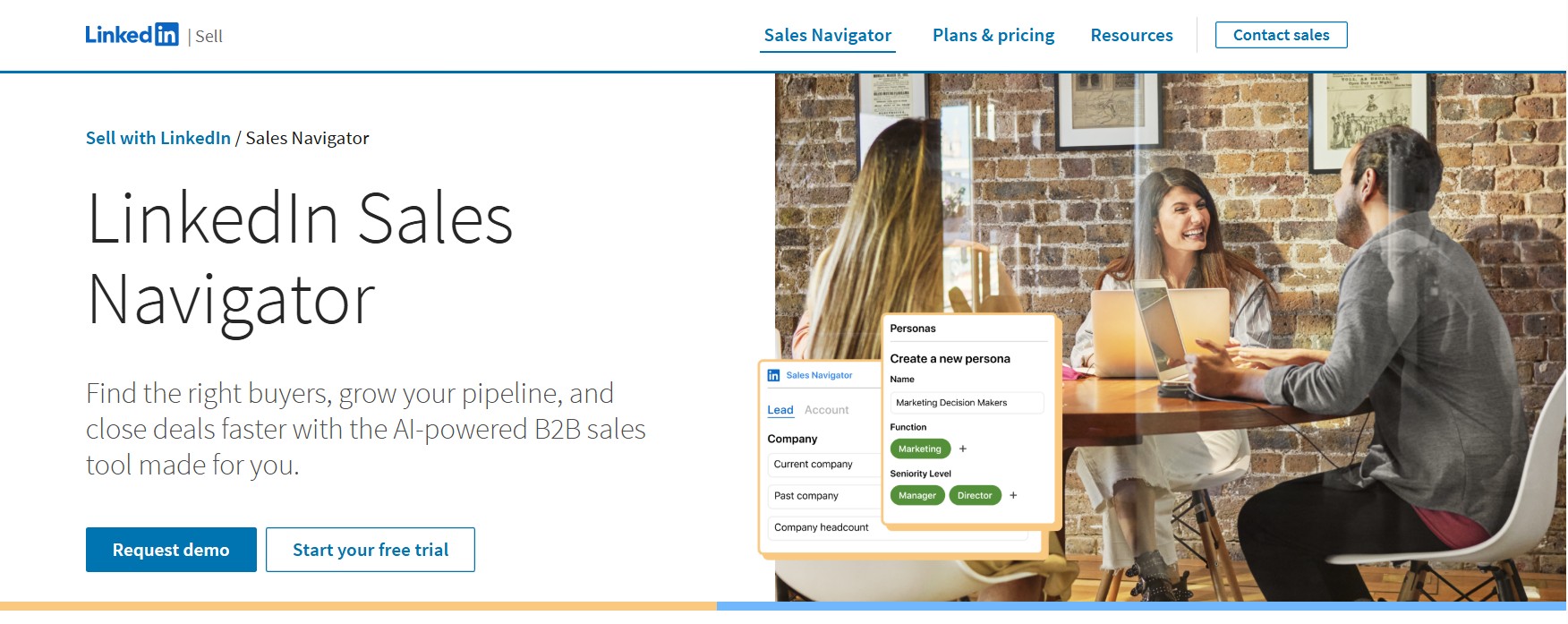
LinkedIn Sales Navigator is a dedicated sales intelligence and prospecting platform built on top of LinkedIn’s professional network of over 1.2 billion members. It is not simply a premium version of the standard LinkedIn experience. It is a separate product, accessed through its own interface, designed specifically for B2B sales professionals who need to identify, track, and engage with decision-makers at scale.
Where the free version of LinkedIn gives you basic profile search with limited filters and a restricted view of people outside your network, Sales Navigator opens up the full 1.2 billion-member database with over 50 advanced search filters, saves leads and accounts into custom lists, delivers real-time alerts on prospect activity, and uses AI to surface leads that match your ideal customer profile before you even search for them.
How It Fits Into the LinkedIn Ecosystem
LinkedIn operates as a single professional network but sells access to it in layers. At the base is the free account, which supports basic networking and limited search. Above that sits LinkedIn Premium, which adds a modest set of career and visibility features. Sales Navigator occupies its own dedicated tier, positioned separately from Premium, and is built entirely around the needs of revenue teams — not individual professionals. It includes capabilities that Premium does not offer at any price, including account lists, buyer intent signals, TeamLink, Smart Links, and deep CRM integration.
Who LinkedIn Built It For (And Who It Wasn’t Built For)
LinkedIn designed Sales Navigator for B2B sales professionals — account executives, business development representatives, sales development reps, and the teams and managers who oversee them. It is built around the assumption that your buyers are on LinkedIn, that you are running some form of outbound prospecting, and that the quality of your lead targeting directly affects your close rate. If those conditions describe your sales motion, Sales Navigator is purpose-built for you. If they do not — for example, if you are a B2C brand, a recruiter (LinkedIn Recruiter is the product for that use case), or a marketer looking for advertising tools — Sales Navigator is the wrong product.
Key 2026 Updates: What’s New and What It Means
Sales Navigator has evolved considerably in early 2026, with LinkedIn shipping a focused set of AI-powered updates that change how the platform works in practice.
- Conversational AI Search: LinkedIn launched AI-powered conversational search across the platform in January 2026. Instead of manually building searches filter by filter, users can now describe who they are looking for in plain language — for example, “Find me VP-level HR leaders at mid-sized tech companies in London who have posted in the last 30 days.” The platform interprets the query and applies the relevant filters automatically, significantly reducing the time required to build a qualified prospect list.
- AI Sales Assistant: LinkedIn introduced an AI Sales Assistant directly inside Sales Navigator in early 2026. Its focus is reducing the administrative burden on SDRs working through large lists and managing multi-touch follow-up sequences. Rather than replacing the human element of selling, it handles workflow management and outreach sequencing so reps can focus on conversations.
- Account IQ Upgrades: Account IQ — the AI-powered account summary tool — received updates that allow it to generate more detailed pre-meeting briefs, pulling from public filing data, LinkedIn workforce trends, and executive communications. Reviewers have described it as compressing what used to be hours of account research into a matter of minutes.
- Company Intelligence API: LinkedIn launched a Company Intelligence API in early 2026 that connects LinkedIn engagement data to CRM outcomes through certified partners. This gives enterprise teams a cleaner signal of which accounts are engaging with their content and employees before any direct outreach happens.
How LinkedIn Sales Navigator Works — Core Mechanics
Understanding how Sales Navigator actually functions in a day-to-day prospecting workflow is important before evaluating whether its features are worth the price. Many buyers purchase the tool based on its feature list and then underuse it because they never learned how it works as a system.
Setting Up Your ICP and Saved Searches
The foundation of Sales Navigator is the search interface. When you first log in, you are presented with a Lead Search and an Account Search. Lead Search lets you find individual people; Account Search lets you find companies. Both surfaces are filtered using the same underlying database, but they serve different prospecting motions.
Effective use starts with defining your Ideal Customer Profile (ICP) — the combination of job title, seniority level, geography, industry, company size, and other attributes that describe your best-fit prospects. You translate those attributes into search filters inside Sales Navigator. Once you have a search that returns a clean, targeted list, you can save it. Saved searches are one of the most underused features: Sales Navigator will automatically notify you when new people match your saved search criteria, which means qualified new leads arrive in your inbox without you having to search again.
How Lead Recommendations and Alerts Work
Once you save leads and accounts, Sales Navigator’s algorithm begins working in the background. It surfaces lead recommendations — profiles of people it believes match your ICP based on your saved leads, searches, and activity history. These are not random suggestions; they are generated by LinkedIn’s recommendation engine using data from your past prospecting behaviour.
Alerts are the second engine running in the background. When a saved lead changes jobs, gets promoted, posts content on LinkedIn, or has a significant event at their company (such as a leadership change or funding announcement), Sales Navigator flags it in your alerts feed. These signals are the closest thing the platform offers to buyer intent data from within the LinkedIn ecosystem — they tell you when a prospect is in a moment of transition, which is often the highest-value time to reach out.
The InMail System: Credits, Responses, and Refunds
InMail is LinkedIn’s direct messaging system that allows you to contact anyone on the platform, regardless of whether you are connected with them. Sales Navigator Core includes 50 InMail credits per month, with a maximum rollover of 150 credits (three months’ worth).
The credit refund mechanic is important to understand. If a recipient responds to your InMail within 90 days of you sending it — even if the response is a decline — your credit is refunded. This means that effective, personalised InMails targeted at the right people can return a significant portion of your credit allocation, while generic, untargeted messages burn credits without return. The system is designed to reward quality outreach and penalise volume-first approaches.
InMail consistently outperforms cold email on response rates. According to multiple industry benchmarks for 2025–2026, InMail response rates sit between 10% and 25% on average, with top-performing campaigns reaching 30% to 40%. Cold email, by comparison, averages 1% to 5% response rates across B2B markets. This performance gap — roughly four to five times the response rate of cold email — is one of the core value propositions of the InMail credit system.
How Data Stays Fresh (Self-Updating Profiles vs. Static Databases)
One of Sales Navigator’s most significant structural advantages over third-party B2B data providers is that its underlying data is maintained by the users themselves. When a VP of Sales at a SaaS company changes roles, they update their own LinkedIn profile. That update appears in Sales Navigator in real time, which means the data you are working from reflects current reality rather than a snapshot from a database refresh cycle that could be months old.
Third-party databases like ZoomInfo and Cognism use their own data collection and verification processes, which are powerful but fundamentally different — they are maintained by the data provider rather than the professional themselves. For Sales Navigator, the 1.2+ billion LinkedIn members are effectively maintaining the database in real time, which is a data freshness model that no external provider can replicate.
LinkedIn Sales Navigator Features: The Full Breakdown
Sales Navigator’s features are divided across three plan tiers. Understanding exactly what is available at each tier — and what is locked away — is essential for making the right purchasing decision.
Core Plan Features (Available at $99.99/Month)
The Core plan is the entry-level Sales Navigator subscription, designed for individual sales professionals or small teams. It provides access to the fundamental prospecting infrastructure of the platform.
- Advanced Lead and Account Search (50+ Filters): The Core plan unlocks more than 50 search filters across lead and account search. These include function, seniority level, years at company, years in current role, company headcount, headcount growth rate, industry, geography, past company, school, and more. The combination of these filters allows for highly specific ICP targeting that the free LinkedIn search cannot replicate. Boolean search logic (AND, OR, NOT) is also supported for advanced query construction.
- Lead and Account Lists (Up to 10,000 Saved Leads): Users can save up to 10,000 leads and organise them into custom lists. These lists serve as the working pipeline inside Sales Navigator, allowing reps to track prospects over time and segment them by criteria relevant to their sales process.
- Real-Time Alerts (Job Changes, Promotions, Content Activity): When a saved lead changes jobs, gets promoted, posts content, or is mentioned in the news, Sales Navigator surfaces an alert. These signals are particularly valuable for timing outreach — a job change, for example, creates a natural opening to reconnect with a prospect who may now have budget authority or a new strategic priority.
- Relationship Explorer: Relationship Explorer maps out the best paths to reach a decision-maker by identifying shared connections, common experiences, shared schools, and other points of commonality between you and a prospect. It is designed to surface warm introduction opportunities rather than forcing cold outreach.
- 50 InMail Credits per Month: As described in the mechanics section above, the Core plan includes 50 InMail credits per month with a rollover cap of 150. Credits are refunded when prospects respond within 90 days.
Advanced Plan Exclusive Features ($179.99/Month)
The Advanced plan adds a layer of AI-powered research tools and team collaboration capabilities on top of everything in Core. It is designed for sales teams of 10 or more people who are running account-based selling motions.
- Account IQ (AI-Powered Account Summaries): Account IQ uses generative AI to produce instant, structured summaries of target accounts. A single click generates an overview of an account that includes key highlights from public filings, financial reports, LinkedIn workforce trends, and what company leaders are currently discussing publicly. Reviewers and enterprise account executives have described this as replacing hours of manual pre-call research with a few minutes of reading.
- Lead IQ (AI-Powered Buyer Summaries): Where Account IQ covers the company, Lead IQ covers the individual. It generates a concise summary of a prospect’s role, background, likely motivations, and professional history, enabling reps to personalise outreach based on real context rather than generic assumptions.
- Smart Links and Prospect Engagement Tracking: Smart Links allow users to package content (presentations, case studies, PDFs) into a trackable link. When a prospect opens the link and views the content, Sales Navigator records who viewed it, what they viewed, and for how long. This transforms every content share into an engagement signal, giving reps insight into which prospects are actively evaluating their solution.
- TeamLink (Access Your Team’s Network): TeamLink exposes the combined LinkedIn network of everyone on your sales team. When you are researching a prospect, TeamLink shows whether any of your colleagues has a first-degree connection with that person — creating warm introduction paths that would otherwise be invisible. For teams with even moderate LinkedIn networks, this dramatically increases the number of warm paths into target accounts.
- Buyer Intent Signals: Advanced plan subscribers gain access to buyer intent data derived from engagement with their company’s LinkedIn content and Sales Navigator activity. Accounts showing elevated intent are flagged, allowing reps to prioritise outreach to companies that are already researching solutions like theirs.
- Shared Lead Lists and Collaboration Tools: Teams can share lead and account lists with each other, enabling coordinated multi-threaded outreach into the same accounts. This is particularly valuable for ABM motions where multiple reps or a rep-AE pair need visibility into the same prospect set.
- CSV Upload for Account Lists: The Advanced plan allows users to upload a CSV file to create an account list, making it easier to import a target account list generated outside of Sales Navigator and then use the platform’s intelligence layer on top of it.
Advanced Plus Exclusive Features (Custom Pricing, ~$1,600+/Seat/Year)
The Advanced Plus plan is LinkedIn’s enterprise tier. It adds deep, bidirectional CRM integration on top of all Advanced features, and its pricing is customised based on team size, CRM requirements, and onboarding needs. LinkedIn does not publish a fixed price for this tier, but multiple sources place the starting cost at approximately $1,600 per seat per year.
- Deep CRM Integration (Salesforce, HubSpot, Dynamics 365, Oracle): Advanced Plus enables native, bidirectional sync with major CRM platforms. Lead and account data from Sales Navigator flows into the CRM automatically, and CRM data surfaces inside Sales Navigator, eliminating the manual data entry that forces Core and Advanced users to copy information between systems.
- CRM-Embedded LinkedIn Profiles: With Advanced Plus, LinkedIn profile data for leads, contacts, and accounts appears directly inside the CRM interface. Reps can view a prospect’s LinkedIn activity, mutual connections, and profile without leaving Salesforce or HubSpot.
- Lead and Contact Creation Directly in CRM: Reps can create new leads and contacts in their CRM directly from Sales Navigator, without switching tabs or copying data manually. This is a significant time-saving feature for high-volume teams.
- ROI Reporting: Advanced Plus includes customised ROI reporting that quantifies how Sales Navigator is influencing pipeline and revenue. This data is typically used by sales leaders and RevOps teams to justify the subscription cost at renewal.
New AI Features in 2026 Worth Knowing About
Beyond the plan-tier features described above, LinkedIn shipped several AI capabilities in early 2026 that apply broadly across the Advanced and Advanced Plus tiers.
- Conversational AI Search (Plain-Language Prospect Queries): As described in the 2026 updates section, users can now describe their ideal prospect in natural language rather than manually selecting individual filters. This reduces list-building time significantly for reps who previously had to learn and configure the filter interface before getting productive results.
- AI Sales Assistant (Workflow and Follow-Up Sequencing): The AI Sales Assistant manages the workflow and follow-up sequencing for reps working through large prospect lists, reducing the administrative overhead of multi-touch campaigns.
- Message Assist (Personalised Outreach Drafts): Message Assist uses AI to draft personalised InMail messages based on a prospect’s profile, recent activity, and the context of your relationship. Reps can review and edit the draft before sending. This feature is designed to speed up the outreach process without sacrificing personalisation.
LinkedIn Sales Navigator Pricing — Exactly What You Pay in 2026
Pricing for Sales Navigator is one of the most searched topics around the tool — and also one of the most confusing, because published prices vary across sources and change over time. Here is the most accurate and current breakdown available.
Monthly vs. Annual Billing: How Much You Actually Save
Sales Navigator is available on monthly or annual billing for Core and Advanced plans. Choosing annual billing results in meaningful savings.
| Plan | Monthly Billing | Annual Billing (Per Month) | Annual Total |
|---|---|---|---|
| Core | $99.99/month | $79.99/month | $959.88/year |
| Advanced | $179.99/month | $139.99/month | $1,679.88/year |
| Advanced Plus | Not available | Custom quote | ~$1,600+/seat/year |
The switch from monthly to annual billing saves approximately 20% on both Core and Advanced plans. For a team of five reps on the Core plan, the difference between monthly and annual billing is approximately $1,200 per year — a meaningful budget consideration.
Note: LinkedIn’s official pricing page states that Core starts at $119.99/month (monthly) or $1,079.88/year, representing a 25% savings with annual billing. Prices vary slightly by region and billing currency, and LinkedIn explicitly notes that prices are subject to change and may exclude VAT, GST, and other regional taxes. Always verify current pricing directly on LinkedIn’s compare-plans page before purchasing.
What the $99/Month Core Plan Actually Includes vs. What’s Locked Away
The Core plan gives you access to the search infrastructure, saved leads, InMail credits, and real-time alerts — which is a genuinely capable foundation for individual prospecting. What is explicitly absent from Core is significant:
- No Account IQ or Lead IQ (the AI research tools are Advanced only)
- No Smart Links or engagement tracking
- No TeamLink (you cannot see your colleagues’ networks)
- No Buyer Intent Signals
- No shared lead lists or team collaboration tools
- No CSV upload for account lists
- No deep CRM integration (only light integration is available at Core level)
For a solo rep or small team running straightforward LinkedIn outbound, Core provides real value. For a team running account-based selling, needing AI research tools, or relying on CRM synchronisation, Core will feel limited quickly.
Advanced Plus Pricing: Why LinkedIn Won’t Publish a Number
LinkedIn does not list a fixed price for Advanced Plus because it is negotiated based on team size, CRM platform, implementation complexity, and onboarding requirements. Multiple independent sources and user reports place the starting cost at approximately $1,600 per seat per year, but enterprise contracts can differ significantly depending on the total number of licences purchased and whether they are bundled with other LinkedIn products such as LinkedIn Recruiter or LinkedIn Learning.
If you are evaluating Advanced Plus, LinkedIn requires a direct conversation with their sales team before any pricing is disclosed.
Hidden Costs to Budget For
The published subscription price is not the total cost of using Sales Navigator effectively. Several additional costs are common in practice:
- Third-Party Enrichment Tools: Sales Navigator does not provide email addresses or phone numbers. Most teams who want to run email outreach alongside LinkedIn prospecting need a separate tool (such as Apollo, Kaspr, or Lusha) to enrich leads with contact data. These tools typically cost $36 to $99+ per user per month.
- CRM Sync Gaps: Teams on the Core or Advanced plan who need CRM integration often have to set up manual processes or use third-party connectors to bridge the gap. The deep native CRM integration is only available on Advanced Plus, meaning lower-tier users may spend time on manual data entry or pay for middleware.
- Learning Curve Time: Sales Navigator has a non-trivial learning curve. Multiple user reviews on G2, Gartner Peer Insights, and Capterra describe the interface as complex, especially for new users. The time required for onboarding and training is a real cost that does not appear in the pricing table.
- LinkedIn Price Inflation: LinkedIn has increased Sales Navigator prices consistently over the past four years. Core has risen from approximately $65/month to its current level since 2022, an average increase of 8–12% per year. Advanced has increased at approximately 10–15% per year over the same period. When budgeting for a multi-year adoption, these annual increases should be factored in.
Regional Pricing Differences
LinkedIn’s published prices are in US dollars, but pricing is localised by region. European buyers pay in euros or British pounds, and VAT is applied on top of the listed amounts in most regions. VAT in European markets typically adds 10–25% to the final cost depending on the country. Always check LinkedIn’s compare-plans page in your local currency before committing to a budget figure.
How Sales Navigator Pricing Has Increased Year-Over-Year (2022–2026 Trend)
According to analysis published by Postiv AI using LinkedIn’s official pricing page data, Sales Navigator has experienced consistent annual price increases since 2022. Core pricing has risen from approximately $65/month (annual billing) to its current rate, reflecting an average increase of roughly 8–12% per year. Advanced has climbed from approximately $103/month to its current annual billing rate, an increase of approximately 10–15% per year on average. Teams evaluating a long-term commitment should model these ongoing increases into their total cost of ownership projections.
Ways to Pay Less
Despite the premium price point, several paths exist to reduce the effective cost of Sales Navigator:
- Annual billing: Switching from monthly to annual billing reduces the per-month cost by approximately 20% on both Core and Advanced plans.
- Volume discounts: Purchasing five or more seats simultaneously often unlocks a volume discount of 10–20% off list price, particularly when bundling with other LinkedIn products.
- Microsoft for Startups grant: Eligible startup founders can access a 75% discount on Sales Navigator for the first four months through the Microsoft for Startups programme.
- Seasonal promotions: LinkedIn runs promotional campaigns around Black Friday and at the end of LinkedIn’s fiscal year. New users who are not currently on a paid LinkedIn plan and have not used a free trial in the past 365 days can access a 30-day free trial of the Core plan.
- Negotiation on enterprise deals: When buying multiple licences or bundling Sales Navigator with LinkedIn Recruiter or LinkedIn Learning, there is typically room to negotiate on pricing directly with LinkedIn’s sales team.
Pros of Using LinkedIn Sales Navigator
These are the genuine, evidence-backed advantages that make Sales Navigator worth the investment for the right user.
Access to 1B+ Self-Updating Professional Profiles
LinkedIn’s professional database of over 1.2 billion members is the foundation of everything Sales Navigator does well. What sets it apart from third-party B2B databases is not just the size — it is the maintenance model. Every LinkedIn member maintains their own profile, which means when a CFO changes companies or a VP of Engineering gets promoted, that information updates in real time. Sales Navigator users are working from the freshest professional data available anywhere. No third-party database, regardless of how frequently it runs its own refresh cycles, can replicate this structure.
Precision ICP Targeting with 50+ Search Filters
The depth of Sales Navigator’s search filters is genuinely impressive and practically useful. Users can filter by more than 50 criteria simultaneously, including:
- Job title, function, and seniority level
- Years at company and years in current role
- Company headcount and headcount growth rate
- Industry and sub-industry
- Geography down to city level
- Past company and educational institution
- Technologies used (technographics, available through certain filter combinations)
- Recent activity signals (posted in last 30 days, changed jobs in last 90 days, recently promoted)
The result is that a well-configured Sales Navigator search can produce a list of prospects that matches a highly specific ICP with a precision that free LinkedIn search cannot approach.
Catching Decision-Makers at the Right Moment
Sales Navigator’s alert system is one of its most tactically valuable features. When a saved lead changes jobs — particularly if they move into a role with budget authority — it is often the single best moment to reach out. A new VP of Sales who has just joined a company is actively evaluating their tech stack, open to new relationships, and not yet locked into existing vendor relationships. Sales Navigator surfaces this signal in real time. The same applies to promotions, content posted by prospects (indicating what is currently on their mind), and company-level events like leadership changes or growth announcements.
Significantly Higher InMail Response Rates vs. Cold Email
As established in the mechanics section, InMail response rates consistently benchmark at 10–25% across B2B industries, with top-performing campaigns reaching 30–40%. Cold email averages 1–5% across the same markets. This performance gap — roughly four to five times the engagement rate — is not a LinkedIn marketing claim. It is reflected in independent benchmark reports from multiple sources including SalesLoft, Outreach, and industry research published in 2025 and 2026. For teams where getting a decision-maker’s attention is the primary bottleneck, the InMail response rate advantage is a meaningful and measurable edge.
AI Tools That Compress Hours of Account Research Into Minutes
Account IQ and Lead IQ — available on Advanced and Advanced Plus plans — address one of the most time-consuming parts of the sales process: pre-call research. Before adopting Sales Navigator, many of the teams interviewed in Forrester’s Total Economic Impact study reported spending significant time manually researching accounts across multiple sources before each call. Account IQ consolidates that research into a single-click summary that pulls from public filings, financial reports, LinkedIn workforce data, and executive communications. The result, according to the Forrester study, is that Sales Navigator users saved 15% of their weekly research time — equivalent to saving 65 hours per seller per year.
Forrester-Validated ROI: Pays for Itself Within ~6 Months
The 2023 Forrester Consulting Total Economic Impact™ study commissioned by LinkedIn is the most rigorous independent assessment of Sales Navigator’s financial impact available. Analysing nine global Sales Navigator customers and aggregating their results into a composite organisation — a SaaS company with $250 million in annual revenue and 250 Sales Navigator users — Forrester found a 312% ROI over three years, with full payback achieved in less than six months. The study modelled $6.25 million in total benefits against a $1.5 million three-year investment, resulting in $4.7 million in net present value. Benefits came from three primary sources: $1.3 million in additional revenue from higher-quality pipeline, $2.6 million in research efficiency savings, and $2.4 million in productivity savings. It is worth noting that this is a commissioned study, and Forrester explicitly states that results will vary depending on how actively and strategically the tool is used.
8% Year-Over-Year Revenue Growth for Active Users
The Forrester study also reported that customers experienced an average 8% year-over-year revenue increase attributable to Sales Navigator — 5% in year one, 8% in year two, and 10% in year three, reflecting a compounding effect as the tool becomes more embedded in the sales process. Separately, Sales Navigator users were found to build 3.6 times more connections to Director-level and above leaders per person compared to non-users, according to LinkedIn’s own platform data.
Cons and Limitations of LinkedIn Sales Navigator
A credible review is honest about the downsides. Sales Navigator has real limitations that affect its suitability for certain teams and use cases.
No Native Email Addresses or Phone Numbers
This is the most significant structural limitation of Sales Navigator. The platform provides access to LinkedIn profiles and allows you to message people via InMail, but it does not give you email addresses or phone numbers. If your outreach motion includes cold email or phone outreach — which most B2B teams do — you need a separate tool to enrich your Sales Navigator leads with contact data. This adds cost and workflow complexity to what might initially seem like a self-contained solution.
You Can’t Export Leads to CSV Without Third-Party Tools
Sales Navigator does not include a native lead export function. You cannot download your saved lead lists as a CSV file and import them into your CRM or outreach platform directly. Teams that want to do this need third-party tools such as Evaboot, Kaspr, or Wiza to extract lead data and convert it into a portable format. Some of these tools carry a risk of LinkedIn account restriction if used beyond their safe usage limits, which adds operational caution to the process.
Per-Seat Pricing Stacks Up Fast for Teams
At $99.99 per month on the Core plan, Sales Navigator is manageable for an individual or a very small team. But the per-seat model scales linearly with headcount. A team of five reps on Core costs $499.95 per month, or approximately $5,999 per year on monthly billing. Five reps on the Advanced plan costs $899.95 per month, or approximately $8,399 annually. Once a team scales to 10 or 20 seats, the total annual spend becomes a significant budget line that requires clear ROI accountability to justify.
Steep Learning Curve — Most Users Underutilise It
Multiple independent review platforms reflect the same theme: Sales Navigator has more depth than most users discover on their own. Gartner Peer Insights reviewers describe the interface as “clunky” and note that navigating the product can be difficult, particularly for users unfamiliar with LinkedIn’s paid features. Capterra users echo this, noting that the learning curve for newcomers can disrupt early results. The practical consequence is that many teams pay for Sales Navigator without extracting its full value because they are not using saved searches, alert-based outreach timing, or the AI research tools effectively.
InMail Credit Limitations
50 InMail credits per month is a real constraint for high-volume outreach teams. While the credit refund mechanic (which returns a credit when a prospect responds within 90 days) improves effective capacity for teams with good targeting and messaging, it does not solve the problem for teams that need to send hundreds of personalised outreach messages per month. InMail is a precision tool, not a volume tool — and teams that approach it as the latter will consistently exhaust their credits before month end.
CRM Integration Is Meaningful Only on Advanced Plus
The deep, bidirectional CRM integration that most sales organisations expect — automatic sync of lead and account data into Salesforce or HubSpot, CRM-embedded LinkedIn profiles, and lead creation from within Sales Navigator — is exclusively available on the Advanced Plus plan. Core and Advanced plan users have only light integration, which typically means manual data entry or the use of third-party connectors. For teams that rely heavily on their CRM as the system of record, this is a material limitation at the lower plan tiers.
No Intent Data Sourced From Outside LinkedIn
Sales Navigator’s intent signals are limited to activity that occurs within the LinkedIn ecosystem — content engagement, profile views, and job changes. It does not pull intent data from external sources such as web browsing behaviour, third-party content networks, or technology adoption signals. Tools like ZoomInfo and Cognism have access to intent data from much broader sources. For teams running account-based strategies that depend on multi-source intent intelligence, Sales Navigator’s signal set is narrower than what dedicated sales intelligence platforms offer.
Annual Price Increases of 8–12% Per Year
As documented in the pricing section, Sales Navigator has increased its prices consistently and substantially since 2022. Teams that have been on the platform for several years have experienced meaningful subscription cost growth without proportional feature additions. For budget-planning purposes, assuming further annual increases of 8–12% on Core and 10–15% on Advanced is prudent.
LinkedIn Sales Navigator vs. LinkedIn Premium — Which One Do You Actually Need?
One of the most common questions from buyers who are new to LinkedIn’s paid products is whether they need Sales Navigator or whether LinkedIn Premium is sufficient. The answer depends entirely on your use case.
What LinkedIn Premium Gives You (And What It Doesn’t)
LinkedIn Premium is a family of individual membership upgrades aimed at professionals who want enhanced visibility, networking, and career tools. The most relevant tier for outbound prospecting is LinkedIn Premium Business, priced at $59.99 per month. It includes 15 InMail credits per month, the ability to see who has viewed your profile in the last 90 days, unlimited searches in your extended network, and access to LinkedIn Learning. It is a meaningful upgrade from the free LinkedIn experience, but it is not a sales prospecting tool. It does not include advanced search filters, saved lead lists, account tracking, real-time alerts, AI research tools, buyer intent signals, or any of the features that make Sales Navigator a functional prospecting platform.
When Premium Business ($59.99/Month) Is Enough
LinkedIn Premium Business is sufficient if your outreach on LinkedIn is light and opportunistic rather than systematic. If you send fewer than 10 personalised messages per month, you are not running saved searches or tracking accounts over time, and you are using LinkedIn primarily for warm inbound follow-up or light networking rather than structured outbound, Premium Business gives you InMail access and expanded visibility at a lower price point. The $40 monthly difference between Premium Business and Sales Navigator Core is meaningful if you are not going to use Sales Navigator’s advanced features consistently.
When Sales Navigator Core ($99.99/Month) Is the Right Move
Sales Navigator Core becomes the right choice when LinkedIn is part of your regular, systematic outbound motion. Specifically:
- You are searching for prospects using specific ICP criteria (title, seniority, industry, company size) on a weekly or daily basis
- You want to track saved leads and receive alerts when they change jobs or engage with content
- You are sending 10 or more InMails per month and want the ability to scale to 50
- You need to organise prospects into lists and manage them as a structured pipeline within the platform
At that level of usage, the additional $40 per month compared to Premium Business delivers access to a categorically different set of capabilities.
The One Scenario Where You Need Both
There is a narrow scenario where maintaining both LinkedIn Premium and Sales Navigator makes sense: when a professional who uses LinkedIn for personal brand building, content, and networking (Premium use cases) is also running active outbound sales (Sales Navigator use case). In practice, Sales Navigator’s interface includes most of the profile visibility and InMail features that Premium provides, so the overlap is significant. LinkedIn’s own compare-plans page acknowledges this and positions the products for different audiences rather than as complementary subscriptions.
The Missing Piece: Turning Sales Navigator Leads Into Booked Calls With DealsFlow

LinkedIn Sales Navigator solves the research and discovery problem exceptionally well. It gives you the tools to find exactly the right people, understand their context, and identify the right moment to reach out. What it does not solve — and was not designed to solve — is what happens after you have identified your prospects. The actual outreach, the follow-up conversation, the objection handling, and the calendar booking are not within its scope.
This is the gap that DealsFlow is built to close.
The Gap Sales Navigator Leaves Open
Finding the right prospects is step one of the outreach process. Converting them into booked meetings is step two — and it is where most teams lose time. The typical workflow without an outreach automation layer looks like this: a rep builds a list in Sales Navigator, manually sends connection requests one by one, waits for acceptances, manually writes and sends follow-up messages, responds to replies individually, and tries to juggle multiple conversations at different stages simultaneously across a full day of other responsibilities. For a rep managing 50 to 200 active prospects, this manual process consumes hours of time that could be spent in actual sales conversations.
The result is that many teams pay for Sales Navigator but convert a fraction of the leads they identify into meetings, simply because the outreach layer is not efficient or consistent enough to work through the full list.
What DealsFlow Is and How It Works
DealsFlow is an AI-native LinkedIn outreach platform built around an AI engine called Arlo. Unlike LinkedIn automation tools that simply send connection requests and pre-written messages in bulk, DealsFlow’s Arlo engine reads every reply a prospect sends, decides the most appropriate response in context, handles objections, answers questions, and books the meeting — entirely in the sender’s voice, without human intervention at each step.
The platform is built for agencies running outreach across multiple client LinkedIn accounts and for SDR teams managing high-volume prospecting at scale, but the core functionality — AI-driven conversation management through to a booked call — applies equally to individual sellers who want to maximise the value of every prospect they identify in Sales Navigator.
Key capabilities of the DealsFlow platform include:
- Arlo AI — Full Conversation Management, Not Just the First Message: Most LinkedIn automation tools handle the opening message and stop when a prospect replies. At that point, the human has to take over. Arlo reads the reply, interprets the prospect’s intent (interest, objection, question, scheduling request), and responds appropriately — maintaining the conversation until a meeting is booked or the prospect explicitly declines.
- Multi-Account Management: Run 50 LinkedIn Accounts From One Dashboard: For lead generation agencies and SDR teams running outreach across multiple LinkedIn profiles or client accounts, DealsFlow provides a single dashboard view of every account, every inbox, and every active campaign simultaneously. Users report this eliminating the chaos of manually switching between accounts and missing follow-ups.
- Import Directly From LinkedIn Search URLs: Sales Navigator lead lists can be imported into DealsFlow campaigns using LinkedIn search URLs. This direct import path means the list you built and refined in Sales Navigator flows immediately into the outreach layer without manual copying or CSV export workarounds.
- AI Warmth Scoring — Hot, Warm, Neutral, Cold: DealsFlow assigns an AI-generated warmth score to every prospect based on their engagement behaviour — reply speed, message content, expressed interest level. Leads labelled Hot have shown clear buying signals; Cold leads have not yet engaged. This scoring system allows reps and agencies to focus human attention where it has the greatest impact.
- Full-Funnel Analytics From Connection Request to Booked Call: DealsFlow tracks the complete outreach funnel — connections sent, accepted, replied, and meetings booked — and makes all of this data exportable. This is a meaningful contrast to Sales Navigator’s reporting, which is locked inside the platform and provides limited visibility into outreach performance at the campaign level.
- 14-Day Free Trial, No Credit Card Required, Setup in 10 Minutes: DealsFlow is available on a 14-day free trial with no credit card requirement. According to the platform, initial campaign setup takes approximately 10 minutes from account connection to first message sent.
The Exact Workflow — Sales Navigator + DealsFlow End to End
The combination of Sales Navigator and DealsFlow addresses the full pipeline-building process from lead identification to calendar invite, with each tool handling the stage it was built for.
- Step 1 — Build a Precise, Filtered Lead List in Sales Navigator: Use Sales Navigator’s 50+ filters, Boolean search, and saved search functionality to build a targeted list of prospects that match your ICP. Apply activity-based filters (recently changed jobs, recently posted, recently promoted) to prioritise prospects who are in high-signal moments. Save the search and the resulting list inside Sales Navigator.
- Step 2 — Import That List Into DealsFlow Via LinkedIn Search URL or CSV: Take the LinkedIn search URL from your saved Sales Navigator search and import it directly into DealsFlow as a campaign source. DealsFlow reads the URL, identifies the matching profiles, and queues them for outreach. Alternatively, use a third-party export tool to generate a CSV from your Sales Navigator list and import it into DealsFlow.
- Step 3 — Arlo Runs the Outreach, Handles Objections, and Books the Call: Once the campaign is configured with your outreach message and follow-up sequence, Arlo manages all subsequent activity. It sends connection requests, follows up with accepted connections, responds to replies with contextually appropriate messages, handles common objections, and books the meeting when the prospect is ready — entirely without the rep needing to be in each individual conversation.
- Step 4 — You Show Up for the Meeting: The rep’s involvement begins when a meeting is booked. Everything from lead identification to calendar confirmation has been handled by the combination of Sales Navigator’s targeting intelligence and DealsFlow’s conversation automation. The rep’s time is spent in actual sales conversations rather than in the manual, repetitive steps that precede them.
Who Benefits Most From This Stack
- Lead Gen Agencies Managing Outreach Across Multiple Client Accounts: Agencies running LinkedIn outreach for 10 or more clients face a coordination problem that manual processes cannot solve at scale. DealsFlow’s multi-account dashboard and per-client reporting — combined with Sales Navigator for targeting — allows agencies to run personalised, AI-driven campaigns across dozens of client accounts simultaneously without requiring a proportional increase in headcount.
- SDR Teams Running High-Volume LinkedIn Outreach: SDR teams with aggressive meeting targets need a way to work through large prospect lists without sacrificing personalisation. The combination of Sales Navigator’s precision targeting and DealsFlow’s Arlo AI — which maintains genuine conversation quality across hundreds of simultaneous threads — allows SDRs to hit higher activity targets without increasing headcount or burning out on manual message management.
- Founders Doing Outbound Without a Dedicated Sales Team: Founders running their own business development face a time constraint that Sales Navigator alone does not solve. Identifying 200 qualified prospects in Sales Navigator is straightforward. Personally managing 200 individual LinkedIn conversations while also running the business is not. DealsFlow’s AI conversation layer handles the outreach and follow-up autonomously, allowing founders to generate a consistent flow of booked calls without dedicating their days to message management.
Who Should Use LinkedIn Sales Navigator in 2026?
With a full picture of the features, pricing, pros, cons, and available complementary tools in view, here is a direct framework for deciding whether Sales Navigator is the right investment for your situation.
Best Fit: B2B Sales Reps Running Outbound with 15+ Personalised Touches Per Week
Sales Navigator is designed for systematic, high-frequency outbound on LinkedIn. If you are sending 15 or more personalised outreach messages per week through LinkedIn — whether connection requests, InMails, or follow-up messages to existing connections — the platform’s search depth, lead tracking, and alert system will make you materially more productive than the free LinkedIn search allows.
Best Fit: Account Executives Selling High-Ticket Deals (60+ Day Sales Cycles)
For AEs managing long enterprise sales cycles where relationship quality, account intelligence, and multi-threading across a buying committee are critical success factors, Sales Navigator’s Account IQ, Relationship Explorer, and TeamLink features provide genuine competitive advantages. The tool was specifically designed for the kind of nuanced, relationship-driven selling that characterises complex B2B deals.
Best Fit: ABM Teams Tracking Buying Committees at Named Accounts
Account-Based Marketing teams working with a defined target account list benefit directly from Sales Navigator’s account tracking, alert system, and shared lead list functionality. The ability to save an account, receive real-time alerts on leadership changes and growth signals, and share that intelligence across a selling team is a natural fit for ABM motions.
Best Fit: SDRs at Companies Where LinkedIn Is the Primary Outreach Channel
SDRs whose quota is heavily dependent on LinkedIn-sourced pipeline — particularly in markets where cold email deliverability is declining and LinkedIn InMail’s 10–25% response rate represents a significant advantage — should treat Sales Navigator as a foundational tool rather than a nice-to-have.
Not Worth It: B2C Sellers, Low-Ticket Sales, and Teams Without a Prospecting Workflow
LinkedIn Sales Navigator is a B2B tool by design. Its database, search filters, and features are built around the assumption that buyers are professionals on LinkedIn. B2C sellers, e-commerce teams, and businesses targeting consumers rather than professionals will not find meaningful value at $99.99 per month. Similarly, teams selling low-ticket products where the average contract value is less than $1,000 will struggle to generate enough revenue per closed deal to justify the subscription cost per seat. And teams without a clear, consistent prospecting workflow — saved searches, regular alert review, and structured outreach cadences — will pay for the tool without extracting its value.
Best Sales Navigator Plan by Team Size
| Team Size | Recommended Plan | Rationale |
|---|---|---|
| Solo seller / freelancer | Core | Full prospecting functionality without the collaboration overhead of Advanced |
| 2–9 people | Core or Advanced | Advanced adds value if TeamLink introductions and shared lists are relevant to your motion |
| 10–50 people | Advanced | AI research tools, collaboration features, and buyer intent signals justify the upgrade |
| 50+ people (enterprise) | Advanced Plus | Deep CRM integration, ROI reporting, and the full feature set are necessary at enterprise scale |
Real User Reviews: What Customers Actually Say
The most useful signal from user reviews is the pattern across platforms — what themes appear repeatedly, independent of any single reviewer’s experience.
What Users Rate It Highly For (G2 Score: 4.3/5)
Sales Navigator holds a 4.3 out of 5 rating on G2 based on a substantial volume of verified reviews. The themes that appear most consistently in positive reviews are:
- The depth and accuracy of the advanced search filters, particularly the ability to find leads based on recent job changes, seniority level, and company growth signals
- The real-time alert system, which users describe as giving them better timing on outreach compared to any other tool they have used
- The quality and freshness of profile data relative to static third-party databases, with multiple reviewers noting that Sales Navigator’s self-updating profile model produces fewer dead ends than exported contact lists
- The efficiency improvement in prospecting, with several G2 reviewers specifically noting that they can build a qualified prospect list in minutes that would previously have taken hours
The Most Common Complaints (Locked Data, Export Restrictions, Pricing)
The recurring criticisms across G2, Gartner Peer Insights, Capterra, and TrustRadius follow a consistent pattern:
- Locked data: The most frequently cited frustration is that email addresses and phone numbers are not available within the platform, forcing teams to use and pay for additional enrichment tools to get actionable contact data
- Export restrictions: The inability to natively export leads to CSV is a persistent irritant, particularly for teams that want to bring Sales Navigator data into their CRM or outreach platform without a third-party workaround
- Pricing: Multiple reviewers describe the per-seat pricing as aggressive, particularly for smaller teams. One Gartner Peer Insights reviewer specifically noted that the subscription plans are “unreasonable,” and several Capterra reviewers flagged pricing as a concern despite overall satisfaction with the product’s functionality
- Interface complexity: A recurring theme across review platforms is that the interface has a steep learning curve and can feel overwhelming for new users, with some describing it as “clunky”
What Enterprise Teams Say vs. What Solo Reps Say
The experience of Sales Navigator diverges noticeably between enterprise users and solo practitioners. Enterprise teams — particularly those on the Advanced or Advanced Plus plan — consistently report higher satisfaction, citing the AI research tools, CRM integration, and team collaboration features as transformative for their workflow. Solo reps on the Core plan report more mixed experiences: they appreciate the search depth and alert system, but some find the tool overwhelming relative to their simpler needs, and many express frustration with the lack of built-in email or phone data.
Forrester’s Independent Findings on ROI and Payback Period
Forrester’s 2023 Total Economic Impact™ study remains the most comprehensive independent assessment of Sales Navigator’s financial impact. Key findings applicable to the question of user outcomes include: a 312% ROI over three years, a payback period of less than six months, 15% weekly research time savings per sales professional, a $2.6 million efficiency gain over three years for the composite 250-person organisation, and a reported 40% improvement in meeting-to-opportunity conversion rate cited by one study participant, who attributed more than 75% of their meetings to Sales Navigator.
How to Get the Most ROI From LinkedIn Sales Navigator
Buying Sales Navigator is only the beginning. The tool’s ROI is entirely dependent on how consistently and intelligently it is used. These five steps represent the difference between a licence that pays for itself and one that sits underused.
Step 1: Define Your ICP Before You Log In
The quality of your Sales Navigator results is a direct function of the clarity of your Ideal Customer Profile. Before building a single search, document exactly who your best-fit customers are: the job titles and functions they hold, the seniority levels that have budget authority, the industries they operate in, the company sizes that are your best fit, the geographies you can serve, and any firmographic signals (headcount growth, technology use, recent funding) that indicate a company is in a buying moment. Every hour you invest in sharpening your ICP definition before opening Sales Navigator will multiply the quality of every search and every lead list you build.
Step 2: Build Saved Searches with Boolean Logic and Activity-Based Spotlights
The most effective Sales Navigator users do not search from scratch every time they need a new prospect list. They build saved searches — precise, ICP-matched filter combinations — and let Sales Navigator surface new matching profiles automatically. Add Boolean logic (using AND, OR, and NOT operators) to refine queries beyond what simple filter selection allows. Layer in activity-based filters, particularly “Changed jobs in last 90 days” and “Posted on LinkedIn in last 30 days,” which identify prospects who are both professionally active and in a moment of transition that creates an outreach opening.
Step 3: Use Alerts as Buying Signals, Not Just Notifications
The alert feed in Sales Navigator is where your best outreach opportunities live, but only if you treat alerts as signals rather than noise. When a saved lead changes jobs, that is an immediate trigger to reach out with a congratulatory message and a relevant question about their new priorities. When a saved lead posts content about a challenge your product addresses, that is a warm opening for a contextually relevant outreach message. Build a habit of reviewing your alert feed at the start of each working day, and prioritise outreach to leads showing fresh signals over leads who have been sitting quietly in your list.
Step 4: Write InMails That Reference Something Real
The InMail credit refund mechanic rewards quality outreach — but quality means personalisation, not just politeness. Use Lead IQ (on Advanced plans) to read a prospect’s background and motivations before writing. Reference something specific: a piece of content they posted, a company milestone you noticed in alerts, a mutual connection surfaced by Relationship Explorer, or a strategic priority evident from their company’s Account IQ summary. InMails that begin with a genuine observation specific to that prospect consistently outperform templated messages, and the response rate difference directly affects your effective credit capacity.
Step 5: Track InMail Replies, Meetings Booked, and Influenced Revenue Per Seat to Justify Renewal
Sales Navigator is a significant line item. To justify it at renewal — and to identify whether you are extracting its full value — track a small set of metrics from day one. Record the number of InMails sent and the number of replies received each month. Track how many meetings are booked as a direct result of Sales Navigator-sourced outreach. Where possible, attribute closed revenue back to Sales Navigator-sourced leads in your CRM. This data accomplishes two things: it keeps your team accountable to using the tool actively, and it gives you the evidence you need to defend the subscription cost when budget reviews come around.
Is LinkedIn Sales Navigator Worth $99/Month? The Final Verdict
After reviewing the full feature set, pricing structure, user feedback across multiple platforms, and the Forrester ROI data, the answer to the central question is: yes — with important conditions.
The Break-Even Math: How Many Closed Deals Justify the Cost
The Core plan at $99.99 per month costs approximately $1,200 per year on monthly billing, or $959.88 per year on annual billing. For a B2B seller with an average deal size of $5,000, a single Sales Navigator-influenced closed deal pays for the annual subscription more than five times over. For a seller with a $20,000 average deal size, a single closed deal pays for four years of the subscription in one transaction. The mathematics of break-even are straightforward: the question is not whether a single closed deal covers the cost — it almost certainly does. The question is whether the tool will reliably help you close one more deal per year than you would have closed without it.
The Forrester study’s finding that the composite organisation experienced $1.3 million in additional revenue attributable to Sales Navigator over three years — from a base of 250 users — translates to approximately $5,200 in additional revenue per user per year. Against a licence cost of approximately $1,250 per user per year (at the time of the study), the net return per seat is clearly positive for organisations that use the tool with discipline and a clear workflow.
The Right Question Isn’t “Is It Good?” — It’s “Do You Have the Workflow to Make It Work?”
The most consistent theme across both the Forrester study and independent user reviews is that Sales Navigator’s ROI is a function of adoption quality, not product quality. Multiple G2 and Capterra reviewers note that the tool is powerful but only delivers results when it is embedded in a structured, consistent prospecting process. Teams that buy Sales Navigator without a clear workflow — defined ICP, saved searches, alert review cadence, and regular InMail activity — consistently underperform relative to its potential.
Before purchasing, ask: do we have a structured LinkedIn outreach process that this tool will support and accelerate? If yes, Sales Navigator is almost certainly worth the investment. If no, the more urgent priority is building that process — and Sales Navigator will become worth it once the process is in place.
Our Recommendation by Use Case
Sales Navigator is worth $99/month if you are a B2B sales professional running systematic LinkedIn outbound, selling into multi-stakeholder accounts where decision-maker identification and timing matter, and willing to invest in learning the platform’s full feature set. The combination of 1.2B+ self-updating profiles, 50+ search filters, real-time alerts, and AI research tools (on Advanced) represents a genuinely differentiated capability for which no alternative provides an exact substitute.
For teams that want to maximise the return on their Sales Navigator investment, pairing it with DealsFlow — which handles AI-driven conversation management, objection handling, and meeting booking on top of Sales Navigator’s targeting — addresses the one gap the platform was not designed to fill: converting identified leads into booked calendar slots without requiring manual intervention at every step of the outreach process.
Frequently Asked Questions
Does LinkedIn Sales Navigator Provide Email Addresses or Phone Numbers?
No. Sales Navigator does not provide email addresses or direct phone numbers. The platform is built around LinkedIn’s messaging system (InMail and connection requests) and does not include contact data from outside the LinkedIn ecosystem. Teams that need email addresses or phone numbers for their prospects must use a separate enrichment tool such as Apollo, Kaspr, Lusha, or a similar B2B data provider and pay for that as an additional subscription.
Is There a Free Trial for Sales Navigator in 2026?
Yes. LinkedIn offers a 30-day free trial of the Core plan for new users. The free trial is available only to LinkedIn members who do not currently have a paid LinkedIn subscription and who have not used a LinkedIn free trial in the past 365 days. Once the trial period ends, LinkedIn will automatically charge the subscription unless it is cancelled before expiry. Some users report that LinkedIn has extended trials by an additional 30 days upon request, though this is at LinkedIn’s discretion and is not guaranteed.
What Happens to My Saved Leads If I Cancel?
When you cancel a Sales Navigator subscription, you lose access to your saved lead lists, saved searches, notes, and all data stored within the Sales Navigator interface. LinkedIn does not retain or transfer this data to your standard LinkedIn account. This is an important consideration for teams with large, carefully curated lead lists — before cancelling, export whatever data you can through available tools.
Is Sales Navigator GDPR Compliant?
LinkedIn operates under GDPR in European markets, and Sales Navigator is built on LinkedIn’s platform, which includes GDPR-compliant data handling processes. However, GDPR compliance in practice depends not just on the tool but on how your organisation uses it — specifically, what you do with data you extract or export from the platform, and whether your outreach practices align with GDPR requirements around lawful basis for processing. If you are operating in the EU and have specific compliance requirements, consult your data protection officer before deploying Sales Navigator at scale, particularly if you are using third-party enrichment or export tools alongside it.
How Many InMail Credits Do I Get, and What Happens to Unused Ones?
All Sales Navigator plans include 50 InMail credits per month. Unused credits roll over to the following month, up to a maximum of 150 credits (three months’ worth). Credits are refunded when a prospect responds to your InMail within 90 days, even if the response is a rejection. This refund mechanic means that effective, targeted InMail campaigns with good response rates can effectively extend your monthly credit capacity beyond the base 50 allocation.
Can I Integrate Sales Navigator With My CRM on the Core Plan?
The Core plan includes limited CRM integration — not the deep, bidirectional sync that most sales teams expect when they hear “CRM integration.” Core users can connect Sales Navigator to Salesforce or HubSpot in a basic sense, but automatic lead sync, CRM-embedded LinkedIn profiles, and direct lead creation from within Sales Navigator are exclusively available on the Advanced Plus plan. Core and Advanced plan users who need meaningful CRM integration typically rely on third-party connectors or manual data entry to bridge the gap.
How Long Until I See Results From Sales Navigator?
According to the Forrester study, organisations with structured onboarding and consistent activity typically see increased pipeline volume within the first 30 to 60 days. Closed revenue follows based on the length of your existing sales cycle. Teams that approach Sales Navigator with a clear ICP, active saved searches, and a consistent outreach cadence see faster results; teams that treat it as a passive research tool without a structured workflow see slow or no results.
Can I Use Sales Navigator Without a LinkedIn Premium Account?
Yes. Sales Navigator is a separate product from LinkedIn Premium and does not require a Premium subscription. It is accessed through its own interface at linkedin.com/sales, not through the standard LinkedIn account. Purchasing Sales Navigator gives you Sales Navigator-level access to the LinkedIn database and its features independently of whether you hold a LinkedIn Premium subscription.
Can I Negotiate the Price With LinkedIn?
For individual or small team purchases made online, the published price is effectively fixed. However, for larger enterprise deals — particularly those involving 10 or more seats, multi-year commitments, or bundling with other LinkedIn products such as LinkedIn Recruiter or LinkedIn Learning — there is typically room to negotiate with LinkedIn’s enterprise sales team. Volume discounts of 10–20% have been reported for bulk seat purchases. Startups eligible for the Microsoft for Startups programme can access a 75% discount for the first four months. For any purchase of five or more seats, it is worth requesting a conversation with a LinkedIn sales representative before committing to the listed price.