


If you’ve ever spent three hours sending the same LinkedIn message to 50 prospects while wondering if there’s a smarter way, you already understand why B2B sales outreach automation platforms have become non-negotiable for serious revenue teams. The challenge is not whether to automate anymore. The challenge is choosing the right tool when the options range from AI-native assistants to traditional sequence builders to multi-account powerhouses designed for agencies.
In 2026, the landscape has evolved beyond simple “send more messages faster” automation. The platforms that win are the ones that handle what happens after someone replies. They manage objections. They qualify prospects. They book meetings without human intervention. They scale across multiple accounts without triggering LinkedIn’s anti-spam systems. They integrate with your CRM so pipeline flows where it actually matters.
This article breaks down the best B2B sales outreach automation platforms, dissects what separates the leaders from the rest, and walks you through the exact criteria to evaluate before committing to one. Whether you are an SDR manager building a team, an agency owner running outreach for dozens of clients, or a founder handling your own prospecting, you will find actionable clarity here.
What is B2B Sales Outreach Automation Platforms and Why They Matter in 2026
The concept of B2B sales outreach automation platforms sounds straightforward on the surface. A tool finds prospects. A tool sends messages. A tool tracks responses. Ship it.
The reality is messier and more interesting. Modern B2B sales outreach automation platforms do far more than execute a rigid sequence. They navigate an incredibly complicated environment. LinkedIn tightens its API restrictions. Spam detection algorithms improve constantly. Prospect behavior becomes harder to predict. Email filters evolve. The window for authentic, non-sleazy outreach shrinks every quarter.
What separates the platforms that drive real pipeline from the ones that waste your team’s time is not fancy AI language. It is execution across five specific dimensions that actually matter at scale.
First, these platforms must understand your ICP (ideal customer profile) deeply enough to find the right prospects in the first place. A 50-person company with $2M ARR needs different prospects than a 2,000-person enterprise. Generic prospecting is dead.
Second, they need to send messages that do not feel robotic. LinkedIn has become hostile to templated outreach. The message that worked in 2024 gets ignored in 2026. Successful platforms either use AI to customize messaging at scale or have built such strong sequencing logic that even templates feel personal.
Third, they must handle the reply conversation. Someone replies to your initial message. What happens next? Do you have a templated follow-up? Does AI jump in and answer questions? Does the system pass it to a human? Most platforms fail here. They send the initial message and hope a human is paying attention when someone replies. The best platforms turn that reply into a qualification opportunity or meeting booking without a human touching it.
Fourth, they need account safety built in, not bolted on. LinkedIn limits how many connection requests you can send per account per day (the real limit is around 100 to 150 daily for safety, though LinkedIn’s official limit is higher). Send faster, and your account gets flagged for “unusual activity”. Your entire outreach campaign stops. Your credibility dies. Tools that ignore this reality will burn your accounts.
Fifth, they must integrate with your existing workflow. Your CRM is already your source of truth. Your email is where deals live. Your Slack is where your team communicates. An automation platform that exists in isolation is a research project, not a revenue engine.
The platforms covered in this comparison all handle these dimensions. What they handle well, and where they make trade-offs, is where the real evaluation happens.
Key Features to Evaluate in B2B Sales Outreach Automation Platforms
Before we compare specific tools, you need a framework for evaluation. When you are looking at B2B sales outreach automation platforms, looking at feature checklists is the trap. Every tool claims multi-channel outreach. Every tool claims AI-powered prospecting. Every tool claims CRM integration.
The question is not what features exist. The question is how well they execute on the features you actually need for your specific revenue model. A solo founder has zero use for an enterprise admin panel. An agency running 50 client campaigns has zero use for single-account simplicity.
Here is what actually matters when you evaluate B2B sales outreach automation platforms.
Prospect sourcing accuracy and speed. How does the platform find prospects? Does it pull from LinkedIn’s official API, or does it use browser automation? Official API sources mean safer, more reliable data. Browser automation means richer data but higher account risk. How many prospects can it find for your target account list? Can it filter by job title, seniority, company size, industry vertical, and hiring signals? How fresh is the data? Does it verify email addresses? The best platforms understand that garbage data means garbage outreach, and no amount of fancy messaging fixes a bad ICP match.
Messaging and sequence customization. Does the platform let you write custom templates, or are you locked into presets? Can you use variables to personalize at scale? (For example, [First_Name], [Company_Name], [Job_Title].) More importantly, does it use AI to customize messaging, not just fill in blanks? There is a massive difference between “Hi [First_Name], I noticed you work at [Company_Name]” and messaging that actually references something specific about the prospect’s background or company.
Multi-channel outreach capability. LinkedIn is the primary channel for B2B outreach, but it is not the only channel. Some B2B sales outreach automation platforms also send email, which often has higher deliverability than LinkedIn messages and is not subject to connection request limits. Some add SMS or phone dialing. Multi-channel is powerful only if all channels feed into a unified conversation, not isolated sequences.
Conversation handling and reply automation. This is where most platforms fail. When a prospect replies, what happens? Does the system notify you immediately, or does it wait until the scheduled follow-up? Can the platform auto-reply to common objections or answer frequently asked questions? Does it know when to escalate to a human versus when it can close the loop itself? The best platforms here treat reply handling as seriously as initial outreach.
Account safety and LinkedIn compliance. Does the tool respect daily connection request limits? Does it randomize sending times to avoid detection? Does it have account warmup logic? Can it manage multiple accounts simultaneously without raising flags? LinkedIn’s enforcement of its terms of service has intensified in 2026. A tool that ignores account safety is a tool that will get your account suspended.
CRM and sales stack integration. Does it sync with your CRM automatically? Does it import leads from your CRM and export results back? Can it add tasks and notes for your sales team? Does it integrate with your email, calendar, and Slack? Integration depth matters because a tool that does not talk to your existing software becomes a separate workflow, not a revenue engine.
Reporting and pipeline visibility. Can you track metrics that matter: connection acceptance rate, reply rate, meeting booking rate, pipeline value from automated outreach? Can you segment results by campaign, account, persona, or time period? Can your manager see which SDRs or campaigns are driving the most qualified conversations? Reporting that only shows vanity metrics (messages sent, connections made) is noise. You need pipeline metrics.
AI capability and autonomy. Is AI a core feature, or a feature that was bolted on later? Can AI handle full conversations, or just suggest next steps? Does it only work for English-language outreach? Can it be customized to your company voice and qualifying criteria? True AI autonomy is rare. Most platforms have “AI assistance” that still requires human judgment.
Pricing transparency and cost per outcome. What are you actually paying for? Per account managed? Per prospect contacted? Per meeting booked? Do you need annual contracts, or can you month-to-month? What is the real cost per qualified conversation or meeting? Price is not just a number. It is a ratio of cost to outcome.
Comparison Table: Top B2B Sales Outreach Automation Platforms
I have built this table to give you a snapshot of how the leading B2B sales outreach automation platforms stack up against each other. Use it as a starting point for narrowing your choices, not as the final word. Your specific needs will matter more than any comparison table.
| Platform | Primary Channel | AI Autonomy | Multi-Account | Prospect Sourcing | CRM Integration | Conversation Handling | Pricing Model | Best For |
|---|---|---|---|---|---|---|---|---|
| Dealsflow | LinkedIn + Email | Full conversation autonomy | Up to 50 accounts | AI-powered discovery | Native + API | Autonomous objection handling | Performance-based | Agencies, SDR teams |
| HeyReach | Limited (sequences only) | Single account focus | Manual + LinkedIn API | Zapier/integration | Template-based responses | Flat monthly | Solo founders, small teams | |
| Expandi | Sequence automation | 1-3 accounts (paid tiers) | LinkedIn API + browser automation | CRM integrations | Follow-up automation | Monthly subscription | Small to mid-market sales teams | |
| Dripify | LinkedIn + Email | Sequence-based | Multi-account support | LinkedIn + email sources | Native integration | Automated follow-up | Monthly subscription | Growing agencies |
| Apollo | Multi-channel | Limited AI | Single account | Rich database + API | Strong native CRM | Basic automation | Usage-based + subscription | Enterprise sales teams |
| Lemlist | Email + LinkedIn | None (sequence tool) | Single account | Apollo data | Native + Zapier | Template-based | Monthly subscription | Email-first campaigns |
What this table reveals: The platforms differ significantly in AI autonomy and account management capacity. LinkedIn-only tools cannot scale beyond connection request limits without AI. Multi-account platforms are designed for agencies or scaled SDR teams. AI autonomy is the rarest feature and commands a price premium, but it is also the only way to achieve true conversation-level automation.
Best B2B Sales Outreach Automation Platforms for 2026
With sales teams focusing more on personalization, multichannel engagement, and AI-driven workflows, choosing the right outreach automation platform has become more important than ever. The best B2B sales outreach platforms in 2026 help businesses automate prospecting, manage follow-ups, improve email deliverability, and book more meetings without wasting hours on manual tasks. From AI-powered conversation tools to advanced cold email sequencing and LinkedIn automation, modern outreach software is transforming how companies generate leads and close deals. In this section, we’ll explore the top B2B sales outreach automation platforms for 2026, comparing their features, strengths, pricing, and ideal use cases to help you find the perfect solution for your sales strategy.
Dealsflow
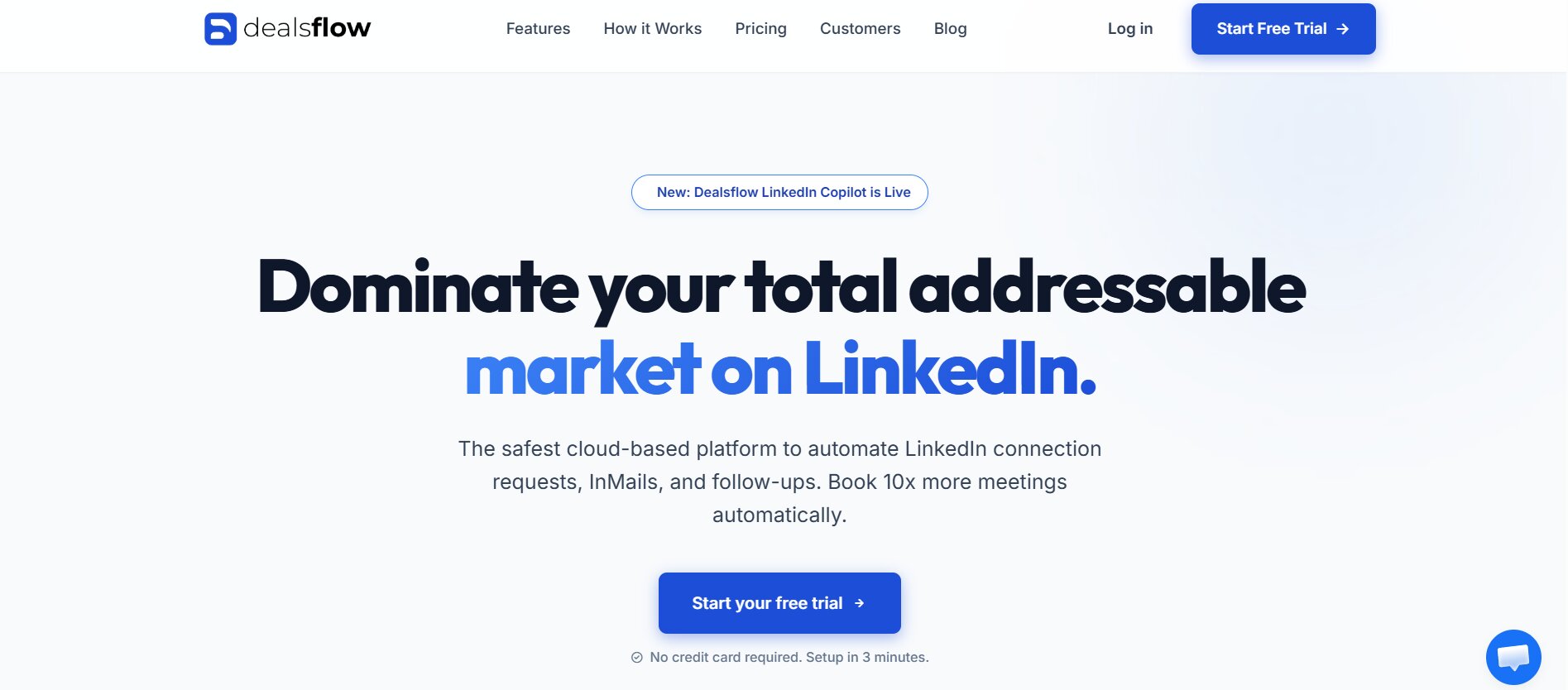
If you are running outreach at scale and need the conversation to happen without your team monitoring every reply, Dealsflow represents a different category than most competitors. It is not a tool to help you send messages faster. It is a tool to replace you in the conversation entirely.
The core product is Arlo AI, an AI assistant that connects to your LinkedIn account, finds prospects matching your ICP, sends personalized connection requests, and then holds real conversations. When someone replies asking a question, Arlo answers it. When someone raises an objection, Arlo addresses it. When someone is qualified, Arlo books a meeting on your calendar. The human sales team gets involved only when necessary.
This is possible because Dealsflow does not treat AI as a feature. It is the foundation. The entire product is built around autonomous conversation handling, not around automating templates. The messaging is customized for each prospect based on their LinkedIn profile and company news. The follow-up logic is trained to recognize buying signals, understand objections, and know when to escalate versus when to close.
For agencies running outreach campaigns for dozens of clients, this is powerful. You can manage 50 LinkedIn accounts within a single dashboard. Each account runs independently, but you have visibility across all of them. You can export your calendar integration and route qualified leads to the right client without manual handoff. The multi-account infrastructure means you do not need to worry about account limits or per-account restrictions because the load is distributed.
The catch is that Dealsflow is purpose-built for conversation automation, which is not what every team needs. If your outreach is primarily email-based, Dealsflow is limited. If you prefer fully manual, hands-on control over every message, the autonomous approach feels uncomfortable. If you are just getting started with outreach and need basic sequence building, this is overkill.
Pricing is performance-based rather than traditional subscription, which aligns incentives but makes budgeting harder if you are not used to outcome-based pricing. The tool makes money when you book meetings, not when you pay a flat fee for sending more messages than you use.
Best for: Agencies running outreach for multiple clients, SDR teams at high-growth companies, founders who want autonomous prospecting while they focus on closing, and any operation where conversation volume matters more than message volume.
HeyReach
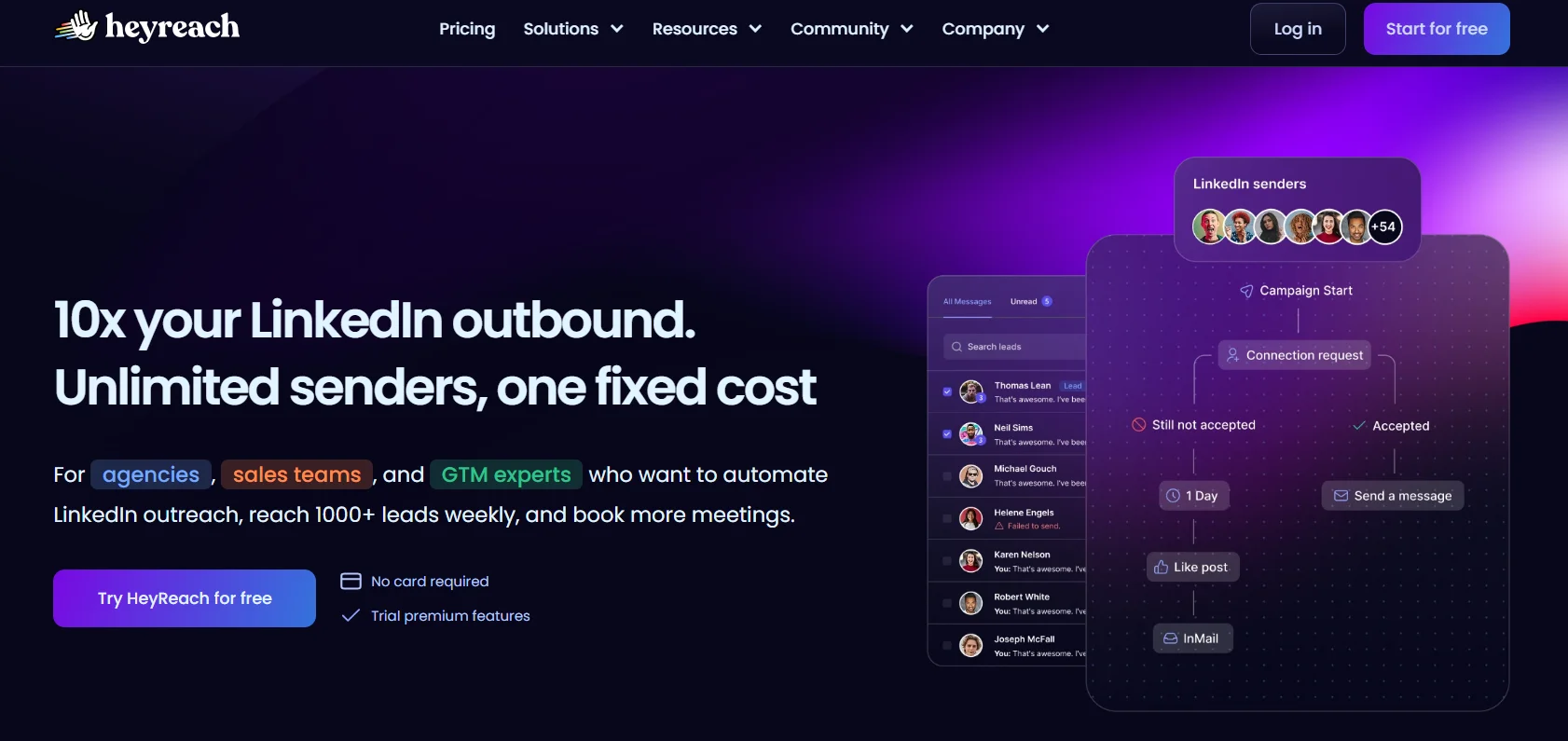
HeyReach is the antithesis of Dealsflow’s AI-first approach. It is a clean, straightforward sequence builder for LinkedIn that respects the LinkedIn API, keeps your account safe, and gives you full control over messaging logic without ever trying to be smarter than you.
The platform is built around campaigns. You define a sequence: initial message, wait period, follow-up message, wait period, final message. You set your target list. You control the daily sending pace. HeyReach respects LinkedIn’s implicit limits (around 100-150 connection requests per account per day for account safety) and suggests pacing to keep you below detection thresholds. It tracks connection acceptance rates, reply rates, and meeting bookings so you can measure what actually worked.
The interface is deliberately simple. There are no advanced automation rules, no AI-powered personalization, no multi-account management. This is intentional design. The founder of HeyReach (and many serious outbound operators) believe that simpler tools reduce the chance of mistakes, prevent you from accidentally abusing LinkedIn, and are easier to optimize over time.
For someone who is 6 months into running their own outreach and wants to refine their sequences based on real data, HeyReach works. You can A/B test message copy. You can measure which follow-up approach gets the highest reply rate. You can see exactly what you are doing and why it is working (or not working).
The limitation is scale. HeyReach is designed for one account. If you have a team of SDRs or you run an agency managing client campaigns, you hit a wall quickly. You need separate campaigns for each person on your team, and you lose visibility across the organization. You cannot export results across all outreach and ask “which message type performed best across everyone?”
Also, HeyReach assumes you are writing your own sequences. If you want messaging templates, best practices, or AI suggestions, you will have to source those elsewhere. The tool is a conduit for your ideas, not a generator of ideas.
Best for: Founders running their own outreach, small SDR teams in single-player mode, anyone who wants complete transparency and control over what happens to their LinkedIn account, and operators who believe that understanding your own sequences better than any AI system will is the competitive edge.
Expandi
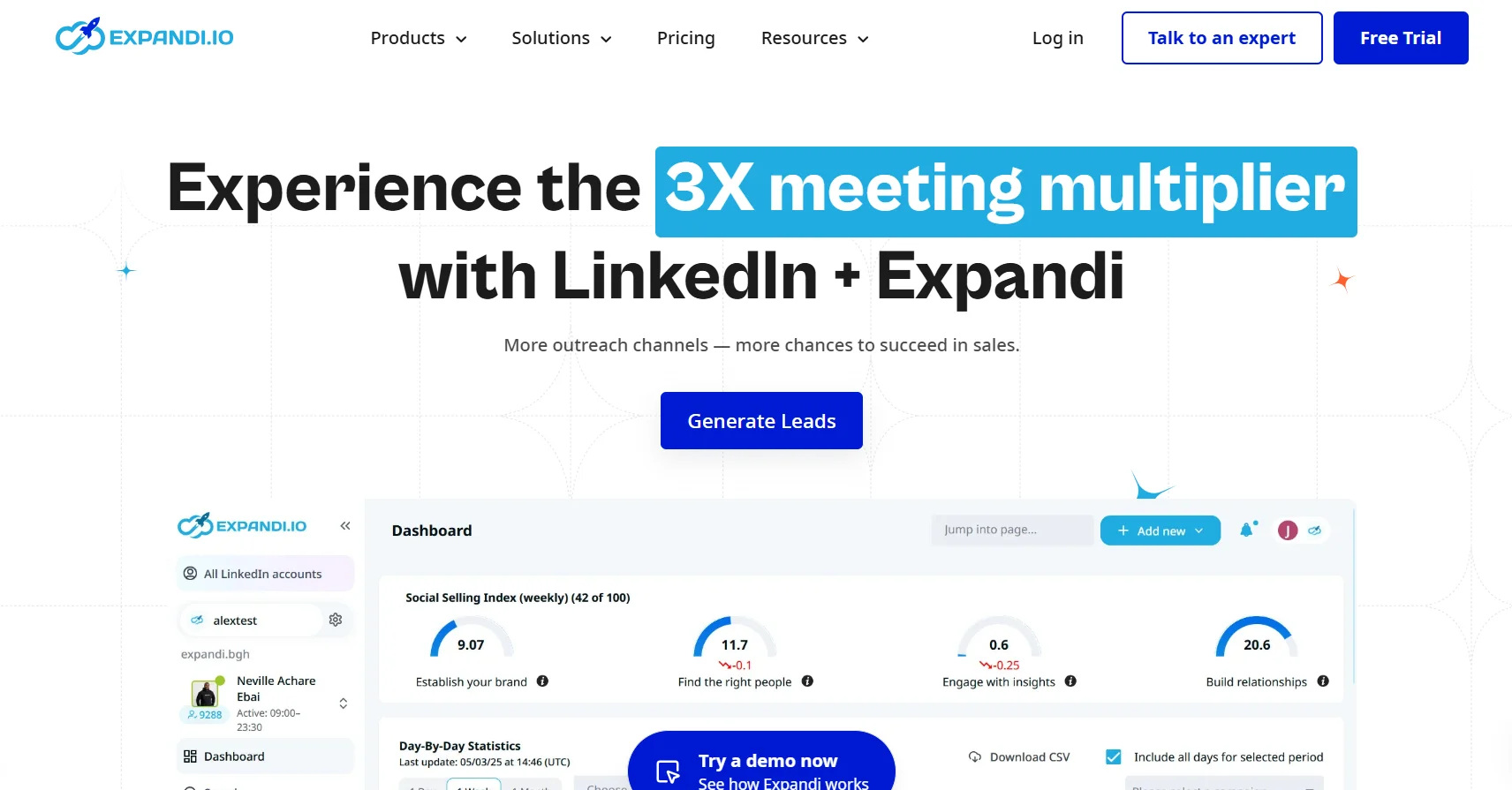
Expandi sits between simplicity and autonomy. It is a multi-channel outreach platform that uses browser automation to interact with LinkedIn (rather than the official API), supports 1 to 3 accounts in most tiers, and automates follow-ups without requiring AI conversation handling.
The strength of Expandi is versatility. You can mix LinkedIn connection requests with LinkedIn messages, email, and other channels in a single campaign. The browser automation approach gives you richer data (Expandi can pull more detailed prospect information than API-only tools) and does not depend on LinkedIn maintaining and allowing your access to the official API. It also means higher daily sending capacity because you are not limited by API rate limits.
For teams running 3 to 10 SDRs, Expandi is a reasonable middle ground. You can support multiple accounts, automate sequences, and get reasonable data without the complexity of a full enterprise platform or the autonomy-first approach of Dealsflow.
The trade-off is account safety. Browser automation feels riskier than API-based tools, even though Expandi has been running it for years without mass account suspension issues. The tool randomizes actions and includes warmup logic, but LinkedIn’s enforcement is unpredictable. If your account is new or already flagged, browser automation is a higher-risk approach than API-based tools.
Also, Expandi has not invested as heavily in AI conversation handling as competitors. It is good at automating follow-ups you write, not at understanding prospects and adapting messaging in real time.
For growing teams that want multi-account management without the AI autonomy price tag, Expandi is practical.
Best for: Small to mid-market sales teams running outreach for 3-10 SDRs, multi-channel campaigns that mix LinkedIn and email, and operations where you want to automate follow-ups but not give up control to an AI system.
Dripify
Dripify is primarily an email automation tool that added LinkedIn functionality to its core product. If your outreach strategy is primarily email-based with LinkedIn as a secondary channel, Dripify is worth considering.
The email side of Dripify is solid. It uses email warm-up logic to improve deliverability, integrates with your email account, and lets you build drip sequences that feel personal rather than blasted. Many B2B teams find that email has higher deliverability and reply rates than LinkedIn messages, especially for senior decision-makers who do not monitor LinkedIn heavily but check email daily.
The LinkedIn functionality is good but not exceptional. You can send connection requests and automated follow-up messages, but there is no multi-account management at scale and no AI-powered conversation handling. It is more of a “do not delete your outreach tool of record” feature than a core strength.
Pricing is reasonable. Dripify does not try to be the single tool for everything, which keeps costs down. The catch is that you are buying a primarily email tool with LinkedIn bolt-on, not a purpose-built LinkedIn automation platform.
Best for: Email-first outreach teams, companies that want email as the primary channel and LinkedIn as a secondary touch point, and operations where deliverability and reply rate matter more than scale across multiple accounts.
Apollo
Apollo is a different beast. It is not primarily an automation platform. It is a database platform (Apollo’s real competitive advantage is its massive, regularly updated B2B contact database) that added outreach automation features.
If you use Apollo, you are buying the database first. You get access to millions of B2B contacts with phone numbers, email addresses, LinkedIn profiles, and company data. You can search by role, company size, industry, hiring signals, and technology stack. This is valuable for large enterprises that need rich prospecting data.
The outreach automation is adequate but not best-in-class. You can build sequences, send emails, and track replies. But Apollo does not do multi-account management, does not have conversation-level AI, and does not integrate deeply with your existing workflows outside of basic CRM connectors.
Apollo’s pricing is usage-based, which means you pay per prospect you contact plus a subscription. This can get expensive fast if you are running high-volume outreach. For enterprise teams with specific database needs, it might make sense. For mid-market teams optimizing for cost per conversation, it is likely too pricey.
Best for: Enterprise sales teams that need a comprehensive B2B contact database and do not mind paying for access, companies running account-based marketing (ABM) campaigns that require rich company and contact data, and operations where database quality is the primary evaluation criteria.
Lemlist
Lemlist is another email-first tool that added LinkedIn as a secondary channel. The core strength is email sequence building with obsessive focus on personalization. You can inject dynamic content at the paragraph level, not just at the first-name level. You can customize the subject line, body, and timing based on prospect attributes.
This level of email personalization matters. Generic email blasts get 1 to 3 percent reply rates. Highly customized email sequences targeting the right personas can hit 15 to 25 percent reply rates depending on list quality and offer.
The limitation is scale and multi-account management. Lemlist is built for one person or one small team managing one email brand. You cannot run Lemlist for 10 different email addresses or 50 different client campaigns. The automation is also purely sequence-based. There is no AI conversation handling or meeting booking logic.
Best for: Email marketers and SDRs running email-first campaigns, operations where email personalization is the lever you want to pull, and teams that want deep customization over ease of use.
Multi-Account Management and Scaling Outreach Without Getting Suspended
This section separates the tools you use as a solo operator from the tools you use when outreach becomes your core function. The jump from one account to five accounts to 50 accounts is not linear. Each level introduces new complexity.
At one account, you manage daily limits manually. You send 100 connection requests a day, and if LinkedIn flags you for unusual activity, you stop and let the account recover. This is fine. You are one person.
At five accounts, you need coordination. Are all five accounts sending at the same time? Are they sending to overlapping prospect lists? Are you respecting the daily limits per account while respecting the global limit per IP? If the IP is the bottleneck (which it often is), 100 connection requests per account across five accounts is 500 requests from the same IP. LinkedIn will flag you for running a ring operation, not because any single account is suspicious, but because the pattern is suspicious.
At 50 accounts, you are running what LinkedIn considers a multi-account operation, which is explicitly against their terms of service. But many agencies, large SDR teams, and vendors do it anyway, carefully. The tools that make it work are the ones that understand account safety at this scale: randomizing sending times across accounts, rotating which accounts send to which prospects, using multiple IPs if possible, warming up accounts gradually, monitoring for flags in real time, and knowing when to pause a campaign because an account is at risk.
Most B2B sales outreach automation platforms do not have real guidance here. They say “respect daily limits” and move on. Dealsflow, because it is purpose-built for agencies managing multiple accounts, has built serious logic around safety. Expandi and Dripify support multiple accounts but require more manual management of safety rules.
If you are scaling to multiple accounts, account safety needs to be a first-class feature of your platform choice, not an afterthought. An account suspension costs you not just lost outreach, but lost credibility and lost pipeline visibility.
Integration and Tech Stack: Making Automation Part of Your Existing Workflow
A B2B sales outreach automation platform sitting in isolation is a research project, not a revenue engine. You have a CRM where prospects live. You have a calendar where meetings get booked. You have an email client where deals flow. You have a Slack channel where your team communicates. A tool that does not talk to any of these is friction.
The best B2B sales outreach automation platforms either have native integrations with the major tools (Salesforce, HubSpot, Pipedrive, Monday.com, Slack) or have deep API documentation so you can build custom integrations through Zapier or a custom middleware.
Native integration means the tool has pre-built connectors and the integration is automatically maintained when either platform updates. You turn on the integration and it works. Zapier integration means you are building the workflow yourself, but it is more flexible and you have control over the logic.
Here is what matters: Can you import prospects from your CRM into the tool? Can you export results back to your CRM so your sales team sees the data where they already work? Can the tool add notes and tasks in your CRM so sales reps know exactly what happened in the conversation? Can it trigger Slack messages so your team is notified in real time when someone replies or a meeting is booked?
Dealsflow has native CRM integrations and Slack integration, which means data flows automatically. HeyReach requires you to manually import and export, which is clunky but keeps things simple. Apollo has strong native CRM connectors because database tools need to be connected to where deals live.
The integration architecture also matters. If you are in Salesforce, you care about a tool that is Salesforce-native. If you are in HubSpot, a HubSpot-native integration is worth more than a generic Zapier integration because the automation is tighter and the data model matches.
Cost Structure and ROI: What You Are Actually Paying For
The pricing for B2B sales outreach automation platforms varies wildly because the value delivered is so different. Comparing Dealsflow’s performance-based pricing to HeyReach’s flat monthly fee is comparing apples to orchards. The same tool might cost $500/month for one team and $10,000/month for another, not because of different features but because of different outcome volumes.
Here is how to think about cost structure.
Flat monthly subscription (HeyReach, Lemlist, Dripify): You pay a fixed monthly fee regardless of how much you use the tool. Good if you want predictable budgeting. Bad if you scale volume and the tool does not reduce the per-outcome cost.
Usage-based + subscription (Apollo): You pay a base subscription plus charges per prospect contacted, meeting booked, or some other usage metric. This scales with your outreach but makes budgeting harder and can incentivize using the tool less, not more.
Performance-based pricing (Dealsflow): You pay primarily for meetings booked or pipeline created, not for volume sent. This aligns incentives: the tool is profitable only if your outreach is profitable. But budgeting is harder because you do not know upfront what it will cost.
Pro-rata per-account pricing (Expandi, some tiers of other tools): You pay per account managed, typically $200-500 per account per month. This makes sense for agencies and teams because cost scales with your capacity.
To calculate ROI, work backward from meeting value.
If your average deal is $50,000 and your sales cycle is 6 months, and you need 50 conversations to get one deal, then each conversation is worth $1,000 in expected pipeline value. If a B2B sales outreach automation platform helps you run outreach for $1,000/month and you get 50 conversations per month, the cost is $20 per conversation. That is a 50:1 ROI before the deal even closes.
But if that platform only gets you 5 conversations per month, the cost is $200 per conversation and the ROI collapses.
The real evaluation is not “which tool is cheapest?” It is “which tool gets me the highest quality conversations at the lowest cost per outcome?”
Mistakes Teams Make When Implementing B2B Sales Outreach Automation Platforms
Implementation often fails not because the tool is bad, but because the team expects too much or sets it up wrong. Here are the mistakes I see repeatedly.
Expecting immediate results without proper list building.
Garbage in, garbage out. Teams buy a tool and start sending to old, cold lists or poorly targeted prospects. They get dismal reply rates, blame the tool, and cancel. The tool was not the problem. The list was. Before you implement any B2B sales outreach automation platform, invest in getting your target account list right. Clean, recent, properly researched prospect lists are the foundation.
Setting automation and leaving it to run without monitoring.
Automation is not set-and-forget. You need someone monitoring reply rates, engagement patterns, and account health daily. If reply rates drop 50 percent from week to week, something changed. Maybe LinkedIn tightened enforcement. Maybe your messaging hit a wrong note. Maybe a specific account is being flagged. If you are not monitoring, you will not catch issues until the damage is done.
Running the tool the way the vendor recommends instead of the way your market responds.
Vendor defaults are not your optimization. A tool might recommend a 3-day follow-up gap, but if your prospects reply within 24 hours, a 3-day follow-up means they have already moved on. The tool is a lever you control. You adjust it based on what your market tells you, not what the instruction manual says.
Mixing too many channels and not measuring which one works.
Email, LinkedIn messages, LinkedIn connection requests, SMS, phone calls. You can do all of them, but if you do them all at once to the same prospect, you cannot tell which channel was effective. Start with one channel. Measure it. Optimize it. Then add another. Mixing channels is powerful, but only if you understand the contribution of each one.
Not integrating with your CRM and losing visibility.
If a prospect gets contacted by your automation platform but that activity does not show up in your CRM, your sales team is flying blind. They see a company in your CRM but no context for why. Your automation tool and your CRM are two halves of the same conversation. They need to be synchronized.
Giving up too early because the tool is not delivering miraculous results.
Most B2B sales outreach automation platforms take 6 to 8 weeks to produce meaningful data. You need enough conversations happening to measure reply rates, meeting booking rates, and deal conversion rates. Teams often give up after 2 to 3 weeks because they are not seeing meetings booked. They are not giving the list, the messaging, and the algorithm time to work.
The Future of B2B Sales Outreach Automation Platforms
The trajectory is clear. AI conversation handling is moving from a premium feature to a baseline expectation. In 12 to 24 months, tools that only offer templated sequences will be considered outdated. Platforms that understand your full sales motion, not just outreach, will dominate. Integration with sales stack will become so seamless that a tool that does not integrate will not be considered at all.
Compliance will get stricter. LinkedIn enforcement in 2026 is already more aggressive than 2024. Expect more account restrictions and higher standards for what qualifies as authentic outreach. Tools that help you stay compliant will be the ones that survive.
The real competition in 2026 and beyond will not be about sending more messages or reaching more prospects. It will be about generating higher quality conversations with less volume. Smart prospect scoring, AI-powered conversation handling, and integration with your full revenue process will separate leaders from followers.
Conclusion
The best B2B sales outreach automation platform is not the one with the most features or the lowest price. It is the one that matches your operational model, respects the channel you are on, and delivers conversations that your sales team can convert.
If you are a founder running your own outreach and want transparency and control, HeyReach is your tool. If you are an agency managing multiple client campaigns and need autonomous conversation handling at scale, Dealsflow is built for you. If you are a mid-market team that wants multi-account support without premium pricing, Expandi makes sense. If email is your competitive advantage, Lemlist or Dripify.
The implementation itself is the real test. Pick a tool. Run a pilot with one account or one campaign. Measure results against your baseline (what reply rate and meeting booking rate did you have without automation?). Let the platform run for 6 to 8 weeks. Then decide if this is the tool for you or if you need to switch.
Automation done right is invisible. Your team sees more qualified conversations, more meetings booked, and more pipeline influence without worrying about how the machinery works. That is the goal.
Start with one platform, measure relentlessly, optimize aggressively, and let your results determine your next move.
Frequently Asked Questions
Q1: Is it legal to automate LinkedIn outreach?
Automating LinkedIn outreach using official API access or LinkedIn-approved tools is generally legal, but it violates LinkedIn’s terms of service. Whether LinkedIn enforces this violation depends on the tool you use and how aggressively you are automating. Using tools like Dealsflow, HeyReach, or Expandi is widely practiced, but carries the risk of account suspension if LinkedIn detects automated activity. Always read the platform’s terms and assume there is some risk.
Q2: How many connection requests can I safely send per day?
LinkedIn does not publish an official limit, but the safe threshold is around 100 to 150 connection requests per account per day. Exceeding this for multiple days in a row triggers detection systems and can result in temporary or permanent account restrictions. The exact limit depends on account age, history, and LinkedIn’s detection algorithms on any given day.
Q3: What is a realistic reply rate from LinkedIn outreach?
On cold outreach, a 5 to 15 percent reply rate is typical for well-targeted, well-written sequences. Anything above 20 percent suggests either a very warm list or very strong messaging. Below 5 percent suggests poor list quality, bad messaging, or both.
Q4: Should I use email or LinkedIn for B2B outreach?
Use both, but start with the channel where your prospect is most accessible. For senior executives, email is often more reliable because they check email daily but may not check LinkedIn. For mid-level professionals, LinkedIn messages can have higher response rates because they are less crowded than email inboxes. Ideally, use both channels sequentially: connect on LinkedIn, wait for response, then email if no response.
Q5: How long should I wait between follow-up messages in a sequence?
Wait 3 to 5 days between the first and second message, then 5 to 7 days between the second and third message. Longer waits reduce perceived urgency and allow the prospect to forget about your initial outreach. Shorter waits feel pushy and can trigger spam filters.
Q6: Can I use the same message template for all prospects?
No. Generic templates get 1 to 3 percent reply rates. Personalized messages referencing the prospect’s background, company news, or specific situation get 10 to 20 percent reply rates. Always invest time in customization, even if automation tools help you do it at scale.
Q7: What is the difference between connection requests and LinkedIn messages?
A connection request is an invitation to connect that appears in the recipient’s network notifications. A LinkedIn message is a direct message sent after you are already connected. You can send 100 to 150 connection requests per day safely, but LinkedIn messages have lower daily limits. Most effective sequences combine both: send a connection request with a custom note, wait for them to accept, then send a detailed message.
Q8: How do I know if my outreach automation is working?
Track these metrics: connection acceptance rate (target: 30 to 40%), message reply rate (target: 5 to 15%), meeting booking rate (target: 5 to 10% of replies), and deal close rate from automated outreach (varies by industry). If any metric is significantly lower than benchmarks, your list, messaging, or process needs adjustment.
Q9: Should I use AI-powered automation or templated sequences?
AI-powered automation (like Dealsflow’s approach) works if you want hands-off conversation handling and are willing to trust the system. Templated sequences (like HeyReach) work if you want control and are willing to monitor and adjust. Neither is objectively better. Your comfort with autonomous systems determines which is right for you.
Q10: Can I automate outreach to enterprise accounts?
Yes, but approach is different. Enterprise accounts get fewer, more highly customized, higher-value messages. Automation at enterprise scale is not about volume. It is about consistent, smart follow-up on a highly researched list. Tools like Apollo or Dealsflow work better at enterprise scale than high-volume tools like HeyReach or Expandi.
Q11: What happens if my LinkedIn account gets suspended?
If your account is suspended for 7 days, you cannot send messages or connection requests. If it is suspended for 30 days or permanently, your account is unusable. To recover, stop all automation immediately, wait out the suspension, then resume with more conservative daily limits. To prevent suspension, never exceed 150 connection requests per day and do not use browser automation if you have an older or flagged account.
Q12: Should I outsource outreach to an agency or automate it myself?
If outreach is your core function and your sales motion is repeatable, automate it yourself. If outreach is occasional or your ideal customer requires highly customized approach, outsource it to a specialized agency. Most growing teams do both: automate high-volume campaigns and outsource account-based marketing (ABM) campaigns.