


Personalization in cold outreach has a reputation problem. Everyone says they do it. Almost nobody does it well. The standard playbook is slapping a first name into a subject line, maybe pulling in a company name somewhere in paragraph one, and calling it personalized. Buyers have been receiving that kind of outreach for so long that they filter it out before they even finish the preview text. Open rates drop. Reply rates drop. And somehow the response from most sales teams is to send more volume, which just makes the problem worse.
Hyperise tried to fix this with a genuinely interesting approach: dynamic images that change based on who is receiving them. A prospect’s LinkedIn profile photo dropped into a cold email image. Their company logo on a branded mug. Their name on a billboard. The novelty factor genuinely worked for a while and reply rates on well-executed Hyperise campaigns were noticeably higher than plain text outreach. That is real. But Hyperise has a set of problems that started frustrating users pretty quickly. The pricing is steep relative to what you get, especially once you factor in that Hyperise does not actually send emails or manage LinkedIn outreach. It is a personalization layer you bolt onto your existing tools. So you are paying for Hyperise, paying for your email sending tool, managing two integrations, and hoping they work together cleanly, which they often do not. The documentation for edge cases is thin. Some integrations break randomly. And after buyers started seeing personalized images in enough cold emails, the novelty wore off and the reply rate lift dropped.
So people started looking for Hyperise alternatives. Some wanted the same image personalization but at a better price or with more reliable integrations. Some wanted something that did personalization as part of a complete outreach platform rather than as a standalone add-on. And some had realized that image personalization, while useful, is just one tactic in a much bigger personalization strategy, and they needed a tool that thought about personalization more completely. This list covers 10 tools that solve those problems in different ways. Dealsflow leads because it approaches personalization as part of a full outreach and pipeline workflow, which is where the real leverage is. The pricing images above show exactly what Dealsflow offers across its three plans, from $49/month for solo founders up to $299/month for agencies running 20 LinkedIn accounts simultaneously. The rest of the tools on this list are worth knowing too, and the comparison table at the end will help you match the right tool to your specific situation.
List of 10 Hyperise Alternatives
Hyperise is a popular personalization platform that helps businesses create personalized images, videos, and landing pages to improve engagement and conversion rates. However, depending on your budget, feature requirements, and outreach strategy, you may be looking for alternatives that offer similar or even more advanced capabilities. In this guide, we explore the 10 best Hyperise alternatives that can help sales teams, marketers, agencies, and businesses deliver highly personalized customer experiences, automate outreach campaigns, and increase response rates. Whether you need AI-powered personalization, video customization, email outreach integration, or scalable lead-generation features, these tools provide excellent options to consider. Let’s take a closer look at the top Hyperise alternatives available today and find the one that best fits your business needs.
Dealsflow
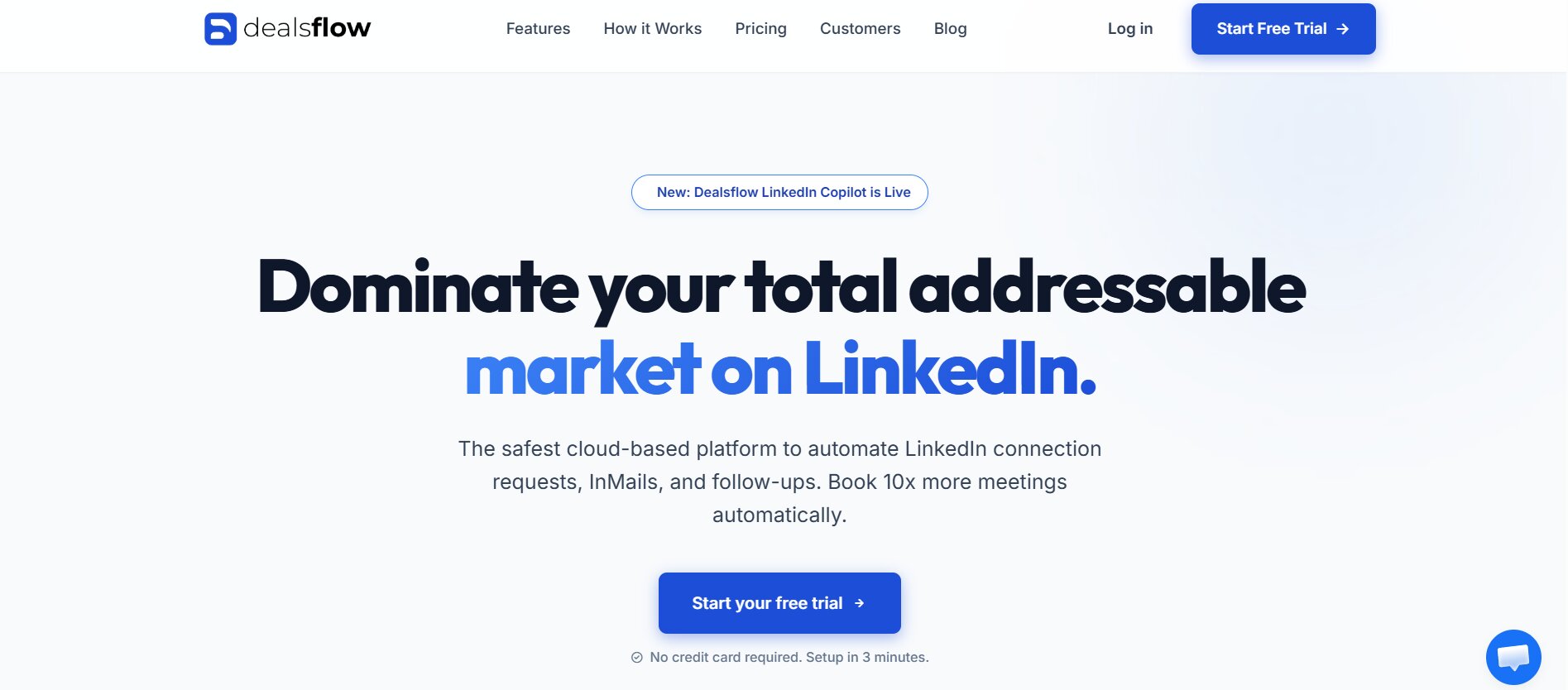
Look at what Dealsflow actually is before comparing it to anything else. The homepage says it plainly: “Your AI books LinkedIn meetings while you run the business.” That is not a feature description. That is a workflow description. Dealsflow connects to your LinkedIn accounts, finds qualified prospects using AI lead research, runs conversations through the Arlo AI outreach engine, and keeps going until a prospect agrees to a call. The whole thing runs without you manually writing messages, chasing follow-ups, or tracking who replied to what.
That is a fundamentally different product category from Hyperise. Hyperise adds personalized images to emails you are already sending. Dealsflow finds the right people, personalizes the outreach, sends it, follows up, and manages the conversation. The comparison is not really apples to apples, but that is exactly the point. Most people who are looking at Hyperise alternatives are doing so because they want better outreach results, not just better image personalization. Dealsflow gets to better results faster.
Dealsflow’s Arlo AI Outreach Engine
Arlo is Dealsflow’s AI engine that handles the actual outreach conversations. It is not a template filler that swaps in a name and company. It researches the prospect, generates contextually relevant opening messages, and adapts follow-ups based on how the conversation progresses. The AI processes the prospect’s LinkedIn profile, recent activity, company information, and role to build outreach that references real, specific details about that person.
That level of personalization at scale is what most sales teams are manually trying to do when they use Hyperise. The difference is that Arlo does it automatically for every prospect in the campaign, not just for the ones your team had time to research properly. Priority AI Processing on the Scaling Pilot plan at $129/month means faster processing times for larger campaigns, which matters when you are running sequences across five LinkedIn accounts simultaneously.
Dealsflow Pricing: What You Actually Get at Each Tier
The three plans shown in the pricing screenshot make the value proposition clear. Starter Pilot at $49/month is for individual founders. You get one LinkedIn account, AI lead research, the Arlo AI outreach engine, unlimited campaigns, and standard support. That is a complete outreach operation for $49. Hyperise alone starts at a similar price and does not include any of this. It just adds images to emails.
Scaling Pilot at $129/month adds five LinkedIn accounts, priority AI processing, a multi-account dashboard, advanced analytics, and priority support. That is for small teams and agencies ready to run outreach at real volume. Agency Pilot at $299/month scales to 20 LinkedIn accounts with white-glove setup, team management, custom workflows, and a dedicated manager. For lead generation agencies running outreach on behalf of multiple clients, that setup at $299/month is genuinely competitive against what most agencies are paying for separate tools stitched together.
Dealsflow as a We-Connect Alternative
Dealsflow is also one of the strongest We-Connect alternatives available right now. We-Connect handles LinkedIn automation but without the AI layer, without multichannel capability, and without the team inbox that makes managing replies across multiple accounts manageable. Dealsflow’s multi-account dashboard on the Scaling and Agency plans gives you visibility across every account in one place, which is something We-Connect never solved cleanly.
The cloud-based deployment means Dealsflow runs without a Chrome extension and without needing your computer active. That matters for LinkedIn account safety, which is a real concern at the volumes agencies run. Smart send limits, randomized timing, and business-hours-only sending are built in at every plan level.
Dealsflow Pros and Cons
| Feature | Details |
|---|---|
| Primary Use | AI-powered LinkedIn outreach + meeting booking |
| Deployment | Cloud-based |
| Channels | LinkedIn + Email |
| AI Features | Arlo AI outreach engine, AI lead research |
| Team Features | Multi-account dashboard, team management (Agency plan) |
| Plans | $49 / $129 / $299 per month |
| LinkedIn Accounts | 1 / 5 / 20 depending on plan |
Pros:
- Arlo AI engine personalizes and runs outreach conversations automatically
- AI lead research finds qualified prospects without a separate prospecting tool
- Three clear plan tiers from solo founder to full agency operation
- Multi-account dashboard for managing multiple LinkedIn accounts
- Cloud-based with smart safety limits protecting every account
- Unlimited campaigns even on the entry-level $49/month plan
- White-glove setup and dedicated manager on Agency plan
- Replaces Hyperise, We-Connect, and a prospecting tool simultaneously
Cons:
- Not a dedicated image personalization tool, so dynamic image emails are not the focus
- Agency plan at $299/month requires commitment for high-volume operations
- AI-driven outreach means less manual control over exact message wording
- Newer platform compared to some tools on this list, so some integrations are still maturing
Lemlist
Lemlist is the most direct like-for-like replacement for Hyperise’s core feature. Dynamic image personalization is built into Lemlist natively, which means you do not need a separate tool or integration. You pick an image template, define which variables go where, and Lemlist generates a unique version for every prospect automatically when the email sends.
The website screenshot feature is Lemlist’s most effective personalization tactic. It takes a live screenshot of the prospect’s company homepage and inserts it into the email image. That single element signals that someone actually visited their site before emailing, which changes how the prospect reads the rest of the message. It feels researched because, in a way, it is.
Lemlist’s Multichannel Sequences
Lemlist added LinkedIn steps to its sequences after starting as a pure email tool. So now you can build a sequence that starts with a LinkedIn connection request, moves to a personalized LinkedIn message with a dynamic image, and escalates to email if there is no reply. The LinkedIn steps use a Chrome extension rather than being fully cloud-based, which adds some detection risk, but the send limits are conservative enough that most users stay safe.
Lemlist Pros and Cons
| Feature | Details |
|---|---|
| Primary Use | Email outreach with dynamic image personalization |
| Deployment | Cloud-based (LinkedIn via Chrome extension) |
| Channels | Email + LinkedIn |
| Personalization | Dynamic images, website screenshots, logo insertion |
| Team Features | Yes, multi-seat plans |
| CRM Integration | HubSpot, Salesforce, Pipedrive |
| Starting Price | From $59/month |
Pros:
- Dynamic image personalization built natively, no third-party integration needed
- Website screenshot feature is one of the most effective personalization tactics available
- Multichannel sequences with LinkedIn and email in one workflow
- Strong CRM integrations
- Active template library
Cons:
- LinkedIn steps use Chrome extension, not fully cloud-based
- Pricing increases significantly with team seats
- Learning curve for setting up dynamic image templates correctly
- Image personalization is strong but slightly less customizable than dedicated Hyperise features
Smartwriter
Smartwriter skips images entirely and focuses on AI-generated personalized text. It scrapes publicly available data about each prospect, including their LinkedIn posts, company news, podcast appearances, and recent job changes, then writes a custom opening line for each email that references something specific about that person.
Writing a genuinely researched personalized opener for 500 prospects manually takes days. Smartwriter does it in minutes. The quality needs a review pass but the time saving is substantial, and text personalization done well outperforms generic image personalization in most head-to-head tests.
Smartwriter’s Data Sources for Personalization
Smartwriter pulls from LinkedIn profiles, company websites, news mentions, and podcast databases. You upload a prospect list with LinkedIn URLs, it researches each one, and outputs a personalized icebreaker for every row. The more active the prospect is on LinkedIn and in their industry, the better the personalization quality. For prospects with thin online footprints, the quality drops, and those outputs need more editing.
Smartwriter Pros and Cons
| Feature | Details |
|---|---|
| Primary Use | AI-generated personalized email icebreakers |
| Deployment | Web app |
| Channels | Email (feeds into your sending tool) |
| Personalization | AI text personalization from scraped prospect data |
| Team Features | Yes |
| Integrations | Exports to CSV, connects to email tools |
| Starting Price | From $59/month |
Pros:
- Genuinely researched personalization at scale without manual research time
- Text personalization from real public data produces credible icebreakers
- Works with any email sending tool via CSV export
- Good for high-volume cold email campaigns
- No image template setup required
Cons:
- Not a sending tool, needs to be combined with an email platform
- Output quality varies significantly based on prospect’s online presence
- Every output needs a review pass before sending
- No LinkedIn outreach capability built in
Bardeen
Bardeen is an automation platform with strong LinkedIn data extraction capabilities. It is not an outreach tool or a personalization tool in the traditional sense, but it sits in this list because it lets you build custom workflows that pull prospect data from LinkedIn and other sources and feed it into your outreach sequences with a level of personalization specificity that pre-built tools cannot match.
If you have a specific data point you want to personalize around, like a prospect’s most recent LinkedIn post topic, or the fact that they just hired a VP of Sales, Bardeen can extract that and insert it into your outreach automatically. That kind of trigger-based personalization is harder to set up than dropping a logo into an image, but it produces better replies because it references something that actually matters to the prospect right now.
Bardeen’s LinkedIn Scraping for Personalization Data
Bardeen runs as a Chrome extension and can scrape LinkedIn search results, individual profiles, company pages, and post engagement lists. You can set up a playbook that automatically grabs a prospect’s most recent post, formats it into a personalization variable, and passes it to your email tool or CRM. That takes setup time but once it runs, it runs for every prospect in the list without manual work.
Bardeen Pros and Cons
| Feature | Details |
|---|---|
| Primary Use | Custom automation and data extraction |
| Deployment | Chrome extension + cloud |
| Personalization | Custom variables from any LinkedIn or web data |
| Team Features | Yes, team workspaces |
| Integrations | 100+ native integrations |
| Starting Price | Free plan available, paid from $10/month |
Pros:
- Most flexible personalization data sourcing of any tool here
- Can pull any publicly available LinkedIn data as a personalization variable
- Huge integration library connects to almost any outreach tool
- Affordable entry point with a usable free plan
- Active playbook community with pre-built automation templates
Cons:
- Chrome extension dependency adds some LinkedIn detection risk
- Significant setup time to build custom workflows
- Not a sending tool, requires integration with outreach platforms
- Steeper learning curve than purpose-built personalization tools
Vidyard
Video personalization is doing what image personalization did three years ago. It is novel enough to get opens and replies that text emails cannot, and Vidyard is the most established tool for it. You record a short video, Vidyard generates a personalized thumbnail for each recipient showing their name or company on screen, and the email shows a video preview that prompts clicks.
The reply rate data on personalized video outreach is real. A prospect who sees a video thumbnail with their own name on it is significantly more likely to click than one who sees a generic email. The effort per video is higher than generating a dynamic image, but the reply rate lift justifies it for high-value prospects.
Vidyard’s Integration With Email and LinkedIn
Vidyard integrates with Gmail, Outlook, Salesloft, Outreach, and HubSpot. You record directly from the Vidyard browser extension, get a shareable link, and drop it into any outreach tool. The personalized thumbnail is generated automatically based on the recipient’s name. On LinkedIn, the video link appears as a preview that stands out in the message thread.
Vidyard Pros and Cons
| Feature | Details |
|---|---|
| Primary Use | Personalized video for sales outreach |
| Deployment | Browser extension + web app |
| Channels | Email + LinkedIn (via link) |
| Personalization | Personalized video thumbnails with prospect name |
| Team Features | Yes, team video library and analytics |
| CRM Integration | HubSpot, Salesforce, Salesloft, Outreach |
| Starting Price | Free plan available, paid from $29/month |
Pros:
- Video personalization produces strong reply rates for high-value prospects
- Personalized thumbnail with prospect’s name drives click-through
- Works with almost every outreach tool via link
- Free plan lets you test before paying
- Video analytics show who watched and for how long
Cons:
- Recording a personalized video takes more time than generating a dynamic image
- Does not scale as easily as image or text personalization for large lists
- Works best for high-value accounts where the extra effort is justified
- Requires reasonable video presentation skills to produce good output
Lavender
Lavender is an AI email writing assistant that lives inside your Gmail or Outlook. It scores your email in real time as you write, flagging things that reduce reply rates: emails that are too long, subject lines that look spammy, openings that start with “I”, and messages that are not personalized enough. It also suggests improvements and can rewrite sections based on prospect data it pulls from LinkedIn and company databases.
It is a different kind of personalization tool from Hyperise. Hyperise personalizes images. Lavender personalizes the actual email copy and helps you write better outreach, which is arguably more important. A mediocre email with a personalized image still gets ignored. A genuinely good personalized email gets replies with or without an image.
Lavender’s Real-Time Email Coaching
The email scoring is genuinely useful for teams where outreach quality varies across reps. Lavender runs inside the email compose window and gives a score from 0 to 100 based on reply likelihood. Teams that set a minimum Lavender score before sending see measurable improvements in reply rates because the tool catches the obvious mistakes before they go out.
Lavender Pros and Cons
| Feature | Details |
|---|---|
| Primary Use | AI email writing assistance and personalization coaching |
| Deployment | Gmail and Outlook extension |
| Personalization | Copy personalization suggestions from LinkedIn data |
| Team Features | Yes, team analytics and scoring benchmarks |
| CRM Integration | Salesforce, HubSpot |
| Starting Price | Free plan available, paid from $29/month |
Pros:
- Real-time email scoring catches quality issues before sending
- Personalization suggestions pull from live LinkedIn and company data
- Works inside Gmail and Outlook without changing your workflow
- Team scoring benchmarks improve outreach quality across reps
- Affordable entry price with a usable free tier
Cons:
- Not a sending tool or sequence builder
- No image personalization capability
- Works best for Gmail and Outlook users, limited elsewhere
- Coaching suggestions require the rep to actually rewrite the email, not automated
Nifty Images
If the specific thing you want from Hyperise is dynamic personalized images in emails, Nifty Images is the most direct technical replacement. It does the same core thing: generates unique image versions for each email recipient based on variables like name, company, job title, or any custom field from your contact data. The integration setup is similar to Hyperise and it works with most major email sending platforms.
The pricing is more straightforward than Hyperise and the image rendering speed is generally faster. The template library is slightly smaller, but the custom template builder is accessible enough that you do not need a designer to create something that looks good.
Nifty Images Integration With Email Platforms
Nifty Images integrates with Mailchimp, ActiveCampaign, HubSpot, Klaviyo, and most other major email platforms. You set up the personalization variables in Nifty Images, grab the image URL with the merge tag syntax for your platform, and drop it into your email template. The image renders with the correct personalization when each email sends.
Nifty Images Pros and Cons
| Feature | Details |
|---|---|
| Primary Use | Dynamic personalized images for email |
| Deployment | Web app |
| Personalization | Name, company, job title, custom variables in images |
| Integrations | Mailchimp, HubSpot, ActiveCampaign, Klaviyo, others |
| Template Library | Moderate, with custom builder |
| Starting Price | From $29/month |
Pros:
- Most direct like-for-like replacement for Hyperise’s image personalization
- Faster image rendering than Hyperise in most use cases
- Cleaner pricing structure
- Works with a wide range of email platforms
- Accessible template builder for non-designers
Cons:
- Image personalization only, no outreach or sequencing features
- Smaller template library than Hyperise
- Still requires a separate email sending tool
- As image personalization becomes more common, novelty factor continues to decrease
Expandi
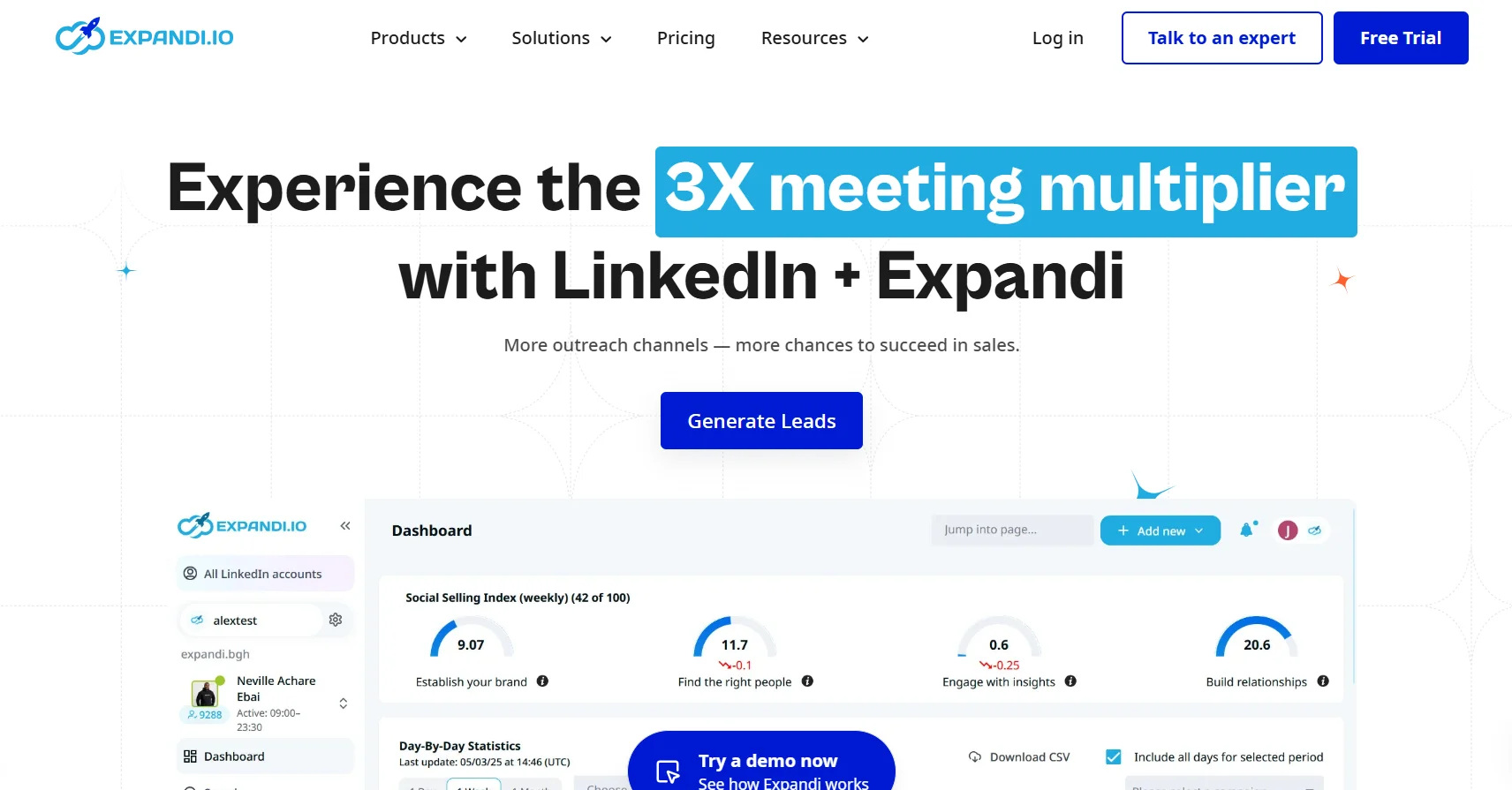
Expandi handles LinkedIn outreach with conditional sequences and trigger-based personalization. Like Dealsflow, it approaches the personalization problem through targeted, relevant outreach rather than image overlays. Where it differs from Dealsflow is in the trigger logic: Expandi can fire a personalized message when a prospect views your profile, likes your post, or comments on a piece of content.
That behavioral triggering is a form of personalization that image tools cannot replicate. Reaching out to someone right after they engaged with your content, referencing that specific engagement, is more relevant than any dynamic image. The prospect knows you noticed. That context does the personalization work.
Expandi’s Profile Visit Campaigns
Expandi’s profile visit campaign is one of its most useful features. You point it at a list of target accounts, and it visits their LinkedIn profiles systematically. Many decision-makers check who viewed their profile, especially active LinkedIn users. That profile view alone prompts inbound connection requests from prospects who would never respond to a cold outreach, which is a warmer start than any image personalization produces.
Expandi Pros and Cons
| Feature | Details |
|---|---|
| Primary Use | LinkedIn outreach automation with behavioral triggers |
| Deployment | Cloud-based |
| Channels | LinkedIn (with some email integration) |
| Personalization | Behavioral trigger-based, conditional sequences |
| Team Features | Yes |
| CRM Integration | HubSpot, Zapier |
| Starting Price | From $99/month |
Pros:
- Behavioral trigger personalization references real-time prospect actions
- Profile visit campaigns generate warm inbound connection requests
- Strong LinkedIn account safety record
- Conditional sequences with good branching logic
- Reliable cloud performance
Cons:
- $99/month is high for solo users
- No image personalization capability
- Email functionality is limited compared to dedicated email tools
- Less AI automation than Dealsflow’s Arlo engine
Apollo.io
Apollo.io has a database of over 275 million contacts and uses that data to power personalization across email and LinkedIn sequences. The personalization angle is different from Hyperise: instead of dynamic images, Apollo enriches every contact with verified email, direct dial, company revenue, headcount, technology stack, and funding history, then lets you use any of that data as a personalization variable in your sequences.
So instead of personalizing with a company logo in an image, you are personalizing with a reference to the prospect’s company’s recent Series B raise, or the fact that they use Salesforce and your product integrates with it. That kind of data-driven personalization is more relevant and more likely to get a reply than a name on a coffee mug.
Apollo’s Sequence Builder and Personalization Logic
Apollo’s sequences support LinkedIn messages, emails, phone call tasks, and manual steps in one flow. Every step can carry personalized variables drawn from Apollo’s enrichment data. The AI writing assistant suggests personalized opening lines based on the contact’s profile data, which reduces the manual research time for each prospect.
Apollo.io Pros and Cons
| Feature | Details |
|---|---|
| Primary Use | Prospecting database + multichannel outreach |
| Deployment | Cloud-based (LinkedIn via Chrome extension) |
| Channels | LinkedIn + Email + Phone |
| Personalization | Data-rich variables from 275M+ contact database |
| Team Features | Full team workspace |
| CRM Integration | Salesforce, HubSpot, Pipedrive (native) |
| Starting Price | Free plan, paid from $49/month |
Pros:
- Built-in database removes need for a separate prospecting tool
- Data enrichment produces more relevant personalization than image overlays
- Multichannel sequences covering LinkedIn, email, and phone
- Generous free plan for testing
- Deep native CRM integrations
Cons:
- LinkedIn automation via Chrome extension, not fully cloud-based
- Database contact quality varies by geography and industry
- Credit-based export system gets confusing at scale
- Can feel overwhelming for users who just want simple outreach
How to Choose Between These Hyperise Alternatives
The decision depends on what you are actually trying to fix. Be honest about that before picking a tool.
If Hyperise’s Integration Problems Are the Issue
Nifty Images is the cleanest direct swap. Same core feature, better pricing, faster rendering. If image personalization is working for your outreach and you just need it to work more reliably, start there.
If the Problem Is That Personalization Is Not Converting
The tool is not the issue. Lemlist’s website screenshots, Smartwriter’s AI icebreakers, and Lavender’s email coaching all address personalization quality rather than just personalization format. One of those three will produce better results than switching to a different image tool.
If the Real Goal Is More Pipeline From LinkedIn
Dealsflow. The Arlo AI engine, AI lead research, and multi-account management at $49 to $299/month depending on scale is a complete outreach operation that makes Hyperise look like a single feature. For teams that have been spending time and money stitching Hyperise onto other tools, Dealsflow’s consolidated approach saves both.
Full Comparison Table
| Tool | Primary Use | Channels | Personalization Type | Team Features | Starting Price | Best For |
|---|---|---|---|---|---|---|
| Dealsflow | AI LinkedIn outreach | LinkedIn + Email | AI-driven text + behavioral | Full team | $49/month | Teams wanting AI-automated pipeline |
| Lemlist | Email + LinkedIn outreach | Email + LinkedIn | Dynamic images + text | Yes | $59/month | Email-first teams wanting image personalization |
| Smartwriter | AI icebreaker generation | Email (export) | AI text from scraped data | Yes | $59/month | High-volume cold email personalization |
| Bardeen | Custom automation | LinkedIn + others | Any custom data variable | Yes | Free / $10/month | Technical users building custom workflows |
| Vidyard | Video outreach | Email + LinkedIn | Personalized video thumbnails | Yes | Free / $29/month | High-value account outreach |
| Lavender | Email writing coach | Email (Gmail/Outlook) | Copy personalization suggestions | Yes | Free / $29/month | Improving email quality across sales teams |
| Nifty Images | Dynamic image personalization | Name, company, custom in images | Basic | $29/month | Direct Hyperise replacement | |
| Expandi | LinkedIn automation | Behavioral trigger-based | Yes | $99/month | Account-based LinkedIn campaigns | |
| Apollo.io | Prospecting + outreach | LinkedIn + Email + Phone | Data-rich enrichment variables | Full team | Free / $49/month | Data-first multichannel outreach |
Conclusion
Hyperise solved a real problem at a specific moment in cold outreach history. Dynamic images got attention when buyers had not seen them before. That window is narrowing. The tools that are producing results in 2026 are the ones doing personalization that is contextually relevant, not just visually novel. A reference to a prospect’s recent funding round, a trigger-based message after they engage with your content, an AI-generated opener based on their actual LinkedIn activity: those things get replies because they show the sender paid attention. A logo on a coffee mug does not.
Dealsflow is where that logic lands in product form. AI lead research, the Arlo AI outreach engine, and a multi-account dashboard from $49/month make it the most complete replacement for anyone who has been stitching Hyperise onto other tools and wondering why the results are still flat. Pick the tool that matches your actual problem, and if the actual problem is not enough meetings booked from LinkedIn, Dealsflow is the most direct path to fixing it.
Frequently Asked Questions
What is the main reason people switch from Hyperise to an alternative?
The most common reasons are integration reliability issues, pricing that feels high for a single-feature tool, and the realization that image personalization alone is not moving reply rates the way it used to. Many users also find that managing Hyperise alongside a separate email sending tool adds friction that a more integrated platform eliminates.
Does Dealsflow do image personalization like Hyperise?
Dealsflow does not focus on dynamic image personalization. Its personalization approach is through AI-generated message content via the Arlo AI engine, which researches prospects and writes contextually relevant outreach based on their LinkedIn data, role, and company information. For teams that need image personalization specifically, Lemlist or Nifty Images are better fits.
What is the most affordable direct replacement for Hyperise?
Nifty Images starts at $29/month and replicates Hyperise’s core dynamic image personalization feature with cleaner pricing and comparable integration options. For teams that need image personalization inside their existing email tool without changing their stack, it is the most cost-effective swap.
Can Dealsflow replace both Hyperise and We-Connect?
Yes. Dealsflow handles LinkedIn outreach automation (which is We-Connect’s core function) and goes further with AI-generated personalization, multi-account management, and the Arlo AI engine that automates the conversation rather than just the connection request. For teams paying for both Hyperise and We-Connect separately, Dealsflow consolidates those functions and adds the AI layer.
How many LinkedIn accounts can Dealsflow manage simultaneously?
Dealsflow’s Starter Pilot plan handles one LinkedIn account at $49/month. The Scaling Pilot at $129/month supports five LinkedIn accounts with a multi-account dashboard. The Agency Pilot at $299/month supports 20 LinkedIn accounts with team management and custom workflows, which is built for lead generation agencies running outreach for multiple clients.
Is AI text personalization better than image personalization in 2026?
For most outreach use cases, yes. Buyers have seen personalized images enough times that the novelty has faded. AI-generated text personalization that references something specific and recent about the prospect, like a post they published, a company milestone, or a role change, still feels genuinely personal because it is based on real data. The best results come from combining both, but if forced to choose one, relevant text beats a clever image.
What is Arlo AI in Dealsflow?
Arlo is Dealsflow’s AI outreach engine that handles the LinkedIn conversation from initial connection request through follow-up until the prospect agrees to a call. It researches each prospect, generates personalized messages, and adapts its approach based on how conversations develop. It is available on all Dealsflow plans, including the $49/month Starter Pilot.
Do these tools work safely with LinkedIn accounts?
The cloud-based tools on this list, including Dealsflow and Expandi, carry lower LinkedIn account risk than browser extension-based tools because they are harder for LinkedIn to detect. All reputable outreach tools keep send volumes within safe limits. Dealsflow’s smart send limits and randomized action timing are built in at every plan level, which is why agency users running 20 accounts on the Agency Pilot plan can do so without mass account restrictions.
What should a solo founder use from this list?
Dealsflow’s Starter Pilot at $49/month is the strongest single tool for a solo founder who wants to book LinkedIn meetings without spending hours on manual outreach. It includes AI lead research, unlimited campaigns, and the Arlo AI engine. For founders who specifically need email personalization with dynamic images, Lemlist at $59/month is the next best option.
How does Smartwriter compare to Dealsflow for personalization?
Smartwriter generates personalized email icebreakers from scraped prospect data and exports them as text you paste into your sending tool. It is a research and copywriting assistant. Dealsflow’s Arlo AI engine does the research, writes the messages, sends them, and manages the follow-up conversation automatically. Smartwriter requires more manual steps and a separate sending tool. Dealsflow handles the whole workflow end to end.