


Cold outreach is broken for most people. Not because they lack leads, not because their product is bad, but because they’re still doing it manually or using tools that get their LinkedIn accounts flagged in three weeks. The average sales rep spends 21% of their day just on email-related tasks, and that number doesn’t even count the time lost jumping between LinkedIn, email, and CRM just to follow up with the same 50 people.
That’s the problem Skylead was built to solve. It’s a LinkedIn automation and cold email tool that combines multichannel outreach into a single workflow. You connect LinkedIn and email, build a sequence, and the tool handles the touchpoints. Sounds simple. But the real question is whether it actually works in 2026, when LinkedIn’s detection is sharper than ever and buyers are drowning in automated messages.
This Skylead review covers everything you need to make a real decision: the actual features and how they work in practice, what the pricing looks like and whether it’s justified, where it genuinely delivers, and where it doesn’t. No vague star ratings. Just a straight breakdown so you can figure out if it fits your outreach setup.
What Skylead Actually Does: A Skylead Review of Core Features
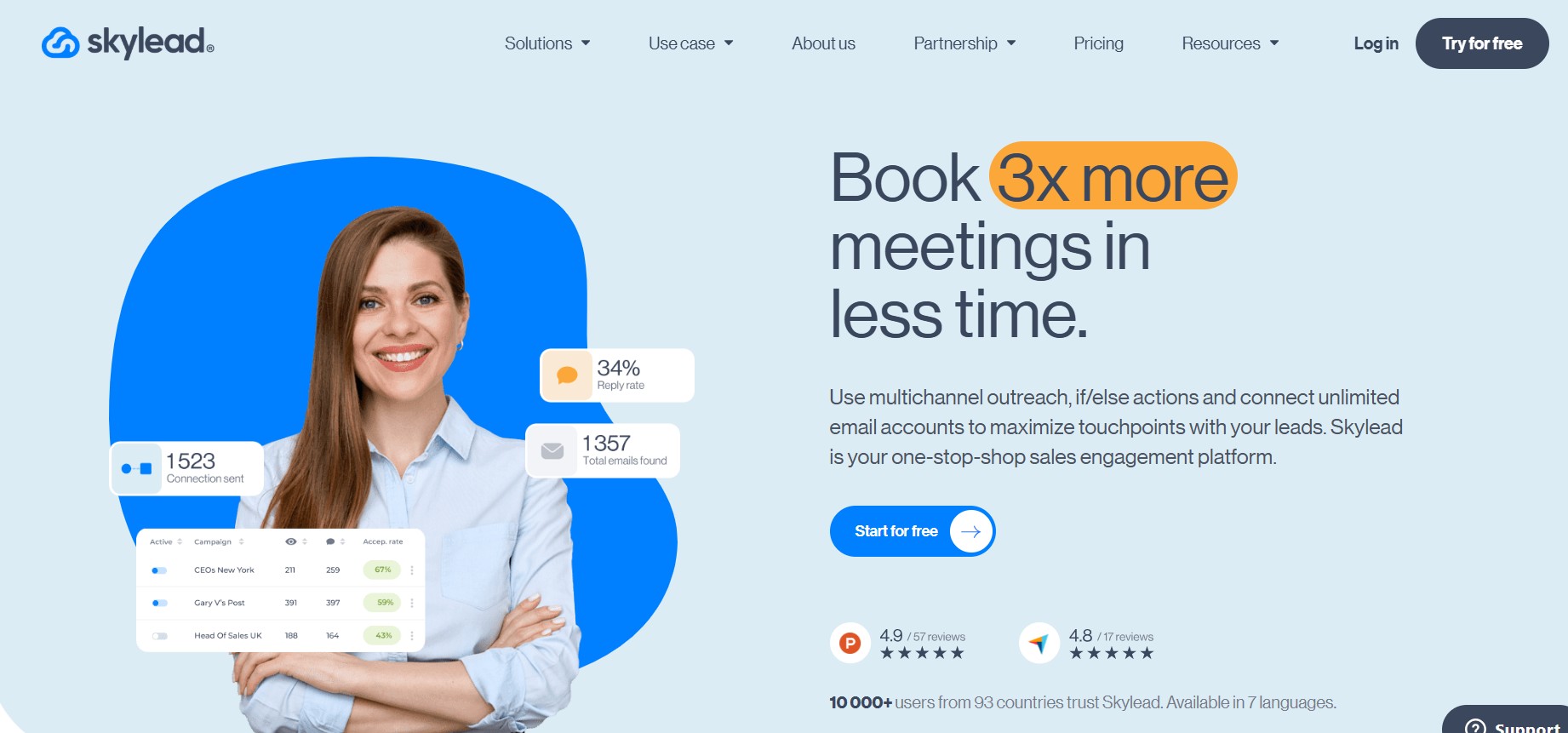
Skylead is a cloud-based outreach automation platform. It runs in the cloud, so unlike Dux-Soup or PhantomBuster, you don’t need a browser extension running on your machine. That matters for reliability and, to some extent, safety.
The core of the tool is its sequence builder. You build flows that mix LinkedIn actions (connection requests, messages, InMails, profile visits, post likes) with email steps. The logic is drag-and-drop. You can add conditional branches based on whether a step got a response, whether a connection was accepted, whether an email was opened. That branching is where Skylead separates from simpler tools.
The Sequence Builder and Smart Sequences
This is the main product. You’re building a flow that looks something like this: visit profile, wait 1 day, send connection request with a note, wait 2 days, if accepted then send message, if not accepted then send email, wait 3 days, follow up.
Skylead calls these “Smart Sequences.” The “smart” part comes from the conditional logic. You’re not just blasting a linear 5-step sequence. You’re building a decision tree. If LinkedIn action A fails, pivot to channel B. That’s actually how good outreach works, so the design matches real-world behavior.
Where it gets interesting is InMail as a fallback. If someone isn’t in your 1st-degree connections and doesn’t accept your request, Skylead can automatically send a free InMail (or paid InMail if you have credits) instead of just dropping the lead. Most tools stop at the connection request failure. Skylead keeps going.
The builder itself is clean. You drag steps, set delays, define conditions. It takes maybe 30 minutes to get the hang of it the first time. After that, building a new sequence is fast.
Email Outreach Integration
Skylead connects to your email inbox (Gmail, Outlook, custom SMTP) and lets you run email steps inside the same sequence as LinkedIn steps. This is not a separate module with a separate campaign. It’s the same flow.
The email side supports spintax (the {Hi|Hello|Hey} type syntax for variation), personalization variables, and image personalization. You can also run email-only sequences if you want to use it purely as a cold email tool.
Open tracking, click tracking, and reply detection are all built in. When a reply is detected, the sequence stops automatically so you don’t keep hitting someone who already responded. That’s table stakes for any serious outreach tool in 2026, but it’s worth confirming Skylead does it correctly, and it does.
One thing to watch: Skylead’s email deliverability is dependent on your own domain setup. It does not have its own sending infrastructure. You need to handle SPF, DKIM, DMARC, and warm-up separately. If you’re using a fresh domain and haven’t warmed it up, your emails will land in spam. That’s not a Skylead failure, it’s a cold email reality, but some competitors (Smartlead, Instantly) have built-in warm-up infrastructure that Skylead lacks.
Image and GIF Personalization
Honestly, this is the feature that stands out most in a crowded space. Skylead has a built-in image personalization engine. You can create templates where the connection request image or message image dynamically includes the prospect’s name, their company logo, their LinkedIn profile photo, or their company website screenshot.
The effect is a message that looks like you spent 10 minutes on it for that specific person. The open and reply rates when using personalized images in cold outreach are consistently higher than plain text. Skylead bakes this in without requiring a Hyperise subscription or a Zapier integration. That’s a genuine cost and workflow reduction if you were already doing image personalization separately.
The image editor inside Skylead is basic but functional. You pick a background, add text layers, add image layers, map the personalization variables. It works. Don’t expect Canva-level design tools, but for outreach images you don’t need them.
LinkedIn Safety and Account Limits
Skylead runs on a dedicated IP per account, which is the right approach. Shared IPs mean if someone else on the platform runs sketchy activity, your account’s IP reputation suffers. Dedicated IPs isolate that risk.
The platform enforces daily action limits that stay within what LinkedIn considers normal human behavior. Default connection request limits are around 20 to 30 per day. You can adjust these, but going higher is your own risk. Skylead also randomizes delays between actions to avoid the robotic timing patterns that LinkedIn’s system flags.
That said, no tool is immune to LinkedIn’s detection in 2026. LinkedIn has gotten better at behavioral analysis that goes beyond action counts, things like profile view patterns, timing distributions, geographic consistency between your account location and the IP. Skylead handles the obvious stuff. The subtle stuff is on you to manage, which means not running aggressive campaigns on a brand-new account or one that’s been previously warned.
Lead Management and CRM Features
Skylead has a built-in lead inbox that consolidates LinkedIn and email replies in one place. You can see the full conversation history, add notes, tag leads, and mark them as qualified or not interested. It’s basic CRM functionality, not a replacement for HubSpot or Pipedrive, but enough to manage active conversations without switching tabs constantly.
Native integrations include HubSpot, Pipedrive, and Zapier. The Zapier integration means you can connect to basically anything else. If you’re importing leads from Sales Navigator, Apollo, or a CSV, that process is straightforward.
One gap worth knowing: Skylead’s CRM features don’t track email opens or clicks at the contact level in the way dedicated CRMs do. You get campaign-level stats easily, but drilling into a single contact’s engagement history takes more clicks than it should.
Skylead Review: Pricing Breakdown and What You Actually Get
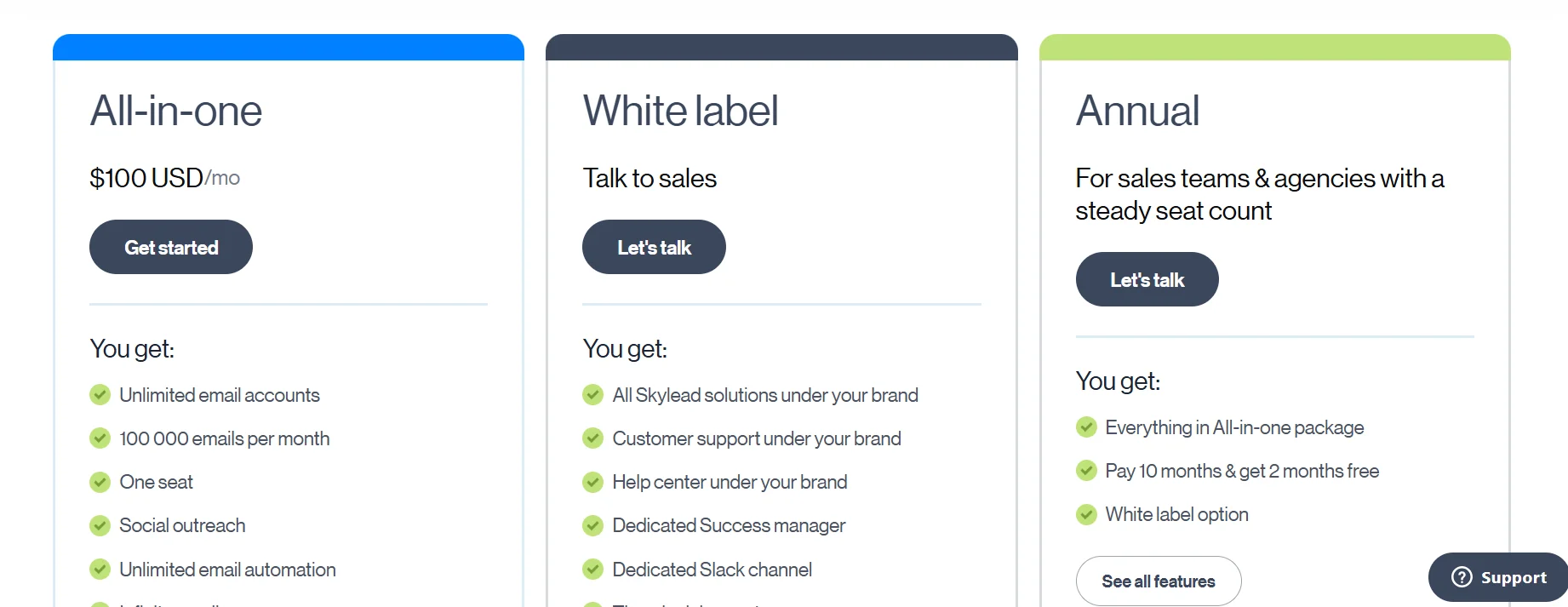
Skylead has a single plan structure. There’s no free tier, no freemium, no trial without a credit card. You pay $100 per month per LinkedIn account (seat). That’s it.
What the $100/Month Includes
At $100 per seat per month, you get:
- Unlimited campaigns (no cap on how many sequences you run)
- Unlimited email outreach (connected inboxes, not their infrastructure)
- LinkedIn automation across all action types (connections, messages, InMails, profile visits, likes)
- Image personalization
- Smart Sequences with conditional logic
- Built-in lead inbox
- HubSpot and Pipedrive integrations
- Dedicated IP per account
- Customer support via chat
There’s no separate tier for email features. No add-on for image personalization. You get the whole product for $100. That’s actually a cleaner pricing model than many competitors who gate features behind higher tiers.
How Skylead’s Pricing Compares to Alternatives
Let’s be direct about where $100/month sits in the market.
Expandi runs at $99/month per seat and focuses primarily on LinkedIn automation. Email integration exists but feels secondary. Skylead and Expandi are nearly identical in price but Skylead’s email integration is more fully developed.
Lemlist starts at $59/month for email only, $99/month for the multichannel plan that includes LinkedIn. So for LinkedIn plus email, the price is comparable to Skylead. Lemlist has a stronger email deliverability ecosystem with its own warm-up network. Skylead wins on LinkedIn-first workflows.
La Growth Machine is another strong competitor at around $80 to $120/month depending on the plan, and it goes further into Twitter/X outreach as a third channel. If you need three channels, La Growth Machine is worth evaluating. If LinkedIn and email cover your workflow, Skylead holds up fine.
Dripify starts at $39/month for LinkedIn automation only. No email. If you’re doing pure LinkedIn plays and price is the deciding factor, Dripify is cheaper. But you lose the multichannel logic.
So yeah, $100/month is not cheap. For a solo SDR or a founder doing their own outreach, the budget hit is real. For an agency running 10 or 20 seats, the per-seat pricing scales predictably and the value calculation changes.
Agency and Team Pricing
For agencies managing multiple clients, Skylead offers a white-label option. You can host it under your own domain and brand. Pricing for agency white-label starts around $300/month for a set number of seats, with volume pricing available.
This is actually one of the more practical white-label setups in the outreach tool space. Most competitors don’t offer true white-label. They let you add clients to a dashboard, but the branding stays theirs. Skylead’s white-label is genuinely white-label: your domain, your logo, your pricing to clients.
Skylead Pros and Cons: Where It Delivers and Where It Doesn’t
Before deciding whether Skylead is the right LinkedIn automation platform for your sales team, it’s important to look beyond the marketing claims and evaluate its real strengths and limitations. In this section, we’ll break down the key advantages and drawbacks of Skylead based on its features, usability, automation capabilities, and overall performance. Understanding where Skylead excels and where it may fall short will help you determine if it aligns with your prospecting, lead generation, and outreach goals.
What Skylead Gets Right
The multichannel sequencing is genuinely well designed. The conditional logic lets you build outreach that adapts to prospect behavior rather than just blasting through a linear script. That’s the right mental model for outreach in 2026 when a lot of prospects ignore LinkedIn but respond to email, or vice versa.
Image personalization at no extra cost is a real differentiator. Tools like Hyperise charge $69/month just for the personalization layer. Having it built in saves money and removes integration complexity.
Cloud-based operation means your sequences run even when your laptop is off. That sounds basic but it’s a meaningful operational difference from extension-based tools. Extensions stop when the browser closes.
The dedicated IP setup shows the team understands how LinkedIn detection works. It’s not a guarantee of safety but it’s the right architecture choice.
Customer support response times are fast compared to many SaaS tools in this price range. Live chat responses during business hours typically come in under 10 minutes.
Where Skylead Falls Short
No built-in email warm-up is a meaningful gap in 2026. If you’re launching cold email from a new domain without warming it first, you will have deliverability problems. Skylead connects to your inbox but doesn’t help you build sender reputation. You need to handle that separately with tools like Warmbox, Warmy, or Mailreach.
The reporting dashboard is functional but not detailed enough for serious optimization work. You get open rates, reply rates, connection acceptance rates at the campaign level. But A/B testing sequences is manual. You build two sequences, split your list, compare results yourself. There’s no native split testing with statistical significance tracking.
The CRM inside Skylead is a lead inbox, not a real CRM. For lightweight management of active conversations it works. For pipeline tracking, deal stages, or revenue attribution, you’re still going to need a real CRM on the side.
Sales Navigator dependency is real for serious lead sourcing. Skylead integrates well with Sales Navigator, but if you want to do lead sourcing at scale you need that LinkedIn Premium subscription on top of the $100/month. That adds up.
LinkedIn’s own restrictions on connection requests (around 100 to 200 per week for most accounts, though this varies) mean the ceiling on LinkedIn volume is set by LinkedIn, not by Skylead. Some users expect automation tools to bypass these limits. They don’t and they shouldn’t.
Who Should Actually Use Skylead: Real Use Cases
Skylead is not a one-size-fits-all solution. Different businesses and professionals have different outreach requirements, budgets, and sales processes. In this section, we’ll explore the types of users who can benefit the most from Skylead, including B2B sales teams, agencies, recruiters, founders, and consultants. We’ll also discuss practical use cases that demonstrate how organizations use the platform to automate LinkedIn outreach, manage multichannel campaigns, and generate qualified leads more efficiently.
B2B Sales Teams and SDRs
This is the core use case. An SDR running outbound to booked demo targets, using Sales Navigator to source leads, running 30 connection requests a day per account, following up with emails when LinkedIn doesn’t convert. Skylead handles that workflow well. The conditional logic means a prospect who ignores your LinkedIn message doesn’t just fall off; they get an email instead.
For teams with 3 to 10 SDRs, the per-seat pricing is manageable and the centralized admin view makes it easier to manage multiple accounts without logging in and out constantly.
Agencies Running Client Outreach
White-label aside, agencies using Skylead on behalf of clients benefit from the cloud-based architecture (no managing browsers on client machines) and the lead inbox that keeps conversations organized across multiple clients. The ability to clone sequences across accounts saves time when you’re running the same campaign for multiple clients in the same industry.
The white-label option is meaningful for agencies that want to present outreach as a proprietary service rather than reselling a tool the client can find themselves.
Recruiters
LinkedIn is the primary recruiting channel for a lot of roles. Recruiters using Skylead to reach passive candidates can run personalized outreach at a volume that’s impossible manually. The image personalization works well here because a connection request with the candidate’s own profile photo or current company logo in the image stands out.
Recruiting firms running Skylead typically report connection acceptance rates 15 to 20% higher than plain text requests, based on user reports in communities like RevGenius and SaaS outreach forums. That’s consistent with the broader research on personalized outreach.
Who Should Probably Skip It
Founders or solopreneurs doing 5 to 10 outreach messages a week don’t need this. The $100/month is hard to justify when you could do the same volume manually in 30 minutes a day.
E-commerce brands running consumer outreach should look elsewhere. Skylead is built for B2B LinkedIn flows. It has no Instagram, no Twitter/X, no consumer platform integration.
Anyone whose primary email outreach volume is very high (10,000+ emails/month per seat) and whose primary concern is deliverability infrastructure should look at tools like Smartlead or Instantly that are built around email infrastructure first.
Skylead vs. Competitors: The Honest Comparison
With numerous LinkedIn automation tools available today, choosing the right platform can be challenging. In this section, we’ll compare Skylead with some of its biggest competitors in the market, examining factors such as automation features, multichannel outreach capabilities, pricing, personalization options, ease of use, customer support, and overall value for money. This comparison will help readers understand where Skylead stands in relation to other popular alternatives and identify which solution best fits their sales and lead generation strategy.
Skylead vs. Expandi
Expandi is Skylead’s most direct competitor at nearly the same price point. Both are cloud-based, both focus on LinkedIn automation, both have email integration. The main differences:
Expandi has more granular LinkedIn safety settings and a slightly larger user community with more public case studies. Skylead has better native image personalization and a more developed conditional sequence builder. If your workflow is LinkedIn-heavy with light email, Expandi is a solid alternative. If you’re doing true multichannel with complex branching, Skylead’s Smart Sequences give you more control.
Skylead vs. Lemlist
Lemlist is email-first, LinkedIn-second. The email deliverability tooling in Lemlist (warm-up network, Lemwarm) is more developed. If cold email is your primary channel and LinkedIn is supplementary, Lemlist is worth the comparison. If LinkedIn is your primary channel, Skylead’s LinkedIn automation is deeper.
Skylead vs. La Growth Machine
La Growth Machine adds Twitter/X as a third channel and has arguably the best sequence builder UX in the category. It’s also more expensive on higher plans. If you’re running serious multichannel outreach across LinkedIn, email, and Twitter, La Growth Machine is worth evaluating against Skylead. For LinkedIn plus email only, the choice between them comes down to UX preference and budget.
Skylead vs. PhantomBuster
Different category. PhantomBuster is a scraping and automation tool with hundreds of “Phantoms” for different tasks. It’s flexible but requires more technical setup and carries higher LinkedIn risk because it’s browser-based for many tasks. Skylead is purpose-built for outreach sequences and is safer for LinkedIn accounts by design. Use PhantomBuster for lead sourcing and data tasks. Use Skylead for the actual outreach sequences.
Conclusion
Skylead is not for everyone, and that’s fine.
If you’re sending 10 LinkedIn messages a week and calling it outreach, save the $100. If you’re a serious SDR, a recruiter, or an agency running real outbound volume, this tool is worth a hard look.
What makes it work is the combination of things in one place: LinkedIn automation, email sequencing, conditional branching, and image personalization without needing four separate subscriptions to pull it off. That’s the actual value proposition. Not any single feature, but the fact that the workflow lives in one tool.
The gaps are real too. No email warm-up, thin reporting, and a CRM that’s really just an inbox. Go in knowing those exist and plan around them.
The Skylead review verdict: it’s a focused tool that does its core job well. Multichannel outreach sequences for B2B, built around LinkedIn, with email as an equal partner. If that describes your outreach motion, the 7-day trial costs nothing but time. Run a real sequence against a real list and let the reply rates make the decision for you.
Frequently Asked Questions
Is Skylead safe for LinkedIn accounts?
Skylead uses a dedicated IP per account and enforces daily action limits that stay within normal human behavior ranges. It’s one of the safer tools in the category for this reason. That said, no automation tool is completely risk-free on LinkedIn. LinkedIn’s detection has improved significantly and uses behavioral signals beyond just action counts. To minimize risk, avoid running aggressive campaigns on new accounts, start with conservative limits, and don’t run multiple automation tools on the same LinkedIn account simultaneously.
Does Skylead work without LinkedIn Premium or Sales Navigator?
Yes, Skylead works with a free LinkedIn account. However, your outreach volume will be limited by LinkedIn’s connection request restrictions, and lead sourcing options will be narrower without Sales Navigator. Most serious users pair Skylead with at least LinkedIn Premium ($39.99/month) or Sales Navigator ($99.99/month) for better search filters and higher InMail credits.
Can Skylead send emails without a separate email tool?
Yes. You connect your existing Gmail, Outlook, or custom SMTP inbox to Skylead and run email steps inside your sequences. Skylead does not provide its own email sending infrastructure. This means you’re responsible for email deliverability, including warming up your domain and inbox before launching cold email campaigns. Skylead handles the sequencing and personalization; your sender reputation determines deliverability.
How does Skylead’s image personalization work?
Inside Skylead’s image editor, you create a template with background, text layers, and image layers. You then map LinkedIn data fields (name, company name, company logo, profile photo, website screenshot) to those layers. When Skylead sends the message, it generates a unique version of the image for each prospect with their specific data filled in. This runs without any external tool. The feature works for both LinkedIn messages and email.
What happens if a prospect replies to a Skylead sequence?
When a reply is detected (on LinkedIn or in email), Skylead automatically stops the sequence for that prospect. The reply shows up in Skylead’s lead inbox alongside the full conversation history. You take over from there manually. This reply detection is important because continuing to send automated messages to someone who already responded looks bad and can trigger LinkedIn flags.
Can one Skylead account manage multiple LinkedIn profiles?
Each $100/month seat covers one LinkedIn account. If you’re an agency or team manager running multiple accounts, you add seats. There’s a team dashboard that lets you manage multiple seats from one login. For agencies, the white-label option lets you brand the whole platform and set your own pricing to clients.
What are the daily LinkedIn action limits in Skylead?
Skylead’s default limits are roughly 20 to 30 connection requests per day, with total daily LinkedIn actions (including visits, likes, and messages) kept within ranges that LinkedIn doesn’t flag as unusual. You can adjust these limits, but Skylead recommends staying within defaults, especially on accounts under 3 months old. The limits exist because LinkedIn tracks action velocity, not just total daily counts.
Does Skylead integrate with CRMs?
Skylead has native integrations with HubSpot and Pipedrive. It also connects to Zapier, which opens up integration with Salesforce, Notion, Airtable, and hundreds of other tools. The native integrations sync contact data and can trigger CRM updates when sequences reach certain stages. The Zapier integration is more flexible but requires more setup work.
Is there a free trial for Skylead?
Skylead offers a 7-day free trial that gives access to the full product. A credit card is required to start the trial. If you cancel before the 7 days are up, you’re not charged. The trial is enough time to build one or two sequences and see how the tool performs, though you won’t have enough time to properly evaluate sequence results over a meaningful outreach window.
Who is Skylead best for in 2026?
Skylead fits best for B2B sales teams, SDRs, and agencies doing consistent outbound. The sweet spot is someone running 20 to 50 LinkedIn connection requests per day per account combined with follow-up email sequences. If your outreach is primarily LinkedIn with email as a backup channel, Skylead’s conditional logic and image personalization make it one of the better purpose-built tools at this price. It’s probably overkill if you’re doing light outreach, and it’s not the right choice if email deliverability infrastructure is your primary concern.
Can Skylead automate LinkedIn InMail?
Yes. Skylead supports both free InMail (available when a prospect has an open profile) and paid InMail as steps in a sequence. You can use InMail as a fallback step when connection requests aren’t accepted, which extends your reach to prospects who aren’t in your first-degree network. InMail credits come from your LinkedIn Premium or Sales Navigator subscription, not from Skylead.