


LinkedIn automation in 2026 is unforgiving. Connection requests are capped — you’re looking at 100–200 per week max before LinkedIn’s Guardian AI starts flagging your account. The days of blasting 500 cold invites without consequence are long gone. That means the tool you pick matters a lot more than it used to. Pick wrong and you’re not just wasting money — you’re risking your LinkedIn account, which is an actual business asset.
So here’s what this review actually covers: Closely’s full feature set, what each pricing tier genuinely gets you, where the product earns its reputation, and where it falls short. Not a marketing summary — a practitioner-level verdict from someone who’s looked at what real users report.
The short version upfront: Closely is a genuinely capable multichannel LinkedIn automation platform — but whether it’s the right one for you depends on how many accounts you’re running and how heavily you rely on AI personalization.
What Is Closely? (Quick Context Before We Get Into It)
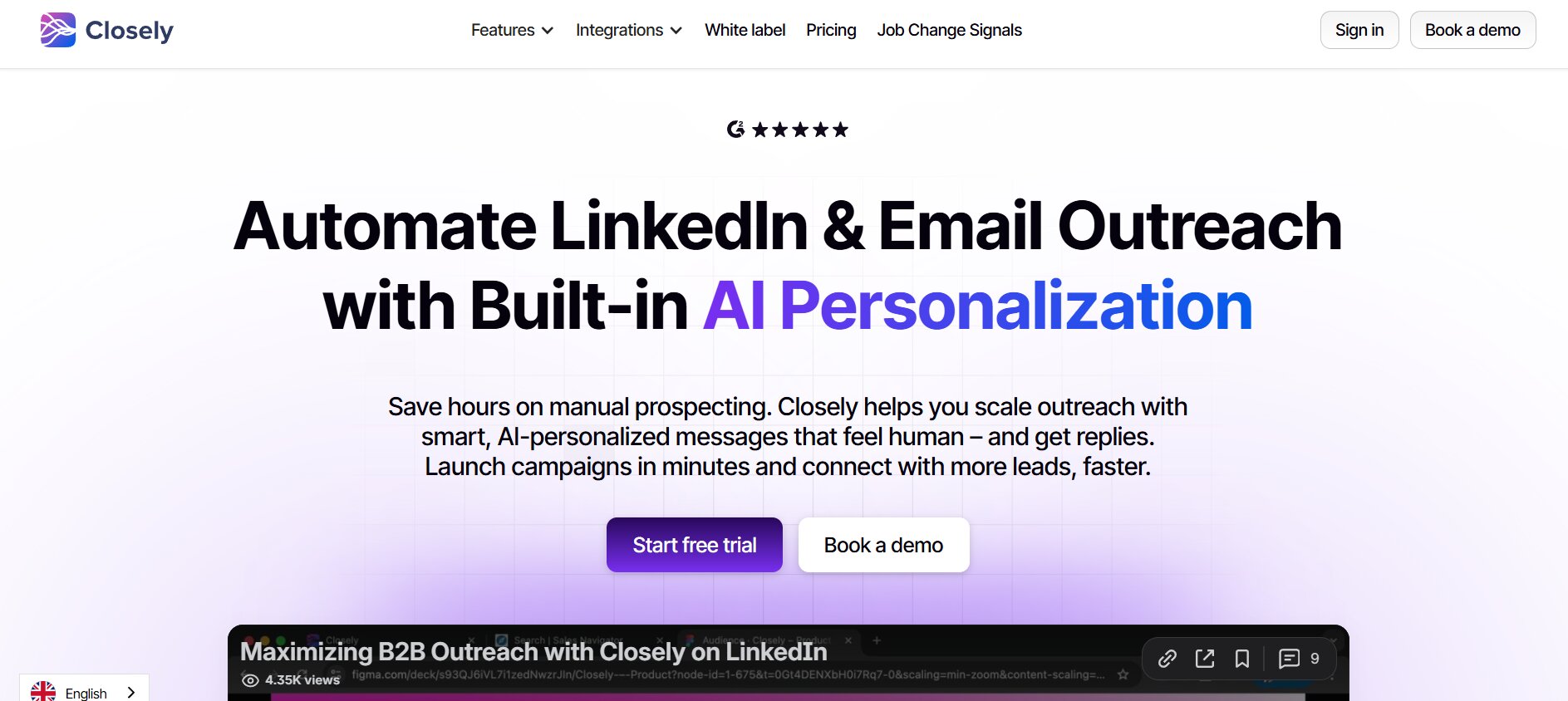
Closely is a cloud-based LinkedIn outreach automation platform built for sales teams, agencies, and solo SDRs who need to run structured multichannel campaigns. The core pitch: LinkedIn automation plus email outreach plus a built-in lead database plus AI personalization, all in one place. No Chrome extension required. It runs server-side, which means your campaigns keep executing when your laptop is closed.
That’s a meaningful distinction from extension-based tools. Browser extensions only run when your browser is open and you’re logged in. Closely doesn’t care — the campaigns run continuously from their servers.
Based on G2 reviewer data, over 94% of Closely’s verified reviewers identify as small and medium-sized businesses. That tracks with the product’s positioning — it’s not built for a 50-person enterprise sales team. It’s built for the SDR running outreach on their own LinkedIn account, the small agency managing three to five client accounts, and the early-stage founder who wants automated prospecting without building a stack.
The G2 rating sits at 4.6 out of 5 across 196 reviews. Solid. Not market-leading, but credible — especially since G2 ratings on outreach tools can be gamed pretty easily by vendor-encouraged reviews, and 196 verified reviews is a meaningful sample.
Closely Features: What You Actually Get
This isn’t a feature list for the sake of it. The goal here is to walk through what actually matters to someone running outreach — not what matters on a pricing comparison table.
LinkedIn Automation (The Core Engine)
The foundation of Closely is automated LinkedIn activity: connection requests, follow-up messages, profile views, post engagement, and endorsements. Sequences are built to mimic human behavior patterns — randomized timing between actions, daily action limits built into the workflow. This matters because LinkedIn’s detection systems have gotten significantly better at identifying robotic patterns (identical timing gaps, actions on the dot every 30 minutes, etc.).
Closely supports LinkedIn Free, Premium, Sales Navigator, and Recruiter accounts across all tiers. Since it runs in the cloud, your campaigns execute 24/7 with no browser dependency. That’s the real advantage over something like Dux-Soup, which requires an active browser session.
On detection risk: across competitor comparisons and third-party reviews, Closely is cited with a restriction rate of around 5–10%. That’s one of the lower figures in the cloud-based tool category. Worth noting, though — cloud-based tools do carry slightly higher detection risk than browser extensions that route through a real local session. An extension running from your actual IP looks more like you. Cloud execution, even with dedicated residential proxies, doesn’t replicate that completely.
Multichannel Campaigns (LinkedIn + Email in One Sequence)
This is where Closely separates itself from most single-channel LinkedIn tools. You can build sequences that combine LinkedIn touchpoints and email follow-ups in a single campaign flow. One campaign, multiple channels, logical transition triggers built in.
Unlimited email accounts are included across all Closely plans. That’s a real differentiator — plenty of competing tools charge per seat or per connected email. If you’re running outreach at any volume, that compounds fast.
The unified inbox consolidates LinkedIn replies and email replies in one place. When someone responds, the sequence stops and the lead gets flagged for manual follow-up. The practical value here is real: you’re not jumping between LinkedIn and your email client trying to figure out who replied to what.
Lead Finder & Data Enrichment
Closely lets you pull leads directly from LinkedIn search results, Sales Navigator, LinkedIn groups, and event attendees. You can also import CSV lists from your own data sources. The built-in database allows you to find and enrich leads with verified emails and phone numbers without needing a third-party tool like Apollo or Clay.
Credits power the enrichment side. They’re consumed for email lookups, phone number enrichment, and AI personalization. Standard LinkedIn actions — connection requests, messages — don’t burn credits. If you’re running standard cold outreach without AI-personalized icebreakers or phone data, your credit consumption will be low. If AI personalization is central to how you reach out, factor in credit burn when choosing a plan.
Enrichment happens in real time during campaign setup, not as a batch export-and-import workflow. That matters for speed, especially when you’re pulling leads from a live Sales Navigator search and wanting to launch a campaign without a 3-step data cleaning detour.
AI Personalization
Closely’s AI personalization is where a lot of reviewers spend their praise — and it deserves some context, because most tools that say “AI personalization” just mean first name and company merge tags. That’s not what Closely is doing.
The AI icebreaker feature pulls from a prospect’s recent LinkedIn activity, posts, and company news to generate personalized opening lines. Not name/company templates — actual contextual signals that make the outreach feel like the sender did their homework. Multiple verified G2 reviewers report 2–3x better reply rates with AI-personalized messages compared to generic templates.
Beyond icebreakers, Closely has AI Sales Agents that analyze a target company and draft tailored outreach messages automatically. There’s also AI lead scoring that surfaces high-value prospects based on profile fit, so you’re not burning credits on leads who don’t match your ICP.
The distinction matters: this is meaningfully different from template-based personalization. Whether it works consistently at scale is a function of the prospect’s LinkedIn activity — someone who posts regularly gives the AI a lot to work with. Someone whose last post was from 2022, less so.
CRM Integration & Team Management
Closely connects natively with HubSpot, Salesforce, and Pipedrive. There’s also a Zapier integration for building out connections to the rest of your stack. For teams, you get lead assignment, permission controls, and individual account performance monitoring. White-label options are available, which is relevant for agencies managing outreach under client branding.
Multi-account support scales by plan tier — one LinkedIn account on Starter, three on Growth, five on Essential, and custom configurations of 10 or more on the top tier.
Analytics & Reporting
Analytics are functional. You get campaign-level performance data: connection acceptance rates, message open rates, reply rates. A/B testing for messages and subject lines. Lead scoring dashboards that flag which prospects are engaging versus going quiet.
One honest note from the review data: analytics don’t show up as a standout strength in Closely’s G2 reviews. Reviewers don’t highlight them the way they highlight Dripify’s visual dashboards, for instance. You get what you need to optimize campaigns — you’re not getting a best-in-class data visualization layer.
Closely Pricing Plans (2026)
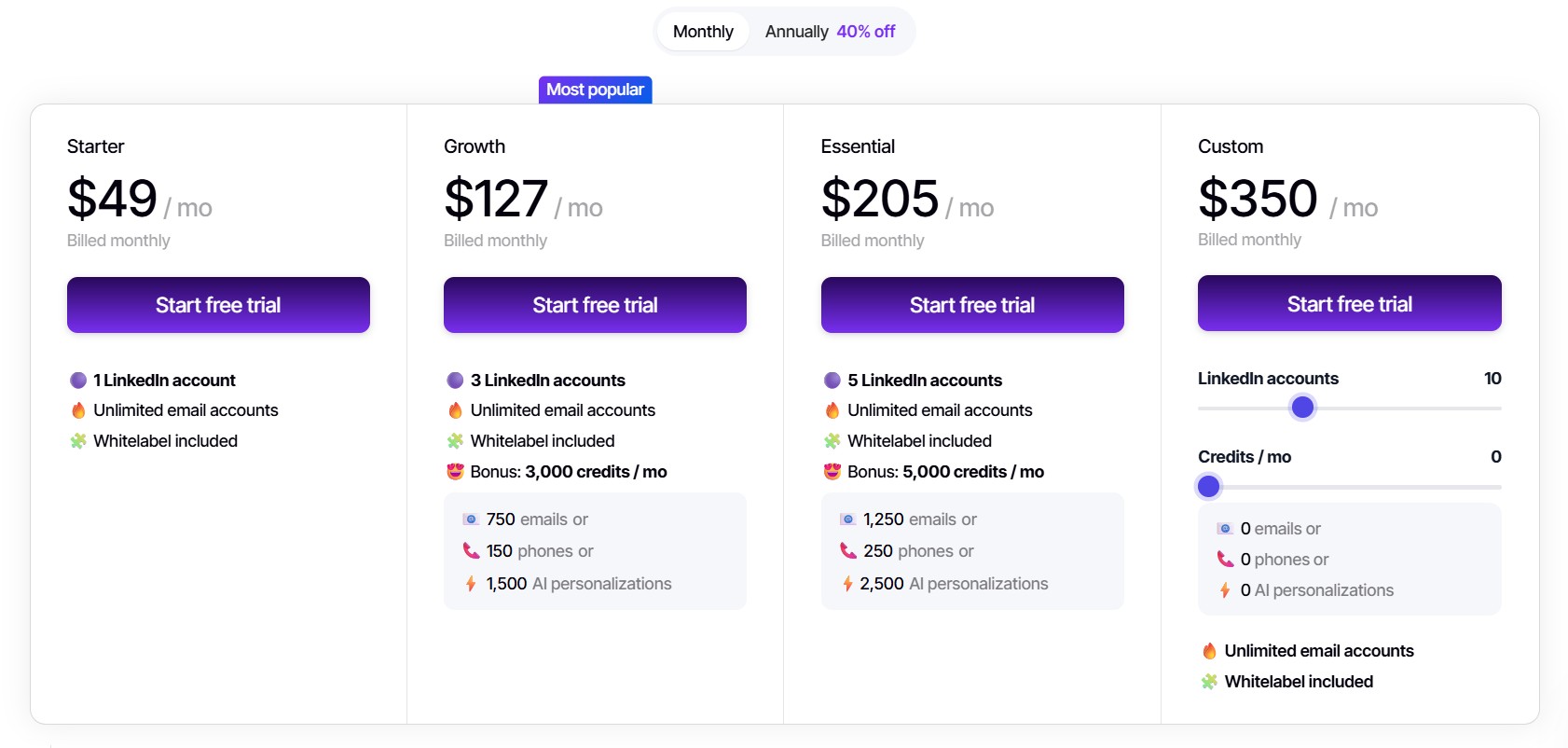
Closely runs a four-tier pricing model with a credit system layered on top. Understanding what credits actually do is the key to evaluating whether a given plan actually fits your workflow — because the account limits and the credit limits interact.
| Plan | Monthly Price | Annual Price | LinkedIn Accounts | Credits/Month |
|---|---|---|---|---|
| Starter | $49/mo | ~$29/mo | 1 | 1,000 |
| Growth | $127/mo | ~$87/mo | 3 | 3,000 |
| Essential | $205/mo | ~$145/mo | 5 | 5,000 |
| Custom | $350+/mo | Custom | 10+ | Tailored |
Annual billing saves up to 40%.
What credits actually do: Credits are consumed for email lookups, phone number enrichment, and AI personalization. They are not burned on standard LinkedIn actions like connection requests and messages. If your campaigns don’t rely heavily on AI-personalized icebreakers or phone data, your monthly credit consumption will stay low. If AI personalization is central to how you prospect, build that into your plan selection — running out of credits mid-month and having your sequences revert to generic templates would be a bad outcome.
Free trial: Available on all plans. No confirmed credit card requirement mentioned on the pricing page — worth checking at signup.
Who each plan actually suits:
- Starter at $49/month works for solo SDRs running a single LinkedIn account, primarily LinkedIn and email combined outreach, with occasional enrichment needs. This is the most competitive entry price in the category for what you’re getting.
- Growth at $127/month fits a small outreach team — two or three senders, moderate enrichment needs, campaigns running across multiple LinkedIn accounts at once.
- Essential at $205/month is the right tier for a mid-sized sales team or small agency running five accounts simultaneously. The economics start making sense at this point because the per-account cost drops meaningfully.
- Custom at $350+/month is for agencies and enterprise teams needing 10 or more LinkedIn accounts with dedicated support behind them.
One honest flag on pricing: the volume benefits don’t fully kick in until you’re running multiple accounts. A solo user on a single account pays $49/month — competitive, but not the cheapest option in the market. If you’re running one account and don’t need AI personalization or enrichment, simpler tools like Dripify or Waalaxy may give you more per dollar at that price point.
Closely Safety & LinkedIn Compliance
This section gets glossed over in most tool reviews, and it shouldn’t. LinkedIn’s Guardian AI has gotten noticeably better at detecting automation patterns in the past 12–18 months. A restricted account is a real operational disruption — not just an inconvenience.
Here’s how Closely handles the safety side:
- Dedicated residential proxies: Each LinkedIn account gets its own IP address. This reduces cross-account detection risk significantly — if you’re running three accounts from the same IP and LinkedIn flags unusual activity, all three accounts are at risk together. Dedicated proxies separate them.
- Built-in behavioral limits: Closely enforces daily action caps that stay within LinkedIn’s safe zones — the 100–200 weekly connection request guideline is baked in, not something you have to manually configure.
- Randomized timing: Actions don’t fire at identical intervals, which is one of the easier detection signals for LinkedIn’s systems to catch.
- Restriction rate: Across third-party comparisons and user reports, Closely sits at a 5–10% account restriction rate. That’s among the lowest reported figures for cloud-based tools in 2026.
- GDPR compliance features: Built in — relevant for teams running outreach into EU markets.
One caveat worth stating clearly: cloud-based tools are still somewhat more detectable than Chrome extensions that route through a user’s real local session. An extension running on your machine uses your actual IP, your actual browser fingerprint, your actual session. Cloud execution, even with high-quality residential proxies, doesn’t replicate that exactly. Some reviewers cite tools like Expandi as marginally safer for single-account use cases because of this architecture difference.
The practical verdict: Closely’s safety architecture is solid for most use cases. The 5–10% restriction rate reflects real-world usage at scale. If you’re running a high-volume agency setup with 10 or more accounts, invest time in proper warmup sequences and conservative daily limits regardless of which tool you’re using — that’s just table stakes for keeping accounts healthy.
What Real Users Say About Closely
G2 has 196 verified reviews of Closely with a 4.6 out of 5 average. Capterra adds to that picture. Here’s what the consistent signal actually looks like across both praise and criticism — not cherry-picked quotes, but the themes that appear repeatedly.
What reviewers consistently praise:
- Approachable interface: Multiple reviewers note that basic campaigns go live without a technical background. The onboarding friction is lower than competitors like HeyReach that are more agency-infrastructure-heavy.
- AI icebreaker quality: This shows up repeatedly as a genuine differentiator. Reviewers specifically call out the 2–3x reply rate improvement when using AI-personalized icebreakers compared to generic templates.
- Multichannel in one tool: Not needing a separate email outreach platform saves both money and workflow complexity. Several reviews mention this as the primary reason they chose Closely over a LinkedIn-only tool.
- Cloud execution reliability: Campaigns run without babysitting. The server-side execution holds up consistently in user reports — you set it up and it runs.
- Customer support responsiveness: Generally positive, though not uniformly praised. Some variance here depending on tier and timing.
What reviewers consistently flag:
- Steep learning curve for advanced features: The basic campaign setup is easy. Complex multi-step sequences, credit allocation strategy, and advanced personalization configuration take meaningful setup time to get right.
- Pricing feels expensive for solo users: Reviewers who don’t use AI personalization or enrichment heavily find the value equation less clean. You’re paying for a full multichannel, AI-enriched platform whether you use all of it or not.
- Occasional bugs: Nothing platform-breaking in recent review data, but minor bugs do come up. Worth noting.
- Lead quality and analysis scores lower than top competitors: Closely sits at 4.6 on G2. Instantly, which is frequently compared in the email outreach layer, scores 4.8. The gap isn’t massive but it’s real.
- Credit carryover policy unclear: It’s not confirmed whether unused monthly credits roll over. If they don’t, heavy credit-burning months followed by light months means you’re potentially paying for capacity you didn’t use.
The consistent signal from verified buyers: Closely delivers on its core promise for teams running multichannel outreach at moderate scale. Solo users who don’t use the full feature set and agencies running 10-plus accounts at volume are the two groups where the value equation gets messier.
Closely vs The Alternatives (Honest Head-to-Head)
Closely doesn’t exist in a vacuum. These are the tools buyers are actually comparing it against when they’re evaluating.
Closely vs DealsFlow

This comparison requires some structural clarity, because Closely and DealsFlow are operating at different layers of the outreach workflow. They’re not really competing — they’re sequential.
Closely — like every other LinkedIn automation platform in this category — is an outreach execution engine. It sends connection requests, runs message sequences, tracks opens and replies, and stops the sequence when someone responds. What happens after the reply is entirely on the sales rep.
DealsFlow operates in a different layer. Its Arlo AI handles the post-reply conversation — qualifying inbound responses, keeping threads warm, and moving prospects toward a booked meeting without requiring a rep to monitor every inbox in real time. This matters operationally because the gap between “someone replied” and “someone booked a call” is exactly where most outbound pipeline leaks. Reps get busy. Replies go cold. Warm leads turn into nothing because the follow-up was slow or inconsistent.
What Closely does that DealsFlow doesn’t replace:
- Automated connection requests and LinkedIn sequence execution
- Multi-step outreach campaigns combining LinkedIn and email
- Lead sourcing and data enrichment via built-in database
- Managing outreach across multiple LinkedIn accounts
What DealsFlow does that Closely can’t:
- Arlo AI reads inbound replies, interprets intent, and responds appropriately — not with a fixed template, but with context-aware replies
- Handles objections in the reply thread without rep involvement
- Keeps warm prospects engaged between the initial reply and the actual booked call
- Converts outreach volume into booked meetings more efficiently than a rep-managed inbox at scale
The combined workflow: Closely gets the conversation started. DealsFlow’s Arlo AI takes over when someone responds and drives the thread toward a meeting. For outbound teams running at volume, these tools aren’t competing — they’re complementary. Closely handles the top-of-thread outreach; DealsFlow handles the revenue-critical middle where most deals are actually won or lost.
Pricing comparison:
- Closely Starter: $49/month (1 LinkedIn account, 1,000 credits)
- DealsFlow Starter Pilot: $49/month (14-day free trial, no credit card required)
Both tools can run in parallel without overlap. Closely for outreach execution, DealsFlow for reply conversion.
Closely vs Dripify
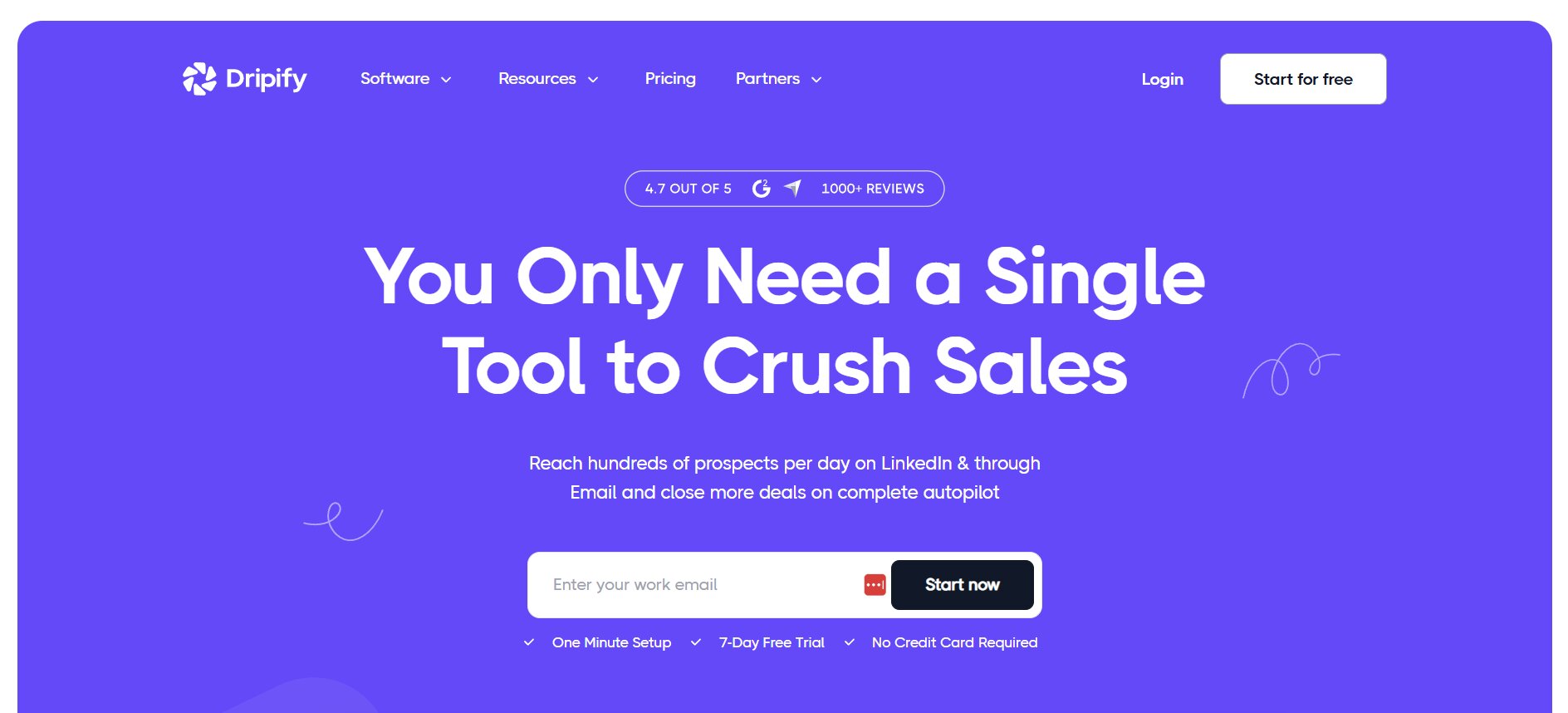
Dripify is the most common direct comparison to Closely in the LinkedIn-only automation category.
- Dripify pricing: $59/month per seat (or $39/month on annual billing)
- Where Dripify wins: Cleaner visual campaign builder, better analytics dashboards, and a lower entry price for running a single LinkedIn account. If you want a LinkedIn-only sequencing tool with a polished UI and strong analytics, Dripify wins on simplicity and price.
- Where Closely wins: Multichannel outreach — LinkedIn and email — in one platform. AI personalization that’s meaningfully differentiated from merge tags. A built-in lead database versus Dripify’s LinkedIn-only sourcing. If your workflow requires both LinkedIn and email in the same sequence, Dripify can’t do that natively.
- The verdict: Dripify is simpler and cheaper for LinkedIn-only sequences. Closely is the better pick the moment you need LinkedIn plus email in a unified workflow or want AI-assisted personalization that goes beyond first name insertion.
Closely vs HeyReach
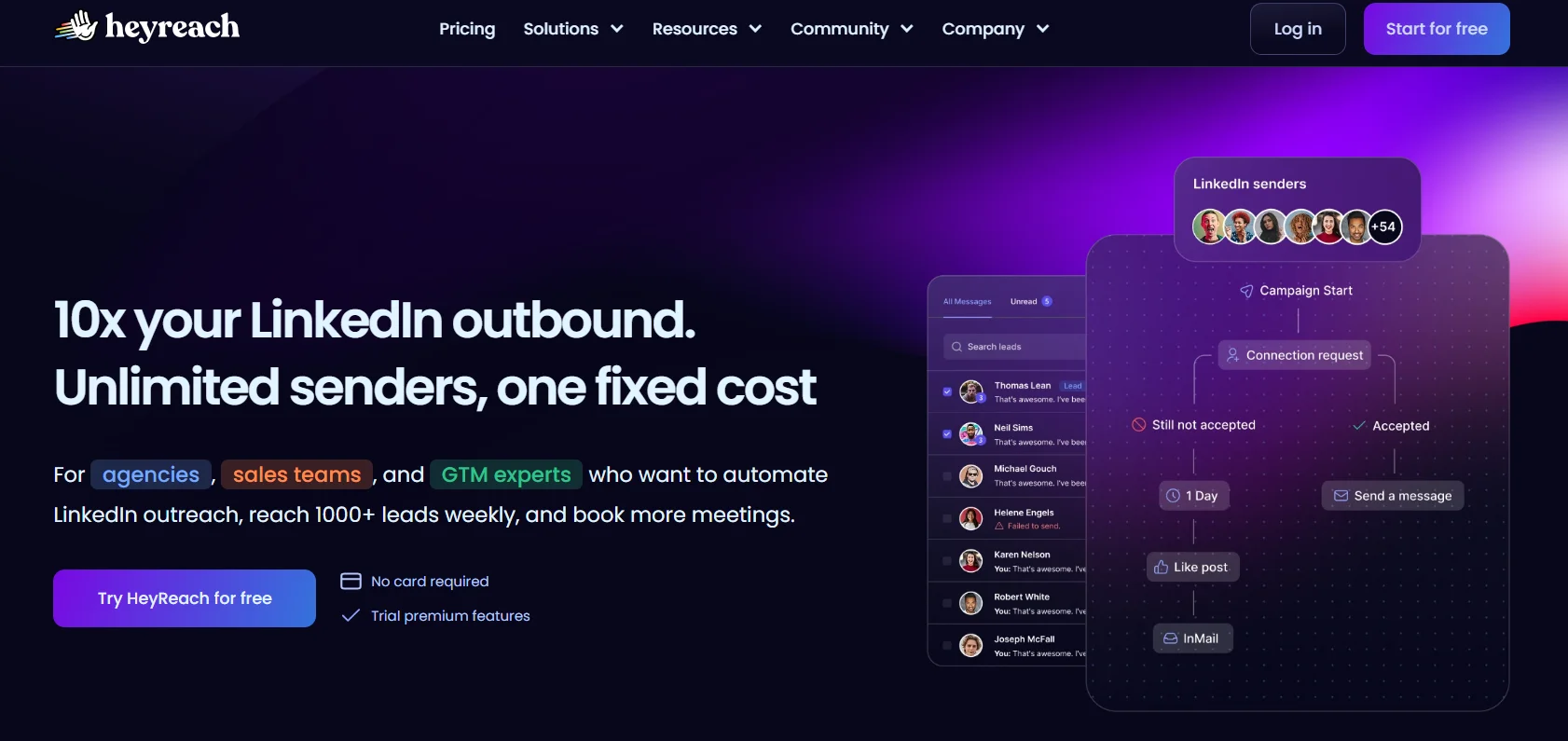
HeyReach is purpose-built for agency-scale multi-account LinkedIn outreach. Different market than Closely’s primary buyer.
- HeyReach pricing: Starts at $79/month for 1 sender; agency tiers start at $999/month for 50 senders
- Where HeyReach wins: Multi-account agency infrastructure is genuinely purpose-built. Unlimited sender rotation for high-volume outbound. At 6 or more senders, HeyReach’s flat agency tiers undercut per-account pricing significantly. The unit economics flip at scale.
- Where Closely wins: Multichannel LinkedIn plus email natively. AI personalization. Built-in enrichment database. Better economics for solo users and small teams below 5 accounts — you’re not overpaying for agency infrastructure you don’t need.
- The verdict: For agencies running 10-plus LinkedIn accounts with volume as the primary variable, HeyReach wins on unit economics. For teams that need multichannel plus AI personalization plus data enrichment under one roof for 1–5 accounts, Closely holds its own clearly.
Who Should Use Closely in 2026?
No hedging here. The feature set either fits your situation or it doesn’t.
Closely is a strong fit if:
- You’re a solo SDR or small team (1–5 people) running both LinkedIn and email outreach from the same workflow
- You want AI-powered personalization that actually pulls contextual signals from prospect activity — not just merge tags
- You don’t want to pay separately for a lead enrichment database on top of your outreach tool
- Your team is running 2–5 LinkedIn accounts and wants manageable per-account economics
Closely is not the right call if:
- You’re an agency running 10-plus LinkedIn accounts at volume — HeyReach’s flat-fee agency tiers will undercut Closely significantly past 6 senders
- You’re a solo user who only needs basic LinkedIn sequencing with no email or AI personalization — Dripify at $39/month annual gives you what you need for less
- Your team is EU or APAC-heavy — Closely’s lead database has broader North American coverage, which matters for enrichment accuracy on international prospect lists
Final Verdict
Closely is a well-built, genuinely capable LinkedIn automation platform for teams that need multichannel outreach (LinkedIn and email together), AI personalization that goes beyond name insertion, and a built-in data layer — all without stitching together three separate tools. The 4.6 out of 5 on G2 reflects a product that delivers on its core promises for the audience it’s built for: small-to-mid-sized sales teams running structured outbound at moderate scale.
The limitations are real but predictable. Solo users on a single account don’t get the full economic benefit of the platform. Agencies at 10-plus accounts will eventually hit a ceiling where HeyReach’s flat-fee structure becomes materially cheaper. And the credit system requires upfront thought about how your campaigns are actually structured — going in blind will lead to mid-month surprises when you realize your AI personalization burn rate is higher than expected.
The one thing Closely doesn’t solve — and neither does any other outreach tool in this category — is what happens once someone replies. Getting a response is only half the job. Turning that reply into a booked meeting requires either a rep fast enough to personally manage every conversation thread, or a tool purpose-built for post-reply conversation. That’s the gap DealsFlow’s Arlo AI fills: it takes over when Closely’s job ends and converts reply volume into actual pipeline without a human babysitting every inbox.
If you’re evaluating Closely, start the free trial. The core workflow is approachable enough that you’ll know within a week whether the feature set matches your actual campaign structure.
Conclusion
Closely earns its spot as a credible mid-market LinkedIn automation option in a crowded category. It’s not the cheapest tool. It’s not the most powerful for high-volume agency multi-account use. But it’s one of the few that meaningfully integrates LinkedIn, email, AI personalization, and enrichment without requiring a multi-tool stack. For the buyer who’s weighed their account count, outreach channels, and AI personalization needs — and those numbers line up with Closely’s sweet spot — it’s a solid investment in 2026. For the reply layer that turns Closely’s outreach volume into booked meetings, pair it with DealsFlow.
Frequently Asked Questions
Is Closely safe to use with my LinkedIn account?
Generally, yes — with caveats. Closely uses dedicated residential proxies (one IP per LinkedIn account), built-in daily action limits, and randomized timing to reduce detection risk. Third-party comparisons cite a 5–10% account restriction rate for Closely users, which is among the lower figures for cloud-based tools. That said, no automation tool is zero-risk. LinkedIn’s Terms of Service technically prohibit automated interaction, and Guardian AI has gotten better at catching behavioral anomalies. If your account is new, warm it up manually for 2–3 weeks before running campaigns. Keep connection requests under 20–25 per day, not the theoretical maximum.
Does Closely work without LinkedIn Sales Navigator?*
Yes. Closely works with standard LinkedIn accounts, LinkedIn Premium, Sales Navigator, and Recruiter. Sales Navigator isn’t required. That said, if you’re running high-volume outreach and need granular targeting filters — company size, seniority level, job function — Sales Navigator gives you significantly better list quality. For most solo SDRs and small teams, standard LinkedIn gets the job done.
What do credits actually get used for?
Credits are consumed for three things: email lookups, phone number enrichment, and AI personalization (icebreakers). They are not burned on standard LinkedIn actions like connection requests, follow-up messages, or profile views. If your campaigns are purely LinkedIn-based without AI personalization or data enrichment, your credit usage will be minimal. If AI icebreakers are central to your workflow, credit burn adds up — account for that when choosing a plan.
Can Closely run campaigns when my computer is off?
Yes. That’s one of the core advantages of cloud-based execution. Closely runs server-side, so campaigns execute 24/7 regardless of whether your browser is open or your laptop is on. Browser extension tools like Dux-Soup can’t do this — they require an active session to function.
How does Closely compare to just using LinkedIn’s native messaging?
LinkedIn’s native messaging is manual and doesn’t scale. There’s no sequencing, no multi-step follow-up logic, no automated tracking of who’s opened what or replied to which message. Closely automates that entire workflow — connection request, follow-up sequence, email fallback — and tracks performance at the campaign level. The tradeoff is that automation carries account risk that purely manual outreach doesn’t.
Does Closely integrate with my CRM?
Yes. Closely has native integrations with HubSpot, Salesforce, Pipedrive, and GoHighLevel. There’s also a Zapier integration for connecting to tools outside the native list. Contacts, messages, and engagement activity sync automatically — you’re not doing manual data entry after a reply comes in.
Is there a free trial, and do I need a credit card?
Closely offers a free trial on all plans. The pricing page doesn’t list a credit card requirement upfront, but it’s worth checking at signup — trial terms can change. The trial gives you enough time to get a campaign live and evaluate whether the feature set matches your actual workflow.
Who is Closely not a good fit for?
Three groups stand out. Agencies running 10 or more LinkedIn accounts at volume — HeyReach’s flat-fee agency pricing undercuts Closely significantly past 6 senders. Solo users who only need basic LinkedIn sequencing without email or AI personalization — Dripify at $39/month on annual billing is cheaper for that use case. And teams prospecting heavily into EU or APAC markets — Closely’s lead database skews toward North American coverage, which affects enrichment accuracy on international lists.