


Most LinkedIn advice stops at posting. Post consistently, write good hooks, use carousels. Nobody talks about what happens when it works.
When your content starts getting traction, you are no longer dealing with five replies a week. You are dealing with fifty, sometimes a hundred, across multiple posts, from people who range from casual observers to your next best client. The problem is not reach. The problem is what happens after the reach.
Handling LinkedIn replies at scale is where most creators and sales teams quietly break down. They either go silent, which kills the algorithm momentum they built, or they go robotic, which kills the relationships they were trying to build. This guide covers exactly how to avoid both.
The LinkedIn Reply Crisis Nobody Talks About
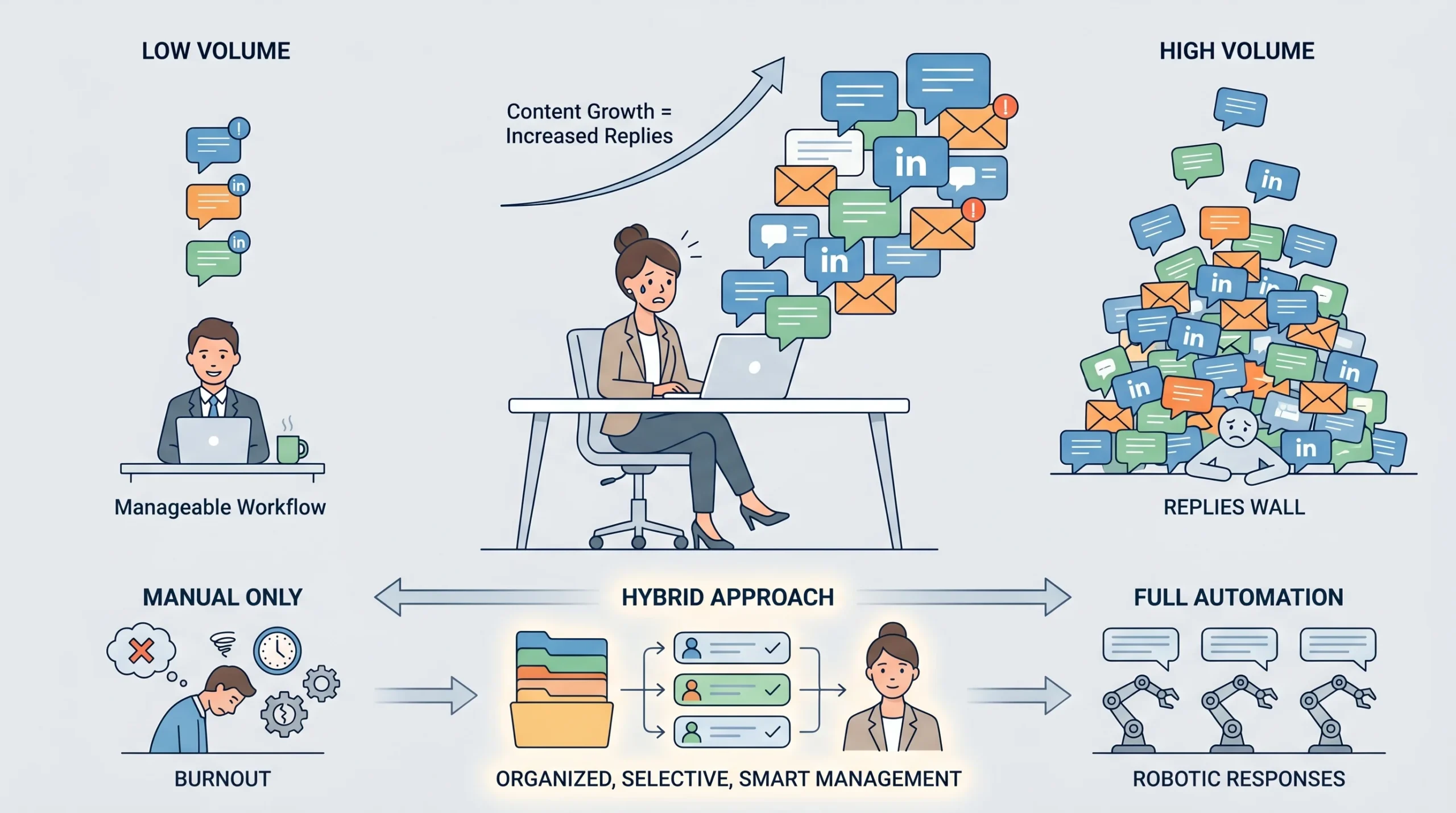
Most people only think about the output side of LinkedIn strategy: what to post, when to post, how to write a hook that stops the scroll. The input side, meaning what comes back at you once the content lands, is almost entirely ignored in mainstream advice. That is a problem, because ignoring your replies is not a neutral decision. It has direct consequences for your visibility, your pipeline, and your reputation.
Why Growing Creators and B2B Teams Hit a Replies Wall
The replies wall is a specific moment in a LinkedIn creator or sales team’s journey. It happens when your content strategy starts working. You’ve figured out the posting cadence, the hooks are landing, the impressions are climbing, and then suddenly you have 40 replies across three posts and a full workday scheduled around something else entirely.
At lower volumes, managing replies manually is fine. Ten replies across a week is a 20-minute job. But LinkedIn’s algorithm is compound. The more consistently you post and engage, the more the platform distributes your content. The more your content is distributed, the more replies you accumulate. A team running three posts per week with decent reach can realistically expect 50 to 150 replies weekly once their content finds its rhythm. That is not a 20-minute job anymore.
For agencies managing multiple LinkedIn accounts across different clients, the math gets worse fast. If each client account is actively posting and each post generates 20 to 40 replies, you are looking at hundreds of reply interactions per week across the portfolio. No amount of manual effort keeps up with that without sacrificing either quality or sanity.
The Cost of Ignoring Replies (Algorithm and Relationship Damage)
Silence after a post does real damage. LinkedIn’s algorithm treats conversation depth as a ranking signal. According to how the platform now evaluates content, a handful of genuine replies in a thread outperforms hundreds of surface-level reactions. When someone replies to your post and you do not respond, the thread stalls. The algorithm interprets a dead thread as low-quality content and stops distributing it.
Beyond the algorithmic cost, there is the relationship cost. LinkedIn is a professional network, not a broadcast channel. When someone takes the time to write a thoughtful reply and receives nothing back, the message is clear: you are not here to build relationships. You are here to broadcast. That perception is hard to reverse, especially with prospects who were evaluating you before deciding to reach out.
The False Choice: “Reply to Everything” vs. “Automate Everything”
The standard framing around this problem is a false binary. Either you reply to everything manually, which becomes unsustainable above a certain volume, or you automate replies, which immediately starts sounding robotic to anyone paying attention. Neither extreme works at scale.
The “reply to everything manually” camp burns out quickly once content volume picks up. The “automate everything” camp produces replies that feel copy-pasted, miss the context of what was actually said, and sometimes generate embarrassing mismatches where a cheerful automated reply lands on a comment about a difficult professional situation.
The answer is a structured hybrid: a system that routes replies intelligently based on their type and intent, uses automation for lightweight engagement, and reserves genuine human attention for the conversations that actually move the needle.
Why LinkedIn Replies Matter More Than Most People Realize
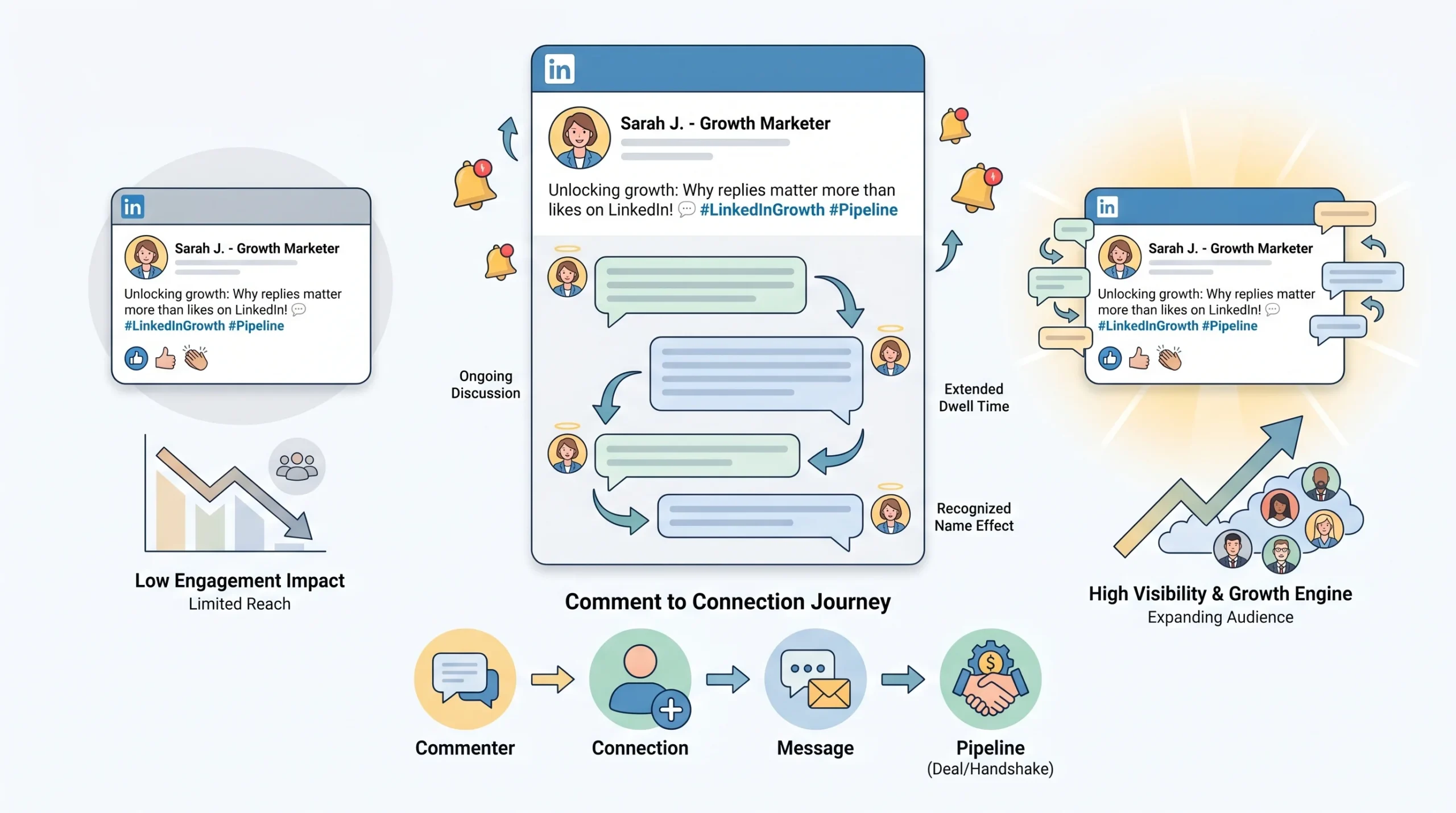
LinkedIn replies are not just a politeness metric. They are a visibility mechanism, a relationship signal, and a pipeline asset, all wrapped into one. Most people treat them as an optional afterthought. The professionals generating consistent inbound leads from LinkedIn treat them as a core part of the strategy.
Replies Are a Two-Way Visibility Engine
When you publish a post and someone comments, the thread is alive. When you reply to that comment, the thread is still alive. Every exchange in the thread extends what LinkedIn tracks as dwell time, the duration a viewer spends interacting with or reading a piece of content. Dwell time is one of the factors LinkedIn’s algorithm uses to determine whether a post is worth distributing further.
More practically: when you reply to a comment, LinkedIn often notifies the commenter, which pulls them back to the post. That return visit registers as additional engagement. If others are watching the thread, your reply can prompt them to add their own comment, which continues the cycle. A post with 15 comments in a live thread will frequently outperform a post with 40 reactions and no replies, simply because the thread activity signals ongoing relevance to the algorithm.
The implication is direct. Your reply is not just a courtesy. It is a distribution mechanism.
From Comment to Connection: The Pipeline No One Optimizes
Here is the part most LinkedIn content advice skips entirely. The comment section is not just a public discussion forum. For B2B sales, it is a pre-qualification zone.
Over 70% of B2B buyers consume content and read discussions before accepting a connection request, according to a 2026 trends report by Second Brain Labs. That means a significant portion of your potential buyers are reading your post and your replies before they ever interact with you directly. They are evaluating your expertise, your communication style, and your responsiveness. Your replies are doing sales work before any DM is sent.
A prospect who sees you give a substantive, thoughtful reply to a peer’s question in your post thread has already started to trust you. By the time you send that person a connection request or they send one to you, you are not a cold stranger. You are a familiar voice from their feed. That familiarity closes the gap between cold outreach and warm conversation faster than almost anything else you can do on LinkedIn.
The “Recognized Name” Effect
There is a specific moment in LinkedIn outreach where everything gets easier. It is when the person receiving your message already knows your name. Not because you have met in person, not because you have a mutual connection who vouched for you, but because they have seen your replies in threads relevant to them over time.
The recognized name effect is the cumulative result of consistent, high-quality replies. When you regularly show up in the comments and replies of posts your target audience reads, your name becomes a known entity. Your comment on someone’s post is seen by everyone who also reads that post. Your reply to a commenter is seen by that commenter’s network. Each of these micro-interactions adds to a compound familiarity that makes subsequent direct outreach dramatically more effective.
The comment section, used consistently and well, can function as a predictable lead generation funnel.
Reply Rate Benchmarks You Should Know in 2026
Direct Messages on LinkedIn average a 10.3% reply rate, which already nearly doubles the typical cold email reply rate of around 5.1%. Messenger campaigns targeting first-degree connections perform even better, reaching an average reply rate of 16.86%. InMail campaigns average between 3% and 8%, though personalized InMails can climb to 10% to 15%.
Where reply management becomes strategically significant is in follow-up sequences. Multi-step sequences with two to three thoughtful follow-ups can push response rates to between 20% and 30% or higher. Timing matters: Tuesday and Wednesday mornings consistently produce the highest reply rates across the week, with Tuesday holding the top position at approximately 6.9%.
These numbers matter when you are building a reply system because they shape where your effort should go. A 10.3% DM reply rate means 90% of your sent messages will not reply. Managing that 10.3% who do reply, and doing it well, is where the pipeline actually gets built.
The 4 Types of LinkedIn Replies (And How to Handle Each)
Not every reply is equal. Treating a “Great insight!” emoji reply with the same priority and depth as a reply where a VP of Sales asks a pointed question about your methodology is a waste of time on one end and a missed opportunity on the other. Classifying your replies by type before responding is the foundational step of any scalable reply system.
Type 1: The Hot Lead Reply (Prospect Showing Intent)
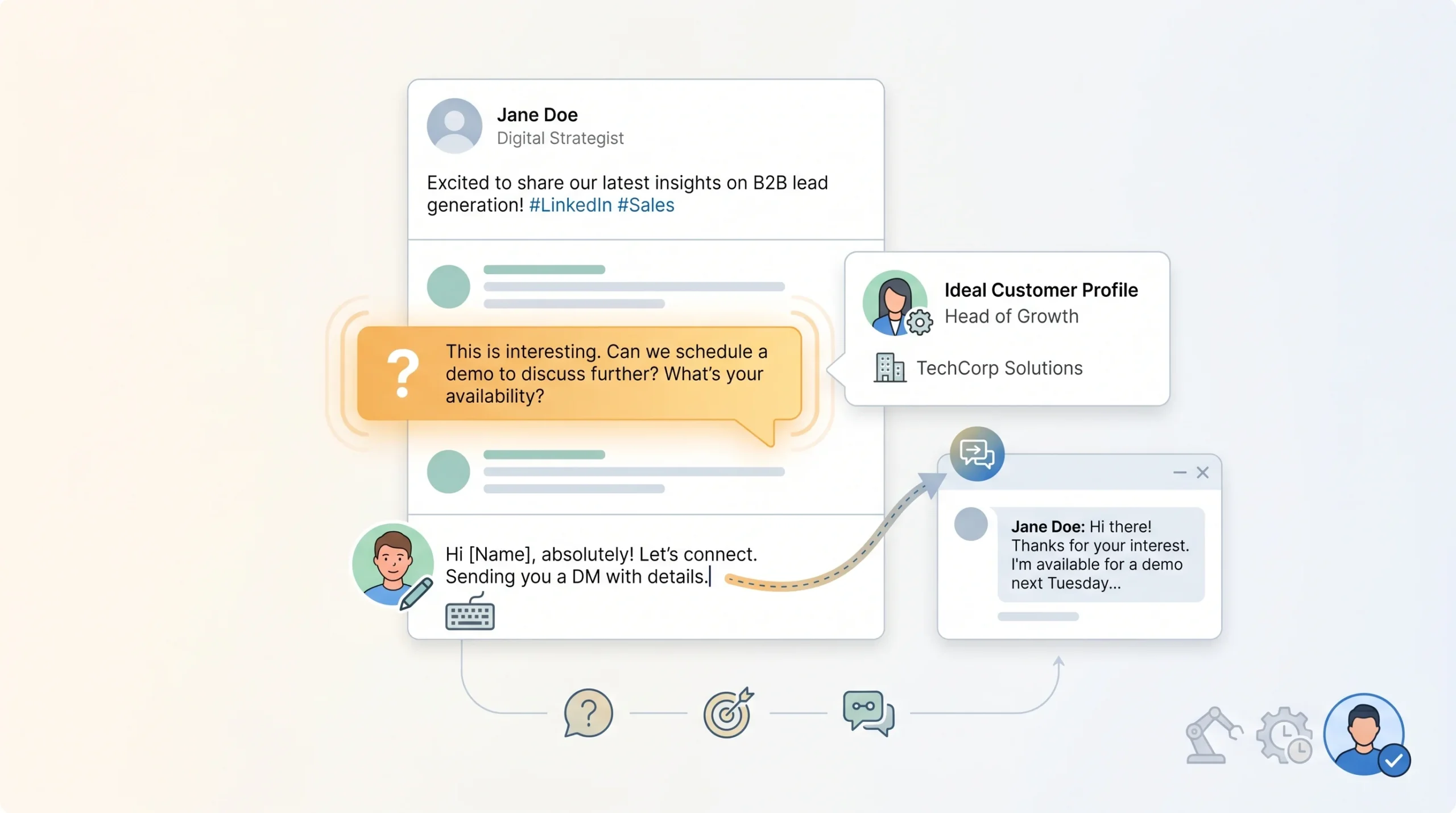
Hot lead replies are the ones that contain a signal of genuine interest or a specific question about your work, product, or service. They might look like this: someone asking how you handle a specific problem you mentioned, a prospect referencing a pain point that aligns with what you do, or someone with a matching ICP (ideal customer profile) making a substantive comment that invites a response.
Signals to watch for:
- Direct questions about how you do something
- References to their own company situation or challenge
- Phrases like “we’ve been dealing with this too” or “I’d love to hear more about how you approach…”
- Profile that matches your target company size, role, or industry
Response strategy: These replies get 100% human attention. Respond thoughtfully and publicly, addressing the specific thing they said. Then move the conversation to a DM naturally, without an abrupt pitch. A line like “Happy to share more on this, I just sent you a note” converts a public reply into a private conversation without pressuring anyone in front of the thread.
Type 2: The Peer or Collaborator Reply (Relationship Building)
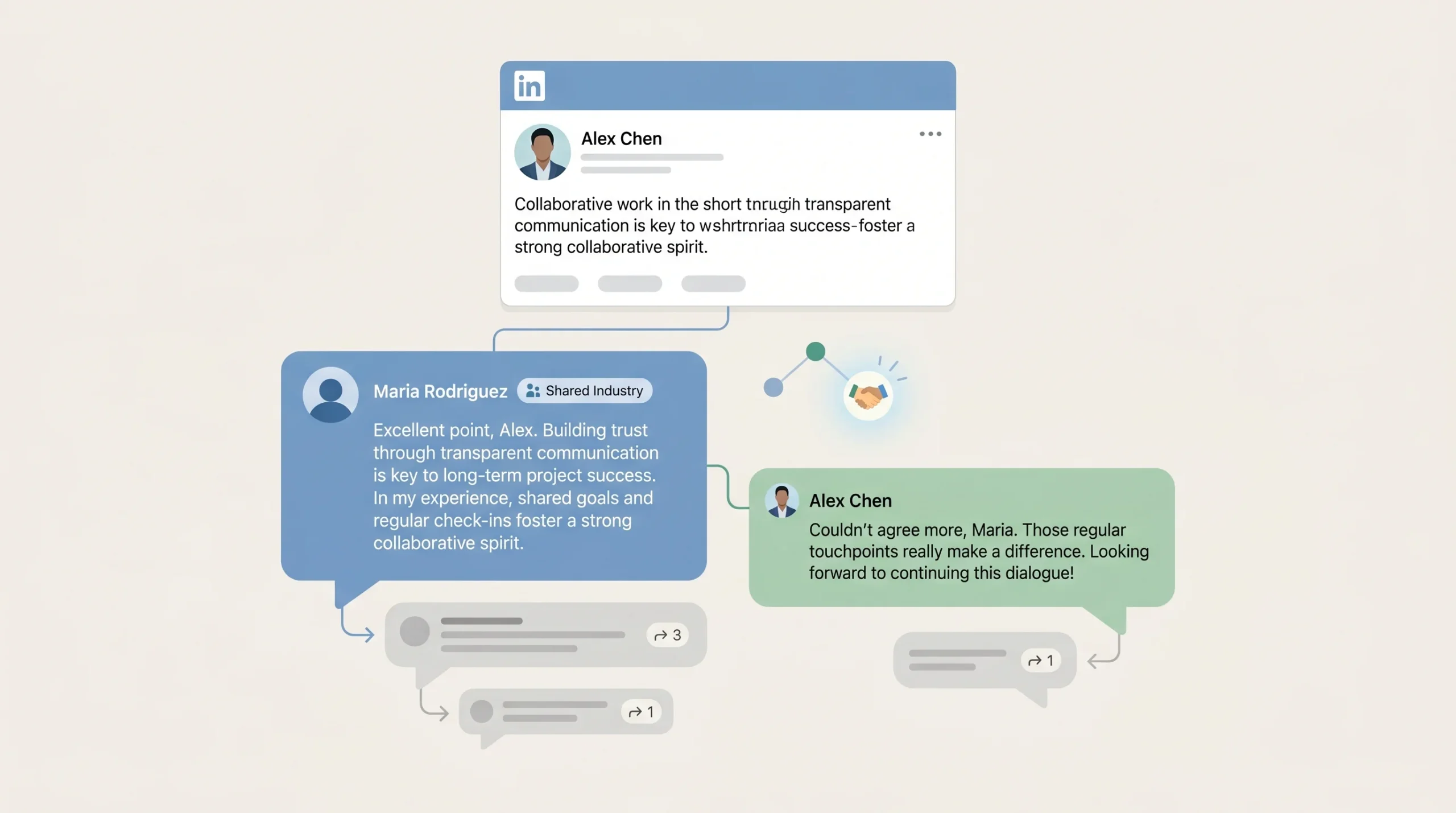
These come from people who are not immediate prospects but are meaningful network nodes: other creators in your space, potential referral partners, industry peers, or respected voices whose engagement gives your post social proof. They typically add their own perspective, agree with a nuance you raised, or share a related experience.
Signals to watch for:
- Substantive comments that add to the original point
- Credentials or company context visible in their comment
- Mutual connections or industry overlap
- Comments that invite a dialogue rather than a transaction
Response strategy: Match their energy. If they added a point, respond to that specific point and either build on it or respectfully offer a different angle. Ask a follow-up question to keep the exchange going. These replies are where threads get legs and where your network deepens. Do not thank them and move on. Engage. Each additional exchange extends the post’s reach.
Type 3: The Generic Engagement Reply (Low-Depth Interaction)
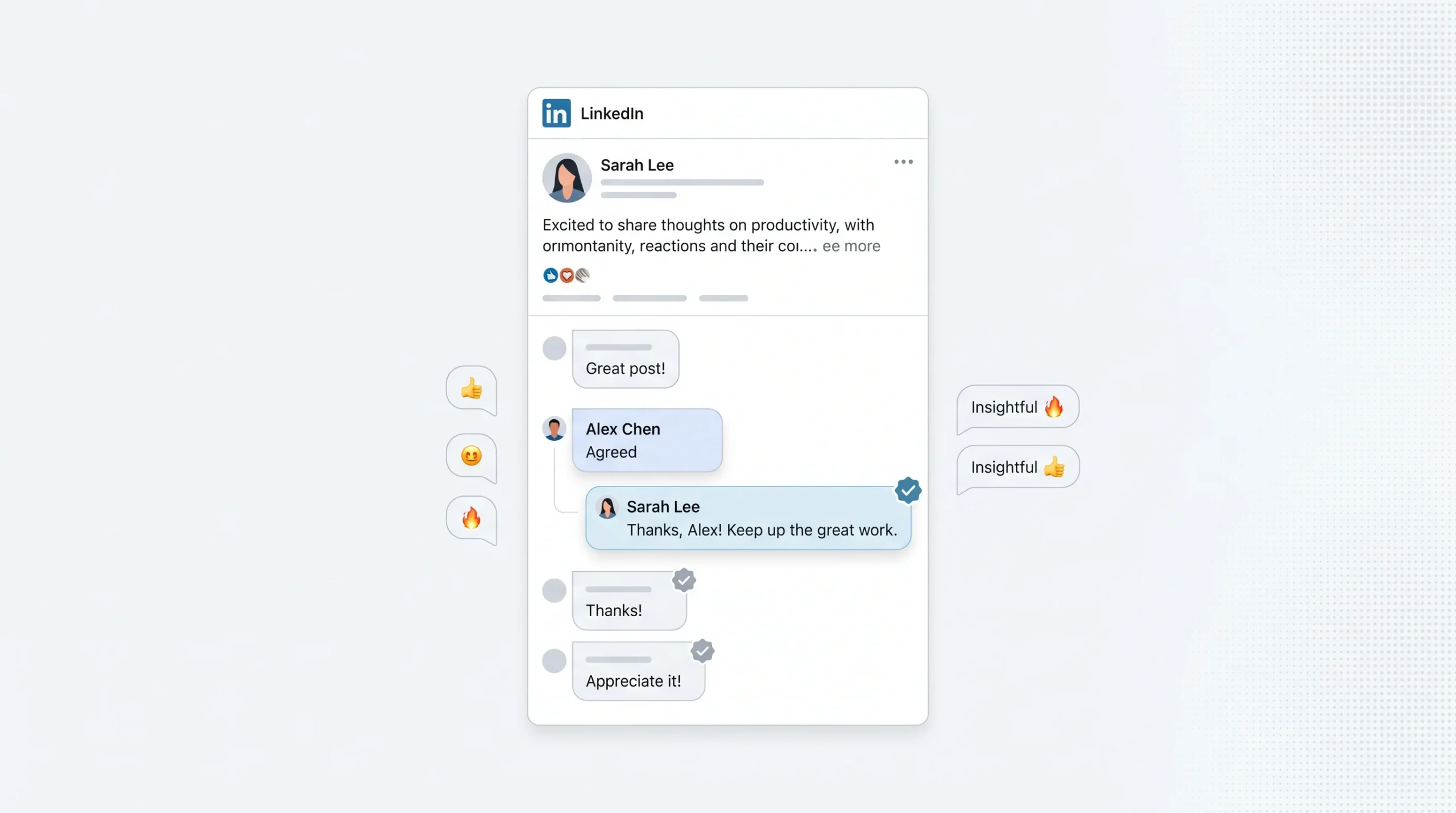
These are the emoji replies, the “Great post!” comments, the one-word responses like “Agreed” or “This.” They represent genuine engagement in a shallow form. The person saw your content, found it valuable enough to interact with, but did not invest enough to write something substantive.
Response strategy: Keep it lightweight but do not ignore it entirely. A short, warm reply that acknowledges them without requiring deep personalization works well here. Something as simple as using their first name and a one-line response signals that a real person is behind the account and rewards the engagement, however minimal. These replies are best handled with templated warmth: short, friendly, and consistent. The goal is to acknowledge without spending the same energy as on a hot lead reply.
Type 4: The Objection or Challenge Reply
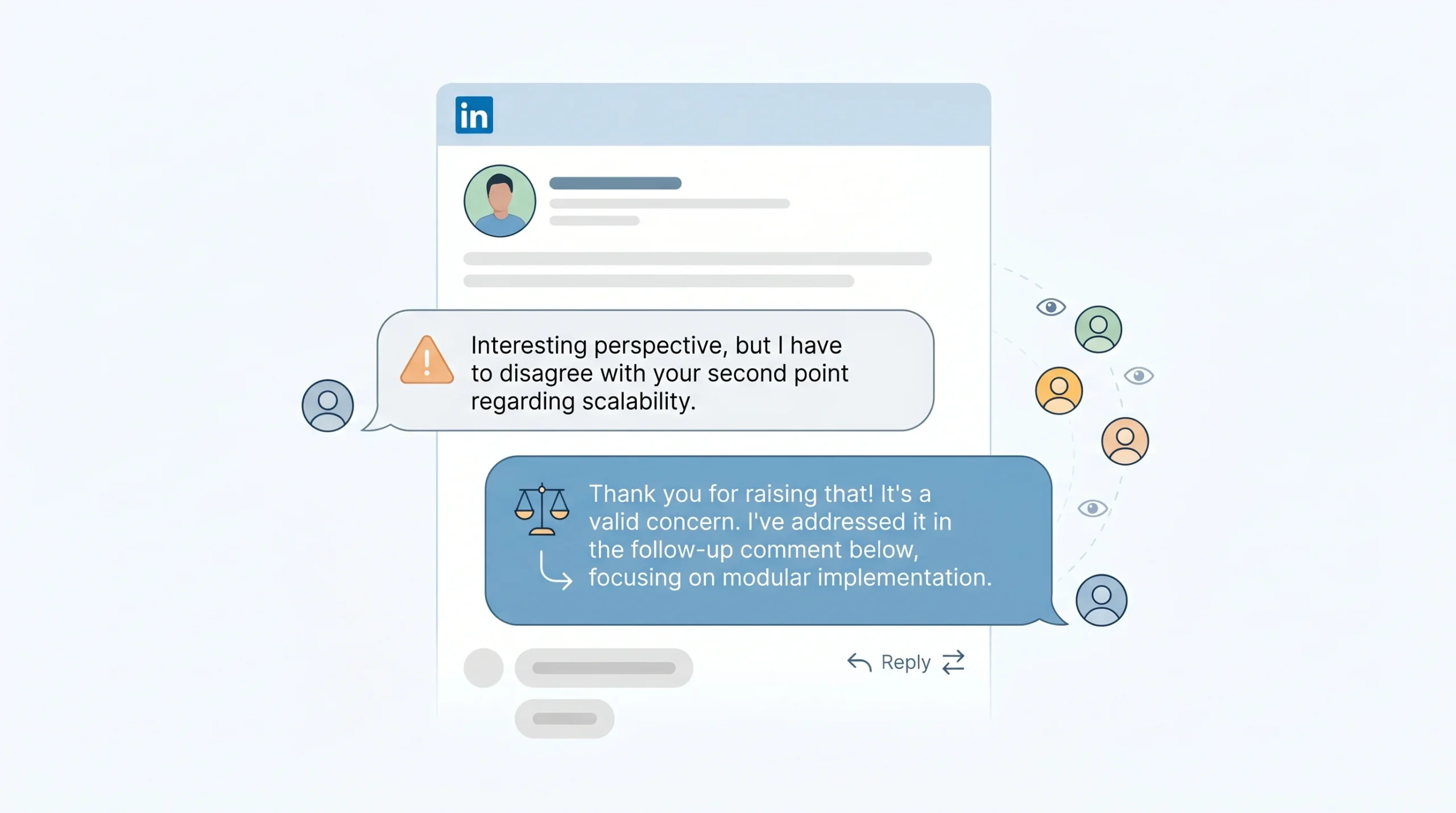
These are the replies where someone pushes back on something you said, challenges a claim, or raises a counterpoint. They can feel uncomfortable, especially publicly. They are also among the most valuable types of replies you can receive.
Signals to watch for:
- Phrases like “I’m not sure I agree” or “In my experience this doesn’t hold”
- Questions that challenge an assumption in your post
- Pointed counterexamples to something you stated
Response strategy: Respond publicly and treat this as an opportunity to demonstrate composure and expertise, not to defend yourself. Acknowledge the validity of their point before offering your perspective. The audience watching the thread is judging not just your content but how you handle disagreement. Professionals who respond to challenges thoughtfully and without defensiveness consistently build stronger credibility than those who only ever receive agreement. Never delete these comments. Engaging with them is the stronger move.
The Scale Problem: Why Manual Replies Break Down
Understanding why manual reply management fails at scale is important before building a system to replace it. The failure is not a discipline problem. It is a structural one. The way LinkedIn’s algorithm rewards active creators means that the more successful your content strategy becomes, the more unsustainable pure manual management gets.
The Volume Math: When Your LinkedIn Strategy Starts Working Against You
Consider a realistic content schedule for a B2B creator or sales team running active outreach: three posts per week, each generating between 20 and 50 replies as the account builds traction. That is 60 to 150 replies per week from posting alone. Add to that the replies generated by commenting on other people’s posts, the DM conversations triggered by reply interactions, and the follow-up threads from older posts that continue to circulate. The weekly reply volume for an active LinkedIn account can easily reach 200 or more interactions.
For agencies managing outreach across 10 to 50 client accounts, multiply that number accordingly. At even 20 active client accounts, each generating 30 replies per week across their content, the agency is looking at 600 reply interactions weekly that require some form of response. That is not a task. That is a full-time job, or more accurately, multiple full-time jobs.
What Gets Lost When You Are Overwhelmed
When reply volume outpaces the time available to manage it, specific things break down in a predictable order.
Delayed responses kill momentum. LinkedIn’s engagement window is real. A reply within the first 60 to 90 minutes of a post going live has the highest impact on distribution. Replies that come in during that window and receive a prompt response keep the thread alive during its highest-velocity phase. When a team is overwhelmed and starts batching replies for later in the day or the next morning, they are responding outside the window where those responses do the most algorithmic good.
Priority leads get buried. When you are scrolling through 80 replies trying to respond to everything equally, the hot lead reply from the VP of Operations who perfectly matches your ICP is getting the same five seconds of attention as the emoji from a connection you’ve never spoken to. That is a pipeline problem, not just an efficiency problem.
The quality of individual replies drops. Thoughtful replies take cognitive effort. A team or individual managing 100 replies in a sitting will produce progressively lower-quality responses as they go. The replies at the end of the session are rarely as specific, as relevant, or as engaging as the ones at the beginning.
The most effective approach for 2026 is a Human-in-the-Loop model: AI handles data collection and draft generation, while humans review and approve the final response. This preserves quality at volume without requiring the team to write every reply from scratch.
The Human Touch Paradox
The central tension in LinkedIn reply management is this: the tactics that let you scale replies, meaning templates, automation, and AI drafts, are the same tactics that make replies feel impersonal if deployed without structure. And the thing that makes LinkedIn replies valuable, meaning the sense that a real professional took a moment to engage with what you specifically said, is exactly what heavy automation strips away.
Pure automation fails because it cannot read context. A tool that fires off a pre-written reply does not know whether the comment it is responding to is enthusiastic, sad, skeptical, or sarcastic. It does not know whether the commenter is a tier-one prospect or someone who has never bought anything from anyone on LinkedIn. It treats all inputs the same, and the output reflects that.
Pure manual effort fails because it does not scale. The professionals who are genuinely building pipeline from LinkedIn replies are not responding manually to every interaction. They are using systems that route, prioritize, and draft, with human judgment applied at the decision points that matter most.
Building a Scalable LinkedIn Reply System That Still Feels Human
A scalable reply system is not a single tool. It is a set of decisions about where human attention goes, what gets assisted by templates or AI, and how the whole flow is tracked so that nothing falls through the cracks. The five steps below build that system from the ground up.
Step 1: Triage Before You Reply (Priority Scoring Your Inbox)
Triage is the step most people skip because they feel the urgency to respond immediately. Skipping triage is exactly why hot leads get buried. Before writing a single reply, spend five minutes classifying what you have received.
Hot replies get responded to within the current session with full human attention. These are Type 1 replies from prospects matching your ICP, anyone who asked a specific question about your work, and anyone who shared a pain point that your product or service directly addresses.
Warm replies get AI-assisted drafts reviewed and personalized before sending. These are Type 2 peer replies and substantive engagement from relevant professionals. The draft handles the structure; the human adds the specific detail.
Cold replies get templated warmth with no personalization required. Emoji replies, one-word comments, generic agreement. Acknowledge them briefly and move on.
Objection replies always get human attention regardless of who sent them. Mishandling an objection publicly damages the whole thread, not just the individual relationship.
This classification takes practice to do quickly but becomes automatic over time. Once you have built a consistent sense of which replies land in which category, the time you spend managing replies drops significantly because you are no longer giving equal attention to unequal inputs.
Step 2: Create Reply Templates That Do Not Sound Like Templates
A template that reads like a template is worse than no template. If someone who left a thoughtful reply receives a response that clearly was not written for them, the damage is double: you spent time on the reply, and they now think less of you than before they received it.
The framework that works at scale is the “stem plus personalized branch.” The stem is the fixed structural element of the reply, something you can use across multiple similar reply types. The branch is the personalized addition that makes the reply specific to what that person actually said.
Generic stem, no branch: “Thanks for sharing your thoughts! Really appreciate the engagement.” (Useless. Signals automation.)
Stem plus branch: “That’s a real challenge at the enterprise level, [Name]. The part about [specific thing they mentioned] is exactly where most teams get stuck. Curious how you’re currently handling [related aspect].” (Still efficient to write, but reads as specific to them.)
The branch requires only one or two additional sentences. It should reference something concrete from their comment: a phrase they used, a scenario they described, a question they asked. This minimal addition is the difference between a reply that builds trust and one that erodes it.
For generic engagement replies, the stem alone is sufficient. But for any reply that contains substance, the branch is non-negotiable.
Step 3: Set Your Reply Cadence and Timing Rules
Timing in LinkedIn reply management matters for two distinct reasons: algorithmic impact and relationship signaling.
On the algorithmic side, the first 60 to 90 minutes after a post goes live represent the highest-velocity window for engagement. Replies that come in during this window and receive responses keep the thread active during the period when LinkedIn is deciding how widely to distribute the content. A post that generates four genuine reply exchanges in the first hour often gets pushed to a second distribution wave by LinkedIn’s algorithm.
On the relationship side, reply latency sends a signal. Responding to a hot lead reply within an hour communicates that you are attentive and that their engagement mattered. Responding three days later, when the post is already off most feeds, communicates the opposite, even if your actual reply is excellent.
Practical cadence for managing replies:
- Session 1 (within 90 minutes of posting): Prioritize and respond to hot and warm replies generated in the launch window
- Session 2 (same day, late afternoon): Catch remaining replies that came in after the launch window, focusing on hot and warm
- Session 3 (next morning): Handle cold replies and any tail engagement from the previous day
This three-session structure does not require continuous monitoring. It requires three focused blocks of time, typically 10 to 20 minutes each, depending on volume.
Step 4: Build a Comment-to-DM Conversion Workflow
Turning a public reply into a private conversation is where LinkedIn engagement actually converts into pipeline. This transition is delicate. Do it too quickly or too obviously and it reads as a pitch funnel dressed up as a reply. Do it well and it feels like a natural progression of a conversation the prospect was already enjoying.
Passive post engagement becomes active lead nurturing when the transition to DM is anchored in what the prospect said, not in what you want to sell.
The transition framework:
- Reply publicly and add genuine value to what they said
- End the public reply with a natural bridge: “I’ve got some data on this from a similar situation, happy to share” or “We could go deeper on this, I’ll send you a note”
- Send the DM immediately after, referencing the public thread: “Following up from your comment on [post topic], you mentioned [specific thing they said]…”
- In the DM, lead with the continuation of the conversation, not with a pitch
This approach works because the prospect has already opted into the conversation publicly. The DM is a continuation, not a cold contact. The reference to their specific comment proves you actually read what they wrote.
What makes this fail: Transitioning to DM before giving a substantive public reply, or sending a DM that does not reference the comment at all, which signals that the “following up from your comment” opener was a template.
Step 5: Log, Track, and Follow Up
The most expensive mistake in LinkedIn reply management is losing a warm thread. Someone gave a great reply, you had a solid exchange, and then the conversation stalled because neither party followed up and the thread fell off your radar. Three weeks later, you have no context, no record, and no clean way to re-engage.
What to track for every warm or hot reply:
- The name and company of the person who replied
- The specific context of their reply (what they said or asked)
- Where the conversation went (public thread only, DM initiated, DM reply received)
- Next action and due date (follow up in 5 days, send resource, schedule call)
For teams using a CRM, most of this can be logged with a tag or note against the contact record. For individuals, even a simple spreadsheet or Notion table serves the purpose. The format matters less than the habit. Tracking warm threads is the difference between a LinkedIn strategy that builds pipeline over time and one that generates engagement without converting it.
How DealsFlow Helps You Handle LinkedIn Replies at Scale
The challenge with the hybrid reply system described above is that the “AI-assisted” layer is only as good as the tool powering it. Most LinkedIn automation platforms were built to send messages, not to handle what comes back. They are outbound machines with no real inbox capability.
DealsFlow was built differently. Its AI is designed specifically to operate after the reply lands.
What DealsFlow Is (And Who It Is For)

DealsFlow connects to your LinkedIn accounts, finds qualified prospects, and holds real conversations until they agree to a call. It is not a sequencer that fires off pre-written messages and then hands the keys back to a human. The platform is built for agencies running outreach across 10 to 50 client accounts, SDR teams managing high-volume outreach, and founders doing outbound themselves without a dedicated sales team.
The core product use case is direct: automate the conversation that happens after the first reply, all the way to a booked meeting, without losing the contextual, human quality that makes those conversations work.
Arlo AI: The Engine Behind Human-Sounding Replies at Scale
Arlo is DealsFlow’s AI conversation engine. It reads every reply that comes in, decides on the most appropriate response based on context, handles objections, answers questions, and moves the conversation toward a booked call. All of this happens in the sender’s voice.
What makes this different from a standard chatbot or a reply template library is context comprehension. Arlo reads the actual content of the incoming reply, not just its presence. A reply that expresses skepticism about a previous message gets a different response than a reply that expresses interest. A reply that asks a specific question about pricing gets a different response than a reply that mentions a competitor. The AI classifies the reply intent before generating a response, which is what prevents the embarrassing mismatches that plague simpler automation tools.
The practical outcome is that conversations managed by Arlo read like they were written by an attentive human sales rep who is good at listening. According to teams using the platform, reviewers checking the conversations often cannot identify the AI-managed exchanges from the human-managed ones.
Managing Multiple LinkedIn Accounts Without Losing Context
For agencies and SDR teams, the multi-account problem is as significant as the reply volume problem. Managing 10 or 20 LinkedIn accounts manually means 10 or 20 separate inboxes, 10 or 20 separate content threads, and 10 or 20 sets of relationships to track and nurture simultaneously.
DealsFlow surfaces every account, every inbox, and every active campaign in a single unified dashboard. You can see which accounts are warming up, which are active, which have pending hot leads in their inbox, and which campaigns are generating the highest reply rates, all without switching between accounts or tabs.
For agencies, this translates directly into client delivery capacity. Running outreach for 10 clients with a single-account tool requires 10 separate workflows. Running it through DealsFlow’s multi-account dashboard means one workflow with 10 clients in view.
The Prospect CRM and AI Warmth Scoring System
Tracking reply quality manually, as described in the previous section, is achievable for individual creators but breaks down quickly for teams managing multiple accounts. DealsFlow’s built-in Prospect CRM handles this automatically.
Leads can be imported from LinkedIn search URLs, from the commenters on a specific post, or from a CSV upload. Once in the CRM, every lead receives an AI warmth score: Hot, Warm, Neutral, or Cold. This scoring is based on their reply behavior, engagement patterns, and conversation context.
The warmth score functions as the triage layer described earlier, but automated. Instead of a team member manually reading through 80 replies and deciding which ones are hot leads, the CRM surfaces the high-priority conversations at the top. Human attention goes to the interactions that need it. Everything else is handled by Arlo or by templated warmth depending on the score.
Safety-First: How DealsFlow Avoids LinkedIn Detection
LinkedIn actively monitors for behavioral signals that suggest automation: abnormal message velocity, activity at unusual hours, repetitive message patterns, and interaction speeds that no human could realistically maintain. Accounts flagged by these signals face reduced reach, inbox restrictions, or in severe cases, suspension.
DealsFlow handles account safety by automating warmup for new accounts, enforcing daily activity limits that stay within LinkedIn’s behavioral thresholds, and pacing interactions at realistic human speeds. The account safety layer runs behind every campaign automatically, without requiring the user to configure limits or monitor for flag risks.
For agencies managing 20 or 50 client accounts simultaneously, having this handled at the platform level is the difference between sustainable outreach operations and a constant risk management exercise.
DealsFlow vs. Manual Workflows: A Side-by-Side Comparison
| Factor | Manual Workflow | DealsFlow |
|---|---|---|
| Reply response time | Hours to days | Minutes (automated) |
| Personalization depth | High for first few, drops with volume | Consistent across volume |
| Lead triage | Manual, inconsistent | Automated warmth scoring |
| Multi-account management | One inbox at a time | Up to 50 accounts, one dashboard |
| Conversation tracking | Spreadsheet or memory | Built-in CRM with thread history |
| LinkedIn safety compliance | Manual monitoring | Automated warmup and limits |
| Full-funnel reporting | Manual aggregation | Native analytics, connection to booked call |
The Human Touch Playbook: Rules to Never Break at Scale
Scaling your reply system means accepting that some replies will be handled by AI or templates. That is the right call for efficiency. But there are categories of replies where removing human judgment creates risks, ethical and reputational, that no efficiency gain justifies.
Never Automate These 5 Reply Types
Certain replies require a human behind every response, regardless of how good the automation layer is.
- Crisis or complaint replies: When someone shares a negative experience with your product, service, or something adjacent, an automated response is not just unhelpful, it is damaging. These conversations require empathy, accountability, and specificity that no template can supply.
- Personal vulnerability shares: LinkedIn has increasingly become a platform where professionals share difficult personal or career experiences. A reply to a post about layoffs, mental health, or professional failure that lands from someone sharing their own struggle must be handled by a human. An automated reply to this type of comment is one of the fastest ways to destroy a professional reputation publicly.
- Replies from existing clients: Any client who comments on your content deserves a personal response. Sending an automated reply to someone already in a business relationship with you signals a lack of care that damages the relationship, potentially more than no reply at all.
- Direct questions about pricing or specific fit: When a prospect asks “Does this work for a team of 15?” or “What does this cost for an enterprise plan?”, they are at a decision point. An automated answer that does not match their specific situation, or that reads as a non-answer, can end a conversation that was genuinely close to converting.
- Any reply that contains a name and a specific pain point: If someone writes, “I’ve been dealing with exactly this at [Company Name], specifically around [specific problem]”, they have signaled high intent and high specificity. An automated response that does not address both the specifics and the intent will read as careless. Human attention here is not optional.
How to Audit Your Reply Quality Every Week
Scaling a reply system without a quality check is how you drift into robotic engagement without realizing it. A weekly spot check keeps the system honest.
Pull 10 replies at random from the previous week’s interactions, across all accounts if you are running multiple. For each one, ask three questions. First: does this reply reference something specific from what the person actually wrote? Second: would a stranger reading this thread believe a real professional wrote this, or does it read as templated? Third: if this person is a prospect, did this reply move the relationship forward or just acknowledge their comment?
If more than two out of ten replies fail any of these criteria, the system needs adjustment. Either the template library needs refreshing, the AI prompt needs refinement, or the triage is misclassifying warm replies as cold ones.
Teaching Your AI Your Voice (Prompt Engineering for Brand Consistency)
The biggest risk with AI-assisted replies is voice drift: the AI writes replies that are competent but do not sound like you or your brand. Over time, this creates a subtle inconsistency that attentive contacts notice, even if they cannot name why the conversation started feeling different.
For tools like DealsFlow’s Arlo, voice training happens through the initial setup configuration: the tone parameters, the vocabulary preferences, and the explicit examples of how you handle specific reply scenarios. Providing Arlo with examples of your best manually written replies across different reply types gives the AI a concrete reference for what “your voice” sounds like.
Practical prompt inputs for voice calibration:
- Three to five examples of how you reply to objections
- Two to three examples of how you transition from public reply to DM
- Your preferred register (formal vs. conversational) and any industry-specific vocabulary you use regularly
- Phrases you never use and phrases that are characteristic of how you communicate
The quality of the AI’s output is directly proportional to the quality of the guidance it receives. Generic setup produces generic replies. Specific, example-rich setup produces replies that read as consistently yours.
Metrics That Tell You If Your Reply Strategy Is Working
A reply system that does not measure its own effectiveness is running on assumption. The metrics below separate the vanity numbers (total replies, total comments) from the ones that tell you whether the system is actually building relationships and pipeline.
Engagement Metrics (Platform-Level)
These track how your reply activity is affecting content performance on LinkedIn itself.
- Thread continuation rate: Of the threads where you replied, what percentage generated at least one additional comment from the original poster or another participant? A healthy rate suggests your replies are sparking dialogue rather than ending conversations.
- Post re-surface rate after reply activity: Track whether posts get a second wave of impressions after a sustained reply exchange in the first hour. If your posts consistently get a distribution boost following active reply sessions, the algorithm is rewarding the engagement depth. If not, the reply quality may not be reaching the threshold LinkedIn considers substantive.
Pipeline Metrics (Business-Level)
These track whether the reply system is generating actual business outcomes.
- Comment-to-DM conversion rate: Of the hot lead replies you received, what percentage transitioned into a DM conversation? A low rate suggests either the public replies are not landing well enough to warrant the prospect continuing the conversation privately, or the transition to DM is being handled poorly.
- Replies that resulted in booked calls or connection requests: This is the hardest metric to track manually but the most meaningful. In DealsFlow, full-funnel analytics track the path from connection request to booked call natively, so this number is visible without requiring manual reconciliation.
- Reply-to-pipeline attribution: For each booked meeting or new deal in a given period, trace backwards: how many originated from a reply interaction rather than a cold DM or inbound contact? Knowing this tells you how much pipeline is being generated by the reply system specifically, not just the posting strategy.
Relationship Metrics (Long-Term)
These track whether the reply system is building the kind of network that generates compounding returns over time.
- Repeat commenters: How many people have commented on multiple posts over a 30 or 60-day window? A growing number of repeat commenters indicates that your replies are making people want to come back. These are the foundation of your LinkedIn community and your warmest potential referral sources.
- Profile views from reply threads: LinkedIn analytics shows profile views, though not always the specific source. A notable spike in profile views following a post with high reply activity suggests that the discussion itself is driving curiosity about who you are.
Conclusion
The LinkedIn professionals generating consistent pipeline in 2026 are not the ones with the best content alone. They are the ones who treat the reply section as seriously as the post itself.
A reply system that scales without losing the human touch is not complicated to build. It requires a triage framework that routes replies by intent, templates built with enough flexibility to carry specific detail, a clear workflow for moving reply conversations into the DM layer, and a tracking system that ensures nothing warm falls through the cracks. The hardest part is not the system design. It is the discipline to run the system consistently once the content starts generating volume.
For teams managing multiple accounts or running outreach at agency scale, the system needs a tool layer. DealsFlow’s Arlo AI handles the post-reply conversation natively, with warmth scoring, multi-account management, and full-funnel analytics built in from the start. The result is a reply operation that stays human at any volume because the AI is handling the structure and the humans are handling the judgment calls that actually matter.
Start this week by auditing the last 20 replies you sent. Classify each one as hot, warm, or cold by the criteria above. Then ask: did the hottest replies get your best attention? If not, you have found your starting point.
Frequently Asked Questions
What does “LinkedIn replies at scale” mean for B2B teams?
LinkedIn replies at scale refers to the challenge of managing a high volume of inbound comments and replies across one or multiple LinkedIn accounts without losing the personalized quality that makes those replies meaningful. For B2B teams, this typically becomes relevant when posting cadence is high enough to generate 50 or more replies per week, or when an agency is managing outreach across multiple client accounts simultaneously.
How do I know which LinkedIn replies deserve a personalized response?
Classify replies by intent before responding. Replies from people matching your ideal customer profile, replies that ask a specific question, and replies that reference a personal pain point or situation all warrant full personalization. Generic engagement like emoji reactions or one-word comments can be handled with templated warmth. Objection and challenge replies always require human judgment regardless of who sent them.
What is the ideal response time for LinkedIn replies?
Responding within the first 60 to 90 minutes of a post going live has the highest algorithmic impact, as this is the period when LinkedIn is deciding how widely to distribute the content. For reply-to-DM transitions, responding on the same day the reply was sent is the standard. Replies left for 24 hours or more, particularly from warm prospects, lose significant momentum.
How does DealsFlow handle LinkedIn replies without sounding like a bot?
DealsFlow’s Arlo AI reads the actual content of each incoming reply before generating a response. It classifies the intent, tone, and context of the message, then produces a reply that matches the conversational situation rather than sending a pre-written template. Teams using Arlo configure the AI with examples of their own reply style during setup, which gives the AI a voice reference to maintain consistency across conversations.
Is it safe to automate LinkedIn replies in 2026?
Automation is safe when it operates within LinkedIn’s behavioral thresholds: human-speed interaction pacing, daily activity limits that match what a real user would produce, and varied language that does not repeat identical phrases across multiple accounts. Platforms like DealsFlow include automated warmup and safety limits that handle compliance at the platform level. The risk comes from tools that operate without these guardrails, which can trigger LinkedIn’s abuse detection systems.
What types of LinkedIn replies should never be automated?
Crisis or complaint replies, personal vulnerability shares from connections, replies from existing clients, direct pricing or fit questions, and any reply that contains a specific company name and a detailed pain point should always receive a human response. These categories require context comprehension and empathetic judgment that current AI systems cannot reliably replicate without creating reputational risk.
How do I convert LinkedIn comment replies into DM conversations without being pushy?
The key is to anchor the transition in what the prospect said, not in what you want to sell. Reply publicly with genuine value first. End the public reply with a natural bridge, such as noting that you have something relevant to share directly. Then send the DM immediately, referencing the specific comment they left. The DM should open with a continuation of the conversation topic, not with a sales introduction.
What metrics should I track to know if my LinkedIn reply strategy is working?
Track thread continuation rate (how often your reply generates another comment), comment-to-DM conversion rate (hot lead replies that become private conversations), and reply-to-pipeline attribution (booked meetings that originated from a reply interaction). These metrics separate engagement activity from business outcomes and tell you whether the reply strategy is actually building pipeline.
How many LinkedIn accounts can DealsFlow manage simultaneously?
DealsFlow is built to manage up to 50 LinkedIn accounts within a single dashboard. For agencies running outreach across multiple clients, this means every account’s inbox, campaign status, and reply activity is visible without switching between accounts or logging in separately to each profile.
What is the biggest mistake people make when scaling LinkedIn replies?
The most common mistake is replying to volume instead of intent: treating a high reply count as the goal rather than treating the quality and relevance of each reply exchange as the goal. When teams focus on responding to everything equally, hot leads get the same shallow attention as generic emoji replies, which means the interactions most likely to convert to pipeline receive the least differentiated engagement.
How is DealsFlow different from tools like HeyReach or Expandi for reply management?
HeyReach and Expandi are primarily outbound sequencers. They automate the sending side of LinkedIn outreach: connection requests, initial messages, and follow-up sequences. When a prospect replies, those platforms typically hand the conversation back to the human. DealsFlow’s Arlo AI is designed to handle the conversation after the reply lands, including objections, follow-up questions, and the path to a booked call, without handing off to a human for each exchange.
Can I use a reply system for multiple niches or ICPs at the same time?
Yes, but the triage and template layers need to be configured separately for each ICP. A reply from a VP of Sales in a SaaS company warrants different vocabulary, context references, and transition language than a reply from a real estate investor or a marketing agency owner. Tools like DealsFlow allow campaign-level configuration, which means different reply behaviors can be set for different prospect segments running simultaneously.