


HubSpot Sales Hub has become one of the most recognized names in B2B sales software. It has a polished interface, strong brand recognition, and a free CRM that acts as an entry point for millions of businesses. But there’s a growing gap between what HubSpot promises and what growing sales teams actually experience — especially when the bills start arriving.
If you’ve been using HubSpot Sales Hub and found yourself frustrated by escalating costs, features locked behind expensive tiers, or a platform that feels more like a marketing tool than a sales engine, you are not alone. The alternatives have matured significantly in 2026, and several of them outperform HubSpot in the areas that matter most to outbound-focused, fast-growing sales teams.
This guide covers the 6 best HubSpot Sales Hub alternatives for growing teams. Each entry is backed by verified 2026 pricing and real feature comparisons — no filler, no vague recommendations.
The Real Problem With HubSpot Sales Hub in 2026
Before exploring the alternatives, it’s worth understanding exactly why growing teams are walking away from HubSpot Sales Hub. The frustrations are specific, and they tend to compound as a team scales.
The Pricing Wall
HubSpot’s advertised entry price looks reasonable on the surface. But the moment a team needs the tools that actually move the needle for sales — sequences, forecasting, custom reports — the cost jumps dramatically.
- HubSpot Sales Hub advertises pricing “starting at $20/month,” but SDR teams needing sequences, forecasting, and custom reports are looking at $99 per user per month at minimum.
- Beyond the per-seat cost, Professional plans carry a mandatory one-time onboarding fee of $1,500, and Enterprise plans require $3,500 before the software even goes live.
- For a team of 10 on the Professional plan, that’s $1,000 per month in licensing plus $1,500 upfront just to get started — before a single deal is closed.
- If the full CRM Suite is needed (Marketing Hub + Sales Hub + Service Hub together), the Professional tier starts at $1,781 per month, and a 50-person business can realistically reach $125,000 in annual total cost of ownership once software licensing, onboarding, and ongoing partner costs are included.
Features Locked Behind Expensive Tiers
The most painful feature gate in HubSpot’s pricing structure is sequences — the automated, multi-step outreach cadences that SDRs rely on every day.
- HubSpot’s Starter plan does not include sequences, the number one feature SDRs need.
- Teams on Starter who want to run automated outreach must bolt on a separate tool like Outreach or SalesLoft, which starts at $100–200 per user per month — potentially costing more than simply upgrading to HubSpot Professional.
- HubSpot’s Starter plan also includes only 500 calling minutes per month, shared across the entire team. A team of five SDRs making 30 calls per day will consume that allocation in under a week.
- Advanced reporting, deal forecasting, lead scoring, and pipeline customization are all gated behind the Professional or Enterprise tiers, meaning teams doing anything beyond basic deal tracking are forced up the pricing ladder quickly.
Built Marketing-First, Sales Second
HubSpot’s origin is in inbound marketing and content-led lead generation. Its architecture reflects that.
- HubSpot was built around the marketing funnel first and the sales pipeline second — teams primarily focused on pure outbound sales run into persistent structural friction.
- The platform delivers the greatest value when the Marketing Hub, Sales Hub, and Service Hub are all used together. Teams that only need Sales Hub end up paying for a system they can only partially use, while still experiencing the limitations of a product designed with a broader, marketing-led motion in mind.
Ecosystem Lock-In
- HubSpot is a closed system that delivers maximum efficiency when all components are used together. Leaving the ecosystem means building integrations, and those can be costly and time-consuming to maintain.
- The moment a team outgrows HubSpot or wants to move to a more specialized tool, the migration cost — in time, data, and disruption — acts as a powerful deterrent. That lock-in effect is by design.
How We Evaluated These Alternatives
Every tool in this guide was assessed against the same criteria that matter most to growing sales teams in 2026. Here’s how the evaluation was structured.
Ease of Use for Sales Reps
Not ease of use for admins or RevOps leaders — ease of use for the reps who live in the tool every day. Onboarding speed, UI clarity, and how quickly a new hire can become productive were all considered.
Outreach & Automation Capabilities
Does the tool include sequences natively? Does it automate follow-ups without requiring expensive add-ons or third-party integrations? What AI capabilities are built in, versus bolted on?
Pricing Transparency & Scalability
What does the tool actually cost for a team of 5, 10, and 20 people? Are there hidden fees, mandatory onboarding costs, or contact limits that inflate the real price? Transparent, predictable pricing was weighted heavily.
LinkedIn & Multi-Channel Outreach
LinkedIn has become a primary sales channel for B2B teams in 2026. Tools were evaluated on whether they natively support LinkedIn outreach, or whether that requires a separate tool and budget.
Pipeline & Deal Management
Can reps manage their pipeline intuitively? Are pipeline stages customizable? Does the tool surface the information reps need without requiring manual data entry?
Support & Onboarding Experience
Is there a mandatory onboarding fee? How good is the documentation? How responsive is support? For growing teams without large RevOps functions, the quality of onboarding support is directly tied to time-to-value.
Quick Comparison Overview
| Tool | Best For | Starting Price | LinkedIn Outreach | Sequences Included | Free Trial |
|---|---|---|---|---|---|
| DealsFlow | AI LinkedIn outreach | $49/mo (annual) | ✅ Native + AI | ✅ | 14 days |
| Pipedrive | Visual pipeline mgmt | $14/user/mo | ⚠️ Via integration | ✅ (Growth+) | 14 days |
| Apollo.io | Outbound prospecting | $49/user/mo | ✅ | ✅ | Free tier |
| Freshsales | Feature-rich + affordable | $9/user/mo | ⚠️ Via integration | ✅ | 21 days |
| Close | Inside sales / calling | $35/user/mo | ❌ | ✅ (Growth+) | 14 days |
| Zoho CRM | Budget enterprise depth | $14/user/mo | ⚠️ Via integration | ✅ | 15 days |
| HubSpot Sales Hub | Marketing-led inbound | $20/user/mo | ⚠️ Via integration | ❌ (Pro only) | Free tier |
The 6 Best HubSpot Sales Hub Alternatives for Growing Teams
1. DealsFlow — Best for AI-Powered LinkedIn Outreach & Booked Meetings

DealsFlow is an AI-native LinkedIn outreach platform built around one core promise: your AI books meetings while you run the business. It is not a traditional CRM, and it does not try to be. Instead, it occupies a distinct and increasingly critical space in the modern sales stack — automating the full LinkedIn outreach conversation from first connection request to booked call, without human intervention at every step.
At the center of the platform is Arlo, DealsFlow’s AI conversation engine. Arlo reads every reply from a prospect, decides the best response, handles objections, answers questions, and books the meeting — all in the voice of the sales rep or founder operating the account. This is a fundamentally different capability than a standard LinkedIn sequencer. Most outreach tools stop when someone replies. Arlo continues the conversation.
DealsFlow is built for three primary audiences: lead generation agencies managing outreach for multiple clients, SDR teams running high-volume LinkedIn outbound, and founders doing outreach themselves without a dedicated sales team.
Key Features
- Arlo AI Engine: The AI reads every prospect reply in context, generates a human-sounding response, handles objections (“we already have an outreach tool”), and books the call. Teams using DealsFlow report a 23% AI reply rate and have collectively booked over 12,000 meetings through the platform.
- Multi-Account Management: DealsFlow supports up to 50 LinkedIn accounts managed from a single dashboard. Every inbox, every campaign, and every account is visible in one place with no context-switching. This is purpose-built for agencies running outreach for multiple clients simultaneously.
- Account Safety & Warmup: DealsFlow handles LinkedIn account warmup and daily sending limits automatically. This eliminates the manual warmup process that most LinkedIn outreach tools leave to the user, reducing the risk of account restrictions.
- Prospect CRM with AI Warmth Scoring: Every prospect is automatically tagged with an AI-generated warmth score — Hot, Warm, Neutral, or Cold — based on engagement signals. Leads can be imported from LinkedIn search URLs, post commenters, or CSV uploads. No manual tagging required.
- Campaign Builder: A step-by-step campaign setup process that gets teams from zero to live outreach in under 10 minutes. The platform handles connection requests, follow-up messages, and conversation continuation without manual input after the initial setup.
- Full-Funnel Analytics: DealsFlow tracks every stage of the outreach funnel from connection request sent to booked call. All data is exportable. Nothing is locked inside the platform. Teams can see exactly which campaigns, messages, and sequences are driving booked calls — and which are not.
Where DealsFlow Beats HubSpot Sales Hub
DealsFlow and HubSpot Sales Hub solve different problems, and that distinction is exactly where DealsFlow wins for outbound-first teams.
- Native LinkedIn Outreach: HubSpot Sales Hub has no native LinkedIn outreach capability. Teams that want to use LinkedIn as a sales channel must purchase a separate LinkedIn automation tool, then manage two platforms, two billing accounts, and two sets of data. DealsFlow is built exclusively around LinkedIn, so there is no gap to bridge.
- AI That Continues Conversations: HubSpot’s sequences are linear — they send a pre-written message and stop when someone replies. DealsFlow’s Arlo continues the conversation dynamically, handling the objections and questions that kill most outreach sequences before a meeting gets booked.
- No Mandatory Onboarding Fee: HubSpot’s Professional plan requires a $1,500 mandatory onboarding fee before a team can start. DealsFlow offers a 14-day free trial with no credit card required and setup in 10 minutes.
- Flat-Rate Agency Pricing: For agencies managing multiple client accounts, DealsFlow’s flat-rate pricing structure means the cost does not multiply for each client. HubSpot’s per-seat model, by contrast, scales directly with headcount and becomes expensive quickly for agency workflows.
- Speed to Value: A team can set up DealsFlow’s first campaign in under 10 minutes and start seeing results in the first week. Multiple users report booking calls within their first seven days on the platform.
Ideal For
DealsFlow is the right tool for any team or individual where LinkedIn is a primary or significant outbound channel, including:
- Lead generation agencies managing between 10 and 50 client accounts who need unified outreach management at scale
- SDR teams whose primary prospecting motion involves LinkedIn connection-based outreach
- Founders doing outbound themselves who need AI to handle the back-and-forth conversation while they focus on running the business
- Consultants, coaches, and service providers who build their pipeline through LinkedIn relationships rather than cold email
Potential Limitations
DealsFlow is built for LinkedIn outreach. It is not a full-featured CRM for managing complex multi-stage pipelines, running marketing automation, or replacing tools like Salesforce or HubSpot for teams with deep pipeline management needs. The right way to use DealsFlow is as the top-of-funnel engine that fills the pipeline — feeding booked calls into whatever CRM or deal management tool the team uses downstream.
Teams that need a single tool to handle both outreach automation and post-meeting deal tracking across a complex pipeline will want to pair DealsFlow with a lightweight CRM like Pipedrive or Close.
Pricing
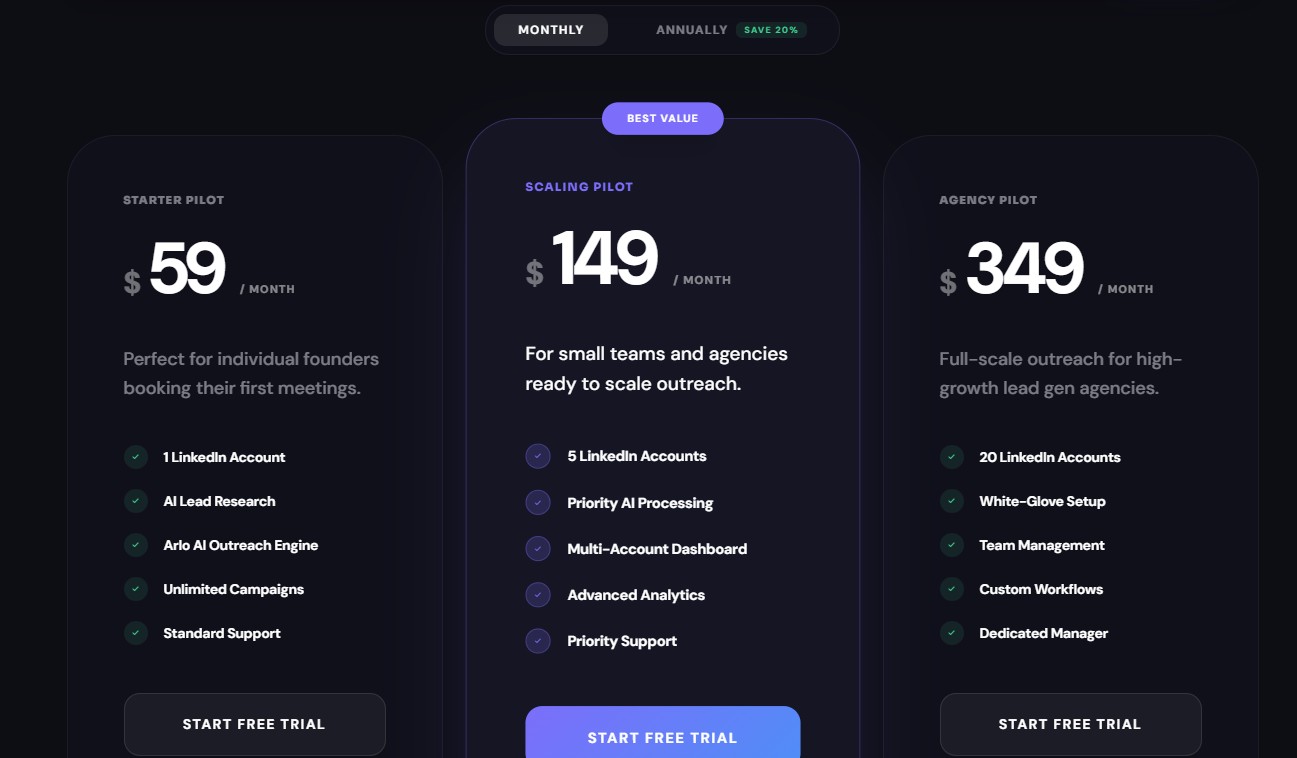
DealsFlow offers three pricing tiers on both monthly and annual billing. Annual billing saves 20% across all plans.
Monthly billing:
- Starter Pilot — $59/month: 1 LinkedIn account, AI Lead Research, Arlo AI Outreach Engine, unlimited campaigns, standard support. Designed for individual founders booking their first meetings.
- Scaling Pilot — $149/month (Best Value): 5 LinkedIn accounts, priority AI processing, multi-account dashboard, advanced analytics, priority support. Built for small teams and agencies ready to scale outreach.
- Agency Pilot — $349/month: 20 LinkedIn accounts, white-glove setup, team management, custom workflows, dedicated manager. Full-scale outreach for high-growth lead generation agencies.
Annual billing (20% savings):
- Starter Pilot — $49/month
- Scaling Pilot — $129/month
- Agency Pilot — $299/month
All plans include a 14-day free trial with no credit card required.
Verdict
⭐⭐⭐⭐⭐ — Best pick for outbound-first teams who generate pipeline through LinkedIn. DealsFlow does not try to replace every tool in the sales stack. It is the most capable LinkedIn outreach automation platform available in 2026, with AI that actually closes the conversation loop. For teams where LinkedIn is a primary channel, this is the most important addition to the stack.
2. Pipedrive — Best for Visual Pipeline Management
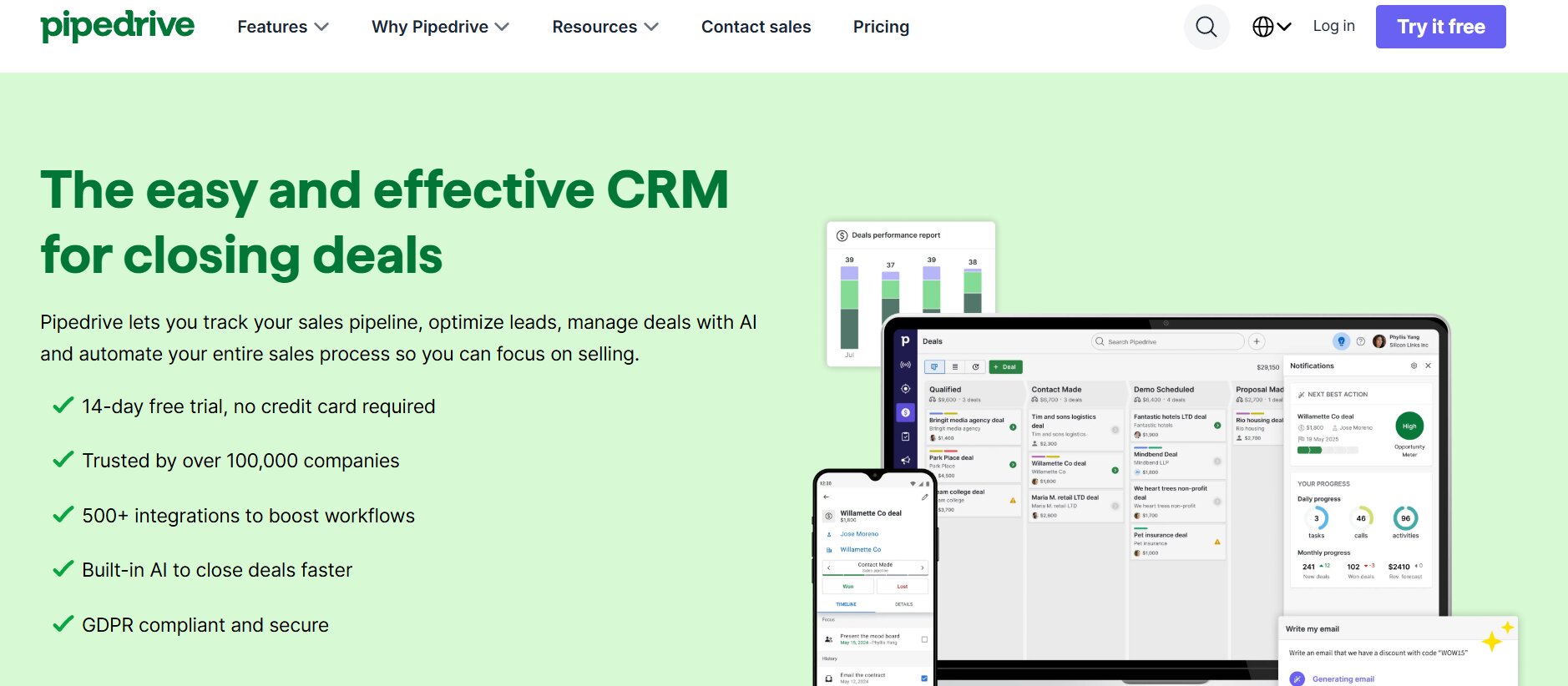
Pipedrive is a sales-first CRM built around one central idea: managing deals through a visual pipeline. It was created by salespeople who were frustrated with CRMs designed for managers and administrators, and that origin story shows in every part of the product. The pipeline view is drag-and-drop, the deal cards are customizable, and the interface is built to help reps move deals forward rather than fill out forms.
Unlike HubSpot, which was built with inbound marketing at its core, Pipedrive is a pure sales tool with no marketing module bolted on. Teams primarily focused on pure outbound sales without a marketing motion will find Pipedrive a significantly more focused and efficient environment than HubSpot Sales Hub.
Key Features
- Customizable drag-and-drop pipeline: Visual, intuitive pipeline management where reps can build stages that match their actual sales process. Deal cards can be configured to show the information that matters most at a glance.
- Activity-based selling: Pipedrive’s model is built around logging and completing activities — calls, emails, meetings — that move deals forward. The platform surfaces what needs to be done next rather than leaving reps to determine priorities themselves.
- Email sync and automation: Full two-way email sync, email templates, and a workflow automation builder are included from the Growth plan upward. Sequences are available on higher tiers.
- AI sales assistant: An AI tool that surfaces insights about deals, suggests next actions, and identifies deals that may be at risk of going cold.
- Revenue forecasting: Visual revenue forecasting tied to deal stage probabilities, helping sales managers understand what is likely to close in a given period.
- 14-day free trial on all plans: Every Pipedrive plan includes a free 14-day trial with no credit card required.
Where It Beats HubSpot Sales Hub
- Pipedrive is significantly more focused for teams that care purely about pipeline management. There is no marketing hub, no service hub, no content management — just sales tools, which means the interface is cleaner and the cognitive load on reps is lower.
- Pipedrive’s pricing is transparent and predictable. There are no mandatory onboarding fees, no contact-based pricing surprises, and no requirement to buy a bundle of hubs just to access the sales features a team actually needs.
- Teams leaving HubSpot because of pricing should evaluate Pipedrive first, particularly at the Growth tier, which delivers email sync, automation, and sequences for significantly less than HubSpot’s Professional plan.
Potential Limitations
- Pipedrive does not have native LinkedIn outreach capabilities. Teams that want to prospect on LinkedIn need a separate tool.
- Reporting and analytics are less powerful than HubSpot at the Enterprise tier. Teams that need highly customized dashboards or multi-dimensional attribution reporting will find Pipedrive’s reporting adequate for most needs but less extensive than HubSpot’s advanced tiers.
- There is no free plan. After the 14-day trial, a paid subscription is required.
- Add-ons like LeadBooster (starting at $32.50 per month) and Web Visitors ($49 per month) are needed for lead capture and website visitor identification, which can push a 5-person team’s total bill from $70/month to over $150/month once add-ons are factored in.
Pricing
Pipedrive uses per-user, per-month pricing with significant discounts for annual billing. All prices below reflect annual billing.
- Lite — $14/user/month: Core pipeline management, lead tracking, mobile app, basic reporting. No email automation or workflow builder at this tier.
- Growth — $39/user/month: Adds full email sync, automation builder, sequences, revenue forecasting, and a contacts timeline. This is where most small and mid-sized teams should start.
- Premium — $49/user/month: Adds AI features, deal scoring, advanced customization, and LeadBooster is included.
- Ultimate — $79/user/month: Unlimited automations, dedicated support, advanced security, and the full feature set without restrictions.
Monthly billing is also available and costs approximately 20–35% more than annual rates.
Verdict
⭐⭐⭐⭐ — Best for deal-focused sales teams who do not need marketing automation. Pipedrive is the right call for teams that find HubSpot’s marketing-first architecture unnecessary and want a clean, sales-specific tool at a transparent price.
3. Apollo.io — Best for Outbound Prospecting + Sequencing
Apollo.io is a B2B sales intelligence and engagement platform that combines a massive contact database with built-in sequencing and outreach tools. Where HubSpot starts with a CRM and adds prospecting capability later, Apollo starts with the data and builds outreach on top of it.
Apollo’s database includes over 210 million contacts and 35 million companies. Teams use the engagement suite to scale outbound activity and sequences effectively, without the need for a separate prospecting data tool. The database, the sequencer, and the analytics are all in one platform.
Apollo is particularly well-suited for teams whose primary sales motion is cold outbound — reaching out to prospects who have not previously engaged with the company. For those teams, the combination of a built-in data source and a native sequencer eliminates the need to pay for and manage separate tools like ZoomInfo and Outreach simultaneously.
Key Features
- 210M+ contact database: Advanced search filters including technographic data, job postings, VC funding signals, revenue, and more allow teams to build highly targeted prospect lists without leaving the platform.
- Email sequencing: Multi-step automated email sequences are included on paid plans. Unlike HubSpot, where sequences are gated behind the Professional tier, Apollo includes email sequences starting at the Basic plan.
- LinkedIn integration: Apollo includes a Chrome extension that surfaces contact information directly on LinkedIn profiles, allowing reps to add prospects to sequences without leaving LinkedIn.
- Auto dialer: The Professional plan includes a US-only auto dialer for automated phone outreach. The Organization plan adds an international dialer.
- AI email writing: AI-assisted email personalization helps reps write messages at scale without sacrificing relevance.
- CRM integrations: Apollo integrates natively with HubSpot and Salesforce, so teams using Apollo for prospecting can push qualified contacts directly into their primary CRM.
Where It Beats HubSpot Sales Hub
- Sequences are included on Apollo’s paid plans starting at $49 per user per month, while HubSpot gates sequences behind the Professional plan at $100 per user per month. For teams whose primary need is automated outreach, Apollo delivers that capability at a lower price point.
- Apollo eliminates the need for a separate prospecting database. Teams that use HubSpot and pay for ZoomInfo or Lusha separately for contact data can consolidate those two costs into Apollo’s single platform.
- Apollo includes a free tier that provides access to the full contact database with limited monthly credits, allowing teams to evaluate the data quality before committing to a paid plan.
Potential Limitations
- Apollo’s credit system is the most important cost driver to understand before signing up. Credits govern every data action — revealing a phone number, exporting a contact, enriching a record. Credits expire at the end of each billing cycle with no rollover. Teams doing heavy outbound can exhaust their credit allocation faster than expected and face overage charges of $0.20 per additional credit.
- CRM capabilities within Apollo are lighter than dedicated CRM tools like HubSpot or Pipedrive. Apollo is best used for the top of the funnel — prospecting and outreach — with a separate CRM handling pipeline management and deal tracking downstream.
- Seat reductions are not allowed mid-contract on the Organization plan. If a team shrinks during an annual contract, the full original seat count continues to be billed until renewal.
- Real costs for teams doing heavy outbound often run 2–3 times the advertised per-user rate once credit overages and add-ons are factored in.
Pricing
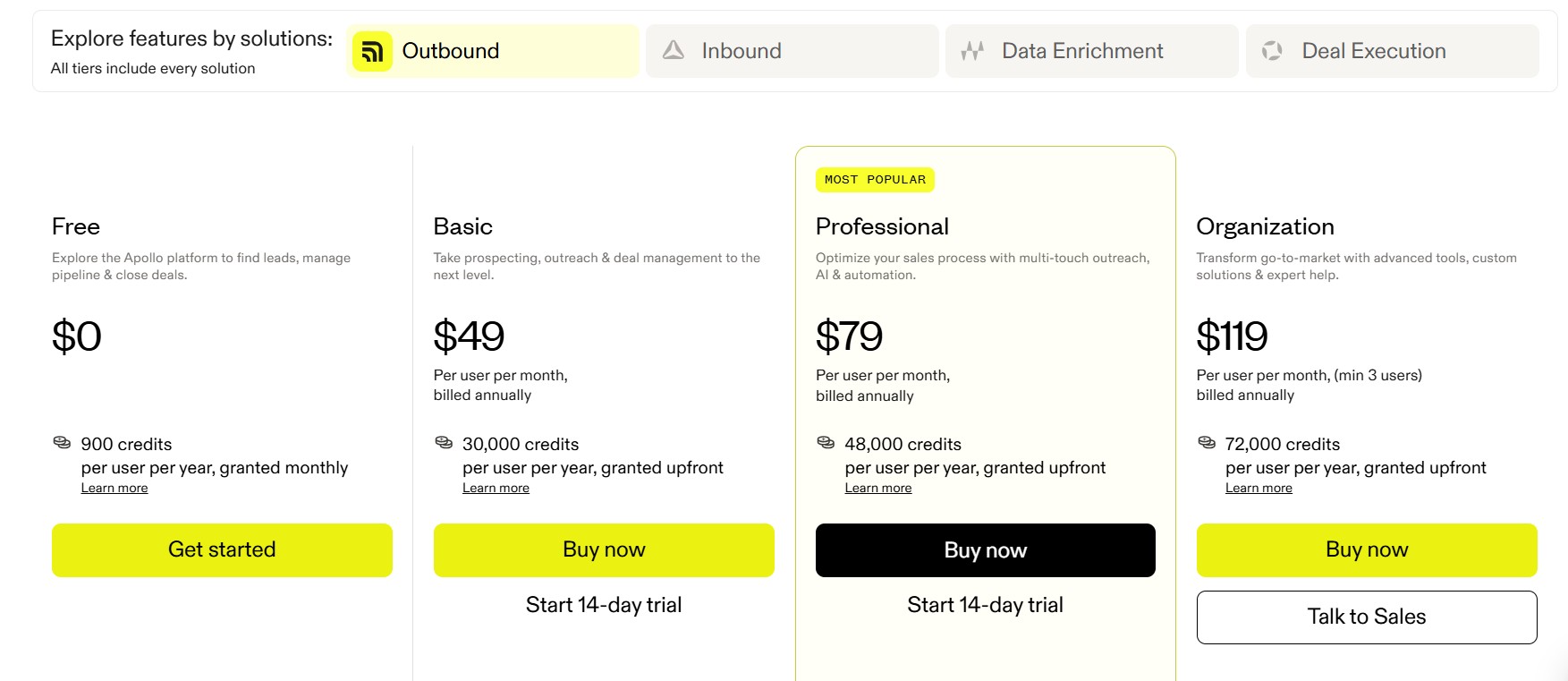
Apollo uses per-user, per-month pricing on annual billing. Monthly billing adds approximately 20% to each tier.
- Free — $0: Access to the full contact database, 5 mobile credits and 10 export credits per month, 2 active sequences, basic filters. Adequate for evaluation but not for sustained outbound programs.
- Basic — $49/user/month (annual): Unlimited email credits, 1,000 credits, advanced filters, email sequences, meeting scheduler, CRM integrations with HubSpot and Salesforce.
- Professional — $79/user/month (annual): Adds US auto dialer, unlimited sequences, A/B testing, call recording, and 10,000 credits per month.
- Organization — $119/user/month (annual), minimum 3 users: Adds international dialer, custom reports, advanced security controls, SSO, and 15,000 credits per month.
Verdict
⭐⭐⭐⭐ — Best for outbound-heavy teams that need data and sequences in one platform. Apollo eliminates the need for a separate prospecting database tool and includes sequences at lower price points than HubSpot. Teams should model their expected credit consumption carefully before committing to an annual contract.
4. Freshsales — Best for Feature-Rich Sales at Lower Cost
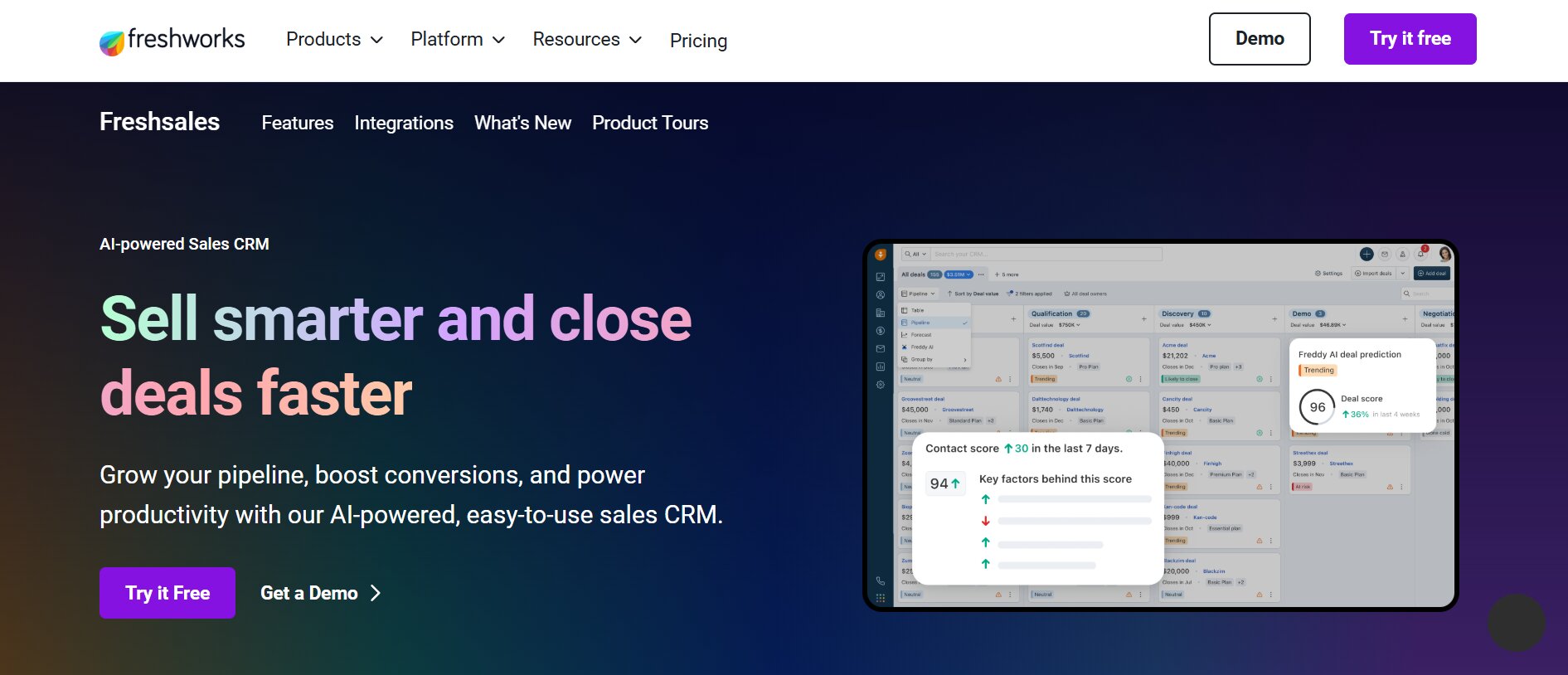
Freshsales is the CRM product within the Freshworks ecosystem, designed to give sales teams access to a wide set of sales-specific features without requiring them to pay enterprise-tier prices. For teams that have found HubSpot Sales Hub’s Professional plan too expensive but need more than the basics, Freshsales occupies a compelling middle ground.
Unlike HubSpot, where many advanced sales tools are locked behind the expensive Sales Hub Professional tier, Freshsales makes lead scoring and sales sequences available without hitting the same kind of pricing wall. Teams get more functionality for their money, delivered in a single unified platform that includes a built-in phone, email, chat, and AI assistant.
Key Features
- Freddy AI lead scoring: Built-in AI that scores leads based on engagement signals and deal behavior, available from the Pro plan upward. HubSpot offers predictive lead scoring only on the Enterprise plan.
- Built-in phone dialer: A native phone dialer is included in Freshsales without requiring a separate integration or add-on. Reps can make and log calls from within the CRM without switching to a third-party tool.
- Sales sequences: Automated, multi-step email sequences are available on paid plans without the pricing jump required by HubSpot.
- Pipeline management: Multiple customizable pipelines with visual deal tracking, drag-and-drop stage management, and deal insights.
- Freshworks ecosystem integration: Freshsales integrates natively with Freshdesk (customer support), Freshmarketer (marketing automation), and Freshchat (live chat), allowing teams to build a broader go-to-market stack without leaving the Freshworks environment.
- 21-day free trial: The longest free trial period among the tools in this comparison, giving teams genuine time to evaluate the platform before committing.
Where It Beats HubSpot Sales Hub
- Freshsales is the most price-competitive tool in this list at the entry level. The Growth plan at $9 per user per month undercuts every major CRM competitor — HubSpot Starter at $15, Pipedrive Lite at $14, Zoho Standard at $14 — while still including email tracking, workflow automation, and a built-in phone dialer. For a 10-person team, that’s $90 per month, less than the cost of a single HubSpot Professional seat.
- AI features are included at a genuinely accessible price point. Freddy AI, which handles lead scoring and deal insights, is available at the Pro tier ($39/user/month), significantly cheaper than HubSpot’s equivalent AI features which require the Professional or Enterprise tier.
- There are no mandatory onboarding fees on any Freshsales plan, in contrast to HubSpot’s $1,500 Professional onboarding requirement.
Potential Limitations
- The interface can feel busier and less polished than HubSpot’s clean, well-designed UI. Teams that prioritize visual design and ease of navigation may find the Freshsales interface requires more adjustment time.
- Some functionality within the platform can feel like it was built to check feature boxes rather than to be thoughtfully integrated. Teams that have low tolerance for complexity may prefer Pipedrive’s more focused approach.
- Freshsales’ integration marketplace is narrower than HubSpot’s, with approximately 300 integrations compared to HubSpot’s 1,500+. Teams that rely on niche or specialized third-party tools should verify compatibility before committing.
- Vendor risk is a consideration for some enterprise teams. Freshworks is a smaller company than Salesforce, HubSpot, or Zoho, which some organizations flag for multi-year contracts.
Pricing
Freshsales uses per-user, per-month pricing. Annual billing provides approximately 15% savings over monthly billing.
- Free: Up to 3 users, contact management, built-in chat and phone, basic deal tracking, 1,000 contact limit.
- Growth — $9/user/month (annual): Pipeline management, email sync, workflow automation, basic Freddy AI lead scoring, mobile app. The most cost-competitive entry into a real paid CRM in the market.
- Pro — $39/user/month (annual): Multiple pipelines, Freddy AI deal insights and next-best-action recommendations, advanced automation, sales sequences, territory management.
- Enterprise — $59/user/month (annual): Custom modules, AI forecasting, advanced permissions, dedicated account manager, sandbox environment.
Verdict
⭐⭐⭐⭐ — Best for teams that want HubSpot-level features without paying HubSpot’s prices. Freshsales is the strongest budget-to-features ratio in this comparison. Teams willing to accept a busier interface in exchange for significantly lower costs will find it delivers substantial value.
5. Close — Best for Inside Sales Teams & High-Call-Volume Reps
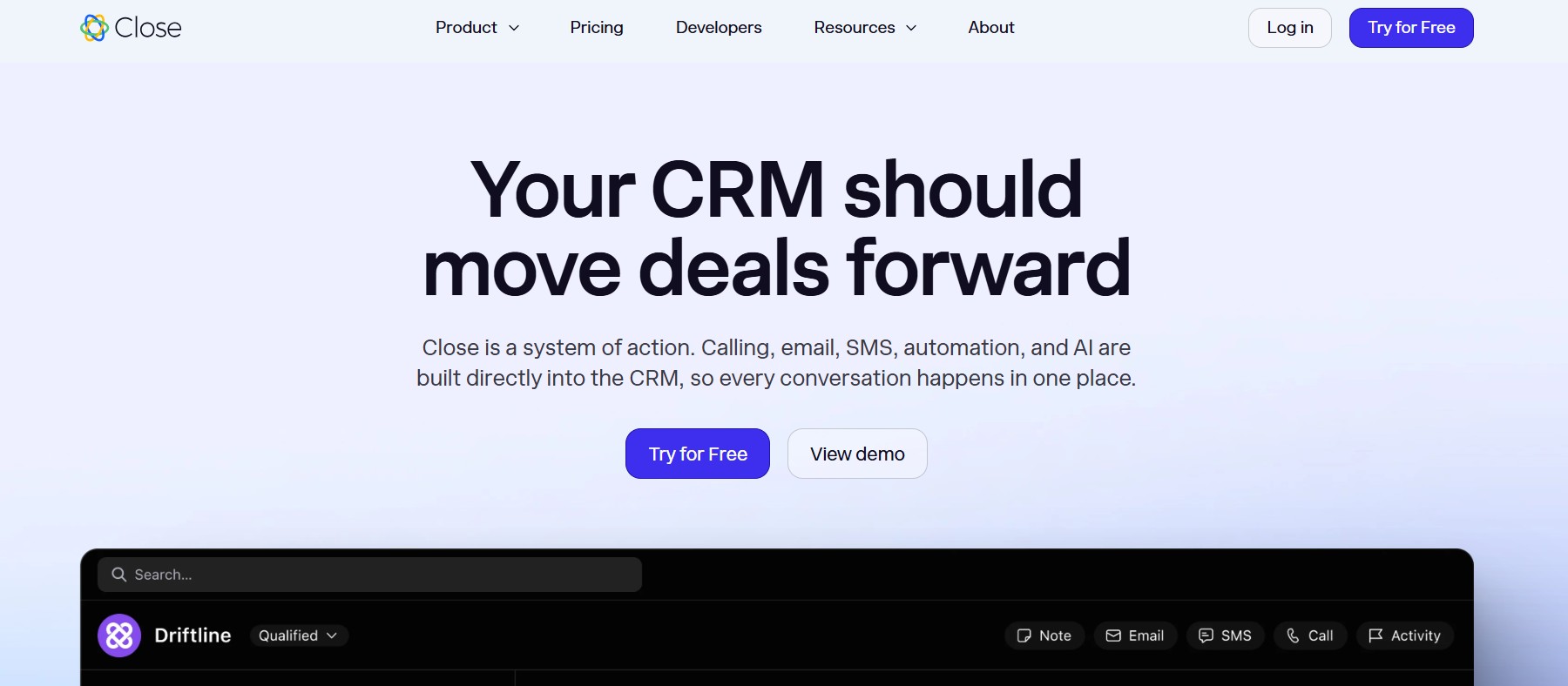
Close is an all-in-one sales CRM built for teams whose primary sales motion involves high volumes of phone calls and direct communication. It was created with built-in calling, email, and SMS — not as add-ons, not as integrations, but as core infrastructure that is part of the platform from day one. The design philosophy is that reps should be able to reach a lead through any communication channel without leaving the CRM.
Close is used primarily by small to mid-sized sales teams — typically 1 to 100 reps — in industries like SaaS, fintech, real estate, insurance, and professional services, where outbound calling is a central part of the sales process. Unlike HubSpot, which requires a significant budget to access calling features at scale, Close treats calling as a foundational capability at every tier.
Key Features
- Built-in power dialer: The Growth plan includes Close’s Power Dialer, which allows reps to automatically queue and call through a list without manually dialing each number. For teams making high volumes of outbound calls, the Power Dialer alone often justifies the plan upgrade from Essentials to Growth.
- Predictive dialer: The Scale plan adds a predictive dialer that uses AI to determine the optimal moment to connect a call, maximizing the percentage of calls that reach a live person.
- Native calling infrastructure: Outbound and inbound calls are made and received directly within Close, with all call activity automatically logged to the lead record. No third-party dialer integration is required.
- Email and SMS: Full email sync, email templates, automated follow-up sequences, and two-way SMS are all included within the platform. Reps can manage all outbound communication from a single interface.
- AI sales assistant (Chloe): Close includes Chloe, a built-in AI sales assistant that joins calls and meetings to record, transcribe, and summarize conversations. AI Drafts writes follow-up emails after each call. AI Summaries give reps instant context on any lead.
- Lead-based pipeline management: Close’s pipeline is organized around leads — each containing all associated contacts, deals, communications, and activities — giving reps a complete view of every prospect relationship in one place.
- No long-term contracts required: Close offers no-contract billing on all plans, a contrast to HubSpot’s annual commitment requirements on Professional and Enterprise plans.
Where It Beats HubSpot Sales Hub
- HubSpot’s Starter plan includes only 500 calling minutes per month shared across the entire team, making it inadequate for any team doing meaningful outbound phone prospecting. Close includes calling infrastructure at every tier with per-minute usage billing rather than a capped monthly allocation.
- Sequences are included in the Growth plan at $99 per user per month, compared to HubSpot’s Professional plan at $100 per user per month. At approximately equal pricing, Close delivers a significantly more robust calling infrastructure alongside the sequencing capability.
- Close’s no-contract model means teams can upgrade, downgrade, or cancel at any time. HubSpot’s Professional and Enterprise plans require annual commitments with mandatory onboarding fees, creating switching costs before a team has even determined whether the platform works.
- The AI tools in Close — call transcription, post-call email drafts, lead summaries — are integrated directly into the call workflow, making them immediately useful for inside sales teams without additional configuration.
Potential Limitations
- Close does not include native LinkedIn outreach capabilities. Teams whose prospecting motion relies heavily on LinkedIn will need a separate tool like DealsFlow to handle that channel.
- Close is not an all-in-one platform. It does not include marketing automation, landing pages, or a contact database for prospecting. Teams that need those capabilities will need additional tools in their stack.
- The add-on costs can push the effective per-user price significantly above the base plan rate. The Call Assistant add-on costs $50 per month plus $0.02 per call minute. Premium phone lines cost $19 per month per line. A fully equipped 5-person team on the Growth plan can realistically pay $160 or more per user per month once add-ons are included, compared to the advertised $99 base rate.
- Calling minutes are billed by usage, not included as a flat allocation. International calling costs can add $100–$300 per month for a 5–10 person team doing any volume of international outreach.
Pricing
Close uses per-user, per-month pricing. Annual billing provides approximately 25–35% savings versus monthly billing. All plans include a 14-day free trial with no credit card required.
- Solo — $9/user/month (annual): One user only. Core CRM, email, phone, and support features. Basic pipeline management. Not suitable for a team.
- Essentials — $35/user/month (annual): Unlimited contacts, leads, and pipelines. Core calling, email, and SMS. No workflow automation or sequences at this tier.
- Growth — $99/user/month (annual): Adds workflow automation, email sequences, Power Dialer, bulk email, and AI features. This is the plan most inside sales teams need.
- Scale — $139/user/month (annual): Adds predictive dialer, role-based permissions, lead visibility rules, and advanced coaching tools for scaling organizations.
Verdict
⭐⭐⭐⭐ — Best for inside sales teams making high volumes of outbound calls. Close delivers the most robust built-in calling infrastructure of any tool in this comparison. For teams whose pipeline is built primarily through phone outreach, Close’s Power Dialer and unified communication tools justify the pricing.
6. Zoho CRM — Best Budget Alternative With Enterprise-Grade Depth
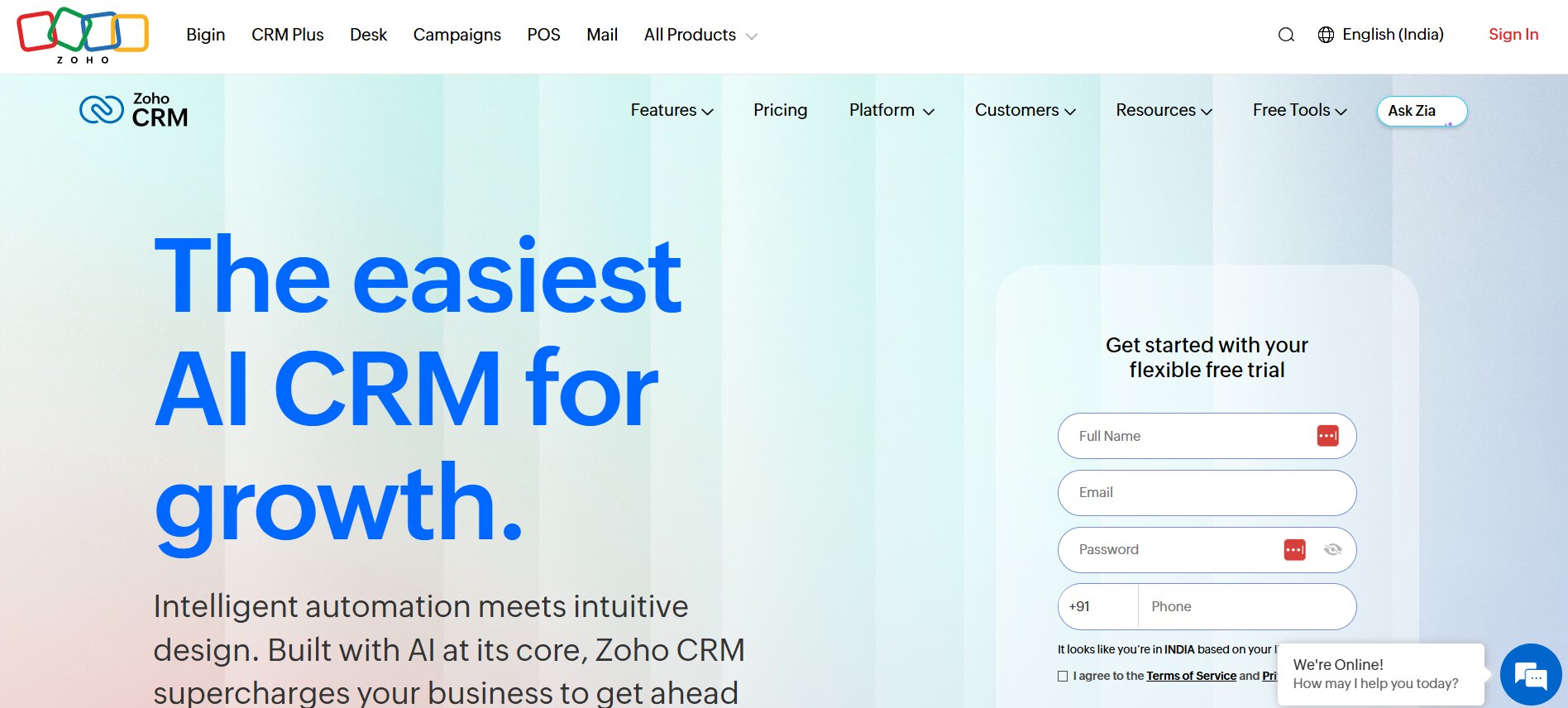
Zoho CRM is a comprehensive customer relationship management platform that has built a strong reputation for delivering a broad, enterprise-grade feature set at prices that are substantially lower than those of HubSpot or Salesforce. It is part of the wider Zoho ecosystem, which includes over 45 business applications — from accounting (Zoho Books) to customer support (Zoho Desk) to marketing automation (Zoho Campaigns) — all sharing data natively without integration middleware.
For teams evaluating HubSpot alternatives primarily because of cost, Zoho CRM is typically the first serious contender. At $40 per user per month for the Enterprise plan, Zoho CRM delivers AI through Zia, advanced automation through Blueprint and CommandCenter, and no-code interface customization — features that would require HubSpot’s $100/user/month Professional plan or higher to access.
Key Features
- Zia AI assistant: Zoho’s AI, Zia, handles predictive lead scoring, deal insights, anomaly detection, and next-best-action recommendations. Zia is available from the Enterprise plan at $40/user/month — substantially cheaper than HubSpot’s AI features at the Professional tier.
- Blueprint process automation: Blueprint allows teams to define and enforce sales processes within the CRM, ensuring reps follow specific steps before moving deals to the next stage. This is a powerful tool for sales managers who need process compliance across a growing team.
- Multi-channel communication: Zoho CRM supports outreach via email, phone, live chat, social media, and web forms from within a single platform. SalesSignals tracks prospect interactions across channels and surfaces them in real time.
- Canvas UI builder: A no-code interface builder that allows teams to customize the appearance and layout of their CRM views without developer involvement. This is a genuine differentiator — most CRMs do not offer this level of visual customization at the mid-market price tier.
- Zoho ecosystem integration: Native, no-middleware integration with Zoho’s 45+ applications means teams building broader operations on Zoho’s suite get significantly more value without integration costs. Businesses switching from Salesforce to Zoho have reported saving an average of 35% in annual CRM costs.
- Free plan for up to 3 users: Zoho’s free tier is the most generous in the CRM market. HubSpot and Salesforce cap the free plan at 2 users; Pipedrive and Monday CRM offer no free plan at all.
Where It Beats HubSpot Sales Hub
- The price difference between Zoho CRM and HubSpot is substantial at every tier. Zoho CRM Standard at $14/user/month is cheaper than every major competitor’s entry-level paid plan except Freshsales Growth at $9. At $40/user/month for Enterprise, teams are paying less than half what HubSpot Professional charges for comparable automation and AI features.
- Teams leaving HubSpot because of pricing should evaluate Zoho CRM first. The Enterprise plan at $40/user/month delivers AI lead scoring, Blueprint process automation, CommandCenter workflow orchestration, and full multi-channel communication — a feature set that would cost $100/user/month or more on HubSpot’s platform.
- Zoho does not charge mandatory onboarding fees. The absence of a $1,500 Professional onboarding fee or $3,500 Enterprise setup cost represents a meaningful difference in total cost of ownership, particularly for teams setting up the platform for the first time.
- The 45+ Zoho ecosystem apps share native data, meaning teams that use Zoho Books, Zoho Desk, or Zoho Campaigns alongside Zoho CRM do not need to pay for or maintain integration tools. HubSpot offers a similar ecosystem, but at 2–4 times the per-seat cost.
Potential Limitations
- The interface looks dated compared to Pipedrive or Close. Zoho’s UI is functional and capable, but it is not visually refined, and sales reps who are accustomed to more modern-looking tools will notice the difference. Adoption resistance from reps who find the UI unintuitive is a real implementation risk.
- The learning curve is steeper than most alternatives in this list. Zoho CRM’s depth — which is also its strength — means there is more to configure and understand before a team is fully productive. Implementation takes longer than tools like Pipedrive or Close.
- AI-powered lead scoring is locked to the Enterprise tier at $40/user/month. While this is competitive against HubSpot’s pricing, it is worth noting that Freshsales offers Freddy AI scoring at the Pro tier ($39/user/month) and Close includes AI features in the Growth plan ($99/user/month) with a different capability set.
- The integration marketplace includes approximately 800 integrations — functional, but a fraction of Salesforce’s 3,000+ or HubSpot’s 1,500+. Teams relying on niche or specialized third-party tools should verify Zoho compatibility before committing.
Pricing
Zoho CRM uses per-user, per-month pricing with annual billing discounts of up to 34%.
- Free: Up to 3 users, core contact management, deal tracking, basic task management. The most generous free CRM tier in the market.
- Standard — $14/user/month (annual): Workflow automation, basic Zia AI, scoring rules, email integration, web forms. Cheaper than every major CRM competitor’s entry paid plan except Freshsales.
- Professional — $23/user/month (annual): Inventory management, process management, SalesSignals, blueprints, and multi-pipeline support.
- Enterprise — $40/user/month (annual): Full Zia AI suite, CommandCenter, Canvas UI builder, advanced multi-user portals, and advanced analytics.
- Ultimate — $52/user/month (annual): Advanced BI, enhanced feature limits, dedicated database cluster, and premium support.
Verdict
⭐⭐⭐⭐ — Best for budget-conscious teams that need enterprise CRM depth without enterprise pricing. Zoho CRM delivers more features per dollar than any other tool in this comparison. Teams that can tolerate a steeper learning curve and a less polished UI will find it offers exceptional long-term value.
Side-by-Side Comparison: HubSpot Sales Hub vs. the 6 Alternatives
The table below summarizes the key differentiators across all seven platforms to help identify the right fit quickly.
| Tool | Best For | Entry Price | LinkedIn Outreach | Sequences | Free Trial | Onboarding Fee |
|---|---|---|---|---|---|---|
| DealsFlow | AI LinkedIn outreach | $49/mo (annual) | ✅ Native AI | ✅ | 14 days | ❌ None |
| Pipedrive | Visual pipeline mgmt | $14/user/mo | ⚠️ Integration | ✅ (Growth+) | 14 days | ❌ None |
| Apollo.io | Outbound prospecting | $49/user/mo | ✅ Chrome ext | ✅ (Basic+) | Free tier | ❌ None |
| Freshsales | Feature-rich + affordable | $9/user/mo | ⚠️ Integration | ✅ (Growth+) | 21 days | ❌ None |
| Close | Inside sales / calling | $35/user/mo | ❌ | ✅ (Growth+) | 14 days | ❌ None |
| Zoho CRM | Budget enterprise depth | $14/user/mo | ⚠️ Integration | ✅ | 15 days | ❌ None |
| HubSpot Sales Hub | Marketing-led inbound | $20/user/mo | ⚠️ Integration | ❌ Pro only ($100+) | Free tier | ✅ $1,500–$3,500 |
Note: All prices reflect annual billing where applicable. Entry prices shown are the lowest paid tier.
How to Choose the Right HubSpot Sales Hub Alternative for Your Team
The right alternative depends on where your primary sales motion lives and what problems are driving you away from HubSpot in the first place.
If Your Team Lives on LinkedIn Outreach → DealsFlow
LinkedIn has become the primary prospecting channel for the majority of B2B sales teams. If your reps or founders are spending significant time on LinkedIn — sending connection requests, following up with replies, booking calls through direct messages — DealsFlow is the tool built specifically for that workflow. No other platform in this list automates the full LinkedIn conversation from connection to booked call with AI that handles objections and replies in real time.
If You’re Running a Pure Sales Pipeline (No Marketing) → Pipedrive or Close
If HubSpot’s marketing-first architecture is adding complexity you do not need, both Pipedrive and Close offer cleaner, more focused sales environments. Choose Pipedrive if your primary need is visual pipeline management and deal tracking. Choose Close if your team makes high volumes of outbound calls and needs a built-in power dialer.
If You Need Outbound Prospecting Data + Sequences → Apollo.io
If your team is currently paying separately for a contact database (ZoomInfo, Lusha, Clearbit) and a sequencing tool (Outreach, SalesLoft), Apollo can consolidate both into a single platform at a lower combined cost. Model your credit consumption carefully before signing an annual contract.
If You Want HubSpot Features at Half the Price → Freshsales
Freshsales delivers the broadest set of sales features per dollar in this comparison. If feature depth matters more than UI polish, and if cost is a primary driver for switching from HubSpot, Freshsales at the Growth or Pro tier is the most direct competitive alternative on price.
If You’re Scaling Fast on a Tight Budget → Zoho CRM
For teams that need enterprise-grade CRM depth — AI scoring, advanced automation, multi-channel communication, process enforcement — without paying enterprise prices, Zoho CRM’s Enterprise plan at $40/user/month delivers capabilities that cost more than twice as much on HubSpot’s platform. The trade-off is a steeper setup curve and a less modern interface.
Questions to Ask Before You Switch
Before committing to any HubSpot alternative, it is worth working through these questions as a team:
- Do you need a CRM, a sales engagement platform, or an outreach automation tool — or a combination of all three? Each tool in this list fills a different part of that spectrum.
- What is your realistic team size in 12 months? A tool that costs $9/user/month today may cost $39/user/month when you upgrade tiers after six months of growth. Model the 12-month cost, not just the current cost.
- What does your current tech stack integrate with natively? If your team is deeply embedded in Google Workspace, that should influence the CRM choice. If you use niche vertical software, check each tool’s integration marketplace before committing.
- Is LinkedIn a primary outreach channel for your team? If yes, factor in the cost and friction of a separate LinkedIn outreach tool unless you choose DealsFlow, which handles that channel natively.
- What is driving the frustration with HubSpot specifically — is it price, features, complexity, or the marketing-first architecture? The root cause of the switch determines which alternative is the best fit.
Final Verdict
HubSpot Sales Hub is a strong product for a specific type of team — one that is running an inbound-led growth motion, using multiple HubSpot hubs together, and has the budget to justify the total cost of ownership. For those teams, HubSpot’s ecosystem integration and brand familiarity make it a defensible choice.
For every other type of growing sales team, there is a more focused, more affordable, and often more capable alternative in 2026.
- LinkedIn as a primary channel: Start with DealsFlow. The 14-day free trial requires no credit card and takes 10 minutes to set up.
- Pure pipeline management: Pipedrive at the Growth tier gives you sequences, automation, and visual pipeline management for $39/user/month with no onboarding fee.
- High-volume outbound calling: Close’s Growth plan at $99/user/month includes the Power Dialer, email sequences, and AI call summaries in a single platform.
- Maximum features per dollar: Freshsales Pro at $39/user/month includes Freddy AI, sequences, multiple pipelines, and a built-in phone dialer — all capabilities that cost $100/user/month or more on HubSpot.
- Enterprise depth on a growth budget: Zoho CRM Enterprise at $40/user/month delivers AI, advanced automation, and process enforcement at less than half the cost of HubSpot Professional.
The best tool is the one that matches your actual sales motion — not the most recognized brand name in the market.
Frequently Asked Questions
What is the best HubSpot Sales Hub alternative for growing teams?
The best alternative depends on where your sales motion lives. For teams doing outbound LinkedIn prospecting, DealsFlow is the strongest choice — it automates the full LinkedIn conversation with AI and books meetings without human intervention at every step. For teams primarily managing a visual deal pipeline, Pipedrive is the most focused and cost-effective option. For teams that make high volumes of outbound calls, Close delivers the most capable built-in calling infrastructure. For teams that need the broadest set of sales features at the lowest price, Freshsales is the most competitive. For teams that need enterprise-grade CRM depth without enterprise pricing, Zoho CRM’s Enterprise plan at $40/user/month delivers more value per dollar than any other option in this comparison.
Why is HubSpot Sales Hub so expensive?
HubSpot Sales Hub’s pricing model is structured around a free CRM that serves as a gateway to progressively more expensive paid tiers. The free CRM is genuinely useful for basic contact management, but it is deliberately limited in the features that matter most for active sales teams — sequences, automation, forecasting, and reporting are all gated behind the Professional plan at $100/user/month or higher. On top of the per-seat cost, HubSpot requires mandatory onboarding fees of $1,500 for Professional plans and $3,500 for Enterprise plans. These fees are non-optional. For a team of 10 moving to HubSpot Professional, the first-year cost is $12,000 in licensing plus $1,500 in onboarding before any add-ons. When Marketing Hub is added, a 50-person organization can realistically spend $125,000 in the first year.
Does HubSpot Sales Hub include LinkedIn outreach?
HubSpot Sales Hub does not have native LinkedIn outreach capabilities. Teams that want to use LinkedIn as a prospecting channel must use a separate LinkedIn automation tool and manage two platforms, two billing accounts, and two sets of data. For teams where LinkedIn is a primary channel, this gap is material. DealsFlow was built specifically to fill it — connecting directly to LinkedIn accounts, running AI-driven conversations, and booking calls without requiring a separate sequencer or manual reply management.
Can I replace HubSpot Sales Hub with a free tool?
Several tools in this comparison offer free tiers, including Freshsales (up to 3 users), Zoho CRM (up to 3 users), and Apollo.io. These free tiers are genuinely functional for very early-stage teams doing basic contact management and deal tracking. However, the features most growing sales teams need — automated sequences, multiple pipelines, AI lead scoring, advanced reporting — are locked behind paid plans on every platform. The free tiers are best used for evaluation, not as a long-term operational choice. For teams that need a credible entry point at very low cost, Freshsales Growth at $9/user/month annually is the strongest paid option.
What CRM is easiest to use for a small sales team?
Pipedrive consistently ranks as the easiest-to-use CRM for small sales teams. Its drag-and-drop pipeline, clean deal card interface, and activity-first design mean reps can start tracking deals productively in hours, not days. Close is a close second for teams whose primary workflow is phone-based — the interface is built around making calls, logging outcomes, and queuing the next contact, which is intuitive for inside sales reps. Freshsales is somewhat more complex but still accessible. Zoho CRM has the steepest learning curve of any tool in this comparison, despite offering the most features per dollar.
Is HubSpot Sales Hub worth it in 2026?
HubSpot Sales Hub is worth the investment for teams that use HubSpot’s full platform — Marketing Hub, Sales Hub, and Service Hub together — and whose primary growth motion is inbound marketing combined with sales follow-up. For those teams, the integration between hubs, the shared data model, and the ecosystem depth justify the cost. For teams whose growth is driven primarily by outbound prospecting, LinkedIn outreach, high-volume calling, or cold email, HubSpot Sales Hub is not the best fit. The features that matter most for outbound teams are either gated behind expensive tiers, require bolt-on tools to function, or are simply not present in the platform. The alternatives in this guide were built for those motion types.