


Klenty is a solid sales engagement platform for B2B teams that need multichannel outreach at a price point well below Salesloft and Outreach. Starting at $50 per user per month, it offers genuine value through its email deliverability tools, bidirectional CRM integrations with Salesforce, HubSpot, Pipedrive, Zoho, and MS Dynamics, and a built-in parallel dialer that calls up to five prospects simultaneously.
Where it falls short is just as consistent: the UI is clunky and unintuitive, LinkedIn automation is task-prompted rather than truly automated, and billing complaints show up repeatedly across G2 and Capterra. The recently launched SDRx AI agent is promising but still early-stage with very limited public reviews.
Bottom line rating: 4.1 / 5
- Best for: SMB and mid-market B2B sales teams running outbound across email and phone, with budget constraints that rule out Salesloft or Outreach
- Not ideal for: Teams that need deep LinkedIn automation, enterprise-level analytics, or an all-in-one contact database
- Starting price: $50 per user per month (billed annually)
- G2 rating: 4.6/5 based on 387+ reviews (as of early 2026)
What Is Klenty? (And How Has It Evolved?)
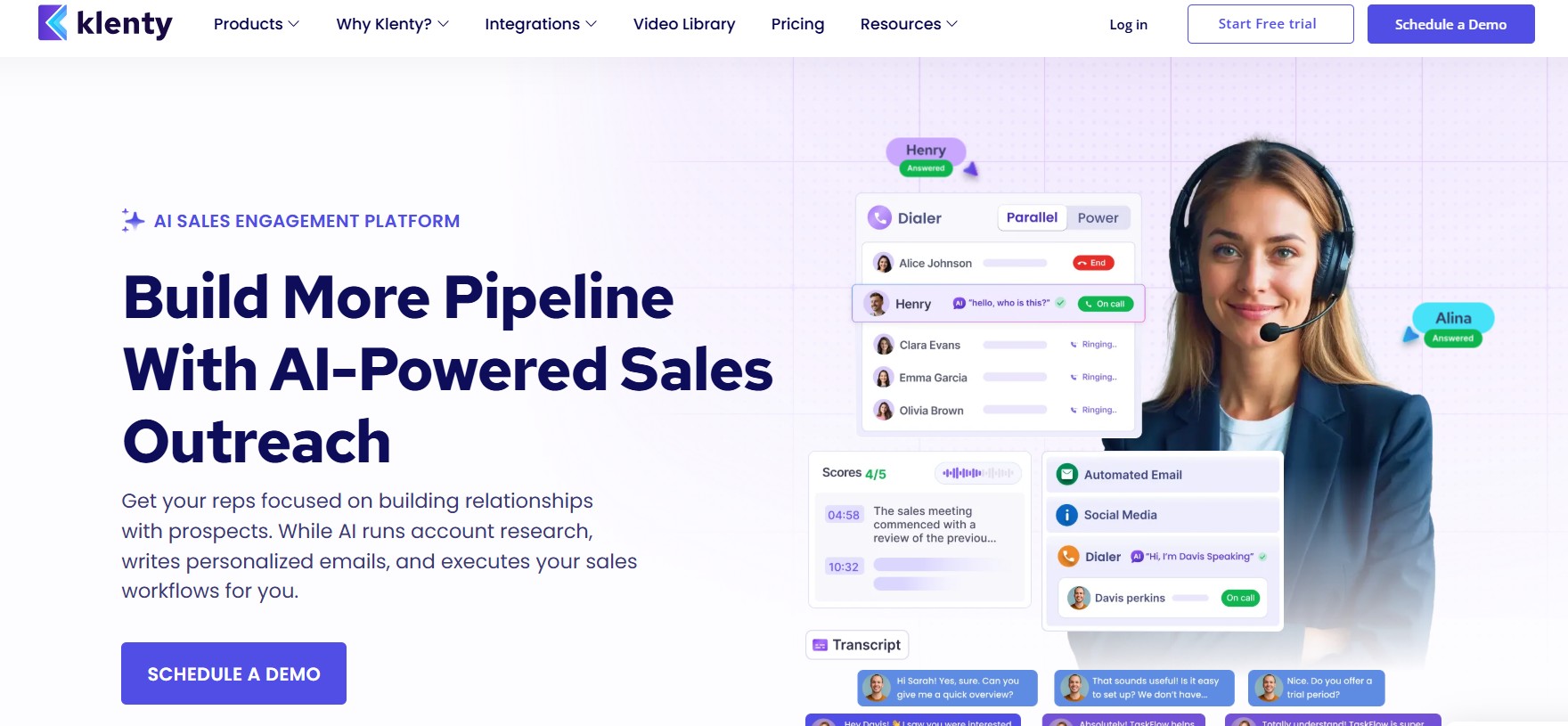
Klenty is an AI-powered sales engagement platform built to help B2B sales teams automate and personalize outreach across email, phone, SMS, WhatsApp, and LinkedIn. Founded in 2015 and headquartered in California, with its product team based in Chennai, India, the company has grown to serve more than 5,000 customers in over 45 countries.
The platform did not start where it is today. Klenty began as a focused email sequencing tool, helping SDRs automate cold email and follow-up cadences. Over time, it expanded into a full sales execution engine by layering in a built-in dialer, multichannel cadence management, CRM automation, conversation intelligence, and more recently, an autonomous AI SDR agent called SDRx.
That evolution matters for buyers in 2026 because it explains both Klenty’s strengths and its rough edges. The email and CRM infrastructure is mature and well-tested. The newer AI features, like SDRx and SchedX, are more recent additions that are still building their track records. A team choosing Klenty today is buying into an established email sequencer that has been actively evolving, rather than a purpose-built AI platform from the ground up.
Klenty positions itself primarily for fast-growing SMB and mid-market revenue teams. The pitch is direct: enterprise-grade outreach capability at a fraction of what Salesloft or Outreach charges, with 24/5 human support and guided onboarding that gets teams running quickly.
Who Is Klenty Best Suited For?
Klenty is purpose-built for outbound-focused B2B sales organizations where SDRs and account executives need to run high-volume, personalized outreach across multiple channels without paying enterprise prices.
Klenty fits best for:
- SMB and mid-market SDR teams running 50 to 500+ outbound touches per week who need cadence automation, a built-in dialer, and CRM sync without stitching together five separate tools
- Revenue teams with a Salesforce, HubSpot, Pipedrive, or Zoho CRM already in place, where bidirectional sync matters more than building a new pipeline from scratch
- Email-first outreach teams at the Startup plan tier who want solid deliverability, A/B testing, and sequence management without paying for multichannel features they do not use
- Companies scaling from basic tools like Mailshake or Woodpecker that need more cadence logic, CRM depth, and dialer capability
- Budget-conscious teams where Salesloft at $125+ per user per month or Outreach at $100+ per user per month is genuinely out of range
Klenty is not the right fit for:
- LinkedIn-first outreach teams who need true LinkedIn automation, not manual task reminders. Klenty’s LinkedIn capability is task-based, meaning the platform reminds you to send a message rather than sending it automatically.
- Large enterprise organizations that need deep revenue intelligence, deal forecasting, and analytics dashboards comparable to Salesloft’s Revenue Lifecycle Management
- Teams without their own contact data who also need a built-in B2B database. Klenty’s base plans do not include a contact database, meaning you need a separate tool like Apollo, ZoomInfo, or Lusha alongside it.
- Agencies managing outreach across many client LinkedIn accounts, where a dedicated LinkedIn automation platform would be a far better operational fit
Key Features of Klenty — A Deep Dive
1. Multichannel Sales Cadences (Email, Phone, SMS, WhatsApp, LinkedIn)
Klenty’s core product is its cadence engine, and it covers five channels: email, phone calls, SMS, WhatsApp, and LinkedIn. The premise is that a prospect who does not respond to an email might pick up a call. A prospect who ignores your call might reply to a WhatsApp message. Running all five from a single platform means SDRs do not have to switch between tools mid-sequence.
The cadence builder lets you define the exact sequence of touchpoints: day one is an email, day three is a call task, day five is a LinkedIn connection request task, day seven is a follow-up email. Each step can be personalized independently. You can also set time windows for when each step fires, stagger sends to avoid looking automated, and set rules for what happens when a prospect replies or opens an email multiple times.
Behavior-triggered enrollment is where this becomes genuinely useful for growing teams. Rather than manually sorting prospects into different sequences, Klenty can automatically move a prospect to a different playbook based on their behavior. A prospect who opens an email three times without replying can automatically get moved to a “high intent” cadence that escalates outreach. A prospect who replies gets removed from the sequence immediately so no follow-up fires after they have responded.
Key points on multichannel cadences:
- Supports email, phone, SMS, WhatsApp, and LinkedIn task-based outreach in a single cadence flow
- Behavior-triggered enrollment moves prospects between cadences automatically based on opens, clicks, and replies
- Time-window controls and staggered sends help maintain realistic outreach patterns
- LinkedIn steps are task-based (manual reminders), not automated sends
2. AI-Powered Personalization at Scale
Klenty offers several personalization layers that go beyond simple first-name merge tags. The platform supports Liquid templates, which allow conditional logic inside email copy. You can write one template that dynamically changes a paragraph based on a prospect’s industry, company size, or any other field you have in your contact data.
Beyond Liquid templates, Klenty supports video personalization through integrations with tools like Vidyard and Loom, where a unique video thumbnail is embedded in each email. The AI writer inside Klenty, called Kai, can generate personalized opening lines or full email drafts based on a prospect’s LinkedIn profile or website, reducing the time an SDR spends on manual research before sending.
Key points on personalization:
- Liquid templates enable conditional logic inside email copy, not just field substitution
- Video personalization via Vidyard and Loom integrations for thumbnail-embedded emails
- Kai AI writer generates personalized email content from prospect data
- Dynamic fields can pull from any custom contact property stored in Klenty
3. Built-In Dialer: Parallel Dialer and Power Dialer (Dial IQ)
Klenty’s dialer product, called Dial IQ, is one of the features that genuinely differentiates it from pure email sequencers in this price range. Most tools at $50 to $100 per user per month either have no dialer at all or offer a basic click-to-call feature. Klenty includes a parallel dialer that calls up to five prospects simultaneously.
Here is what that means in practice: instead of dialing one number, waiting for a no-answer, hanging up, and dialing the next, the parallel dialer fires five calls at once and connects the SDR to whichever prospect picks up first. For high-volume cold calling teams, this can multiply connect rates significantly. The power dialer mode works through a prospect list one call at a time with a single click, removing the manual dialing step.
Local presence dialing is also included, which displays a local area code to the prospect rather than an out-of-state number. Call pickup rates are measurably higher when a local number appears on the screen.
Call IQ is Klenty’s conversation intelligence layer. It records calls, generates AI-powered summaries, captures talk tracks, identifies coaching opportunities, and logs activity automatically to your CRM. This replaces a standalone tool like Gong or Chorus for smaller teams that do not need the full revenue intelligence suite those platforms provide.
Key points on Dial IQ:
- Parallel dialer calls up to 5 prospects simultaneously, connecting the rep to the first answer
- Power dialer mode auto-advances through a list one call at a time
- Local presence dialing displays local area codes to improve answer rates
- Call IQ records, transcribes, and summarizes calls, then logs them to your CRM automatically
4. Email Deliverability Suite
Klenty’s email deliverability tools are among the most frequently praised features in user reviews on G2 and Capterra. Multiple reviewers specifically call out that emails land in primary inboxes rather than spam, which is not a given with sequencing tools at this price range.
The platform handles several deliverability mechanics automatically. Send timing is staggered and randomized so a large batch of emails does not fire simultaneously, which is a pattern spam filters are trained to detect. Bounce detection pauses sequences automatically when an address hard-bounces. Out-of-office detection recognizes auto-replies and suppresses follow-ups until the prospect returns.
The inbox warmup feature gradually increases send volume on new domains or email addresses, building sender reputation over time before ramping to full campaign volume. Domain health monitoring tracks SPF, DKIM, and DMARC configuration and alerts teams to issues before they affect deliverability at scale. Inbox rotation splits sends across multiple connected email addresses, which prevents any single address from sending at a volume that triggers spam classification.
Key points on email deliverability:
- Staggered and randomized send timing prevents pattern detection by spam filters
- Bounce detection automatically pauses sequences on hard bounces
- Out-of-office detection suppresses follow-ups when auto-replies are detected
- Built-in inbox warmup gradually increases volume on new domains
- Domain health monitoring tracks SPF, DKIM, and DMARC configuration
- Inbox rotation distributes sends across multiple email addresses
5. Prospect IQ — Data Enrichment and Contact Database
Klenty is not a standalone prospecting tool. The base plans do not include a built-in B2B contact database, which means you need to bring your own contact data from a tool like Apollo, ZoomInfo, or Lusha, or use a CRM export.
That said, Klenty does offer enrichment capabilities through its Prospect IQ feature, which uses a waterfall enrichment approach. Instead of relying on a single data provider, it pulls contact and company data from multiple sources in sequence until it finds a verified match, which generally produces more complete and accurate records than single-source enrichment.
The SDRx AI agent (covered in detail in its own section) extends this considerably, pulling from a 600 million contact database and researching accounts across 150+ data sources to identify ICP-fit prospects and build targeted contact lists autonomously. However, SDRx is a separate custom-priced add-on, not included in any base plan.
Key points on data enrichment:
- Prospect IQ uses waterfall enrichment across multiple data sources for better accuracy
- No built-in B2B contact database in base plans (Startup, Growth, Pro)
- SDRx gives access to a 600M+ contact database but requires a custom add-on purchase
- Contact import works via CSV, CRM sync, or direct API
6. CRM Acceleration — Deep Integrations
Klenty’s CRM integrations are a genuine strength that shows up consistently in user feedback. The platform natively integrates with Salesforce, HubSpot, Pipedrive, Zoho CRM, and Microsoft Dynamics 365 through what it calls its CRM Acceleration framework.
The integration goes well beyond basic contact sync. Activity logging happens automatically: calls, emails, LinkedIn tasks, and SMS messages all get logged to the corresponding CRM record without manual entry. Deal stage changes in the CRM can trigger enrollment in a Klenty cadence, and a reply to a Klenty email can update a deal stage in the CRM. The sync is bidirectional, meaning data flows both directions without one platform overwriting the other.
Klenty claims this automation saves sales teams approximately 15 hours per week in manual CRM updates. Whether that number holds at your team’s scale depends on how disciplined your current logging habits are, but the directional claim is credible based on what the integration actually does.
The Salesforce and HubSpot integrations are the most feature-complete. Pipedrive and Zoho are solid but have slightly fewer available trigger and action options compared to the enterprise CRM integrations.
Key points on CRM integrations:
- Native integrations with Salesforce, HubSpot, Pipedrive, Zoho CRM, and MS Dynamics 365
- Bidirectional sync: activity, contacts, deal stages, and custom fields flow both directions
- CRM actions (deal stage changes) can trigger Klenty cadence enrollment automatically
- Klenty email replies can update CRM deal stages without manual input
- Salesforce and HubSpot integrations are the most feature-complete
7. Intent-Based Playbooks and Automation Rules
Klenty’s playbook system allows teams to codify their outreach logic rather than leaving it to individual rep judgment. A playbook defines what happens to a prospect at every stage: which cadence they start in, what triggers move them to a different sequence, when they get paused, and what signals escalate them to a human touchpoint.
Intent signals that can trigger playbook actions include email opens, link clicks, email replies, call outcomes (connected, voicemail, no answer), and CRM field changes. This means a prospect who clicks a pricing page link in your email can automatically get moved to a high-intent cadence that uses more direct language and a faster follow-up schedule, without any manual sorting by the SDR.
The auto-pause rules are particularly useful for teams running at scale. When a prospect replies, Klenty immediately pauses all queued outreach for that contact across all channels. This prevents the awkward situation of a prospect getting a follow-up email one hour after they have already replied and started a conversation.
Key points on playbooks and automation:
- Behavior-triggered playbooks move prospects between cadences based on email, call, and CRM signals
- Auto-pause fires immediately on reply, stopping all queued outreach across all channels
- Click-on-link triggers can detect high-intent behavior and escalate cadence automatically
- Cadence rules can be set at the team or individual rep level
8. Analytics, Reporting, and Campaign Tracking
Klenty provides campaign-level and team-level analytics that cover the core metrics an SDR team needs to evaluate outreach performance: email open rates, reply rates, click-through rates, bounce rates, cadence conversion rates, and call connect rates.
The campaign-level view shows how each sequence is performing step by step. You can see which email in a 7-touch cadence drives the most replies, identify which call scripts result in the most connections, and compare A/B tested subject lines within the same sequence. This is useful for iterating on messaging without running blind.
Where Klenty falls short relative to enterprise tools is in reporting depth and flexibility. Multiple G2 and Capterra reviewers note that the reporting features could use improvement. You cannot build custom dashboards or pull reports with the flexibility you get in Salesloft’s Revenue Lifecycle views or Outreach’s opportunity intelligence. For teams that are data-heavy and need to report outreach metrics into a broader revenue operations dashboard, the native reporting will feel limiting.
Key points on analytics:
- Campaign-level metrics: open rate, reply rate, click rate, bounce rate per cadence step
- Team-level performance visibility across reps for management oversight
- A/B testing for email subject lines and body copy within cadences
- Known gap: no custom dashboard builder, limited reporting flexibility compared to Salesloft or Outreach
- Activity data flows into CRM, which can supplement native reporting through CRM dashboards
9. SDRx — Klenty’s Autonomous AI SDR Agent (New in 2026)
SDRx is Klenty’s most ambitious product addition. It is an autonomous AI sales development representative that handles the full outbound workflow without human intervention: ICP account identification, contact discovery from a 600 million contact database, account research across 150+ data sources, personalized email and LinkedIn outreach, follow-up sequencing, objection handling, and CRM sync.
The pitch is compelling: an AI agent that researches each target account, writes a tailored value proposition for that specific company based on their priorities and recent signals, and then executes personalized outreach at a scale no human SDR team could match. Done-for-you deliverability setup, including SPF/DKIM/DMARC configuration, inbox warmup, inbox rotation, and domain and subdomain setup, is included.
That said, SDRx is a new product from an established vendor, and the gap between the pitch and the public evidence matters for buyers considering it at its custom price point (reportedly $500+ per month based on market intelligence). As of early 2026, SDRx has only two public reviews on G2, compared to 387+ reviews for Klenty’s core platform. Users who have reviewed it highlight genuine time savings in prospecting and outreach execution. The primary concerns noted are buggy CRM integrations and the absence of a published pricing structure.
Key points on SDRx:
- Autonomous AI SDR that handles ICP research, contact discovery, personalized outreach, follow-ups, and CRM sync
- Pulls from a 600M+ contact database and researches accounts across 150+ sources
- Includes done-for-you deliverability infrastructure (SPF/DKIM/DMARC, warmup, inbox rotation)
- Custom pricing, not included in any base Klenty plan; contact Klenty directly for a quote
- Early-stage: only 2 public G2 reviews as of early 2026; proceed with appropriate caution for a $500+/month commitment
- Best suited for teams stretched thin on outbound capacity who want to test AI-driven prospecting
10. SchedX and Schedule IQ — AI Inbound SDR and Meeting Scheduling
SchedX is Klenty’s AI inbound SDR. It engages website visitors, qualifies them against your ICP criteria through automated conversation, and books meetings on your team’s calendar without human involvement. Think of it as a chatbot layer that can replace or supplement human SDR coverage for inbound traffic.
Schedule IQ is the meeting scheduling component, similar in function to Calendly but integrated natively into the Klenty workflow. When a prospect agrees to a meeting during a cadence, Schedule IQ handles time zone detection, calendar availability checking, and confirmation without requiring the SDR to switch to an external tool.
Both SchedX and Schedule IQ are available as custom add-ons, not included in base plan pricing. Teams interested in these capabilities need to contact Klenty directly for a quote.
Key points on SchedX and Schedule IQ:
- SchedX qualifies inbound website visitors and books meetings autonomously (custom add-on)
- Schedule IQ handles meeting scheduling natively inside the Klenty workflow (custom add-on)
- Neither is included in the Startup, Growth, Pro, or Enterprise base plan pricing
- Best for teams with meaningful inbound traffic volume where SDR coverage is a bottleneck
Our Hands-On Experience with Klenty — 30-Day Test
Onboarding and Initial Setup
Getting into Klenty does not take long. The 14-day free trial comes with a dedicated account manager who walks new users through initial configuration, which meaningfully reduces the setup friction that often slows adoption on new platforms.
Connecting a Gmail or Outlook inbox takes a few minutes. Klenty guides you through the OAuth authentication process and, once connected, immediately runs a domain health check that flags any SPF, DKIM, or DMARC configuration issues before you start sending. This is a small thing that prevents a very common mistake new users make: launching a campaign on a domain that is not correctly configured, then wondering why emails land in spam.
The CRM integration setup is guided but requires more attention. Mapping CRM fields to Klenty contact properties, setting sync direction rules, and defining which CRM activities Klenty should log all need to be configured correctly at the start. If you skip this step or rush through it, you will find your CRM data out of sync and spend time cleaning it later. The account manager helps here, but the platform itself could do a better job of surfacing this configuration as a critical first step.
Key observations from setup:
- Inbox connection is fast: Gmail and Outlook authenticate via OAuth in minutes
- Domain health check fires automatically on inbox connection, catching SPF/DKIM/DMARC issues before launch
- CRM field mapping requires deliberate attention upfront; rushing through it causes sync problems later
- The 14-day free trial with dedicated account manager significantly reduces setup friction
Building and Running Email Cadences
Creating a new cadence in Klenty is functional but carries a learning curve that multiple Capterra reviewers mention specifically. A Capterra reviewer described needing to re-read support articles every time they wanted to add a new cadence, because the interface was not intuitive enough to remember. This matched our experience in the first week.
Once the logic clicks, the cadence builder becomes faster to use. You can duplicate existing cadences, swap out templates, and adjust step timing without rebuilding from scratch. The A/B testing setup for subject lines works correctly and splits traffic cleanly between variants.
The template library is useful for getting started but thin on variety. Teams with specific messaging frameworks will quickly move past the defaults and build their own template sets, which is straightforward once you understand the Liquid syntax for dynamic fields.
Key observations from cadence building:
- Learning curve on the cadence builder is real, as Capterra reviews confirm; the first few setups take longer than expected
- Duplication of existing cadences speeds up creation significantly once you have a base to work from
- A/B testing on subject lines works cleanly and splits traffic accurately
- Liquid template syntax has a short learning curve but unlocks genuine conditional personalization
Multichannel Campaign Execution
Running email-only cadences in Klenty feels smooth. The deliverability tools work as advertised: staggered sends, randomized timing, and inbox rotation all fire in the background without requiring active management. Emails land in primary inboxes at a noticeably higher rate than platforms that lack these features.
The call steps integrate directly with Dial IQ. Clicking a call task inside a cadence opens the dialer, dials the prospect, logs the outcome (connected, voicemail, no answer, not interested), and automatically queues the next cadence step based on the outcome you select. This removes the manual CRM entry that eats SDR time after every call.
LinkedIn steps are where expectations need to be set clearly. Klenty does not automate LinkedIn actions. When a LinkedIn step fires in a cadence, Klenty surfaces a task in the SDR’s queue with the prospect’s profile URL and the suggested action (connection request, message, InMail). The SDR executes this manually on LinkedIn. For teams with high LinkedIn outreach volume, this task-based approach adds meaningful manual time back into the workflow that the rest of the platform removes.
Key observations from multichannel execution:
- Email deliverability works well in practice: primary inbox placement is noticeably consistent
- Dial IQ call steps integrate into the cadence flow cleanly with automatic outcome logging
- LinkedIn steps require manual execution by the SDR; Klenty does not send connection requests or messages automatically
- SMS and WhatsApp steps work via the respective platform APIs but require separate setup
Dialer Performance
The parallel dialer is the standout feature of the Dial IQ product. Calling five prospects simultaneously and connecting to the first answer turns a typical cold call session from a dial-wait-repeat grind into a much higher-volume activity. Teams that run dedicated call blocks benefit the most from this approach.
Call IQ’s conversation intelligence worked reliably during testing. Call recordings are accurate, AI summaries capture the main points of a call without major errors, and the automatic CRM logging fires within a few minutes of call completion. The coaching features, which flag adherence to talk tracks and identify areas where reps deviate from the script, are genuinely useful for sales managers reviewing team performance.
One practical consideration: the parallel dialer requires prospects to pick up simultaneously across five lines, which means the feature works best for genuinely cold outreach where you have no existing relationship with the prospects. If any of your prospects are actively engaged in an ongoing conversation, queuing them in a parallel dial session is a bad experience if they pick up second.
Key observations from dialer performance:
- Parallel dialer delivers meaningfully higher connect rates than sequential dialing for cold outreach
- Call IQ summaries are accurate and log to CRM within a few minutes of call completion
- Coaching features flag talk track adherence for management review
- Parallel dialer is best suited for cold prospect lists, not warm or engaged contacts
CRM Sync in Practice
The Salesforce and HubSpot integrations performed well with no significant sync delays during the 30-day period. Contact records updated correctly, activity logging fired automatically after each email, call, and completed task, and deal stage triggers worked as configured.
The Pipedrive integration was slightly less reliable in edge cases. On two occasions, a cadence enrollment triggered by a deal stage change in Pipedrive fired with a three to five minute delay rather than immediately, which caused no real operational problem but is worth noting for teams where real-time triggering is critical.
Key observations from CRM sync:
- Salesforce and HubSpot integrations perform reliably with no significant sync delays
- Pipedrive integration introduced minor delays (three to five minutes) on trigger-based enrollment in edge cases
- Automatic activity logging across email, calls, and tasks reduces manual CRM entry time measurably
- Field mapping set up at onboarding matters: incorrect mapping creates data issues that are tedious to clean up
Analytics and Reporting in Practice
Klenty’s analytics answered the core questions we needed to track campaign health: which cadences were generating replies, which email steps were underperforming, and where in a sequence prospects were dropping off without responding.
What the platform does not do is let you slice this data in custom ways. You cannot build a dashboard that shows reply rates by prospect industry, or campaign performance segmented by rep tenure, without exporting to a spreadsheet or running the analysis in your CRM. For teams that need that level of reporting granularity, this is a genuine limitation. For teams that need to know whether their sequences are working and where to tune them, the native analytics are sufficient.
Key observations from analytics:
- Campaign-level and step-level reporting answers the core questions on sequence performance
- No custom dashboard builder; segmentation options are limited to what the platform exposes natively
- Data export works cleanly for teams that want to analyze in Sheets or an external BI tool
- CRM activity logging creates a secondary analytics layer in Salesforce or HubSpot for teams with BI tools connected
Klenty Pricing Plans — What You Actually Pay in 2026
Klenty’s pricing is transparent and published, which is a genuine differentiator versus Salesloft (custom only) and Outreach (largely opaque). All plans are billed annually. Monthly billing is available but at a higher per-user rate.
| Plan | Price (Annual) | Best For |
|---|---|---|
| Startup | $50/user/month | Email-only SDR teams getting started with sequence automation |
| Growth | $70/user/month | Multichannel teams needing email + phone + SMS + LinkedIn tasks + CRM sync |
| Pro | $99/user/month | Teams that need AI features, advanced analytics, goals, and team management |
| Enterprise | Custom (~$120–150 estimated) | Larger organizations with complex requirements and dedicated support needs |
Plan-by-plan breakdown:
- Startup at $50/user/month covers email cadences, email deliverability features, CRM integrations (basic tier), A/B testing, and task management. It is a functional email sequencer with a good deliverability foundation, but it does not include the dialer or multichannel outreach. Teams that do purely email outreach and want solid deliverability infrastructure at a reasonable price will find this tier delivers well.
- Growth at $70/user/month is where Klenty becomes a genuine multichannel sales engagement tool. Dial IQ (the parallel and power dialer), LinkedIn task sequences, SMS, and WhatsApp outreach all come in at this tier, along with advanced CRM integrations including bidirectional sync and trigger-based enrollment. For SDR teams doing email and phone outreach, this is the tier that makes sense.
- Pro at $99/user/month is where the AI features live. Kai AI writer for personalized email generation, advanced reporting, team goals, and more sophisticated management features are all at this level. At $99, Klenty starts approaching the low end of what Outreach charges, which makes the feature comparison more relevant at this price point.
- Enterprise pricing is not publicly listed. Based on available market intelligence, expect custom pricing in the $120 to $150 per user per month range for teams of 20 or more with specific security, compliance, or integration requirements.
Hidden Costs to Factor In
The published pricing covers the core platform, but a realistic total cost of ownership for most teams includes additional line items that are easy to miss when evaluating at first glance.
- SDRx (AI SDR agent): Custom add-on pricing, not included in any base plan. Reported at $500+ per month based on market signals, but Klenty does not publish a number, so you need to contact sales for a quote.
- SchedX (AI inbound SDR): Custom add-on, not included in base plan pricing.
- Schedule IQ: Custom add-on for advanced meeting scheduling beyond the basic capability included in Growth and Pro.
- Contact data: Klenty’s base plans do not include a B2B contact database. Teams that need to build prospect lists from scratch need Apollo ($49 to $99 per user per month), ZoomInfo (enterprise pricing), Lusha (starting at around $36 per user per month), or a similar tool running alongside Klenty. This can add $50 to $150+ per user per month to the total stack cost.
- Per-mailbox charges for inbox rotation: Rotating sends across multiple email addresses (a key deliverability tactic) may incur per-mailbox charges depending on how many domains and inboxes your team runs. Five reps running three inboxes each can add meaningful cost in this area.
- Visitor identification and intent data: If you want to identify website visitors and route them into Klenty cadences based on intent, you need a separate tool like 6sense, Clearbit, or Qualified. These run $500 to $2,000+ per month at the SMB tier.
Is Klenty Good Value vs. the Competition?
Compared directly to Salesloft at $125+ per user per month and Outreach at $100+ per user per month, Klenty at $50 to $99 delivers a meaningful cost advantage for teams that do not need the full enterprise revenue intelligence stack those platforms provide.
The real comparison is total stack cost. If Klenty requires $70/user/month for the Growth plan plus $60/user/month for Apollo to get contact data, the combined cost is $130 per user per month, which is comparable to or exceeds what Salesloft charges. Teams that already have a contact database feeding their CRM get better economics from Klenty. Teams starting from zero with no data source need to factor in the full stack cost before assuming Klenty is cheaper.
For what it is, the Growth plan at $70/user/month with a parallel dialer, multichannel cadences, and solid CRM integrations is genuinely strong value. There is no comparable standalone sales engagement tool at this price point that includes all three of those capabilities.
Real User Reviews — What G2, Capterra, and GetApp Say
Klenty carries a 4.6 out of 5 rating on G2, Capterra, and GetApp based on 387+ reviews as of early 2026. That is a strong aggregate rating, but the distribution of what users praise versus what they consistently criticize tells a more useful story than the overall number.
What Users Love
Email deliverability tools praised across platforms. Multiple G2 reviewers specifically mention that Klenty’s deliverability features, including staggered sends, randomized timing, and warmup, produce noticeably better inbox placement compared to other tools they had used previously. For outbound teams where email is the primary channel, this is a functionally important advantage.
Customer support quality is consistently highlighted. Across G2 and Capterra, user after user praises Klenty’s support team for fast response times and hands-on help with setup and troubleshooting. One Capterra reviewer described having “awful support experiences” with previous tools and finding Klenty’s team “very polite, knowledgeable, and helpful” by comparison. For a tool at the $50 to $99 per user per month price range, this support quality is a genuine differentiator against enterprise tools where support responsiveness drops sharply below the premium tier.
Personalization features are well-regarded. Users specifically call out Klenty’s placeholder and Liquid template system as making it practical to run personalized outreach at scale without requiring an SDR to manually customize every email. One GetApp reviewer stated that “the ability to reach a large number of people while personalizing outreach to tailor to the individual” was among the top things they appreciated about the platform.
CRM integrations save real time. Users with Salesforce and HubSpot integrations note that automatic activity logging removes manual entry work that previously consumed meaningful portions of their workday.
What Users Complain About
Clunky, unintuitive UI is the most consistent complaint. A Capterra reviewer described needing to “read support articles to relearn how to set up a new cadence correctly” every time, because the interface did not retain logical flow in memory. A review aggregated from SalesRobot’s 30-day test noted that users would “constantly be in their customer support’s inbox” because of UI friction. G2 reviewers describe the interface as occasionally “outdated” and slow with larger campaigns. This complaint shows up across platforms with enough consistency to take seriously.
Billing disputes and cancellation difficulties. Multiple users across G2 and Capterra report billing issues that required multiple support interactions to resolve. One documented case involved a user being charged after requesting cancellation. Another involved a bill increasing by 66% without clear prior notice of the charge. For a subscription product where trust in billing practices matters, these complaints appear often enough to warrant reading the contract terms carefully before committing annually.
LinkedIn automation is task-based, not automated. This is not always clearly communicated in marketing materials. Users who purchase Klenty expecting fully automated LinkedIn outreach, comparable to what a dedicated LinkedIn automation tool provides, find that LinkedIn steps require manual execution. Several reviews mention this as a gap they discovered after purchase.
Reporting depth falls short for data-heavy teams. Multiple reviewers across platforms note that analytics “could be improved” and that the lack of custom reporting options is a limitation. Teams that need to report outreach metrics into a broader revenue operations view will find the native reporting insufficient.
Klenty Pros and Cons — The Honest Summary
Pros:
- Transparent, published pricing with no hidden per-user discovery process required
- Strong email deliverability infrastructure: warmup, staggered sends, inbox rotation, domain health monitoring
- True multichannel cadences covering email, phone, SMS, and WhatsApp (LinkedIn is task-based)
- Parallel dialer that calls up to 5 prospects simultaneously, a rare feature at this price point
- Bidirectional CRM integrations with Salesforce, HubSpot, Pipedrive, Zoho, and MS Dynamics
- Customer support quality that reviewers consistently describe as exceptional relative to the price
- 14-day free trial with a dedicated account manager included
- Klenty’s core platform has 387+ G2 reviews and a 4.6/5 rating, indicating a well-validated product
- AI features (Kai writer, Call IQ summaries) add genuine efficiency without requiring a separate tool
Cons:
- UI/UX is clunky and unintuitive; the cadence builder has a real learning curve that reviewers document consistently
- LinkedIn automation is task-prompted, not automated; SDRs execute LinkedIn steps manually
- No built-in B2B contact database in base plans; requires Apollo, ZoomInfo, or Lusha alongside it
- SDRx AI agent is promising but early-stage with minimal public reviews; risky at $500+/month for an unproven add-on
- Reporting lacks depth and custom dashboard capability compared to Salesloft and Outreach
- Billing complaints appear with enough frequency to warrant careful review of contract terms before annual commitment
- Total stack cost (Klenty plus contact data tool) can match or exceed Salesloft pricing for teams without existing data
Klenty vs. Top Competitors — How Does It Stack Up?
Klenty vs. DealsFlow
Klenty and DealsFlow are built around two fundamentally different outreach philosophies. Klenty is an email-first platform that treats LinkedIn as a manual task layer. DealsFlow is a LinkedIn-first platform where AI runs the full conversation autonomously, from the initial connection request through to a booked meeting.
That distinction matters more than it might appear on paper. In Klenty, when a LinkedIn step fires in a cadence, the SDR receives a task reminder and manually sends the connection request or message on LinkedIn. In DealsFlow, the Arlo AI engine sends the connection request, reads any reply the prospect sends, decides the best response, handles objections, answers questions, and books the meeting — all without the SDR needing to touch the conversation. Most LinkedIn tools stop when someone replies. DealsFlow does not.
Where Klenty wins over DealsFlow:
- Email outreach depth: Klenty’s email cadence infrastructure, deliverability suite, inbox warmup, staggered sends, and inbox rotation are more mature than anything DealsFlow currently offers on the email side. For teams where email is the primary outreach channel, Klenty is the stronger tool.
- Built-in parallel dialer: Klenty’s Dial IQ product includes a parallel dialer that fires five simultaneous calls. DealsFlow does not have a dialer. Teams running high-volume phone outreach alongside email have no equivalent in DealsFlow.
- CRM integrations: Klenty connects natively to Salesforce, HubSpot, Pipedrive, Zoho, and MS Dynamics with full bidirectional sync and trigger-based enrollment. DealsFlow includes a built-in Prospect CRM but does not offer the same depth of integration into enterprise CRM systems.
- Track record: Klenty has 387+ G2 reviews and a 4.6/5 rating built over nearly a decade. DealsFlow is a newer platform with a smaller but growing public review base.
Where DealsFlow wins over Klenty:
- True LinkedIn automation: DealsFlow’s Arlo AI sends connection requests, messages, and InMails automatically and continues the conversation after a reply without human intervention. Klenty’s LinkedIn steps are manual task reminders that an SDR has to execute themselves on LinkedIn.
- AI that handles objections: Arlo AI is built to handle objection management inside LinkedIn conversations, not just schedule outreach steps. A prospect who replies “we already have a tool for this” gets a contextually appropriate response from Arlo, not a generic follow-up message.
- Multi-account management at scale: DealsFlow supports up to 50 LinkedIn accounts in a single dashboard, making it purpose-built for agencies and SDR teams managing outreach across multiple LinkedIn profiles simultaneously. Klenty has no equivalent multi-account LinkedIn management capability.
- Built-in Prospect CRM with AI warmth scoring: Every contact entering a DealsFlow campaign is automatically scored as Hot, Warm, Neutral, or Cold based on engagement behavior, giving teams a live view of pipeline without requiring a separate CRM setup for LinkedIn data.
- Account safety built in: DealsFlow handles account warmup, daily action limits, and LinkedIn compliance guardrails automatically. Teams do not need to configure safety settings manually to avoid triggering LinkedIn restrictions.
- 14-day free trial, no credit card required: Setup takes under 10 minutes, making it easy to test before committing.
The bottom line on this comparison: If your team’s primary outreach motion is email with phone as the secondary channel, Klenty is the better fit. If LinkedIn is where your ICPs actually respond — and you want AI running those conversations rather than SDRs manually working through task queues — DealsFlow is the more purpose-built tool. The two platforms are not really competing for the same use case at their cores. Many teams end up using Klenty for email and phone sequences and DealsFlow for LinkedIn, rather than forcing one platform to cover both well.
Klenty vs. Salesloft
Salesloft operates as a full revenue lifecycle management platform built for enterprise sales organizations. Its pricing starts at $125+ per user per month, and it does not publish pricing publicly, requiring a sales conversation to get a quote.
The feature gap between the two platforms is real but depends heavily on what your team actually uses. Salesloft has more sophisticated analytics, revenue forecasting, conversation intelligence at greater depth (Salesloft Conversations vs. Klenty’s Call IQ), and a broader ecosystem of integrations. For a 50-person enterprise sales team with complex deal cycles and a RevOps function that needs detailed pipeline analytics, Salesloft is the stronger choice.
For a 10-person SDR team doing outbound prospecting at a company that is not yet at enterprise scale, paying $125 per user per month for Salesloft features you are not using versus $70 per user per month for Klenty features you will use daily is a straightforward economic decision. Klenty’s support quality also matches or exceeds what users report from Salesloft at non-enterprise price points.
The specific area where Salesloft wins clearly is reporting flexibility and revenue intelligence. The specific area where Klenty wins clearly is price and support responsiveness.
Klenty vs. Outreach.io
Outreach starts at around $100 per user per month, making it closer to Klenty’s Pro plan in pricing than Salesloft. The comparison is tighter at this level.
Outreach offers deeper deal intelligence, more sophisticated sequence branching logic, and a longer track record as an enterprise platform. It integrates with a broader range of tools in the revenue tech stack and has more robust A/B testing and analytics at the sequence level.
Where Klenty competes effectively is in the dialer. Outreach’s dialer functionality is functional but does not match the parallel dialing capability of Klenty’s Dial IQ, which matters for call-heavy SDR teams. Klenty’s CRM integrations are also rated highly by users in comparison to Outreach’s, which has a more complex integration setup that requires more technical configuration.
For teams choosing between Outreach and Klenty’s Pro plan at similar price points, the decision typically comes down to whether you need enterprise-depth analytics and sequence sophistication (Outreach wins) or a better dialer and simpler CRM sync (Klenty wins).
Klenty vs. Reply.io
Reply.io and Klenty compete at a similar price tier and share some overlapping features: multichannel cadences, email automation, LinkedIn integration, and AI features. The key differences are meaningful in practice.
Reply.io’s LinkedIn automation includes a paid add-on that costs $69 per account per month for automated LinkedIn actions (connection requests, messages sent automatically). Klenty’s LinkedIn integration is task-based and requires manual execution but comes included in the Growth plan without an extra per-account charge.
On the dialer side, Klenty’s parallel dialer is a clear advantage. According to a direct feature comparison published in early 2026, Reply.io’s built-in dialer supports one call at a time with no parallel dialing capability. For high-volume calling teams, this is a significant functional difference.
Reply.io has a B2B database with over 85 million contacts included in certain plans, which addresses the contact data gap that Klenty has at its base tiers. Reply.io’s Jason AI handles automated reply management, which is a closer comparison to Klenty’s SDRx. However, Jason AI has considerably more public reviews and a longer track record than SDRx at this point.
Klenty vs. Apollo.io
Apollo operates in a different product category than Klenty: it combines a B2B contact database of 275 million+ contacts with outreach sequencing in a single platform. Klenty is a sequencer without a native database. Apollo is a database with a sequencer attached.
For teams that need prospecting data and outreach in one tool, Apollo’s pricing (starting at $49 per user per month for a basic plan) makes it an attractive comparison. However, Apollo’s sequencing is generally considered less feature-rich than Klenty’s, particularly on the dialer side and on CRM integration depth.
The most common pattern is teams using Apollo to build prospect lists and then importing those lists into Klenty to run campaigns. This avoids paying for Klenty’s weaker prospecting and Apollo’s weaker sequencing simultaneously, but it adds complexity and integration overhead that some teams prefer to avoid.
For a team starting from scratch with no existing contact data, Apollo may be the better first tool because it solves both the data and outreach problem together. For a team with an existing CRM full of contacts and an established outbound motion, Klenty’s sequencing and dialer capability typically win the comparison.
Quick Comparison Table
| Feature | Klenty | DealsFlow | Salesloft | Outreach | Reply.io | Apollo.io |
|---|---|---|---|---|---|---|
| Starting Price | $50/user/mo | Flat-rate (14-day free trial) | $125+/user/mo | $100+/user/mo | $59/user/mo | $49/user/mo |
| Email Automation | Yes | No (LinkedIn-focused) | Yes | Yes | Yes | Yes |
| Parallel Dialer | Yes (5 lines) | No | No | No | No | No |
| LinkedIn Automation | Task-based (manual) | Fully automated (Arlo AI) | Task-based | Task-based | Automated (+$69/mo) | Automated |
| AI Handles Replies | Limited (Kai writer) | Yes (Arlo AI, full conversations) | No | No | Yes (Jason AI) | No |
| Multi-Account LinkedIn Mgmt | No | Yes (up to 50 accounts) | No | No | No | No |
| Built-in Contact Database | No (SDRx add-on) | No | No | No | 85M+ contacts | 275M+ contacts |
| Built-in CRM | No (integrates with external) | Yes (Prospect CRM with AI scoring) | No | No | No | No |
| CRM Integrations | SFDC, HubSpot, Pipedrive, Zoho, Dynamics | Limited (built-in CRM focused) | SFDC, HubSpot | SFDC, HubSpot | SFDC, HubSpot, Pipedrive | SFDC, HubSpot, Pipedrive |
| Custom Reporting | Limited | Full-funnel LinkedIn analytics | Yes | Yes | Limited | Limited |
| Account Safety (LinkedIn) | Manual configuration | Automated (warmup + daily limits) | N/A | N/A | Limited | Limited |
| G2 Rating | 4.6/5 (387+ reviews) | G2 High Performer badge | 4.5/5 | 4.3/5 | 4.6/5 | 4.7/5 |
| Free Trial | 14 days | 14 days (no credit card) | No | No | 14 days | Free plan |
Top Alternatives to Klenty Worth Considering in 2026
1. DealsFlow

DealsFlow is an AI-native LinkedIn outreach automation platform built around a fundamentally different premise than Klenty: instead of LinkedIn steps that prompt manual execution, DealsFlow’s Arlo AI engine runs the full LinkedIn conversation autonomously from connection request through to booked meeting.
The core differentiator is what happens after a prospect replies. Most LinkedIn automation tools, and Klenty’s LinkedIn tasks, stop at that point and hand off to a human SDR. Arlo AI reads the reply, decides the appropriate response, handles objections and questions, and continues the conversation in the rep’s voice until the prospect agrees to a call. This is not just a follow-up sequence, it is a conversational AI that operates inside LinkedIn the way an SDR would.
For agencies and SDR teams running LinkedIn outreach at scale across multiple accounts, DealsFlow’s multi-account management covers up to 50 LinkedIn accounts in a single dashboard. Each account shows messages sent, replies, and booked calls in one view without switching between profiles. Account safety is handled automatically through warmup periods, daily action limits, and LinkedIn compliance guardrails.
The platform includes a built-in Prospect CRM with AI warmth scoring that categorizes leads as Hot, Warm, Neutral, or Cold based on their engagement behavior. Every connection and conversation is tracked as a potential opportunity in the pipeline, giving teams full-funnel visibility from connection request to booked call without needing a separate CRM for LinkedIn data.
DealsFlow offers a 14-day free trial with no credit card required and promises setup in under 10 minutes. The pricing model is flat-rate, which is particularly useful for agencies managing multiple client accounts where per-seat pricing compounds quickly.
DealsFlow is the right alternative when:
- LinkedIn is your primary or co-primary outreach channel, not just a supplementary task in an email sequence
- You need AI that continues the conversation after a reply, not just a sequence scheduler
- You are an agency or SDR team managing outreach across multiple LinkedIn accounts simultaneously
- You want full-funnel pipeline visibility from LinkedIn activity without maintaining a separate CRM
Where DealsFlow differs from Klenty:
- DealsFlow is LinkedIn-first; Klenty is email-first with LinkedIn as a manual task layer
- DealsFlow’s Arlo AI handles objections and replies autonomously; Klenty’s LinkedIn steps require human execution
- DealsFlow’s multi-account management is designed for scale; Klenty has no equivalent multi-account LinkedIn capability
- Klenty has a built-in dialer and more mature email deliverability infrastructure; DealsFlow focuses on LinkedIn
2. Salesloft
Salesloft is the enterprise-grade option for organizations that have outgrown SMB tools and need revenue lifecycle management alongside sales engagement. It combines cadence automation, conversation intelligence, deal management, and forecasting in a single platform. The pricing reflects this breadth, starting at $125+ per user per month with custom pricing that increases for larger teams or enterprise-specific requirements.
Salesloft is the right choice for a mid-market or enterprise organization that needs its sales engagement platform to feed directly into revenue forecasting and executive dashboards, has a RevOps function that will build and maintain complex workflow logic, and can absorb the higher per-seat cost given the breadth of functionality.
For growing teams that are not yet at this scale or budget, the feature-to-cost ratio does not work in Salesloft’s favor compared to Klenty or the alternatives below.
3. Reply.io
Reply.io competes directly with Klenty at a similar price point and offers multichannel outreach including automated LinkedIn actions (at an additional $69 per account per month). Its Jason AI agent handles automated reply management and follow-up, giving it a more mature AI SDR capability than Klenty’s SDRx at this stage.
Reply.io’s built-in B2B database with 85 million contacts is a meaningful advantage for teams that need prospecting data alongside their sequencing tool. The tradeoff is the dialer: Reply.io only supports single-line calling with no parallel dialing, which is a significant functional gap for call-heavy SDR teams.
Reply.io is the better choice for teams that: need LinkedIn automation to be fully automated rather than task-based, have a meaningful inbound data need that the database helps address, and do not run high-volume call blocks where a parallel dialer would create real productivity lift.
4. Lemlist
Lemlist is a cold email platform that specializes in highly personalized outreach through image and video personalization features that go beyond what Klenty offers natively. It allows teams to embed personalized screenshots, custom images, and video thumbnails in emails at scale, which has documented impact on reply rates in cold outreach.
Lemlist’s pricing starts at $59 per user per month and includes multichannel sequences across email and LinkedIn. It does not have a built-in dialer, which is a gap for teams that run phone outreach alongside email.
Lemlist is the strongest choice for teams where email personalization at the creative layer (images, video) is the primary differentiation strategy, and where phone outreach is a secondary or non-existent channel.
5. SalesRobot
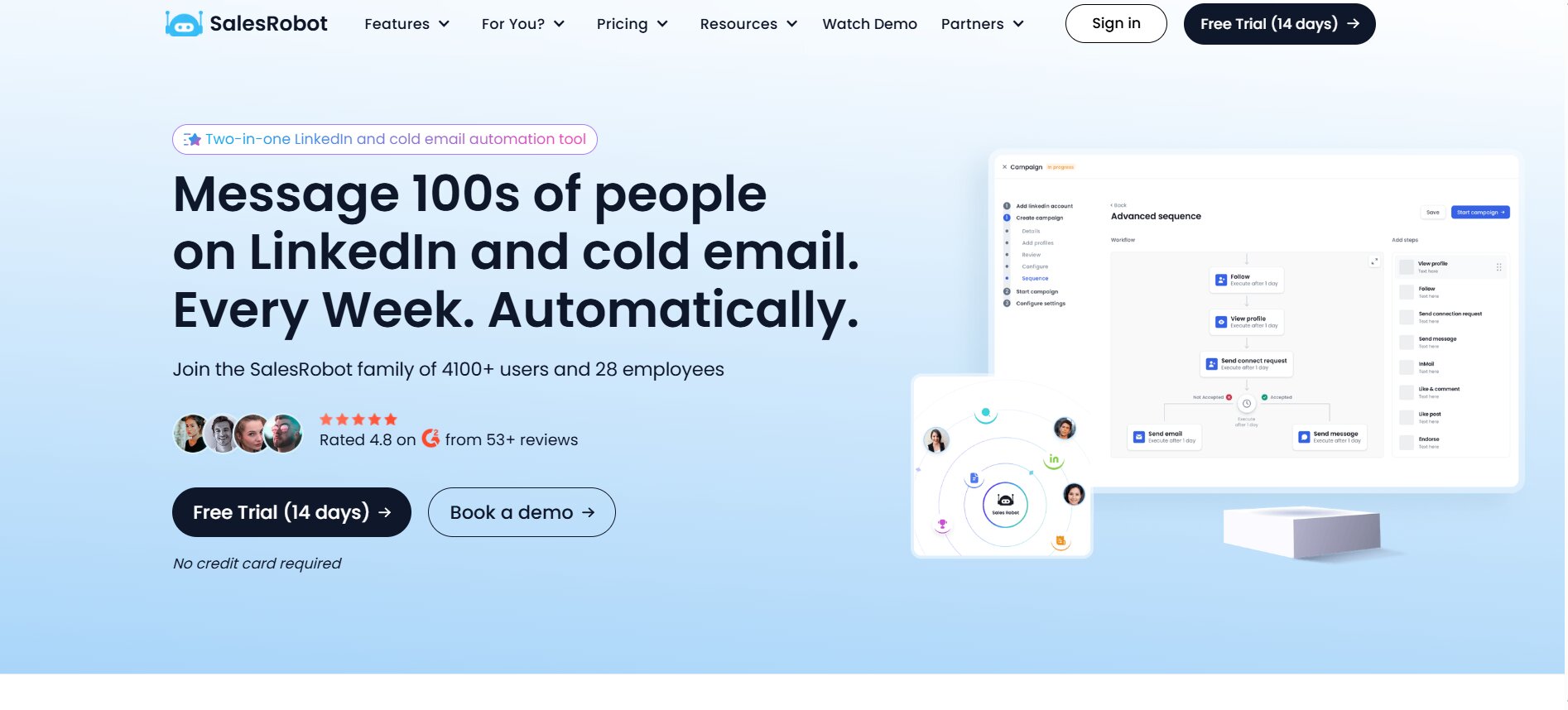
SalesRobot specializes in LinkedIn automation and LinkedIn Sales Navigator scraping, with a specific focus on account safety features including dedicated residential IPs and automated warmup protocols designed to reduce the risk of LinkedIn restrictions at higher outreach volumes.
Where SalesRobot differentiates from Klenty is in the depth of its LinkedIn automation: connection requests, InMails, and messages are sent automatically rather than as manual tasks. It is built specifically for teams where LinkedIn is the primary prospecting channel rather than one channel in a broader outreach mix.
SalesRobot does not have a built-in parallel dialer, so teams that need both strong LinkedIn automation and high-volume phone outreach will find themselves needing two tools regardless.
How to Set Up Klenty and Launch Your First Campaign
Step 1: Sign Up and Connect Your Inbox
Create a Klenty account and start the 14-day free trial. During the setup wizard, you will connect your email inbox via OAuth. Gmail and Google Workspace accounts connect in approximately two minutes. Outlook and Microsoft 365 accounts follow a similar process.
Once connected, Klenty runs an automatic domain health check and flags any SPF, DKIM, or DMARC configuration issues. Fix these before creating any campaigns. Sending from a domain that fails authentication checks will result in spam placement regardless of how good your copy is.
If you are planning to use inbox rotation (sending from multiple email addresses to distribute volume), connect all inboxes during this step rather than adding them later. Setting rotation rules after campaigns are live is more complex than configuring them upfront.
Step 2: Integrate Your CRM
Navigate to the Integrations section and connect your CRM. For Salesforce and HubSpot, the integration is OAuth-based and takes a few minutes. For Pipedrive and Zoho, the process is similar.
The critical work at this step is field mapping. Define which CRM contact and company fields correspond to which Klenty contact properties. Set the sync direction rules: which fields sync from CRM to Klenty, which sync from Klenty to CRM, and which fields should never be overwritten. Spend time on this configuration. Poorly mapped fields create data quality problems that are time-consuming to clean up and that undermine the automation value the integration is supposed to deliver.
Also configure your activity logging preferences: which Klenty actions (emails sent, emails opened, calls made, calls connected, LinkedIn tasks completed) should be logged as activities in the CRM, and against which CRM object (contact, deal, account).
Step 3: Import or Enrich Your Contact List
If you have an existing CRM with contacts, the Klenty CRM integration can pull contacts directly into Klenty based on CRM list membership, deal stage, or contact properties. This is the cleanest import path for teams with organized CRM data.
For teams importing from a CSV, Klenty accepts standard CSV formats with column headers that map to contact properties. Run your list through a verification tool (ZeroBounce, NeverBounce, or similar) before importing if the list is more than a few weeks old. Invalid email addresses increase your bounce rate, which damages sender reputation and email deliverability at scale.
If using Prospect IQ for enrichment, configure your enrichment rules after import to fill in missing fields (phone numbers, LinkedIn URLs, company firmographics) before campaigns launch.
Step 4: Build Your First Cadence and Playbook
In the Cadences section, create a new cadence and define your step sequence. A practical starting structure for a cold outbound cadence is:
- Day 1: Email (personalized first touch)
- Day 3: Email (follow-up, different angle)
- Day 5: Call task (via Dial IQ if on Growth plan or above)
- Day 7: Email (break-up or value-add)
- Day 10: LinkedIn task (connection request)
- Day 14: Email (final follow-up)
Set up your email templates with Liquid syntax for dynamic personalization fields. Add your sender information and configure A/B test variants on subject lines if you want to start gathering data on what performs best with your audience.
Build your playbook rules: what happens when a prospect replies (pause immediately, move to “replied” stage in CRM), what happens when a prospect opens an email more than three times without replying (move to high-intent cadence), and what happens when a cadence completes without a response (move to a nurture list or tag for manual review).
Step 5: Set Triggers and Automation Rules
In the Automation section, configure your trigger rules. Define which CRM events should automatically enroll contacts in a Klenty cadence. Common setups include:
- A new lead record created in the CRM with a specific lead source enrolls in the cold outreach cadence
- A deal moving to the “Proposal Sent” stage enrolls the associated contact in a follow-up cadence
- A contact who clicks a link in a Klenty email and visits your pricing page gets tagged as high-intent and moved to an accelerated cadence
Also set your global exclusion rules: email addresses or domains that should never receive Klenty outreach, regardless of which cadence they might be enrolled in. This prevents accidentally emailing your own customers, current prospects in active deals, or anyone who has opted out.
Step 6: Launch, Monitor, and Optimize
Before launching any cadence to a large contact list, run it through a small test group of 20 to 50 contacts and monitor deliverability and engagement for the first 48 hours. Check that emails are landing in primary inboxes by sending to a few test addresses you control across Gmail, Outlook, and any other providers your prospects typically use.
Once live, monitor the campaign analytics daily for the first week. Watch for abnormal bounce rates (above 2 to 3 percent is a signal to check your list quality or domain health), reply rates that seem off relative to your expectations, and any A/B test variants where one subject line is substantially outperforming the other.
Adjust cadence timing, template copy, and personalization depth based on what the data shows. Klenty’s analytics surface the step-level performance data you need to make these calls without needing to export to a spreadsheet.
Final Verdict
Klenty is a strong sales engagement platform for the specific type of team it is built for. That team is an SMB or mid-market B2B organization running outbound across email and phone, with a CRM already in place and a need for cadence automation that does not come with enterprise pricing or enterprise complexity.
The email deliverability tools are genuinely good and consistently produce primary inbox placement at a level that slower-moving competitors at this price point do not match. The parallel dialer is a meaningful competitive advantage that earns its price across the Growth and Pro tiers. The CRM integrations are deep, bidirectional, and reduce real manual work from the SDR workflow. The customer support is, by the consistent account of hundreds of reviewers, exceptional for the price.
The weaknesses are also consistent and worth taking seriously before committing. The UI is genuinely clunky, and the cadence builder requires more re-learning than it should. LinkedIn automation stops at task-prompting, which is a real gap if LinkedIn is central to your prospecting motion. Billing practices have generated enough documented complaints that reading the contract terms carefully before an annual commitment is not optional. And the Pro plan at $99/user/month starts competing with tools that offer more analytical depth for the same money.
Who should buy Klenty:
- SMB and mid-market SDR teams running email-first outreach with phone as a secondary channel
- Teams with a CRM already in place that want deep, reliable bidirectional sync without a complex integration project
- Organizations that are price-sensitive relative to Salesloft and Outreach but need more than a basic email sequencer provides
Who should look elsewhere:
- Teams that need true LinkedIn automation (not task reminders): look at DealsFlow, SalesRobot, or Reply.io with the LinkedIn add-on
- Teams that need a built-in contact database: look at Apollo or Reply.io first
- Enterprise organizations that need deep revenue intelligence and custom reporting: Salesloft is built for this use case
- Teams with tight budgets that also need prospecting data: calculate the full stack cost before assuming Klenty saves money
Klenty is not the best sales engagement tool for every growing team. But for the team it is designed for, it earns its price. The 14-day free trial with a dedicated account manager is a low-risk way to test that fit before committing annually.
Frequently Asked Questions (FAQs)
What is Klenty and what does it do?
Klenty is a sales engagement platform that helps B2B sales teams automate and personalize outreach across email, phone, SMS, WhatsApp, and LinkedIn. It allows SDRs and account executives to build automated cadences (sequences of touchpoints), integrate with CRM systems like Salesforce, HubSpot, and Pipedrive, and track engagement metrics across all outreach activity. Founded in 2015, Klenty serves over 5,000 customers in more than 45 countries as of 2026.
How much does Klenty cost in 2026?
Klenty offers four pricing tiers billed annually. The Startup plan is $50 per user per month and covers email cadences and basic CRM integrations. The Growth plan is $70 per user per month and adds multichannel outreach including the Dial IQ dialer, SMS, WhatsApp, and advanced CRM sync. The Pro plan is $99 per user per month and includes AI features, advanced analytics, and team management tools. Enterprise pricing is custom and requires contacting Klenty sales directly. A 14-day free trial is available on all tiers.
Does Klenty automate LinkedIn outreach?
Klenty does not fully automate LinkedIn actions. LinkedIn steps in a Klenty cadence are task-based, meaning the platform adds a reminder to the SDR’s task queue with the prospect’s profile URL and the recommended action (connection request, message, InMail). The SDR then executes that action manually on LinkedIn. This is different from tools like DealsFlow, SalesRobot, or Reply.io (with its LinkedIn add-on) that send LinkedIn connection requests and messages automatically.
What CRMs does Klenty integrate with?
Klenty natively integrates with Salesforce, HubSpot, Pipedrive, Zoho CRM, and Microsoft Dynamics 365. All integrations support bidirectional sync of contacts, activities, and deal stage data. The Salesforce and HubSpot integrations are the most feature-complete, with the broadest set of available triggers and actions. Klenty also supports Zapier and webhook-based integrations for custom workflow connections.
Is Klenty good for cold email deliverability?
Klenty is consistently praised by users for its email deliverability tools. The platform includes built-in inbox warmup for new domains, staggered and randomized send timing to avoid pattern detection, inbox rotation across multiple connected email addresses, automatic bounce detection that pauses sequences on hard bounces, out-of-office detection, and domain health monitoring that tracks SPF, DKIM, and DMARC configuration. Multiple G2 reviewers specifically note that emails land in primary inboxes at higher rates using Klenty compared to other tools they had used previously.
What is SDRx and is it included in Klenty’s pricing?
SDRx is Klenty’s autonomous AI SDR agent. It identifies ICP-fit accounts, builds contact lists from a 600 million contact database, researches accounts across 150+ data sources, and executes personalized email and LinkedIn outreach, follow-ups, and CRM sync without human intervention. SDRx is not included in any base Klenty plan (Startup, Growth, Pro, or Enterprise). It is a custom-priced add-on with pricing available only through direct contact with Klenty’s sales team. As of early 2026, SDRx has only two public G2 reviews, so it is still an early-stage product with limited independent validation.
How does Klenty compare to Apollo.io?
Klenty and Apollo serve different primary needs. Apollo combines a 275 million contact database with outreach sequencing in a single platform, starting at $49 per user per month for a basic plan. Klenty is a sequencer without a native contact database in its base plans. Klenty’s outreach capabilities, particularly the parallel dialer and CRM integration depth, are generally considered stronger than Apollo’s sequencing. Apollo’s advantage is the all-in-one prospecting and outreach capability. Many teams use both: Apollo to build prospect lists, Klenty to run campaigns on those lists.
Does Klenty offer a free trial?
Yes. Klenty offers a 14-day free trial that includes access to all features of the plan tier being evaluated, along with a dedicated account manager who provides guided onboarding. No credit card is required to start the trial. The 14-day window is sufficient to connect an inbox, set up a CRM integration, build a cadence, and run a small batch of outreach to evaluate real-world performance before committing to an annual subscription.
What are the most common complaints about Klenty from real users?
The most documented complaints across G2, Capterra, and GetApp are: an unintuitive UI and cadence builder that requires re-learning with each use (the most consistent complaint across platforms), LinkedIn automation being task-based rather than fully automated, billing disputes and difficulty canceling subscriptions (multiple documented cases across G2 and Capterra), and reporting features that lack the depth and custom dashboard capability that data-driven revenue teams expect.