


Here is the reality of LinkedIn engagement pods in 2026. They still work, kind of, but not the way they used to. Lempod was the go-to tool for years. You joined a pod, your posts got automatic likes and comments from other pod members, LinkedIn’s algorithm saw the early engagement spike, and your content got pushed to more feeds. Simple enough. Except LinkedIn has spent the last two years getting significantly better at detecting coordinated engagement patterns, and pods that rely on obvious bot-like behavior are getting flagged, posts are getting suppressed, and accounts are taking hits they did not sign up for.
That does not mean engagement pods are dead. It means the cheap, lazy version of them is dying. What actually works now is more targeted. Real engagement from real people in your niche, timed properly, with comments that look like actual human reactions rather than “Great post! So insightful!” from fifteen accounts in a row. That is where Lempod started losing users. The comments it generates are generic. The pods are often full of people in completely unrelated industries. A SaaS founder gets engagement from a fitness coach in Brazil and a real estate agent in Dubai, and LinkedIn’s algorithm is smart enough now to recognize that the engagement pattern does not match the content’s topic or audience.
So people started looking for Lempod alternatives. Some wanted better pod quality. Some wanted tools that go beyond just engagement and actually help with content reach, outreach, and pipeline. Some just wanted something safer that would not get their account flagged after three weeks. This list covers 10 tools that address those problems in different ways. Dealsflow leads because it solves the biggest problem most LinkedIn users actually have: turning reach into revenue, not just vanity metrics. But every tool here has a real use case, and the comparison at the end will help you figure out which one fits where you are right now.
List of Lempod Alternatives
Dealsflow
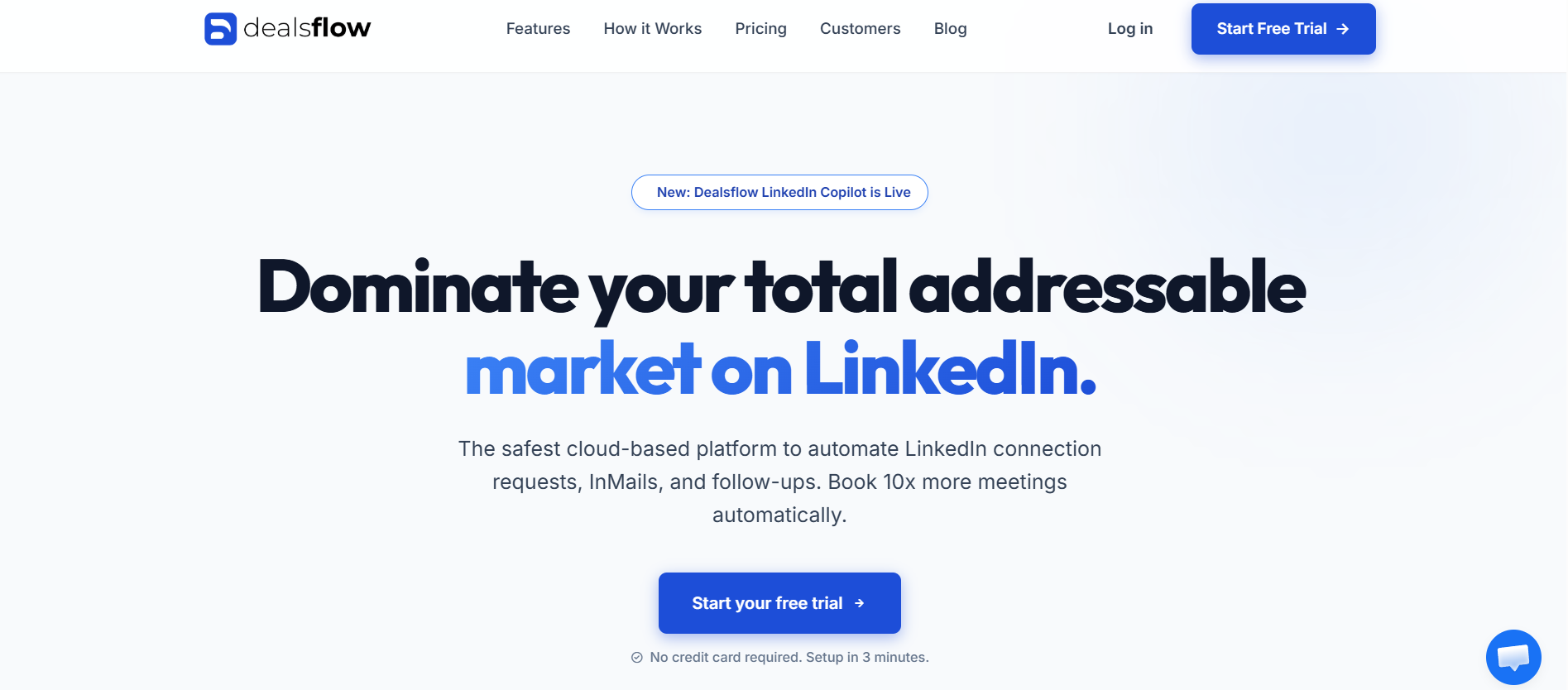
Most LinkedIn engagement tools optimize for one thing: getting more eyes on your posts. Dealsflow optimizes for what happens after. That is a fundamentally different product philosophy, and for anyone who has spent months building LinkedIn reach only to wonder why it is not translating into actual conversations or pipeline, that difference matters.
Dealsflow combines LinkedIn outreach automation, multichannel sequences, and a team inbox into one platform. It is not a pod tool in the Lempod sense. But it solves the real problem underneath the pod problem, which is that most people using pods are trying to grow their LinkedIn presence so they can eventually sell something. Dealsflow skips the middleman and gets you directly to the conversation.
How Dealsflow Builds LinkedIn Reach Without Pods
The way Dealsflow approaches reach is through targeted connection building and sequenced follow-up. Instead of hoping your post gets seen by the right people because of pod engagement, you are directly connecting with those people, sending them relevant messages, and moving them into a real conversation. The reach is smaller in terms of raw impressions but massively higher in terms of relevance. A thousand generic impressions from pod members who do not care about your industry is worth less than fifty impressions from exactly the right decision-makers who actually read what you wrote.
Dealsflow’s campaign builder lets you set up LinkedIn connection requests, follow-up messages, and email sequences that run automatically. If someone accepts your connection but does not reply, the tool follows up. If they reply, they move into a different track. That kind of conditional logic is what makes outreach feel human rather than robotic.
Dealsflow for Teams Doing LinkedIn Outreach at Scale
Solo users get a lot out of Dealsflow, but where it really earns its price is for teams. The shared inbox means every reply from every rep’s LinkedIn account shows up in one place. You can assign conversations, leave internal notes, and track which prospects are in which stage. That level of visibility is impossible to get when three reps are each managing their own LinkedIn inboxes separately.
The platform runs in the cloud, which matters for LinkedIn account safety. No Chrome extension running in the background, no activity that stops when you close your laptop. It runs consistently, spaces out actions to look human, and keeps send volumes within safe limits automatically.
Dealsflow Pros and Cons
| Feature | Details |
|---|---|
| Primary Use | LinkedIn outreach + multichannel sequences |
| Deployment | Cloud-based |
| Team Features | Full shared inbox, rep assignment, performance tracking |
| CRM Integration | Native + Zapier |
| Channels | LinkedIn + Email |
| Starting Price | From $49/month |
Pros:
- Converts LinkedIn reach into actual pipeline conversations, not just impressions
- Multichannel sequences combine LinkedIn and email in one workflow
- Shared team inbox with assignment and internal notes
- Cloud-based with smart send limits that protect your account
- Branching campaign logic, not just linear drip sequences
- Clean interface with low setup friction
Cons:
- Not a pod tool, so raw post impressions are not the goal
- Higher starting price than basic pod tools
- Takes more setup than simply joining a pod and letting it run
- Multichannel approach has a learning curve for first-time users
Podawaa
Podawaa is the most direct Lempod alternative on this list. It does the same core thing, puts your LinkedIn posts into engagement pods so members engage with your content early and boost algorithmic reach. But it fixes the two biggest problems Lempod has: comment quality and pod relevance.
The comment generation in Podawaa uses AI to create contextually relevant comments based on your actual post content. So instead of “Great insights! Thanks for sharing!” from fifteen accounts, you get comments that reference what you actually wrote. LinkedIn’s algorithm, and real humans reading your post, can tell the difference. The comments look more credible and the engagement pattern looks more organic.
Pod Targeting by Industry and Niche
Podawaa lets you filter pods by industry, language, and topic. That means your LinkedIn post about B2B SaaS pricing gets engagement from other SaaS founders, marketers, and sales leaders, not from a random mix of whoever joined the biggest pod available. Niche relevance is the single biggest factor in whether pod engagement actually helps your algorithmic reach or just adds noise.
The scheduling feature is worth mentioning too. You can queue your post in Podawaa before publishing it on LinkedIn, and Podawaa coordinates the engagement to hit within the first 30 to 60 minutes after you post. That early engagement window is when LinkedIn’s algorithm decides whether to push your content further, so timing it properly is not optional.
Podawaa Pros and Cons
| Feature | Details |
|---|---|
| Primary Use | LinkedIn engagement pods |
| Deployment | Browser extension + web app |
| Pod Targeting | By industry, language, niche |
| Comment Quality | AI-generated contextual comments |
| Starting Price | Free plan available, paid from $19/month |
Pros:
- AI-generated comments are contextually relevant, not generic
- Pod filtering by industry and niche improves engagement quality
- Scheduled engagement hits the critical early post window
- Free plan lets you test before paying
- More active development and updates than Lempod
Cons:
- Still carries LinkedIn detection risk like any pod tool
- Free plan has significant limitations on pod access and scheduling
- AI comments are better than Lempod but still occasionally miss context
- Browser extension dependency adds some detection risk
Taplio
Taplio is not a pod tool. It is a LinkedIn content platform, and that is exactly why it belongs on this list. If you have been using Lempod because you want more LinkedIn reach, Taplio attacks that problem from a completely different angle: making your content good enough that it earns reach on its own, and then amplifying it through a real creator network.
The platform has a content scheduler, an AI writing assistant trained on high-performing LinkedIn posts, an engagement feed that shows you posts from your target audience to engage with manually, and a relationship tracker that helps you stay top of mind with key contacts. That is a lot of surface area, but it hangs together well.
Taplio’s Engagement Network
Taplio has a built-in network of creators who engage with each other’s content. The difference from Lempod is that membership is curated, so the engagement comes from real LinkedIn creators who are active in their niches. You are not getting likes from inactive accounts or people who joined a pod and forgot about it. The engagement is slower and smaller in volume, but it is more credible and carries more weight with the algorithm.
AI Content Generation and Post Scheduling
The AI writing assistant in Taplio is trained specifically on LinkedIn post formats. It knows the difference between a hook that stops the scroll and an opener that gets ignored. You can input a topic, a rough idea, or even a URL, and it generates post drafts formatted for LinkedIn. Not perfect every time, but genuinely useful as a starting point that you then edit into your own voice.
Taplio Pros and Cons
| Feature | Details |
|---|---|
| Primary Use | LinkedIn content creation + distribution |
| Deployment | Web app |
| Engagement Network | Curated creator network |
| AI Features | Post writing, content scheduling |
| Starting Price | From $49/month |
Pros:
- Curated engagement network produces more credible interactions than random pods
- AI writing assistant trained on LinkedIn-specific formats
- Content scheduler with optimal timing suggestions
- Relationship tracker helps maintain key LinkedIn connections
- Better long-term content strategy than pod-only approaches
Cons:
- More expensive than basic pod tools
- Requires active content creation, not just posting and letting automation run
- Engagement network is smaller than mass pod tools in raw numbers
- AI content still needs editing to sound like your actual voice
Shield Analytics
Shield is what you use when you want to stop guessing why some LinkedIn posts get traction and others disappear. It is a LinkedIn analytics platform that tracks post performance, audience growth, engagement rates by content type, and how your reach changes over time. It does not generate engagement, but it tells you exactly what is working so you can produce more of it.
That might sound boring compared to a tool that promises automatic likes and comments. But the math works out. If Shield shows you that your personal story posts get three times the reach of your listicle posts, and you shift your content mix accordingly, that improvement compounds every week. No pod tool gives you that kind of directional insight.
What Shield Tracks That LinkedIn Analytics Misses
LinkedIn’s native analytics are genuinely bad. They show you impressions and basic engagement counts, but they do not break down performance by content format, posting time, or content theme. Shield does all of that. You can see which days of the week your content performs best, which post formats drive the most profile visits, and how your follower growth correlates with specific content pushes.
Shield for Benchmarking Against Competitors
Shield also lets you track other LinkedIn creators’ performance, which is useful for understanding what content resonates in your niche. You can follow competitors or reference accounts and see which of their posts perform best. That is content intelligence that takes hours of manual tracking to replicate otherwise.
Shield Analytics Pros and Cons
| Feature | Details |
|---|---|
| Primary Use | LinkedIn analytics and content performance tracking |
| Deployment | Web app |
| Analytics Depth | Post performance, audience growth, content format breakdown |
| Competitor Tracking | Yes |
| Starting Price | From $9/month |
Pros:
- Cheapest tool on this list with genuine strategic value
- Breaks down performance by content format, time, and theme
- Competitor tracking shows what works in your niche
- Helps you improve content quality rather than just amplifying weak content
- No LinkedIn account safety risk whatsoever
Cons:
- Does not generate or amplify engagement directly
- Requires patience, insights compound over weeks not days
- Native LinkedIn analytics have improved slightly, narrowing the gap
- No outreach or distribution features
Expandi
Expandi is a LinkedIn outreach automation tool, similar to Dealsflow in purpose but with a slightly different feature set. It runs in the cloud, handles connection requests and follow-up messages, and has smart safety limits built in. The reason it belongs on a Lempod alternatives list is the same reason Dealsflow does: if the goal is LinkedIn reach that matters, targeted outreach reaches the right people more reliably than pods reach anyone useful.
Expandi’s Trigger-Based Sequences
Expandi lets you build sequences that trigger based on LinkedIn behavior. If someone views your profile, Expandi can automatically send them a connection request. If someone likes your post, it can follow up with a message. That kind of behavioral triggering turns passive LinkedIn activity into active conversations without you manually tracking who did what.
Profile Visit Campaigns
One of Expandi’s more interesting features is the profile visit campaign. You point it at a list of prospects, and it visits their profiles systematically. A lot of people check who viewed their profile on LinkedIn, especially decision-makers who are actively networking. That profile visit alone often prompts an inbound connection request, which is a warmer start to a conversation than a cold connection request from you.
Expandi Pros and Cons
| Feature | Details |
|---|---|
| Primary Use | LinkedIn outreach automation |
| Deployment | Cloud-based |
| Trigger Features | Profile view triggers, post engagement triggers |
| Team Features | Yes |
| Starting Price | From $99/month |
Pros:
- Trigger-based sequences from profile views and post engagement
- Profile visit campaigns generate inbound connection requests
- Strong LinkedIn account safety record
- Conditional sequences with good branching logic
- Reliable cloud performance
Cons:
- $99/month is high for solo users just wanting more content reach
- Not a pod tool, so raw impression counts will not spike the way they do with Lempod
- Requires a clear outreach strategy to get value from it
- Setup takes more time than joining a pod
Lempod vs. Taplio vs. Podawaa
This comparison comes up constantly. People who are specifically trying to grow their LinkedIn following and post reach, not necessarily generate outreach conversations, want to know which tool does that best. The honest answer depends on what you mean by reach.
Raw Impression Volume
For raw impressions, Podawaa wins. Pod tools push your content into more feeds faster than any other method. If you post something and want it seen by 5,000 people this week, a well-run pod campaign through Podawaa does that better than a content strategy or an outreach tool.
Sustainable Audience Growth
For sustainable growth that actually builds an audience of people who care about your content, Taplio wins. The curated engagement network and content intelligence tools help you build momentum that does not collapse the moment you stop paying for pod engagement. Organic reach compounds. Pod reach does not.
Content Quality Improvement
Shield Analytics wins here by default because it is the only tool on the list focused on telling you why your content performs the way it does. Better content quality is the only sustainable source of LinkedIn reach, and Shield is the only tool here that directly helps you improve it.
MeetAlfred
MeetAlfred runs LinkedIn, email, and Twitter campaigns from a single dashboard. Like Dealsflow and Expandi, it approaches the LinkedIn reach problem through targeted outreach rather than pod engagement. The multichannel angle is its main differentiator from pure LinkedIn tools.
MeetAlfred’s Campaign Library
The shared campaign library in MeetAlfred is genuinely useful for teams. If one rep figures out a message sequence that converts well, they can publish it to the team library and everyone benefits. That kind of knowledge sharing does not happen naturally in most sales teams where everyone guards their best templates.
Twitter Integration for Cross-Platform Reach
MeetAlfred’s Twitter integration is either useful or irrelevant depending on your audience. For B2B audiences in tech, media, or finance, Twitter still has active communities that overlap with LinkedIn. Running coordinated outreach across both platforms from one tool saves real time if your prospects are active on both.
MeetAlfred Pros and Cons
| Feature | Details |
|---|---|
| Primary Use | Multichannel outreach (LinkedIn + Email + Twitter) |
| Deployment | Cloud-based |
| Team Features | Shared campaign library, team management |
| CRM Integration | HubSpot, Salesforce via Zapier |
| Starting Price | From $49/month |
Pros:
- Three-channel outreach in one tool
- Shared campaign library speeds up team performance
- Competitive pricing for multichannel capability
- Good LinkedIn safety record
- Clean, straightforward interface
Cons:
- Twitter component is irrelevant for many B2B verticals
- Campaign logic less sophisticated than Dealsflow or Expandi
- Some users report inconsistent customer support response times
- Pod engagement is not part of the feature set at all
Closely
Closely does LinkedIn automation and email outreach with a lightweight CRM built in, all starting at $29/month. For freelancers, consultants, and small teams who want to grow their LinkedIn reach through outreach rather than pods, this is the most cost-effective option on the list.
Closely’s Built-in Pipeline Management
Most LinkedIn tools make you connect an external CRM via Zapier. Closely skips that. You can track deal stages, log notes on conversations, and move prospects through a pipeline without leaving the platform. For smaller operations running 20-50 LinkedIn conversations a week, that is genuinely enough CRM functionality to avoid paying for HubSpot on top of your outreach tool.
If/Then Campaign Logic at $29/month
Conditional campaign logic at this price point is rare. Closely lets you set up if/then branches so prospects who reply get moved to a different sequence automatically rather than receiving your next scheduled follow-up anyway. That level of intelligence at sub-$30 pricing is hard to find anywhere else.
Closely Pros and Cons
| Feature | Details |
|---|---|
| Primary Use | LinkedIn + Email outreach |
| Deployment | Cloud-based |
| CRM | Built-in lightweight pipeline |
| Campaign Logic | If/then branching sequences |
| Starting Price | From $29/month |
Pros:
- Most affordable multichannel outreach tool on this list
- Built-in CRM removes need for external tools
- If/then branching at an unusually low price point
- Fast setup, low friction onboarding
- Good for freelancers and small teams
Cons:
- Built-in CRM is too limited for complex enterprise sales processes
- Smaller user base means fewer community templates and resources
- Reporting is basic compared to more established tools
- Less brand recognition means fewer third-party integrations
Dripify
Dripify is the simplest LinkedIn automation tool to get running. Connect your LinkedIn account, build a drag-and-drop sequence, set your daily limits, and launch. There is genuinely not much more to it than that. For people who have been using Lempod because it is easy, Dripify offers a similar ease-of-use experience but applied to outreach rather than pod engagement.
A/B Testing Built Into Dripify Sequences
Dripify has A/B testing at the message level. You run two versions of a connection note or follow-up message simultaneously and see which one gets better acceptance and reply rates. Over time, that testing compounds into meaningfully better outreach performance. It is a feature that a lot of fancier tools skip, which makes its presence in Dripify’s relatively affordable pricing a genuine advantage.
Dripify’s Analytics Dashboard
The analytics in Dripify are simple but complete. You see acceptance rates, reply rates, campaign performance by sequence step, and how those numbers change over time. Nothing revolutionary, but everything you need to know if your outreach is working and where people are dropping off.
Dripify Pros and Cons
| Feature | Details |
|---|---|
| Primary Use | LinkedIn outreach automation |
| Deployment | Cloud-based |
| A/B Testing | Yes, at message level |
| Team Features | Yes, multi-seat plans |
| Starting Price | From $39/month |
Pros:
- Easiest onboarding of any outreach tool on this list
- A/B testing built in at an accessible price
- Clean analytics dashboard without clutter
- Good LinkedIn account safety record
- Competitive pricing for solo users
Cons:
- Less conditional logic than Dealsflow or Expandi
- No email channel, LinkedIn only
- Team features cost significantly more on higher plans
- Not a pod tool, so no direct post engagement amplification
Phantombuster
PhantomBuster is a data extraction and automation platform. It has LinkedIn “Phantoms” for scraping profiles, auto-connecting, sending messages, and extracting contact data. If you are technical enough to chain automations together, it gives you more control than any purpose-built tool at a price point that undercuts most of the competition.
PhantomBuster for LinkedIn Post Engagement Workflows
Here is something most people miss about PhantomBuster. You can use it to automatically like and comment on posts from a specific list of LinkedIn profiles. That is essentially a manual engagement pod that you control completely. You define whose posts get engaged with, what type of engagement happens, and when. For people doing account-based marketing who want to stay on the radar of specific target accounts, that kind of precision is not available anywhere else.
When PhantomBuster Makes Sense
It makes sense when you have a specific workflow that no purpose-built tool handles. Scraping a LinkedIn event attendee list and running outreach to all of them. Engaging with every post from a list of 50 target accounts to warm them up before a sales outreach. Extracting emails from LinkedIn profiles and feeding them into an email sequence. PhantomBuster handles all of that. What it does not do is make any of it simple.
PhantomBuster Pros and Cons
| Feature | Details |
|---|---|
| Primary Use | LinkedIn data extraction + custom automation |
| Deployment | Cloud-based |
| Flexibility | Very high, build almost any workflow |
| Team Features | Basic |
| Starting Price | From $56/month |
Pros:
- Build almost any LinkedIn workflow imaginable
- Can target engagement at specific accounts or post lists
- Works across LinkedIn, Twitter, and other platforms
- Active community with pre-built Phantom templates
- Reasonable pricing for the flexibility it offers
Cons:
- Not beginner-friendly, requires technical setup time
- LinkedIn detection risk exists like any automation tool
- Support is slower for custom workflow troubleshooting
- No built-in CRM or inbox management
How to Choose Between These Lempod Alternatives
The decision is simpler than it looks. Ask one question first: what is the actual goal?
If the Goal Is More Post Impressions
Podawaa is the most direct replacement for Lempod. It fixes the comment quality and pod relevance problems that made Lempod frustrating, and it still gives you the early engagement spike that helps algorithmic reach. If you are a content creator who posts regularly and just wants more eyeballs, start there.
If the Goal Is Better Content Over Time
Shield Analytics is the answer. It costs almost nothing, carries zero risk to your LinkedIn account, and gives you the data to improve your content quality systematically. Better content earns more reach than any pod tool, and Shield helps you figure out what better actually means for your specific audience.
If the Goal Is LinkedIn Reach That Converts to Pipeline
Dealsflow. Full stop. It is the only tool on this list built around the whole journey from finding the right person, to starting a conversation, to managing that conversation through to a meeting or sale. Pods get you impressions. Dealsflow gets you conversations.
If the Goal Is Simple LinkedIn Outreach on a Budget
Closely at $29/month or Dripify at $39/month. Both are cloud-based, both protect your LinkedIn account with sensible limits, and both get you running campaigns in under an hour.
Full Comparison Table: Lempod Alternatives Side by Side
| Tool | Primary Use | Channels | Team Features | Starting Price | LinkedIn Safety | Best For |
|---|---|---|---|---|---|---|
| Dealsflow | Outreach + Multichannel | LinkedIn + Email | Full team inbox | $49/month | High | Teams converting reach to pipeline |
| Podawaa | Engagement pods | Basic | $19/month | Medium | Content creators wanting more reach | |
| Taplio | Content creation + distribution | Yes | $49/month | High | Creators building long-term audience | |
| Shield Analytics | LinkedIn analytics | Basic | $9/month | No risk | Data-driven content improvement | |
| Expandi | LinkedIn outreach | Yes | $99/month | High | Account-based campaigns | |
| MeetAlfred | Multichannel outreach | LinkedIn + Email + Twitter | Shared library | $49/month | High | Multichannel sales teams |
| Closely | LinkedIn + Email outreach | LinkedIn + Email | Yes | $29/month | High | Budget-conscious small teams |
| Dripify | LinkedIn outreach | Yes | $39/month | High | Beginners, solo users | |
| PhantomBuster | Custom automation | LinkedIn + others | Basic | $56/month | Medium | Technical users, custom workflows |
Conclusion
Lempod served a purpose, and for some people it still does. But the pod engagement approach has real limitations in 2026: generic comments, cross-industry pods, and a growing detection risk that LinkedIn is actively investing in. The Lempod alternatives on this list solve those problems in different ways depending on what you are actually trying to achieve.
For most people reading this, the real goal is not more likes on a LinkedIn post. It is more conversations with the right people, more pipeline, more business. That is exactly what Dealsflow is built for. If you have been burning time and budget on pod engagement trying to get to that outcome indirectly, the switch to a proper outreach tool with team inbox management and multichannel sequences is worth making.
Pick the tool that matches your actual goal, not the one that sounds most impressive in a feature comparison. And whatever you pick, stay inside the daily send limits. The fastest way to lose your LinkedIn account is running automation like it is 2019.
Frequently Asked Questions
What is the main problem with Lempod in 2026?
Lempod’s biggest problems are comment quality and pod relevance. The comments generated are generic and do not reference actual post content, which LinkedIn’s algorithm and real readers can detect. Pods also tend to mix users across unrelated industries, so a B2B post about sales strategy gets engagement from fitness coaches and real estate agents, which signals to LinkedIn that the engagement is not organic.
Are LinkedIn engagement pods against LinkedIn’s Terms of Service?
Yes, coordinated inauthentic engagement violates LinkedIn’s Terms of Service. LinkedIn has become significantly better at detecting pod-like behavior patterns, particularly when comments are repetitive or when engagement comes from accounts with no connection to the content’s topic. The risk of post suppression or account restriction is real and has increased in recent years.
What is the best Lempod alternative for someone who just wants more LinkedIn reach?
Podawaa is the closest direct replacement for Lempod with better comment quality and pod targeting by industry. For people who want sustainable reach growth rather than short-term impression spikes, Taplio’s creator network and content tools are a better long-term investment.
Can outreach tools like Dealsflow replace what Lempod does?
Not directly. Outreach tools do not boost post impressions the way pods do. But they do grow LinkedIn reach in a more targeted way by connecting you with the right people who then see your content organically. The reach is smaller in volume but far higher in relevance, and it converts to actual conversations rather than just impressions.
How much does it cost to replace Lempod with a better tool?
Costs range from $9/month for Shield Analytics up to $99/month for Expandi. Podawaa starts at $19/month for a basic pod alternative. Dealsflow starts at $49/month for full outreach functionality. Most tools offer trial periods so you can test before committing to a monthly plan.
Is Shield Analytics worth paying for when LinkedIn has its own analytics?
For serious LinkedIn creators, yes. LinkedIn’s native analytics show basic impression and engagement counts but do not break down performance by content format, posting time, or content theme. Shield provides that granularity, which makes it possible to systematically improve content rather than just track that it exists.
Do any Lempod alternatives work for LinkedIn company pages, not just personal profiles?
Most tools focus on personal LinkedIn profiles because that is where the algorithm rewards engagement most heavily. Taplio has some company page functionality. For company page reach, the most effective approach is having employees engage with company posts in the first hour after publishing, which is a manual process but carries far less detection risk than automated pod engagement.
How many LinkedIn connection requests can you safely send per day using outreach tools?
The safe range is 50 to 80 connection requests per day, with most tools defaulting to 50 or fewer. Sending more than 100 per day significantly increases the risk of account restriction. Cloud-based tools that randomize the timing between actions reduce detection risk compared to browser extensions that send at consistent intervals.
What makes Dealsflow different from other LinkedIn outreach tools?
Dealsflow is built for teams from the start, with a shared inbox, rep assignment, and cross-team visibility that most LinkedIn tools bolt on as an afterthought. It also combines LinkedIn and email in a single sequence workflow with if/then branching logic, which means prospects who reply move into a different track automatically rather than receiving irrelevant follow-ups.
Is there a free Lempod alternative worth trying?
Podawaa has a free plan with limited pod access. Shield Analytics has a free trial. Most outreach tools offer free trials rather than ongoing free tiers. For anyone not ready to pay, the most effective free approach is joining a manual LinkedIn engagement group, a Slack or WhatsApp group where members agree to engage with each other’s posts, which carries zero detection risk and often produces better comment quality than any automated tool.