


Picking a LinkedIn automation tool is one of those decisions that feels low-stakes until it isn’t. The wrong choice costs you money every month. The really wrong choice costs you your LinkedIn account. That’s not a hypothetical. Users get restricted. Some get banned outright. And customer support at most of these tools won’t be there to hold your hand when it happens.
MeetAlfred has been around long enough to have built a real reputation. Not a marketing one. A real one, assembled from G2 reviews, Reddit threads, and Trustpilot posts from people who actually used it. That reputation is mixed in ways that matter depending on who you are and what you’re trying to do.
So this isn’t a feature checklist. It’s a verdict. MeetAlfred works for some people and genuinely doesn’t work for others. By the end of this, you’ll know which one you are.
What Is MeetAlfred?
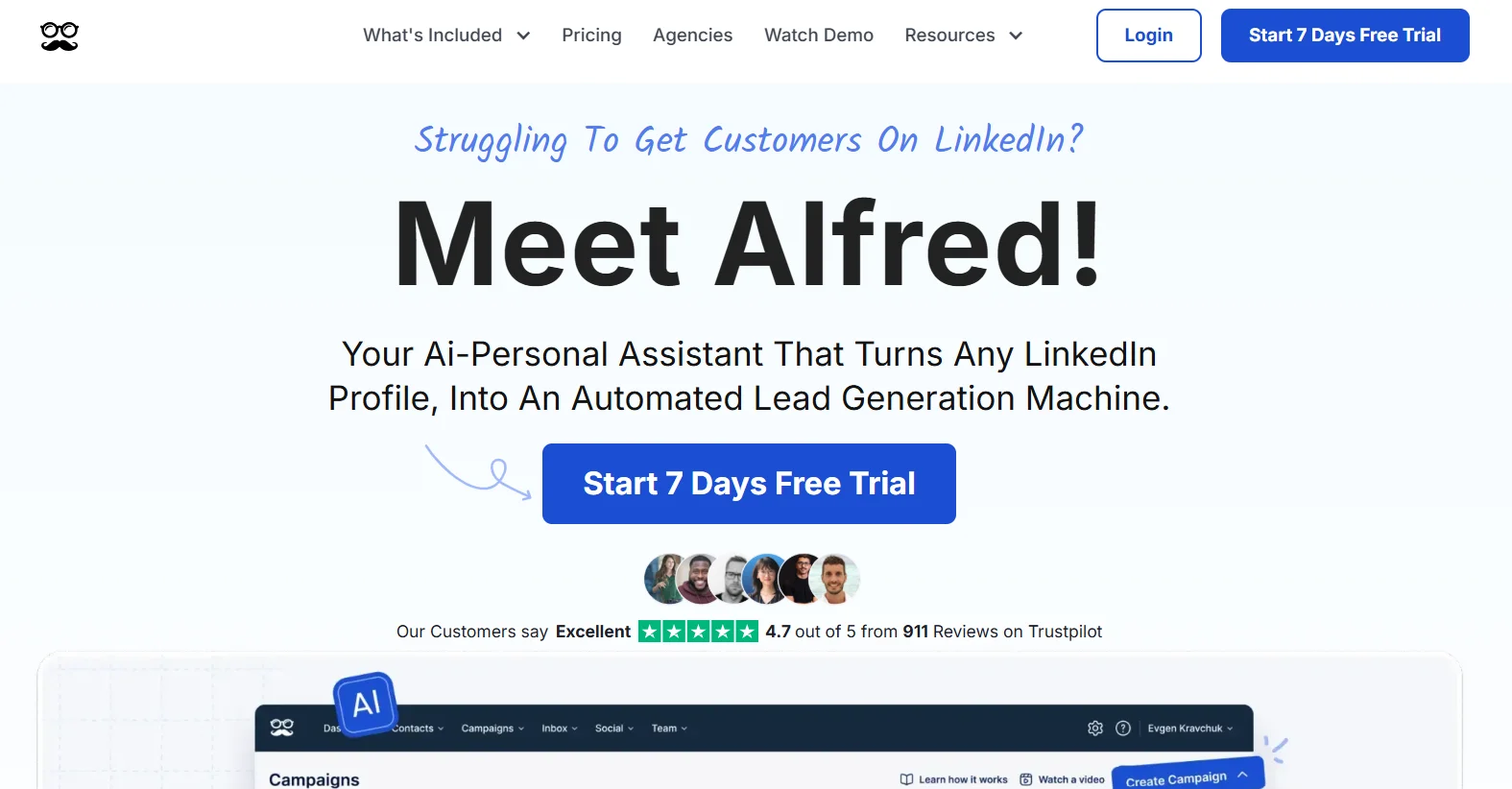
MeetAlfred started as one of the early LinkedIn automation tools back when the category was simple: automate connection requests and follow-ups so you don’t have to click through LinkedIn all day. Over time it evolved into a multichannel platform covering LinkedIn, email, and X (Twitter), and added a built-in CRM, lead finder, and team management layer.
The architecture is worth understanding before you go any further. MeetAlfred is a hybrid tool. A browser extension does the actual work on LinkedIn, while a cloud worker keeps the campaign state. That’s different from pure cloud platforms like Expandi or HeyReach that don’t touch your browser at all. The hybrid approach makes it lighter and cheaper to run, but it also means the extension creates a detection surface that LinkedIn’s systems can identify. That single architectural fact explains a lot of what you’ll read in the cons section.
MeetAlfred is built for solo SDRs, small B2B sales teams, and founders running their own outreach. It’s not an AI reply handler. It’s not a data enrichment tool. It’s not a CRM you’d actually run your pipeline on. If you need those things, you’ll still need separate tools on top of it.
MeetAlfred Features Breakdown
LinkedIn Automation (Sequences)
This is MeetAlfred’s core. You can automate connection requests, follow-up messages, profile views, InMail, and post engagement. The sequence builder is visual, drag-and-drop style, and non-technical users can get a basic campaign live in under an hour.
The problem is that “basic” is the ceiling. The sequence builder handles linear flows well: connect, wait, message, wait, follow up. But conditional logic is shallow. You can’t build meaningful branches based on prospect behavior like whether they visited your profile, engaged with a post, or opened a previous message. For simple 3-step sequences it works fine. For anything resembling a real nurture motion, it falls short.
Verdict: Good for straightforward outreach campaigns. Not the right tool if your sequences need to adapt to how prospects actually behave.
Multichannel Outreach (LinkedIn + Email + X)
The Pro plan lets you combine LinkedIn, email, and X into a single campaign sequence. The pitch is that touching someone across multiple channels improves conversion rates, and that’s generally true.
Here’s where it gets honest: the multichannel feature works for the sending side of outreach. What it doesn’t do is handle what happens after someone responds. When a prospect replies, MeetAlfred’s automation stops completely. Every conversation from that point is manual. So you’ve got a tool that can fire messages across three channels simultaneously, but the moment it actually works and generates a reply, you’re back to doing it by hand.
For top-of-funnel volume plays where you’re measuring reply rates, that’s fine. For teams that need the loop to close automatically, that gap is real.
Verdict: Multichannel sequencing works. The wall you hit when replies come in is the bigger issue.
Lead Finder
MeetAlfred has a built-in lead search that pulls from LinkedIn profiles directly in the platform. You can build a list and push it straight into a campaign without exporting and re-importing.
Credit limits are tiered by plan: 1,000 results on Basic, 5,000 on Pro, and 10,000 on Team. The tool checks for duplicates and verifies profiles before launching campaigns, which is genuinely useful for keeping lists clean.
What it doesn’t do is enrich those leads with email addresses, phone numbers, company data, or firmographic details. It’s LinkedIn-native lead sourcing, not a replacement for tools like Apollo or Clay. Teams running high-volume outreach that needs enriched data will hit this ceiling fast.
Verdict: Useful for quick list building directly inside the platform. Not a standalone prospecting tool for serious volume.
Built-in CRM
MeetAlfred automatically tracks every interaction from your campaigns: connection requests sent, messages delivered, replies received. You can add custom tags to segment prospects, attach notes to profiles, and filter leads by criteria like campaign status, location, or job title.
It’s a functional outreach tracker. It’s not a deal pipeline. You can see which leads came from which campaigns and organize contacts, but there’s no stage management, opportunity tracking, or forecasting. If you’re already using HubSpot or Salesforce, this CRM doesn’t replace either of those. It lives beside them.
Verdict: Fine for keeping outreach organized. Do not run your pipeline here.
Team Management (Business/Team Plan)
This is genuinely one of MeetAlfred’s better features for small SDR teams. On the Business plan, managers get visibility across all team members’ campaigns from a central dashboard. You can see reply rates, connection acceptance rates, and campaign activity per rep. Shared message templates, campaign boundaries, and LinkedIn account assignment are all manageable from one place.
The limitation that comes up constantly: you can’t reply on behalf of another team member from a shared inbox. If a prospect replies to Sarah’s campaign, Sarah has to handle it. The manager can see it, but can’t jump in. For agencies managing outreach on behalf of clients, this creates real daily friction.
Verdict: Team oversight features are solid and genuinely useful for SDR managers. The inbox limitation slows things down in shared campaign scenarios.
Social Media Post Scheduling
MeetAlfred includes LinkedIn post scheduling on the Pro plan. You can plan and queue posts alongside your outreach campaigns.
Nope, this isn’t a differentiator. It’s the kind of feature that gets added to justify a price increase. Buffer and Taplio do this better and are built specifically for it. If social scheduling is a real part of your workflow, use a dedicated tool.
Verdict: It’s there. Ignore it.
Integrations
Native integrations run through Zapier, HubSpot, and Google Sheets. There’s no native Salesforce sync. If you’re running Salesforce as your CRM, you’re going through Zapier, which means middleware setup, potential lag, and one more thing that can break.
For teams already using Zapier extensively, this is fine. For teams that need direct CRM sync, it’s an extra setup burden they didn’t expect.
Verdict: Works if you’re already a Zapier shop. Budget time for setup and occasional troubleshooting.
MeetAlfred Pricing
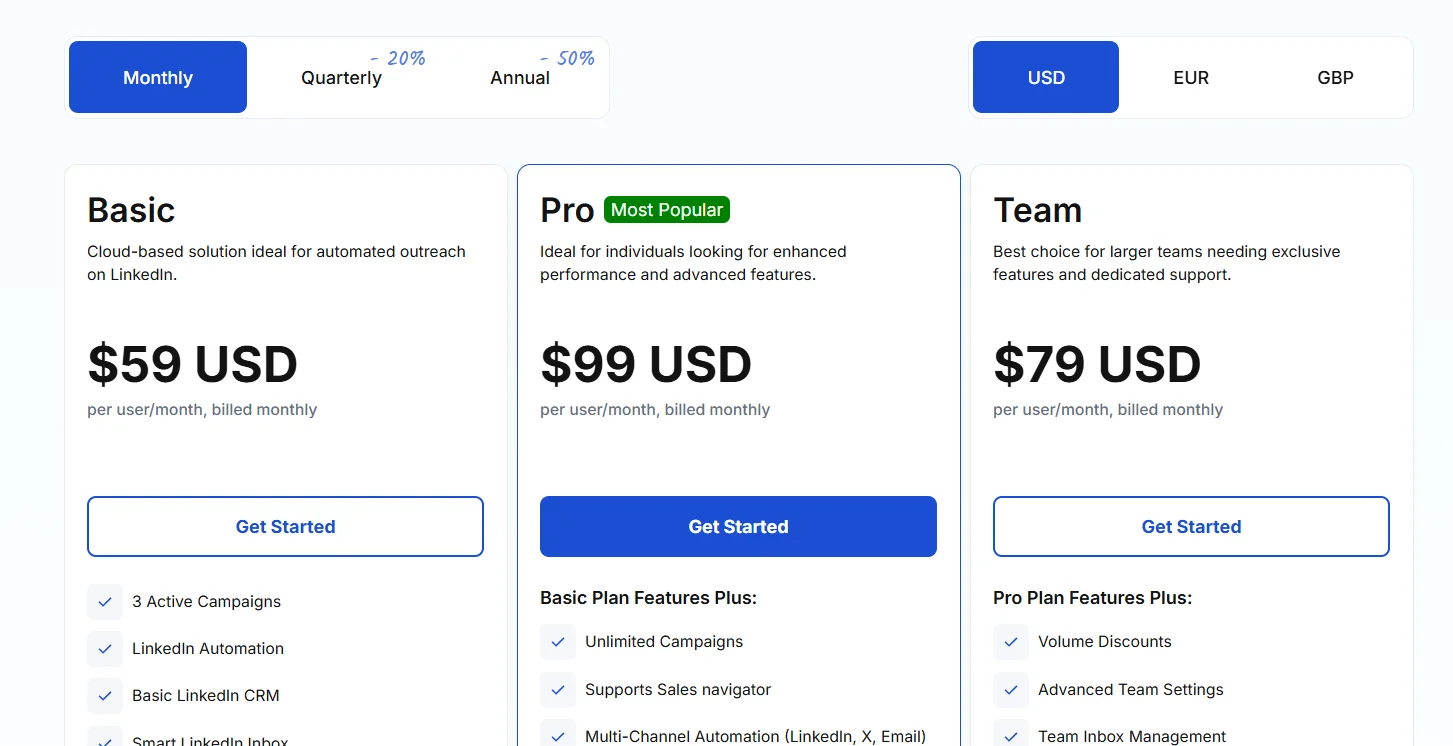
MeetAlfred runs a per-seat pricing model with three plans, and the price difference between monthly and annual billing is significant.
Current Plans (2026):
- Individual — $59/month per seat (monthly): Single LinkedIn account, LinkedIn-only sequences, basic analytics.
- Business — $99/month per seat (monthly): Multichannel sequences across LinkedIn, email, and X, team management, CRM integrations, advanced analytics.
- Annual billing cuts the price roughly in half. All plans include a 7-day free trial with no credit card required.
The real cost math:
A team of 5 SDRs on the Business plan runs $495/month before you’ve added a data provider for email enrichment, a real CRM, or any other tooling. A team of 10 is nearly $12,000 per year at annual billing rates. Per-seat pricing makes sense when you’re a solo operator or a two-person team. It gets expensive fast when you scale.
Agencies managing multiple client accounts feel this most. Each client LinkedIn account is a separate seat. The math gets uncomfortable quickly.
Who the pricing works for: Solo founders, 1-to-2-person sales teams using it conservatively with annual billing.
Who it doesn’t: Agencies billing per client, teams running more than 3 to 4 seats on the Business plan, anyone who needs to add data enrichment and CRM tools on top (which most teams do).
MeetAlfred Pros
- Setup is genuinely fast. Non-technical users can launch a campaign in under an hour without touching support docs.
- LinkedIn, email, and X automation in one dashboard without stitching three separate subscriptions together.
- The visual sequence builder is intuitive for straight-line campaigns, no technical background needed.
- Team management on the Business plan gives managers real visibility across reps without having to manually check each account.
- Entry-level annual pricing is competitive for solopreneurs who just need basic LinkedIn outreach.
- Safety limits are pre-configured, so users can’t accidentally fire 500 connection requests in a day and blow up their account. The defaults are sensible.
- 7-day free trial, no credit card required. You can actually test it before committing.
MeetAlfred Cons
Real LinkedIn Ban Risk
This isn’t a theoretical warning buried in fine print. Multiple users have reported LinkedIn account restrictions and outright bans after using MeetAlfred. The extension-based architecture creates a detection surface that pure cloud tools don’t have, and real ban risk starts above roughly 30 connection requests per day. LinkedIn’s detection algorithms have been getting sharper, not softer. One reviewer on Reviews.io put it directly: “Your LinkedIn account can be banned by using this product. Mine was restricted.”
If your LinkedIn account is connected to years of relationship-building, a Sales Navigator subscription, and active pipeline, the risk calculation changes. Losing a restricted account isn’t just an inconvenience.
No Post-Reply Handling
This is the biggest functional gap in 2026. When a prospect replies to your campaign, MeetAlfred stops. Completely. You are now manually managing every conversation that the automation generated. For a tool sold as outreach automation, that’s a significant ceiling. The market has moved. Competitors are building AI conversation handling into their core product. MeetAlfred hasn’t.
So you pay for automation, do the manual work when it succeeds, and wonder what you’re actually saving.
Customer Support Is a Consistent Problem
This isn’t one bad review. It’s the most repeated complaint across G2, Trustpilot, and Reddit threads. Users report response times of 3 to 4 days. Issues going unresolved for weeks. Support staff described as disengaged or dismissive. When your LinkedIn campaign breaks at 9am on a Monday and your pipeline depends on it, waiting four days for a reply isn’t acceptable.
Frequent Bugs and Reliability Issues
Campaigns stopping unexpectedly. LinkedIn sync errors. Email deliverability issues. Connection errors requiring manual intervention to restart. These aren’t one-off reports from a single bad month. They show up repeatedly across multiple review platforms and timeframes. The platform has reliability issues that are documented and ongoing.
Per-Seat Pricing Punishes Scale
At $99/month per seat, a team of 10 Business plan users costs $990/month or close to $12,000 annually before annual discounts. Add a data enrichment tool, a real CRM, and email infrastructure on top. The budget math stops looking like a budget tool very quickly.
Shallow Sequence Logic
No conditional branching based on prospect behavior beyond replied/did not reply. You can’t build a path that responds to someone who viewed your profile but didn’t connect, or someone who opened a previous email but didn’t respond. For multi-step nurture sequences with different paths based on engagement, MeetAlfred isn’t the right tool.
Hybrid Architecture Detection Risk
The browser extension does the LinkedIn work. That’s different from cloud-only platforms where execution happens off LinkedIn’s radar. The extension pattern sits closer to LinkedIn’s detection surface. As LinkedIn’s anti-automation systems have improved through 2025 and into 2026, this distinction matters more than it did two or three years ago.
Who Should Use MeetAlfred
MeetAlfred works for specific people. It doesn’t work for everyone, and it’s worth being direct about the difference.
Good fit:
- Solopreneurs or founders running their own outreach who need a simple multichannel tool and are working with an established LinkedIn account (3+ years, decent SSI score). The setup speed and low entry price make sense here.
- Small SDR teams of 2 to 3 people that need basic multichannel sequences and want centralized reporting without investing in an enterprise-grade platform.
- Teams running conservative outreach volumes, well under 30 connection requests per day, where ban risk stays relatively low.
Not a good fit:
- Agencies managing multiple client accounts. Per-seat costs stack up, the inbox limitation creates operational friction, and you can’t reply on behalf of another sender in shared campaigns.
- Anyone running high-volume outreach above LinkedIn’s current weekly connection limits. The tool enforces caps, which is actually a good thing, but if volume is the goal you’ll hit the ceiling.
- Sales teams that need post-reply handling. Once a prospect responds, MeetAlfred’s automation is done. If your team doesn’t have bandwidth to manually manage every conversation, you’ll feel that gap immediately.
- Brand new LinkedIn accounts. Using any automation tool on an account with little history and low trust score is a fast path to restriction. New accounts need at least 3 months of manual activity before any automation makes sense.
MeetAlfred vs. Alternatives
MeetAlfred vs. Dealsflow

Here’s the honest comparison. MeetAlfred and Dealsflow are in the same price bracket. The difference is what each tool does when a prospect actually responds.
MeetAlfred fires sequences. When a reply comes in, automation stops and the conversation is yours to manage manually. That’s fine if manual follow-up is built into your process. Most teams say it is. Most teams also know how inconsistently it actually gets done.
Dealsflow’s Arlo AI reads every reply, decides the appropriate response based on context, handles objections, and books the meeting. If someone says “we’re already using a tool for this,” Arlo doesn’t stop. It responds. If someone says “interesting, send me more info,” Arlo sends more info and moves toward a call. The conversation doesn’t stall waiting for a human to pick it up.
Dealsflow’s Starter plan starts at $49/month for one LinkedIn account with unlimited campaigns and the full Arlo AI engine included. The Scaling plan at $129/month covers 5 accounts, multi-account dashboard, advanced analytics, and priority support. That’s a flat rate, not per-seat.
For agencies running multiple client accounts, the pricing model alone is structurally different. Dealsflow’s Agency plan at $299/month covers 20 LinkedIn accounts. Running 20 seats on MeetAlfred’s Business plan would cost $1,980/month.
The short version: MeetAlfred automates the send. Dealsflow automates the conversation. If you’re comparing the two and reply-handling matters to your workflow, that’s the distinction.
MeetAlfred vs. Expandi
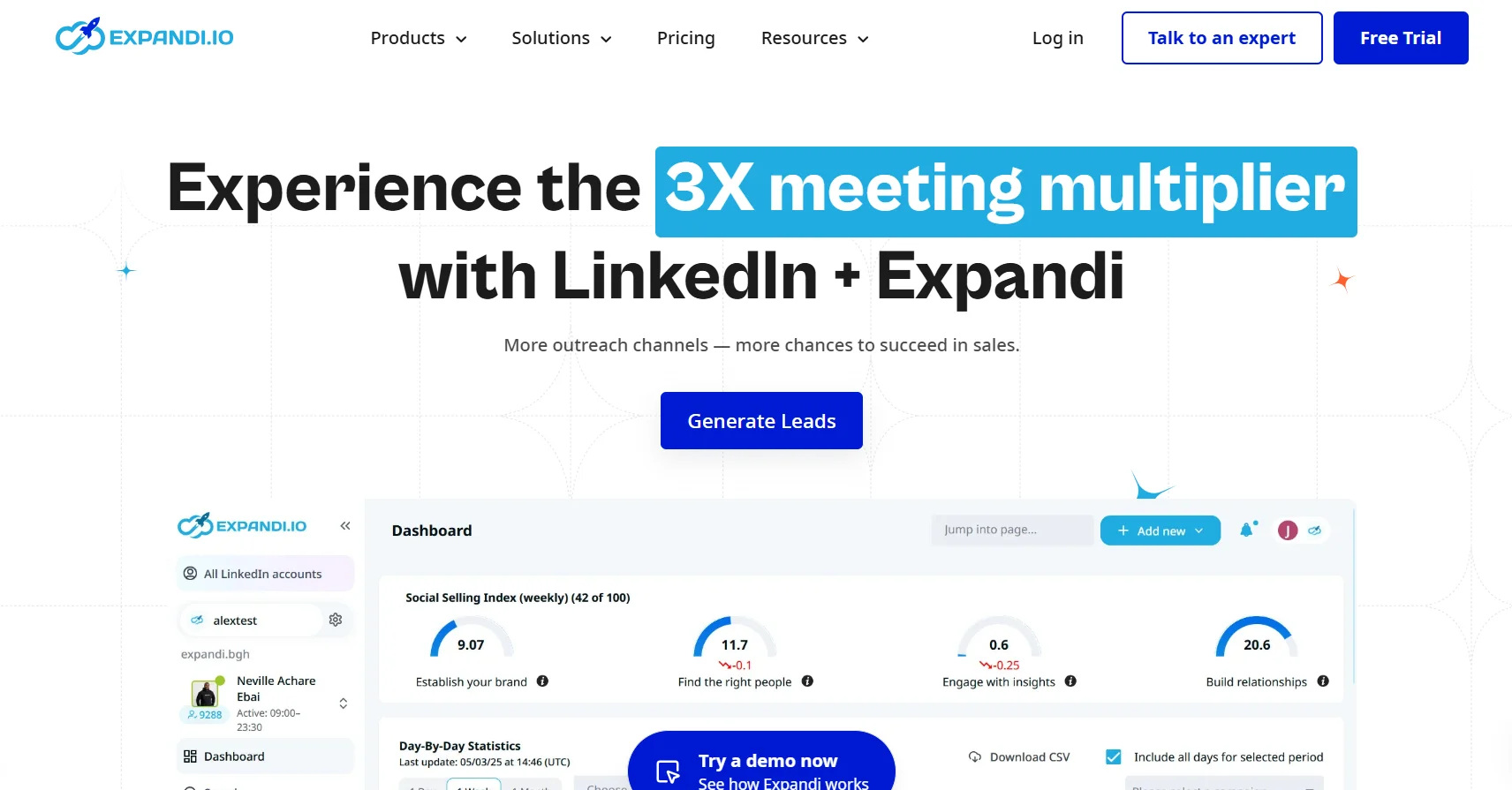
Expandi runs cloud-only. No browser extension, no extension detection risk, dedicated IP addresses per account. It’s a meaningfully safer architecture for LinkedIn automation. The tradeoff is price: Expandi starts at $99/month versus MeetAlfred’s $29/month annual entry point.
If LinkedIn account safety is the priority and you have an account you can’t afford to lose, Expandi’s architecture wins. If the budget ceiling is real and the outreach volume is conservative, MeetAlfred is cheaper and functional enough.
MeetAlfred vs. HeyReach
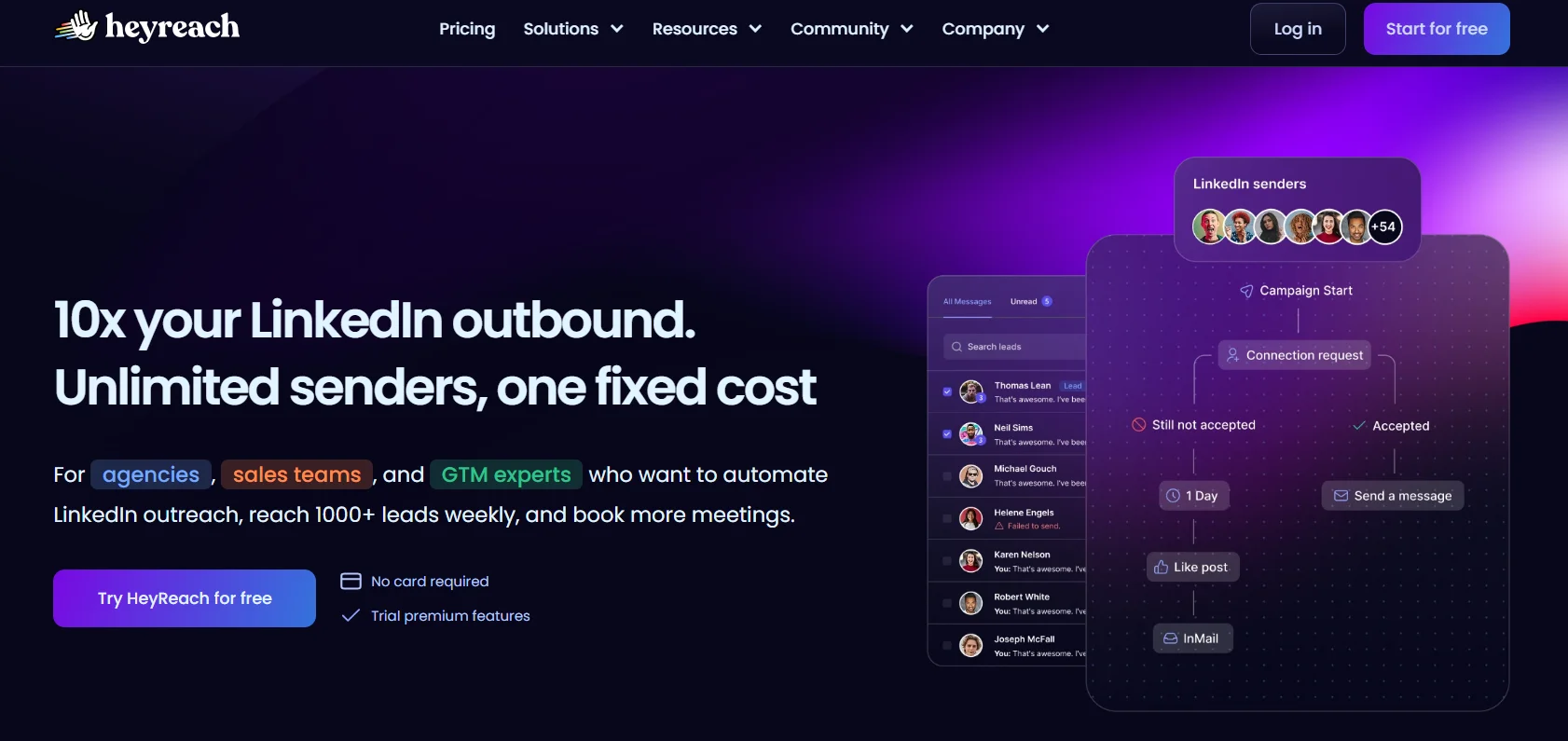
HeyReach’s unified inbox lets managers read and reply on behalf of any team member. That single feature changes the agency use case completely. If you’re running outreach for multiple clients or across a distributed SDR team where managers need to jump into conversations, HeyReach solves the inbox problem that MeetAlfred doesn’t.
MeetAlfred is more affordable. HeyReach is better suited for team-level use where inbox collaboration is a real operational need.
Final Verdict
MeetAlfred is a real tool with real use cases. It’s not vaporware. It’s not a scam. For solo operators running conservative LinkedIn outreach campaigns with a well-established account, it does what it says it does at a competitive annual price.
The ban risk is real and documented. Conservative usage under 30 connection requests per day and a mature LinkedIn account reduce it. They don’t eliminate it.
The post-reply gap is the product’s actual ceiling in 2026. This isn’t a criticism unique to MeetAlfred. It’s a structural limitation of sequence-only tools in a category where AI conversation handling now exists at similar price points. The category has moved. MeetAlfred’s core automation model hasn’t kept up with where buyer expectations are.
Customer support complaints are too consistent across too many platforms and timeframes to dismiss. If something breaks and your pipeline depends on it, you’re probably waiting days for help.
MeetAlfred is best suited for individual sales reps or very small teams who need simple LinkedIn automation and aren’t managing high-value accounts where a LinkedIn ban would be a serious problem. If that’s you, it earns its price at annual billing rates.
If you need post-reply handling, agency-scale account management, or support that actually responds when something breaks, MeetAlfred will frustrate you. There are tools built for exactly what you need. Dealsflow’s 14-day free trial is a good place to start comparing.
FAQs
Is MeetAlfred safe for LinkedIn?
It carries real risk. The hybrid browser-extension architecture sits closer to LinkedIn’s detection surface than pure cloud tools. Conservative usage under 30 connection requests per day reduces ban risk, but doesn’t eliminate it. Multiple users across review platforms report account restrictions and bans.
What is MeetAlfred’s pricing in 2026?
The Individual plan runs $59/month per seat (monthly) covering one LinkedIn account with basic LinkedIn-only sequences. The Business plan is $99/month per seat (monthly) and adds multichannel sequences, team management, and CRM integrations. Annual billing cuts the price roughly in half.
Does MeetAlfred work with Sales Navigator?
Yes. Sales Navigator support is included on the Pro/Business plan, which unlocks more granular targeting filters and larger search results for lead building.
What happens when a prospect replies to a MeetAlfred campaign?
Automation stops. Every conversation from that point is managed manually. There is no AI handling of replies, objections, or meeting booking. This is the most significant functional gap versus newer tools that include post-reply AI.
Is MeetAlfred worth it for small teams?
For a 2-to-3 person SDR team running conservative outreach with annual billing, yes, it offers solid value for the price. For teams that need reliable support when issues arise, or for those running high-volume outreach, the limitations become more expensive than the tool is cheap.
What are the best MeetAlfred alternatives in 2026?
Expandi for safety-first cloud-only automation. HeyReach for agency use cases that need shared inbox and team reply functionality. Dealsflow for teams that want AI to handle the full conversation from initial outreach through reply handling and meeting booking, at a flat-rate price that doesn’t scale per seat.