


If you’re evaluating sales engagement platforms in 2026, Reply.io keeps showing up on the shortlist. It’s been in the market since 2014, it supports more outreach channels than most competitors, and it has a large enough user base that the feedback is detailed and honest. But it also has a reputation for pricing that looks one way on the website and feels very different on the first invoice.
This review covers everything that actually matters before you sign up — the real cost, the LinkedIn account risk, what Jason AI does and does not do, the billing complaints that dominate Trustpilot, and an honest comparison against the tools you’re most likely considering. No sponsored rankings, no cherry-picked quotes.
What is Reply.io?
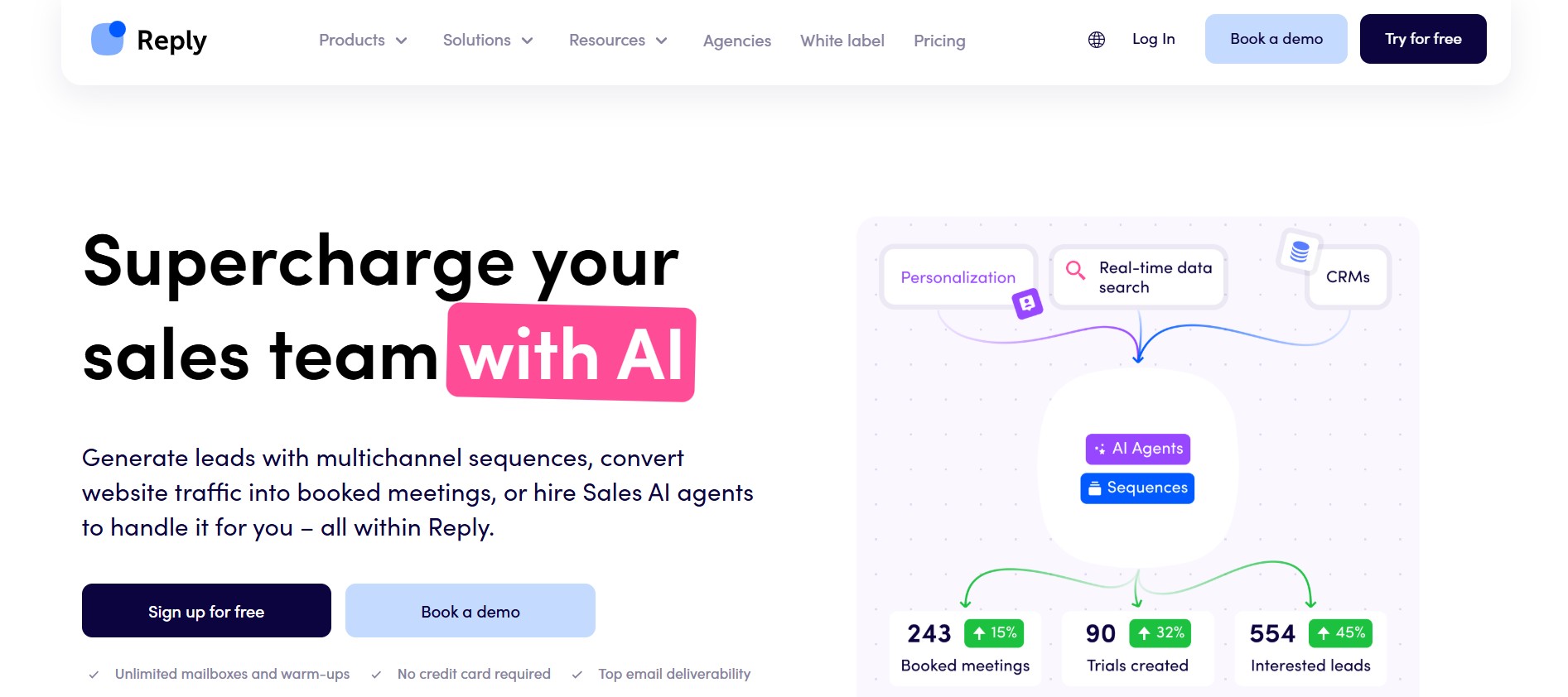
Reply.io is a multichannel sales engagement platform founded in 2014 and now serving over 3,000 companies. At its core, it is designed to automate and coordinate outbound sales outreach across email, LinkedIn, phone calls, SMS, and WhatsApp from a single interface.
The platform sits in a category that bridges older email sequencers and newer AI-powered SDR tools. It started as an email automation tool, layered in LinkedIn automation via a Chrome extension, added a built-in dialer, and in recent years introduced Jason AI — an autonomous AI sales agent designed to take over large portions of the outbound workflow.
Core product category and channel coverage
Reply.io handles five outreach channels natively:
- Email — unlimited inboxes on higher plans, warmup included, A/B testing, reply detection, and out-of-office handling
- LinkedIn — connection requests, messages, profile visits, InMails, and endorsements via a Chrome extension
- Phone calls — a built-in cloud dialer with call recording, task creation, and click-to-call functionality
- SMS — text message steps that can be built into sequences alongside email and call tasks
- WhatsApp — available as a sequence step, particularly useful for outreach in LATAM and Middle Eastern markets
This breadth is genuinely rare. Most tools in this space handle two or three channels. Reply.io handles all five in a single coordinated sequence.
Who it is built for
Reply.io is built for SDR teams, sales agencies, and founders running structured outbound at scale. The platform is most at home in mid-market organizations running 10–50 reps across multiple outreach channels. Solo founders and very small teams can use it, but the per-seat pricing and setup complexity favor teams with dedicated outbound operations rather than occasional senders.
Agencies are also explicitly supported, with dedicated agency plans that include multi-client management, white-label options, and centralized reporting across client accounts.
Jason AI SDR — what it actually is vs. the marketing version
Jason AI is Reply.io’s autonomous AI sales agent. The marketing version positions it as a full replacement for a human SDR: it finds prospects, writes personalized messages, handles replies, and books meetings on your calendar without human involvement.
The more accurate version is this: Jason AI is a capable automation layer that runs on top of Reply.io’s sequence engine. It can source leads from Reply.io’s contact database of over 1 billion contacts, generate personalized outreach across email and LinkedIn, and handle straightforward reply scenarios including meeting booking and reschedules. It operates in either Autopilot mode (fully autonomous) or Copilot mode (where you review and approve before sending).
Where it falls short of the marketing: the AI personalizes based on static firmographic data — company size, industry, job title — rather than real-time behavioral signals like website visits or intent data. Users report that without careful prompt engineering and a well-defined ICP, the output can feel generic. The pricing starts at $500/month for the Starter AI SDR plan, which puts it firmly in enterprise territory. Jason AI is covered in depth in the features section below.
Reply.io at a Glance — TL;DR Verdict
For readers who need the summary before the detail, here is where Reply.io stands in 2026:
Quick verdict scorecard
| Dimension | Rating | Notes |
|---|---|---|
| Multichannel breadth | ★★★★★ | Email, LinkedIn, calls, SMS, WhatsApp in one platform |
| Sequence builder | ★★★★★ | Drag-and-drop, conditional logic, mature and reliable |
| Ease of use | ★★★★☆ | Intuitive once learned; steep initial curve |
| LinkedIn safety | ★★☆☆☆ | Chrome extension carries 3–5% restriction risk per user/90 days |
| Pricing transparency | ★★☆☆☆ | Advertised price significantly understates real cost |
| Support | ★★★★☆ | Generally responsive; delays reported for complex issues |
| G2 rating | 4.6/5 | Based on 1,300+ reviews |
Best for:
- Mid-market SDR teams running true multichannel outreach across email, calls, and LinkedIn
- Agencies managing multiple client outreach campaigns from one dashboard
- Enterprise teams that want a built-in dialer bundled with email automation
- Teams with a clear ICP who want to trial an AI SDR without building custom infrastructure
Not best for:
- Email-only teams: Reply.io’s per-email cost is significantly higher than Instantly ($37/month) or Smartlead ($39/month) at equivalent volumes
- Teams on tight budgets: the real multichannel cost for a single seat is approximately $187/month, not the advertised $89
- LinkedIn-primary outreach pipelines: the Chrome extension architecture carries real account restriction risk
- Solo founders still validating their ICP: Jason AI’s $500/month entry price requires proven outbound volume to justify
Reply.io Features: What We Actually Tested
Multichannel Sequence Builder
The sequence builder is the strongest part of Reply.io. It uses a drag-and-drop interface where you construct outreach flows step by step, assigning each step a channel (email, LinkedIn, call, SMS), an action, and a timing rule. What separates it from simpler tools is the conditional logic layer.
Conditional branching lets you define what happens to a prospect based on their behavior. If a prospect opens an email but does not reply after three days, they can be automatically moved to a LinkedIn touchpoint. If they reply to a LinkedIn message, the email follow-up sequence pauses. If they do not open the first email, they can receive a different subject line variant before the next step fires. This behavior-based logic is more sophisticated than what most competitors offer, which typically send on fixed timers regardless of engagement.
Additional sequence features worth noting:
- A/B testing — test subject lines, email bodies, and CTAs within a single sequence; the system identifies the best-performing variant over time
- Inbox rotation — spreads volume across multiple connected sending accounts to protect deliverability
- Timezone intelligence — identifies prospect location and delivers emails during their local business hours
- Throttle controls — daily sending caps and delays between steps to prevent domain burnout
- Multi-step manual tasks — call steps and LinkedIn tasks can be assigned as manual prompts within an automated sequence, keeping human touchpoints in the flow
- Reply detection — automatically pauses a sequence when a prospect responds, preventing follow-up emails from sending after a conversation has started
- Out-of-office handling — detects OOO replies and reschedules the next sequence step accordingly
At scale, some G2 reviewers note that the UI becomes cluttered when managing many sequences simultaneously. The learning curve is real — 54 combined G2 mentions cite it as the primary con — but teams that invest in onboarding consistently report that the automation depth justifies it.
LinkedIn Automation Architecture
This is the section that most Reply.io reviews skip over or soften. It deserves full attention before you commit.
Reply.io automates LinkedIn through a Chrome browser extension. When a LinkedIn step fires in a sequence, the extension injects JavaScript into your active browser session and executes the action — sending a connection request, visiting a profile, or sending a message — on your behalf.
The problem is that LinkedIn’s detection infrastructure has tightened significantly since 2024. LinkedIn monitors timing patterns, session fingerprinting, and cookie behavior. All of these are exposed by extension-based automation. The estimated account restriction rate for Chrome extension-based LinkedIn automation sits at 3 to 5% per active user over 90 days. For a 10-person SDR team, that rate produces multiple account restrictions per quarter, each of which disrupts active sequences and requires manual re-setup.
User reports across G2 and Trustpilot corroborate this. Users describe campaigns stopping abruptly due to LinkedIn cookie refresh failures, accounts being blocked after two weeks of automation, and support response delays of 24 to 72 hours while sequences sit idle.
The contrast with cloud-native LinkedIn automation tools is architectural, not just functional. Cloud-based tools run LinkedIn actions from dedicated servers using residential IP addresses, which eliminates the session fingerprinting vectors entirely. Reply.io’s approach connects to your live LinkedIn session in a browser tab — which is fundamentally detectable.
What Reply.io’s LinkedIn automation does well, within safe usage limits, includes:
- Connection requests (recommended limit: 80–100 per week)
- Profile visits and post likes (lower detection risk)
- Direct messages to first-degree connections
- InMail sending to second and third-degree connections
- Message follow-ups with conditional logic based on connection acceptance
For teams doing light LinkedIn touches as part of a broader email-first sequence, the restriction risk is manageable. For teams where LinkedIn is the primary pipeline channel, the Chrome extension architecture is a serious constraint.
Jason AI SDR
Jason AI is Reply.io’s autonomous AI sales agent. Here is what it actually does end to end, and where the honest limitations sit.
What Jason AI does:
- Pulls prospects from Reply.io’s database of over 1 billion contacts based on your defined ICP parameters (industry, role, company size, geography, hiring signals, technology usage)
- Generates personalized outreach messages across email and LinkedIn using your product information, value proposition, and sales playbooks
- Runs in either Autopilot mode (fully autonomous, no human review) or Copilot mode (draft review before sending)
- Reads incoming replies, classifies intent (interested, not now, objection, unsubscribe), and sends contextually appropriate responses
- Books meetings directly into your calendar when a prospect confirms interest
- Handles rescheduling and follow-up for no-shows
Where Jason AI saves real time:
For teams with a clear, validated ICP selling a straightforward product, Jason AI removes the most repetitive parts of the SDR role: manual list building, template customization, follow-up sequencing, and basic reply handling. The Evergreen mode keeps outreach running continuously without requiring a rep to reload new contacts. For solo founders or very small teams, this represents genuine headcount compression.
Real user complaints about quality:
The core complaint pattern is that without careful prompt engineering, Jason AI produces what users call “generic” or “AI-feeling” output. Because Jason personalizes using static firmographic data — company size, industry, job title — rather than behavioral signals or real-time intent data, the personalization can feel surface-level on complex or niche ICPs.
Users report that the AI works well when your offer is simple and your targeting is very clear. When your ICP is nuanced, the messaging requires significant manual refinement of the playbooks before the output is usable at scale.
The pricing structure compounds this: the AI SDR Starter plan begins at $500/month for 1,000 active contacts. The Growth plan starts at $1,500/month for 5,000 contacts. At those price points, the tool competes not against other SaaS subscriptions but against partial SDR headcount — and for teams still validating their outbound motion, that ROI calculation is hard to defend.
Email Deliverability Suite
Reply.io includes a range of deliverability tools across its plans:
- Email warmup — included via Mailtoaster integration on higher plans; the Starter plan requires a third-party warmup service
- Email validation — verifies prospect emails before sending to reduce bounce rates
- SPF/DKIM/DMARC checks — built-in technical setup guidance for domain authentication
- Custom tracking domains — separates click tracking from your primary sending domain
- Google Postmaster integration — monitors domain reputation in Gmail’s infrastructure
- Daily sending caps and throttling — prevents volume spikes that trigger spam filters
Note: the warmup inclusion varies by plan. The $49/month Email Volume plan does not include warmup as a built-in feature. Third-party warmup tools like Mailwarm or Lemwarm typically add $29/month per inbox to the stack.
Built-in Dialer and SMS
Reply.io includes a cloud-based dialer with call recording, SMS, and click-to-call functionality. This is a genuine differentiator. Most tools at this price point require a separate dialer subscription (Aircall, JustCall, Kixie), which adds another $30–$50 per user per month. The built-in dialer is one of the main reasons the multichannel cost math works in Reply.io’s favor for teams that actually use phone outreach.
Call steps can be assigned as automated tasks within sequences, prompting reps with a generated call script at the optimal time in the cadence.
CRM Integrations
Reply.io integrates natively with Salesforce, HubSpot, Pipedrive, Copper, and Close. The integrations support bidirectional sync of contacts, accounts, tasks, calls, sequence statuses, and activity logs. Native HubSpot and Salesforce integrations are only available on Professional and higher plans. Starter plan users connecting to enterprise CRMs typically need to route data through Zapier, which adds approximately $20/month to the cost stack.
Reply.io Pricing: The Real Number vs. the Advertised Number
Plan Breakdown
Reply.io’s published pricing as of early 2026 covers the following tiers:
Free Plan: Access to the AI sequence generator, sequence builder, Chrome extension, and 200 data credits. No email sending automation. Useful for evaluation only.
Email Volume — from $49/month: 1,000 active contacts, 5,000 emails per month, email-only sequences, unlimited inboxes, 50 live data credits per month. This is Reply.io’s contact-based pricing plan. At 1,000 emails per month at $49, the per-email cost is approximately $0.049 — significantly higher than Instantly’s Growth plan, which provides 5,000 emails for $30/month ($0.006 per email).
Multichannel — from $89/user/month (billed annually): Includes email sequences, LinkedIn automation steps, phone call tasks, SMS, unlimited contacts, 10 mailboxes, and 10,000 data credits. This is the minimum plan required for multichannel sequences and for HubSpot or Salesforce CRM sync. Despite being named “Multichannel,” LinkedIn automation and the calling features are treated as add-ons and priced separately.
Agency — from $166/month: Designed for agencies managing outreach for multiple clients. Includes unlimited clients, unlimited users, white-label options, and centralized reporting. Agency plans require annual billing with no monthly payment option.
AI SDR (Jason AI) — from $500/month: Includes 1,000 active contacts, 2 LinkedIn accounts, unlimited users, unlimited mailboxes, email warmup, access to 1B+ real-time contacts, AI-generated personalized sequences, autopilot and copilot modes. The Growth tier starts at $1,500/month for 5,000 active contacts.
Total Cost of Ownership Calculator
Here is the actual math that the Reply.io pricing page does not show you.
A single rep on the Multichannel plan who uses all advertised channels pays:
- Multichannel base plan: $89/month
- LinkedIn automation add-on: $69/month
- Calls/SMS add-on: $29/month
- Total per seat: $187/month
That is the real single-seat multichannel price — not $89. For a 5-person SDR team at the same configuration, the cost is $935/month before any data enrichment or CRM sync expenses are factored in.
If those reps also need email enrichment (Reply.io provides only 50 live data credits per month on most plans, which is not a data strategy for active outbound), add a dedicated enrichment tool like Hunter or Dropcontact at approximately $39–$49/month. For teams using the Starter plan and requiring Zapier to connect CRM, add approximately $20/month.
The realistic all-in cost for a 2-rep SDR team running full multichannel outreach:
| Line item | Cost |
|---|---|
| 2x Multichannel plan | $178/month |
| 2x LinkedIn add-on | $138/month |
| 2x Calls/SMS add-on | $58/month |
| Email enrichment tool | $49/month |
| Zapier (if on Starter) | $20/month |
| Total | $443/month |
This is the budget line item to start from, not $89. Multiple sources confirm this gap, noting that teams who budget based on the headline price are routinely surprised at first invoice.
Billing and Cancellation Warnings
The billing complaints on Trustpilot and Reddit are specific and consistent enough to warrant direct attention.
The most common issues reported by users include:
- Hidden 3-month minimums: Several reviewers report that certain plans or promotional pricing includes a minimum 3-month commitment that is not prominently disclosed at signup
- No self-serve cancellation: Reply.io does not allow users to cancel their subscription through the product dashboard. Cancellation requires contacting the support team directly, which multiple reviewers describe as a frustrating friction point
- Auto-renewal without clear notice: The annual billing structure auto-renews, and users report being charged for a second year before they intended to continue
- Price changes on existing contracts: Verified G2 reviewers describe price increases of up to triple on existing customer contracts, with one reviewer calling it “bait and switch” — citing a promotional Jason AI price that escalated significantly in-product with no self-serve cancellation option
- No refund policy on paid monthly charges: Both G2 and Gartner reviews include complaints from users who paid for LinkedIn features that did not meet their expectations and were denied refunds on the basis that they had already been charged
These are not edge cases. Reply.io’s Trustpilot profile has a 13% one-star rate, and the language across those reviews clusters around billing confusion and contract disputes rather than product quality.
When the Price Is Justified
Despite the above, there are specific scenarios where Reply.io’s cost structure makes clear economic sense.
For teams currently running separate subscriptions for an email sequencer, a LinkedIn automation tool, and a dialer, the consolidated Reply.io Multichannel plan at $187/seat (with add-ons) frequently undercuts the combined stack. A typical split-tool setup might include Instantly ($37) + Expandi for LinkedIn ($99) + JustCall or Aircall ($35+) = approximately $171–$181/seat — and that stack requires managing three separate tools, three data pipelines, and three support relationships.
Reply.io consolidates that into one platform. For teams where the per-tool management overhead is a real cost, and where all three channels are genuinely in use, the $187 all-in Reply.io seat is competitive or cheaper than the alternative.
Who Reply.io Is Actually Built For: Ideal Use Cases in 2026
Mid-Market SDR Teams (10–50 Reps) Running True Multichannel Sequences
Reply.io’s strongest fit is teams that need email, LinkedIn, and phone calls coordinated in a single sequence engine with conditional logic. At 10 to 50 reps, the per-seat cost scales more sustainably, the automation depth starts to deliver meaningful time savings, and the platform’s CRM integrations become a genuine productivity lever rather than a nice-to-have. Teams in this range running structured 7- to 10-touch sequences across multiple channels consistently get the most value from Reply.io’s feature set.
Email-Heavy Outbound Teams Who Need a Mature, Reliable Sequencer
The email sequence engine is the most battle-tested part of Reply.io. For teams whose primary channel is cold email but who want sophisticated conditional logic, A/B testing, inbox rotation, and detailed analytics — and who anticipate adding LinkedIn or calls as the program matures — the Multichannel plan provides a growth path that email-only tools like Instantly do not. The caveat: at pure email-only volumes, the per-email cost is not competitive, and Instantly or Smartlead will be more economical.
Enterprise Teams That Need a Dialer + SMS Bundled with Email
For teams where phone outreach is a core part of the cadence, the built-in dialer removes a significant per-seat add-on cost compared to running a separate dialer tool. Enterprise sales motions in segments like financial services, recruitment, or high-ACV SaaS where calls are expected to close the gap left by email tend to find Reply.io’s dialer integration genuinely valuable.
Agencies Managing Multiple Client Outreach Workflows
The Agency plan is designed for outreach agencies that run sequences for multiple clients from a single Reply.io account. Features including unlimited clients, centralized analytics, and white-label options address the operational complexity of multi-client management. The main limitation to evaluate: the annual billing requirement and the no-monthly-option policy mean agencies must commit upfront, which is a risk for new agency relationships.
When Reply.io Is the Wrong Fit
- Email-only teams: If your outreach motion is email-only, Reply.io’s per-email cost is materially higher than Instantly ($37/month) or Smartlead ($39/month). You are paying for multichannel infrastructure you are not using.
- Teams on tight budgets: The real TCO for multichannel outreach is approximately $187/seat. For teams with 1–3 reps or early-stage startups, that cost is hard to absorb relative to leaner alternatives.
- LinkedIn-primary pipelines: The Chrome extension architecture creates a real account restriction risk. If LinkedIn is your primary pipeline generation channel, the 3–5% restriction rate over 90 days will create recurring disruption. Cloud-native alternatives handle this more safely.
- Teams still validating their ICP: Jason AI requires a well-defined ICP and a proven offer to produce quality output. At $500/month to start, it is not the right tool for outbound experimentation.
What Real Users Say: G2, Trustpilot, and Reddit Findings
Top Praise Themes
Analysis of over 1,700 reviews across G2, Trustpilot, and Gartner reveals consistent patterns in what users value most.
- Ease of use (99 G2 mentions): The sequence builder is frequently cited as the platform’s most intuitive element once users get past the initial learning curve. Users specifically highlight the drag-and-drop interface, the clarity of the campaign dashboard, and how quickly first sequences can be live.
- Automation depth (71 mentions): The ability to build behavior-triggered sequences that span multiple channels is the second most praised feature. Reviewers compare it favorably to simpler tools that only send on fixed timers.
- Support responsiveness (67 mentions): Customer support receives strong marks across G2, with specific praise for deliverability guidance, sequence troubleshooting, and onboarding help. Multiple reviewers describe support staff going beyond standard ticketing to run on-call debugging sessions.
- CRM integration quality: HubSpot and Salesforce sync is consistently described as reliable in higher-tier plans. The bidirectional sync that updates sequence statuses, task completions, and reply activity inside the CRM is regularly cited as a time-saver for SDR managers.
- From ICP to outreach in one place: A notable theme in recent reviews is the value of having contact sourcing, sequence building, and outreach execution in a single workflow — reducing the need to move between Apollo for data, a sequencer for sending, and a CRM for logging.
Top Complaint Themes
- Learning curve (54 combined G2 mentions): The most frequently cited con. New users consistently describe the platform as initially overwhelming due to the volume of features. Uploading contacts and navigating the contact management interface are the most commonly cited friction points at setup.
- Sequence reliability issues (21 G2 mentions): A meaningful minority of reviewers report follow-up steps skipping, steps firing out of order, or emails sending at the wrong timing relative to the configured delay. For a platform whose core function is sequencing, this pattern is worth flagging. Teams running high-stakes sequences to small, curated lists should build QA checkpoints before any sequence launches at scale.
- LinkedIn cookie failures: Multiple reviews on both G2 and Trustpilot describe campaigns stopping abruptly when LinkedIn session cookies expire, requiring manual re-authentication before sequences resume. This is a structural consequence of the Chrome extension architecture rather than a bug.
The Billing Complaint Pattern
The billing complaints on Trustpilot are specific enough to warrant directness. Multiple reviewers use “SCAM ALERT” language, and a Reddit thread on r/coldemail details a promotional Jason AI price that escalated significantly in-product with no self-serve cancellation path.
The underlying reality: Reply.io’s pricing structure has multiple non-obvious commitments — minimum contract lengths, no monthly option on agency plans, and an auto-renewal structure on annual plans. The product quality complaints on Trustpilot are relatively few; the billing and contract complaints are the dominant theme. Users who read the contract terms carefully before signing tend to avoid the surprise. Users who signed up assuming standard SaaS month-to-month flexibility did not.
What r/coldemail Says About Reply.io in 2026
The r/coldemail community’s take on Reply.io in 2026 is largely consistent with the review platform data: it’s the right tool for multichannel teams that need email, calls, and LinkedIn coordinated, but is consistently criticized as overpriced for email-only use cases. Threads comparing Reply.io to Instantly for pure cold email uniformly conclude that Instantly is cheaper and simpler for email-only outbound. Threads about Jason AI are more divided, with some founders reporting genuine pipeline contribution and others describing generic output that required significant manual refinement.
Reply.io vs. Top Alternatives: Honest Comparison
Dealsflow vs. Reply.io
Dealsflow is the strongest Reply.io alternative for teams where LinkedIn is a primary or co-primary outreach channel, and the architectural difference between the two platforms is the central reason.
Reply.io automates LinkedIn via a Chrome extension, which executes actions inside your live browser session. Dealsflow’s AI agent, Arlo, runs LinkedIn outreach from cloud infrastructure — dedicated servers with residential IP addresses — which eliminates the session fingerprinting vectors that cause extension-based tools to trigger LinkedIn’s detection systems. The practical implication: cloud-native LinkedIn automation operates at a restriction rate below 0.1%, compared to Reply.io’s 3–5% restriction rate per user over 90 days.
Beyond the infrastructure difference, the two platforms serve different parts of the LinkedIn outreach workflow. Reply.io’s LinkedIn steps are sequence-integrated touches within a multichannel cadence — they fire as part of a pre-built flow. Dealsflow’s Arlo handles autonomous LinkedIn conversation management, meaning it can carry on multi-turn LinkedIn conversations without a human stepping in for each exchange.
For agencies managing multiple client LinkedIn accounts, Dealsflow’s multi-account management architecture reduces the operational overhead that comes with Reply.io’s per-account Chrome extension setup. The pricing structures also differ: Dealsflow uses flat-rate pricing rather than Reply.io’s per-seat plus add-on model, which eliminates the budget surprise that catches many Reply.io teams off guard.
The practical choice: if LinkedIn is one channel among several and email carries the majority of your outreach volume, Reply.io’s integrated approach works. If LinkedIn conversations are central to how you generate pipeline, Dealsflow’s cloud-native architecture and autonomous conversation handling is the more durable infrastructure to build on.
Reply.io vs. Instantly / Smartlead
For email-only outreach, Instantly and Smartlead are more economical than Reply.io at every tier.
Instantly’s Growth plan provides 5,000 emails per month for $37/month — at $0.006 per email — compared to Reply.io’s Email Volume plan at $49/month for 1,000 emails ($0.049 per email). Smartlead’s Basic plan is $39/month and similarly focused on high-volume cold email with strong deliverability tooling.
Both Instantly and Smartlead include built-in email warmup, which Reply.io does not include at its entry tier. Instantly uses flat-fee pricing with unlimited email accounts on all plans, which makes the economics significantly better for agencies or growing teams adding inboxes.
Where Reply.io’s math flips: if a team is genuinely using LinkedIn, calls, and email in coordinated sequences, running Reply.io’s Multichannel plan at $187/seat (with add-ons) is often cheaper than maintaining Instantly ($37) + a dedicated LinkedIn automation tool ($79–$99) + a separate dialer ($35+), which totals $151–$171 per seat across three platforms. The consolidation advantage is real for true multichannel teams. It does not exist for email-only teams.
Reply.io vs. Lemlist
Lemlist is Reply.io’s closest competitor on personalization and multichannel feature overlap. Both platforms support email and LinkedIn automation. The key differences are:
- Personalization approach: Lemlist specializes in visual personalization — custom images and videos generated per prospect — which Reply.io does not replicate. For campaigns where creative pattern interruption in the inbox is a core strategy, Lemlist has a differentiator. For data-driven, volume-first sequences, Reply.io’s conditional logic is more sophisticated.
- Pricing structure: Lemlist’s email-only plan starts at $59/user/month. The multichannel plan is $99/user/month. Reply.io’s Multichannel plan at $89/user/month (before add-ons) is cheaper at the base — but the add-on structure means real multichannel cost for Reply.io exceeds Lemlist once LinkedIn and call features are included.
- LinkedIn approach: Lemlist’s LinkedIn automation is also extension-based, so neither platform eliminates the account restriction risk. Users in the r/coldemail community describe Lemlist’s LinkedIn automation as slightly more reliable in practice, though the underlying architecture is similar.
- AI features: Lemlist’s AI features are available without credit limits on its paid plans. Reply.io’s AI credits are capped by tier, with the Starter plan providing 50 AI credits per month (2 credits per personalized email).
Quick Comparison Table
| Feature | Reply.io | Dealsflow | Instantly | Lemlist |
|---|---|---|---|---|
| Channels | Email, LinkedIn, Calls, SMS, WhatsApp | LinkedIn, Email | Email only | Email, LinkedIn, Calls (via integration) |
| LinkedIn safety | Extension (3–5% restriction/90 days) | Cloud-native (<0.1% restriction) | N/A | Extension (similar risk to Reply.io) |
| Entry price | $49/month (email only) | $59/month | $37/month | $59/month |
| Real multichannel cost | ~$187/seat/month | $349/month | N/A | ~$99/seat/month |
| AI agent | Jason AI (from $500/month) | Arlo (LinkedIn AI) | AI Reply Agent | Limited |
| Best for | Mid-market multichannel SDR teams | LinkedIn-primary pipelines, agencies | High-volume email-only outbound | Creative personalization campaigns |
Pros and Cons: Final Assessment
Pros
- Mature sequence builder: Reply.io has been refining its sequence engine since 2014. The conditional logic, branching paths, A/B testing, and behavior-triggered flows are more sophisticated than most tools at comparable price points. The drag-and-drop interface works reliably at scale.
- Genuine multichannel breadth: Five outreach channels — email, LinkedIn, calls, SMS, and WhatsApp — coordinated in a single sequence is rare. The consolidation reduces per-tool overhead for teams that genuinely use multiple channels.
- Built-in dialer: Having a cloud dialer with call recording and task creation native to the platform removes the need for a separate dialer subscription, which typically adds $30–$50 per seat. For call-heavy outbound motions, this is a meaningful cost offset.
- Email warmup included on higher plans: The Mailtoaster integration on Multichannel and above handles warmup natively without requiring a third-party service. This is a meaningful difference from Starter tier, but is in place where it matters most for volume senders.
- Strong CRM integrations: Bidirectional sync with Salesforce, HubSpot, Pipedrive, Copper, and Close is reliable on Professional plans and higher. Sequence status, activity logs, and reply data flow into CRM without additional middleware.
- Responsive support: Customer support is consistently one of Reply.io’s highest-rated attributes. Specific praise covers deliverability guidance, onboarding walkthroughs, and proactive troubleshooting on complex integration setups.
Cons
- Chrome extension LinkedIn risk: The 3–5% account restriction rate per user over 90 days is a predictable, structural risk — not an edge case. A 10-person SDR team running active LinkedIn sequences will experience multiple account restrictions per quarter. Each restriction pauses active sequences and requires manual re-setup.
- Real TCO significantly above advertised: The $89/month Multichannel base price becomes $187/month per seat once LinkedIn and call add-ons are included. For a 5-person team, the gap between the budgeted $445/month and the actual $935/month is the single most common frustration in user reviews.
- Billing friction and no self-serve cancellation: The absence of a self-serve cancellation option, combined with auto-renewing annual plans and undisclosed minimum commitments on some configurations, has generated the billing complaints that dominate Trustpilot. This is a process problem, not a product problem — but it is a genuine risk for teams that assume standard SaaS cancellation flexibility.
- Jason AI data quality gaps: Jason AI personalizes using static firmographic data rather than real-time behavioral signals. For complex or niche ICPs, the output requires significant manual playbook refinement to avoid generic messaging. At $500/month to start, teams should have a proven ICP and sufficient outbound volume before committing.
- Sequence reliability issues at scale: The 21 G2 mentions of steps skipping or firing out of order are meaningful for a platform whose core function is sequence execution. This does not appear to be universal, but teams running high-stakes, time-sensitive sequences to curated lists should build QA processes before launch.
Final Verdict: Is Reply.io Worth It in 2026?
Verdict by Use Case
Reply.io wins for teams that:
- Run true multichannel outreach across email, LinkedIn, and phone calls — and need all three coordinated in a single conditional sequence. No comparable tool in the price range handles five channels with this level of sequence sophistication.
- Are in the mid-market SDR range of 10–50 reps where per-seat costs scale tolerably and the automation depth compresses meaningful SDR overhead. At this scale, the CRM integrations and analytics dashboards also earn their keep.
- Need a built-in dialer without adding a separate subscription. If call outreach is part of your motion, Reply.io’s all-in multichannel cost becomes competitive with the split-stack alternative.
- Are running an outreach agency with multiple clients and need centralized management, white-label options, and client-level reporting — and can commit to annual billing.
Reply.io does not win for teams that:
- Are email-only. Instantly and Smartlead are materially cheaper per email and include better deliverability tooling at entry price points. There is no reason to pay Reply.io’s premium for infrastructure you are not using.
- Have LinkedIn as their primary pipeline channel. The Chrome extension restriction risk is architectural and predictable. Cloud-native LinkedIn tools eliminate this risk entirely.
- Are early-stage with tight budgets or an unproven ICP. The real TCO for a 2-rep multichannel setup exceeds $400/month. That budget commitment requires a proven outbound motion to justify.
- Want standard SaaS billing flexibility. The billing practices — annual commitment, no self-serve cancellation, minimum terms — are not standard for the SaaS category and require careful review before signing.
The One Thing to Do Before Committing
Calculate your actual monthly cost before signing. Take your team size, multiply by $187/seat (the real full-channel cost per seat including LinkedIn and call add-ons), add your enrichment tool cost, and add Zapier if you are not on a plan with native CRM sync. That number — not the $49 or $89 on the pricing page — is the budget line item you are agreeing to.
If that number is in range for your team size and outreach volume, Reply.io is one of the most capable multichannel outreach platforms on the market in 2026. If it is not, Instantly or Smartlead serve email-primary teams better at lower cost, and Dealsflow serves LinkedIn-primary teams with better account safety infrastructure.
Frequently Asked Questions
What is Reply.io and how does it work?
Reply.io is a multichannel sales engagement platform that automates outbound sales outreach across email, LinkedIn, phone calls, SMS, and WhatsApp from a single dashboard. Users build multi-step outreach sequences with conditional logic — meaning each sequence can branch based on whether a prospect opens an email, accepts a LinkedIn request, or does not respond after a set number of days. The platform has been in the market since 2014 and currently serves over 3,000 companies. It also includes Jason AI, an autonomous AI sales agent that can source prospects, write personalized messages, handle replies, and book meetings without human intervention.
How much does Reply.io actually cost per month?
The advertised price starts at $49/month for the Email Volume plan (email only, 1,000 active contacts) and $89/user/month for the Multichannel plan. However, the Multichannel plan does not include LinkedIn automation or calling by default — those are separate add-ons. A single rep on the Multichannel plan using all three channels pays approximately $187/month: $89 for the base plan, $69 for the LinkedIn add-on, and $29 for the calls and SMS add-on. A 5-person team at this configuration pays approximately $935/month before any enrichment or CRM sync costs.
Is Reply.io’s LinkedIn automation safe for my account?
Partially. Reply.io automates LinkedIn through a Chrome browser extension, which injects actions into your live browser session. LinkedIn’s detection infrastructure monitors session fingerprinting and cookie behavior, both of which Chrome extension tools expose. The estimated restriction rate for Chrome extension-based LinkedIn automation is 3 to 5% per user over 90 days. Keeping automation within recommended limits (80–100 connection requests per week, 150 messages daily maximum) reduces risk, but does not eliminate it. For teams where a LinkedIn account restriction would meaningfully disrupt pipeline, the architecture risk is real and should be factored into the decision.
Does Reply.io include email warmup?
It depends on the plan. The Multichannel plan and above include email warmup via Reply.io’s Mailtoaster integration at no additional charge. The Email Volume plan at $49/month does not include built-in warmup. Users on that plan need a third-party warmup service like Mailwarm or Lemwarm, which typically adds $29/month per inbox.
What is Jason AI and is it worth the price?
Jason AI is Reply.io’s autonomous AI sales agent. It can source prospects from a 1 billion+ contact database, build personalized multichannel sequences, handle incoming replies, and book meetings directly into your calendar. It operates in Autopilot mode (fully autonomous) or Copilot mode (draft review before send). Pricing starts at $500/month for 1,000 active contacts. It is worth the price for teams with a clearly validated ICP, sufficient outbound volume, and the budget to absorb the cost. It is not worth it for teams still figuring out their targeting or messaging — the AI personalizes from static firmographic data and requires a well-configured playbook to avoid producing generic output.
Can I cancel Reply.io at any time?
No. Reply.io does not offer self-serve cancellation through the product dashboard. Cancellation requires contacting the support team directly. Annual plans auto-renew, and some configurations include minimum commitment terms that are not prominently disclosed at signup. Multiple user reviews on Trustpilot and Reddit describe friction around the cancellation process. Before signing, it is worth confirming the cancellation policy and minimum term length directly with the sales team.
Does Reply.io include a built-in contact database?
Yes. Reply.io includes access to a B2B contact database with over 1 billion contacts (220 million in the U.S.) for prospecting. However, most plans include limited monthly data credits — 50 credits per month on the Multichannel base plan — which is not sufficient for active high-volume outbound. Teams that need large, fresh prospect lists will typically need a separate enrichment tool like Hunter, Clay, or Dropcontact in addition to Reply.io’s built-in database.
Is Reply.io good for small teams or solo users?
It is functional for small teams and solo users but not optimized for them on cost. The per-seat Multichannel plan at $89/month (plus add-ons) is expensive relative to email-only alternatives like Instantly ($37/month) or Smartlead ($39/month). Solo founders and teams of 1–3 reps are often better served by leaner tools while validating their outreach motion, upgrading to Reply.io once the ICP is proven and the outbound volume justifies the full multichannel investment.
What CRMs does Reply.io integrate with?
Reply.io integrates natively with Salesforce, HubSpot, Pipedrive, Copper, and Close. The integration supports bidirectional sync of contacts, accounts, tasks, sequence statuses, call logs, and activity data. Native HubSpot and Salesforce integrations are available on the Professional plan ($89/month) and above. Starter plan users typically route data through Zapier.
How does Reply.io compare to Instantly for cold email?
Instantly is substantially cheaper and more efficient for pure cold email outreach. Instantly’s Growth plan costs $37/month with 5,000 emails — at $0.006 per email — compared to Reply.io’s Email Volume plan at $49/month for 1,000 emails ($0.049 per email). Instantly also includes built-in email warmup across all plans, which Reply.io charges for separately at entry tier. Instantly does not support LinkedIn, calls, or SMS. Reply.io’s comparison advantage only materializes when a team is using multichannel sequences across at least three channels — at which point the consolidated cost can be competitive with running separate tools for each channel.
What is the best Reply.io alternative for LinkedIn outreach?
For teams where LinkedIn is the primary outreach channel, cloud-native LinkedIn automation tools are the safer choice due to the architectural difference in how they interact with LinkedIn’s platform. Reply.io’s Chrome extension architecture carries a 3–5% restriction rate per user over 90 days. Cloud-native tools run from dedicated server infrastructure with residential IPs, which eliminates the session fingerprinting detection vectors and operates at restriction rates below 0.1%. Dealsflow is the primary cloud-native alternative with an AI conversation agent (Arlo) built specifically for LinkedIn-first outreach.
Does Reply.io work for agencies managing multiple clients?
Yes, with caveats. Reply.io’s Agency plan is explicitly designed for multi-client management, with unlimited clients, unlimited users, centralized analytics, and white-label functionality. It is a reasonable choice for agencies running email-first sequences for multiple clients. The limitations to evaluate are: the Agency plan requires annual billing with no monthly option, and LinkedIn automation for agency clients carries the same Chrome extension restriction risk as individual accounts. Agencies where LinkedIn is central to client deliverables should evaluate the account restriction risk carefully before committing.