


LinkedIn has evolved far beyond a simple professional networking platform. Today, it’s a powerhouse for B2B sales professionals, recruiters, and business development teams. One of LinkedIn’s most valuable—yet sometimes underutilized—tools is Sales Navigator. If you’re in sales and haven’t explored what LinkedIn Sales Navigator can do for your prospecting strategy, you’re potentially missing out on significant business opportunities.
In this comprehensive guide, we’ll explore every aspect of LinkedIn Sales Navigator, how it works, why it matters in 2026, and how to leverage it effectively for your sales success.
What Is LinkedIn Sales Navigator?
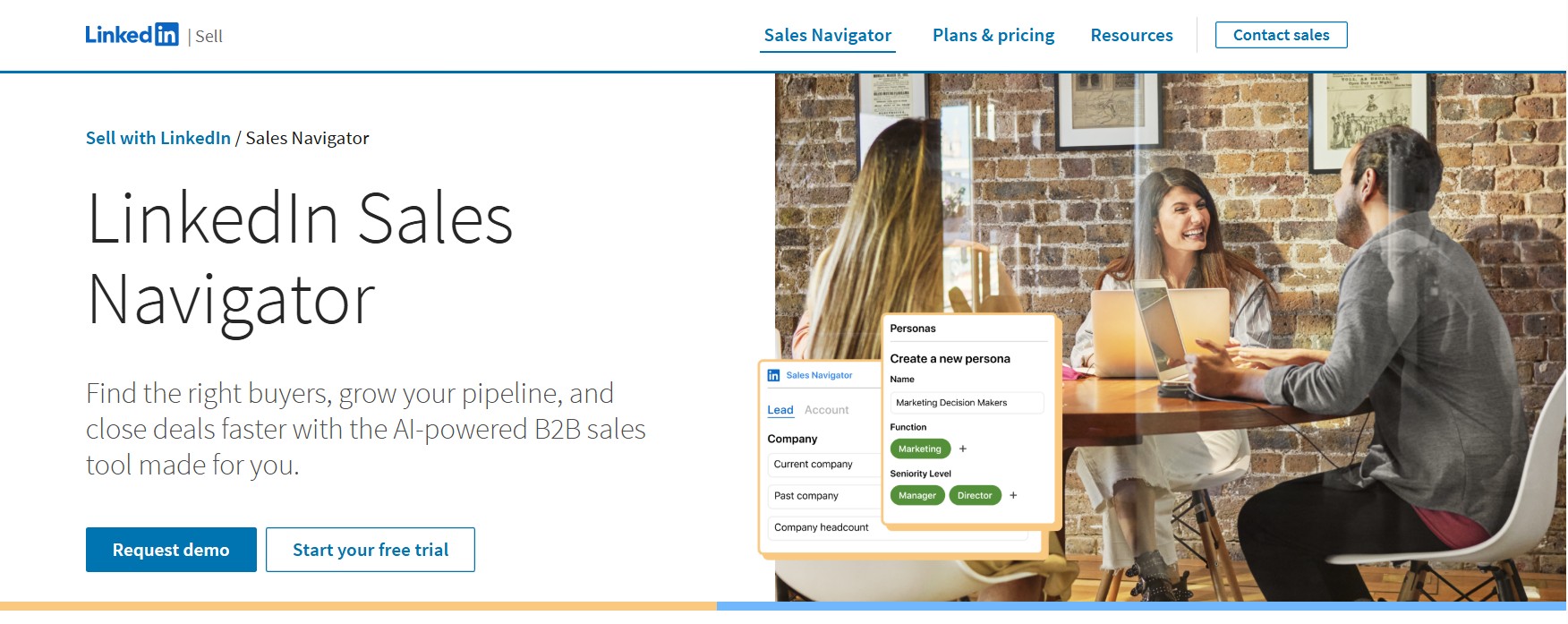
What is LinkedIn Sales Navigator is a premium, purpose-built tool designed specifically for sales professionals who want to identify, understand, and engage with potential buyers on LinkedIn. It’s essentially LinkedIn’s answer to the sales community’s need for advanced prospecting capabilities that go beyond what the standard LinkedIn platform offers.
Sales Navigator was launched to give sales teams a dedicated space within LinkedIn where they can conduct targeted research, build prospect lists, and maintain relationships at scale. Unlike the regular LinkedIn profile or recruiter tools, Sales Navigator is built from the ground up with the sales process in mind. It combines powerful search filters, real-time insights, and engagement features that allow you to find decision-makers, understand their background, and initiate meaningful conversations.
At its core, Sales Navigator serves as a CRM-lite platform integrated directly into the LinkedIn ecosystem. It gives you the ability to search through millions of LinkedIn profiles using advanced filters, save prospects for future follow-up, and receive alerts when key people at your target accounts change jobs or join new companies. This is particularly valuable in B2B sales where long sales cycles, multiple decision-makers, and account-based selling strategies are the norm.
The Key Features That Make Sales Navigator Indispensable
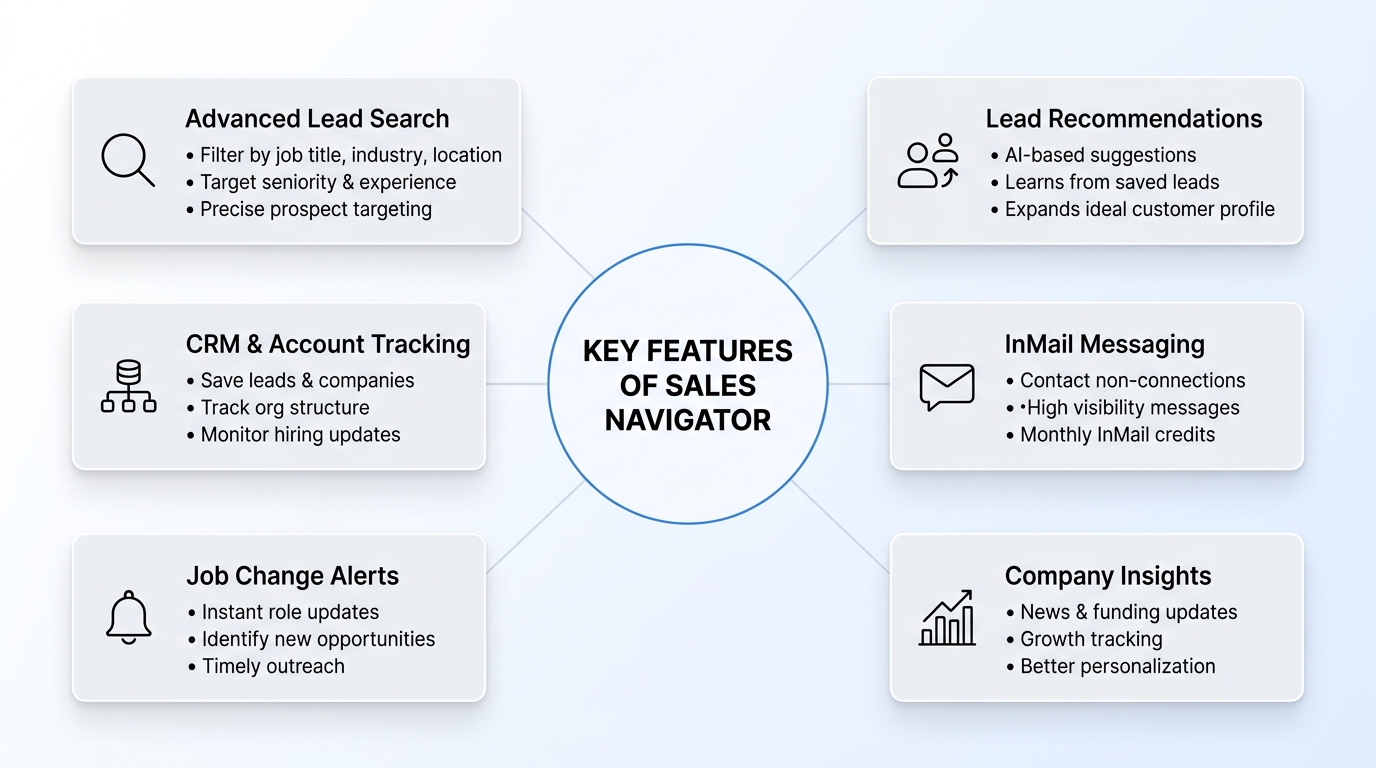
Advanced Lead Search and Filtering
The search capability in Sales Navigator is leagues ahead of what you can do with a basic LinkedIn account. With Sales Navigator, you can filter prospects by:
- Location: Narrow down by country, state, or city to find prospects in your target markets
- Industry: Filter by specific industries to focus on sectors most relevant to your solution
- Company Size: Target enterprises with 1,000+ employees or nimble startups with under 50 people
- Job Title: Search for specific decision-makers like “VP of Marketing,” “Chief Financial Officer,” or “Operations Manager”
- Years of Experience: Find people at particular career stages who might be more open to change
- Seniority Level: Target C-suite executives, managers, or individual contributors depending on your sales strategy
- Skills and Endorsements: Search for people with specific technical skills or certifications
- Past Experience: Find people who’ve worked at particular companies, which can indicate they understand your solution
- Profile Language and Keywords: Search for people whose profiles contain specific terminology
- Company Follower Status: Find people already engaged with your company or competitors
This level of granularity means you can create incredibly precise prospect lists that align perfectly with your ideal customer profile (ICP). Rather than cold calling thousands of profiles, you can focus on the exact people most likely to benefit from your solution.
Lead and Account Recommendations
One of the most intelligent features of Sales Navigator is its recommendation engine. The platform uses machine learning to analyze your saved leads and accounts, then suggests other prospects who have similar characteristics. This is invaluable because it helps you discover prospects you might not have found through traditional searching.
For example, if you’ve saved 20 VP-level marketing professionals at SaaS companies, Sales Navigator’s algorithm can identify other VPs in similar companies and present them to you. This “if you like this, you’ll like that” approach to prospecting means you’re constantly expanding your addressable market while maintaining focus on your ideal profile.
The recommendation engine also learns from your behavior. If you consistently save prospects in certain industries or with particular job titles, Sales Navigator picks up on these patterns and adjusts its recommendations accordingly.
CRM Integration and Saved Accounts
Sales Navigator allows you to save both individual leads and entire accounts. This saved accounts feature is particularly powerful for account-based selling (ABS) strategies. You can:
- Save an entire company as an account
- Track all employees at that company who work in roles relevant to your sales process
- Receive notifications when new people are hired into target roles at that company
- See organizational reporting lines to understand decision-making hierarchies
- Monitor changes in company leadership or team composition
When you save an account, Sales Navigator becomes your eyes and ears within that company. You’ll know when the VP of Sales leaves and is replaced. You’ll get alerts when a new Marketing Director is hired. You’ll see when key decision-makers are promoted or moved to different departments. This real-time visibility is critical in complex sales cycles where relationships shift and organizational changes can either open or close doors.
InMail and Direct Messaging Capabilities
Sales Navigator includes access to LinkedIn InMail, a premium messaging feature that allows you to contact people who aren’t in your network without needing an introduction. Regular LinkedIn messages can only be sent to first-degree connections (or with limited ability for others), but InMail bypasses this limitation.
InMail messages appear in the recipient’s primary inbox, not their filtered message requests folder, which means they’re much more likely to be seen and read. This is particularly valuable when you’re reaching out to senior executives who may receive hundreds of connection requests but are more likely to engage with a thoughtful InMail message.
Sales Navigator includes a certain number of InMail credits per month, depending on your subscription level. Each InMail sent uses one credit, and you get a notification if someone views your InMail without responding, giving you the option to try a different approach.
Job Changes and Alerts
One of the most time-sensitive prospecting scenarios is when someone changes jobs. If a prospect you’ve been talking to leaves Company A to join Company B, that’s a golden opportunity. They’re often more open to taking meetings and implementing new solutions in their first few months at a new role.
Sales Navigator’s job change alerts notify you immediately when someone in your saved leads or accounts changes positions. You’ll know within days—sometimes hours—that your contact is in a new role at a new company. This allows you to reach out with congratulations and a conversation starter before they get overwhelmed with onboarding tasks.
The alert system also works in reverse. If you’re targeting specific accounts, Sales Navigator alerts you when people from your organization move to those accounts. This can help you warm up your outreach when your company and a prospect company share employees.
Deal Insights and Company Intelligence
Sales Navigator provides rich company intelligence beyond what you’d find on the company’s website. You can see:
- News and Updates: Track company announcements, funding rounds, partnerships, and product launches
- Company Growth Metrics: Understand if the company is expanding, contracting, or staying stable
- Similar Companies: See competitors and companies with similar business models
- Top Employees: Identify the most connected people at the company (often key influencers)
- Industry Context: Understand how the company fits within its industry landscape
This contextual information is gold for sales research. Before you reach out to someone, you can understand their company’s recent news, funding status, and strategic direction. This allows you to craft more personalized and relevant outreach that references their company’s recent achievements or challenges.
The Different Tiers: Sales Navigator Pricing
LinkedIn offers Sales Navigator in multiple tiers to suit different sales organization sizes and needs:
| Feature | Sales Navigator (Standard) | Sales Navigator Pro | Sales Navigator Team |
|---|---|---|---|
| Monthly Cost | Approx. $65-75 | Approx. $99-110 | Custom Pricing |
| Monthly InMail Credits | 50 | 75 | Varies |
| Saved Leads | Unlimited | Unlimited | Unlimited |
| Saved Accounts | 100 | 500 | Customizable |
| Team Features | No | No | Yes |
| Campaign Management | Basic | Advanced | Advanced |
| Analytics & Reporting | Basic | Advanced | Advanced |
| Admin Controls | No | No | Yes |
| Dedicated Support | Standard | Priority | Yes |
| API Access | Limited | Limited | Yes |
The tier you choose depends on your sales strategy and organization size. Solo sales professionals often start with the Standard tier, while larger teams or those using account-based selling strategies typically upgrade to Pro or Team.
How Sales Navigator Fits Into Your Sales Process
Prospecting and Lead Generation
The first stage of your sales process is prospecting, and Sales Navigator excels here. Rather than relying on purchased lists or broad LinkedIn searches, you can use Sales Navigator’s filters to build a highly targeted list of prospects who match your ICP. You can conduct multiple searches based on different criteria and save promising prospects.
The ability to save unlimited leads means you can build a database of prospects within the platform without worrying about hitting limits. You can organize these leads with tags and notes, making it easy to categorize them by company, industry, or stage in your sales process.
Research and Preparation
Before reaching out to any prospect, good sales professionals do their homework. Sales Navigator provides all the context you need. You can see a prospect’s career history, understand where they’ve worked before, see what they’re interested in (based on their profile content and engagement), and understand their role in their organization.
You can also use Sales Navigator to understand the prospect’s company: recent news, funding, growth trajectory, and who else works there that you might want to engage with. This preparation means when you do reach out, you can reference specific details and demonstrate genuine interest in the prospect and their business.
Initial Outreach and Engagement
When you’re ready to reach out, Sales Navigator gives you multiple options. You can send a connection request with a personalized note (up to 300 characters). You can use InMail to reach someone outside your network. You can engage with their content by liking, commenting on, or sharing their posts.
The key to successful outreach through Sales Navigator is personalization and relevance. Rather than sending generic messages, reference something from their profile, congratulate them on a promotion, comment on their recent content, or reference their company’s recent news. This approach builds genuine relationships rather than just hitting people with sales pitches.
Follow-Up and Relationship Management
Sales Navigator isn’t just for initial outreach. It’s also a tool for maintaining relationships over time. You can save prospects who aren’t quite ready to buy and set reminders to check in with them. You can track when they engage with your content or change positions.
The platform’s analytics show you when someone views your profile, which can indicate interest. You can use Sales Navigator’s notifications to stay on top of changes in your prospect’s situation—when they get promoted, when their company announces funding, when they engage with your content—and use these as opportunities to re-engage in a thoughtful way.
Advanced Strategies for Maximizing Sales Navigator
Account-Based Selling (ABS) Approach
If your company uses an account-based selling methodology, Sales Navigator is your best friend. Rather than focusing on individual leads, you can save target accounts and identify all the people within those accounts who might influence or make the purchasing decision.
With ABS, you’d save 20 accounts that represent your ideal customers, then use Sales Navigator to identify all the stakeholders at those companies. You’d map the organization to understand the decision-making structure, then develop a coordinated outreach strategy to multiple people simultaneously. This approach has proven to be significantly more effective than traditional transactional prospecting.
Using Sales Navigator for Competitive Intelligence
Beyond finding prospects, Sales Navigator is valuable for understanding your competitive landscape. You can search for people who follow your competitors’ LinkedIn pages or who have recently joined your competitor companies. You can see who your top customers’ executives are connected to and understand their professional networks.
This intelligence helps you understand market trends, identify the profiles of people most likely to move from competitors to you, and understand who the key influencers are in your target market.
Building a Referral Network
Sales Navigator can be instrumental in identifying warm opportunities. By examining the connections of your existing customers, you can identify other prospects within their networks who might be receptive to warm introductions. You can also use Sales Navigator to identify employees within your organization’s companies who might know your prospects through previous employment or shared networks.
Warm introductions lead to higher response rates and faster sales cycles than cold outreach, so leveraging your network through Sales Navigator is a smart strategy.
Creating Targeted Campaigns
Sales Navigator allows you to create campaigns that target specific segments. You might create a campaign targeting all VPs of Marketing in the SaaS industry with 50-200 employees. You’d then craft messaging specific to that segment and track how that group engages with your outreach.
This segmentation approach is much more effective than sending the same message to everyone. Different personas, industries, and company sizes have different pain points and needs, so targeting allows you to match your messaging to the specific person you’re reaching.
The 2026 Evolution: What’s Changed in Sales Navigator
Enhanced AI-Powered Insights
By 2026, LinkedIn has significantly enhanced Sales Navigator’s AI capabilities. The platform now provides deeper insights into prospect buying signals. The algorithm can analyze a prospect’s activity, the content they engage with, the posts they like and comment on, and use this to infer buying intent.
If a prospect is engaging heavily with content about “sales enablement” and “team productivity,” Sales Navigator might flag them as showing interest in tools in that space. This signals that the person is in research mode for solutions in that area.
Improved Mobile Experience
Sales Navigator’s mobile app has become much more functional in 2026. You can now conduct more complex searches, manage your saved leads, respond to InMail messages, and engage with prospects’ content all from your phone. This is critical for sales professionals who are constantly on the move.
Better CRM Integration
Sales Navigator has improved its integration with major CRM platforms like Salesforce, HubSpot, and Microsoft Dynamics. Rather than manual data entry, information flows seamlessly between Sales Navigator and your CRM. When you save a lead in Sales Navigator, they automatically appear in your CRM with all relevant information populated.
Privacy and Compliance Features
As privacy regulations like GDPR and CCPA have evolved, Sales Navigator has enhanced its compliance features. The platform now provides clearer guidance on what data you can collect, how you can use it, and what you need to do to remain compliant with various regulations.
Addressing Common Challenges and Misconceptions
Sales Navigator is just LinkedIn on steroids
While Sales Navigator is built on the LinkedIn platform, it’s much more than a premium version of the standard platform. The search capabilities, alert systems, and campaign management features are genuinely different and more powerful. If you tried LinkedIn’s basic search, found it limiting, and assumed Sales Navigator wouldn’t be much better, you’d be missing out.
InMail has low response rates
While InMail response rates vary based on the quality of your message and the relevance to the recipient, well-crafted InMails generally have response rates between 15-30%, which is significantly higher than cold email. The key is ensuring your message is personalized, relevant, and provides clear value to the recipient.
Sales Navigator is too expensive for small teams
The standard tier of Sales Navigator costs less than many other prospecting tools and provides access to millions of prospects on the world’s largest professional network. When you calculate the time saved through precise targeting and the higher conversion rates that come from personalized, research-backed outreach, the ROI is often quite positive even for small teams.
LinkedIn selling feels inauthentic
There’s a valid concern about authenticity in LinkedIn sales. However, Sales Navigator, when used properly, actually facilitates more authentic relationships. When you take time to research your prospect, reference specifics from their profile, and engage genuinely with their content, you’re not being inauthentic—you’re being professional and thorough.
Best Practices for Sales Navigator Success
1. Keep Your ICP Clear and Defined
Before you start searching in Sales Navigator, know exactly who you’re looking for. What’s the company size? The industry? The department? The job title? The more specific your ICP, the better your searches will be.
2. Use Tags and Notes Effectively
As you save leads, tag them by stage (not interested, early stage, active conversation, negotiating) and add notes about your interactions. This organization makes it easy to follow up appropriately and ensures you’re not reaching out to someone repeatedly about the same opportunity.
3. Engage Before You Sell
Before sending an InMail or connection request, spend time engaging with your prospect’s content. Like their posts, leave thoughtful comments, share their content. This builds familiarity and makes your eventual outreach feel less like a cold call.
4. Personalize Every Outreach
Generic messages have incredibly low response rates. Every connection request, InMail, and follow-up should reference something specific to the person or their company. It takes a bit longer, but the response rates are worth it.
5. Monitor Your Metrics
Sales Navigator provides analytics on profile views, InMail open rates, and other engagement metrics. Monitor these to understand what’s working and what isn’t. If your InMails aren’t being opened, your subject lines might need adjustment. If profiles aren’t receiving views, your targeting might be too narrow.
6. Use Saved Accounts for Coordination
If you have any accounts with multiple stakeholders, use the saved accounts feature to keep track of all relevant people. This ensures you’re not missing opportunities because you didn’t realize someone else at the company could be a champion for your solution.
How to Integrate Sales Navigator Into Your Tech Stack
Most modern sales organizations use multiple tools: a CRM, an email platform, a calling system, and various other applications. Sales Navigator should integrate with these tools to create a seamless workflow.
CRM Integration: Connect Sales Navigator to your CRM so that prospect information flows automatically. This eliminates manual data entry and ensures your CRM stays current.
Email Integration: Tools like Gmail and Outlook can integrate with Sales Navigator, allowing you to see the LinkedIn context of someone while you’re composing an email to them.
Calling Integration: Some phone systems integrate with Sales Navigator, allowing you to dial directly from your prospect’s Sales Navigator profile.
Calendar Integration: Some teams integrate Sales Navigator with their calendar system to automatically log activities and meetings.
The goal is to make Sales Navigator one component of a larger, integrated system where information flows freely and your sales team can focus on selling rather than managing data entry.
How to Measure ROI and Performance
To justify the investment in Sales Navigator, you should track specific metrics:
InMail Response Rate: Track what percentage of your InMails receive responses. Benchmark this against your company’s historical cold email response rates.
Lead Quality: Compare the quality of leads you find in Sales Navigator against leads from other sources. Are they more likely to become customers?
Sales Cycle Length: Do prospects found through Sales Navigator have shorter, longer, or similar sales cycles compared to other sources?
Cost Per Opportunity: Calculate the cost of Sales Navigator divided by the number of opportunities created. Compare this to other prospecting methods.
Conversion Rate: What percentage of opportunities from Sales Navigator become customers? This is the ultimate metric.
By tracking these metrics, you can demonstrate the value of Sales Navigator to your organization and determine if higher-tier subscriptions or expansion to additional team members makes sense.
Mistakes to Avoid
Relying Solely on Sales Navigator
Sales Navigator is a powerful tool, but it shouldn’t be your only prospecting channel. Diversify with direct email outreach, phone prospecting, referral programs, and inbound marketing.
Neglecting Profile Optimization
If your own LinkedIn profile isn’t professional and complete, prospects are less likely to respond to your outreach. Make sure your profile showcases your expertise and gives prospects a reason to engage with you.
Poor List Building
Randomly saving everyone who vaguely fits your criteria creates a bloated list that’s hard to work through. Be disciplined about who you save. Better to have 500 highly qualified leads than 5,000 loosely qualified ones.
Ignoring Mobile Users
An increasing number of prospect research and engagement happens on mobile. If you’re not utilizing Sales Navigator’s mobile app, you’re missing opportunities.
Inconsistent Follow-Up
Saving a lead but never following up is pointless. Establish a follow-up cadence (perhaps reaching out after 2 weeks if you haven’t heard back, then again after a month) and stick to it.
Focusing Only on New Leads
While new lead generation is important, don’t neglect building deeper relationships with existing prospects and customers. Sales Navigator is also a great tool for account expansion and upselling.
Conclusion
What is LinkedIn Sales Navigator, at its core, is a transformation of how you approach B2B prospecting. It’s a sophisticated tool that combines the world’s largest professional network with powerful search capabilities, real-time insights, and engagement features purpose-built for sales professionals.
In 2026, with competition fiercer than ever and buyers more sophisticated in their research, having access to the right prospecting tools is non-negotiable. Sales Navigator provides the precision targeting, real-time intelligence, and engagement capabilities that modern sales teams need to build genuine relationships with qualified prospects.
Whether you’re a solo sales professional trying to punch above your weight, a growing sales team looking to scale efficiently, or an enterprise with complex account-based selling strategies, Sales Navigator offers features that can directly impact your success. The investment is modest compared to the time saved and the quality of leads you’ll generate.
The key to success with Sales Navigator isn’t just having access to the tool—it’s using it strategically. Define your ICP clearly, use advanced filters to build targeted lists, invest time in research before outreach, personalize every communication, and track your results to continuously improve.
As LinkedIn continues to evolve and add AI-powered capabilities, Sales Navigator will likely become even more valuable. Buyers are increasingly making initial research decisions on LinkedIn, which means being visible and engaging with them on the platform where they spend their professional time is not optional—it’s essential.
If you haven’t yet explored Sales Navigator, start with the standard tier and focus on building a small, high-quality list of prospects you genuinely want to engage with. As you see results and understand how the tool can support your specific sales process, you can expand your investment. The ROI speaks for itself when Sales Navigator is used as an integral part of a comprehensive prospecting strategy.
Frequently Asked Questions
Q: How much does Sales Navigator cost?
A: Sales Navigator Standard costs approximately $65-75 per month, Pro costs $99-110 per month, and Team plans have custom pricing based on team size and requirements. Most major credit cards are accepted, and you can cancel anytime.
Q: How many leads can I save?
A: Both Standard and Pro plans allow unlimited saved leads. You can save as many prospects as you need without hitting a limit.
Q: Can I see who’s viewed my profile?
A: Yes, Sales Navigator shows you who’s recently viewed your profile, which can be a signal of interest from prospects or competitors.
Q: Is there a contract or long-term commitment?
A: No, Sales Navigator operates on a monthly subscription basis. You can cancel anytime, though LinkedIn may require you to notify them at least one billing cycle in advance in some jurisdictions.
Q: Can I export my saved leads?
A: Sales Navigator doesn’t provide direct export functionality, but you can integrate with your CRM to sync leads automatically. Some third-party tools also offer LinkedIn data extraction, though you should check LinkedIn’s terms of service before using them.
Q: How often is the LinkedIn database updated?
A: LinkedIn updates user profiles constantly. Sales Navigator surfaces real-time data, so your searches always reflect the current state of LinkedIn.
Q: Can I use Sales Navigator for recruiting?
A: Sales Navigator is specifically designed for sales professionals. For recruiting, LinkedIn offers a separate tool called Recruiter.
Q: What’s the difference between Sales Navigator and LinkedIn Recruiter?
A: Sales Navigator is built for sales prospecting, while LinkedIn Recruiter is built for talent acquisition. They have different feature sets and pricing, though there is some overlap in functionality.
Q: Can I integrate Sales Navigator with my CRM?
A: Yes, Sales Navigator integrates with most major CRM platforms including Salesforce, HubSpot, Microsoft Dynamics, and others. Integration availability varies by plan tier.
Q: How long does it take to see results from Sales Navigator?
A: This depends on your industry, sales cycle, and outreach strategy. Most sales professionals see initial response within days, with meaningful opportunities developing over weeks or months.