


Finding the right outreach tool in 2026 has become more critical — and more confusing — than ever. Sales teams, founders, and agencies are all asking the same question: is Lemlist actually worth it, or is there something better out there that fits both the workflow and the budget?
Lemlist has been a recognizable name in the outreach world since 2018. It started as a cold email personalization tool and has since expanded into a multichannel platform covering email, LinkedIn, calls, and WhatsApp. But as the product has grown more complex, so have the complaints — particularly around pricing, usability, and the gap between what Lemlist advertises and what teams actually get in practice.
This guide cuts through the noise. We have researched ten Lemlist alternatives in depth, pulling from verified user reviews on G2 and Capterra, official pricing pages, and hands-on analysis. Each tool has been evaluated on pricing transparency, LinkedIn outreach capability, deliverability features, ease of setup, and overall value for money. Whether you are a solo founder, an SDR team, or an outreach agency managing multiple clients, this list has a tool that fits your situation.
We have placed Dealsflow at the top of this list for a deliberate reason: it fills the exact gap that Lemlist struggles with most — LinkedIn-native automation that is safe, cloud-based, and built for the way modern outbound actually works.
Why Are People Switching Away From Lemlist?
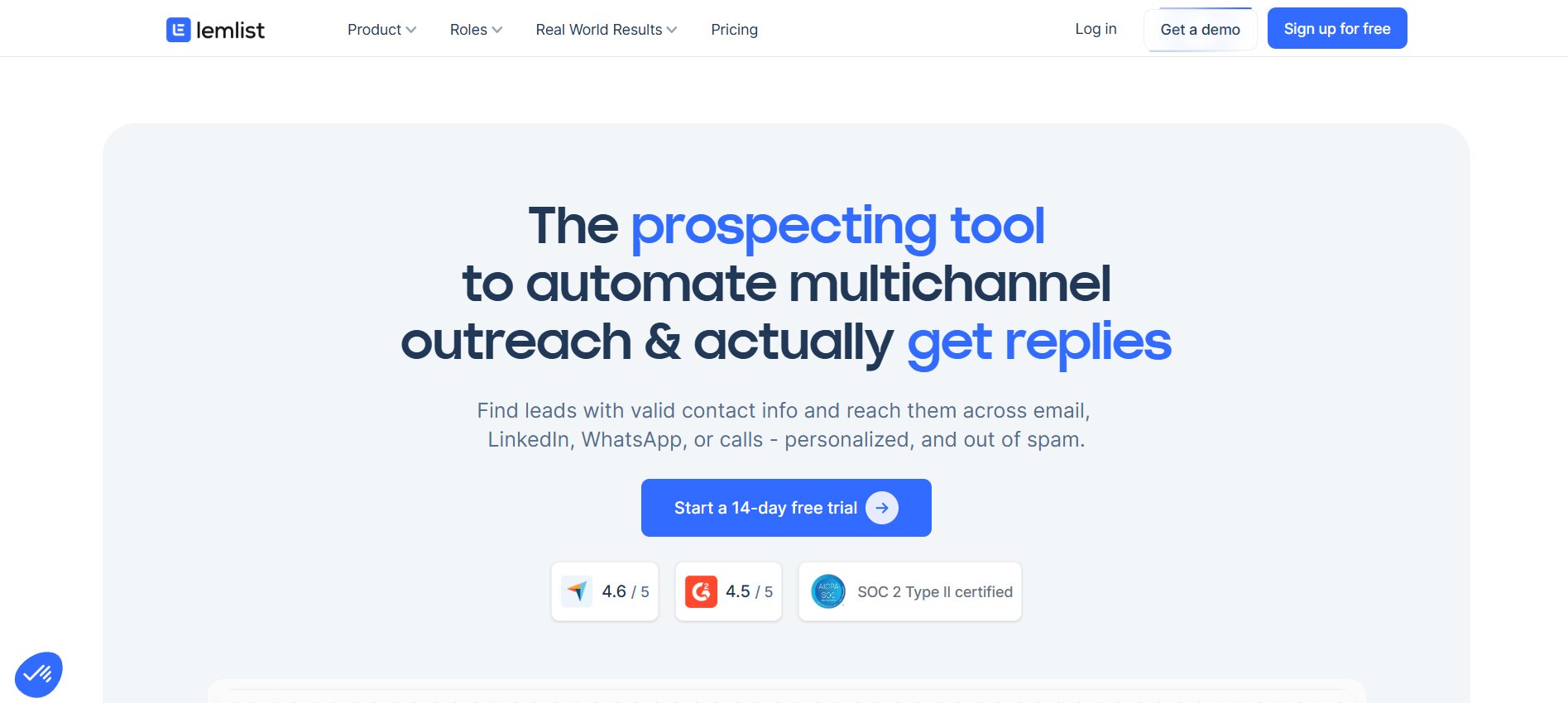
Lemlist is not a bad product. It holds a 4.4 out of 5 rating on G2 across more than 960 reviews, and a 4.6 on Capterra. Users consistently praise its dynamic image personalization and AI-generated sequences. But the same user bases on G2, Capterra, and Reddit threads surfaced four recurring frustrations that are pushing teams toward alternatives in 2026.
The 4 Biggest Lemlist Complaints in 2026
Pricing That Punishes Growth
Lemlist’s Email Pro plan costs $69 per user per month, and the Multichannel Expert plan — the tier that unlocks LinkedIn automation — is priced at $99 per user per month. That per-seat model works fine for a solo founder but becomes a serious expense as teams scale. A 10-person SDR team on the Multichannel Expert plan pays $10,440 per year, placing Lemlist in the same pricing bracket as enterprise platforms that include significantly more features. G2 reviewers have noted this directly: “The pricing grows quickly if you need several users, which can be a blocker for small teams.”
Clunky, Over-Engineered Interface
Lemlist markets itself as an all-in-one platform, but all-in-one does not mean easy to use. The UI gets dense when you stack multiple triggers, and advanced conditions have a learning curve — a pattern that matches G2 complaint data exactly. It is easy to start but hard to master. Users report that with the platform’s evolution, the menus have become less intuitive, making it harder to locate information and manage reports and dashboards.
Weak LinkedIn Outreach
Lemlist’s LinkedIn features exist, but they are built on top of an email-first architecture. Multiple Capterra and G2 reviewers flag issues with Lemlist’s Chrome extension, which is essential for LinkedIn prospecting, with reports of needing to remove and reinstall it multiple times. For a tool that charges $99 per month for LinkedIn features, extension stability should be rock-solid. The platform also requires you to be on the $99 Multichannel Expert plan just to access LinkedIn sequences — meaning there is no affordable entry point for LinkedIn-first teams.
Deliverability Issues and Limited Warm-Up
Some users report that Lemlist’s deliverability throttling affected all their domains simultaneously when one domain had low deliverability, causing daily send volumes to drop from 150–200 emails per seat to as few as 50. Some users also report finding outdated information or invalid contacts in the lead database, which can hurt deliverability if not cleaned properly. Lemwarm, the built-in warm-up tool, helps in some situations, but it is a maintenance tool rather than a dedicated deliverability solution.
What to Look for in a Lemlist Alternative
Before jumping to the alternatives, it is worth establishing what actually matters when evaluating a replacement. The right tool depends heavily on your outreach channel mix, team size, and budget model. The checklist below covers the criteria used to assess every tool in this guide:
- Primary outreach channels: Does the tool natively support email, LinkedIn, calls, and SMS, or does it focus on one channel?
- Deliverability infrastructure: Does it include warm-up, inbox rotation, spam testing, and bounce protection?
- Pricing model: Is it per-seat, per-workspace, or per-volume? Are there hidden add-ons that inflate the real cost?
- Ease of setup: How long does it take to go from sign-up to a live campaign?
- LinkedIn safety: Is LinkedIn automation cloud-based, or does it rely on a Chrome extension that puts accounts at risk?
- AI personalization: Does the platform generate personalized messages from real data, or just insert merge tags?
- CRM integrations: Does it sync with Salesforce, HubSpot, Pipedrive, or Zoho without extra setup?
- Free trial: Can you test the full platform before committing?
Quick Comparison: Top 10 Lemlist Alternatives at a Glance
| Tool | Best For | Starting Price | LinkedIn? | Free Trial | Standout Feature |
|---|---|---|---|---|---|
| Dealsflow | LinkedIn-first outreach | $49/mo | Yes (native) | 14 days | Cloud IP + AI icebreakers |
| Instantly.ai | High-volume cold email | $47/mo | No | 14 days | Unlimited email accounts |
| Smartlead | Agencies, high volume | $39/mo | No | 14 days | Unlimited mailboxes + white-label |
| Saleshandy | Budget teams, all sizes | $25/mo | No | 7 days | Unlimited email accounts + clients |
| Apollo.io | Prospecting + outreach | Free / $49/user | Partial | Free plan | 210M+ contact database |
| Reply.io | Multi-channel teams | $49/user/mo | Yes | 14 days | Jason AI SDR + all-in-one channels |
| Woodpecker | Email simplicity | $29/mo | Add-on | 14 days | Best-in-class deliverability focus |
| Mailshake | CRM-integrated teams | $58/user/mo | Basic | None | Power dialer + email in one |
| GMass | Gmail power users | $20.75/mo | No | Free (50/day) | Operates inside Gmail natively |
| Klenty | SDR teams with CRM | $50/user/mo | Yes | 14 days | Deep CRM automation + AI cadences |
The 10 Best Lemlist Alternatives in 2026
1. Dealsflow — Best Lemlist Alternative for LinkedIn-First Outreach
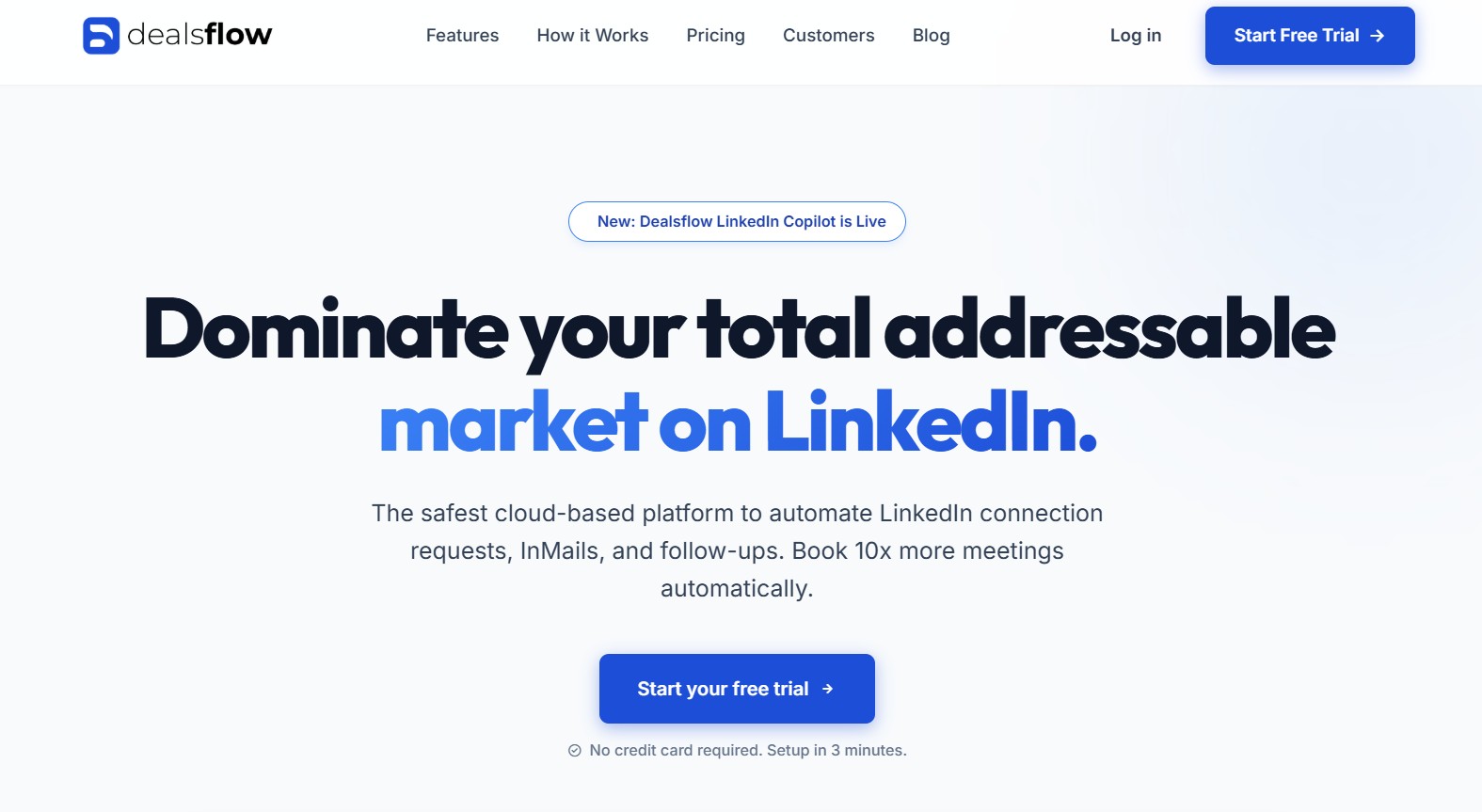
The cold outreach landscape has shifted. Buyers are increasingly reachable on LinkedIn, yet most outreach tools were built for email and bolted on LinkedIn as an afterthought. Dealsflow takes the opposite approach — it is a LinkedIn-native automation platform built from the ground up for teams that treat LinkedIn as their primary prospecting channel.
Where Lemlist forces you to pay $99 per seat just to unlock basic LinkedIn sequences through an unreliable Chrome extension, Dealsflow provides a full LinkedIn automation stack — connection requests, InMails, follow-ups, profile views, and personalized icebreakers — all running in the cloud, 24 hours a day, without needing a browser open.
Why Dealsflow Tops This List
The fundamental problem with browser-extension-based LinkedIn automation is account risk. If your extension gets flagged, your LinkedIn account gets restricted. Dealsflow eliminates this entirely by running in the cloud. Every account on the platform gets assigned a dedicated residential proxy IP that mimics natural human browsing patterns. This means your LinkedIn account is not tied to a specific device, a specific browser, or a specific location — which is exactly what LinkedIn’s algorithms look for when flagging automation tools.
For teams that have already been burned by extension bans, this is not a minor feature — it is the whole reason to switch.
Where Lemlist Falls Short on LinkedIn (And How Dealsflow Fixes It)
Lemlist was built as a cold email platform. Its LinkedIn integration works through a Chrome extension that multiple Capterra reviewers have flagged for instability. You also cannot access LinkedIn sequences at all unless you pay for the $99 per month Multichannel Expert plan, which still locks the LinkedIn functionality behind an extension.
Dealsflow’s entire product is built around LinkedIn. The sequence builder is designed specifically for the LinkedIn interaction flow — view a profile, send a connection request, wait for acceptance, then deliver a personalized follow-up message. Every step of this flow is handled automatically, in the cloud, with human-like timing intervals built in to protect your account health.
Dealsflow’s Standout Features
- AI Personalization: Dealsflow’s AI generates unique icebreaker messages by analyzing each prospect’s LinkedIn profile — their job title, company description, recent activity, and career history. Every connection request and first message is different from the last. Users on the platform have reported their connection acceptance rates rising from around 15% to nearly 40% after switching to AI-generated personalized messages.
- Advanced Sequence Builder: The drag-and-drop campaign builder allows you to build precise LinkedIn workflows: view a profile on Day 1, send a connection request an hour later, send a first message after acceptance, and follow up automatically on a schedule you define. You can combine profile visits, connection requests, InMails, and follow-up messages into a single automated sequence.
- Unified Smart Inbox: All LinkedIn replies across every campaign land in a single unified inbox. The system automatically unenrolls a prospect the moment they reply, so you never follow up with someone who has already responded. This removes one of the most frustrating parts of multi-account LinkedIn outreach — constantly switching between browser tabs.
- Cloud IP Security: Dealsflow assigns a dedicated residential proxy to each connected LinkedIn account. The platform mimics natural human behavior — gradual daily increases, realistic activity patterns, randomized timing — so LinkedIn’s detection systems see what looks like a normal user, not a bot.
- LinkedIn Copilot: Dealsflow’s newest feature, the LinkedIn Copilot, provides AI-guided outreach recommendations directly within campaigns. It is built to help teams optimize their connection and reply rates without requiring manual analysis of campaign data.
Dealsflow Pricing vs. Lemlist Pricing
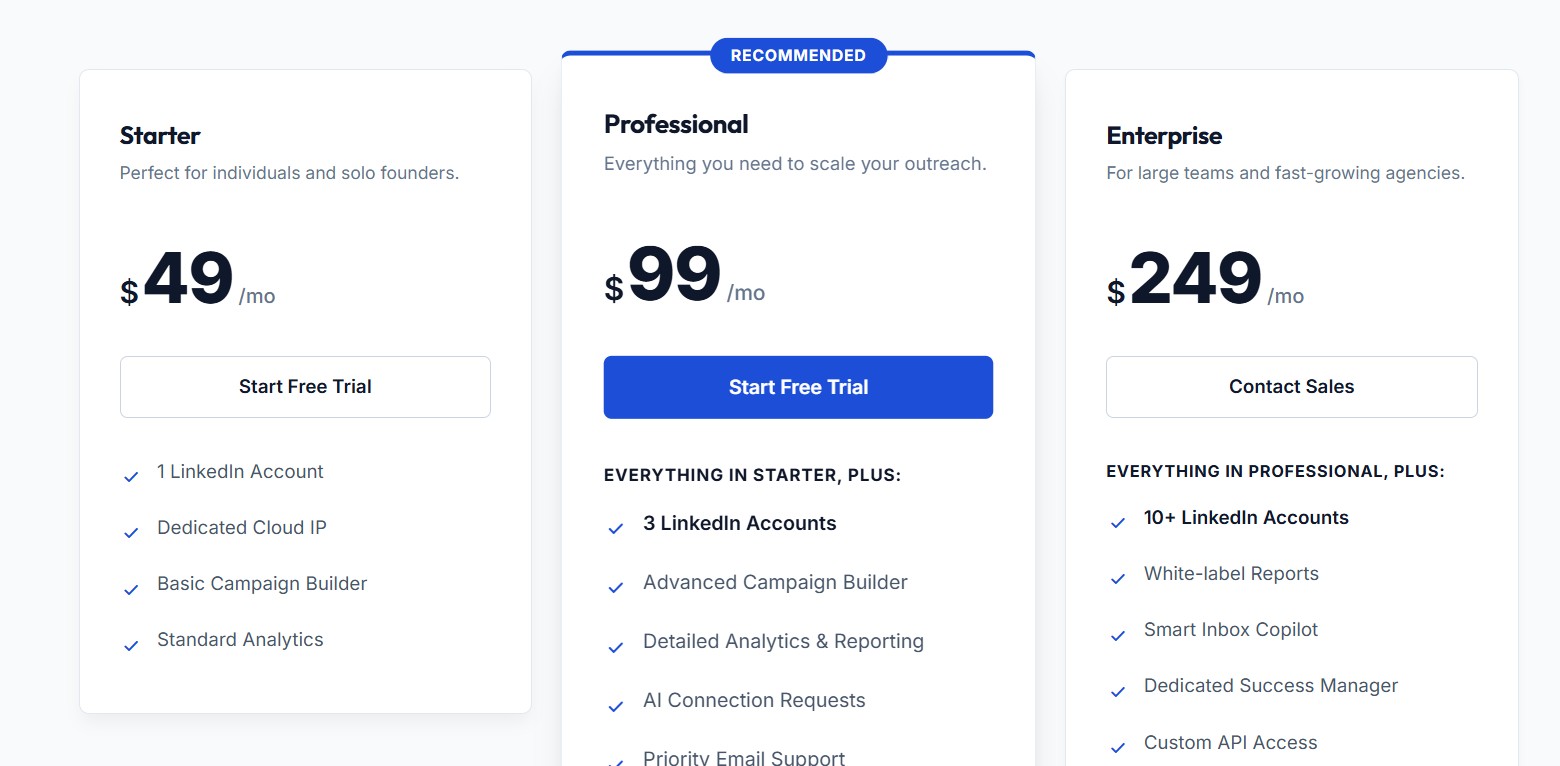
Dealsflow uses a transparent, flat pricing model with three tiers:
- Starter: $49 per month — 1 LinkedIn account, dedicated cloud IP, basic campaign builder, standard analytics
- Professional: $99 per month — 3 LinkedIn accounts, advanced campaign builder, detailed analytics and reporting, AI connection requests, priority support
- Enterprise: $249 per month — 10+ LinkedIn accounts, white-label reports, Smart Inbox Copilot, dedicated success manager, custom API access
For context, Lemlist charges $99 per user per month just to unlock LinkedIn sequences — and that is a per-seat cost, meaning a three-person team pays $297 per month for LinkedIn access alone. Dealsflow’s Professional plan covers 3 LinkedIn accounts for $99 per month total — not per user. For agencies and small teams, this is a substantial cost difference. All plans include a 14-day free trial with no credit card required.
Who Should Use Dealsflow?
Dealsflow is the right tool for SDRs who rely primarily on LinkedIn for pipeline generation, founders doing hands-off outbound who cannot babysit a Chrome extension, agencies managing LinkedIn outreach for multiple clients, and anyone who has had a LinkedIn account restricted or banned from using extension-based automation tools. It is not the right tool for teams whose entire outreach strategy is email-based with no LinkedIn component.
Dealsflow Pros and Cons
Pros:
- 100% cloud-based — no Chrome extension, no device dependency
- Dedicated residential proxy IP protects every connected account
- AI icebreaker generation from real LinkedIn profile data
- Transparent flat pricing that does not multiply per seat
- 14-day free trial with no credit card required
- Simple 3-minute setup with no technical configuration
Cons:
- Focused on LinkedIn — not suited as a standalone cold email tool
- Does not include a built-in email sending infrastructure or warm-up network
- Smaller feature set compared to all-in-one platforms like Apollo or Reply.io
2. Instantly.ai — Best for High-Volume Cold Email at Scale
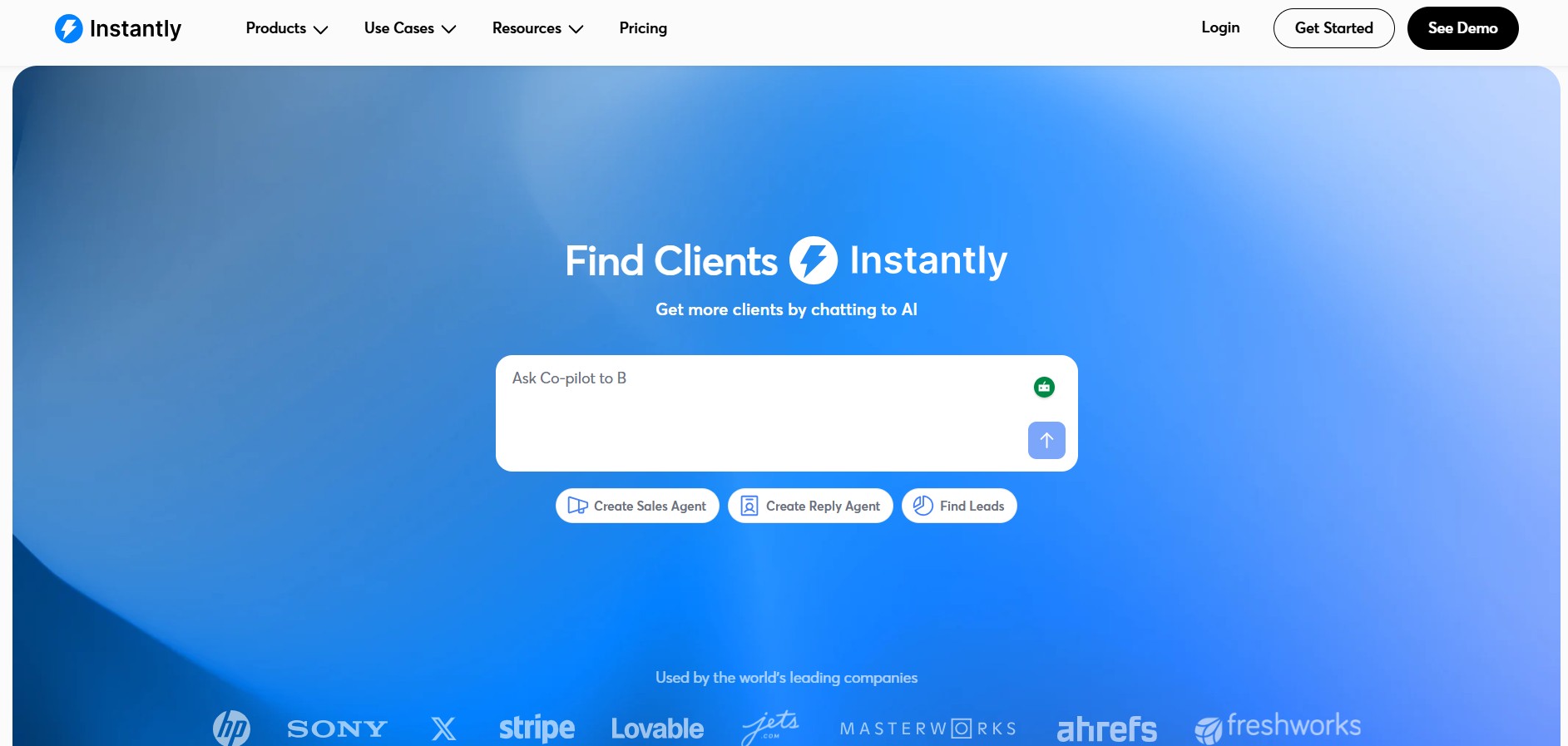
Instantly.ai has built its reputation on one specific promise: send cold email at serious volume without paying per seat. For teams whose outreach is primarily email-driven and whose main bottleneck is volume rather than LinkedIn coverage, it delivers on that promise more cleanly than most tools in this price range.
Why It’s a Strong Lemlist Alternative
Lemlist charges $69 per user per month for email-only access and $99 for multichannel. Instantly starts at $47 per month for the whole workspace — not per user — with unlimited email accounts and unlimited warm-up included. Instantly’s pricing page shows $37.60 per month when you toggle to yearly billing, and $47 per month on monthly billing. This is a workspace-level subscription rather than a per-seat model, which makes it dramatically more affordable as team size grows.
Key Features
- Unlimited Email Accounts: Every Instantly plan, including the entry-level Growth tier, allows you to connect an unlimited number of email accounts and warm them up at no additional cost. This is the core deliverability advantage — spread your sends across many domains and protect your sender reputation at scale.
- Built-in Email Warm-Up: Instantly’s deliverability infrastructure includes a warmup network rated at 4.2M+ accounts, consistently rated 4.9 out of 5 on G2 for warmup quality. Warm-up runs automatically across all connected accounts without any manual configuration.
- AI-Powered Sequence Optimization: Instantly includes AI tools for email copy generation, A/B testing (on Hypergrowth and above), and an AI Reply Agent that handles inbound responses automatically. The AI Reply Agent uses a credit-based system at 5 credits per automated reply, allowing teams to scale reply management without hiring.
Instantly Pricing
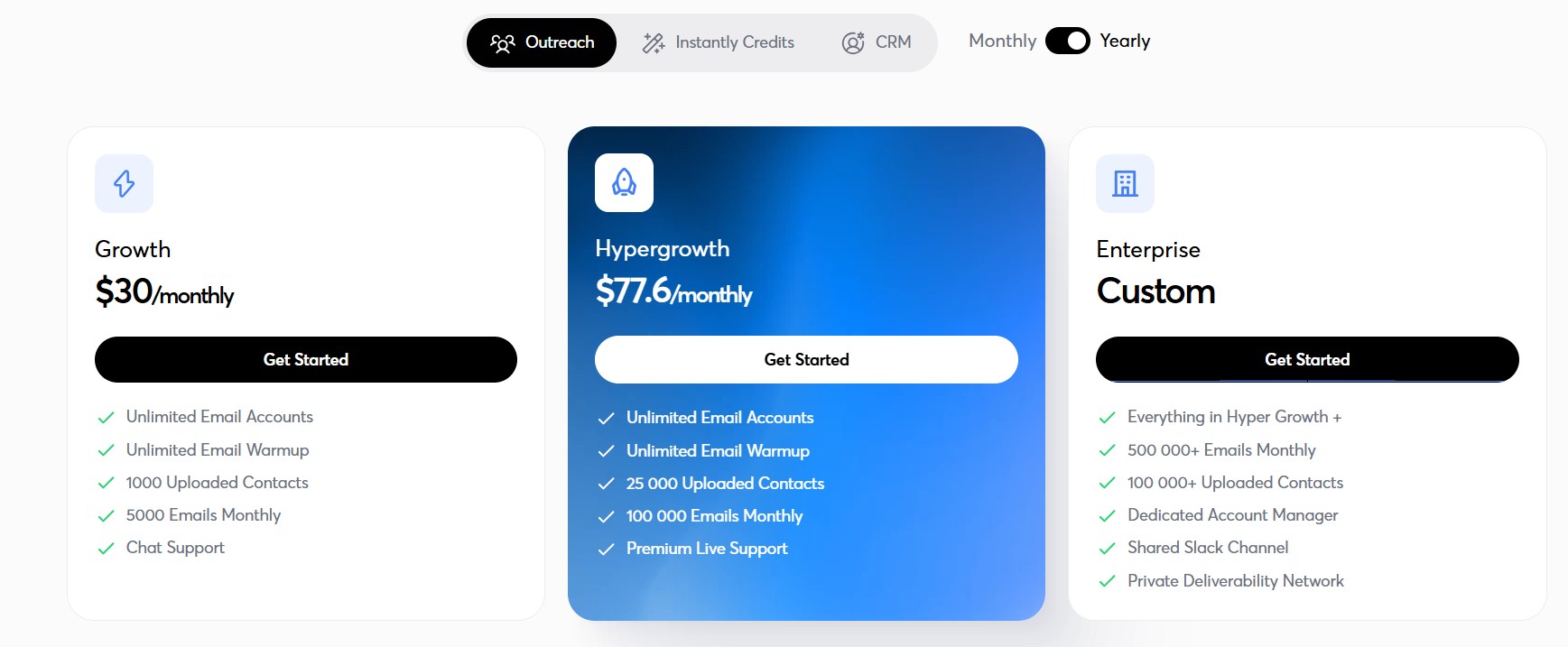
- Growth: $47/month (or $30/month annually) — 5,000 emails/month, 1,000 contacts
- Hypergrowth: $97/month (or $77.60/month annually) — 100,000 emails/month, 25,000 contacts, A/B testing, Slack and webhooks
- Light Speed: $358/month — 500,000+ emails/month, SISR private IP rotation
Be aware that the lead database (SuperSearch), CRM features, and website visitor identification are all separate products with their own pricing. The real monthly cost for most teams who need prospect data and outreach runs higher than the advertised starting price once all modules are factored in.
Pros and Cons
Pros:
- Flat workspace pricing — not per-seat
- Unlimited email accounts on every plan
- Strong deliverability infrastructure with 4.2M+ warmup network
- AI Reply Agent for automated response handling
- Clean, intuitive interface praised consistently on G2
Cons:
- No native LinkedIn automation — email only
- A/B testing locked to the $97/month Hypergrowth tier
- Lead database (SuperSearch) is a separate paid product
- Real total cost is significantly higher once all modules are added
Best For
Teams focused exclusively on cold email at scale — agencies, SDR teams with large prospect lists, and founders who need volume without per-seat costs. Not suitable for teams whose outreach strategy requires LinkedIn.
3. Smartlead — Best for Agencies Managing Multiple Clients
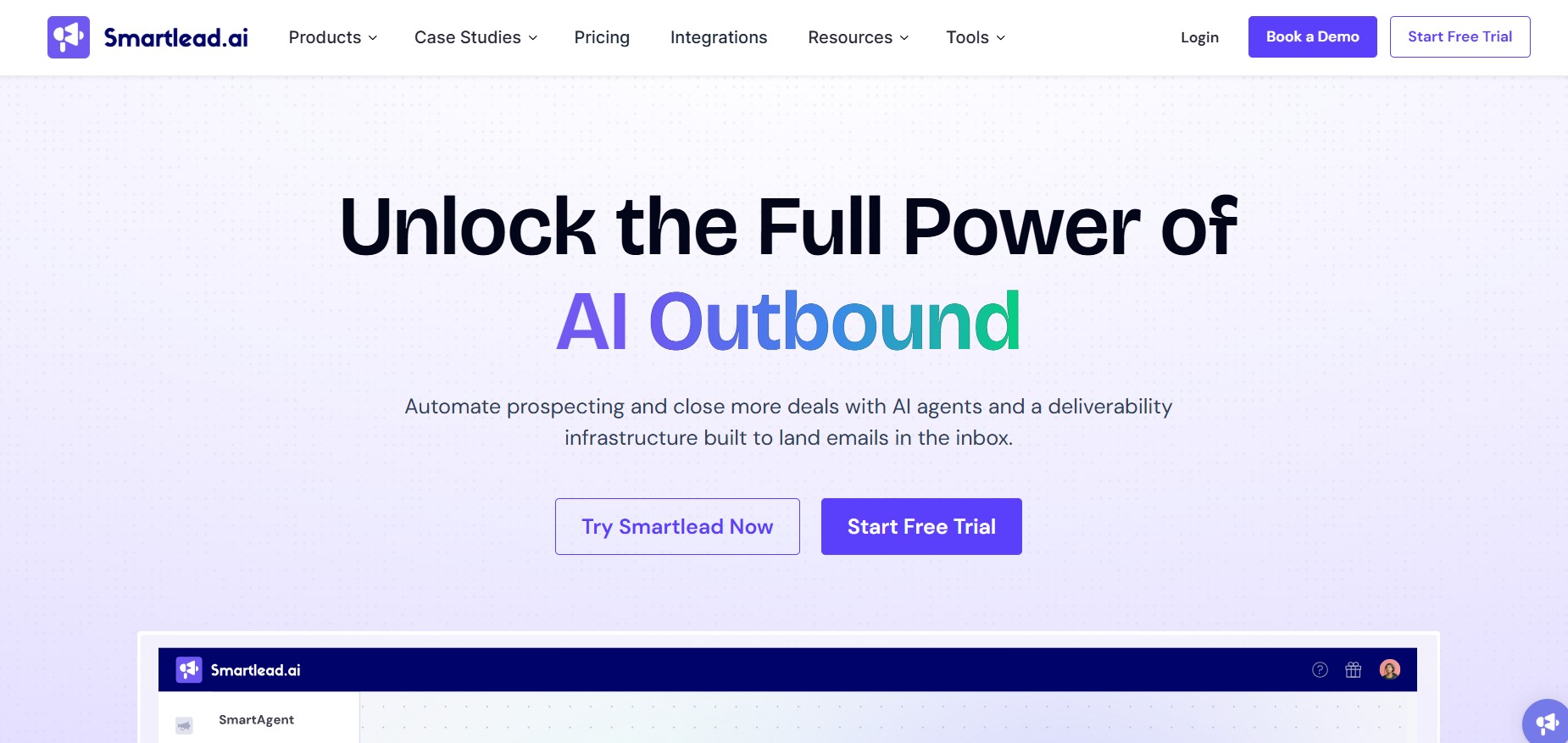
Smartlead has carved out a strong position in the agency market by combining unlimited mailboxes, high-volume email infrastructure, and white-label client management into a single platform. For cold email agencies managing outreach across multiple client accounts simultaneously, it offers a more practical setup than most alternatives.
Why It’s a Strong Lemlist Alternative
Lemlist does not offer genuine white-label agency functionality at an accessible price point. Smartlead does — though with some caveats. The pricing for white-labeling is set at $29 per client. When you purchase the Pro plan, you receive one free client as part of the package. More importantly, Smartlead’s unlimited mailbox model means agencies can run campaigns across hundreds of inboxes without paying per account.
Key Features
- Unlimited Mailboxes and Warm-Up: Smartlead offers unlimited email accounts and warmup accounts without charging per account, allowing teams to scale email outbound without paying more. This is included on every plan, including the $39/month Basic tier.
- Client Sub-Accounts (White-Label): The Pro plan includes white-label capabilities, letting agencies present Smartlead as their own branded platform to clients. Each client gets a separate workspace with isolated data and its own sending infrastructure.
- AI Email Categorization: Smartlead includes a master unified inbox (called Unibox) that consolidates replies from all connected accounts. It categorizes incoming responses automatically, helping teams prioritize follow-ups without reading every reply manually. Smartlead also tracks 400+ email blocklists globally and sends notifications if any connected account lands on one.
Smartlead Pricing
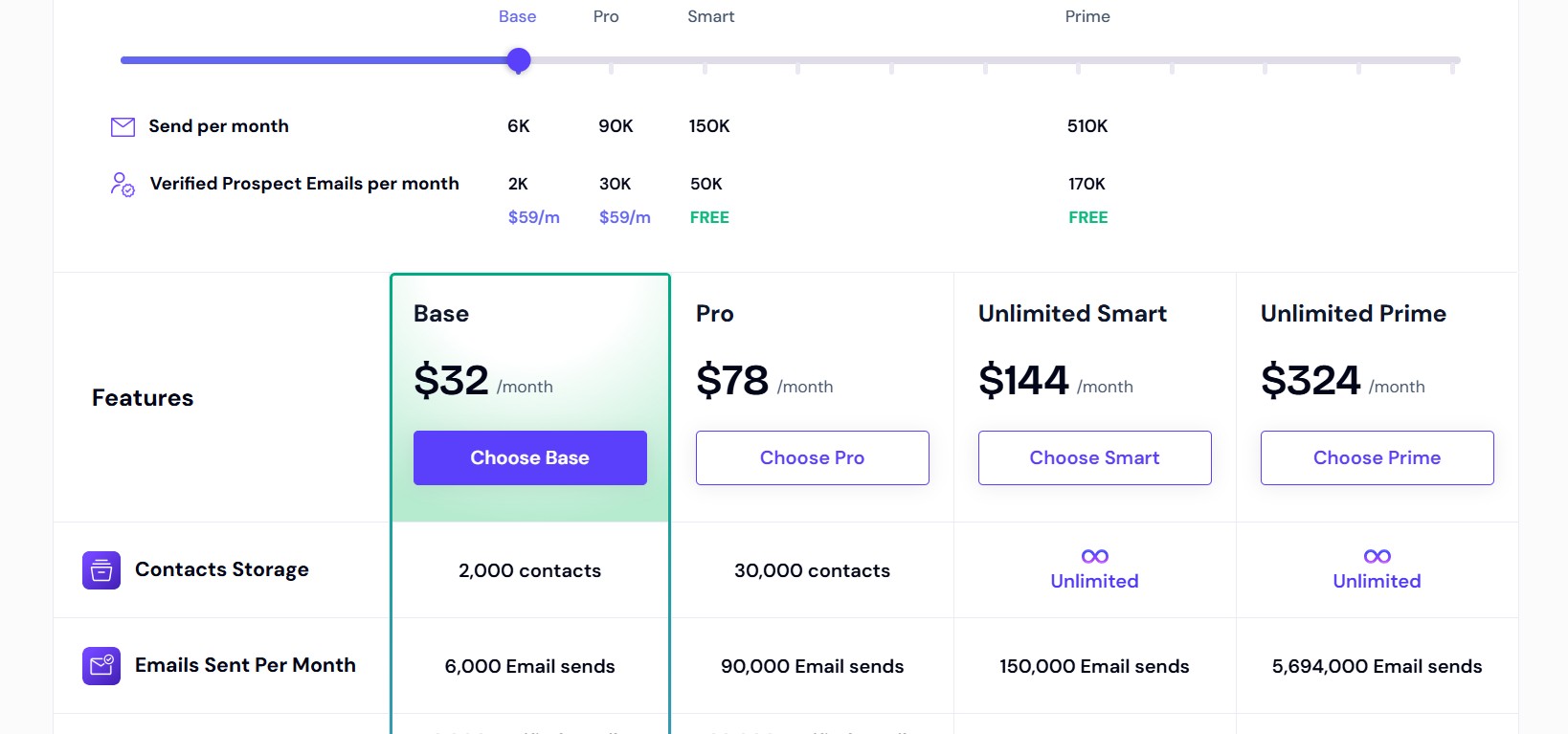
- Basic: $39/month ($32.50/month annually) — 2,000 active leads, 6,000 emails/month, unlimited email accounts and warm-up
- Pro: $94/month ($78.30/month annually) — 30,000 active leads, 150,000 emails/month, API access, webhooks, unlimited seats, one free white-label client
- Custom: $174/month — Up to 12 million leads, 60 million emails/month, advanced CRM
Additional clients on the Pro plan each add $29/month. Smartlead’s most commonly cited drawback is that essential features like email verification cost extra, and client management requires add-ons that make total agency costs higher than the base plan suggests.
Pros and Cons
Pros:
- Unlimited mailboxes and warm-up on all plans
- Flat pricing with unlimited seats (not per user)
- White-label client management for agencies
- Strong deliverability with dynamic IP rotation
- API access for custom integrations on Pro and above
Cons:
- No built-in lead database — must source contacts separately
- $29/month per additional white-label client adds up fast
- Some G2 reviewers report bugs and slow customer support response times
- No native LinkedIn automation
Best For
Cold email agencies managing multiple client campaigns simultaneously, and high-volume B2B teams that need to run many mailboxes across multiple domains without per-account charges.
4. Saleshandy — Best for Budget-Conscious Teams Who Need Everything
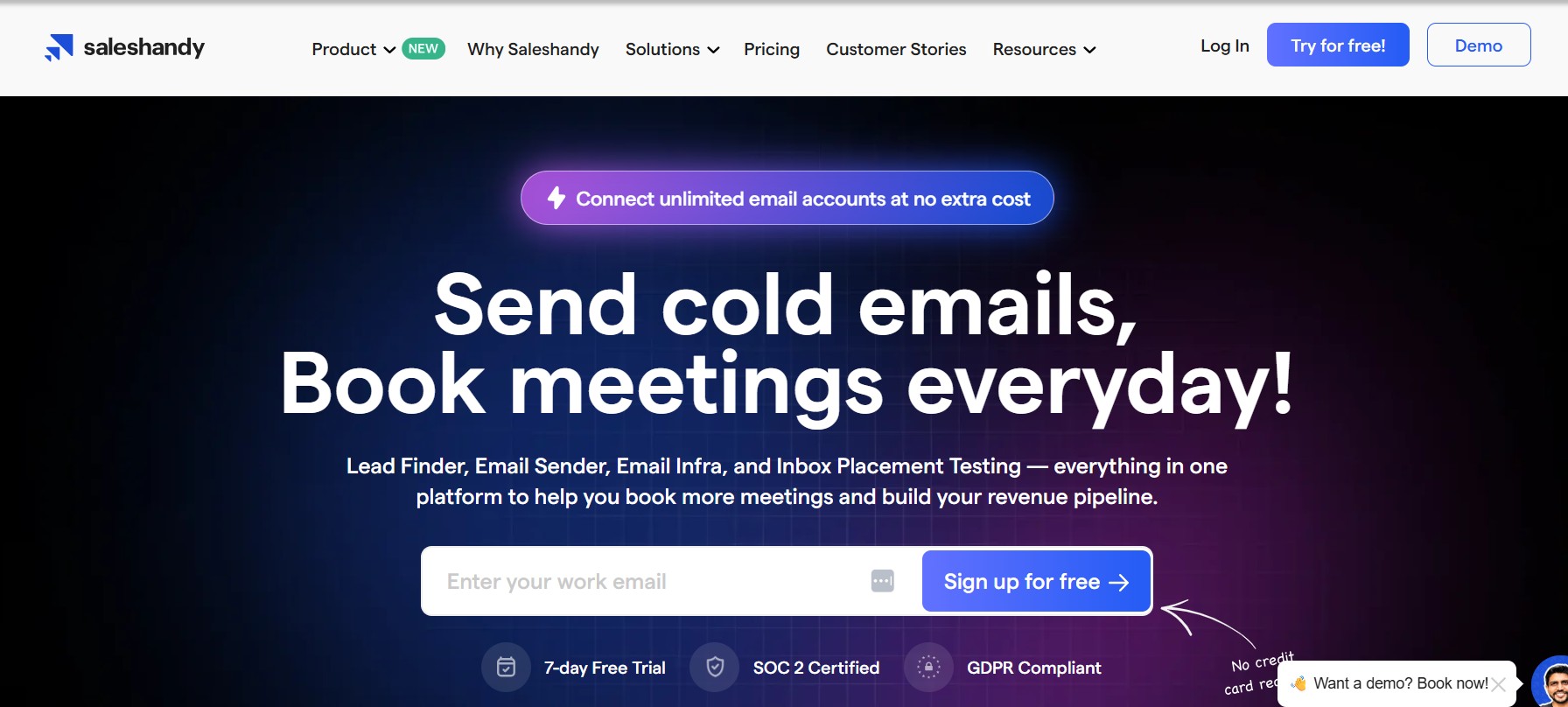
Saleshandy positions itself as the all-in-one cold email solution that does not punish you for growing. Its most distinctive feature is genuinely unlimited email accounts on every paid plan — not “unlimited” with hidden caps, but a flat-rate model where adding more inboxes costs nothing extra.
Why It’s a Strong Lemlist Alternative
Saleshandy is a strong alternative to Lemlist because it allows unlimited email accounts, does not charge extra for multichannel outreach, charges only 1 credit for a verified email address compared to Lemlist’s 5, allows adding more clients without extra fees, and offers free email verification credits with every plan. Starting at $25/month on the Outreach Starter plan, it is significantly more affordable than Lemlist’s $69 entry point.
Key Features
- Unlimited Email Accounts: Saleshandy connects an unlimited number of email accounts on every paid plan. Sender rotation is built in, distributing sends across connected inboxes automatically to protect deliverability.
- Sender Rotation: Campaign emails rotate across all connected accounts, mimicking natural human sending patterns and reducing the risk of any single domain being flagged for bulk sending.
- B2B Prospect Database Access: Saleshandy includes a lead finder with access to a database of 700M+ professional contacts and 60M+ company profiles. Unlike tools that charge per-lead regardless of outcome, Saleshandy does not charge credits unless it can find verified contact information. Unused credits roll over.
Saleshandy Pricing
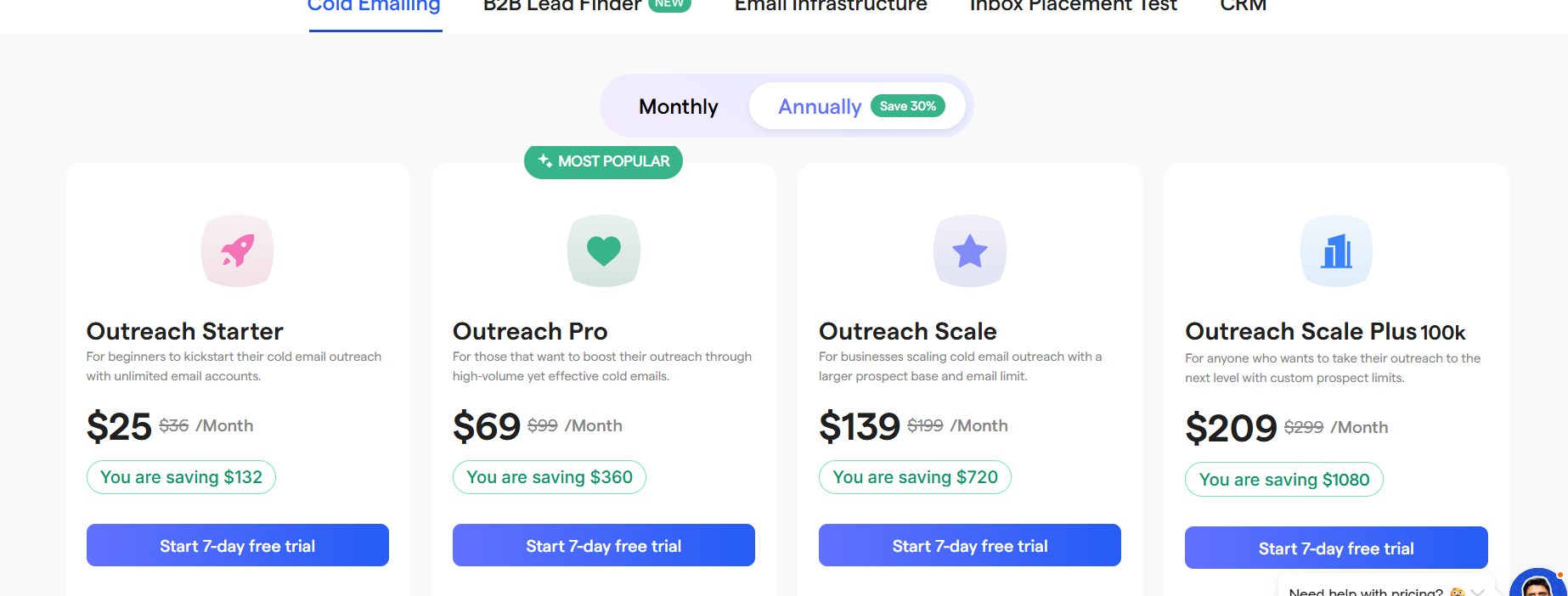
- Outreach Starter: $25/month (annually) — 2,000 active prospects, 6,000 emails/month, unlimited email accounts
- Outreach Pro: $69/month (annually) — 30,000 active prospects, 150,000 emails/month, CRM integrations, subsequences
- Outreach Scale: $149/month (annually) — higher prospect and email limits, advanced features
- Outreach Scale Plus: Custom pricing — tailored limits
Agency features including unlimited client management and white-labeling are included on higher-tier plans at no per-client surcharge — a meaningful advantage over Smartlead for larger agencies.
Pros and Cons
Pros:
- Lowest entry price of any full-featured cold email tool at $25/month
- Unlimited email accounts on all plans with no hidden caps
- No per-client charges for agencies
- Built-in lead database with rollover credits
- 26-variant A/B testing included from the base plan
Cons:
- 7-day free trial only — shorter than most competitors
- LinkedIn outreach is manual (not automated) even on higher plans
- The Starter plan’s limits (6,000 emails/month) may be too low for active SDR teams
- No built-in phone dialer
Best For
Budget-conscious teams, startups, and agencies that need a solid cold email foundation without paying per user or per client. Particularly strong for organizations that run many separate email accounts across multiple domains.
5. Apollo.io — Best for Outreach + Prospecting in One Platform
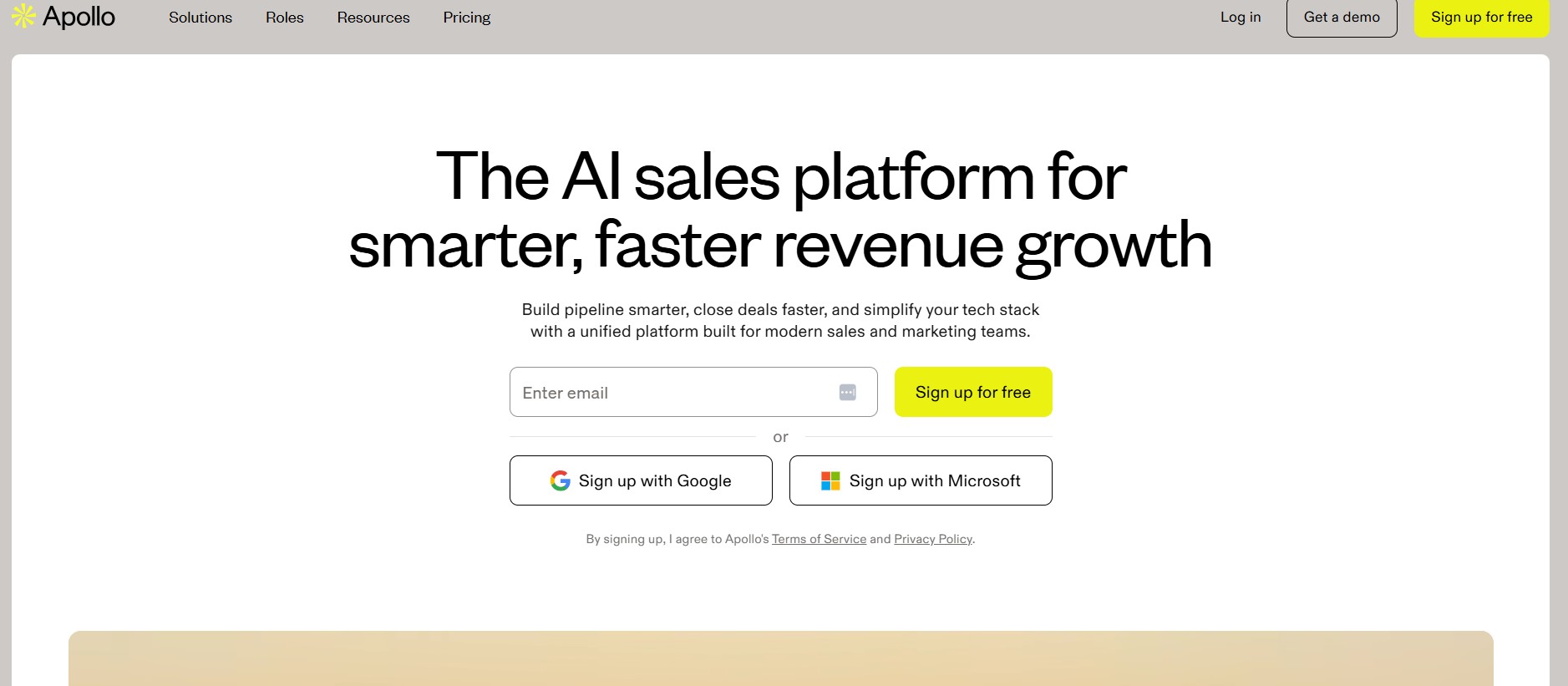
Apollo.io is the closest thing in this list to a true all-in-one go-to-market platform. It combines a massive B2B contact database, built-in email sequencing, a basic CRM, a phone dialer, and AI prospecting tools under one roof. For teams that currently pay separately for a data provider and an outreach tool, Apollo can consolidate both into one subscription.
Why It’s a Strong Lemlist Alternative
Lemlist does not include a meaningful contact database. It offers a lead finder, but users have noted data quality inconsistencies, and the credit system makes enrichment expensive at scale. Apollo’s 210M+ contact database with advanced filtering is consistently praised, with users highlighting the ability to build highly targeted lead lists using filters like job title, company size, industry, location, technologies used, and even buying intent signals.
Key Features
- 275M+ Contact Database: Apollo’s database allows users to search by job title, company size, industry, location, technology stack, funding stage, and recent job changes. The free plan provides access to the full database with basic search functionality and unlimited email credits (subject to fair use).
- Built-in Email Sequencing: Apollo includes an automated email sequencing engine with A/B testing, follow-up automation, and multi-step campaign logic. Sequences can be combined with LinkedIn tasks and phone call reminders, though LinkedIn steps require manual execution rather than full automation.
- CRM-Lite with Deal Tracking: Apollo includes a lightweight CRM that tracks contacts, deals, and interactions. It integrates natively with Salesforce, HubSpot, and Pipedrive for teams that prefer their existing CRM while still using Apollo for data.
Apollo Pricing
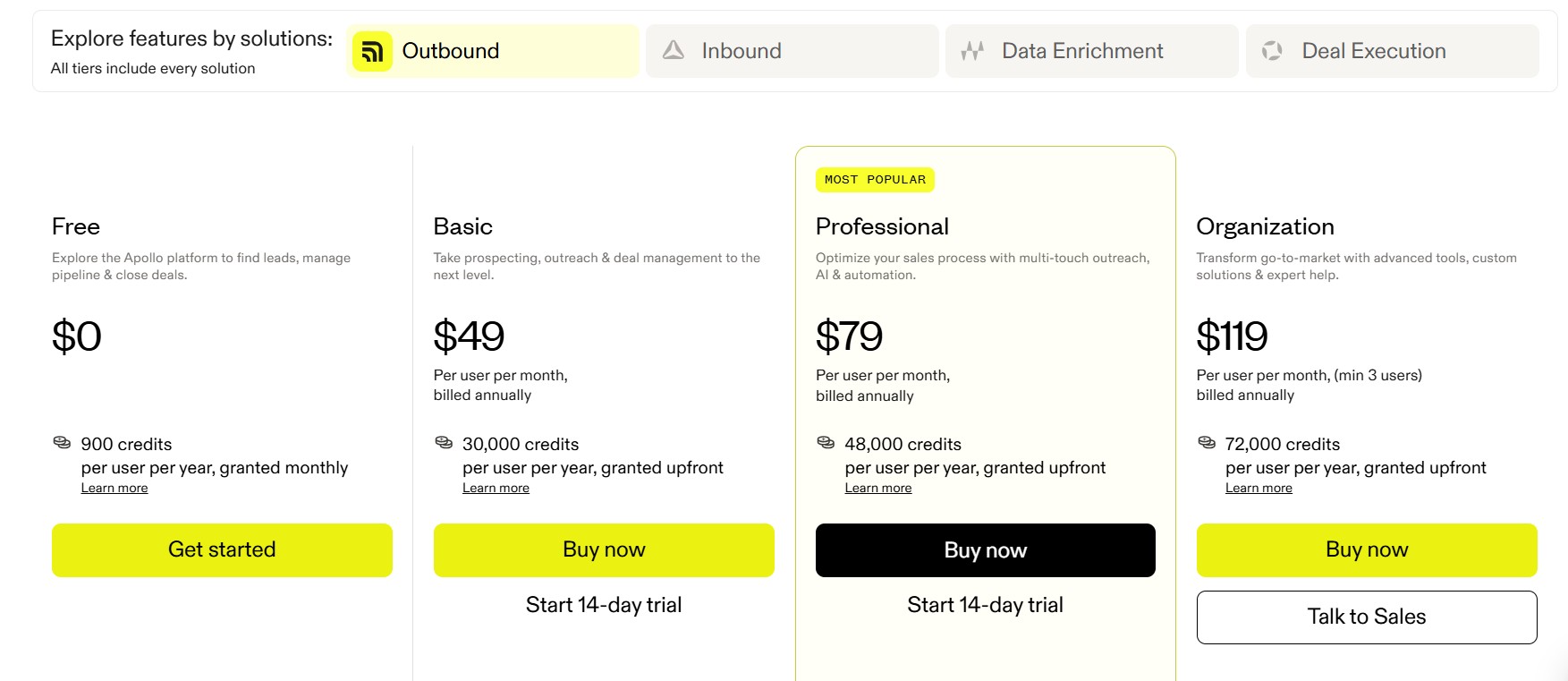
- Free: $0 — full database access, 5 mobile credits/month, 10 export credits/month, 2 active sequences
- Basic: $49/user/month (annually) — 5,000 credits/month
- Professional: $99/user/month (annually) — 10,000 credits/month, advanced features
- Organization: $119/user/month (annually) — 15,000 credits/month, team management, API access
Real-world costs typically run $150–$400 per user per month when credit overages, supplementary verification tools, and tier upgrades for locked features are factored in. The per-seat pricing model also means costs multiply significantly as teams grow.
Pros and Cons
Pros:
- Largest contact database of any tool on this list (210M+ contacts)
- Free plan available with real database access
- All-in-one prospecting and outreach reduces tool sprawl
- Strong G2 rating of 4.7 out of 5 across 9,000+ reviews
- Native CRM integrations with Salesforce and HubSpot
Cons:
- Per-seat pricing becomes expensive for larger teams
- Credit system is complex and credits expire monthly without rollover
- Data accuracy averages 65% overall, with email bounce rates on Apollo-sourced contacts regularly hitting 15–25% — well above the industry standard of under 5%
- LinkedIn automation requires manual execution — no native LinkedIn sequencing
Best For
Teams that need a combined prospecting database and outreach tool, and startups or small teams looking to replace both ZoomInfo and a separate email sequencer with a single subscription.
6. Reply.io — Best for Multi-Channel Sequences Beyond Email
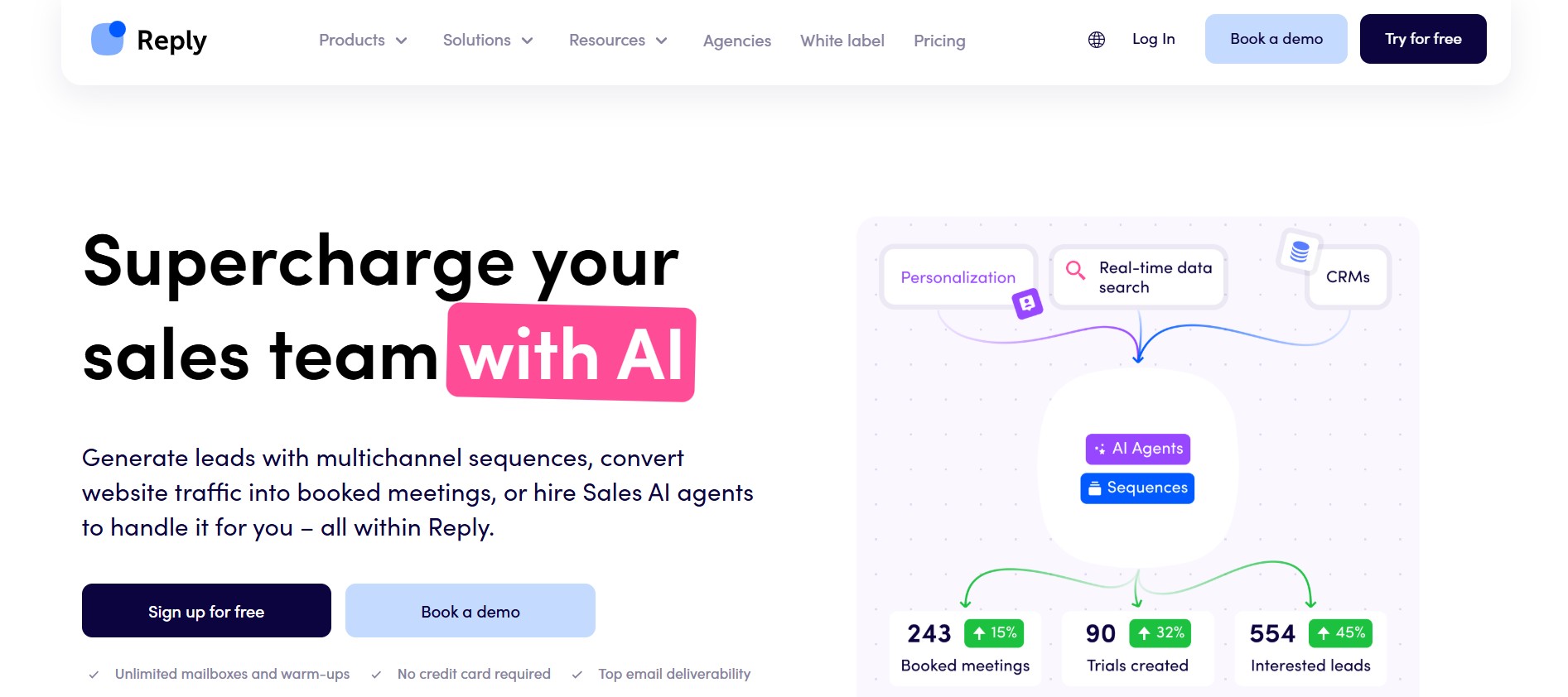
Reply.io is one of the few tools on this list that genuinely delivers on multi-channel outreach — combining email, LinkedIn, SMS, phone calls, and WhatsApp into unified, condition-based sequences. If your team’s strategy requires coordinating touchpoints across more than two channels from a single interface, Reply.io is one of the strongest options available.
Why It’s a Strong Lemlist Alternative
The Multichannel plan at $89 per user per month is where Reply.io wants teams to land, providing LinkedIn automation, SMS, calling, and unlimited email contacts in one plan. While this is comparable in price to Lemlist’s Multichannel Expert plan at $99, Reply.io’s LinkedIn automation is more robust than Lemlist’s extension-dependent approach, and the platform includes Jason AI — an AI SDR that handles automated prospecting and reply management.
Key Features
- Email + LinkedIn + SMS + Calls in One Platform: Reply.io sequences can include email steps, LinkedIn connection requests, LinkedIn messages, SMS touchpoints, and phone call tasks — all triggered by prospect behavior. Condition-based logic means a prospect who opens an email but does not reply gets a different next step than one who did not open it at all.
- Jason AI (AI SDR) for Automated Replies: Jason is Reply.io’s AI agent that handles everything from finding prospects to sending personalized messages and managing responses. It operates in both Autopilot mode (fully autonomous) and Human-in-the-Loop mode (drafts replies for human approval). For teams looking to reduce the manual work of reply management, this is a genuine differentiator.
- B2B Contact Database: Reply.io includes 50 live data credits per month for finding contacts from a database of 1 billion B2B contacts in real time. This is not a replacement for a dedicated data provider, but it reduces the friction of sourcing prospects for smaller campaigns.
Reply.io Pricing
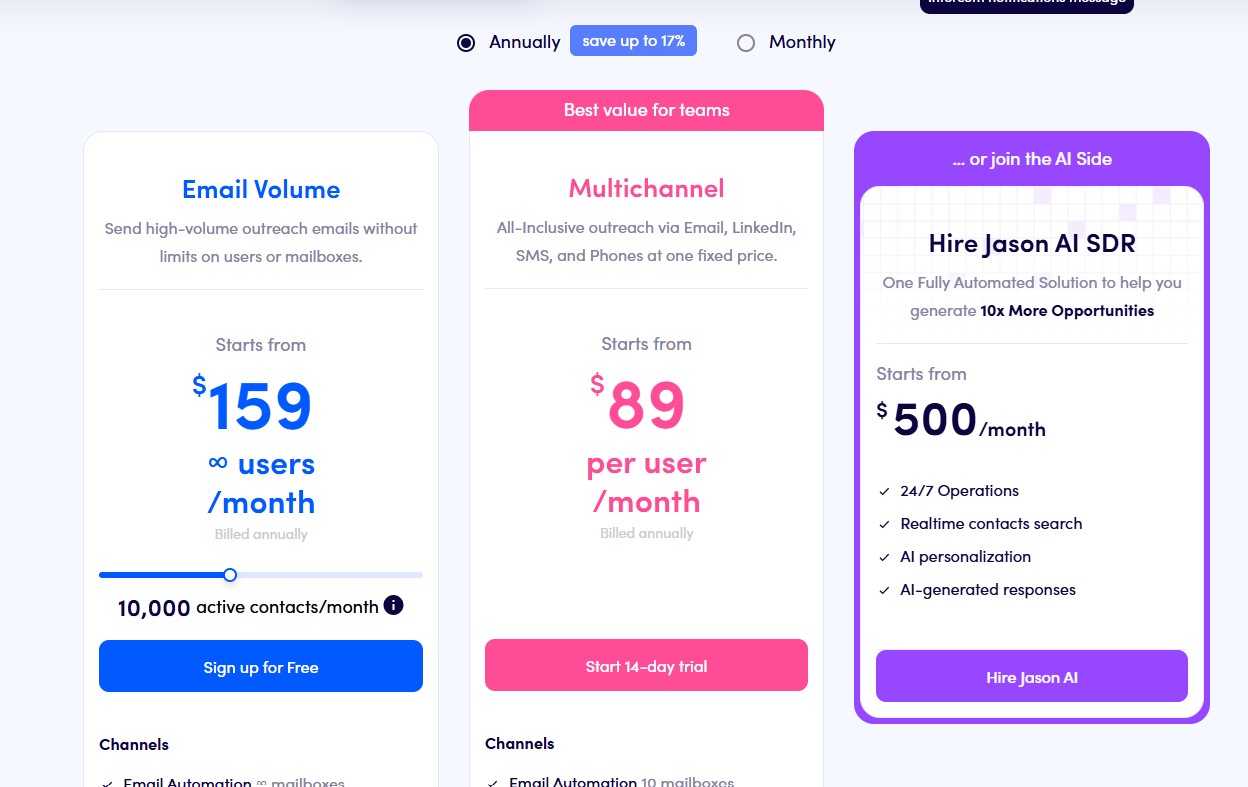
- Starter: $49/user/month (annually) — email automation, 1 mailbox, 5,000 data credits
- Professional (Multichannel): $89/user/month (annually) — all channels, 5 mailboxes, 10,000 data credits, LinkedIn automation, SMS, calls
- Agency: Custom pricing — unlimited clients, white-label options
- AI SDR (Jason): Starting at $800/month — fully automated prospecting and outreach
The email-only Starter plan at $49 is overpriced compared to Instantly or Smartlead for pure email use. The value of Reply.io comes from the Multichannel plan and above.
Pros and Cons
Pros:
- Most comprehensive channel coverage of any tool on this list
- Jason AI SDR for automated prospecting and reply handling
- Condition-based sequences adapt to prospect behavior
- Strong CRM integrations with Salesforce, HubSpot, and Pipedrive
- 14-day free trial available
- Support response times average under 6 hours via email, with screenshare troubleshooting sessions available within 24 hours for complex issues
Cons:
- Per-seat pricing — costs multiply for larger teams
- Email-only plan ($49) is expensive relative to dedicated email tools
- Initial setup requires 2+ hours for proper email and CRM configuration, and the interface has a steep learning curve with 8+ main navigation sections
- LinkedIn automation still has limits — manual connection request acceptance is required in some workflows
Best For
Mid-sized B2B sales teams running true multi-channel outbound across email, LinkedIn, SMS, and calls who want everything coordinated from a single platform and are willing to pay for the full stack.
7. Woodpecker — Best for Simplicity and Clean UX
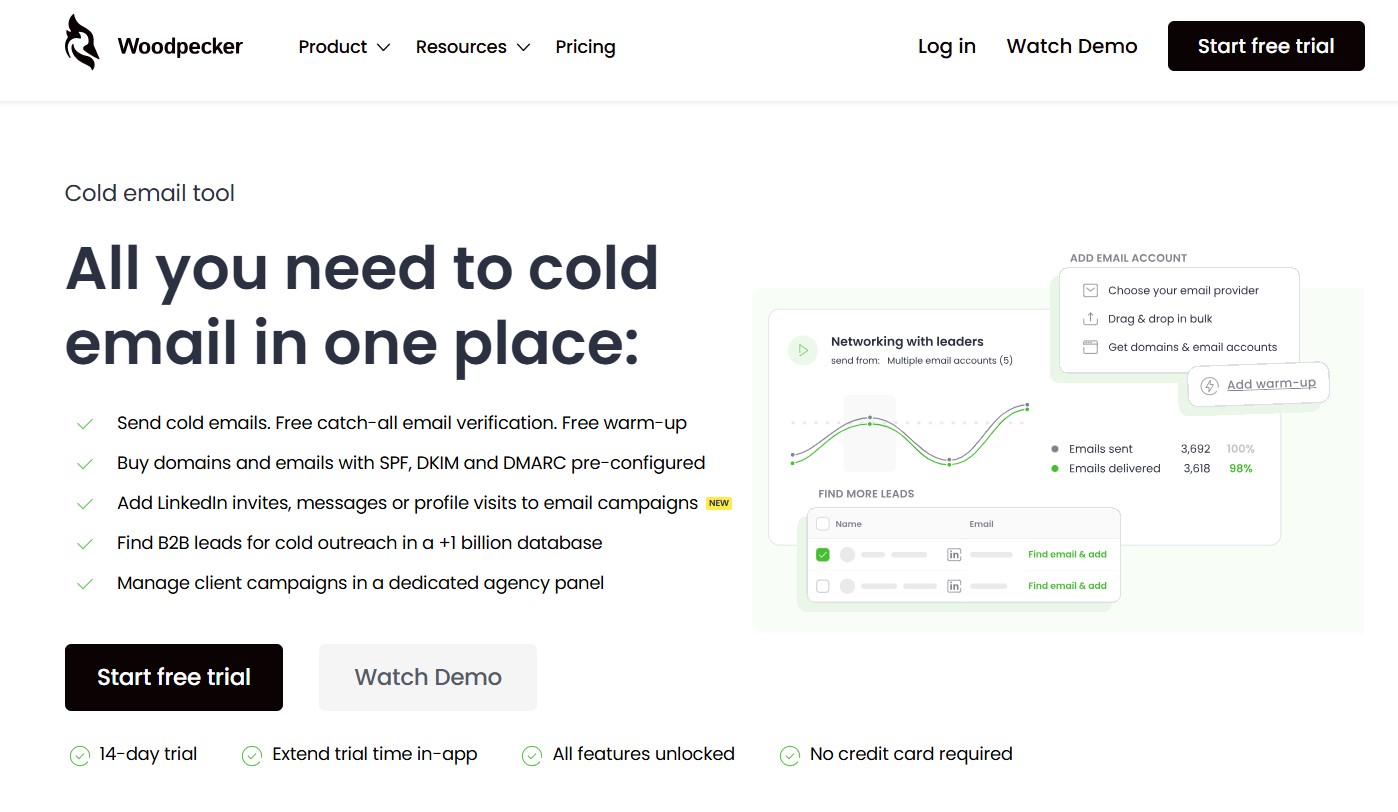
Woodpecker has been in the cold email market since 2015 and has earned a reputation for one thing above all else: reliability. It is not the flashiest tool on this list, and it does not try to be. It is a focused, clean, consistently performing cold email platform built for teams that want great deliverability without learning a complex system.
Why It’s a Strong Lemlist Alternative
Woodpecker is priced per prospect contacted rather than per user or per mailbox, making it one of the most affordable options for small teams. The entry-level Starter plan costs $29 per month and includes 500 prospects per month. Lemlist charges $69 per user per month just to get started. For small teams or solo founders, this price difference is significant.
Key Features
- Condition-Based Branching Sequences: Woodpecker supports if/then logic in sequences, allowing different follow-up paths based on prospect behavior. If a prospect opens an email but does not click, they get a different next message than someone who did not open at all. This level of sequence intelligence is usually reserved for more expensive platforms.
- Native CRM Integrations: Woodpecker connects natively with HubSpot, Salesforce, Pipedrive, and Copper. The integrations are described by users as quick to set up and reliable once configured — a contrast to some competitors whose CRM syncing is inconsistent.
- Deliverability Monitor: Woodpecker’s defining feature is its deliverability infrastructure — it mimics human sending patterns with randomized intervals, personalized send times, automatic throttling when bounce rates spike, and free unlimited email verification and warm-up. G2 reviewers consistently cite inbox placement as the platform’s top strength.
Woodpecker Pricing
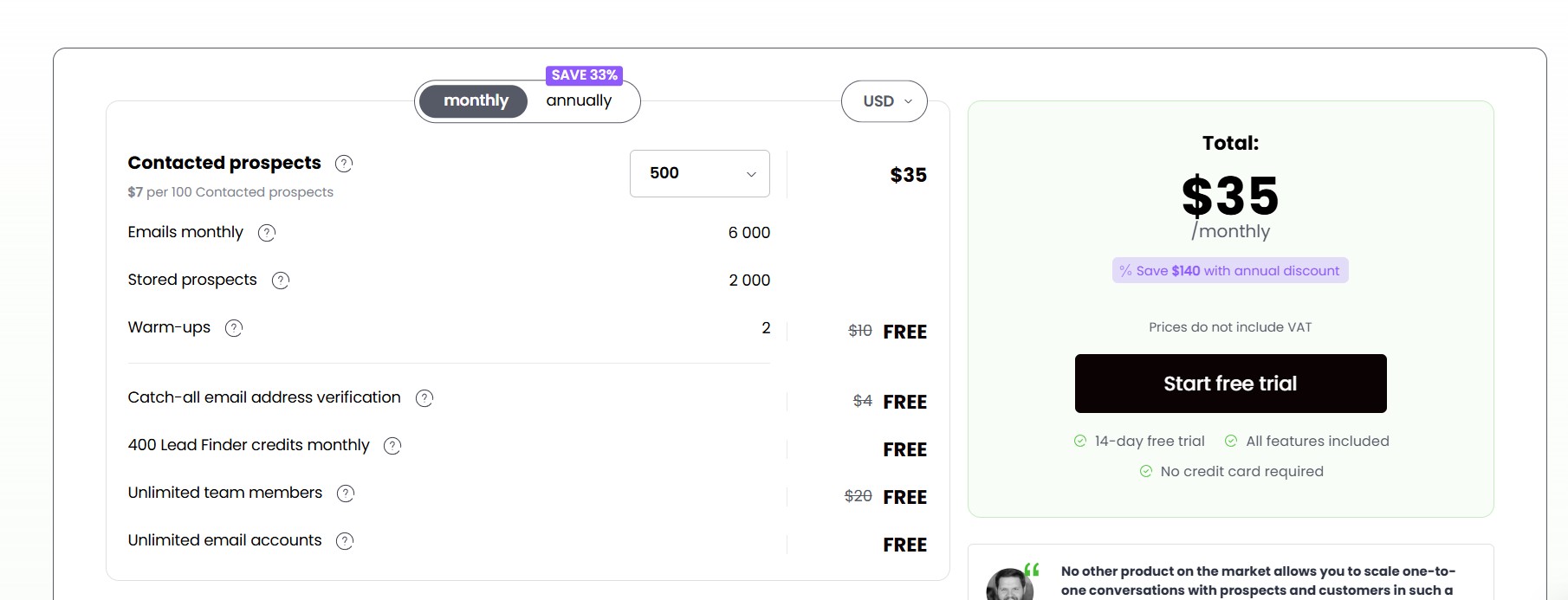
- Starter: $35/month — 500 prospects/month, all features included
- Growth: $99/month — 4,000 prospects/month
- Scale: Higher prospect limits
- Max: Enterprise-level volume
All plans include unlimited email accounts, unlimited team members, unlimited follow-ups, email warm-up, email verification, inbox rotation, and bounce protection. There is no per-seat charge and no per-account charge.
Pros and Cons
Pros:
- No per-seat or per-mailbox charges
- Unlimited email accounts and warm-up included on all plans
- Best-in-class human-like sending patterns for deliverability
- Clean, straightforward interface — most users are operational on day one
- Strong agency panel for managing multiple client workspaces
- 14-day free trial with 100 cold emails
Cons:
- No built-in dialer, no LinkedIn automation (available as an add-on for $29/month), no SMS or WhatsApp — it is a pure email tool
- G2 reviewers flag the lack of drag-and-drop sequence management, making reordering steps more cumbersome than on modern competitors
- Performance can degrade slightly when managing many simultaneous campaigns
Best For
Small to mid-sized B2B teams where email is the primary outreach channel and deliverability reliability is the top priority. Also strong for outreach agencies managing multiple client accounts who want a simple, white-label-capable platform without complex pricing.
8. Mailshake — Best for Sales Teams Already Using Salesforce or HubSpot
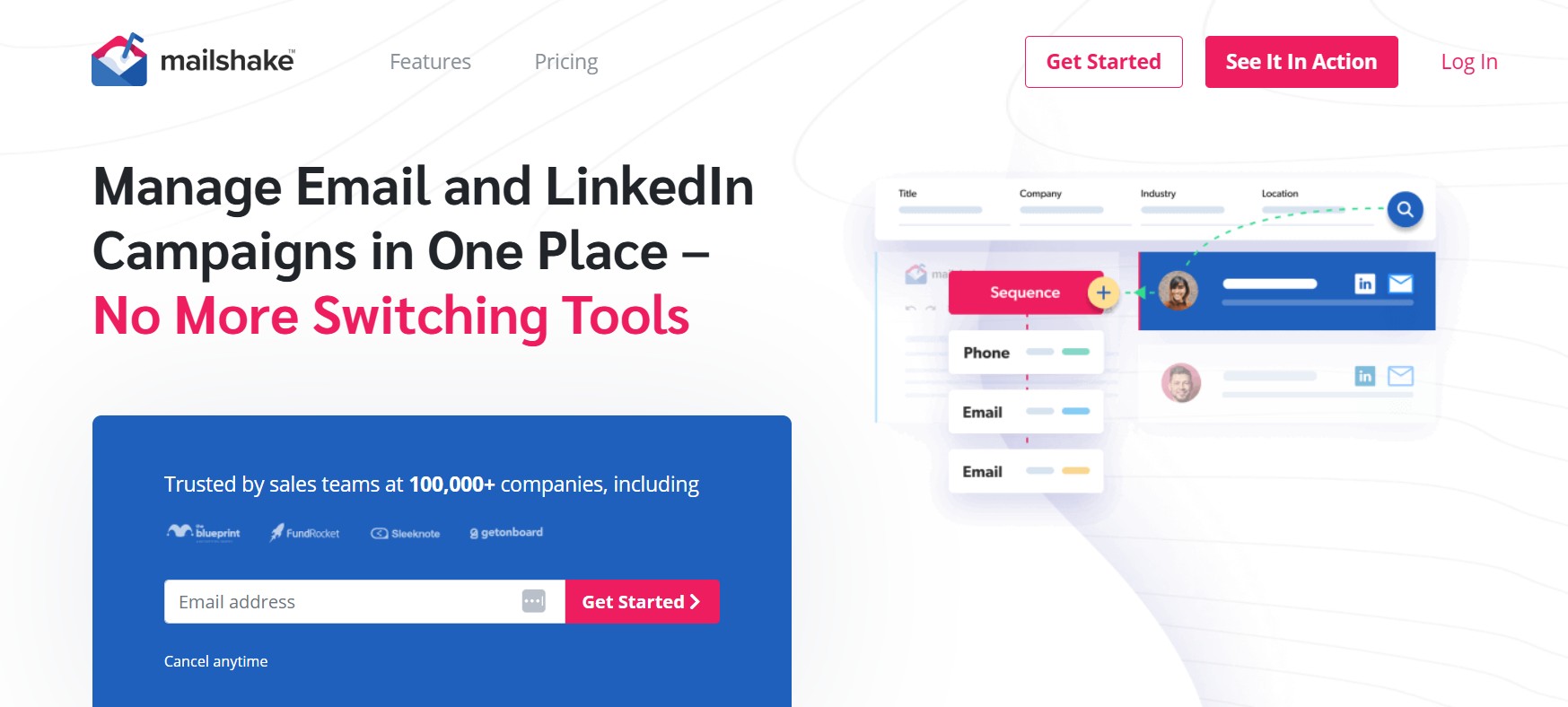
Mailshake occupies a specific niche in the outreach market: it is the tool that teams reach for when they want email automation that works cleanly with their existing CRM without requiring a full platform migration. Its integrations with Salesforce, HubSpot, and Pipedrive are consistently praised for reliability, and its built-in power dialer adds phone outreach without requiring a separate tool.
Why It’s a Strong Lemlist Alternative
Lemlist’s CRM integrations have drawn user complaints — a Capterra reviewer specifically noted difficulties with HubSpot and Salesforce integrations that required learning a great deal about the platform to configure correctly. Mailshake’s CRM integration is its strongest selling point. Mailshake includes native integrations with major CRMs and scheduling tools, along with extensive connectivity via Zapier, Integrately, and Make, ensuring it fits into existing sales tech stacks without disruption.
Key Features
- Phone Dialer + Email + LinkedIn in One Dashboard: The Sales Engagement plan includes a built-in power dialer that allows SDRs to make calls, log outcomes, and move to the next prospect without switching tools. LinkedIn tasks can also be added as sequence steps, creating a unified multi-touch sequence across three channels in one view.
- Deep CRM Integrations: Mailshake connects natively with Salesforce, HubSpot, and Pipedrive. Contact data, email responses, call logs, and sequence outcomes sync automatically in both directions, eliminating the manual data entry that wastes SDR time on most other platforms.
- Lead Catcher and Unified Inbox: Mailshake’s Lead Catcher automatically flags replies that indicate buying intent — responses with words like “interested” or “tell me more” — and surfaces them separately from general replies. The platform emphasizes ease of use and rapid time to value, with teams typically able to launch their first campaigns within a day, with little to no IT involvement.
Mailshake Pricing
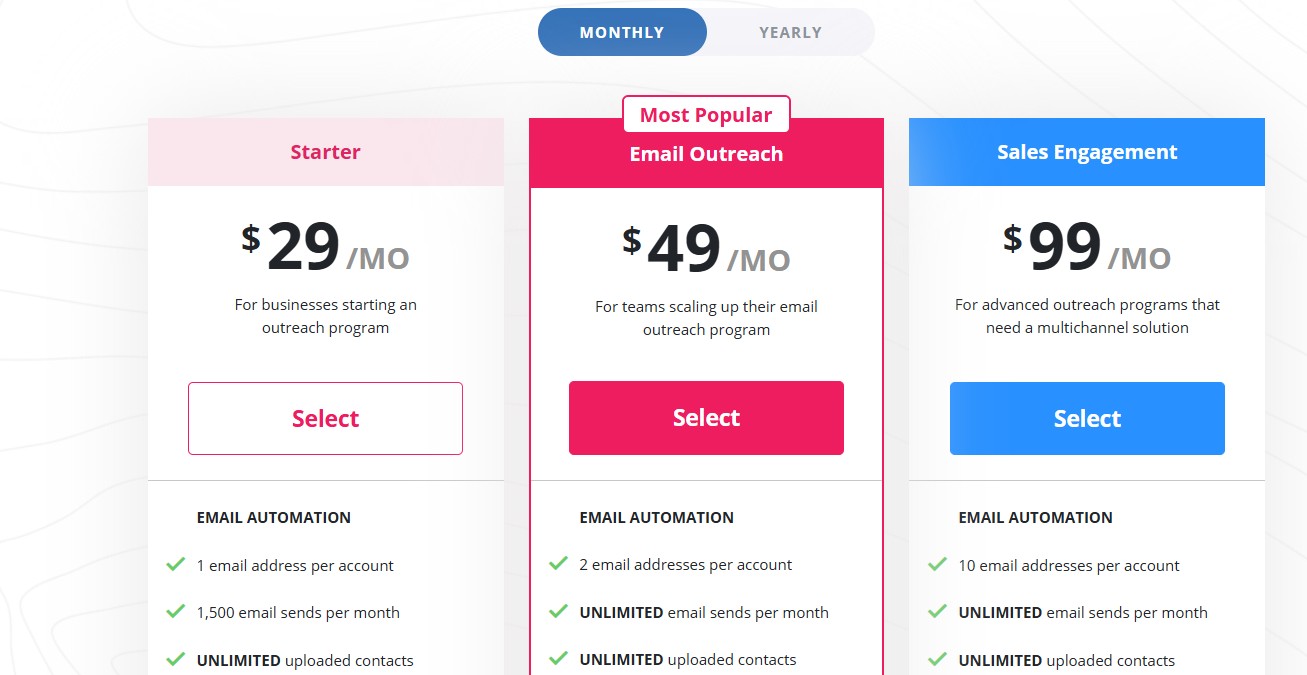
- Starter: $29/user/month (annually) — unlimited email sending, CRM integrations, A/B testing
- Email Outreach: $49/user/month (annually) — adds power dialer, LinkedIn tasks, advanced analytics
- Sales Engagement: $99/user/month (annually) — adds built-in CRM module
All plans require annual prepayment for the advertised monthly rate. There is no monthly billing option at the advertised prices, and no free trial is offered — which is a notable disadvantage compared to most competitors on this list.
Pros and Cons
Pros:
- Best CRM integration reliability of any tool in this comparison
- Built-in power dialer on the Sales Engagement plan
- Clean, simple interface — low training overhead
- Consistent deliverability tools including warm-up, verification, and link tracking
- Strong user support and group training sessions
Cons:
- No free trial — annual commitment required upfront
- Per-seat pricing becomes expensive at scale
- LinkedIn automation is basic compared to dedicated LinkedIn tools
- No built-in lead database — requires a separate data provider
- Agency model requires clients to create their own teams, which is awkward for managed service providers
Best For
SDR teams and sales managers at companies already running Salesforce or HubSpot who need email automation and phone dialing that syncs reliably into their CRM without requiring a separate tool stack for each channel.
9. GMass — Best Ultra-Lightweight Alternative for Gmail Power Users
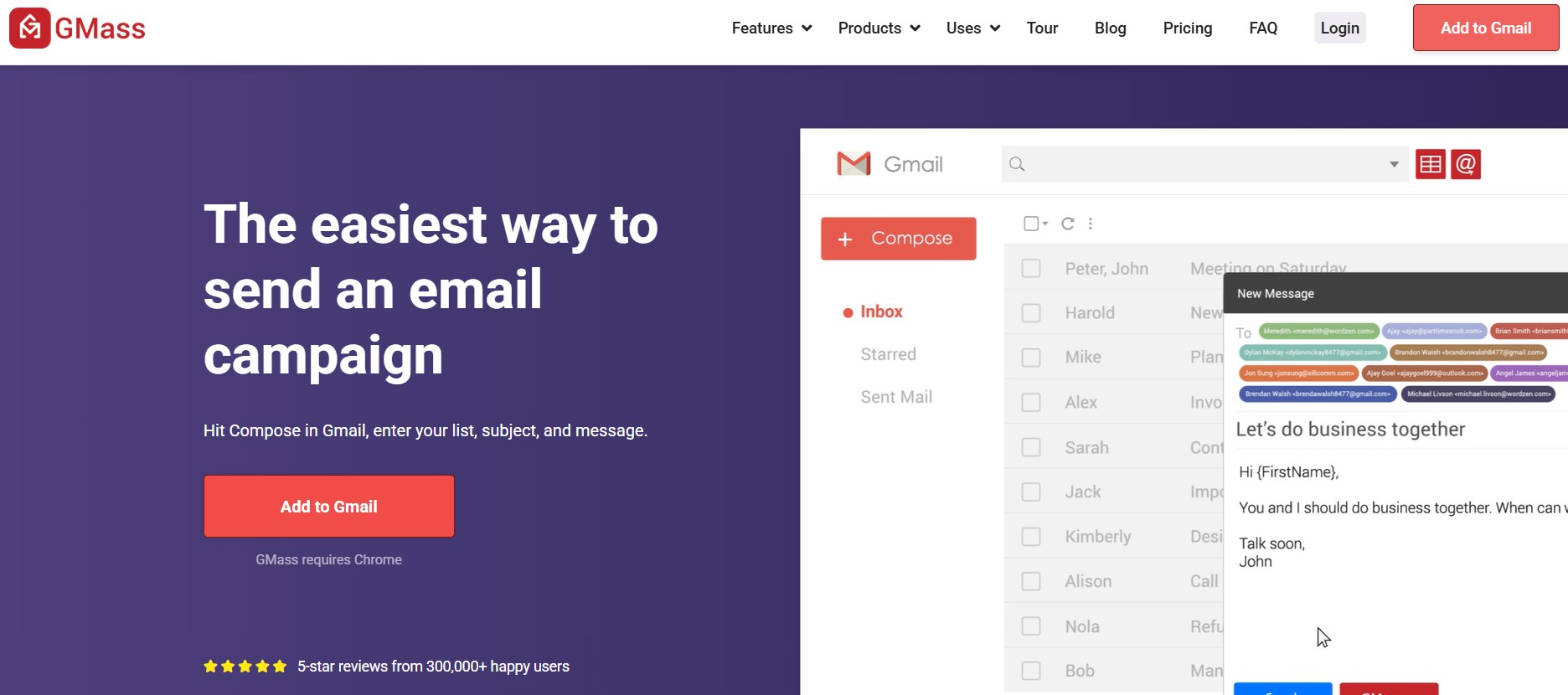
GMass is the simplest tool on this list — and in many cases, that simplicity is exactly what users need. It lives entirely inside Gmail as a Chrome extension, connects directly to Google Sheets for mail merges, and sends emails through Gmail’s API rather than a third-party server. For individuals and small teams whose entire workflow runs inside Google Workspace, it removes every friction point that standalone outreach platforms introduce.
Why It’s a Strong Lemlist Alternative
Lemlist is a full platform that requires learning a new interface, importing contacts, building campaigns, and managing deliverability settings across multiple screens. GMass skips all of that. It transforms Gmail into a powerful email marketing and mail merge platform, with 99% of users reporting the best deliverability they have ever had — trusted by more than 1.5 million people. For users who live in Gmail and want to scale their outreach without leaving their inbox, nothing on this list comes close to GMass for simplicity.
Key Features
- Gmail API Sending (No Deliverability Penalty): Because GMass sends through your actual Gmail or Google Workspace account, emails come from Gmail’s servers. This is a meaningful deliverability advantage — inbox providers see a message sent from a real Gmail account, not from a third-party SMTP relay.
- Spam Solver Tool: GMass includes a Spam Solver that runs pre-send deliverability checks, identifies issues that could cause emails to land in spam, and provides specific recommendations to fix them before the campaign launches. This is a feature Lemlist charges separately for or bundles into higher-tier plans.
- Google Sheets Mail Merge: GMass connects with Google Sheets and simplifies the mail merge process — by linking a Google Sheet to a campaign, users can personalize emails using any column data, and the two sync in real time. As new rows are added to the sheet, GMass picks them up and sends automatically.
GMass Pricing
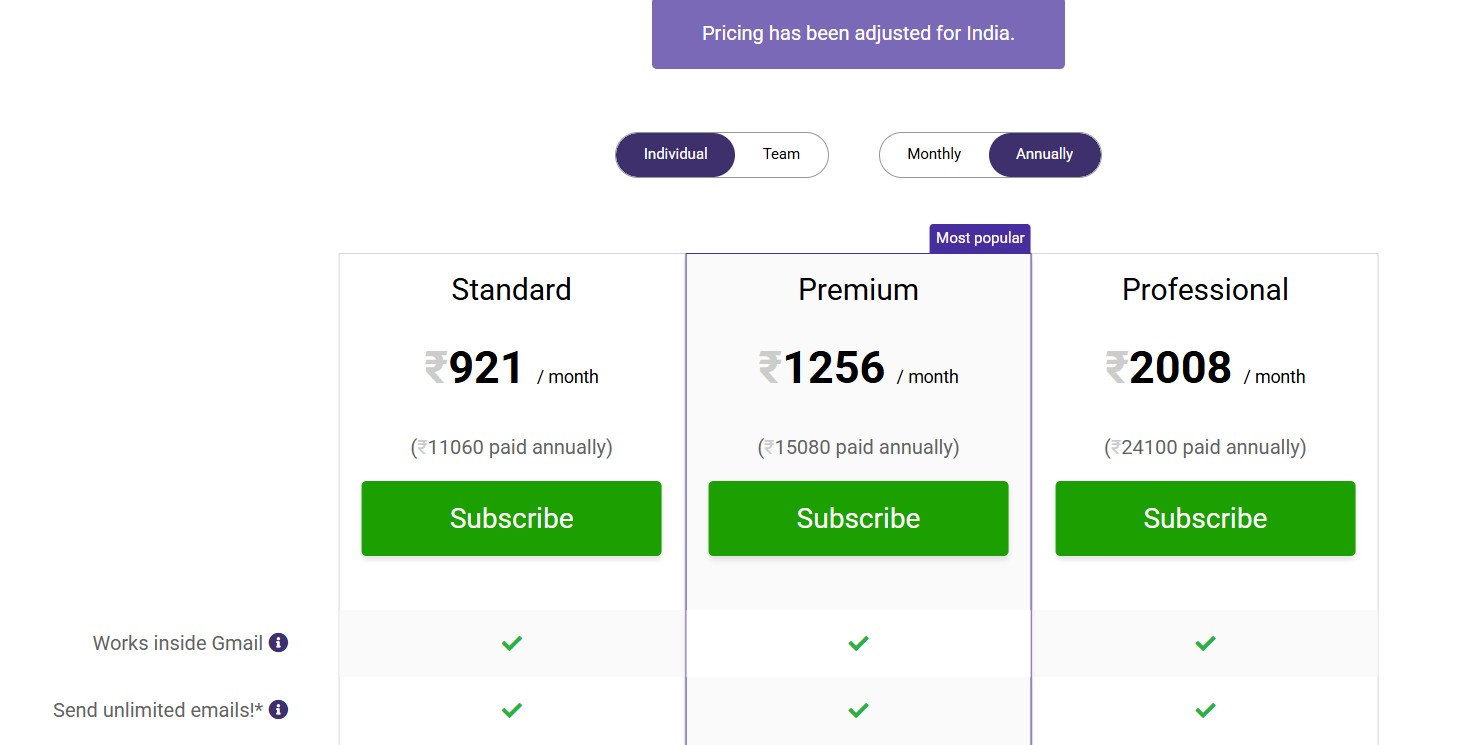
As of January 2026, GMass updated its pricing: the Standard plan costs $29.95 per month or $20.75 per month annually, the Premium plan costs $39.95 per month or $29 per month annually, and the Professional plan costs $59.95 per month or $49 per month annually. Team plans start at $145 per month for 5 users. All paid plans include unlimited emails (subject to Gmail’s own sending limits), unlimited contacts, and unlimited campaigns.
Pros and Cons
Pros:
- Works entirely inside Gmail — zero new interface to learn
- Sends via Gmail’s API for better inbox placement
- Google Sheets integration is seamless and real-time
- Among the lowest price points of any tool on this list
- Spam Solver for pre-send deliverability testing
- 4.8 rating on Capterra across 1,366 reviews
Cons:
- Gmail-only — does not work with Outlook or other email providers
- Chrome browser required — no Firefox, Safari, or Edge support
- No built-in CRM, requiring separate tools to manage contacts and leads. Basic reporting and analytics without advanced engagement metrics
- Gmail sending limits apply — 500 emails per day for personal accounts and 2,000 for Google Workspace, though SMTP integration can extend this
- No LinkedIn automation, phone dialing, or multi-channel sequencing
Best For
Individual founders, consultants, recruiters, and small teams who work entirely in Gmail and need a cost-effective way to send personalized mass emails, automated follow-ups, and run A/B tests without learning a separate platform.
10. Klenty — Best for SDR Teams Running Plays Across CRM Data
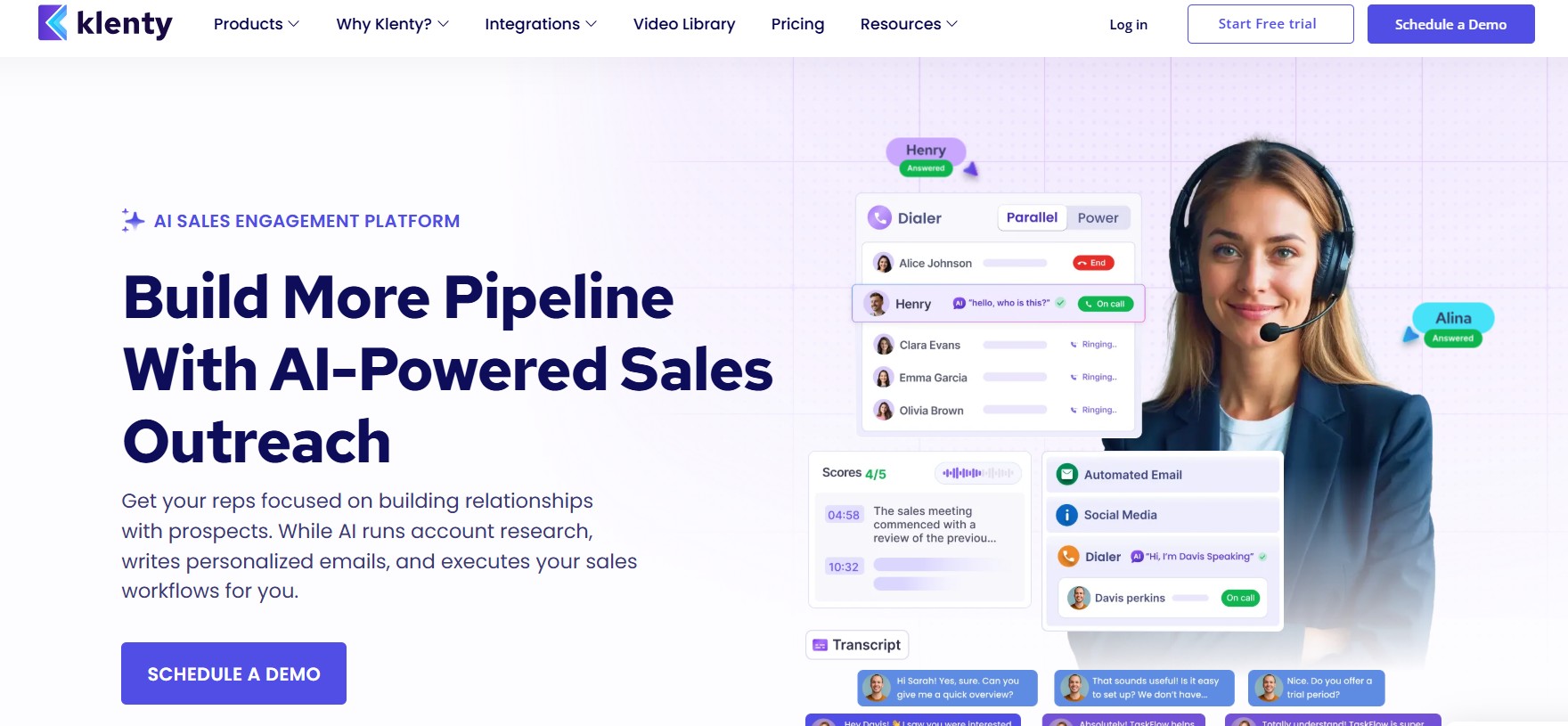
Klenty is built for structured, CRM-driven outbound sales. It is the tool for SDR teams that want their sequences, playbooks, and cadence data to flow automatically in and out of Salesforce, HubSpot, Pipedrive, or Zoho — without manual data entry between touches. Its AI cadence features and built-in dialer make it one of the more complete outbound platforms at its price range.
Why It’s a Strong Lemlist Alternative
Lemlist’s CRM integrations have been a recurring complaint point in user reviews. Klenty, by contrast, is built around CRM automation as a core function. Klenty tightly integrates with Salesforce, HubSpot, Pipedrive, Zoho CRM, and Microsoft Dynamics 365 through its CRM Acceleration framework, ensuring bidirectional sync of contacts, activities, and deal stages. CRM workflows can trigger sequences automatically, and engagement data syncs back without manual intervention.
Key Features
- Cadence Playbooks Synced to CRM Triggers: Klenty’s playbooks define exactly which outreach steps happen at which stage of the sales cycle. When a CRM trigger fires — a deal stage changes, a lead scores above a threshold, a prospect visits your website — Klenty can automatically enroll them in the appropriate sequence. This removes the manual work of deciding who to contact and when.
- Prospect Intent Signals: Klenty’s AI-powered prospecting tool, Prospect IQ, researches accounts across multiple data sources to score them based on buying intent. The AI taps into a database of 700M+ contacts, scores accounts based on your prompt, and provides the reason for each score so SDRs are not guessing why a prospect is a good fit.
- Multi-Channel: Email, Phone, LinkedIn, SMS, WhatsApp: Klenty covers all major outreach channels. Its built-in parallel and power dialers allow SDRs to make multiple calls simultaneously, with AI-powered voicemail detection that skips answering machines automatically. LinkedIn and SMS outreach are available as part of the Growth and Plus plans.
Klenty Pricing
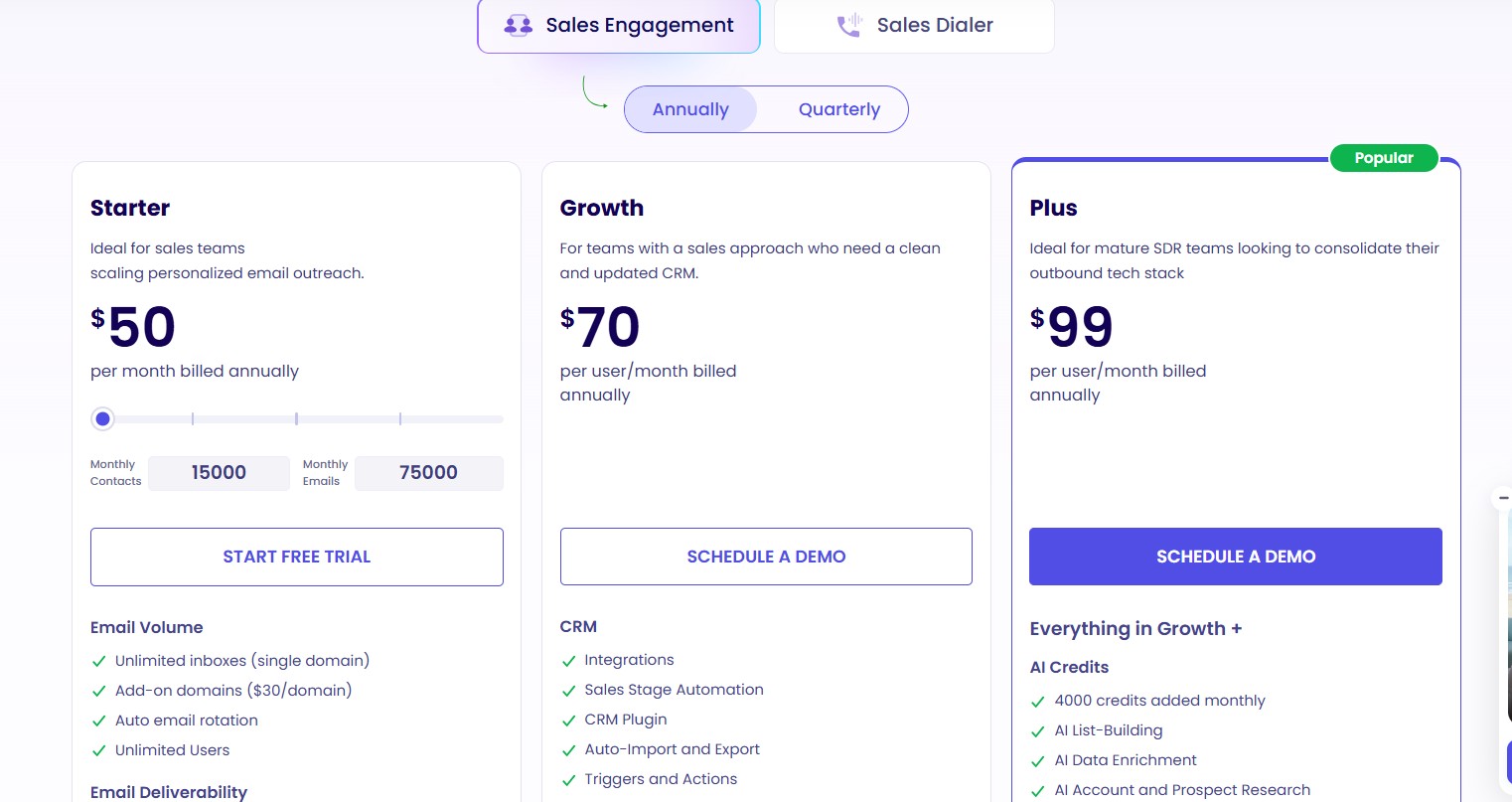
- Startup: $50/user/month (annually) — email only, no CRM native integration (API only)
- Growth: $70/user/month (annually) — multichannel outreach, native CRM integrations, built-in dialer
- Plus: $99/user/month (annually) — AI credits, advanced coaching features, conversation intelligence
- Enterprise: Custom pricing — larger teams with dedicated support
A 14-day free trial is available with access to all features and up to 200 prospect emails during the trial period.
Pros and Cons
Pros:
- Deepest CRM integrations of any tool on this list
- AI cadence playbooks with intent-based triggers
- Built-in parallel and power dialers
- Multi-channel outreach across email, LinkedIn, phone, SMS, and WhatsApp
- Strong customer support praised consistently on G2
Cons:
- Entry-level Startup plan is email-only with no native CRM integration
- Per-seat pricing — a 5-person team on the Growth plan pays $350/month
- No built-in contact database — requires a separate data provider like Apollo or ZoomInfo
- Occasional delays in CRM syncing that can affect real-time data accuracy, and reporting features that could be more customizable
Best For
SDR teams at B2B companies that have a defined CRM workflow and want their outreach sequences to be triggered, tracked, and updated by CRM data automatically — without manual cross-platform data entry.
Which Lemlist Alternative Is Right for You? (Decision Framework)
After reviewing all ten tools, the decision comes down to your primary outreach channel, your team size, and your budget model. Here is how to match your situation to the right tool:
If You’re a Solo Founder Doing LinkedIn Outbound → Dealsflow
You need cloud-based LinkedIn automation that runs without you. Dealsflow’s Starter plan at $49/month gives you a dedicated IP, AI-personalized connection requests, and a unified inbox for replies — all without risking your LinkedIn account to a Chrome extension. The 14-day free trial requires no credit card.
If You Run a Cold Email Agency with Multiple Clients → Smartlead or Instantly
Smartlead gives you white-label client management and unlimited mailboxes, while Instantly provides the most generous email volume at the lowest flat fee. Both avoid per-seat pricing. Smartlead is better if you need branded client portals; Instantly is better if you need raw volume and a simpler billing structure.
If You Need a Prospect Database + Outreach Together → Apollo.io
Apollo’s 210M+ contact database combined with built-in sequencing makes it the most self-contained option for teams that do not have a separate data provider. The free plan lets you verify data quality before spending anything. Be aware that real costs run higher than the advertised per-user rate once credits and advanced features are factored in.
If You Want the Simplest Possible Setup → Woodpecker or GMass
Woodpecker is the right choice if you want a proper cold email platform with deliverability tools, unlimited email accounts, and clear per-prospect pricing. GMass is the right choice if your entire workflow is inside Gmail and you want to start in under 5 minutes without learning a new platform.
If Your Team Runs Multi-Channel Sequences with CRM → Reply.io or Klenty
Reply.io covers email, LinkedIn, SMS, calls, and WhatsApp in one interface with condition-based sequencing and a capable AI SDR. Klenty provides deeper CRM automation with intent-based triggers. Reply.io is better for teams that prioritize channel breadth; Klenty is better for teams where CRM sync reliability is the non-negotiable requirement.
Final Verdict
The right Lemlist alternative is not one tool for everyone — it is the tool that matches your primary channel, your team size, and your budget model.
That said, the biggest gap in the market that Lemlist fails to fill is LinkedIn-native outreach that is genuinely safe. Extension-based LinkedIn automation is a liability in 2026. Accounts get flagged, extensions get banned, and you cannot run a reliable outbound motion on infrastructure that breaks without warning. Dealsflow solves this problem from first principles — cloud-based, dedicated IP, AI-personalized, and built specifically for the LinkedIn outreach workflow that modern B2B sales teams depend on.
For teams where email volume is the primary need, Instantly or Smartlead offer more capacity at lower cost than Lemlist. For teams that need a database included, Apollo fills that gap. For teams that need the simplest possible email tool, GMass and Woodpecker both outperform Lemlist on value per dollar. And for teams running complex CRM-driven outreach, Reply.io and Klenty both offer more reliable multichannel sequencing than Lemlist delivers in practice.
The best starting point is a free trial. Most tools on this list offer 14 days of full access with no credit card required. Start with the tool that maps most directly to your primary outreach channel, test it against a real campaign, and make your decision based on actual results rather than feature lists.
Frequently Asked Questions
What is the best free alternative to Lemlist?
Apollo.io offers the strongest free plan among Lemlist alternatives. The free tier includes access to the full 210M+ contact database, two active outreach sequences, unlimited email credits subject to fair use, and 5 mobile credits per month. It is genuinely useful for testing data quality and running small campaigns, though most active outbound programs will need a paid plan. GMass also offers a free tier that allows up to 50 emails per day through Gmail with access to most features.
Which Lemlist alternative has the best LinkedIn automation?
Dealsflow has the most complete LinkedIn-native automation of any tool reviewed here. It is cloud-based, uses dedicated residential proxy IPs, generates AI personalized icebreakers from live LinkedIn profile data, and runs sequences 24/7 without requiring a Chrome extension or an open browser. Reply.io and Klenty also include LinkedIn automation, but they rely on different infrastructure models and are designed primarily for multi-channel email-first workflows rather than LinkedIn-first outreach.
Do any Lemlist alternatives include email warm-up?
Yes — several tools include warm-up at no extra cost. Instantly includes automated warm-up on all plans through its 4.2M+ account deliverability network. Smartlead includes unlimited warm-up on all plans. Woodpecker includes warm-up built in. Reply.io includes warm-up with each connected mailbox. Saleshandy provides access to TrulyInbox for warm-up through a partner arrangement. Lemlist’s Lemwarm is included on all paid plans, but it is a peer-to-peer warm-up tool rather than a dedicated deliverability infrastructure.
Which tool is safest for LinkedIn outreach without getting banned?
Dealsflow is the safest option for LinkedIn automation. Its cloud-based architecture with dedicated residential proxy IPs means your LinkedIn account is never tied to a single device, browser, or IP address. The platform mimics human behavior patterns with natural timing intervals and daily volume limits that stay within LinkedIn’s guidelines. Extension-based tools — including Lemlist’s LinkedIn integration — are fundamentally riskier because they operate from your browser and can be flagged by LinkedIn’s detection systems during routine updates or security sweeps.
Can I manage multiple clients under one account?
Smartlead, Saleshandy, Woodpecker, Reply.io, and Instantly all offer some form of multi-client or multi-workspace management. Smartlead and Saleshandy are the strongest for agencies — Smartlead charges $29/month per additional white-label client (one free with the Pro plan), while Saleshandy allows unlimited clients on higher-tier plans at no per-client surcharge. Woodpecker includes an agency panel with separate prospect databases and shared templates. Instantly does not charge per client and supports separate workspaces per client, making it particularly agency-friendly.
Which Lemlist alternative is best for cold email deliverability?
Woodpecker and Instantly consistently rank highest for cold email deliverability among the tools reviewed here. Woodpecker’s human-like sending algorithm — with randomized intervals, automatic throttling on bounce spikes, inbox rotation, and free unlimited verification — is its primary differentiator. Instantly’s private deliverability network with 4.2M+ warmup accounts and SISR IP rotation on higher plans delivers consistently strong inbox placement rates at high volume. For teams where deliverability is the single most important factor, Woodpecker is the purer email-deliverability-focused tool, while Instantly offers more volume at comparable delivery rates.