


Most CRM reviews you read are basically recycles of the vendor’s marketing copy. They hit the “key benefits” section, talk about cloud-based storage like it’s revolutionary, and wrap up with “perfect for teams of all sizes.” This isn’t that review.
I’ve spent years testing CRM platforms with actual teams, not in isolation. You know what I’ve learned? Most CRM software solves about 60% of a team’s actual workflow, then expects them to bolt on integrations, hire someone to customize it, or just live with the friction. Octopus CRM comes in with a different angle. It’s built more like a sales operating system for smaller teams and MSPs (managed service providers) than a universal enterprise tool. That’s not a weakness. It’s a focus.
The pitch is clean: real-time pipeline visibility, solid automation, and pricing that doesn’t require board approval. But real-time visibility means nothing if the data entry is painful. Automation sounds great until you’re the person spending eight hours setting it up. And pricing that looks reasonable at signup can creep up fast once you’re locked in.
Here’s what you need to know about Octopus CRM in 2026, without the fluff. I’m going to walk you through how it actually works, where it shines, where it falls short, and whether it makes sense for your operation. By the end, you’ll know exactly what you’re getting into.
What Is Octopus CRM? Understanding the Platform
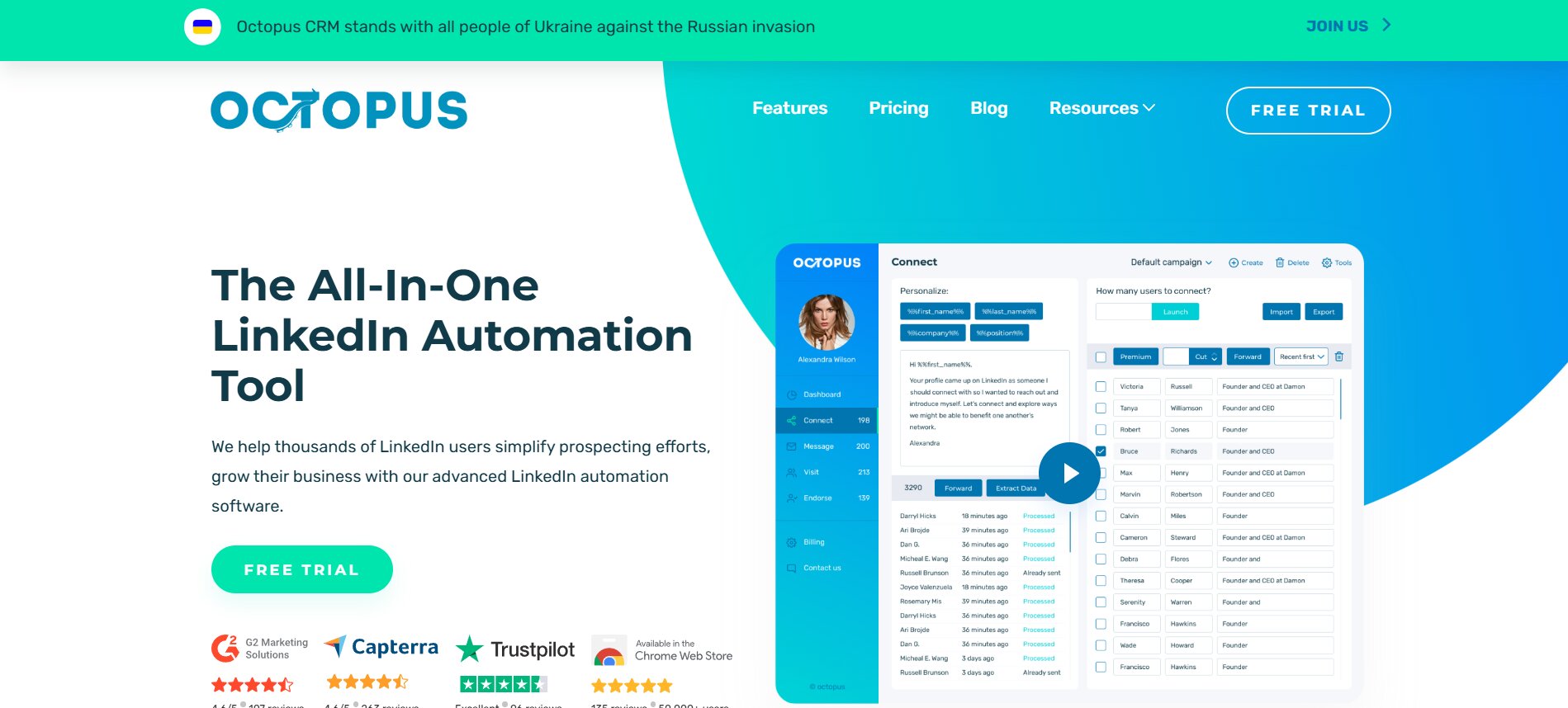
Octopus CRM positions itself as a lightweight alternative to enterprise CRM systems. It’s not trying to be Salesforce, and that’s honest. The platform is designed specifically for sales teams that care about pipeline management, not sprawling customization. Think of it as “Salesforce for a team that doesn’t need a team just to manage Salesforce.”
The core concept is dead simple: you get a visual pipeline (kanban-style boards), contact management, activity tracking, and reporting. Nothing shocking. But the execution matters, and Octopus leans hard on usability over feature sprawl. Most of the users I’ve talked to pick it because they got frustrated with bloated competitors, not because Octopus is technically superior.
Where Octopus differentiates is in vertical focus. It caters heavily to MSPs (managed service providers), agencies, and B2B service companies. These teams have different CRM needs than e-commerce or SaaS. MSPs care about account hierarchies, contract tracking, and upsell workflows. Octopus supports these patterns out of the box. That focus is its strength and its limitation.
The platform runs entirely on the cloud. You get mobile apps, web access, and reasonably solid synchronization across devices. No desktop client, no on-premise option. That’s fine for most teams today; it means fewer IT headaches.
Who Actually Uses Octopus CRM
This matters because a great CRM for a 5-person team is a mess for a 50-person team. Octopus works best for:
Sales teams with 3 to 25 people. Below 3 people, you’re overcomplicating life. Above 25, you hit scalability friction faster than you’d expect. Companies in the services space (IT, consulting, marketing agencies) where the sales cycle is measured in weeks or months, not days. Teams where sales reps work independently or in small clusters, not in highly collaborative deal scenarios. If your sales process requires constant manager intervention and deal consensus, Octopus’s permission structure gets clunky.
One concrete example: a managed IT services company with 7 sales reps and 3 regional managers. Each rep manages their own pipeline, managers want visibility but not to micromanage. Octopus handles this beautifully. Now compare that to a SaaS company with 40 reps, five different deal types, complex approval workflows, and product engineering looped into every deal. Octopus would frustrate that team within six months.
Octopus CRM Features Breakdown: What You Actually Get
Let’s drill into the features that matter. Not the ones that sound impressive in a marketing email, but the ones you’ll actually use or regret not having.
Pipeline Management and Opportunity Tracking
This is the core of any CRM, and Octopus does it well. You get a kanban-style board where you can drag deals through stages. It’s visual, fast, and satisfying in a way spreadsheets aren’t. Each opportunity shows the deal value, close date, and owner. You can color-code, filter, and group by any custom field you want.
The pipeline view isn’t fancy, but it’s responsive. Dragging a deal from “Proposal” to “Negotiation” updates instantly across everyone’s screens. That’s the kind of thing that sounds basic until you use a CRM where it lags.
What’s missing: you don’t get timeline or forecast views built-in. You can see what’s in each stage and filter by date, but if you want a Gantt chart or a visual forecast of revenue month-by-month, you’re building that in a spreadsheet or using a third-party tool. HubSpot and Salesforce have this baked in. For a small team, that’s fine. For a VP of Sales who lives in forecasts, it’s annoying.
Contact and Company Management
Octopus stores contacts and companies separately, which is right. You can link contacts to companies, track multiple decision-makers per deal, and record relationships. The contact card gives you a history of all interactions. Emails, calls, notes, tasks, all in one place.
The mobile app syncs these, so you can pull up a contact while you’re in a meeting and see the last thing you talked about. That’s useful.
Limitations: there’s no native company hierarchy. If you’re managing parent companies and subsidiaries, Octopus doesn’t handle that natively. You can hack it with custom fields, but it’s clunky. Competing platforms like Pipedrive and Salesforce handle this better.
Activity Tracking and Task Management
Every CRM tracks activities, but most teams ignore it because the interface is painful. Octopus’s activity log is clean. Calls, emails, notes, meetings, tasks. You can set reminders, assign tasks to other reps, and log time spent.
The thing that works here: when you log an activity, it timestamps and shows on that contact’s timeline immediately. No sync lag. For a team that cares about documentation, this is good.
The limitation: you can’t bulk-log activities. If you had ten calls today, you’re entering them one by one, not batch-uploading a CSV. That’s tedious for teams doing high-volume outreach.
Automation and Workflows
Octopus automation is competent but not powerful. You can build basic workflows: “When an opportunity hits a certain stage, create a task,” or “When a contact reaches a certain milestone, send a notification.” These work reliably.
Where it breaks down: you’re limited to one action per trigger. Want to create a task, send an email, and update a custom field when a deal closes? You need three workflows, and there’s no native way to sequence them. That’s where Zapier or Make comes in. For a team doing simple automation, Octopus is fine. For complex multi-step processes, you’re paying extra for an automation layer.
Reporting and Analytics
Octopus gives you funnel reports, pipeline health dashboards, and individual rep performance. You can see conversion rates between stages, average deal size by stage, and deal duration. These are standard reports that most teams want.
The reports are readable but not exportable in bulk. You can screenshot or PDF individual reports, but there’s no “pull all my Q4 data into a master sheet” button. That’s frustrating when you need to model scenarios or share raw data with leadership.
Email Integration
Here’s where Octopus stumbles. The email integration is the weakest link in the platform. It’s not broken, but it’s not seamless. You can log emails into Octopus from Gmail and Outlook, but the sync is one-way, and it takes a few seconds. You don’t get automatic email logging unless you use Octopus’s email client, which is stripped-down and honestly not great.
Compare that to Pipedrive, where you cc: an address and emails log automatically, or Salesforce’s Einstein Activity Capture, which logs emails without you doing anything. Octopus requires manual intervention. For teams sending 50+ emails a day, that’s a friction point.
Octopus CRM Pricing: What It Actually Costs
Let me be straight with you: the headline pricing is one thing. The actual cost with what you need is often another. Here’s how Octopus breaks down.
Base Subscription Tiers
Octopus uses per-user, per-month pricing. No seat limits at the lowest tier, but features unlock as you go up:
Starter: roughly $25/user/month if billed annually. You get basic pipeline management, contact records, and limited automations. Good for testing.
Professional: roughly $45/user/month. This is where most teams land. You get full automation, advanced reporting, and API access.
Enterprise: custom pricing. You’re talking to sales. This is for teams of 15+ wanting custom integrations and priority support.
These are approximate because Octopus regularly adjusts pricing, and discounts exist for annual commits. Always ask for a quote.
Hidden Costs to Know About
Per-storage add-ons: you get a certain amount of file storage included. Once you exceed it, you’re paying per GB. For teams storing deal files, contracts, and proposals, this adds up. I’ve seen accounts spending $2K a month on storage alone that expected it to be included. It’s not.
Integration costs: Octopus charges for certain third-party integrations. Zapier integration, for instance, has a connector fee on top of what Zapier charges. If you need more than two integrations, budget an extra $50-$100/month.
User overages: if you add a user mid-month, you’re charged pro-rata. Makes sense, but factor it in if your team fluctuates seasonally.
Setup and onboarding: Octopus doesn’t charge extra for setup if you’re tech-savvy. But if you need hands-on implementation, that’s a professional services fee. Small teams sometimes underestimate this. Budget $2K-$5K if you’re hiring someone to configure and train.
Is the Pricing Competitive?
For a 5-person team, Octopus is cheaper than HubSpot (which starts at $50/user/month for the CRM side) or Salesforce (starts at $165/month per user). Pipedrive is similar, around $20-$60/user/month depending on features. The difference isn’t massive.
Where Octopus wins: transparent per-user pricing. No “pro tip: you actually need this module” surprises. What you see is what you pay.
Where it loses: the storage and integration fees add friction. A team of 10 using Octopus Pro with basic integrations is looking at about $5K-$6K per month. A team of 10 on HubSpot Professional is around $5K. Not drastically different, but Octopus has fewer “included” features.
Strengths of Octopus CRM: Where It Actually Shines
Octopus isn’t perfect, but it does a few things really well.
Clean, Intuitive Interface
You can teach someone Octopus in an afternoon. The navigation is logical. Your deals live on a board, your contacts have a profile, your tasks are in a list. No unexpected menus, no “where do I find this” moments. That’s underrated. I’ve spent weeks figuring out Salesforce’s data architecture with teams. With Octopus, if someone’s never used a CRM, they get it quickly.
Fast Synchronization Across Devices
The mobile app and web app sync fast. Log an activity on your phone, refresh the web app, it’s there. That consistency matters when your sales team is on the road. They’re not wondering if the information they’re looking at is current.
MSP-Friendly Defaults
If you’re an MSP, Octopus thought about your workflow. Account hierarchies, contract tracking, upsell pipelines. These aren’t bolted-on features; they’re part of the platform. Comparing to Salesforce, which requires hours of configuration, Octopus is ready to go.
Honest Limitations
Octopus doesn’t overpromise. It’s not “the only platform you’ll ever need.” It does CRM. That focus means it usually does it well. You’re not paying for features you don’t use.
Limitations and Real Gaps: Where Octopus Struggles
Now the hard part. Where does it break?
Email Integration Is Clunky
As I mentioned, email is the weak link. If your sales team lives in email, Octopus requires them to manually log or use a separate email client. That creates data entry friction. Teams end up with incomplete activity logs because reps skip logging stuff they think is obvious. It’s not.
Competing platforms nail this. If this is a dealbreaker for your team, you might outgrow Octopus.
Limited Customization
Octopus has custom fields, custom pipelines, and some field-level permissions. But if you need to build complex workflows with conditional logic, you’re hitting walls. You can’t, for example, automatically move a deal to “Stalled” if there’s been no activity in 30 days, then notify a manager. You can build the first part. The second part requires a workaround.
For teams with standard processes, this is fine. For teams that want to encode their exact process into the software, Octopus falls short.
Thin Integration Ecosystem
There are plugins for Slack, Zapier, Mailchimp, some others. But compared to HubSpot or Salesforce, the app marketplace is small. If you use a tool and there’s no Octopus connector, you’re building it with Zapier, which adds latency and cost. The API exists, but writing custom integrations takes developer time.
Limited Forecasting and Planning Tools
Octopus doesn’t forecast. You can’t run “what if” scenarios. You can’t scenario plan revenue. You’re looking at historical data and current pipeline, then guessing what’ll close. For bigger sales teams, that’s not enough. For small teams, it’s often fine because the math is easier.
Onboarding Is DIY Heavy
Octopus doesn’t hand-hold. There’s a knowledge base, but setup and configuration fall on you. If you have a complex sales process, figure it out. Hire someone or use a Zapier expert. That’s another cost.
HubSpot’s onboarding is more guided. Salesforce assigns an implementation partner. Octopus assumes you know what you’re doing.
Octopus CRM vs. Competitors: How It Stacks Up
Let me put Octopus in context.
Octopus CRM vs. Pipedrive
Pipedrive is the closest competitor. Both are built for smaller sales teams. Both use kanban pipelines. Both have transparent pricing.
The difference: Pipedrive’s email integration is better. You can cc: an address and deals log automatically. Pipedrive’s interface is slightly more polished. But Octopus’s MSP focus is stronger, and if you’re an MSP, Octopus’s contract and account hierarchy features are more native.
For general small-team sales? Pipedrive probably wins. For MSPs? Octopus is the better fit. Price is roughly equivalent.
Octopus CRM vs. HubSpot
HubSpot is more feature-complete. You get CRM, email marketing, forms, and more in one platform. The free tier is generous. If you need “one platform for sales and marketing,” HubSpot is easier.
Octopus is simpler. Less to learn, less overhead, cheaper if you just need pure CRM. But HubSpot’s integration with email marketing and sales outreach is tight. If you do marketing campaigns that feed into sales, HubSpot wins. If you only care about managing deals, Octopus is leaner.
Price: HubSpot’s Pro plan is $50/user/month. Octopus is $45/user/month. The gap is small, but HubSpot includes more features per dollar. If you’ll use those features, HubSpot is better value. If not, Octopus’s simplicity is the point.
Octopus CRM vs. Salesforce
This isn’t a fair fight. Salesforce is an enterprise system. It can do anything, costs $165/user/month at minimum, and requires someone to configure it. Octopus is $45/user/month and ready to go.
If you have 100+ reps and complex deal workflows, Salesforce. If you have 10 reps and want to not think about CRM, Octopus. Different leagues.
Who Should Use Octopus CRM (and Who Shouldn’t)
Let me be direct.
Good Fit
- MSPs or service companies with 5 to 25 sales reps managing a defined pipeline.
- Teams that want a CRM without learning curve or customization projects.
- Companies where email-to-CRM logging isn’t the core workflow (i.e., you don’t sell primarily via email outreach).
- Organizations willing to use Zapier for deeper automation instead of expecting it built-in.
- Teams on a tight budget who need CRM now, not in three months of implementation.
Bad Fit
- Email-first sales teams. If you run high-volume email outreach, Octopus’s manual email logging will drive you nuts.
- Enterprise sales with complex deal approval workflows and lots of stakeholders. You need Salesforce or similar.
- Companies that need tons of reporting flexibility and forecasting. Octopus reporting is adequate, not advanced.
- Organizations that need lots of third-party integrations. The ecosystem is thin.
- Teams requiring on-premises or private cloud deployment. Octopus is SaaS only.
Implementation Tips: How to Actually Use Octopus CRM Well
If you decide to go with Octopus, here’s how to not waste money and frustrate your team.
Set Clear Pipeline Stages
Don’t use generic stages like “Lead,” “Prospect,” “Opportunity.” Define your actual sales process. For an MSP, maybe it’s “Outreach,” “Discovery Call,” “Proposal,” “Negotiation,” “Signed,” “Onboarding.” Make them match your actual process, not some template. Your team will use it if it makes sense to them.
Define Data Entry Standards
Who fills in what? When do activities get logged? How detailed do notes need to be? Document this. Without clarity, you get inconsistent data. Your pipeline becomes useless because some reps log everything and others log nothing.
Use Zapier Strategically
Octopus’s automation is basic. Zapier fills the gaps. But don’t overuse it. Each Zapier workflow adds latency and potential failure points. Focus on the ones that save real time: automate task creation for certain deal stages, sync calendar data, notify managers of milestones. Skip the nice-to-haves.
Plan for Email Workflow Separately
Since Octopus email integration is weak, make it clear: emails will be logged manually or through a secondary system like Outlook rules triggering Zapier. Don’t expect it to happen automatically. Acknowledge the friction, and work around it with process, not hoping the software handles it.
Budget for Storage Upfront
Don’t get surprised by storage bills. Figure out how much file storage your team needs, budget for it quarterly, and monitor usage. It’s not negotiable; it’s just a cost.
Octopus CRM in 2026: What’s Changed and What’s Next
Octopus released a few updates in 2025 and early 2026. Better mobile push notifications, improved filtering on dashboards, and tighter Slack integration. Nothing revolutionary. The company is iterating steadily rather than pivoting.
The roadmap hints at better email integration and expanded reporting. If those ship, they’ll address two big gaps. That said, timelines slip. Don’t buy Octopus expecting features that are “coming soon.”
Conclusion
Octopus CRM is a solid, unpretentious platform for teams that know what they need and don’t want to overthink it. It won’t replace Salesforce. It won’t integrate with everything. But for a small sales team or an MSP, it gets the job done at a reasonable price without locking you into a multi-month implementation cycle.
The key decision: do you need email integration to happen automatically, or can your team live with manual logging? Are you okay with basic automation, or do you need complex workflows? Can you handle setup yourself, or do you need hand-holding? Answer those three questions, and you’ll know if Octopus is the right move.
If it is, set it up with clear processes, use Zapier for the gaps, and you’ll have a clean CRM that your team won’t hate using. That alone puts it ahead of most options.
Frequently Asked Questions
What is Octopus CRM best for?
Octopus is built for small-to-mid sales teams (5-25 people) and MSPs who want clean pipeline management without enterprise complexity. It’s best for teams with defined sales processes that don’t require heavy customization or automation.
How much does Octopus CRM cost?
Octopus uses per-user pricing starting around $25/month on the Starter plan and $45/month on the Professional plan (billed annually). Enterprise custom plans are available. Budget for additional costs: file storage overages, integration fees, and setup if you hire help.
Can Octopus CRM integrate with Gmail and Outlook?
Yes, but not seamlessly. You can log emails manually from Gmail and Outlook, but automatic email logging requires using Octopus’s email client or setting up Zapier workflows. It’s not as automatic as competitors like Pipedrive or HubSpot.
Is Octopus CRM good for MSPs?
Yes. Octopus has built-in MSP features: account hierarchies, contract tracking, and upsell workflows. For an MSP, it’s often a better fit than general-purpose CRMs that require heavy configuration.
How does Octopus CRM compare to Pipedrive?
Both are built for small teams and use kanban pipelines. Pipedrive has better email integration and slightly more polished design. Octopus has stronger MSP-specific features. Price is similar. Choice depends on whether you prioritize email automation or MSP functionality.
Can I build complex automations in Octopus CRM?
Basic automations, yes. Multi-step workflows with conditional logic? You’ll need Zapier or Make. Octopus automation is limited to one action per trigger. For complex processes, budget for a third-party automation platform.
How long does it take to set up Octopus CRM?
Basic setup takes a day or two: define your pipeline stages, add team members, configure custom fields. For more complex setups or integrations, add a week or two. Octopus doesn’t include hands-on onboarding, so setup falls on you unless you hire a consultant.
Does Octopus CRM have good reporting?
Octopus has standard reports: funnel, pipeline health, rep performance. It’s adequate for small teams but lacks advanced forecasting and scenario planning. Reports aren’t easily exportable in bulk, which can be limiting if you need to model scenarios or share raw data.
Is Octopus CRM secure?
Octopus uses standard cloud security: data encryption, access controls, and compliance (GDPR, SOC2). It’s secure for most teams, but verify compliance requirements for your industry.
What’s the biggest limitation of Octopus CRM?
The email integration. Manual email logging is tedious for email-heavy sales teams. If your sales process is email-first, this friction might outweigh other benefits. Second limitation is thin third-party integrations; the app ecosystem is smaller than Salesforce or HubSpot.
Can I cancel Octopus CRM anytime?
Yes. Month-to-month billing lets you cancel with notice. Annual plans usually lock you in unless you pay a cancellation fee. Check your contract, but Octopus isn’t trying to trap you.
Who is competing with Octopus CRM?
Pipedrive (small-team CRM with better email), HubSpot (broader platform with marketing), Salesforce (enterprise, more complex), Freshsales (budget CRM), and Zoho (Indian competitor, similar price). Choice depends on team size, budget, and specific needs.