


Cold email outreach remains one of the most cost-effective ways to generate leads, book meetings, and grow a business — but only when done right. The tool you use matters enormously. In 2026, the cold email software market is more crowded than ever, with dozens of platforms competing for attention. Woodpecker.co has been in the game since 2015, and over the years it has carved out a distinct identity as a tool built specifically for agencies and small-to-medium businesses that want reliable, scalable, and inbox-friendly cold email automation.
This blog takes a thorough, unbiased look at everything Woodpecker.co offers in 2026 — from its core features and deliverability infrastructure to its pricing, limitations, integrations, and real-world usability. Whether you are a solo consultant, a growing sales team, or a digital agency managing multiple client campaigns, this deep dive will help you decide whether this platform deserves a place in your workflow.
What Is Woodpecker.co and Who Is It Built For?
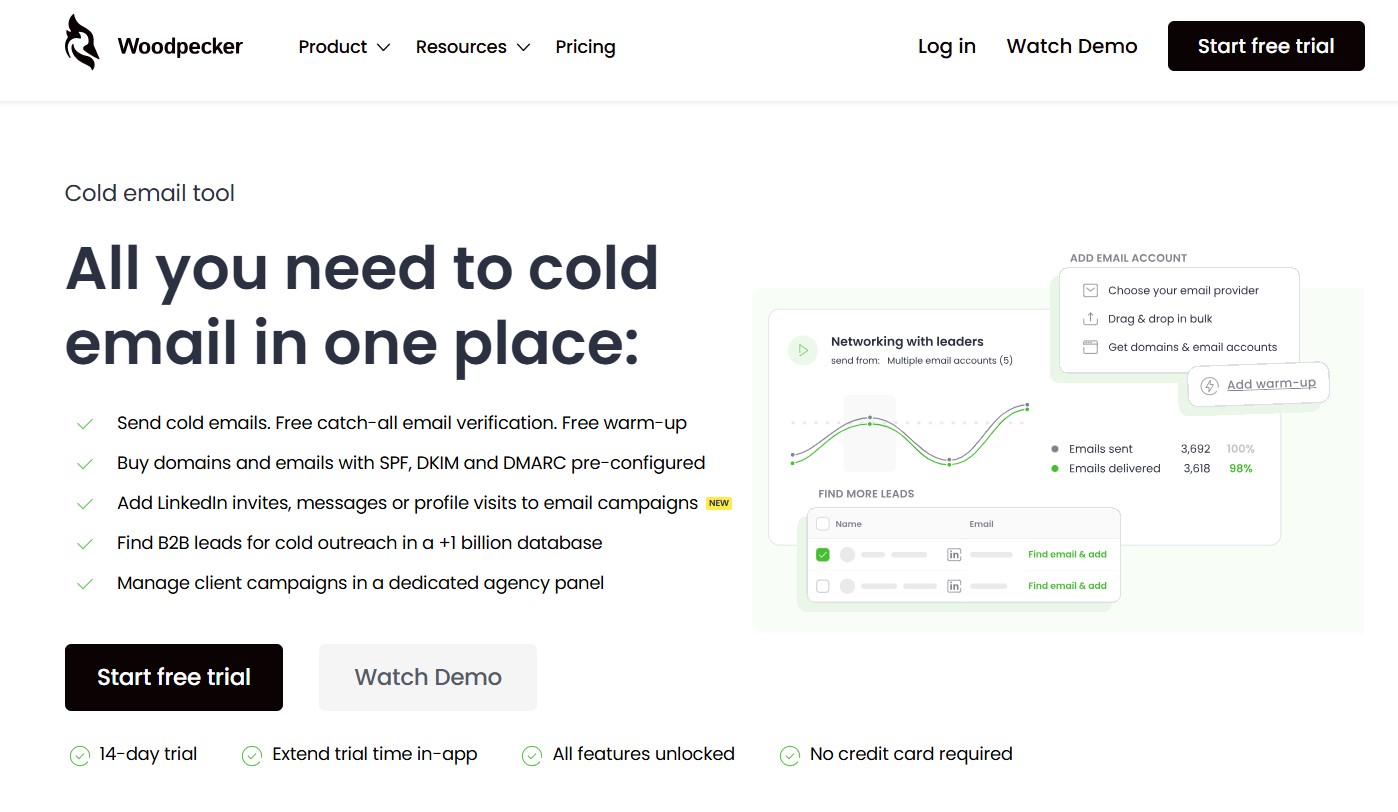
Woodpecker.co is a cloud-based cold email automation platform designed to help sales teams, agencies, and small businesses send personalized outreach emails at scale without landing in spam. Unlike general email marketing tools like Mailchimp or Klaviyo, which are built for newsletter-style bulk sends, Woodpecker is purpose-built for one-to-one style cold outreach — the kind that actually gets replies.
The platform was founded in Poland and has grown into a globally used tool trusted by thousands of businesses. Its primary audience includes:
- B2B sales teams that need to reach decision-makers at target companies
- Digital marketing agencies managing cold email campaigns for multiple clients
- Recruitment agencies doing candidate outreach
- SaaS companies doing product-led outreach to drive sign-ups or demos
- Freelancers and consultants who need a lightweight but reliable prospecting tool
What makes Woodpecker distinct from many competitors is its laser focus on email deliverability, its clean and simple interface, and its agency-friendly multi-client structure. It does not try to be a full CRM or an all-in-one sales suite. It does one job — cold email automation — and it focuses on doing that job well.
Setting Up Woodpecker.co: Onboarding Experience in 2026
One of the first things you notice when you sign up for Woodpecker is how smooth the onboarding process is. The setup wizard walks you through connecting your email account, verifying your sending domain, and creating your first campaign — all within a short time.
Email Provider Compatibility
Woodpecker supports connections with:
- Google Workspace (Gmail)
- Microsoft 365 / Outlook
- SMTP/IMAP (for any custom email host)
- Amazon SES (for high-volume senders)
In 2026, Woodpecker has also improved its DKIM, DMARC, and SPF verification prompts during onboarding, making it easier for non-technical users to set up proper email authentication. This is critical because misconfigured DNS records are one of the top reasons cold emails end up in spam.
The platform also includes a sending domain warm-up feature that gradually increases your sending volume over days and weeks. This mimics natural human email sending behavior and signals to email providers like Google and Microsoft that your domain is trustworthy.
Learning Curve
For someone brand new to cold email tools, Woodpecker is relatively easy to pick up. The interface is clean, the terminology is straightforward, and there is a solid library of tutorials and documentation. That said, some of the more advanced features — like conditional sequences, custom tracking domains, and API integrations — do require a bit of time to master.
Core Features of Woodpecker.co Explained in Detail
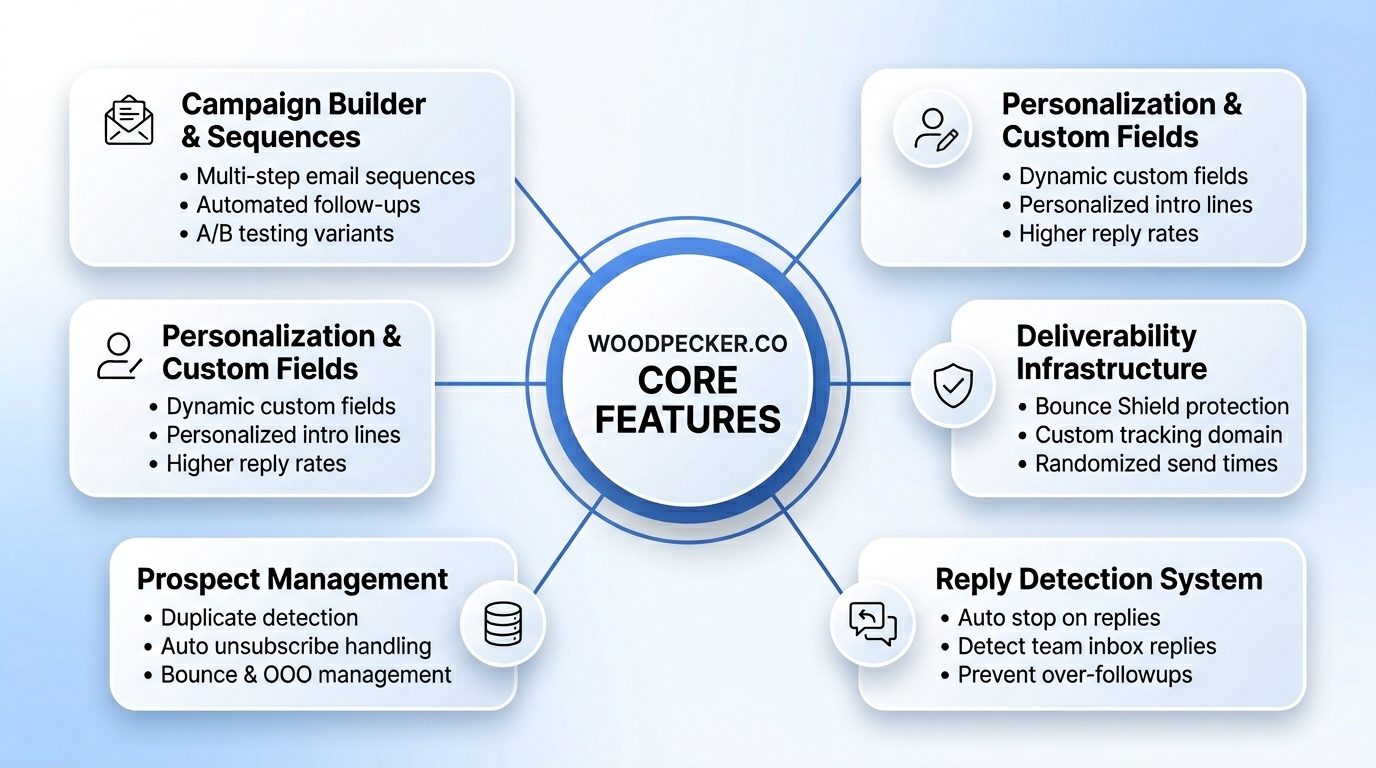
1. Campaign Builder and Email Sequences
At the heart of Woodpecker is its campaign builder. This is where you create your outreach sequences — a series of emails that get sent automatically to prospects based on time delays and conditions.
You can build multi-step sequences that include:
- An initial cold email
- Follow-up emails if there is no reply
- Conditional steps based on whether the prospect opened, clicked, or replied
The editor itself is straightforward. You write your emails in a simple text editor (which is intentional — plain-text emails consistently outperform heavily designed HTML emails in cold outreach because they look more personal). You can set the delay between each step in days and hours, and you can specify the days and time windows during which emails should be sent.
One particularly useful feature is the ability to create multiple versions of an email (A/B testing variants) at each step of the sequence. Woodpecker will automatically rotate through these variants and track which one performs better.
2. Personalization and Custom Fields
Cold emails that feel generic get ignored. Woodpecker allows you to use custom fields (also called snippets) throughout your email copy to insert personalized details for each prospect. Beyond the basics like first name and company name, you can create entirely custom fields and populate them from your prospect list.
For example, you could create a field called {{recent_post}} and populate it with a recent LinkedIn post or article published by each prospect. This level of personalization takes more effort to set up but dramatically improves reply rates.
In 2026, Woodpecker also supports what it calls “custom intro lines” — a dedicated field at the top of your email where each prospect gets a completely unique opening sentence. This helps emails pass spam filters and feel genuinely hand-written.
3. Email Deliverability Infrastructure
This is where Woodpecker genuinely stands out from many competitors. The platform has invested heavily in its deliverability infrastructure, and in 2026, it includes several key features:
Bounce Shield — Woodpecker’s proprietary system automatically detects when your bounce rate is rising above safe thresholds and temporarily pauses your campaign to protect your domain reputation.
Deliverability Monitor — A dashboard that shows your sender reputation metrics, spam complaint rates, and inbox placement rates over time.
Custom Tracking Domain — Instead of using Woodpecker’s generic tracking domain for open and click tracking, you can set up your own subdomain (e.g., track.yourdomain.com). This prevents your emails from being flagged by spam filters that recognize shared tracking domains.
Sending Throttling — You can set daily and hourly sending limits to ensure your email account does not send at a volume that triggers spam detection algorithms. This is configurable per mailbox.
Randomized Send Times — Rather than sending all emails at exactly the scheduled time, Woodpecker introduces small random delays between sends. This mimics human behavior and avoids the robotic sending patterns that spam filters look for.
4. Prospect Management and List Handling
Woodpecker has a built-in prospect database where you can store and manage all your contacts. You can import prospects via CSV, manually add them, or pull them in through integrations with tools like Hunter.io or LinkedIn (via third-party connectors).
The platform automatically handles several important list hygiene tasks:
- Duplicate detection — If the same email address appears in multiple campaigns, Woodpecker flags it and gives you options to handle it.
- Unsubscribe management — When a prospect unsubscribes, they are automatically added to a blocklist and will never be contacted again through any campaign.
- Bounce handling — Hard bounces are automatically removed from your active lists to protect your sender reputation.
- Out-of-office detection — If a prospect sends an auto-reply indicating they are out of office, Woodpecker can pause the sequence for that prospect and resume it after they return.
5. Reply Detection and Sequence Stopping
A critical feature of any cold email tool is knowing when to stop emailing someone. Woodpecker monitors your connected inbox for replies and automatically stops the sequence for any prospect who responds — whether the reply is positive, negative, or neutral. This prevents the embarrassing situation where someone replies saying “Not interested” and then receives two more follow-up emails anyway.
In 2026, Woodpecker’s reply detection has become more sophisticated, with the ability to detect replies within connected team inboxes as well, not just the sending account.
Woodpecker.co Review: A Closer Look at Agency Features
If you are running an agency and managing cold email campaigns on behalf of multiple clients, Woodpecker’s agency-specific features become particularly relevant. This is an area where the platform has invested significant development effort.
Multi-Client Management
Woodpecker allows agencies to create separate workspaces or “slots” for each client. Each client has their own:
- Email accounts and sending infrastructure
- Prospect lists and campaigns
- Reporting dashboards
- Billing (if you choose to pass costs on to clients)
This clean separation ensures that one client’s bounce issues or spam complaints do not bleed over and damage another client’s sender reputation. It is a critical feature that many competing tools handle poorly.
Client Reporting
Agencies can generate campaign performance reports for each client that show key metrics like open rates, reply rates, bounce rates, and campaign progress. These reports can be shared with clients or used internally to demonstrate the value of the outreach work being done.
Team Collaboration
Within each workspace, you can add team members with different permission levels. This is useful for agencies where account managers, copywriters, and campaign managers all need different levels of access. A copywriter, for example, might need access to write email sequences but should not be able to delete campaigns or change billing settings.
White-Label Options
In 2026, Woodpecker has expanded its white-label capabilities, allowing agencies to present the platform under their own brand when sharing client-facing dashboards and reports. This adds a layer of professionalism when managing client relationships.
Woodpecker.co Pricing in 2026
Understanding the pricing structure is essential before committing to any software platform. Woodpecker’s pricing model has evolved over the years and in 2026 it operates on a per-seat or per-slot model rather than a flat monthly fee.
| Plan | Price (Per Month) | Contacts Per Month | Email Accounts | Best For |
|---|---|---|---|---|
| Cold Email Starter | $29 | 500 | 1 | Freelancers, solo reps |
| Cold Email Growth | $49 | 2,000 | 3 | Small teams |
| Cold Email Pro | $99 | 10,000 | 5 | Growing SMBs |
| Agency Plan | Custom | Unlimited | Custom | Agencies |
| Sales Assistant | $49/seat | Unlimited | 1 per seat | Full sales teams |
Note: Prices are approximate based on 2026 public pricing and may vary based on billing cycle (monthly vs. annual).
What Is Included Across All Plans:
- Email sequence builder
- A/B testing
- Basic integrations (Zapier, CRM connectors)
- Deliverability monitoring
- Bounce Shield
- Unsubscribe management
- Email support
What Costs Extra:
- Additional email accounts or slots
- Advanced API access
- White-label reporting (Agency plan)
- Warm-up add-on (sometimes bundled, sometimes separate)
Annual vs. Monthly Billing
Like most SaaS tools, Woodpecker offers a discount for annual billing — typically around 20%. If you are committed to the platform, paying annually makes financial sense.
Is the Pricing Fair?
Compared to tools like Lemlist, Reply.io, or Instantly.ai, Woodpecker sits in the mid-range. It is not the cheapest option on the market, but for agencies and teams that prioritize deliverability and clean multi-client management, the pricing reflects the value delivered. Cheaper tools often cut corners on infrastructure, which can cost you far more in the long run through damaged domain reputation.
Email Deliverability: The Most Important Factor in Cold Email
No feature matters more in cold email than deliverability. If your emails are landing in spam, nothing else matters — not your copywriting, not your targeting, not your follow-up sequences. This is why Woodpecker’s deliverability-first philosophy is one of its most compelling selling points.
How Woodpecker Handles Deliverability
1. Warm-Up Feature
Woodpecker offers an integrated email warm-up feature (in partnership with warm-up networks or through its own infrastructure). New email accounts are connected to a warm-up system that sends and receives small volumes of emails automatically, building a positive sending history before your first real campaign goes out.
2. Sending Limits Per Mailbox
The platform enforces and recommends sending limits per connected mailbox. For Google Workspace accounts, for example, staying under 100–150 cold emails per day per mailbox is a general best practice. Woodpecker makes it easy to configure these limits and spread your sending volume across multiple mailboxes if needed.
3. Plain-Text Email Approach
Woodpecker’s editor defaults to plain-text formatting, which is intentional. Plain-text emails bypass many spam filters that flag heavily designed HTML emails, and they appear more like genuine personal emails to recipients.
4. DNS Health Checks
The platform runs automated checks to ensure your SPF, DKIM, and DMARC records are correctly configured. If something is off, Woodpecker alerts you with instructions on how to fix it.
Deliverability Results: What Users Report
Based on community feedback and case studies from 2025 and 2026, users who follow Woodpecker’s recommended practices — using warmed-up domains, staying within sending limits, keeping lists clean — report inbox placement rates consistently in the 85–95% range, which is strong for cold email. Users who ignore best practices, over-send, or use poor-quality prospect lists understandably see much worse results.
Integrations and Ecosystem
A cold email tool does not operate in isolation. It needs to connect with your CRM, lead generation tools, and broader sales stack. Here is how Woodpecker integrates with the wider ecosystem.
| Integration Type | Tools Supported |
|---|---|
| CRM | HubSpot, Pipedrive, Salesforce (via Zapier) |
| Lead Sourcing | Hunter.io, Findthat.email |
| Automation | Zapier, Make (Integromat) |
| Prospecting | LinkedIn (via third-party tools) |
| Team Communication | Slack (notifications) |
| API | REST API for custom workflows |
Native CRM Integration
Woodpecker’s native HubSpot and Pipedrive integrations are particularly well-implemented. When a prospect replies to a campaign, the contact record in your CRM is automatically updated, and deals can be created or moved through pipeline stages based on triggers. This eliminates a lot of manual data entry for sales teams.
Zapier and Make
For tools that do not have native integrations, Woodpecker connects via Zapier and Make, giving you access to thousands of apps. You can build workflows like:
- “When a prospect replies positively in Woodpecker, create a task in Asana for the account executive”
- “When a new lead is added to a Google Sheet, add them as a prospect in Woodpecker”
REST API
For developers and technically sophisticated teams, Woodpecker offers a REST API that allows you to programmatically create prospects, start or stop campaigns, pull reporting data, and more. This is particularly useful for agencies that want to build custom client-facing dashboards or automate prospect list management.
Reporting and Analytics
Understanding what is working and what is not is essential for improving your cold email performance over time. Woodpecker provides a solid analytics suite with the following key metrics:
Campaign-Level Metrics:
- Emails sent
- Delivered rate
- Open rate
- Click rate
- Reply rate
- Bounce rate
- Unsubscribe rate
- Interested rate (prospects who replied with a positive signal)
Prospect-Level Tracking:
You can drill into any individual prospect and see their full interaction history — which emails they received, whether they opened them, when they clicked, and any replies they sent. This level of visibility is genuinely useful for sales reps who are handing off warm leads to account executives.
A/B Test Reporting:
When you run A/B tests on subject lines or email body copy, Woodpecker shows you side-by-side performance data so you can identify winning variants quickly.
One Limitation Worth Noting
Woodpecker’s reporting, while functional, is not as visually rich or customizable as some competitors. You cannot build custom dashboards or filter data by arbitrary date ranges with full granularity. For agencies that need to produce polished client-facing performance reports, you may need to export data and use a separate reporting tool like Google Looker Studio or a custom spreadsheet.
Woodpecker.co Review: Strengths and Weaknesses Side by Side
After examining the platform in depth, here is a balanced assessment of where it excels and where it falls short.
Strengths
| Strength | Why It Matters |
|---|---|
| Best-in-class deliverability tools | Protects sender reputation and maximizes inbox placement |
| Clean, intuitive interface | Reduces the learning curve for new users |
| Agency-friendly multi-client structure | Keeps client campaigns cleanly separated |
| Strong CRM integrations | Reduces manual data entry for sales teams |
| Reliable bounce and unsubscribe handling | Maintains list hygiene automatically |
| A/B testing built into sequences | Makes it easy to optimize email copy |
| Responsive customer support | Users consistently report fast and helpful support responses |
Weaknesses
| Weakness | Impact |
|---|---|
| Reporting is not highly customizable | May require external tools for advanced analysis |
| Pricing increases can add up for agencies with many clients | Cost management requires careful planning |
| No built-in prospect sourcing | You need a separate tool to find email addresses |
| Limited native social channel support | Purely an email tool — no LinkedIn steps in sequences |
| Template library is relatively small | Requires users to write most copy from scratch |
| Mobile app is basic | Not ideal for managing campaigns on the go |
How Woodpecker.co Compares to Key Competitors in 2026
Understanding how a tool stacks up against alternatives helps you make an informed decision. Here is how Woodpecker compares to three of its closest competitors.
| Feature | Woodpecker.co | Lemlist | Instantly.ai | Reply.io |
|---|---|---|---|---|
| Deliverability focus | ★★★★★ | ★★★★☆ | ★★★★☆ | ★★★★☆ |
| Agency multi-client | ★★★★★ | ★★★☆☆ | ★★★☆☆ | ★★★★☆ |
| Ease of use | ★★★★☆ | ★★★☆☆ | ★★★★☆ | ★★★☆☆ |
| A/B testing | ★★★★☆ | ★★★★☆ | ★★★☆☆ | ★★★★☆ |
| LinkedIn integration | ✗ | ✓ | ✗ | ✓ |
| Built-in prospect sourcing | ✗ | ✗ | ✓ (basic) | ✓ (basic) |
| Reporting depth | ★★★☆☆ | ★★★★☆ | ★★★☆☆ | ★★★★☆ |
| Pricing (entry level) | $29/mo | $39/mo | $37/mo | $49/mo |
| White-label agency support | ✓ | ✗ | ✗ | ✓ |
Key Takeaway: Woodpecker is the strongest choice specifically for deliverability-focused agencies and SMBs running pure email outreach. If you need LinkedIn steps in your sequences, Lemlist or Reply.io may be a better fit. If you need a built-in lead database, Instantly.ai has a basic version. But if your priority is a clean, reliable, agency-structured cold email engine, Woodpecker is hard to beat.
Real-World Use Cases: How Different Users Get Value from Woodpecker
Use Case 1: Digital Marketing Agency Managing 10+ Client Campaigns
A digital marketing agency running outreach campaigns for clients across different industries uses Woodpecker’s multi-workspace structure to manage each client independently. Each client has its own domain, mailboxes, and campaign sequences. The agency uses the white-label reporting feature to send branded performance reports to clients monthly. The Bounce Shield feature has prevented domain reputation damage multiple times when a client’s prospect list contained too many invalid emails.
Use Case 2: SaaS Company Doing Outbound Demo Booking
A B2B SaaS company uses Woodpecker to reach out to target accounts and book product demo calls. They run three-step sequences with personalized first lines for each prospect and use A/B testing to continuously optimize subject lines. Their HubSpot integration automatically creates deals when prospects reply, keeping their pipeline updated without manual work. Reply rates average around 4–6%, which translates to a consistent flow of booked demos each month.
Use Case 3: Recruitment Agency Doing Candidate Outreach
A recruitment firm uses Woodpecker to reach passive candidates for hard-to-fill roles. They target candidates by importing lists sourced from LinkedIn and other sourcing tools. The sequence-stopping feature ensures that candidates who respond do not continue to receive follow-up emails, which protects the firm’s professional reputation.
Use Case 4: Freelance Consultant Generating New Clients
A solo marketing consultant uses Woodpecker’s entry-level plan to send 200–300 targeted cold emails per month to potential clients. The simplicity of the platform means they can manage campaigns without hiring a technical specialist, and the deliverability features give their emails the best possible chance of landing in the primary inbox.
Tips for Getting the Most Out of Woodpecker.co
Even the best tool delivers poor results when used incorrectly. Here are some practical recommendations for maximizing your results on the platform.
1. Always Warm Up New Domains and Mailboxes
Never send a cold campaign from a brand-new email account without first warming it up for at least two to four weeks. Woodpecker’s built-in warm-up feature handles this automatically, but you need to be patient and let the process complete.
2. Keep Your Prospect Lists Clean
Before importing any list, run it through an email verification tool like NeverBounce, ZeroBounce, or Hunter.io’s verification feature. Importing a list with a high percentage of invalid or catch-all email addresses will spike your bounce rate and damage your domain reputation quickly.
3. Write Sequences That Sound Human
Resist the temptation to over-automate. The most effective cold emails sound like they were written by a real person who did actual research on the prospect. Use Woodpecker’s custom fields to include genuinely personalized details, and keep your emails short, conversational, and focused on the prospect’s potential problem rather than your solution.
4. Do Not Overload Your Sending Volume
More emails does not mean more replies. Staying within safe daily sending limits (typically 50–100 emails per mailbox per day for cold email) and spreading volume across multiple mailboxes is far more effective than blasting thousands of emails from a single account.
5. Use A/B Testing Systematically
Rather than testing randomly, approach A/B testing with a hypothesis. Test one variable at a time — either the subject line or the opening line or the call to action — and run tests long enough to gather statistically meaningful data before drawing conclusions.
6. Monitor Your Deliverability Dashboard Weekly
Make it a habit to check your Deliverability Monitor at least once a week. Catching a rising bounce rate or spam complaint rate early allows you to intervene before serious damage is done to your domain reputation.
Customer Support and Community
Woodpecker offers customer support through:
- Live chat (available during business hours)
- Email support
- Knowledge base with tutorials, guides, and video walkthroughs
- Community forums where users share tips and ask questions
The general consensus from users is that Woodpecker’s support team is responsive and knowledgeable, particularly for technical questions about deliverability and setup. Response times for chat support are typically within a few hours during working hours.
The knowledge base is genuinely comprehensive, covering everything from initial setup to advanced API usage. For most questions, you can find an answer without needing to contact support directly.
One area for improvement is the absence of a dedicated customer success manager for lower-tier plans. Larger agencies or enterprise clients on custom plans do get more dedicated support, but smaller users are largely self-serve.
Conclusion
After examining every facet of the platform — from onboarding and campaign building to deliverability infrastructure, integrations, pricing, and real-world use cases — it is clear that Woodpecker.co occupies a well-earned position in the cold email software market in 2026.
It is not trying to be everything to everyone. It does not have a built-in lead database, LinkedIn messaging, or an advanced CRM. What it does have is a focused, reliable, deliverability-first cold email engine that is genuinely well-suited to agencies managing multiple clients and SMBs that need to run consistent outreach campaigns without gambling their domain reputation.
This woodpecker.co review should give you a clear picture of what the platform is good at and where it has gaps. If your primary need is running personalized, multi-step email sequences with strong deliverability, clean list management, and solid CRM integration — and especially if you are managing campaigns across multiple clients — Woodpecker is one of the best tools available at its price point in 2026.
If you need LinkedIn outreach, built-in prospect sourcing, or a highly visual reporting dashboard, you may want to evaluate alternatives alongside it before making a final decision.
The smartest approach is always to start with a trial, run a small campaign with a clean list and a warmed-up mailbox, and measure the results. Cold email success is part tool, part strategy, and part copy — Woodpecker gives you a strong foundation for the first part.
Frequently Asked Questions
Q1: Is Woodpecker.co good for beginners with no cold email experience?
Yes, the platform is relatively beginner-friendly. The interface is clean and the onboarding process is well-guided. However, cold email success requires understanding deliverability best practices, copywriting principles, and prospect targeting — skills that go beyond any software tool. Beginners should invest time in learning these fundamentals alongside using the platform.
Q2: Can I use Woodpecker with a free Gmail account?
Technically yes, but it is strongly discouraged. Free Gmail accounts have strict sending limits and are much more prone to being flagged as spam when used for cold email. Google Workspace accounts (paid) are the recommended option for any serious cold outreach.
Q3: Does Woodpecker comply with GDPR?
Woodpecker has GDPR compliance features built in, including unsubscribe handling, data deletion requests, and data processing agreements. However, GDPR compliance ultimately depends on how you use the tool — specifically, whether you have a legitimate legal basis for contacting the prospects in your list. You should consult a legal professional for guidance specific to your situation.
Q4: How many emails can I send per day with Woodpecker?
This depends on how many mailboxes you have connected and your configured sending limits. As a general best practice, most experienced cold email practitioners recommend staying under 100 cold emails per mailbox per day. With multiple mailboxes, you can scale your daily sending volume proportionally.
Q5: Does Woodpecker offer a free trial?
Yes, Woodpecker typically offers a free trial period (14 days as of recent years) that allows you to test the platform’s core features without committing to a paid plan. Check the current offering on their website, as trial terms occasionally change.
Q6: Can Woodpecker send LinkedIn messages or other channel outreach?
No. As of 2026, Woodpecker is a pure email outreach tool. It does not support LinkedIn messages, SMS, or other channels within sequences. If multi-channel outreach is important to your strategy, you would need to look at tools like Reply.io or Lemlist.
Q7: What happens if a prospect’s email address is invalid?
Woodpecker automatically handles hard bounces by removing invalid email addresses from your active campaigns and flagging them in your prospect database. The Bounce Shield feature also monitors your overall bounce rate and can pause a campaign if the rate exceeds a safe threshold, protecting your sender reputation.
Q8: Is it possible to manage multiple clients or businesses on one account?
Yes. Woodpecker’s agency structure allows you to create separate workspaces or client slots, each with their own campaigns, mailboxes, and prospect lists. This is one of Woodpecker’s strongest differentiators for agency users.