


Sales is harder than it looks on paper right now. Reps today spend only 30% of their time actually selling, while admin work, internal meetings, and outdated processes eat up the rest. Meanwhile, quotas are not getting smaller. Only 24% of reps met or exceeded quota in 2024.
Here is where it gets interesting. Sellers who effectively partner with AI tools are 3.7 times more likely to meet quota than those who do not, according to Gartner. That is not a small edge. That is the difference between a team that hits its number and one that misses it by a mile.
But here is the part most “best AI tools” listicles skip: only 19% of sales reps use AI features built directly into their sales tools. The rest are copy-pasting prompts into general-purpose chatbots — a workflow that misses the context, CRM data, and signal intelligence that purpose-built tools provide.
So this is not a list of every tool with “AI” in the marketing copy. Every tool in this guide was evaluated against five hard criteria — time actually saved, integration depth, output quality, pricing transparency, and adoption ease. The tools that made it are the ones that do real work. The ones that did not are tools that automate the noise while leaving the hard stuff to your reps.
Why Most AI Sales Tools Waste Your Team’s Time (And What to Look For Instead)
The “Fancy Tape Recorder” Problem: Automating the Wrong Things
Most AI sales tools make one promise: speed. Send more emails faster. Transcribe calls automatically. Generate 50 subject line variations in seconds. And for a month or two, teams feel productive. Then the numbers come in flat.
The issue is not the tools themselves. It is what they automate. When a tool speeds up email sending without improving email quality, you just get more ignored emails. When a tool transcribes calls but does not surface what actually matters in the deal, you get a wall of text nobody reads. Speed without signal is just more noise.
The tools worth paying for do not just automate tasks. They take raw material — a conversation, a signal, a contact record — and turn it into a clear next action: a follow-up draft anchored to something the buyer actually said, a CRM field that updates itself, a coaching note that tells a rep exactly what to work on. That distinction separates the tools that move the needle from the ones that collect dust.
What a Genuinely Useful AI Sales Tool Actually Does
There are a few things that separate genuinely useful AI sales tools from the ones that just look good in demos.
- It works from real signals, not templates. A tool that pulls your prospect’s recent LinkedIn activity, funding news, or hiring patterns to personalize outreach is doing something a template cannot. A tool that just swaps
{{first_name}}into a generic sequence is not. - It reduces decisions, not just clicks. The best tools tell reps what to do next, not just where to find information. “This deal has gone quiet for 12 days — here is a draft follow-up based on the last thing they mentioned” is more useful than “here is a transcript of your last call.”
- It writes back to your system of record. If a tool surfaces an insight but requires a human to manually log it in the CRM, the insight will often go unlogged. The best tools close that loop automatically.
- It gets adopted. A tool your reps do not use saves zero time. Adoption is a feature, not a nice-to-have.
The 2026 Benchmark: Signal-Specific Personalization vs. Generic Blasts
The data on outreach quality has gotten very specific. Signal-personalized outreach achieves 15–25% reply rates, compared to the 3–5% industry average for cold email — a 5x improvement that compounds across every metric downstream.
What does “signal-personalized” mean in practice? It means your outreach references something real: a company’s recent product launch, a contact’s new job title, a funding round announced last week, a post they engaged with on LinkedIn. That kind of specificity is not something a generic AI writing assistant can produce. It requires tools that are pulling live data and connecting it to your messaging.
Smaller, targeted campaigns outperform mass outreach by 2.8x on response rates. The teams sending 50 tightly targeted emails with real personalization are beating the teams blasting 5,000 generic sequences. The right AI tools are what make that precision possible at scale.
How We Tested and Ranked These Tools
This guide is not built from vendor marketing pages. Every tool here was evaluated using a consistent five-point framework. Where hands-on testing was not possible, we drew from verified user reviews on G2 and Capterra, pricing documentation, and third-party benchmarks.
Our 5-Point Evaluation Framework
- Time actually saved per rep per week: Not estimated by the vendor — measured against what the tool actually automates versus what still requires human input. We looked for tools that genuinely remove hours from the week, not ones that shave minutes off a task.
- Depth of CRM and stack integration: Does the tool write back to your CRM automatically? Does it work with the tools your team already uses, or does it create a new silo?
- Output quality — not just output volume: A tool that generates 100 mediocre emails is worse than one that generates 10 good ones. We evaluated the actual quality of AI-generated content, summaries, and recommendations.
- Credit and pricing transparency: Many AI sales tools use credit-based models where the real monthly cost is significantly higher than the advertised price. We factored in total cost of ownership, including overages and add-ons.
- Learning curve and adoption ease: A tool that takes three weeks to learn will not get adopted by a sales team under quota pressure. We weighted time-to-value heavily.
Full Comparison Table: Best AI Sales Tools at a Glance (2026)
| Tool | Category | Best For | Starting Price | Free Plan | Est. Time Saved/Week |
|---|---|---|---|---|---|
| DealsFlow | AI-native LinkedIn outreach | Agencies, SDR teams, founder-led sales | $49/user/mo (annual) | Yes (trial) | 5–8 hrs |
| Apollo.io | Prospecting & Data | High-volume prospecting on a budget | $49/user/mo (annual) | Yes | 3–5 hrs |
| Clay | Data Enrichment | Advanced targeting & enrichment workflows | $149/mo (annual) | Yes | 4–6 hrs |
| Gong | Conversation Intelligence | Revenue intelligence for mid-market/enterprise | ~$1,600/user/yr + platform fee | No | 3–4 hrs |
| Instantly.ai | Email Outreach | Cold email deliverability at scale | ~$37/mo | No | 3–5 hrs |
| Sybill | Conversation Intelligence | Auto CRM updates + deal intelligence | Custom | No | 3–5 hrs |
| HubSpot Sales Hub | All-in-one CRM | Growing B2B teams | Free tier available | Yes | 4–6 hrs |
| Cognism | Prospecting & Data | GDPR-compliant B2B data in Europe | Custom | No | 2–4 hrs |
| Lemlist | Email Outreach | Multichannel personalization | $59/mo | No | 3–4 hrs |
| Lavender | Email Coaching | Improving cold email quality | $29/mo | Limited | 1–2 hrs |
| Salesloft | Sales Engagement | Enterprise-scale engagement | Custom | No | 4–5 hrs |
| Artisan (Ava) | AI Agent | Autonomous outbound BDR | Custom | No | 8–15 hrs |
| Fireflies.ai | Meeting Intelligence | Auto notes + follow-up tasks | Free tier | Yes | 2–3 hrs |
Pricing reflects publicly available data as of Q1 2026. Always verify directly with vendors.
In-Depth Reviews: Every Tool, Tested Honestly
1. DealsFlow — Best AI-Native LinkedIn Outreach for Agencies, SDR Teams, and Founders

Most LinkedIn outreach tools stop at sending. A connection request goes out. If someone replies, a human has to take over. That handoff is where most booked calls die — because the reply comes in at 11pm, or the SDR is in a different meeting, or the response sits in an inbox that nobody checks in time.
DealsFlow takes a different approach: its Arlo AI Engine reads every reply, decides the best response, handles objections, and books the meeting — all in your voice. The AI does not just send the first message and wait. It runs the full conversation until the prospect says yes to a call.
What DealsFlow actually does (and why it’s different)
DealsFlow connects to your LinkedIn accounts, finds qualified prospects, and holds real conversations until they say yes to a call. The platform is built specifically for teams running multi-account LinkedIn outreach at scale — lead gen agencies managing dozens of client accounts, SDR teams running parallel campaigns, and founders who want outbound running without hiring.
The core differentiator is Arlo, the AI engine that handles the full back-and-forth. Arlo reads every reply, decides the best response, handles objections, and books the meeting in your voice. It is not a chatbot that replies with a fixed template. It reads what the prospect actually wrote and responds in context.
Key features that save time:
- Arlo AI Engine: Full conversation AI that handles objections, follows up, and books meetings. Not just first-message automation.
- Multi-account management: Run up to 50 LinkedIn accounts from one dashboard. Every account, every inbox, every campaign visible in one place — no tab switching, no chaos.
- Prospect CRM with AI warmth scoring: Import from LinkedIn search URLs, post commenters, or CSV. Every lead gets an AI warmth score — Hot, Warm, Neutral, Cold.
- Full-funnel analytics: Full-funnel view from connection request to booked call. Export everything. No data locked in the platform.
- Account safety management: Warmup and safety limits are handled automatically so LinkedIn accounts stay healthy.
- Agency client reporting: Per-client reporting with flat-rate pricing — built for teams managing multiple clients at once.
Who it’s best for:
DealsFlow is purpose-built for three types of users. Lead gen agencies running outreach for multiple clients get unlimited accounts and per-client reporting under one flat-rate plan. SDR teams running parallel campaigns across multiple LinkedIn profiles get unified inbox management that removes the coordination overhead. Founders doing their own outbound get a system that runs 24/7 without a dedicated hire.
If you are running fewer than 3 LinkedIn campaigns and want to manage everything manually, the platform is more than you need. But if you are running at any real volume, the time savings are significant.
What we liked:
The Arlo conversation engine is genuinely impressive. One user with a Head of Sales title noted: “The AI actually handles objections. I checked the conversations and I couldn’t tell it wasn’t a human.” That is the bar that matters — not whether the AI can send a message, but whether it can hold a conversation that sounds human.
The setup speed is also worth noting. One SDR lead reported setting up their first campaign in 8 minutes and booking 6 calls in the first week.
What could be better:
DealsFlow is LinkedIn-specific. If your outreach motion relies heavily on cold email or phone, you will need to pair it with a separate tool. It is not an all-in-one sales platform — it is an all-in-one LinkedIn outreach platform. That focus is also what makes it good at what it does.
Pricing:
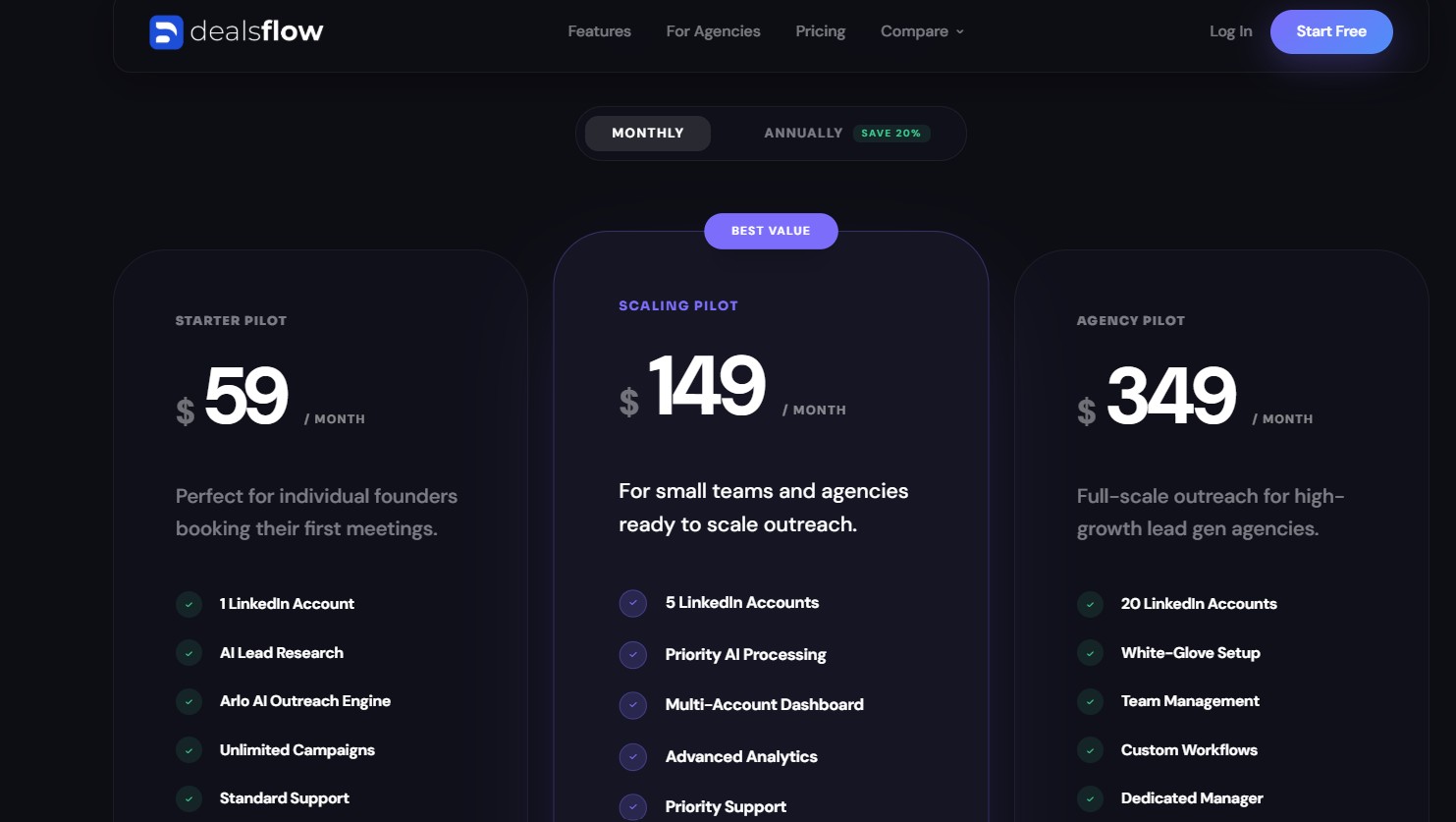
DealsFlow offers a 14-day free trial with no credit card required and setup in under 10 minutes. Paid plans are available at flat rates for agencies and sales teams. Check dealsflow.co/pricing for current plan details.
Bottom line — time saved per rep per week: 5–8 hours, primarily from eliminating manual reply management and follow-up scheduling across multiple LinkedIn accounts.
2. Apollo.io — Best for High-Volume Prospecting on a Budget
Apollo is where most outbound teams start when they need both data and sequencing in one place — and at its price point, it delivers more than any single-purpose tool in its category.
What Apollo.io actually does:
Apollo.io is a sales intelligence and engagement platform that combines a massive contact database with outreach automation, a built-in dialer, meeting intelligence, and pipeline management tools. The core promise is consolidation: one platform for finding leads, enriching contact data, and running outreach sequences.
Key features that save time:
- Contact database: Apollo’s database contains over 210 million contacts and 30 million companies, searchable using filters like job title, company size, industry, location, technologies used, and buying intent signals.
- Advanced search filters: You can narrow down prospects by seniority level, department, company revenue, funding stage, and recent job changes. This level of precision helps you build targeted lists instead of spraying and praying.
- Email sequencing: Run automated multichannel outreach sequences with no limit on the number of sequences on Professional plans and above.
- Built-in dialer: Available from the Professional plan onward for US and Canadian calls. Includes call recording and transcription.
- AI-assisted email writing: Generate AI-drafted outreach messages within the platform without needing a separate tool.
- Intent signals: Track companies actively researching your category to prioritize outreach timing.
- CRM integrations: Native sync with HubSpot, Salesforce, and Pipedrive on paid plans.
Who it’s best for:
Apollo works well for SDR teams and growth-stage companies that want one bill instead of separate subscriptions for data, sequencing, and dialing. For startups and small teams, consolidating multiple tools into Apollo can save thousands annually — you’re replacing a data provider, email tool, dialer, and potentially parts of your CRM, all for $49–$119 per user per month.
What we liked:
The database size and filter depth are genuine strengths. G2 users consistently rate it 4.7/5 across over 9,000 reviews. The all-in-one model genuinely reduces switching costs between tools.
What could be better:
The credit system adds complexity that the headline price does not show. Apollo.io pricing ranges from free to $119/user/month on annual billing, but credit-based limits, feature gates, and data accuracy gaps mean actual costs often run 2–3x the advertised rate. Teams doing heavy outbound or cold calling should budget $150–$400 per user per month once credit overages and add-ons are factored in.
Data accuracy varies. While Apollo claims high verification rates, user reviews consistently mention outdated contacts and incorrect email addresses, especially for smaller companies or niche industries.
Pricing:
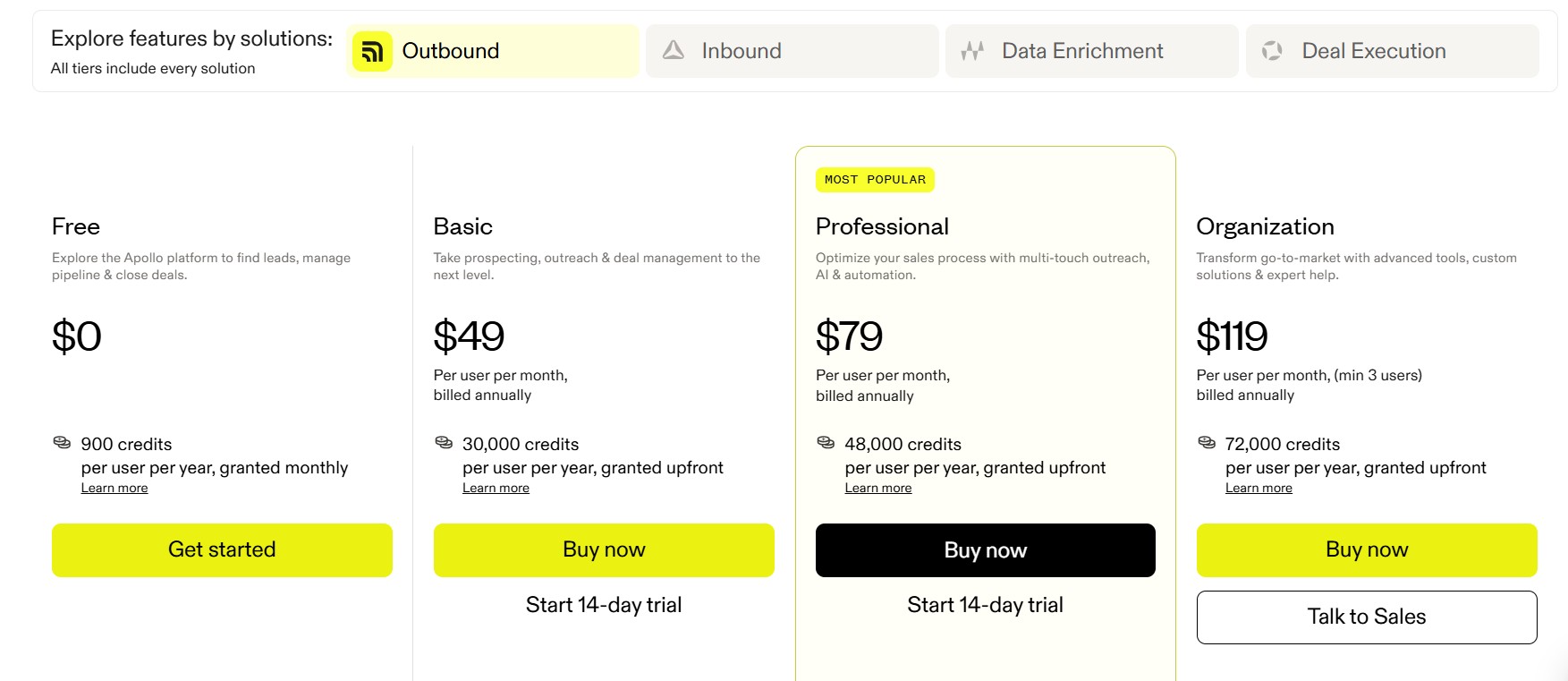
Apollo.io follows a tiered, per-user, per-month pricing model with a significant discount for annual billing. The Free plan offers access to Apollo’s large contact database and two active outreach sequences, with key limits of 5 mobile credits and 10 export credits per month. Paid plans start at $49/user/month (annual) for Basic, $79/user/month for Professional, and $119/user/month for Organization.
Bottom line — time saved per rep per week: 3–5 hours, primarily from eliminating manual list-building and consolidating data lookup with sequencing in one platform.
3. Clay — Best for Advanced AI-Powered Data Enrichment and Targeting
Clay sits at the top of the data enrichment category for a reason: it connects to more data sources than any comparable tool, and it lets you chain them together in ways no single provider can match.
What Clay actually does:
Clay is a data enrichment and sales automation platform that creates a unified workspace where teams can access, enrich, and act on prospect data. Think of Clay as a supercharged spreadsheet that connects to over 100 different data sources — it aggregates information from providers like Apollo, People Data Labs, Clearbit, and Crunchbase to give a comprehensive view of prospects.
The key mechanic is waterfall enrichment. Clay’s waterfall enrichment feature checks multiple providers sequentially when searching for data. If one provider can’t find an email address, it automatically queries the next provider in line — an approach that achieves higher match rates than single-provider solutions.
Key features that save time:
- 150+ data provider integrations: The platform provides access to 150+ data provider integrations including Apollo, Hunter, Clearbit, People Data Labs, Prospeo, Snov.io, and dozens of specialized sources.
- Waterfall enrichment: Waterfall enrichment doubled coverage from 40% to 78% in testing — a meaningful jump in the percentage of prospects with complete, accurate data.
- Claygent AI research: An AI agent that can research any company or person and return structured data — summarizing recent news, identifying pain points from job postings, or personalizing outreach based on LinkedIn activity.
- Lead scoring and routing: Score and segment leads based on ICP fit criteria, then route them to the right team or outreach motion.
- CRM integrations: Available on Pro plan and above for Salesforce and HubSpot sync.
- 300+ targeting attributes: Build ICP-filtered lists using signals that most single-vendor databases do not track.
Who it’s best for:
Clay is the right tool for RevOps teams and growth engineers who want to build custom enrichment workflows and need data coverage that no single provider offers. The platform is not suitable for bootstrapped startups, solo freelancers, or anyone doing low-volume prospecting under 200 prospects per month.
What we liked:
The waterfall coverage improvement is the most concrete differentiator. OpenAI doubled their enrichment coverage from the low 40% range to the high 80% range after switching to Clay — that kind of result is what makes it worth the complexity.
What could be better:
Clay is an enrichment engine, not a complete outreach platform. Clay is just the enrichment layer. Add your email sequencer, CRM, and any premium data providers, and total stack cost runs $800–$2,000+ per month for a 5-person team.
The learning curve is real. One TrustRadius reviewer noted: “It took our team about 2–3 weeks to really get comfortable building workflows. It’s powerful, but it’s not plug-and-play.”
The credit system also requires careful management. Clay charges credits for failed lookups. If you query three providers searching for an email address and none return a result, you pay for all three attempts. On pipelines with stale or incomplete data, this miss rate can silently burn 20–30% of your monthly allocation.
Pricing:
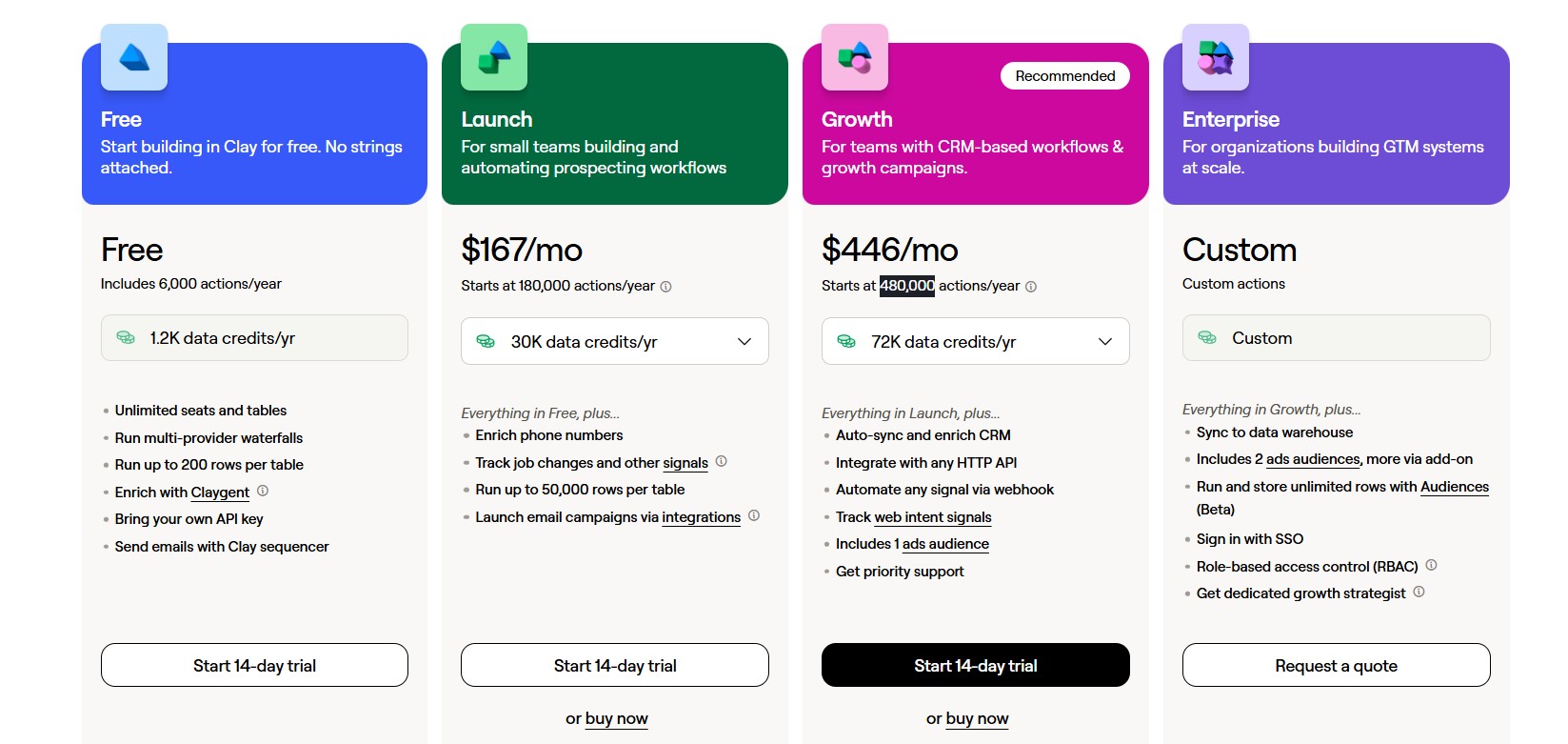
Clay has a free forever plan with 100 monthly search credits. Paid plans include Starter at $167/month (annual) for 180,000 credits per year, Explorer at $446/month (annual) for 480,000 credits per year, and Pro at $720/month (annual) for 600,000 credits per year. Enterprise is custom pricing. Note: CRM integrations require the Pro plan or above.
Bottom line — time saved per rep per week: 4–6 hours for teams doing high-volume enrichment, but only if the team has the RevOps capacity to build and maintain workflows. Solo SDRs will not get full value here.
4. Gong — Best for Revenue Intelligence and Call-Based Coaching
Gong is the most established name in conversation intelligence, and its data set — built from hundreds of millions of analyzed sales calls — gives it an analytical edge that newer entrants have not yet matched.
What Gong actually does:
Gong records, transcribes, and analyzes calls, emails, and meetings — turning everyday conversations into structured, searchable sales data. Its primary value proposition: use AI to identify what top reps do differently, surface coaching opportunities, and deliver forecasting accuracy rooted in actual buyer conversations, not gut feel.
The platform captures and analyzes every customer interaction across multiple channels — video calls, phone conversations, emails, and digital touchpoints — transforming raw conversation data into actionable revenue insights. With over 4,500 customers including five Fortune 10 companies, Gong has established itself as the leading platform in revenue AI.
Key features that save time:
- Automatic call recording and transcription: Every call is captured, transcribed, and indexed. Reps stop taking notes during calls.
- AI-powered call summaries: Key topics, action items, and next steps extracted automatically from every conversation.
- Deal intelligence: Every opportunity receives an AI-generated likelihood score based on comprehensive interaction analysis, removing guesswork from pipeline assessment.
- Coaching workflows: Sales managers can review calls, leave timestamped coaching notes, and track whether reps implement feedback.
- Revenue forecasting: Gong Forecast predicts deal outcomes with 20% greater accuracy than CRM-based algorithms by leveraging actual customer conversation data rather than rep-reported pipeline.
- Gong Agents: AI agents — including Tasker, Composer, and Deal Reviewer — that automate follow-ups, draft emails, and evaluate deal health based on conversation context.
- 250+ integrations: Connects with most major CRMs and sales tools via the Gong Collective ecosystem.
Who it’s best for:
Gong is built for B2B enterprise and mid-market teams with multi-stakeholder deals and long sales cycles who need complete visibility into what is happening inside deals — not just what reps report. Sales managers who want to coach at scale, and RevOps leaders who need forecasting data they can trust, get the most from the platform.
What we liked:
The depth of call analysis is the platform’s clearest strength. Users highlight Gong’s role in helping new employees ramp up quickly through call libraries, detailed account notes, and team recordings. Gong gives insights that turn the art of conversation into a science, and teams use it throughout their go-to-market approach and often rely on it as a mechanism to onboard new hires and ramp them faster.
What could be better:
The pricing structure changed significantly in early 2025. In March 2025, Gong shifted from bundled features to a modular, à-la-carte pricing structure. The platform fee increased from $10,000 to $50,000, and many features previously included in Gong Professional now require separate add-on purchases.
The benefits come at a steep cost, especially for teams under 100 reps. For smaller teams, the economics are hard to justify.
Pricing:
Gong costs $1,600 per user per year for their Gong Foundations plan, plus a $50,000 annual platform fee under their new pricing model introduced in March 2025. Add-on products like Gong Forecast ($700/user/year) and Gong Engage ($800/user/year) increase total costs further. Pricing is quote-based and varies by team size and negotiation.
Bottom line — time saved per rep per week: 3–4 hours, primarily from eliminating manual note-taking and giving managers coaching data without requiring rep self-reporting.
5. Instantly.ai — Best for Scaling Cold Email Deliverability
If cold email is your primary outbound channel and you are running at any real volume, deliverability is the metric that determines whether any of your other work matters. Instantly is built around solving that problem.
What Instantly.ai actually does:
Instantly combines cold email sending infrastructure, email warmup, campaign sequencing, and AI-assisted copy in one platform. The differentiation is on the infrastructure side — email warmup across a large network of accounts to protect sender reputation and maintain inbox placement rates.
Key features that save time:
- Email account warmup: Automated warmup across a shared warmup network to build and maintain sender reputation for new and existing domains.
- Unlimited email accounts: Connect multiple sending accounts across paid plans to distribute volume and protect deliverability.
- AI-powered copy: Generate and test email variants within the platform without switching to a separate AI writing tool.
- Campaign analytics: Track open rates, reply rates, click rates, and bounce rates per campaign and per variant.
- Inbox rotation: Automatically distribute sends across multiple accounts to prevent volume spikes on any single domain.
- CRM integrations: Push reply data and booked meetings into HubSpot, Salesforce, and other platforms.
Who it’s best for:
Instantly works well for outbound-focused teams — SDRs, lead gen agencies, and growth teams — who send at least a few hundred cold emails per week and need reliable inbox placement. If you are sending fewer than 50 emails per week, the warmup infrastructure is more than you need.
What we liked:
The warmup network is the platform’s real value. Maintaining inbox placement at scale is genuinely difficult without dedicated infrastructure. Signal-personalized outreach achieves 15–25% reply rates compared to the 3–5% industry average for cold email — but none of that matters if the emails land in spam.
What could be better:
Instantly is an email-only tool. LinkedIn, phone, and other channels require separate platforms. The AI writing capabilities are useful but not as advanced as dedicated AI writing tools like Lavender for coaching, or Clay for signal-based personalization.
Pricing:
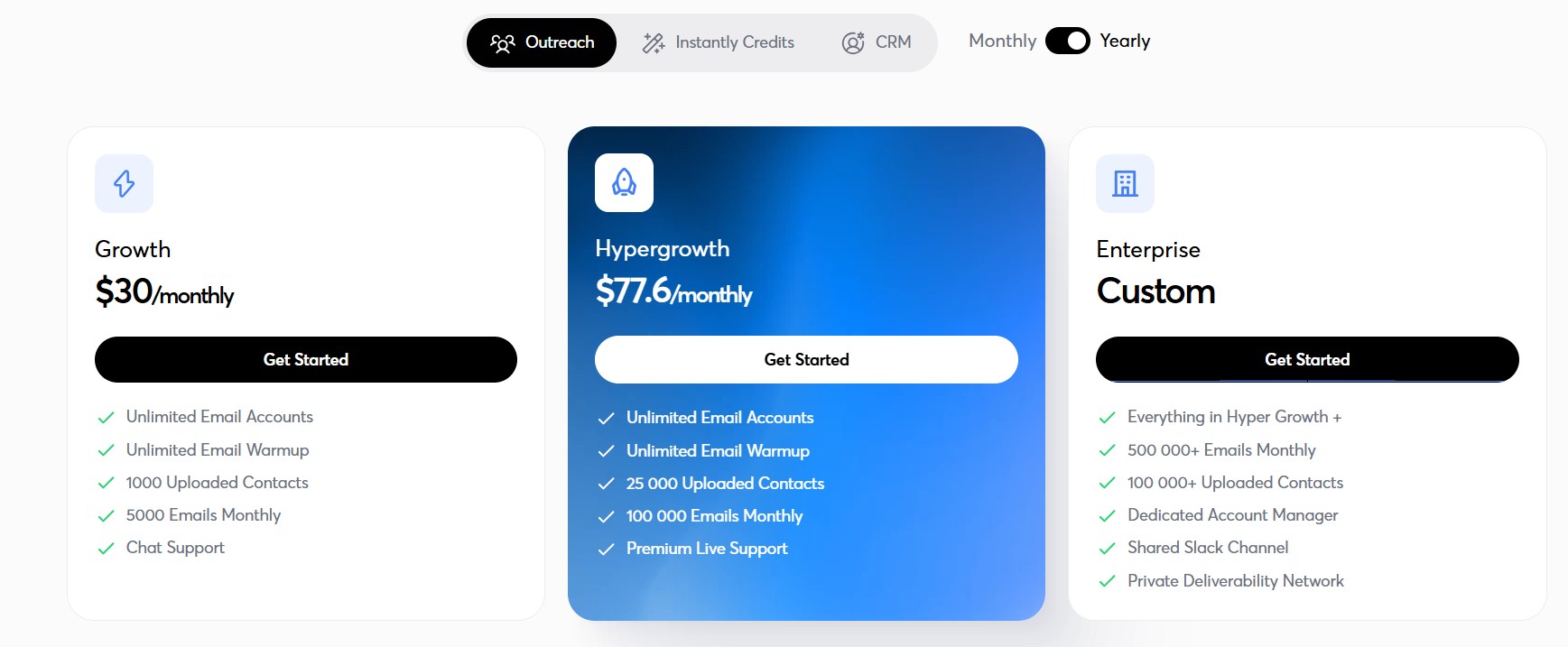
Instantly offers plans starting at around $37/month for basic cold email sending, with higher-tier plans for larger team sizes and advanced features. No free plan; paid tiers start from a relatively low base price compared to full-suite platforms. Check Instantly’s website for current plan details, as pricing has evolved through 2025–2026.
Bottom line — time saved per rep per week: 3–5 hours for teams previously managing email warmup and deliverability monitoring manually. Less impactful for teams already using a deliverability-focused tool.
6. Sybill — Best for Deal Intelligence and Automatic CRM Hygiene
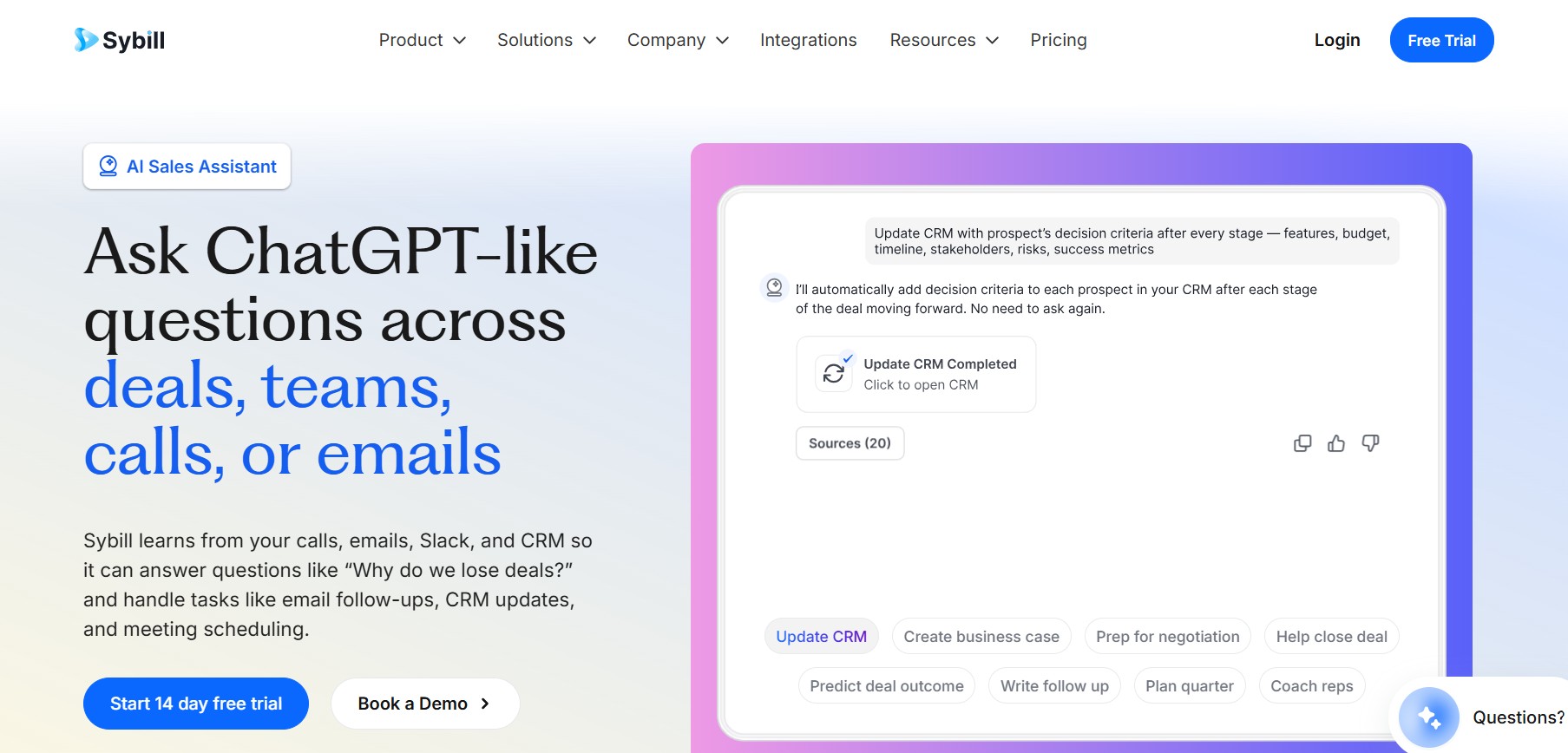
One of the most consistent complaints in sales is CRM data quality. Reps do not update records. Deal stages are stale. Fields are blank. Managers cannot trust the pipeline. Sybill’s specific focus is solving that problem.
What Sybill actually does:
Sybill records and analyzes sales calls, then automatically writes call summaries and updates CRM fields based on what was said — without requiring a rep to log anything manually. It also surfaces deal health signals based on what buyers are actually saying across calls and emails.
Key features that save time:
- Automatic CRM updates: After every call, Sybill updates deal stages, notes, and custom fields in Salesforce or HubSpot based on the conversation — no manual logging required.
- AI call summaries: Structured summaries covering key topics, next steps, objections raised, and buyer sentiment automatically generated after each call.
- Deal health scoring: Identifies deals at risk based on patterns in conversation data — declining engagement, competitor mentions, stalled timelines.
- Follow-up email drafts: Generates a follow-up email draft based on the specific conversation, not a generic template.
- Buyer persona insights: Tracks how different stakeholders communicate and what they respond to across a deal.
- Slack and CRM notifications: Pushes deal risk alerts and coaching triggers into Slack channels or manager inboxes automatically.
Who it’s best for:
Sybill is most valuable for sales teams where CRM data quality is a known problem — which is most sales teams. Account executives dealing with complex multi-stakeholder deals also get significant value from the deal health tracking and follow-up draft features.
What we liked:
The automatic CRM update capability is the clearest time-saver. AI reduces sales forecasting errors by up to 50% and improves forecast accuracy significantly — but only when CRM data is clean enough to forecast from. Sybill addresses that root cause.
What could be better:
Sybill is newer than Gong and Chorus, so its call analysis has had less time to train on domain-specific conversation data. The coaching and pattern detection capabilities, while solid, are not as deep as Gong’s. For teams where coaching is the primary use case, Gong remains the stronger choice.
Pricing:
Sybill’s pricing is quote-based. Contact the vendor for current plan pricing based on team size and required features.
Bottom line — time saved per rep per week: 3–5 hours, primarily from eliminating manual CRM updates after calls — a task that eats significant time across the team and often gets skipped entirely.
7. HubSpot Sales Hub — Best All-in-One for Growing B2B Teams
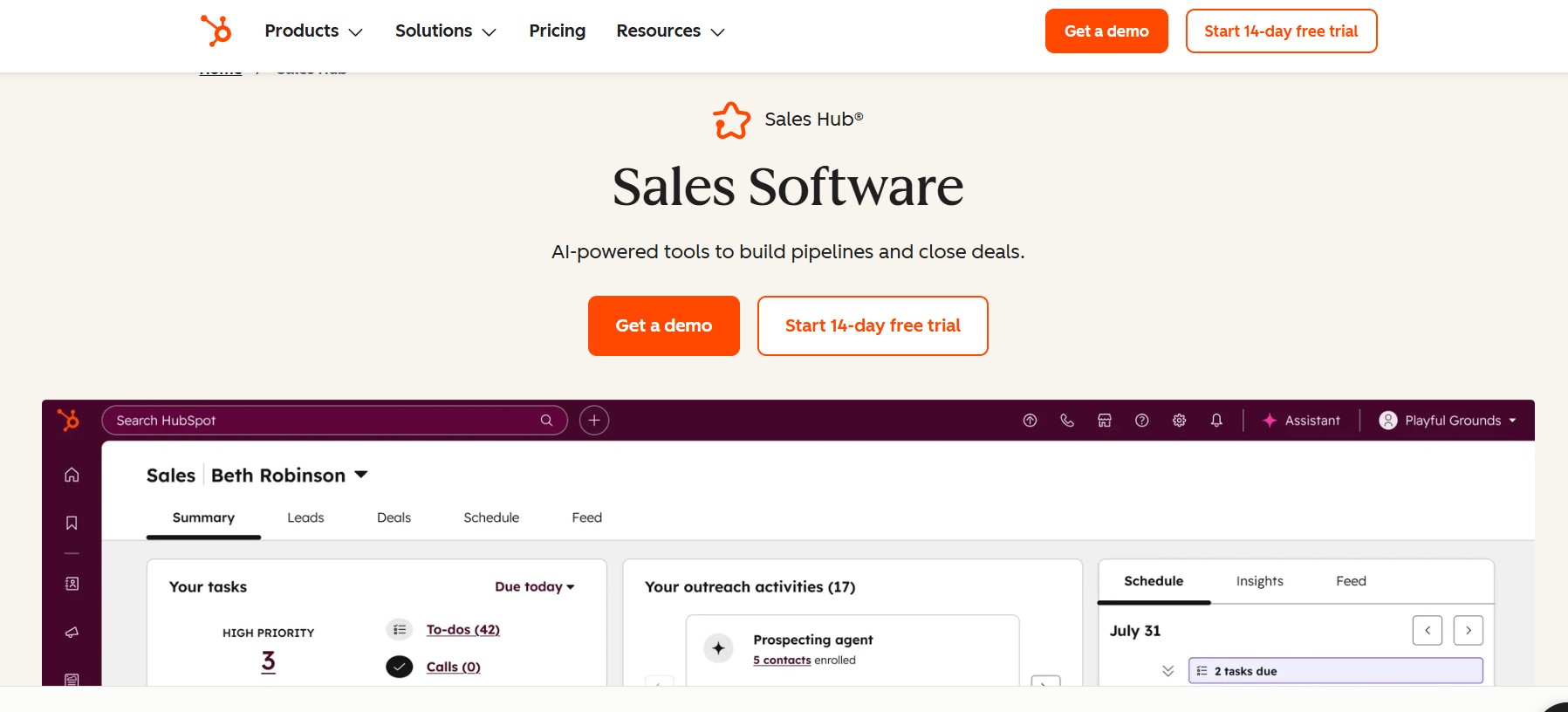
HubSpot is the most common starting point for sales teams that want a CRM, sequencing, and reporting in one place without the complexity or price of an enterprise platform.
What HubSpot Sales Hub actually does:
HubSpot combines CRM, sales engagement, marketing automation, and service tools in one platform. Sales teams track every deal, email, call, and meeting in a unified workspace, while AI helps draft messages, summarize calls, and highlight promising deals. Strong reporting and revenue dashboards support leaders who need visibility across the full funnel.
Key features that save time:
- AI sales workspace: AI drafts outreach emails, summarizes call transcripts, and surfaces insights from deal timelines so reps move faster on active opportunities.
- Sequences and automation: Email sequences, tasks, and workflows reduce manual follow-ups, helping SDRs and AEs stick to a clear outreach rhythm.
- Unified platform: CRM, marketing, sales, and service tools live in the same stack, so contact data and deal activity stay consistent across teams.
- Pipeline reporting: Deal stage reporting, activity tracking, and revenue forecasting built into the platform without requiring a separate analytics tool.
- Meeting scheduler: Built-in scheduling link that syncs with calendar and logs booked meetings automatically in the CRM.
- Free CRM tier: The base CRM is free with limited features, making it accessible for early-stage teams.
Who it’s best for:
HubSpot works best for B2B teams with 4–50 reps who want one platform to manage the full go-to-market motion. Marketing, sales, and service teams can all operate from the same system, which eliminates the data-passing friction that slows most teams down.
What we liked:
The all-in-one architecture is the core value. Teams that have tried managing separate CRM, sequencing, and marketing tools know how much time goes into keeping data consistent across platforms. HubSpot removes that overhead.
What could be better:
The pricing scales quickly as teams grow. The free CRM is genuinely useful, but most serious sales features live behind the Sales Hub Professional tier ($100+/user/month). For larger teams, the annual contract cost becomes a significant line item.
Pricing:
HubSpot offers a free CRM with limited sales features. Sales Hub Starter begins at $20/user/month. Sales Hub Professional, which includes most meaningful AI and automation features, starts at $100/user/month. Enterprise pricing is custom. Annual billing provides a discount.
Bottom line — time saved per rep per week: 4–6 hours for teams replacing multiple disconnected tools with a single platform.
8. Cognism — Best for GDPR-Compliant B2B Data in Europe
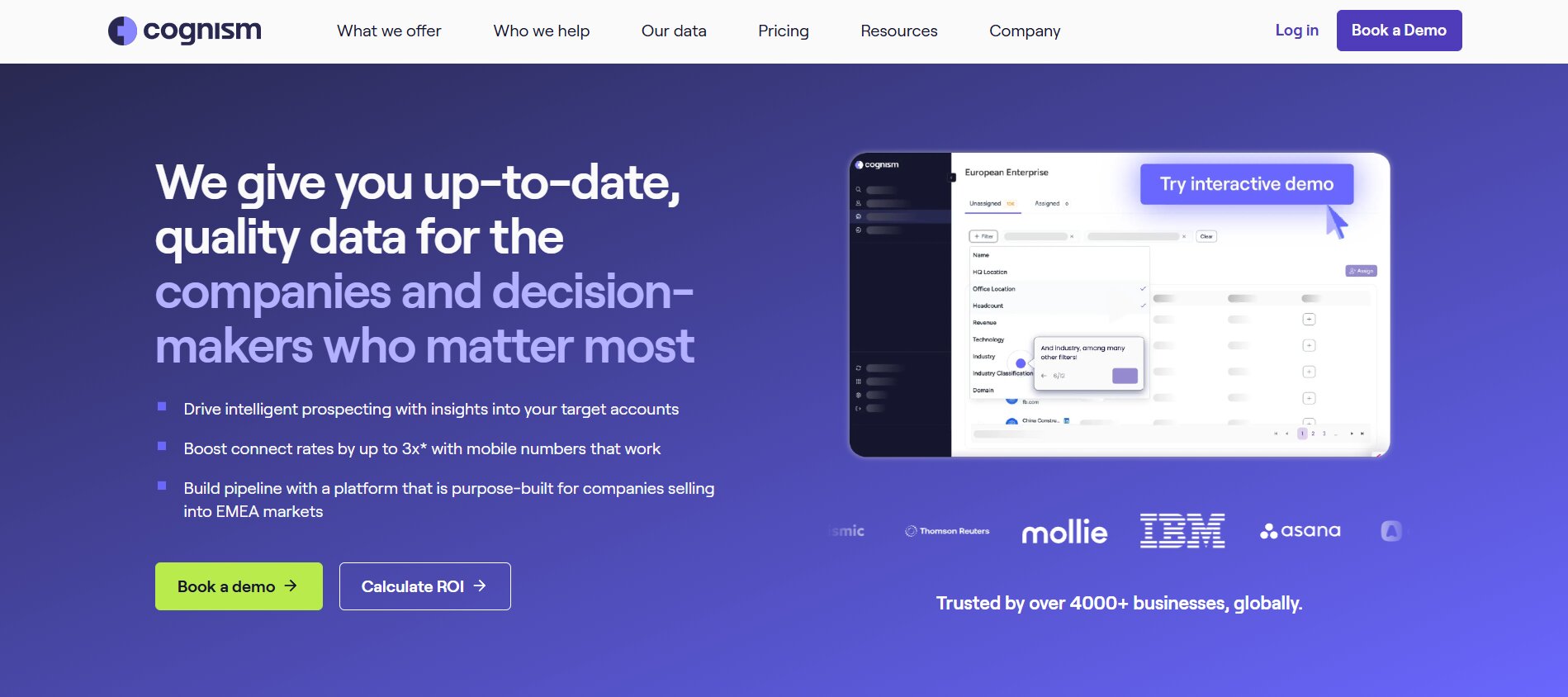
For European sales teams, data compliance is not optional. Cognism has built its entire product around verified, legally compliant B2B contact data — which solves a problem that most US-first tools handle poorly.
What Cognism actually does:
Cognism is a B2B data intelligence platform that provides verified contact information — emails, mobile numbers, and firmographic data — with a specific focus on GDPR compliance and data accuracy. Its Diamonds on Demand feature provides human-verified mobile numbers for the highest-priority prospects.
Key features that save time:
- Phone-verified mobile numbers: Human verification of mobile numbers for priority contacts, with accuracy rates significantly higher than algorithmically-verified alternatives.
- GDPR, CCPA, and global compliance: Data sourced and maintained with legal compliance as a primary constraint — meaning sales teams can use the data without legal review on each record.
- Intent data integration: Integration with Bombora intent data to surface companies actively researching relevant topics.
- CRM sync: Native integration with Salesforce, HubSpot, SalesLoft, and Outreach for direct pipeline enrichment.
- Chrome extension: Prospect information surfaced directly on LinkedIn profiles for quick enrichment during prospecting.
- Firmographic filtering: Filter prospects by revenue, employee count, technology stack, and other business attributes.
Who it’s best for:
Cognism is the right data provider for European teams where GDPR compliance is a hard requirement, and for teams that depend heavily on phone outreach and need reliable mobile numbers. It is less cost-effective for teams that only need email data at scale.
What we liked:
The compliance focus removes a real operational risk. Many data providers supply numbers that technically violate GDPR, which creates legal exposure for the sales team. Cognism’s approach to verification and compliance genuinely addresses that.
What could be better:
Cognism does not publicly list pricing, and contracts are typically enterprise-level with multi-seat minimums. For smaller teams or those doing low-volume outreach, the economics may not work. Phone verification at scale also means the Diamonds on Demand feature can consume significant credits quickly.
Pricing:
Cognism uses custom pricing based on team size, required data volume, and geographic coverage. Contact the vendor for a quote. There is no self-serve or free tier.
Bottom line — time saved per rep per week: 2–4 hours, primarily from eliminating manual verification and reducing the bounce rates and compliance risk associated with lower-quality data.
9. Lemlist — Best for Personalizing Multichannel Campaigns at Scale
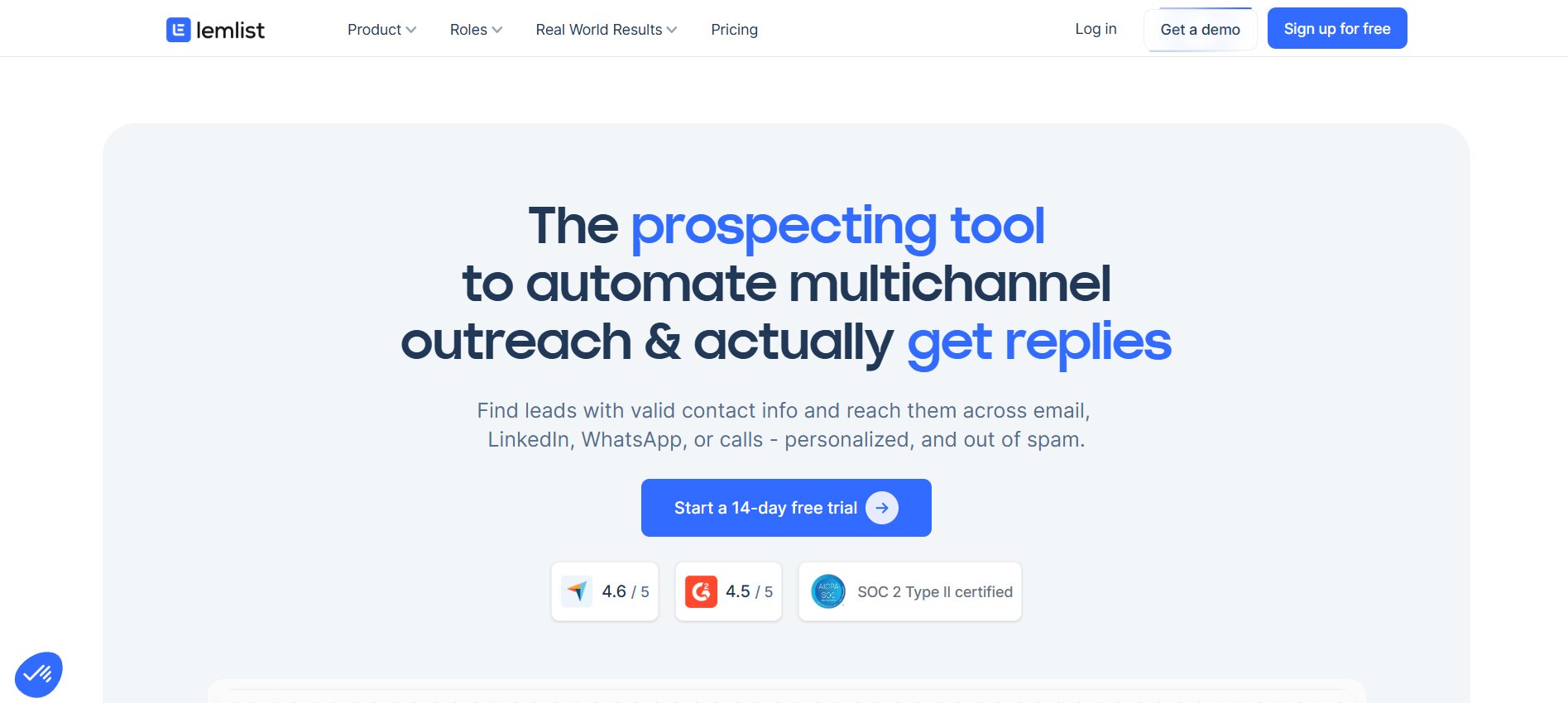
Where most email tools automate sequence sending, Lemlist focuses on the personalization layer — making each message in a sequence feel like it was written specifically for that prospect.
What Lemlist actually does:
Lemlist is a multichannel outreach platform that combines email sequencing with LinkedIn automation and cold calling, unified by personalization features that go beyond variable substitution. Its AI campaign generator builds complete multichannel sequences from ICP information, and its image and video personalization capabilities create visually differentiated outreach at scale.
Key features that save time:
- AI campaign generator: Generates multichannel sequences — email, LinkedIn, call — from target persona information without requiring manual sequence building.
- Image and video personalization: Dynamically personalizes images and short videos in outreach at scale, which consistently shows higher reply rates than text-only outreach.
- LinkedIn automation: Automated LinkedIn connection requests, messages, and profile views as part of multichannel sequences.
- Email deliverability tools: Built-in warmup, deliverability testing, and spam score checking.
- Reply handling workflows: Automated workflows triggered by replies, opens, or clicks to route prospects into the right next step.
- CRM integrations: Native sync with HubSpot, Salesforce, and Pipedrive.
Who it’s best for:
Lemlist works well for outbound-focused teams that want multichannel sequences without managing separate tools for email, LinkedIn, and calling. The personalization capabilities are strongest for teams with defined ICPs where tailored outreach is more important than raw volume.
What we liked:
The AI campaign builder genuinely reduces the time to launch a new sequence from hours to minutes. The multichannel approach in one tool also removes the integration overhead of stitching together separate email and LinkedIn tools.
What could be better:
LinkedIn automation tools carry inherent risk of LinkedIn account flagging if usage patterns appear non-human. Lemlist includes safety features, but users should treat any LinkedIn automation with caution regarding account safety.
Pricing:
Lemlist’s paid plans start at $59/month for Email Starter. Multichannel plans including LinkedIn automation start at $99/month. Team and agency plans are available at higher tiers.
Bottom line — time saved per rep per week: 3–4 hours from replacing manual sequence building and eliminating the need to switch between separate email and LinkedIn tools.
10. Lavender — Best for Coaching Reps to Write Better Cold Emails
Lavender takes a different approach from most tools on this list. Instead of generating emails for reps, it coaches reps to write better emails themselves — in real time, inside their existing email client.
What Lavender actually does:
Lavender is an AI email coaching tool that lives as a browser extension and integrates directly with Gmail, Outlook, and most email sequencing platforms. As a rep writes an email, Lavender scores it in real time across multiple dimensions — personalization, length, subject line quality, reading level, and predicted reply probability — and suggests specific improvements.
Key features that save time:
- Real-time email scoring: Scores every email 0–100 as it is being written, with specific feedback on what to improve.
- Personalization assistant: Pulls LinkedIn and company data about the prospect and suggests personalization angles directly inside the email compose window.
- Subject line testing: A/B testing tool for subject lines with predicted open rate data.
- Email length optimization: Data-backed guidance on optimal email length for the prospect’s role and industry.
- Reading level analysis: Flags overly complex language that reduces response rates in cold outreach.
- Reply probability score: Provides a predicted likelihood of reply based on email characteristics.
Who it’s best for:
Lavender is most useful for SDR teams and individual reps who send cold email regularly and want to improve their own writing quality. It is also useful for sales managers who want to understand what is causing low reply rates without reviewing every email manually.
What we liked:
The coaching model is underrated. Companies using AI for sales training reduce new hire ramp time by 22–29%. Lavender applies that same principle to email writing specifically — giving reps feedback at the moment of composition rather than in a weekly review.
What could be better:
Lavender is email-only and does not help with LinkedIn messages, call preparation, or any other outreach channel. It also does not generate emails from scratch — it coaches the human writing process. Teams looking for a fully automated writing solution will need a different tool.
Pricing:
Lavender offers a limited free tier for individual users. Paid plans start at $29/month for the Individual plan, with team and enterprise plans available at higher pricing.
Bottom line — time saved per rep per week: 1–2 hours per rep, primarily from reducing the rewriting loop on emails that are not getting replies, and faster onboarding of new SDRs who would otherwise take months to develop instinct for what works.
11. Salesloft — Best for Enterprise Sales Engagement and AI Prioritization
Salesloft is one of the two category leaders in enterprise sales engagement, and its 2025–2026 evolution into AI-native workflow prioritization makes it more than just a sequencing tool.
What Salesloft actually does:
Salesloft is a revenue orchestration platform that manages the full sales engagement workflow for enterprise teams — multi-channel sequences, conversation intelligence, pipeline management, and forecasting — with Conductor AI sitting across the top to prioritize what each rep should do next.
Key features that save time:
- Conductor AI: Salesloft’s prioritization engine that analyzes all signals across deals and accounts and tells each rep their single most impactful next action. Removes the cognitive load of deciding where to spend time.
- Multichannel cadences: Email, phone, LinkedIn, and direct mail cadences managed from one platform with automated step progression.
- Rhythm workflow manager: A unified workspace showing everything a rep needs to do in priority order for the day.
- Conversation intelligence: Call recording, transcription, and AI-powered coaching integrated into the same platform as sequencing — no separate tool required.
- Revenue forecasting: Deal-level forecasting using AI signals from calls, emails, and deal activity.
- CRM integrations: Deep bidirectional sync with Salesforce and HubSpot.
Who it’s best for:
Salesloft is built for enterprise sales teams with defined processes, multiple SDRs and AEs working coordinated sequences, and a RevOps function managing the stack. Teams below 20 reps will find the pricing harder to justify.
What we liked:
Conductor AI is the platform’s clearest innovation. Rather than leaving reps to decide how to allocate their time, the AI makes that decision based on signal data. Sellers use an average of 8 tools to close deals, and 42% of sales reps feel overwhelmed by too many tools. Conductor addresses that by creating one prioritized action list from all those signals.
What could be better:
Salesloft completed a merger with Clari in mid-2025. Some product integrations are still stabilizing, and the combined platform roadmap will take time to fully materialize. Buyers evaluating the platform today should factor in that the product is in a period of significant change.
Pricing:
Salesloft uses custom, quote-based pricing for all plans. There is no public pricing page. Expect annual contracts with per-user pricing. Contact the vendor for current rates.
Bottom line — time saved per rep per week: 4–5 hours from Conductor AI’s prioritization — removing the daily decision-making overhead of figuring out where to focus — and from consolidating call recording, sequencing, and pipeline management in one platform.
12. Artisan (Ava) — Best Autonomous AI BDR for Outbound Teams
The AI SDR category is real now. Artisan’s Ava is the most capable autonomous outbound agent currently available for most B2B sales teams, and the use case it solves is specific: running outbound prospecting at scale without adding headcount.
What Artisan (Ava) actually does:
Ava is an AI BDR that runs the outbound prospecting workflow end to end — identifying prospects from Artisan’s 300 million contact database, researching each one, personalizing outreach based on intent signals and recent news, and managing the follow-up sequence until a meeting is booked.
Key features that save time:
- Autonomous prospecting: Ava identifies and qualifies prospects based on ICP criteria without human input, pulling from a database of 300 million contacts.
- Research and personalization: Runs research on each prospect — LinkedIn activity, company news, intent signals — and uses that research to personalize outreach rather than applying generic templates.
- Automated follow-up management: Runs multi-touch follow-up sequences and adjusts based on prospect behavior.
- Email infrastructure management: Handles email warmup, sender rotation, and deliverability management autonomously.
- CRM integration: Logs activity and booked meetings in Salesforce and HubSpot without human input.
- Playbook customization: Salespeople can set guidelines, messaging frameworks, and ICP parameters that Ava follows.
Who it’s best for:
Artisan is for teams that want to add outbound capacity without adding headcount — whether that is a startup that cannot yet afford a full SDR team, or a scale-up that wants to run a higher volume of outbound without scaling costs proportionally.
What we liked:
The AI SDR market is projected to reach $15.01 billion by 2030, growing at 29.5% CAGR, with 22% of teams already having fully replaced human SDRs with AI for certain outbound functions. Artisan is at the front of that shift, and Ava’s ability to handle the full prospecting workflow — not just email sending — is what separates it from simpler automation tools.
What could be better:
Autonomous AI outreach requires careful guardrails. If ICP criteria are poorly defined or the personalization prompts are generic, Ava will produce high-volume generic outreach — which is exactly what this category of tool is supposed to eliminate. The quality of output is highly dependent on the quality of the inputs and ongoing human oversight.
Pricing:
Artisan uses custom, quote-based pricing for Ava. Contact the vendor for current rates and minimum commitments.
Bottom line — time saved per rep per week: 8–15 hours if replacing manual SDR prospecting workflows. The time savings are most significant for teams currently spending more than 40% of SDR time on research and list-building.
13. Fireflies.ai — Best for Automatic Meeting Notes and Follow-Up Tasks
Not every sales team needs a full revenue intelligence platform. For teams that primarily want to stop taking notes and ensure nothing slips through the cracks after calls, Fireflies delivers a substantial amount of value at a low price.
What Fireflies.ai actually does:
Fireflies is an AI meeting assistant that automatically records, transcribes, and summarizes meetings — then generates action items and can sync notes to CRM fields. It integrates with Zoom, Google Meet, Microsoft Teams, and most other meeting platforms.
Key features that save time:
- Automatic recording and transcription: Joins meetings as a bot participant and records the full conversation without requiring any manual action.
- AI summaries: Generates structured meeting summaries covering key points, decisions made, and action items.
- Action item extraction: Identifies commitments and next steps from the conversation and assigns them to the relevant person.
- CRM sync: Pushes meeting summaries and action items to HubSpot, Salesforce, and other CRM platforms.
- Full-text search: Search across all meeting transcripts for specific topics, competitor mentions, or objections raised.
- Topic tracking: Monitors for specific keywords or phrases across all meetings and surfaces them in reports.
Who it’s best for:
Fireflies works well for sales teams of any size that spend a significant portion of their week in customer calls and struggle with consistent note-taking and follow-up. It is also useful for teams where multiple people join the same calls and need a shared record of what was discussed.
What we liked:
The free tier is genuinely functional. Unlike many tools that gate their core value behind paid plans, Fireflies’ free plan covers basic transcription and summaries — which is enough for individuals and small teams to get real value before committing to a paid plan.
What could be better:
Fireflies does not have Gong’s depth of deal intelligence or coaching analytics. It records and summarizes well, but does not surface which deals are at risk or what patterns distinguish winning and losing calls. For teams where coaching and deal forecasting are the primary use case, the more robust platforms are worth the higher cost.
Pricing:
Fireflies offers a free plan with limited recording hours. Paid plans start at $10/user/month for the Pro tier, with Business plans at $19/user/month. Enterprise pricing is custom.
Bottom line — time saved per rep per week: 2–3 hours from eliminating manual note-taking and the post-call write-up that most reps either rush through or skip entirely.
How to Build Your AI Sales Stack by Team Size and Role
Solo Seller or Founder (1–3 Reps): The Lean 2-Tool Stack
The mistake most founders make is buying too many tools too early. At 1–3 reps, the job is to close deals and learn what works — not to operate a sophisticated RevOps stack.
The lean 2-tool setup that delivers the most time savings with the least overhead:
- DealsFlow for LinkedIn outreach — Arlo handles prospecting and conversations while you focus on calls.
- HubSpot CRM (free tier) to track deals and pipeline without paying for a CRM you cannot fully utilize yet.
Add Fireflies if you do a lot of calls and want automatic notes. Add Apollo if you need email outreach in addition to LinkedIn. Keep it at three tools maximum until you have 4+ reps.
Growing B2B Team (4–20 Reps): The 3-Tool Stack That Scales
At this stage, the problems shift. Individual rep productivity matters, but so does consistency, pipeline visibility, and manager leverage. The stack should solve for all three.
- CRM: HubSpot Sales Hub Professional or Salesforce, depending on complexity and budget. HubSpot is faster to implement. Salesforce handles more complexity at scale.
- Prospecting and data: Apollo for combined database + sequencing on a budget, or Clay + a sequencing tool if data quality and enrichment depth are priorities.
- Conversation intelligence: Fireflies for lightweight note-taking and follow-up, or Chorus/Gong if coaching and deal visibility are the primary gap.
Enterprise Sales Org (20+ Reps): The Full-Stack AI GTM Setup
At this size, the stack becomes a strategic asset. Fragmentation is expensive — every tool handoff creates data loss and rep overhead. The priority is integration depth and the ability to surface cross-deal pattern data.
- CRM: Salesforce with Einstein AI or Agentforce.
- Sales engagement: Salesloft or Outreach for coordinated multi-channel cadences at scale.
- Conversation intelligence: Gong for revenue-level analytics and coaching.
- Data enrichment: Clay or Cognism (or both) depending on volume and geographic focus.
- LinkedIn outreach: DealsFlow for agencies and teams running LinkedIn at scale.
The Tool-Sprawl Trap: When to Consolidate vs. When to Add
Sellers use an average of 8 tools to close deals, and 42% of sales reps feel overwhelmed by too many tools. Overwhelmed sellers are 45% less likely to attain quota.
That is the tool-sprawl trap: each individual tool solves a real problem, but the accumulation of tools creates a new problem — context switching, duplicate data entry, and reps who cannot remember which platform to check.
Before adding a new tool, ask whether it eliminates a previous tool or adds to the stack. A good AI sales tool should replace at least one manual process or tool it overlaps with. If the new tool is pure addition with no consolidation, the productivity math becomes harder to justify.
How to Choose the Right AI Sales Tool: 5 Questions to Ask Before You Buy
1. Does It Solve the Bottleneck Actually Costing You Deals?
The most common mistake in buying AI sales tools is buying the tool that sounds most impressive rather than the one that addresses your specific bottleneck. If 40% of your pipeline goes dark after proposal because reps do not follow up consistently, a better prospecting tool will not fix that. If reply rates are the problem, a conversation intelligence tool will not fix that.
Identify the single stage in your sales process where deals most commonly stall or die. Buy the tool that addresses that stage specifically.
2. Will It Integrate with Your Existing CRM and Stack?
A tool that does not write back to your CRM creates a second system of record — and two systems of record means neither one is accurate. Before buying any AI sales tool, confirm the specific integration it has with your CRM: bidirectional sync, field-level mapping, and whether the integration requires IT resources to configure and maintain.
3. How Are AI Credits Priced — and What Is the Real Monthly Cost?
Many AI sales tools use credit-based pricing where the advertised monthly cost is the floor, not the ceiling. Apollo’s pricing model quickly becomes expensive and complex. Between mandatory additional credits, accumulating per-seat pricing, and monthly credit expiration, real expenses can easily triple from the advertised $49/month.
Clay charges credits for failed lookups, and on pipelines with stale or incomplete data, the miss rate can silently burn 20–30% of your monthly allocation.
Always ask the vendor for an estimate of total monthly cost based on your expected volume — not just the list price per seat.
4. How Long Does It Take for Reps to Actually Adopt It?
A tool that takes four weeks to onboard and requires ongoing configuration will not get adopted by a sales team under quota pressure. In evaluating a tool, ask the vendor for their typical time-to-first-value and look at G2 reviews specifically for comments on ramp time and ease of use. Companies using AI for sales training reduce new hire ramp time by 22–29% — the best tools apply that same philosophy to their own onboarding.
5. Can You Verify Its Output Quality, Not Just Its Feature List?
Every AI sales tool markets great output quality. The only way to actually verify it is to run a limited test on real data. Ask for a trial that lets you run the tool against your actual ICP, your actual emails, or your actual call recordings — not a demo environment with vendor-curated data. The quality gap between tools is often significant, and it only shows up in real usage.
AI Sales Trends Shaping 2026 (And What to Watch for in Your Next Tool Purchase)
Agentic AI: From Assistant to Autonomous SDR
The shift from AI that assists to AI that acts is the most significant trend in sales technology right now. The AI SDR market is projected to reach $15.01 billion by 2030, growing at 29.5% CAGR, with 22% of teams already having fully replaced human SDRs with AI for certain outbound functions.
Agentic AI tools — like Artisan’s Ava and DealsFlow’s Arlo — do not just generate content for a human to review. They take actions: finding prospects, running conversations, booking meetings, updating CRMs. This is a fundamentally different capability from AI writing assistants.
The implication for tool buyers: evaluate whether a tool assists humans or acts autonomously, and decide which model fits your workflow. Autonomous agents deliver more time savings but require more careful guardrails and oversight.
Signal-Based Selling Replacing Spray-and-Pray
Signal-personalized outreach achieves 15–25% reply rates, compared to the 3–5% industry average for cold email — a 5x improvement. The data is unambiguous: smaller, targeted campaigns outperform mass outreach by 2.8x on response rates.
The tools enabling this shift are the ones that connect buying signals — funding events, leadership changes, hiring patterns, product launches — to outreach content in real time. Clay’s enrichment engine, Apollo’s intent data, and DealsFlow’s prospect scoring are all building toward this model. Teams that invest in signal infrastructure now will hold a meaningful advantage as more competitors adopt AI outreach tools and the baseline noise level rises.
Conversation-First CRMs: The End of Manual Data Entry
One of the oldest and most persistent problems in sales is CRM adoption. Reps do not update records because it takes time and does not directly help them close deals. AI can now automate the administrative and reporting tasks that previously consumed about 75% of sellers’ working hours — including CRM updates.
Tools like Sybill, Gong, and Fireflies are attacking this from the conversation intelligence side — automatically extracting and logging deal data from calls. Platforms like DealsFlow are attacking it from the interaction side — running outreach and logging outcomes automatically. The trajectory points toward CRMs that maintain themselves.
Will AI Replace Sales Reps? (Honest Answer)
The short answer is: no, not anytime soon, and not for most deals. The more useful answer is more specific.
85% of sales reps with AI agents say AI frees them to focus on higher-value work, and 82% say AI provides opportunities for career growth. The reps who see AI as a threat are typically the ones whose value came from high-volume low-complexity outreach — the tasks that AI genuinely can do better and cheaper.
For complex, high-value B2B deals, the human elements — trust, negotiation, reading a room, building a relationship over 12 months — remain difficult to replicate. AI-enabled reps report getting the insights needed to close deals at 80% rates versus 54% without AI. AI makes reps better at the human parts of sales by removing the mechanical parts.
The rep who will be replaced by AI is the one who refuses to use it.
Conclusion
Most sales teams do not have a tool problem. They have a selection problem. 42% of sales reps feel overwhelmed by too many tools, and overwhelmed sellers are 45% less likely to attain quota. More tools without a clear system to connect them creates overhead that cancels out the productivity gains.
The best AI sales tool is the one that removes the specific bottleneck costing your team deals right now. Not the one with the most features. Not the one your competitor is using. The one that addresses the gap where your pipeline most consistently breaks down.
If you are running LinkedIn outreach and want an AI that handles the full conversation — from first message to booked call — DealsFlow is worth starting with. The 14-day free trial requires no credit card, and setup takes under 10 minutes.
For data-driven teams that need enrichment depth, Clay’s waterfall engine delivers coverage that single providers cannot match. For teams where CRM data quality is the root cause of poor forecasting, Sybill or Gong addresses that directly. For growing B2B teams that want everything in one place, HubSpot Sales Hub is the most practical starting point.
Pick the bottleneck. Pick the tool. Measure the result. Then add the next one.
Frequently Asked Questions
What are AI sales tools?
AI sales tools are software applications that use artificial intelligence — including machine learning, natural language processing, and predictive analytics — to automate or improve some part of the sales process. This includes everything from writing personalized outreach emails and transcribing sales calls to scoring leads and updating CRM records automatically. The defining characteristic of a genuine AI sales tool (versus a basic automation tool) is that it adapts based on data — improving its outputs based on what works, not just executing a fixed sequence of steps.
What is the best AI tool for sales in 2026?
There is no single best AI tool for all sales teams — the right answer depends on your biggest bottleneck. For LinkedIn outreach, DealsFlow is the most capable autonomous option currently available. For revenue intelligence and call coaching, Gong leads the enterprise market. For data enrichment and precision targeting, Clay delivers the broadest coverage. For teams that want an all-in-one starting point, HubSpot Sales Hub is the most practical. The comparison table earlier in this guide maps each tool to the use case it serves best.
How do AI sales tools actually save time?
AI reduces sales cycles by 27% and increases actual selling time by 40% for companies deploying AI in their sales processes. The time savings come from three sources: automation of repetitive tasks (CRM updates, note-taking, sequence management), faster decision-making (AI surfaces the next best action rather than requiring reps to analyze pipeline manually), and higher output quality per unit of time (personalized outreach that actually gets replies, rather than generic templates that do not).
What is the best AI tool for B2B prospecting?
For data coverage and targeting precision, Clay is the strongest option for teams with the RevOps capacity to build enrichment workflows. For a more accessible all-in-one prospecting and sequencing tool, Apollo.io delivers the best combination of database size, targeting capability, and price. For LinkedIn-specific prospecting with AI conversation handling, DealsFlow runs the full process from prospect identification to booked meeting.
Are AI sales tools worth the cost for small teams?
Yes, for the right tools. The key is avoiding enterprise-level platforms that charge for complexity and scale you do not need. For small teams (1–5 reps), the tools that deliver the clearest ROI are ones that eliminate specific time-sinks: DealsFlow for LinkedIn outreach management, Fireflies for meeting notes, HubSpot’s free CRM for pipeline tracking. AI pays off quickly — 86% of sales teams see a positive return within the first year of adoption. The risk is not that the tools do not work. It is buying the wrong tier of tool for your actual volume.
How is AI used in sales today?
AI adoption among sales representatives rose from 24% in 2023 to 43% in 2024, nearly doubling in a single year. LinkedIn’s 2025 research finds that 56% of sales professionals use AI daily, and those who do are twice as likely to exceed their sales targets compared to non-users.
The most common use cases in order of adoption are: writing and improving outreach emails, recording and transcribing sales calls, lead scoring and prioritization, CRM data entry and updates, forecasting and pipeline analysis, and competitive intelligence.
Will AI replace B2B sales reps?
Not for complex, high-value deals. The tasks AI is taking over are the ones that never required human judgment in the first place — high-volume low-complexity prospecting, routine follow-ups, CRM data entry, meeting transcription. The tasks that define the best B2B salespeople — building trust over long sales cycles, navigating complex organizations, negotiating contracts, understanding what a buyer actually needs beneath what they are saying — remain human skills. 82% of reps with AI say it provides opportunities for career growth. The reps adding the most value are the ones using AI to spend more time on the human parts of selling.
What AI sales tools work best with Salesforce or HubSpot?
For Salesforce: Gong, Salesforce Einstein (native), Salesloft, Sybill, Clay (Pro plan), and Chorus.ai all offer deep Salesforce integration with bidirectional sync. For HubSpot: Apollo, Lemlist, Fireflies, Instantly, Lavender, and HubSpot’s native AI features all integrate cleanly. DealsFlow integrates with both. When evaluating any tool, confirm the specific CRM integration tier — some tools only provide one-way data pushes on lower pricing plans, while bidirectional sync with field-level mapping typically requires higher-tier plans.