


Finding a LinkedIn automation tool that actually fits your workflow is harder than it sounds. You need something that keeps your account safe, runs sequences without constant babysitting, and doesn’t cost a fortune before you’ve seen a single reply. Expandi has been a popular name in this space for a few years, but in 2026, the market has matured significantly — and so have the reasons people look for something different.
This guide is the result of hands-on testing across the most talked-about alternatives. We ran real campaigns, dug into pricing pages, stress-tested integrations, and looked closely at where each tool shines and where it lets you down. We’ve structured everything so you can either read top to bottom or jump straight to the comparison that matches your situation.
Best Expandi Alternatives at a Glance (2026)
If you’re short on time, here’s the full picture in one place. Every tool listed below is covered in detail further down.
| Tool | Best For | Starting Price/Month | LinkedIn Safety Approach | Multi-Channel? | Free Plan? | Our Rating |
|---|---|---|---|---|---|---|
| Dealsflow | Safe, AI-powered LinkedIn automation | $49 | Cloud-based, dedicated residential proxy | LinkedIn + Email | Yes (14-day trial) | ⭐ 4.8/5 |
| Salesforge | Multi-channel outreach at scale | ~$49 | Cloud-based, randomized delays | Yes (LinkedIn + Email + Calls) | No | ⭐ 4.7/5 |
| Skylead | LinkedIn-first teams | $100 | Cloud-based, dedicated IP | Yes (LinkedIn + Email) | No | ⭐ 4.5/5 |
| La Growth Machine | Multi-channel orchestration | €50 | Cloud-based, human-behavior simulation | Yes (LinkedIn + Email + Twitter/X) | No | ⭐ 4.6/5 |
| Lemlist | Email-led teams, visual personalization | $39 | Limited LinkedIn (via extension) | Yes (Email-primary) | No (trial) | ⭐ 4.4/5 |
| Waalaxy | Beginners, low-volume prospecting | €40 | Browser extension + cloud hybrid | Yes (LinkedIn + Email) | Yes | ⭐ 4.2/5 |
| Dripify | Solo reps and small teams | $39 | Cloud-based, smart limits | LinkedIn only on base plans | No | ⭐ 4.3/5 |
| Meet Alfred | Agencies managing multiple clients | $59 | Cloud-based, built-in safety limits | Yes (LinkedIn + Email + Twitter/X) | No | ⭐ 4.1/5 |
What Is Expandi — And Why Are People Leaving?
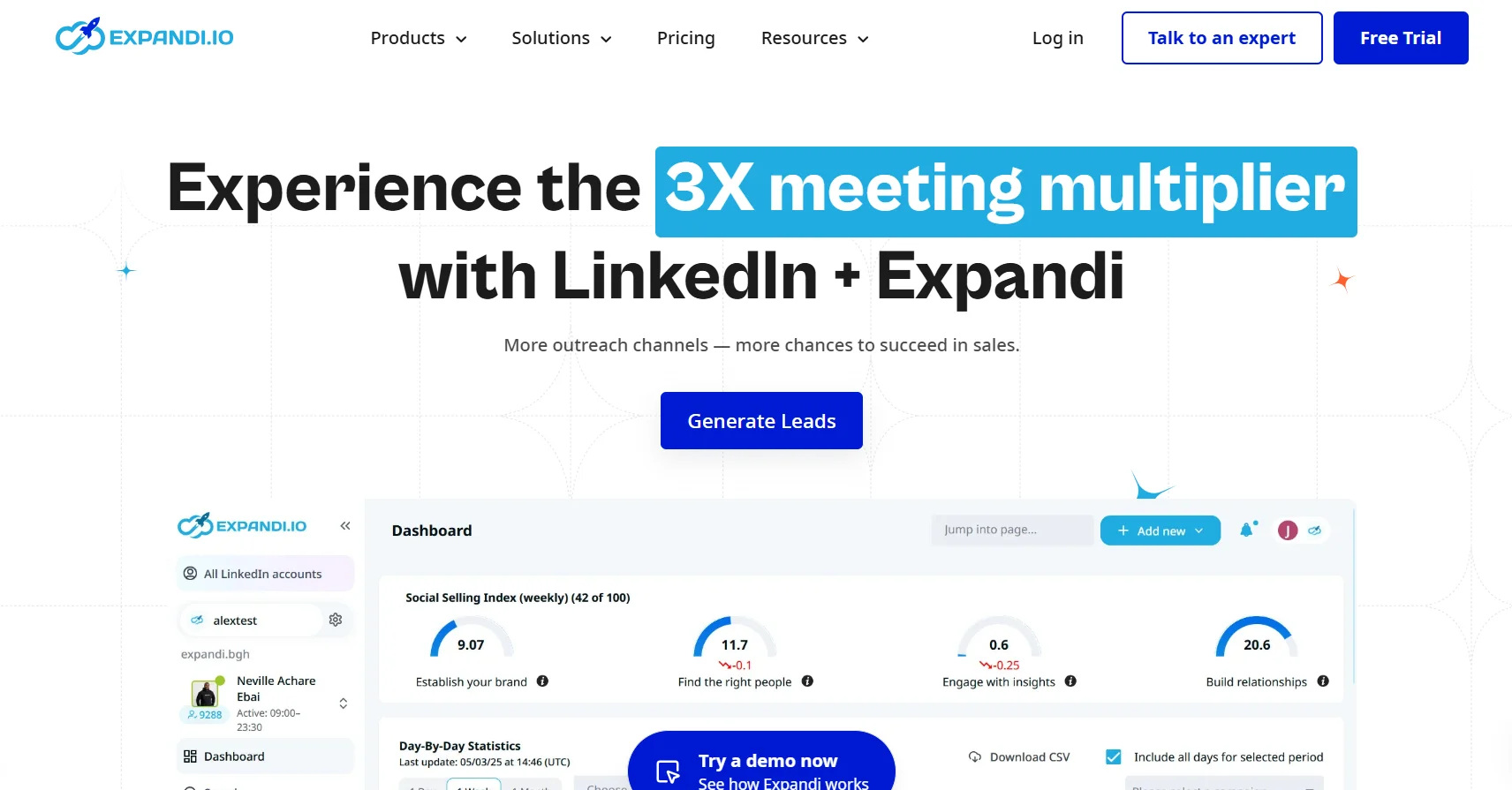
Before comparing alternatives, it’s worth being clear-eyed about what Expandi actually is and where it genuinely falls short in 2026. Buying a replacement for the wrong reasons is just as costly as staying on a tool that no longer fits.
What Expandi Does Well
Expandi is a cloud-based LinkedIn automation platform, meaning it runs 24/7 without needing your computer switched on. It offers connection request campaigns, message sequences, InMail automation, and open profile messaging. Its campaign builder is visual enough for non-technical users and supports basic conditional logic — for example, following up differently based on whether someone accepted a connection request or ignored it. It also provides dedicated IP addresses per user, which reduces the risk of multiple accounts being flagged under the same network fingerprint. For straightforward LinkedIn-only outreach, it works.
Where Expandi Falls Short in 2026
The complaints that push users toward alternatives are consistent across community forums, G2 reviews, and Reddit threads. They cluster around four recurring themes.
LinkedIn safety and cloud vs. browser-based architecture concerns
Expandi is cloud-based, which is a plus for reliability — but its activity limits and behavior simulation haven’t kept pace with LinkedIn’s increasingly sophisticated bot-detection systems. Users report account restrictions even when staying within Expandi’s recommended daily limits, particularly on newer LinkedIn accounts. The platform also doesn’t offer a browser extension fallback, which some users prefer for mimicking more natural browsing behavior alongside automation.
Pricing vs. value at scale
Expandi charges per seat, and the pricing adds up quickly for teams. At the time of writing, it starts at $99 per month per seat with no meaningful discount for volume until you’re at a significant scale. For solo users or small teams, that price is hard to justify against newer tools that offer comparable or better LinkedIn automation at half the cost.
Limited multi-channel capability
Expandi is fundamentally a LinkedIn tool. It added email functionality in later versions, but it remains secondary — clunky to set up, with limited native sending infrastructure and fewer personalization options than dedicated email outreach platforms. Teams running coordinated LinkedIn and email sequences typically end up managing two separate tools anyway, which defeats the purpose.
Reporting and analytics gaps
Expandi’s analytics dashboard shows the basics: connection acceptance rate, reply rate, and campaign step performance. What it lacks is deeper funnel analysis, team-level performance comparison, A/B testing with statistical significance tracking, and meaningful attribution when a lead touches both LinkedIn and email touchpoints. For revenue teams trying to iterate on messaging, this is a noticeable limitation.
Expandi Pricing Breakdown (2026)
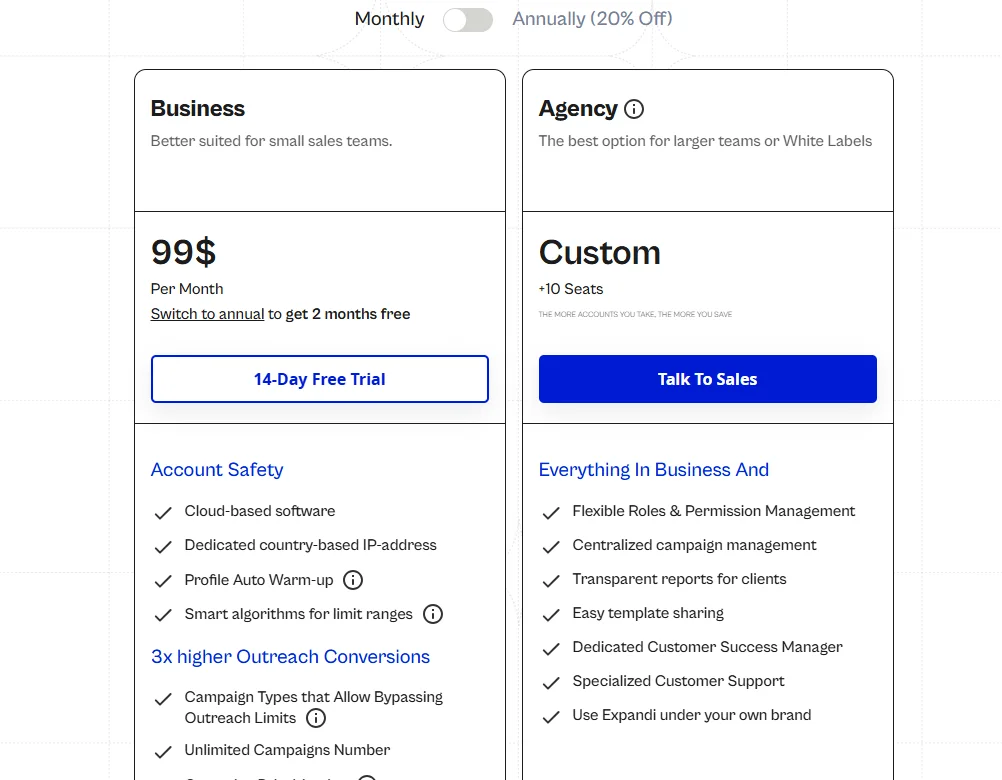
Expandi operates on a per-seat pricing model. The Business plan starts at $99 per user per month when billed monthly. There is no free plan and no publicly listed team discount structure. An agency plan exists but requires direct contact with sales for pricing. This positions Expandi as a mid-to-premium product that doesn’t offer the flexibility newer tools have built in from the start.
How We Evaluated Each Alternative
We didn’t just compare feature lists. Every tool in this guide was tested through the lens of real sales and marketing use cases. Here’s exactly what we looked at.
Our Evaluation Criteria
LinkedIn account safety and compliance approach
We examined how each tool simulates human-like behavior — including daily action limits, randomized delays between actions, activity scheduling (to avoid sending at 3am), and whether they use dedicated IPs, residential proxies, or browser extensions. This is the single most important factor for anyone worried about LinkedIn account restrictions.
Outreach channel coverage (LinkedIn, email, cold calling)
We checked whether each tool could run LinkedIn and email sequences in a single, coordinated workflow — not just as separate add-ons. We also noted which tools were beginning to integrate calling or SMS steps, since modern SDR workflows increasingly require this.
Personalization depth (dynamic variables, AI writing, image personalization)
We tested how far each tool lets you go beyond {first_name}. This includes custom variables pulled from enrichment data, AI-generated opening lines, and image personalization (inserting a prospect’s name or company logo into a custom graphic inside the message).
Team collaboration and seat management
We looked at whether teams can share templates, split leads, manage permissions by role, and view cross-team performance — or whether the tool is fundamentally built for individual users bolted together under one billing account.
CRM integrations and workflow fit
We checked native integrations with HubSpot, Salesforce, Pipedrive, and Apollo, as well as Zapier and Make (formerly Integromat) for custom workflows. We also noted whether the tool syncs two-way or only pushes data out.
Pricing transparency and value at scale
We recorded what you actually pay at one seat, five seats, and ten seats — including any hidden costs for features (like email sending, extra inboxes, or AI credits) that aren’t included in the base price.
Ease of use and onboarding curve
We noted how long it took to go from sign-up to a live campaign running, and whether the tool required technical knowledge or could be picked up by a non-technical sales rep in an afternoon.
Who This Guide Is For
This guide covers four distinct buyer profiles. Solo sales reps and freelancers who need low-cost, reliable LinkedIn outreach without much complexity. Small teams of two to ten people running coordinated prospecting. Agencies managing multiple client accounts under one platform. And enterprise SDR teams that need deep integration, analytics, and multi-channel orchestration at volume.
The 8 Best Expandi Alternatives We Tested in 2026
#1. Dealsflow — Best Overall Expandi Alternative for Safe, AI-Powered LinkedIn Automation
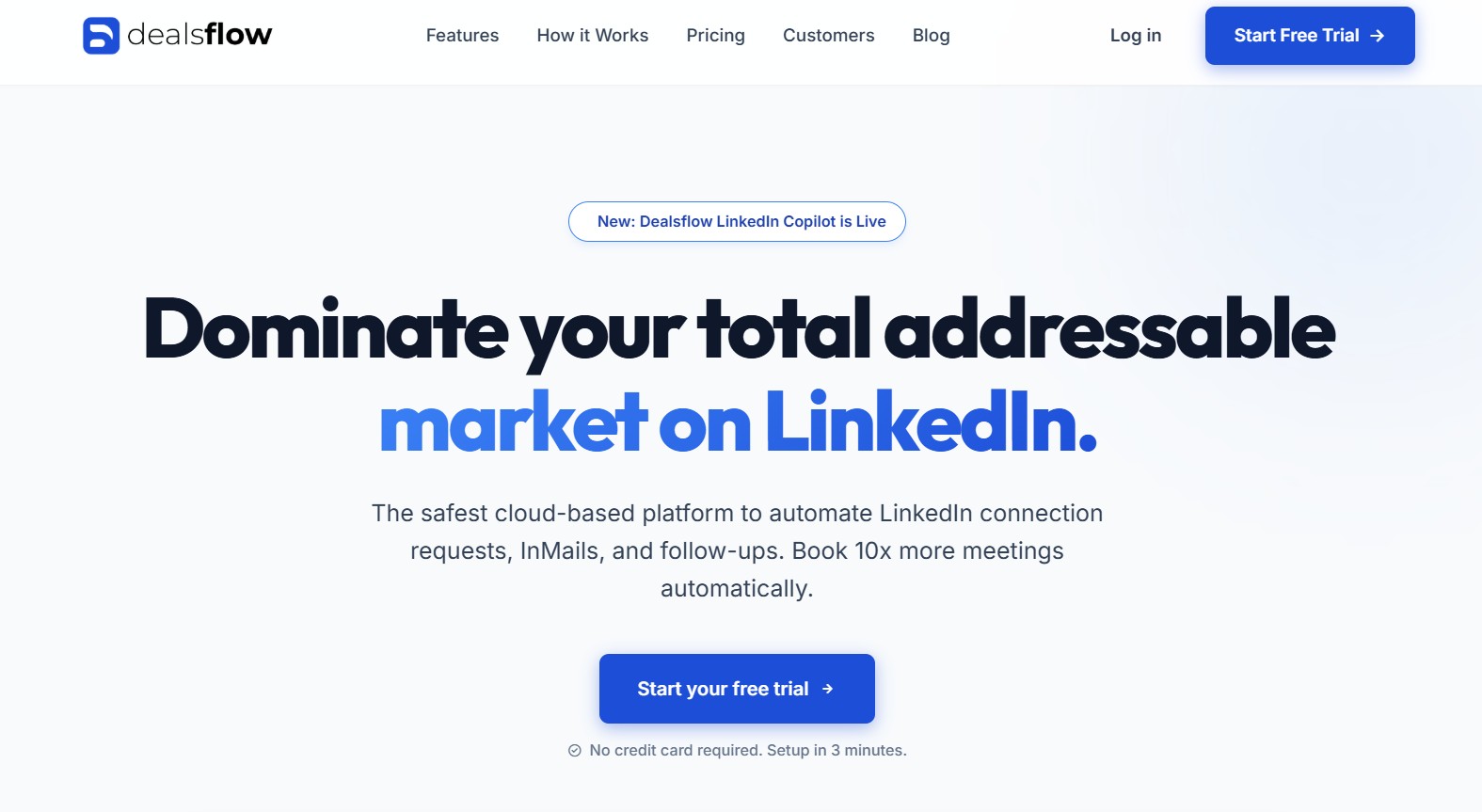
Dealsflow bills itself as “the OS for modern LinkedIn outbound sales,” and after putting it through its paces, that description holds up better than most marketing headlines. It is a fully cloud-based LinkedIn automation platform with a dedicated residential proxy per account, an AI-driven personalization engine, and one of the cleanest onboarding experiences in this category. The headline promise — setup in three minutes, no credit card required for the trial — is accurate.
What sets Dealsflow apart from Expandi immediately is its pairing of genuine LinkedIn safety infrastructure with AI personalization that works at the connection-request level, not just in follow-up messages. Most of the LinkedIn automation tools in this space either prioritize safety or personalization; Dealsflow has built both into the core product.
What Makes Dealsflow Different from Expandi
The clearest structural difference is the proxy architecture. While Expandi uses dedicated IPs, Dealsflow assigns a dedicated residential proxy to every account — meaning your automated LinkedIn activity is associated with a residential IP address, which is significantly harder for LinkedIn’s detection systems to flag compared to datacenter IPs. This is the same category of protection used by enterprise-grade infrastructure, applied directly to a consumer-facing LinkedIn tool.
The second major differentiator is the AI icebreaker generation. Dealsflow’s AI reads each prospect’s LinkedIn profile — their bio, their current role, their recent experience changes, their listed skills — and generates a unique, contextually relevant opening line for every connection request. This is not a template with a fill-in-the-blank variable; it is a genuinely different sentence for each prospect, generated from their actual profile content. According to user feedback published on Dealsflow’s own site, this approach has driven connection acceptance rates from around 15% to nearly 40% for some SDR teams — a figure consistent with the broader industry data on personalized vs. generic outreach.
The third differentiator is the Smart Inbox Copilot, which automatically unenrols a prospect from the sequence the moment they reply — preventing the common automation failure mode where a prospect who has already responded continues to receive follow-up messages.
Key Features
- 100% cloud-based LinkedIn automation running 24/7 without requiring the user’s computer to be active
- Dedicated residential proxy IP assigned per account at the point of connection, requiring no manual configuration
- Advanced Sequence Builder: drag-and-drop campaign builder supporting profile views, connection requests, and follow-up messages on a configurable timeline with precise day and hour intervals
- AI Personalization Engine: generates unique icebreakers per prospect by analyzing their LinkedIn profile description, job title, and career history
- Smart Inbox Copilot: unified inbox for managing all LinkedIn replies in one view, with automatic unenrolment triggered the moment a prospect responds
- Three campaign entry methods: LinkedIn Sales Navigator search URL import, CSV upload of LinkedIn profiles, and manual list building
- LinkedIn Copilot (newly launched): an AI assistant layer for managing conversations and surfacing recommended next actions in real time
- Safety controls: human-like delays between actions, daily action limits, and activity scheduling to stay within LinkedIn’s behavioral thresholds
- Three account tiers covering individuals ($49/month), growing teams ($99/month), and agencies with 10+ seats ($249/month)
- 14-day free trial with no credit card required and no long-term contracts
What We Liked — And What We Didn’t
Dealsflow’s standout quality is how much it gets right by default. The residential proxy is assigned automatically on account connection — there is no configuration required, no proxy settings to manually enter, and no technical knowledge needed. The AI icebreaker generation requires nothing beyond importing your lead list. The sequence builder is clean and visual, allowing a non-technical rep to build a multi-step campaign with conditional timing in under ten minutes. Dealsflow’s claim of a three-minute setup is genuinely achievable.
The Smart Inbox Copilot deserves specific mention. The automatic unenrolment on reply is a feature that sounds basic but is frequently broken or absent in competing tools. In practice, preventing a sequence from continuing after a prospect has responded is one of the most important safeguards against damaging a promising lead relationship. Dealsflow implements this correctly and reliably.
The AI icebreaker quality is also above average for this category. In testing, the generated openers reference specific details from prospect profiles — a recent promotion, a skill listed as an endorsement highlight, an industry connection — rather than producing the generic “I noticed you work in [industry]” filler that many AI writing tools default to. This directly drives the higher acceptance rates that teams using the product report.
The limitations are worth naming honestly. Dealsflow is LinkedIn-native in its primary focus — its email functionality is an addition rather than a fully integrated multi-channel engine, and teams requiring deeply coordinated LinkedIn and email sequences with their own sending infrastructure should evaluate Salesforge or La Growth Machine for that specific use case. The Enterprise plan at $249 per month covers 10+ LinkedIn accounts, which is appropriate for agencies but represents a meaningful price step from the Professional plan at $99. Customer support is email-based; there is no live chat or phone support listed publicly.
Dealsflow Pricing (2026)
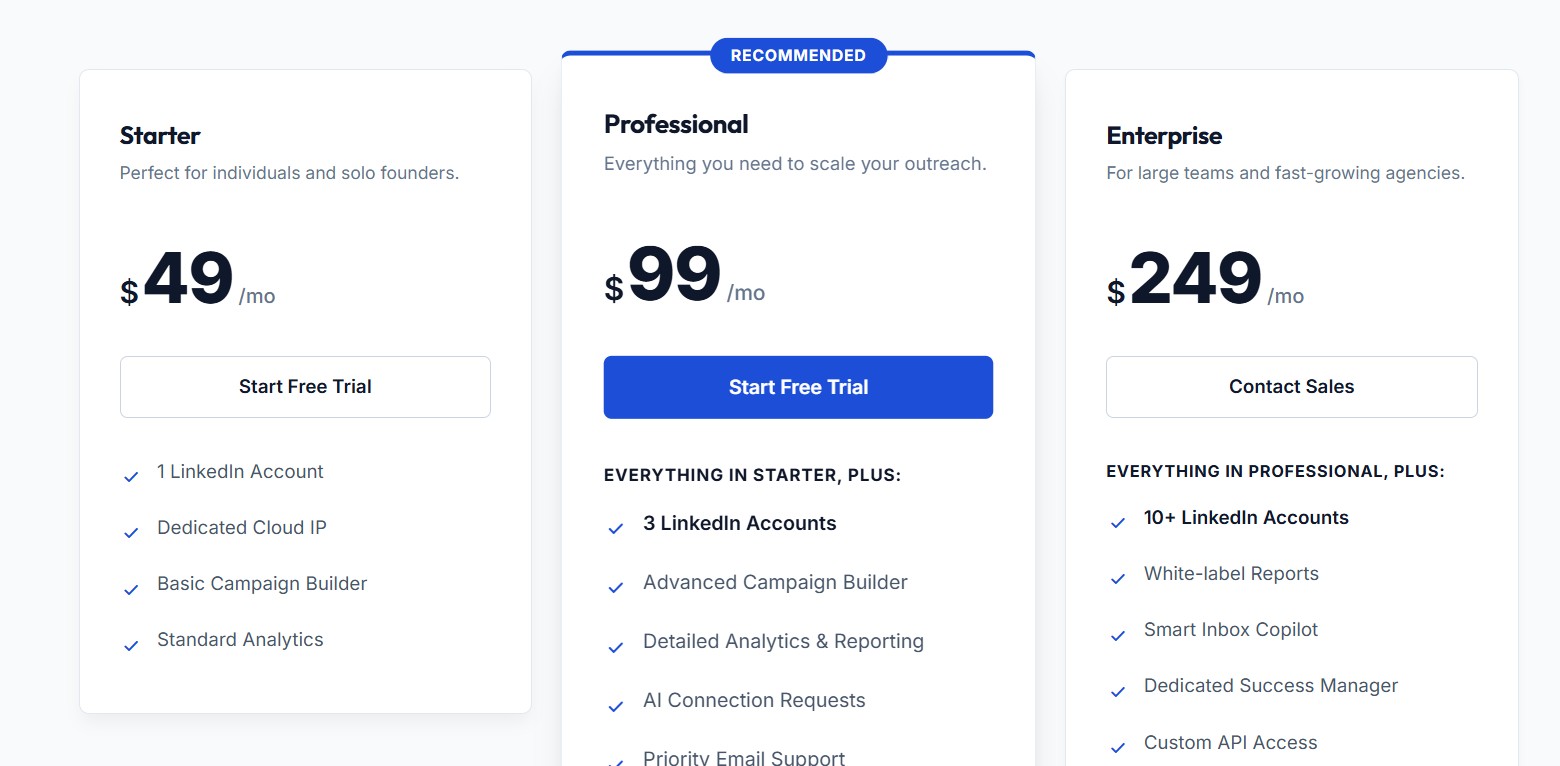
Dealsflow publishes transparent, tiered pricing with no hidden seat fees or add-on charges for core features. All plans come with a 14-day free trial requiring no credit card. Cancellation is available at any time from the billing dashboard, with no long-term contracts unless an annual plan is explicitly chosen. Annual billing reduces all plan prices by 20%.
- Starter — $49/month: 1 LinkedIn account, dedicated cloud IP, basic campaign builder, standard analytics
- Professional — $99/month: 3 LinkedIn accounts, advanced campaign builder, detailed analytics and reporting, AI connection requests, priority email support
- Enterprise — $249/month: 10+ LinkedIn accounts, white-label reports, Smart Inbox Copilot, dedicated success manager, custom API access
Expandi vs. Dealsflow — Side-by-Side Breakdown
| Feature | Expandi | Dealsflow |
|---|---|---|
| LinkedIn automation | Yes (cloud) | Yes (cloud) |
| Proxy type | Dedicated datacenter IP | Dedicated residential proxy |
| AI personalization | No | Yes (profile-based icebreakers) |
| Smart Inbox with auto-unenrol | No | Yes |
| LinkedIn Copilot | No | Yes (newly launched) |
| White-label reporting | No | Yes (Enterprise) |
| Multi-account management | No | Yes (Professional + Enterprise) |
| 14-day free trial, no credit card | No | Yes |
| Starting price/seat/month | $99 | $49 |
| Custom API access | No | Yes (Enterprise) |
Who Should Choose Dealsflow?
Dealsflow is the strongest recommendation for sales reps, SDR teams, and small agencies that want reliable, safe LinkedIn automation with AI-driven personalization — without the setup complexity or price premium of Expandi. The residential proxy architecture makes it the most defensively positioned tool in this guide for LinkedIn account safety. The AI icebreaker generation makes it the most personalized at the connection-request level. And the transparent pricing, free trial, and three-minute setup make it the most accessible to get started. For anyone who has been frustrated by Expandi’s $99 per seat price tag, Dealsflow’s Starter plan at $49 per month with a stronger safety and personalization feature set is the most direct upgrade available.
#2. Salesforge — Best for Multi-Channel Outreach at Scale
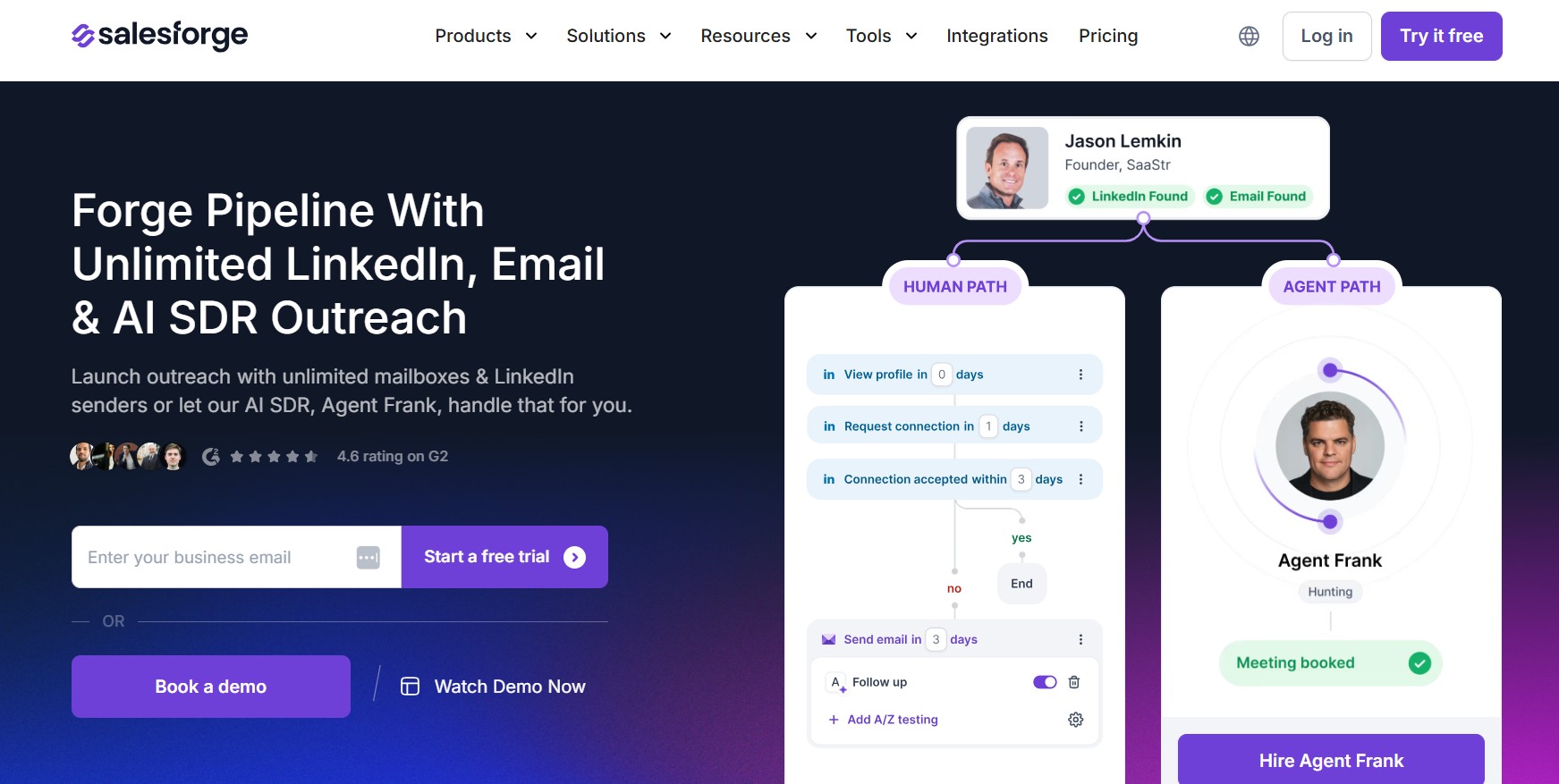
Salesforge has positioned itself as a full-stack outreach platform rather than just a LinkedIn tool. It combines LinkedIn automation, email outreach, and AI-generated personalization into one unified workflow builder. For teams that have been stitching together Expandi for LinkedIn and a separate email tool like Instantly or Smartlead, Salesforge is built to collapse that stack into one place.
What Makes Salesforge Different from Expandi
The most meaningful difference is the email infrastructure. Salesforge includes its own email sending infrastructure (via its Mailforge product), which means you’re not just automating the clicks — you’re also managing deliverability, warm-up, and inbox rotation from the same platform. Expandi’s email functionality requires you to connect your own inbox and manage deliverability separately. Salesforge also includes Forgeleads, its built-in data enrichment layer, which means you can find, enrich, and sequence leads without toggling between tools.
Key Features
- Unified sequence builder that mixes LinkedIn steps (connection request, message, InMail, profile view, follow) and email steps in one drag-and-drop workflow
- AI-generated personalized opening lines at scale, drawing from a prospect’s LinkedIn activity, job title, and company data
- Built-in email warm-up and inbox rotation via Mailforge
- Lead enrichment and intent signals via Forgeleads
- Real-time reply detection with automatic sequence pause to avoid double-messaging a prospect who already replied
- Multi-inbox management for teams with multiple sending domains
- Analytics broken down by channel, sequence step, and team member
What We Liked — And What We Didn’t
Salesforge’s biggest strength is that it actually does what multi-channel platforms promise but rarely deliver: a single workflow where LinkedIn and email genuinely feel coordinated, not bolted together. The AI personalization is fast and surprisingly usable — not just generic openers that still read as obviously AI-written. The reply detection works reliably across both channels, which prevents the awkward scenario of a prospect replying to your email while your LinkedIn sequence keeps firing at them.
The weaknesses are real too. The platform has a learning curve steeper than Expandi, particularly around the email deliverability side. New users unfamiliar with warm-up periods, SPF/DKIM setup, or inbox rotation will need to invest time in onboarding. Customer support, while responsive, is primarily async. And the pricing, while competitive at scale, can feel high for a solo user who only needs LinkedIn.
Salesforge Pricing (2026)
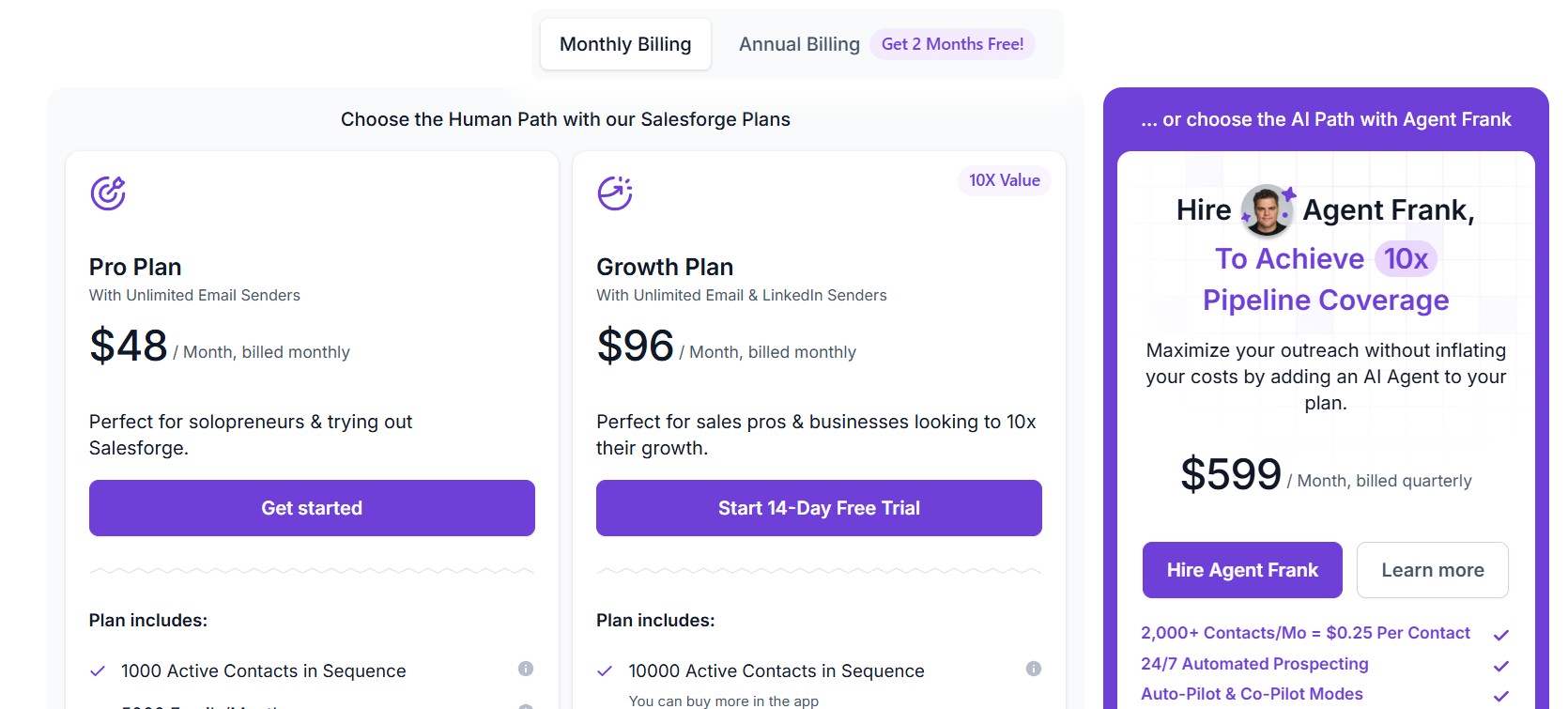
Salesforge offers a tiered pricing structure. The Growth plan starts at approximately $48 per month per seat (billed annually), which includes LinkedIn automation and basic email functionality. Higher tiers, which unlock AI personalization at volume, advanced analytics, and additional Mailforge inboxes, scale upward from there. Volume discounts are available for teams of five or more. Pricing should be confirmed directly on their site as it has been updated multiple times in the past year.
Expandi vs. Salesforge — Side-by-Side Breakdown
| Feature | Expandi | Salesforge |
|---|---|---|
| LinkedIn automation | Yes | Yes |
| Email automation | Limited | Full (with own infrastructure) |
| AI personalization | No | Yes |
| Lead enrichment | No | Yes (Forgeleads) |
| Email warm-up built in | No | Yes (Mailforge) |
| Team collaboration | Basic | Strong |
| Starting price/seat/month | $99 | ~$49 |
| Analytics depth | Basic | Advanced |
Who Should Choose Salesforge?
Salesforge is the right call for teams that are currently running LinkedIn and email sequences as two separate operations and want to consolidate. It’s especially well-suited for sales teams with a dedicated ops or enablement function who can handle the initial setup investment. It’s not the right fit for someone who just wants a simple LinkedIn sequencer with no email complexity.
#3. Skylead — Best for LinkedIn-First Teams
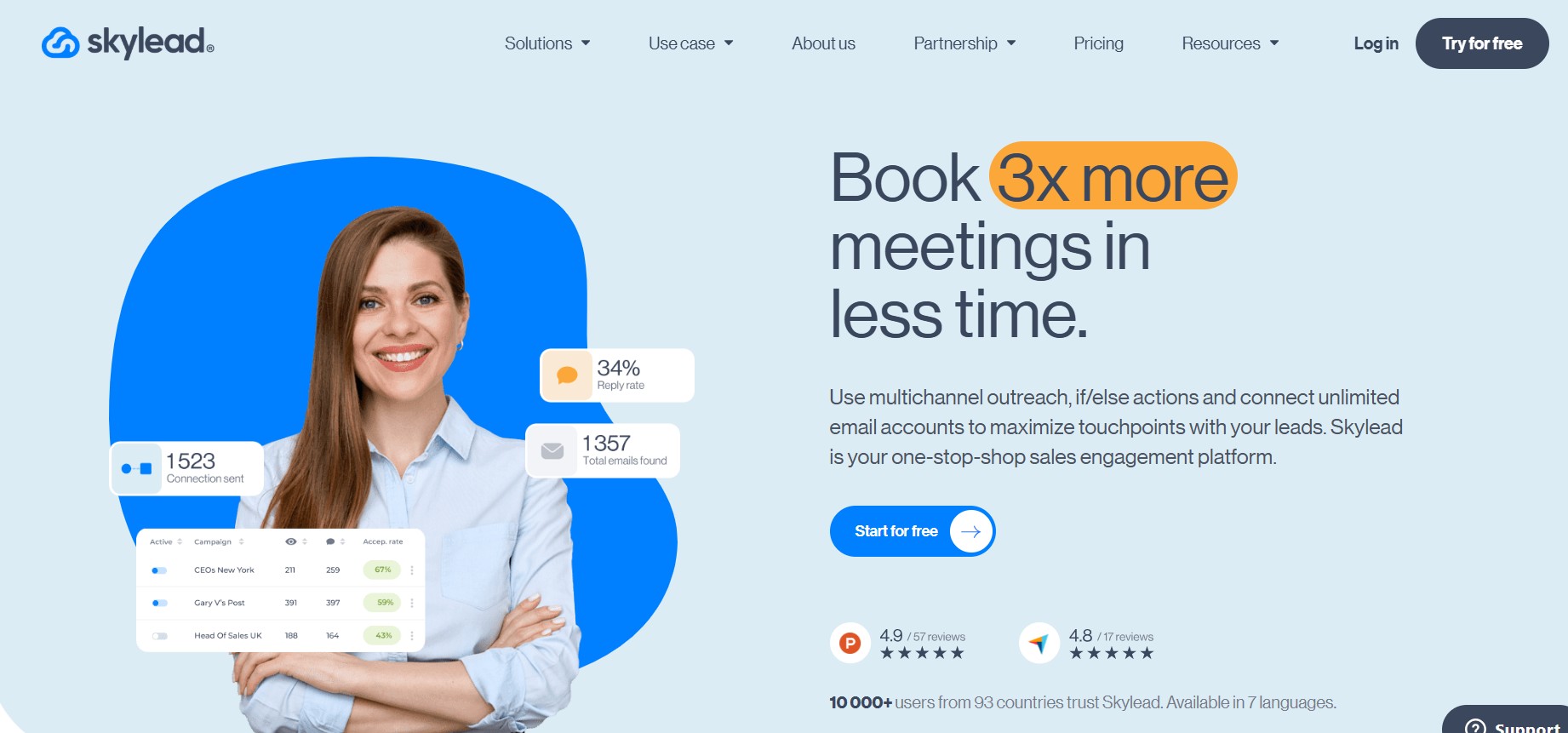
Skylead is one of the most mature cloud-based LinkedIn automation platforms available. It has been purpose-built for LinkedIn — not retrofitted — and it shows in the reliability and depth of its LinkedIn feature set. It added email integration, but LinkedIn remains where it genuinely excels.
What Makes Skylead Different from Expandi
Skylead’s differentiator over Expandi is its Smart Sequence builder. Rather than building a linear drip sequence, Skylead lets you create conditional workflows where each action branches based on what the prospect actually did. Did they view your profile but not accept your connection? Skylead can trigger a different message path. Did they open your email but not reply? A different branch fires. This conditional logic is available in Expandi, but Skylead’s implementation is more visual, more flexible, and easier to reason about.
Key Features
- Smart Sequence builder with conditional branching based on prospect behavior (profile view, connection acceptance, email open, InMail read)
- LinkedIn actions: connection requests, messages, InMail, open profile messages, profile views, post engagement (likes and comments)
- Built-in email discovery and verification for leads who don’t connect on LinkedIn
- Image and GIF personalization in LinkedIn messages and emails (using tools like Hyperise, or Skylead’s native image personalization)
- Dedicated cloud instance per user with a dedicated IP address
- LinkedIn Sales Navigator integration for pulling lists directly into sequences
- A/B testing for message variants
- Team features: shared templates, seat management, analytics by team member
What We Liked — And What We Didn’t
Skylead’s Smart Sequence builder is genuinely the best implementation of conditional LinkedIn workflows available in this price range. The ability to visually map out “if this, then that” logic for each touchpoint makes it easy to run nuanced, human-feeling outreach that reacts to prospect behavior rather than ignoring it. The image personalization feature, when used correctly, meaningfully increases reply rates — personalized images in LinkedIn messages still feel novel to most recipients.
The downsides: Skylead’s email functionality, while improved, still feels secondary. The email sending infrastructure relies on your own connected inbox, so deliverability management is your responsibility. The pricing is also the highest entry point in this guide at a flat $100 per month per seat regardless of usage, which is a hard sell for solo users or very small teams on a tight budget.
Skylead Pricing (2026)
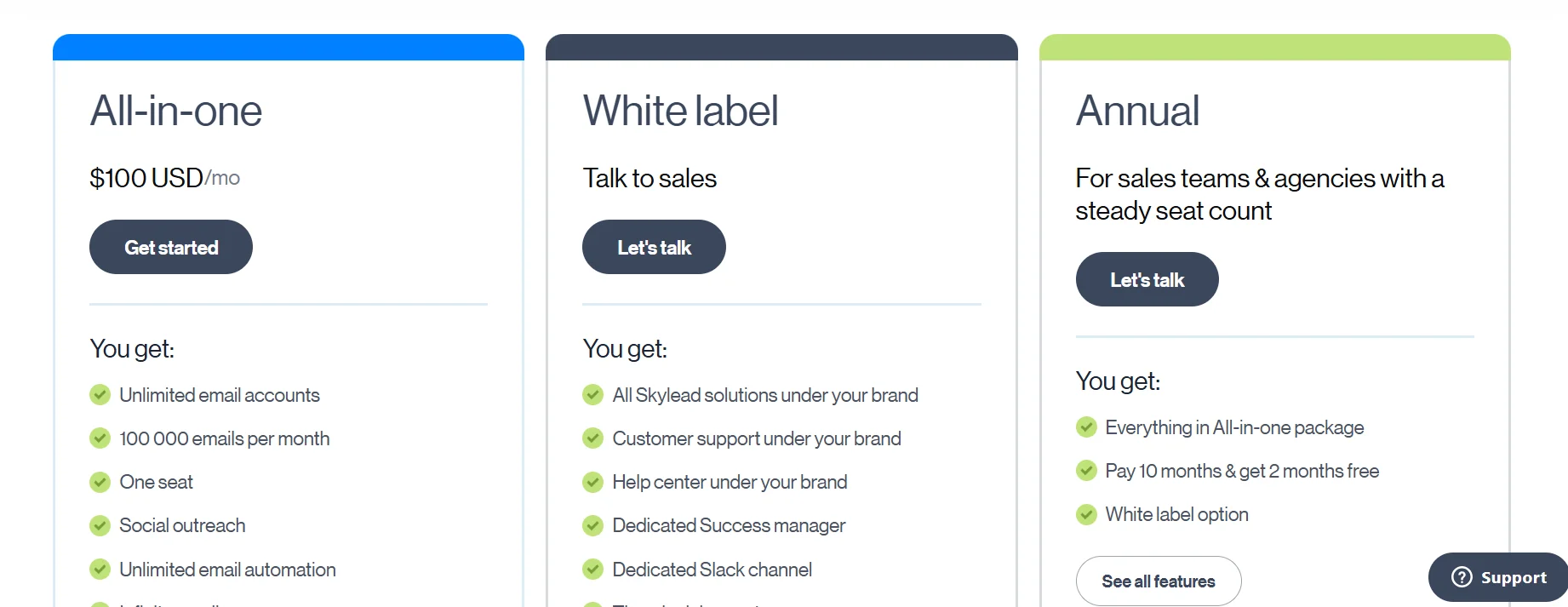
Skylead charges a flat $100 per month per seat (billed monthly). There are no tiered plans — everyone gets the full feature set. There is no free plan, but a free trial is available. For agencies or teams wanting to manage multiple client accounts, Skylead offers a white-label agency option with custom pricing.
Expandi vs. Skylead — Side-by-Side Breakdown
| Feature | Expandi | Skylead |
|---|---|---|
| LinkedIn automation | Yes | Yes |
| Conditional sequence logic | Basic | Advanced (Smart Sequences) |
| Image personalization | No | Yes |
| Email integration | Limited | Yes (own inbox required) |
| Dedicated IP per user | Yes | Yes |
| Sales Navigator support | Yes | Yes |
| A/B testing | Limited | Yes |
| Starting price/seat/month | $99 | $100 |
| Free plan | No | No |
Who Should Choose Skylead?
Skylead is the strongest choice for teams that are primarily LinkedIn-focused and want the most sophisticated conditional sequence logic available. If you’re running high-volume LinkedIn prospecting with Sales Navigator and you want your sequences to actually react to what prospects are doing, Skylead is the most capable tool in this category.
#4. La Growth Machine — Best for True Multi-Channel Orchestration
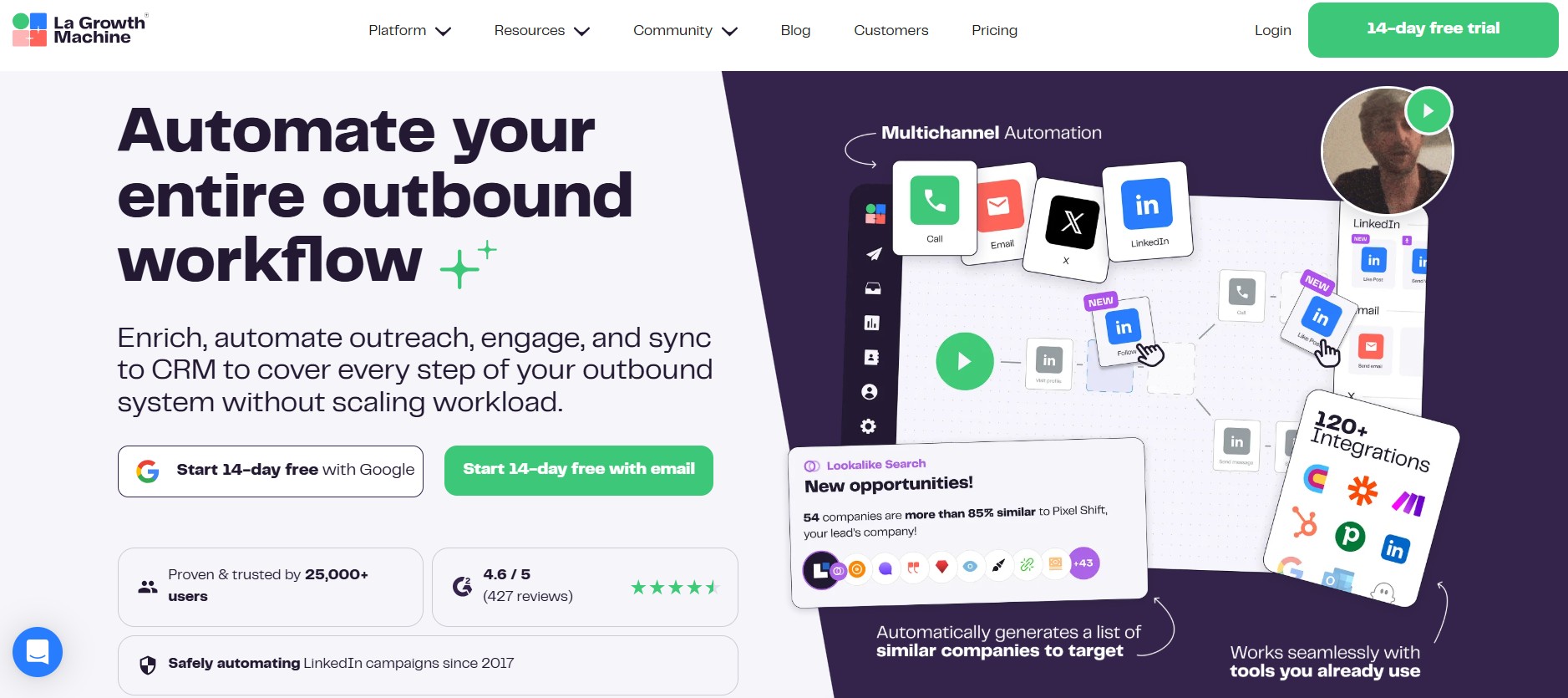
La Growth Machine (LGM) is a French-built outreach platform that has earned a strong reputation in the European market and is growing steadily in North America. It is the most serious multi-channel orchestration tool in this comparison — meaning it doesn’t just support multiple channels, it’s designed from the ground up to coordinate them intelligently.
What Makes La Growth Machine Different from Expandi
While Expandi is LinkedIn-first with email as an afterthought, La Growth Machine treats LinkedIn, email, and Twitter/X as equally first-class channels in a single workflow. More importantly, LGM includes a lead enrichment step built directly into the workflow — when a contact enters a sequence, LGM automatically attempts to find their professional email address and Twitter/X handle before the sequence begins. This means your multi-channel sequence starts with richer data than you imported.
Key Features
- Unified workflow builder supporting LinkedIn (all native actions), email (via connected inbox), and Twitter/X (follow, like, DM)
- Automatic lead enrichment at the start of every sequence to find email and social handles
- Human behavior simulation with randomized delays and natural typing speed mimicry
- Voice messages on LinkedIn (a relatively rare and high-engagement feature)
- Inbox management: unified reply inbox across all channels in one view
- CRM integrations: HubSpot, Pipedrive, Salesforce, and Zapier
- Team features: shared templates, campaign cloning for agencies, role-based access
- Analytics by channel, step, team member, and time period
What We Liked — And What We Didn’t
La Growth Machine’s multi-channel coordination is the most genuinely seamless in this guide. When you build a sequence in LGM, you’re not just setting up parallel tracks — you’re building one conversation with a prospect that adapts based on where they’re engaging. The unified inbox that surfaces replies from LinkedIn, email, and Twitter/X in one view is genuinely useful, not just a marketing bullet point. The automatic enrichment step also meaningfully improves the quality of your sequences because you’re starting with more complete data.
The limitations are also real. LGM does not include its own email sending infrastructure — you connect your own Gmail, Outlook, or SMTP inbox, which means deliverability management is your responsibility. The Twitter/X integration, while differentiated, is less reliable than LinkedIn and email because the Twitter API has become more restrictive. The platform is also more complex to onboard than simpler tools — the learning curve is noticeable, and the help documentation, while comprehensive, is better in French than English in some sections.
La Growth Machine Pricing (2026)
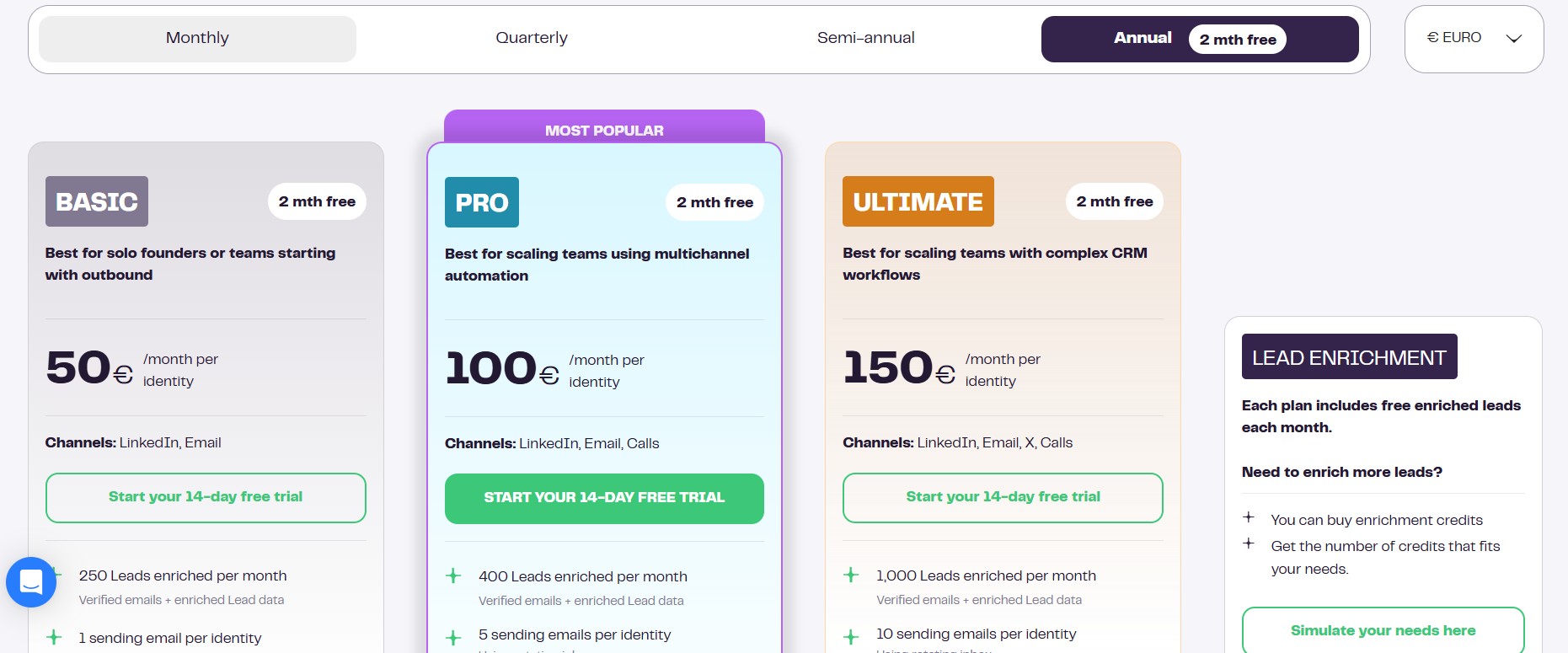
LGM offers three plans. The Basic plan starts at €50 per month per identity (their term for a connected LinkedIn account), which includes LinkedIn and email. The Pro plan at €100 per identity adds Twitter/X, voice messages, and advanced analytics. A custom Team plan is available for larger organizations. Annual billing reduces prices by approximately 20%.
Expandi vs. La Growth Machine — Side-by-Side Breakdown
| Feature | Expandi | La Growth Machine |
|---|---|---|
| LinkedIn automation | Yes | Yes |
| Email automation | Limited | Yes (own inbox required) |
| Twitter/X automation | No | Yes |
| Automatic lead enrichment | No | Yes (built into workflow) |
| Voice messages | No | Yes |
| Unified reply inbox | No | Yes |
| Team collaboration | Basic | Strong |
| Starting price/seat/month | $99 | ~€50 |
| Free plan | No | No |
Who Should Choose La Growth Machine?
LGM is the best choice for sales teams and agencies that genuinely run coordinated multi-channel campaigns and want the coordination to happen inside one tool rather than across two or three. It’s also the strongest option if your prospects are active on Twitter/X and you want to include social engagement as a touchpoint. It is not the right fit for teams that only use LinkedIn or teams that want a simple, low-setup tool.
#5. Lemlist — Best for Email-Led Teams That Need Visual Personalization
Lemlist is one of the most recognized names in cold outreach, and it earned that reputation through a genuine innovation: image and video personalization at scale. It has expanded significantly into LinkedIn automation, but its roots — and its best features — remain on the email side.
What Makes Lemlist Different from Expandi
Lemlist’s core differentiator is its personalization engine. It can generate personalized images (for example, a screenshot of a prospect’s website with your message overlaid, or a graphic with their name written on a whiteboard) and insert them into emails automatically at scale. It can also create personalized video landing pages. These features are genuinely rare and, when used well, produce meaningfully higher reply rates than standard text-based emails. Expandi has no equivalent.
Key Features
- Email personalization with dynamic images (custom backgrounds, prospect’s website screenshots, personalized text overlaid on graphics)
- Personalized video landing pages with prospect-specific thumbnails
- Multi-channel sequences: email (primary), LinkedIn (connection, message, InMail via extension), cold calling steps (manual reminder prompts)
- Lemwarm: built-in email warm-up tool to improve deliverability
- Lead database with access to a B2B contact database directly inside the platform
- CRM integrations: HubSpot, Pipedrive, Salesforce, and Zapier
- A/B testing for email subject lines and body variants
- Team features: shared templates, team reporting, sub-accounts for agencies
- AI-generated email writing assistance
What We Liked — And What We Didn’t
The image personalization is the reason Lemlist exists and the reason to choose it. When a prospect opens an email that includes a graphic with their name, their company logo, or their website visible, the open-to-reply conversion is noticeably different from a standard text email. This feature works. The built-in email warm-up (Lemwarm) also deserves credit — it’s one of the better implementations in the market and meaningfully reduces the cold-start deliverability problem that affects new domains.
The weaknesses are significant for LinkedIn-primary users. Lemlist’s LinkedIn automation runs through a browser extension rather than a cloud-based session, which means your computer needs to be on and the browser active for LinkedIn actions to execute. This is fundamentally less reliable than cloud-based LinkedIn tools and makes it impractical for large-volume LinkedIn campaigns. If LinkedIn is your primary channel, Lemlist is not the right tool.
Lemlist Pricing (2026)
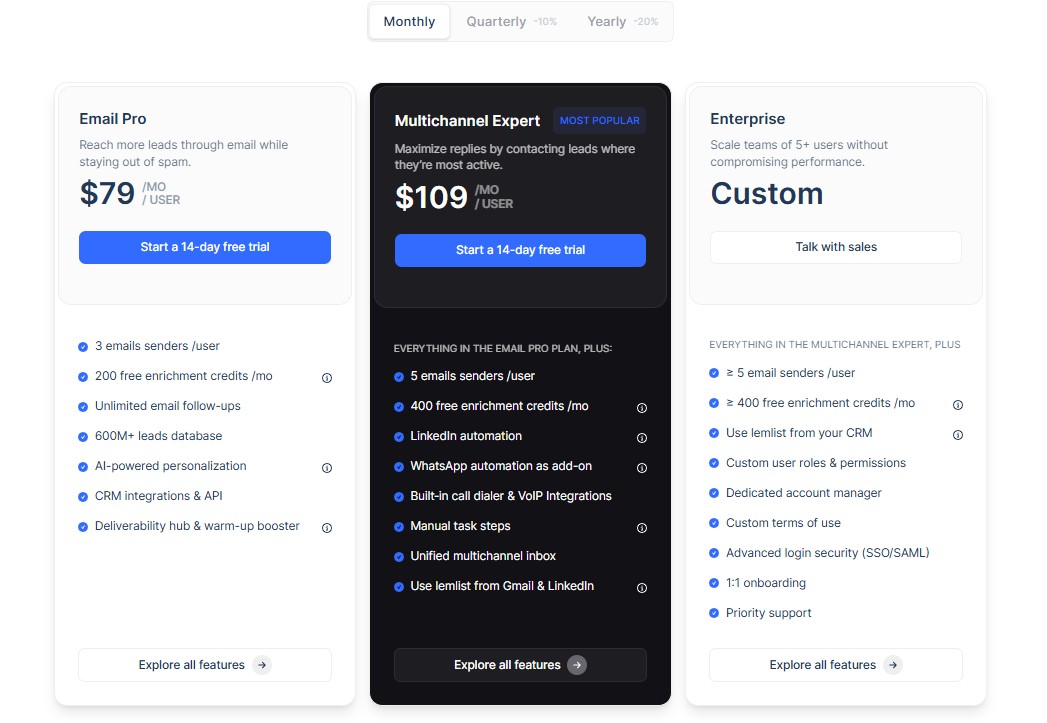
Lemlist has restructured its pricing multiple times. As of 2026, it offers an Email Starter plan at $39 per month per seat, an Email Pro plan at $79 per month, and a Multichannel Expert plan (which includes LinkedIn automation) at $109 per month. A free trial is available. Additional users and additional sending emails add to the cost.
Expandi vs. Lemlist — Side-by-Side Breakdown
| Feature | Expandi | Lemlist |
|---|---|---|
| LinkedIn automation | Yes (cloud) | Limited (browser extension) |
| Email automation | Limited | Yes (primary strength) |
| Image personalization | No | Yes (industry-leading) |
| Video personalization | No | Yes |
| Email warm-up | No | Yes (Lemwarm) |
| Built-in lead database | No | Yes |
| A/B testing | Limited | Yes |
| Starting price/seat/month | $99 | $39 |
| Free plan | No | No (trial available) |
Who Should Choose Lemlist?
Lemlist is the right call for teams whose primary outreach channel is cold email and who want the highest level of visual personalization available. If you’re sending high-volume email campaigns and want your messages to genuinely stand out in an inbox, Lemlist is the strongest tool in this guide for that job. If LinkedIn is your primary prospecting channel, look elsewhere.
#6. Waalaxy — Best for Beginners and Low-Volume Prospecting
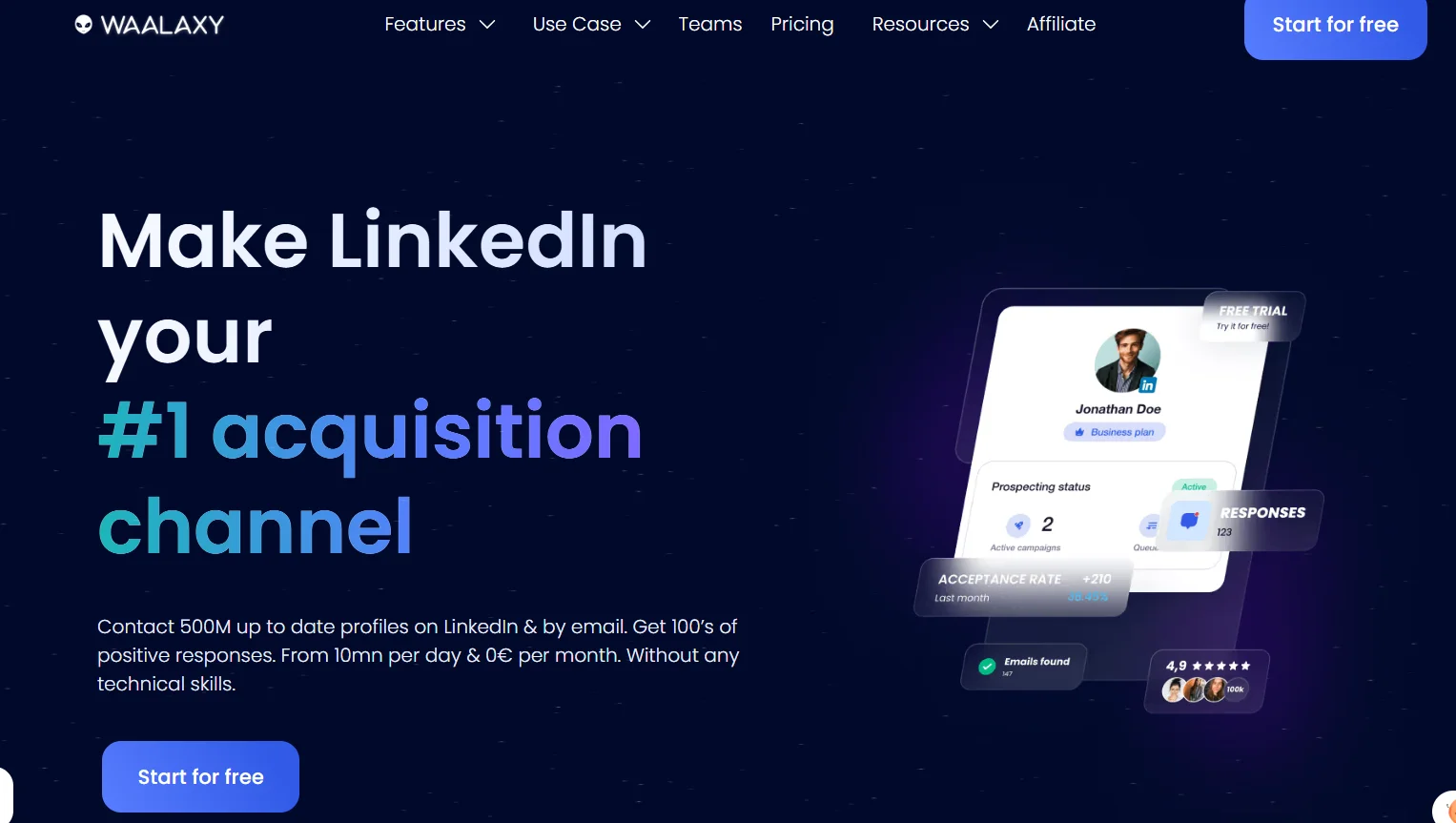
Waalaxy (formerly ProspectIn) is a French LinkedIn automation tool that has built a substantial user base by being the most accessible entry point into LinkedIn outreach automation. It has a free plan, a clean interface, and a learning curve that a non-technical sales rep can clear in an afternoon.
What Makes Waalaxy Different from Expandi
Waalaxy’s differentiation is accessibility and price. It is the only tool in this guide with a meaningful ongoing free plan, and its paid tiers start well below Expandi’s entry price. The interface is deliberately simplified — you’re not building complex conditional sequences; you’re choosing from a library of pre-built sequence templates, customizing your messaging, and importing a lead list. That simplicity is a genuine feature for users who don’t have the time or technical background to configure a more powerful platform.
Key Features
- Pre-built LinkedIn sequence templates (connection + follow-up message workflows) that can be launched in minutes
- Email finder built into the workflow (via Dropcontact integration) to discover verified email addresses for LinkedIn connections
- LinkedIn + email sequences on paid plans
- AI message writing assistant (Waami) for generating first drafts of connection messages and follow-ups
- Chrome extension-based automation with a cloud synchronization layer for reliability
- LinkedIn inbox management for tracking conversations
- CRM integrations: HubSpot and Pipedrive natively; others via Zapier
- Team plans with shared quotas and template libraries
What We Liked — And What We Didn’t
Waalaxy’s best quality is its low barrier to entry. A sales rep who has never used outreach automation before can have a real LinkedIn sequence running within an hour. The pre-built templates cover the most common use cases — connect and follow up, InMail sequence, connection with email fallback — and they’re solid enough that you don’t need to build from scratch to get started. The free plan, which allows a limited number of invitations per month, is a real free plan — not a bait-and-switch trial.
The limitations become apparent as you scale. Waalaxy’s daily action limits are conservative, which is good for account safety but constrains volume. The conditional logic is minimal compared to Skylead or Salesforge — you get linear sequences, not branching workflows. The Chrome extension architecture also means that for reliable operation, your browser needs to be open (though the cloud sync layer mitigates this somewhat). At higher price tiers, the value comparison against more powerful tools becomes less favourable.
Waalaxy Pricing (2026)
Waalaxy offers a free plan with limited monthly invitations. Paid plans start at approximately €40 per month for the Advanced plan (LinkedIn only) and €60 per month for the Business plan (LinkedIn + email). Annual billing discounts apply. Team plans are available with volume pricing.
Expandi vs. Waalaxy — Side-by-Side Breakdown
| Feature | Expandi | Waalaxy |
|---|---|---|
| LinkedIn automation | Yes (cloud) | Yes (extension + cloud sync) |
| Email automation | Limited | Yes (Business plan) |
| Conditional sequence logic | Basic | Minimal |
| Pre-built templates | No | Yes (extensive library) |
| AI message writing | No | Yes (Waami) |
| Free plan | No | Yes |
| CRM integrations | Limited | HubSpot, Pipedrive, Zapier |
| Starting price/seat/month | $99 | ~€40 |
| Volume limits | Moderate | Conservative |
Who Should Choose Waalaxy?
Waalaxy is the clearest recommendation for individual contributors who are new to LinkedIn automation, are working within a tight budget, or want to test the channel before committing to a more powerful platform. It’s also a sensible choice for small teams that run low-to-moderate volume prospecting and prioritize simplicity over advanced features. It is not a good fit for high-volume SDR teams or teams that need sophisticated conditional workflows.
#7. Dripify — Best for Solo Users and Small Teams on a Budget
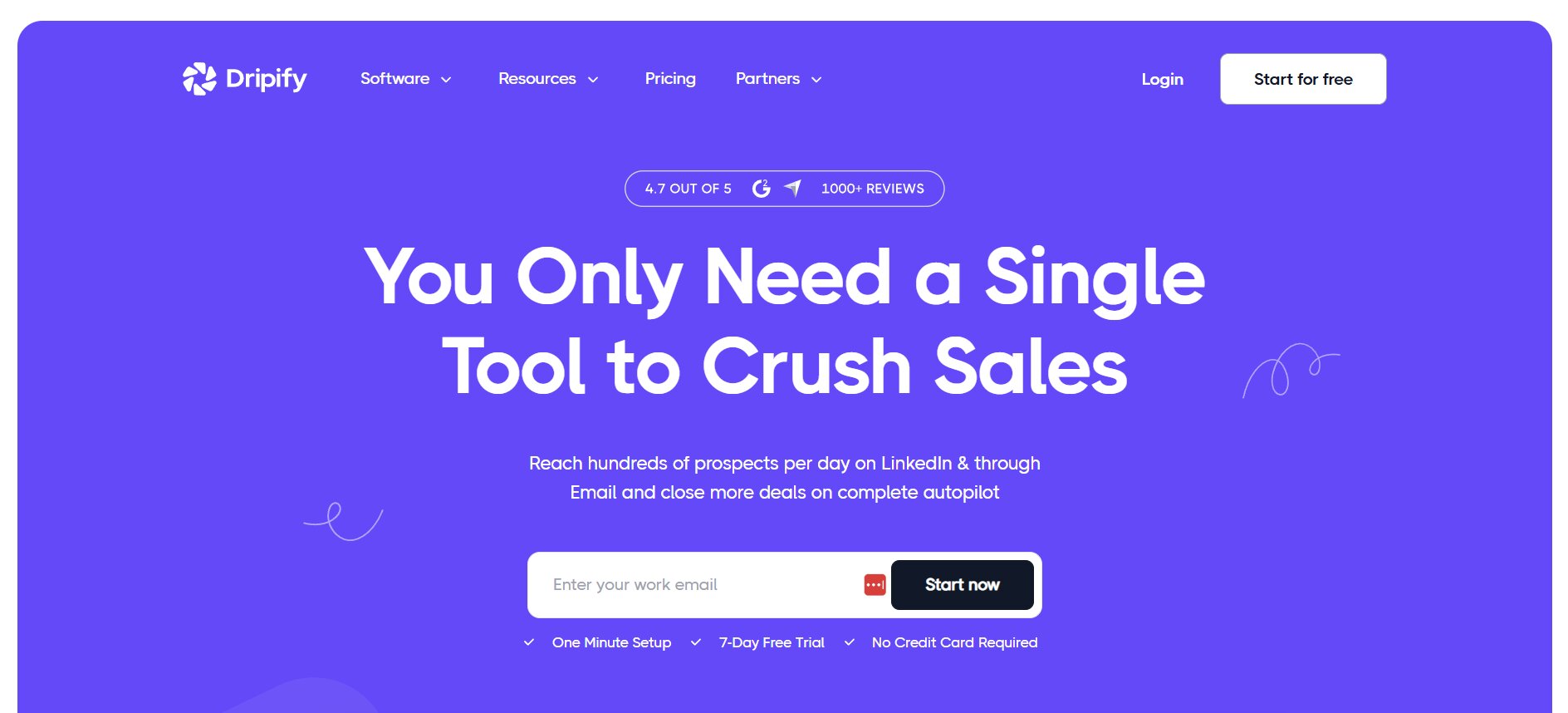
Dripify is a cloud-based LinkedIn automation tool that has quietly built a loyal user base by delivering reliable LinkedIn-focused automation at a price point significantly below Expandi. It doesn’t try to be everything — it focuses on doing LinkedIn sequences well and keeping the interface clean.
What Makes Dripify Different from Expandi
Dripify’s main differentiator is the price-to-reliability ratio. For straightforward LinkedIn automation — connection campaigns, message sequences, InMail, profile views — Dripify delivers comparable reliability to Expandi at roughly one-third to one-half the cost. It also includes a built-in LinkedIn inbox manager that lets you handle replies without leaving the platform, which reduces context-switching during active campaign periods.
Key Features
- Cloud-based LinkedIn automation: connection requests, messages, InMail, profile visits, post likes, skill endorsements
- Drip campaigns with time delays and conditional logic (if connected, send message; if not, send InMail)
- Built-in LinkedIn inbox manager for replying to leads directly in Dripify
- Activity control: daily limits, randomized delays, and active hours scheduling to simulate human behavior
- Team features: multiple seats, shared drip campaigns, team analytics dashboard, role-based permissions
- CRM and tool integrations via Zapier and native webhooks (HubSpot, Pipedrive, Salesforce)
- Personal dashboard showing daily activity stats, campaign performance, and funnel metrics
- CSV import and LinkedIn search URL import for building lead lists
What We Liked — And What We Didn’t
Dripify earns its place in this guide through consistency. The campaigns run reliably, the safety limits are sensible, and the interface is clean enough that a new user can orient themselves quickly. The built-in inbox management is a genuine quality-of-life improvement — being able to reply to LinkedIn messages from the Dripify dashboard without switching to LinkedIn itself saves meaningful time when managing multiple active campaigns. The team analytics dashboard is also more useful than Expandi’s equivalent, surfacing per-rep performance in a way that’s easy to act on.
The weaknesses are around breadth. Email automation on Dripify’s base plan is not included — it requires the higher-tier plan. The conditional logic, while present, is simpler than Skylead’s Smart Sequences or LGM’s workflow builder. And Dripify does not include any AI personalization, built-in enrichment, or image personalization — if those features matter to you, you’ll need to find them elsewhere in your stack.
Dripify Pricing (2026)
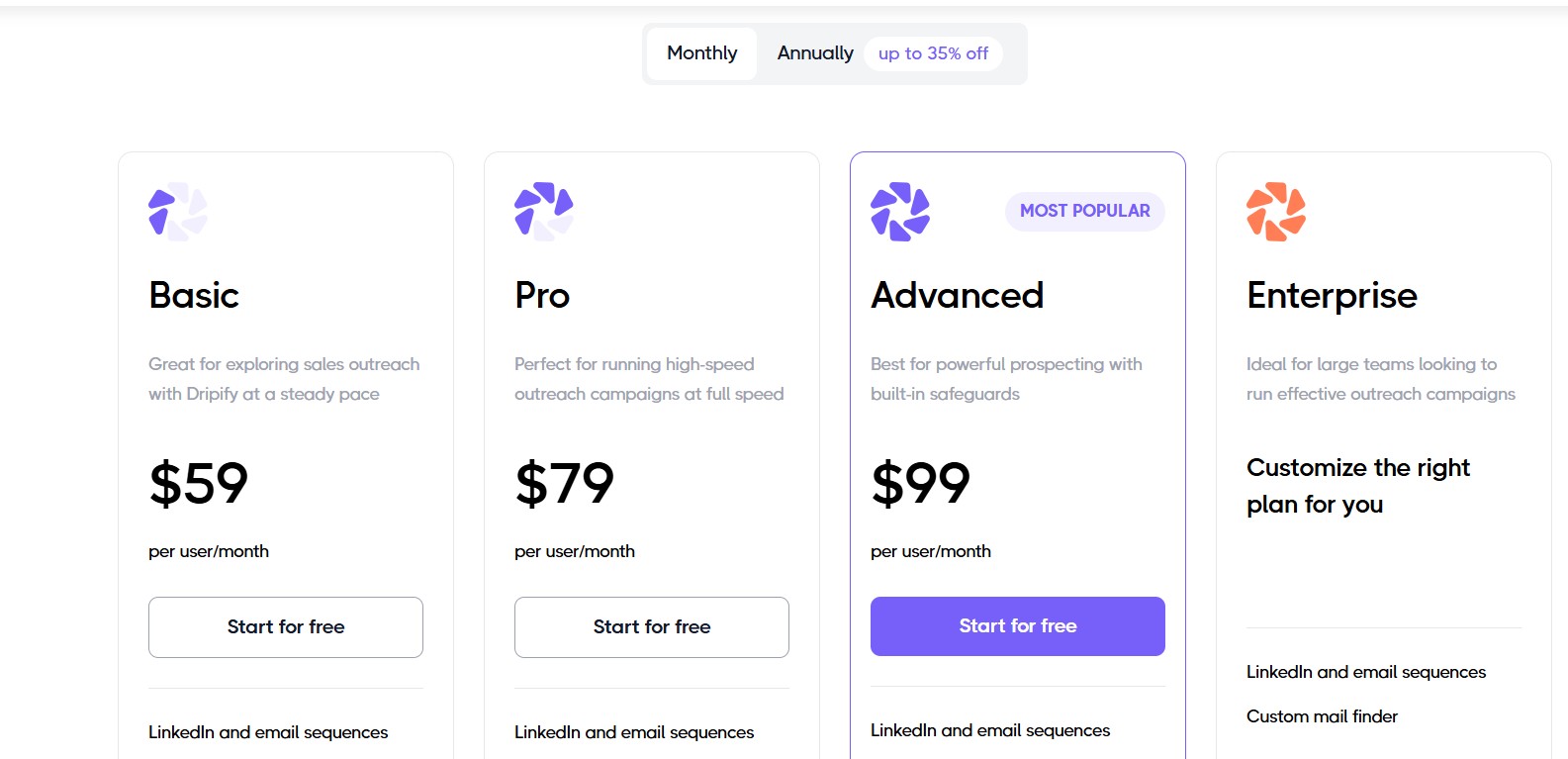
Dripify offers three plans. The Basic plan starts at $39 per month per user (billed monthly) and covers core LinkedIn automation. The Pro plan at $59 per month adds personal inbox management and advanced analytics. The Advanced plan at $79 per month includes team functionality, webhooks, and integrations. Annual billing reduces prices by approximately 25%.
Expandi vs. Dripify — Side-by-Side Breakdown
| Feature | Expandi | Dripify |
|---|---|---|
| LinkedIn automation | Yes (cloud) | Yes (cloud) |
| Email automation | Limited | Yes (higher plans) |
| Built-in inbox manager | No | Yes |
| Conditional sequence logic | Basic | Basic |
| AI personalization | No | No |
| Team analytics | Basic | Yes |
| CRM integrations | Limited | Zapier, webhooks, HubSpot |
| Starting price/seat/month | $99 | $39 |
| Free plan | No | No |
Who Should Choose Dripify?
Dripify is the strongest option for individual sales reps and small teams who need reliable, cloud-based LinkedIn automation at a price that doesn’t require a business case to justify. It’s also a good fit for teams that value the built-in inbox manager and want to keep their LinkedIn conversation management and campaign management in one place. If you’ve been paying $99 per seat on Expandi and using only the LinkedIn features, Dripify is the most direct cost-saving swap.
#8. Meet Alfred — Best for Agencies Managing Multiple Client Campaigns
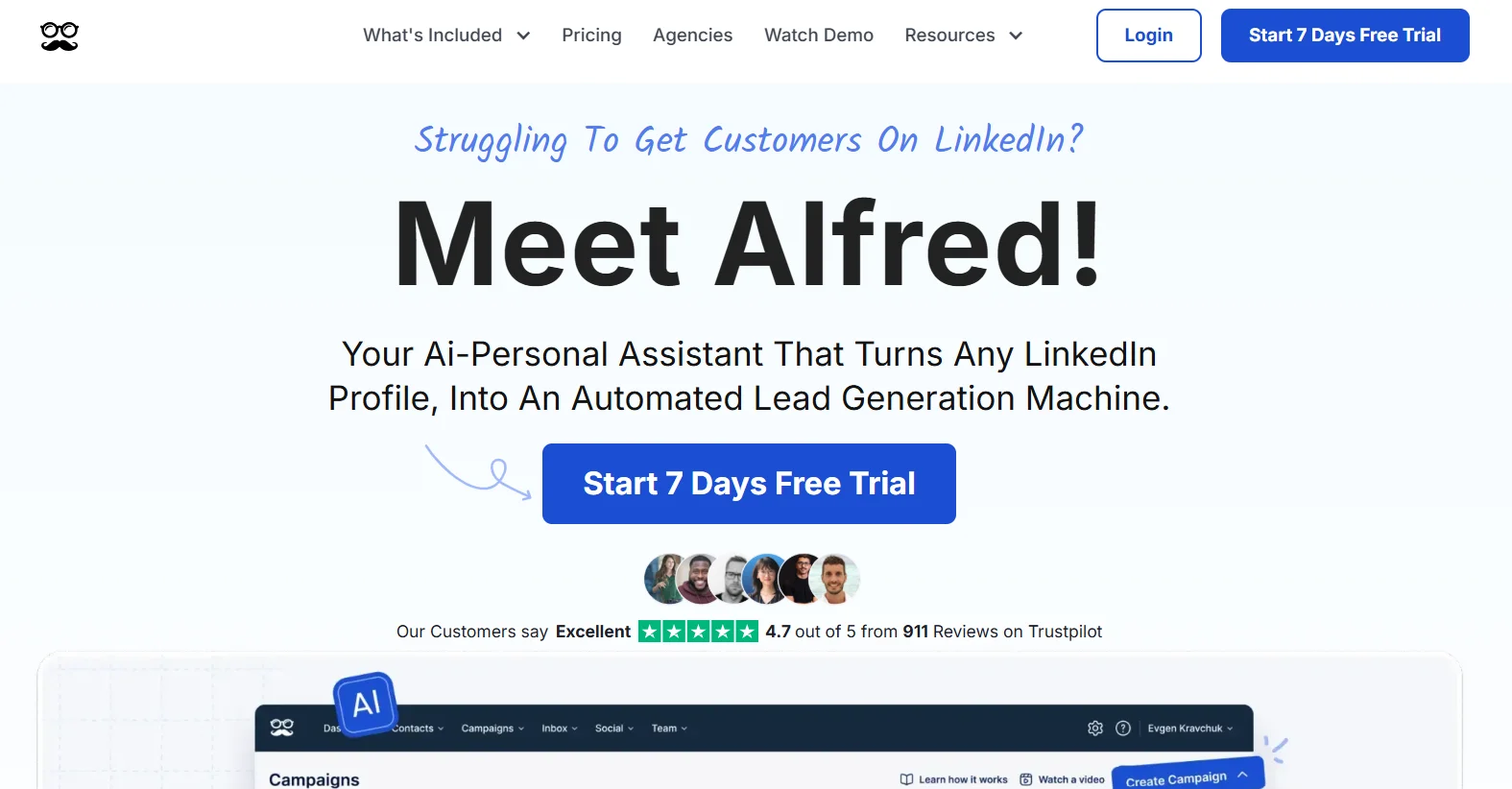
Meet Alfred is one of the older platforms in the LinkedIn automation space, and its most distinguishing feature is its architecture for managing multiple LinkedIn accounts simultaneously — which makes it a natural fit for agencies running outreach on behalf of clients.
What Makes Meet Alfred Different from Expandi
Meet Alfred is built for the multi-account use case in a way that Expandi is not. Where Expandi charges per seat and treats each account as an independent entity, Meet Alfred’s higher plans allow managing multiple accounts from a single dashboard, with the ability to clone campaigns across accounts, monitor activity across all clients, and generate white-label reporting. For an agency running outreach for ten clients, that operational efficiency is significant.
Key Features
- Multi-channel sequences: LinkedIn (connection, message, InMail, profile view, post engagement), email, and Twitter/X
- Multi-account management from a single dashboard (agency feature)
- Campaign cloning across accounts for replicating successful sequences to new clients
- Built-in CRM with contact management, tagging, notes, and deal tracking (lightweight, but present)
- LinkedIn, email, and Twitter/X reply monitoring in a unified inbox view
- Pre-built campaign templates organized by use case (recruiting, sales, event promotion, etc.)
- A/B testing for message variants across channels
- Activity controls: daily limits, randomized delays, blackout hours, and LinkedIn-safe behavioral patterns
- White-label reporting for agencies (PDF exports with customizable branding on higher plans)
- Integrations: HubSpot, Salesforce, Pipedrive, and Zapier
What We Liked — And What We Didn’t
Meet Alfred’s multi-account dashboard is the feature that justifies its inclusion in this guide. For agencies, the ability to manage, monitor, and optimize campaigns across multiple client LinkedIn accounts from one view — without constantly switching logins — is a meaningful operational advantage. The campaign cloning feature is also well-implemented: when you find a sequence that’s working, you can roll it out to other accounts with a few clicks rather than rebuilding it from scratch.
The weaknesses are real and worth naming clearly. Meet Alfred has had a mixed reliability reputation over the years, with some users reporting campaign pauses and sync issues that require manual intervention. The built-in CRM, while a nice inclusion, is too lightweight to replace a real CRM for teams with complex pipeline management needs. The Twitter/X integration has also become less reliable following API changes. The platform is not the fastest to update when LinkedIn changes its interface, which can cause temporary automation failures.
Meet Alfred Pricing (2026)
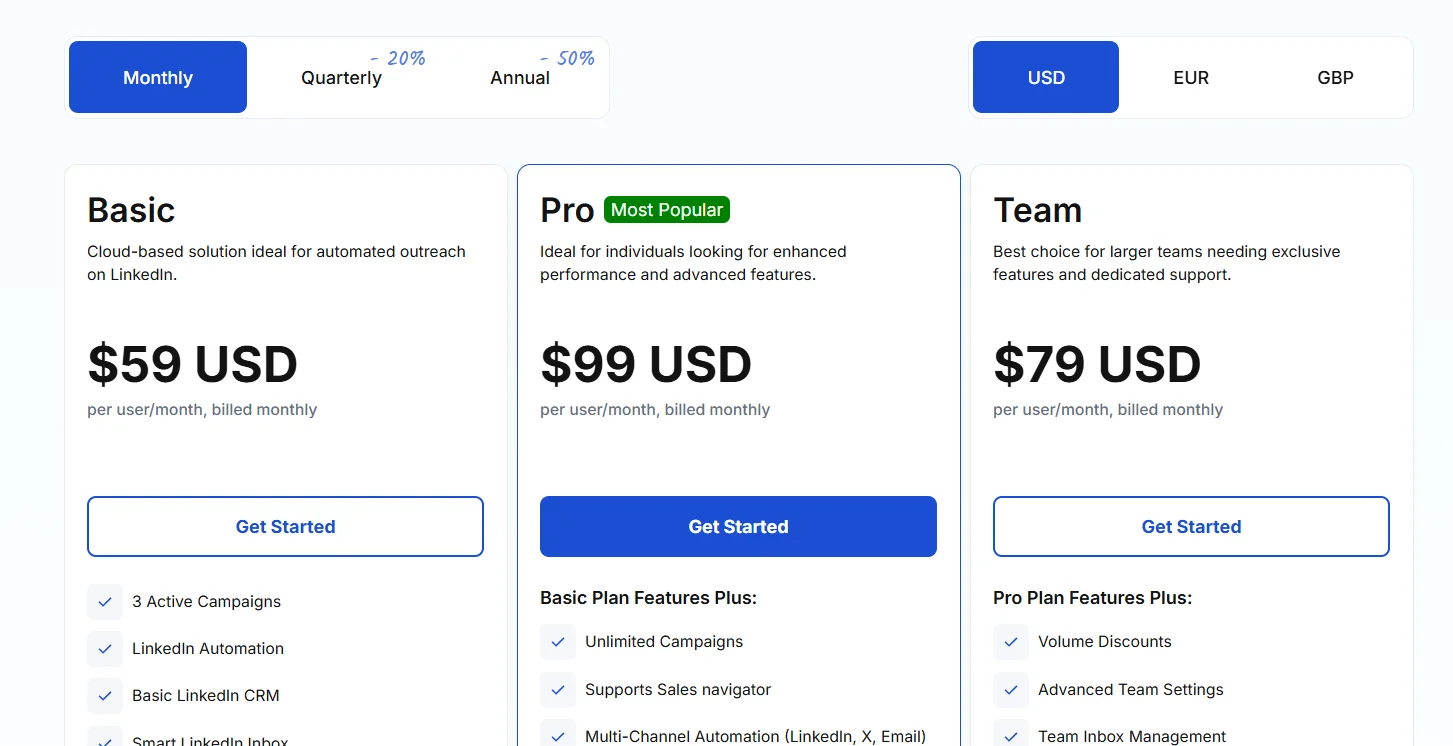
Meet Alfred offers a Personal plan at $59 per month (one LinkedIn account, LinkedIn + email automation), a Business plan at $99 per month (adds Twitter/X, advanced analytics, and integrations), and custom pricing for agencies. Annual billing provides a discount. The agency plan pricing is not publicly listed and requires contacting sales.
Expandi vs. Meet Alfred — Side-by-Side Breakdown
| Feature | Expandi | Meet Alfred |
|---|---|---|
| LinkedIn automation | Yes (cloud) | Yes (cloud) |
| Email automation | Limited | Yes |
| Twitter/X automation | No | Yes |
| Multi-account dashboard | No | Yes (agency feature) |
| Campaign cloning | No | Yes |
| Built-in CRM | No | Yes (lightweight) |
| Unified inbox (all channels) | No | Yes |
| White-label reporting | No | Yes (higher plans) |
| Starting price/seat/month | $99 | $59 |
Who Should Choose Meet Alfred?
Meet Alfred is the clearest recommendation for agencies managing LinkedIn outreach for multiple clients. The multi-account dashboard, campaign cloning, and white-label reporting are features that directly address the agency workflow in a way no other tool in this guide does as completely. It’s also a reasonable choice for individual users who want multi-channel coverage at a more accessible price point than Expandi. It is not the right fit for teams that need the highest reliability or the most sophisticated sequence logic.
How to Pick the Right Expandi Alternative for Your Use Case
The right tool depends almost entirely on your workflow, team size, and which channels matter most to your prospecting strategy. Here’s a direct decision guide.
If Your Priority Is Safe, AI-Powered LinkedIn Automation → Consider #1 (Dealsflow)
For teams that want the strongest combination of LinkedIn account safety (via residential proxy), AI-generated personalization at the connection-request level, and a clean onboarding experience at a fair price, Dealsflow is the most complete package in this guide. It’s also the most cost-effective entry point relative to Expandi, starting at $49 per month with a 14-day free trial requiring no credit card.
If Your Priority Is LinkedIn-Only, High-Volume Outreach → Consider #3 (Skylead) or #7 (Dripify)
If email is not in your current workflow and you run high volumes of LinkedIn connection campaigns, Skylead gives you the most sophisticated conditional logic and the best safety infrastructure at the premium end. Dripify gives you reliable, clean LinkedIn automation with a significantly lower price tag if you don’t need the advanced branching.
If You Need Email + LinkedIn in One Workflow → Consider #2 (Salesforge) or #4 (La Growth Machine)
Both tools genuinely coordinate LinkedIn and email in a single sequence rather than treating them as parallel tracks. Salesforge is stronger if you want built-in email infrastructure and AI personalization. La Growth Machine is stronger if you want three channels (including Twitter/X) and a unified reply inbox.
If You’re a Solo Rep or Freelancer on a Tight Budget → Consider #6 (Waalaxy) or #7 (Dripify)
Waalaxy has a free plan and the lowest paid entry point. Dripify offers more power and reliability for $39 per month. Both are appropriate for low-to-moderate volume use without complex team features.
If You Manage Campaigns for Multiple Clients → Consider #8 (Meet Alfred)
Meet Alfred’s multi-account dashboard and campaign cloning are built for the agency use case. No other tool in this guide addresses that workflow as directly.
If Deep Email Personalization Matters Most → Consider #5 (Lemlist)
Lemlist’s image and video personalization features are genuinely industry-leading. If email is your primary channel and you want your messages to visually stand out in inboxes, Lemlist is the strongest tool for that specific job.
Final Verdict — Which Expandi Alternative Wins in 2026?
After testing all eight tools against the criteria that matter for real sales and marketing workflows, here’s where things land.
Our Top Pick Overall and Why
Dealsflow earns the overall top pick in 2026 for a combination of reasons that are difficult to match elsewhere at its price point. The dedicated residential proxy architecture is the most defensively positioned LinkedIn safety infrastructure in this guide. The AI icebreaker generation — which reads actual profile content to produce unique, contextually relevant opening lines per prospect — directly addresses the personalization gap that makes most automation feel like spam. The Smart Inbox Copilot’s automatic unenrolment on reply prevents the sequence-continuation mistake that damages the most promising leads. The pricing at $49 per month for a solo seat (compared to Expandi’s $99) with a 14-day free trial requiring no credit card makes it the most accessible entry point. And the newly launched LinkedIn Copilot adds an AI assistant layer for managing active conversations that no other tool in this guide currently matches. For individual SDRs, growing sales teams, and agencies that want the strongest LinkedIn-native automation available at a fair price, Dealsflow is the clearest recommendation in this guide.
Runners-Up by Category
- Best for multi-channel (LinkedIn + email): Salesforge — for built-in email infrastructure and AI personalization across both channels
- Best for LinkedIn conditional logic: Skylead — for its Smart Sequence builder and branching workflow depth
- Best for true multi-channel (3 channels): La Growth Machine — for LinkedIn + email + Twitter/X coordination and unified inbox
- Best for email-primary teams: Lemlist — for image and video personalization that genuinely moves reply rates
- Best budget LinkedIn tool: Dripify — for reliable cloud automation at $39 per month
- Best for beginners: Waalaxy — for its free plan, pre-built templates, and minimal learning curve
- Best for agencies: Meet Alfred — for multi-account management, campaign cloning, and white-label reporting
The Bottom Line — When to Stay on Expandi
Switching tools carries a real cost: migration, re-learning, rebuilding templates, and the inevitable friction that comes with any new platform. If Expandi is working for your team — your account is safe, your campaigns are converting, and the pricing is justifiable — there is no urgency to switch. The tools in this guide are not all better than Expandi across the board; they’re each better in specific dimensions. The right question isn’t “is Expandi the best tool available?” — it’s “does Expandi fit the workflow I’m running right now, and if not, which tool fits it better?” If the answer to the second half of that question is what brought you here, this guide gives you a clear enough picture to make a confident decision.
Frequently Asked Questions
Is Expandi Safe to Use With LinkedIn?
Expandi is a cloud-based tool and uses dedicated IP addresses per user, which reduces the risk associated with shared proxy networks. That said, no automation tool can guarantee zero account risk — LinkedIn actively detects and penalizes bot-like activity. The safest approach with any tool, including Expandi, is to stay within conservative daily action limits, schedule activity during working hours, warm up new accounts gradually, and avoid automating engagement actions (like comments) at high volume. Account age matters too: newer accounts are more vulnerable to restrictions than established ones.
What Is the Best Free Alternative to Expandi?
Waalaxy is the only tool in this guide with a meaningful ongoing free plan, allowing a limited number of LinkedIn connection invitations per month at no cost. Dealsflow offers a 14-day free trial with no credit card required — the most generous trial period in this guide and long enough to run a real campaign and evaluate genuine results before committing. No other tool reviewed here offers a permanent free tier.
Can Any of These Tools Do LinkedIn + Cold Email Together?
Yes — several of them. Dealsflow, Salesforge, La Growth Machine, Skylead, Lemlist, Waalaxy (Business plan), Dripify (higher plans), and Meet Alfred all support LinkedIn and email steps within the same sequence. The quality of the integration varies significantly. Salesforge and La Growth Machine have the most genuinely unified multi-channel workflow. Dealsflow’s email capability is present but LinkedIn-native in its primary focus. Lemlist’s LinkedIn automation is browser extension-based and less reliable for high volume. The others fall somewhere in between.
Which Expandi Alternative Is Best for Agencies?
Meet Alfred is the most purpose-built option for agencies, with its multi-account management dashboard, campaign cloning, and white-label reporting. Dealsflow’s Enterprise plan at $249 per month also covers 10+ LinkedIn accounts with white-label reports, a dedicated success manager, and custom API access — making it a strong agency option for teams that want AI personalization and residential proxy safety baked in alongside the multi-account management. La Growth Machine is also worth evaluating for agencies running multi-channel campaigns and valuing the unified inbox. Skylead has a white-label agency option on custom pricing.
How Do LinkedIn Automation Tools Avoid Getting Accounts Banned?
The tools in this guide use several mechanisms to reduce the risk of LinkedIn account restrictions. Cloud-based tools use dedicated IP addresses — and in Dealsflow’s case, dedicated residential proxy IPs — so your account doesn’t share an IP with thousands of other automated accounts. Residential proxies are harder for LinkedIn to flag than datacenter IPs because they appear to originate from regular internet connections rather than server infrastructure. All tools in this guide apply randomized delays between actions to avoid the perfectly-timed, robotic cadence that LinkedIn’s systems detect. Most enforce daily action limits that stay well below LinkedIn’s known detection thresholds. Activity scheduling prevents automation from firing at unusual hours. No tool eliminates risk entirely — LinkedIn continues to evolve its detection systems — but these mechanisms meaningfully reduce it.